The short version
- At Low quality, all three are equally quick and cost the same: a median 12 seconds for Flare, 12 for Sunburst and 14 for GPT Image 2, at $0.0076 per 1024 × 1024 image.
- From Medium up, GPT Image 2.5 pulls away. At Medium, Flare took 14 seconds and Sunburst 17, against 37 for GPT Image 2. At High it was 21, 34 and 105 seconds: Flare was 5.1 times faster.
- It costs a quarter as much. At Medium and High, GPT Image 2.5 costs a quarter of GPT Image 2’s price. Its High costs what GPT Image 2’s Medium costs, and both 2.5 models still finished it sooner.
- Flare is the fastest at every setting. Sunburst matched it at Low and took up to 1.8 times as long above that.
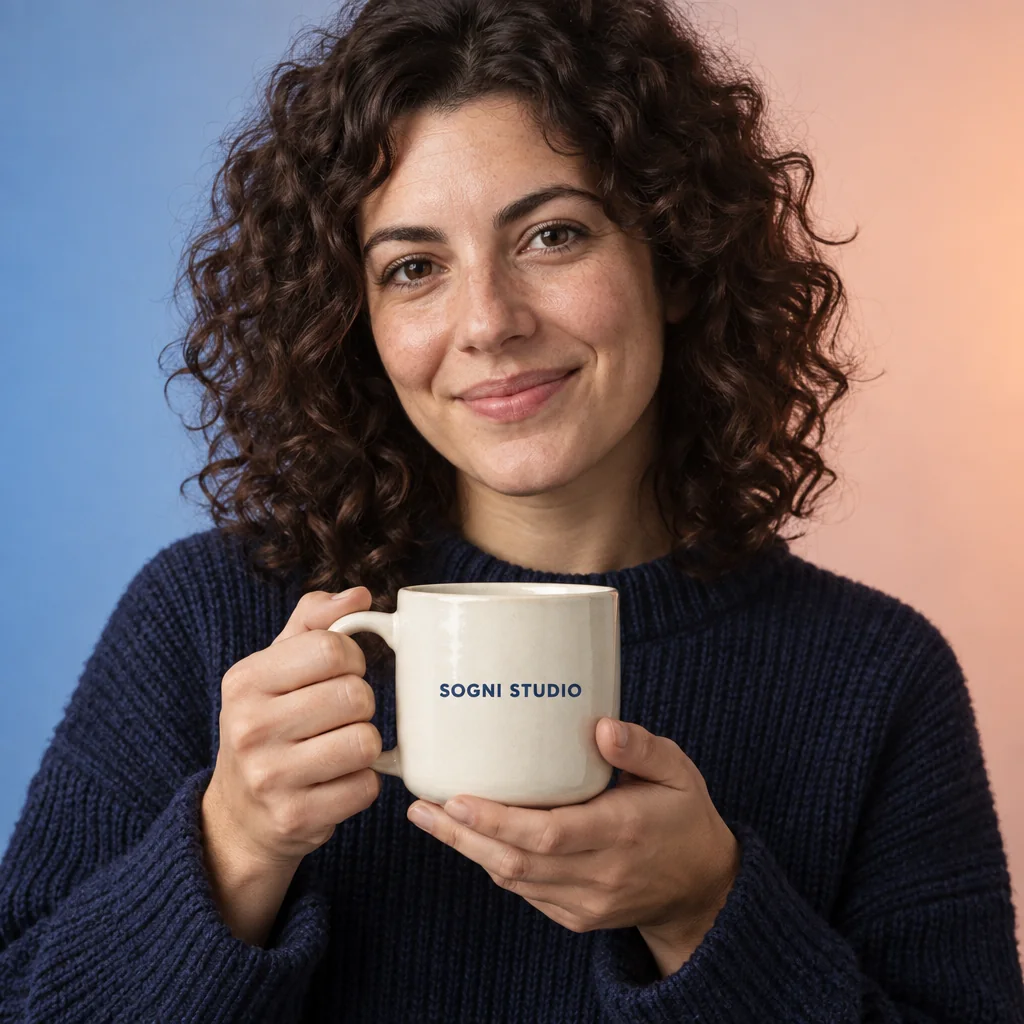
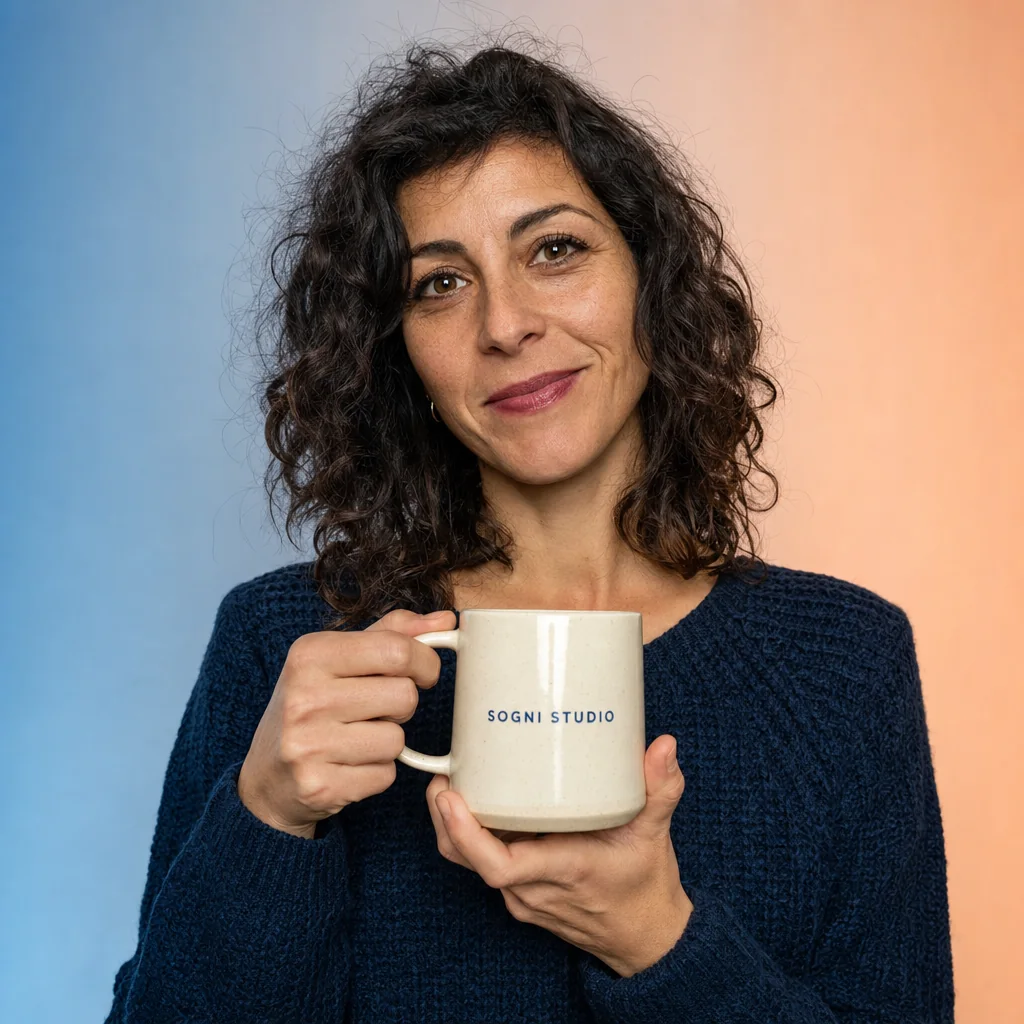
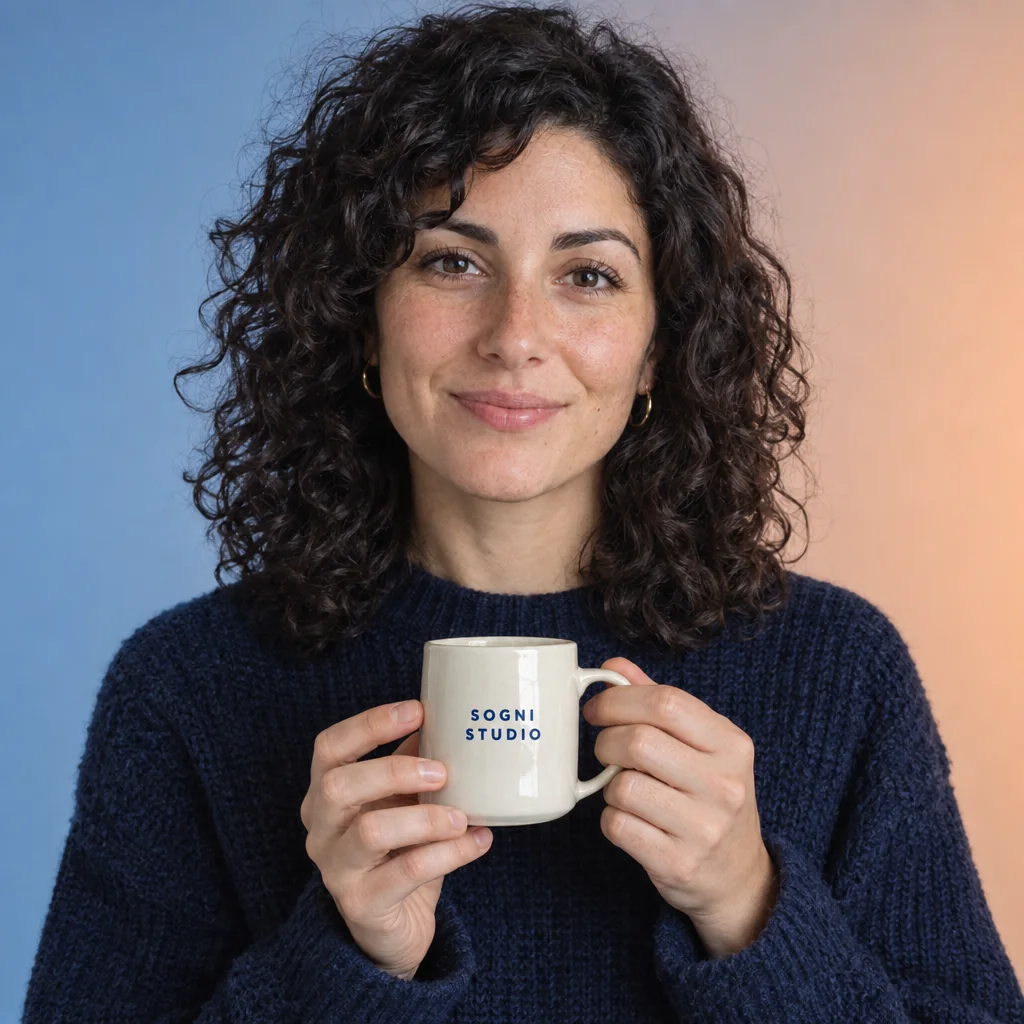
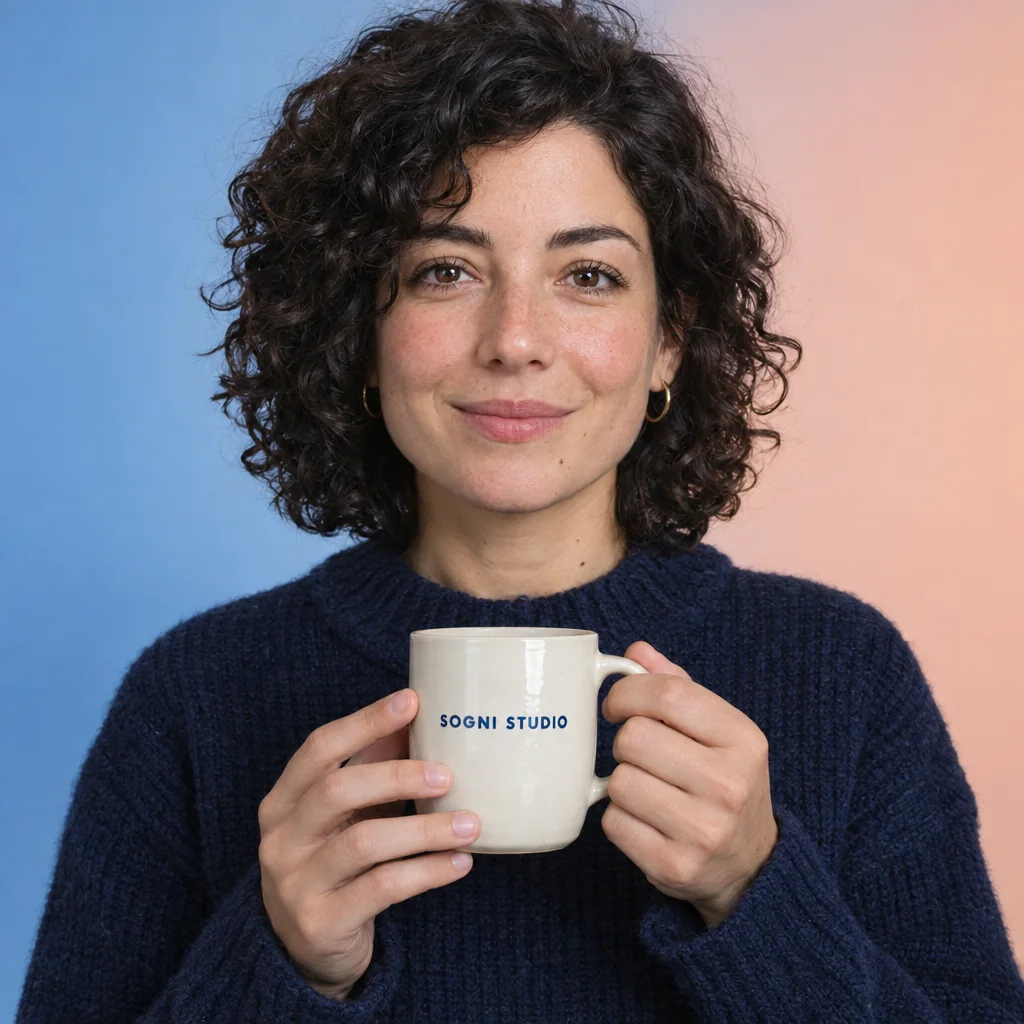
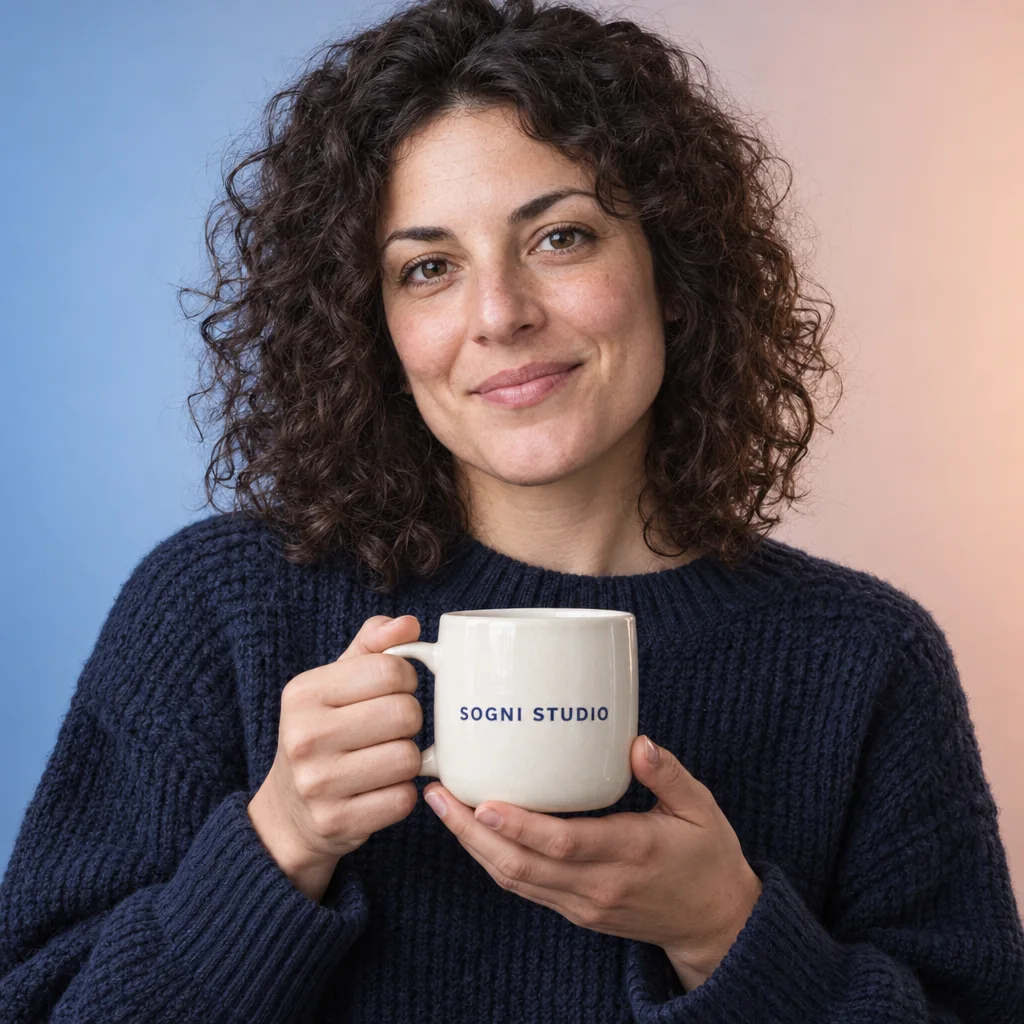
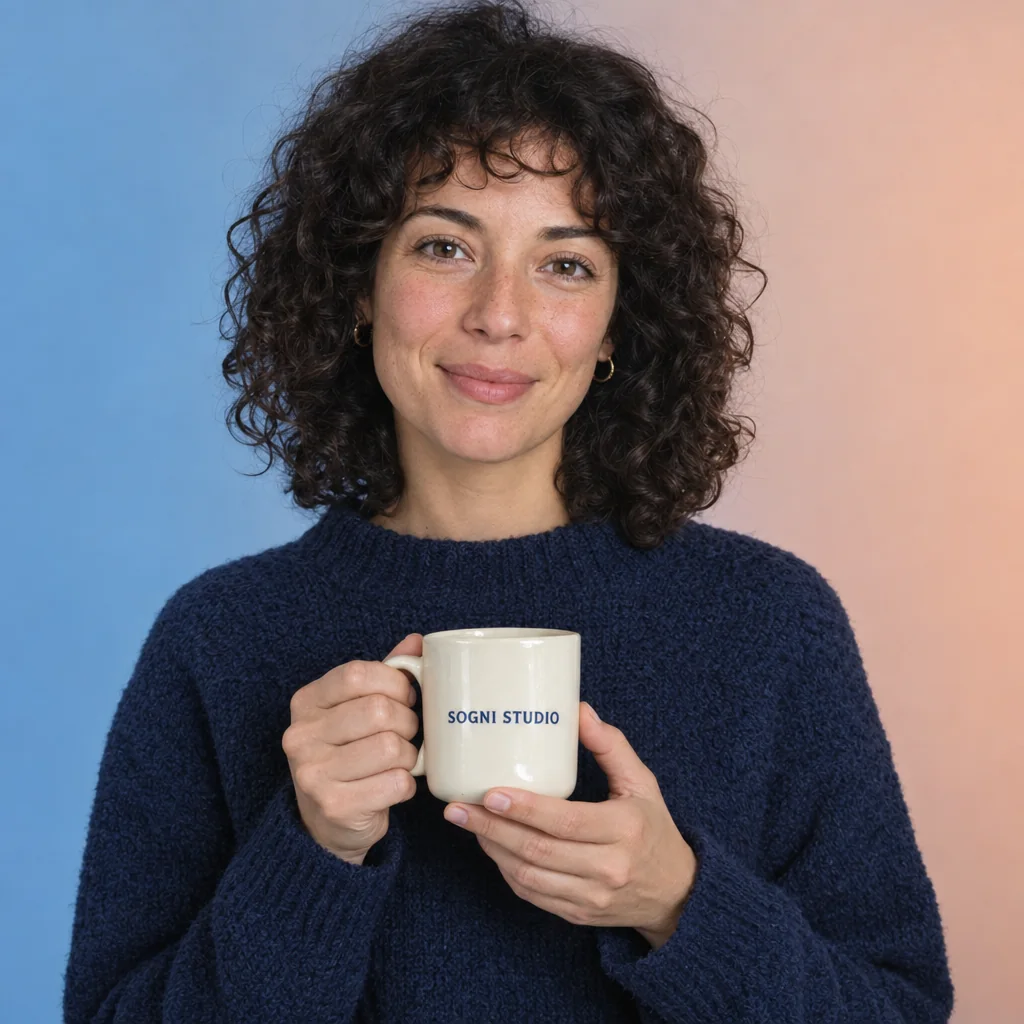
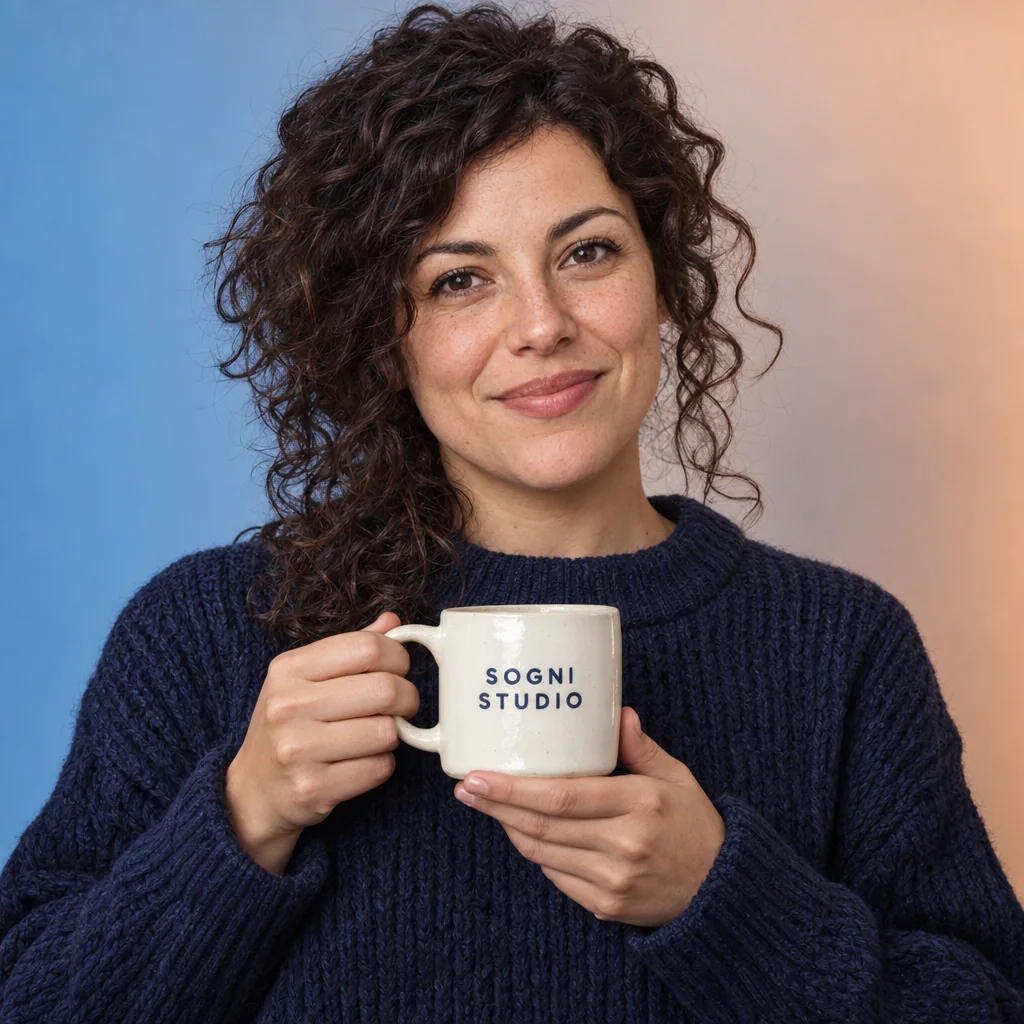
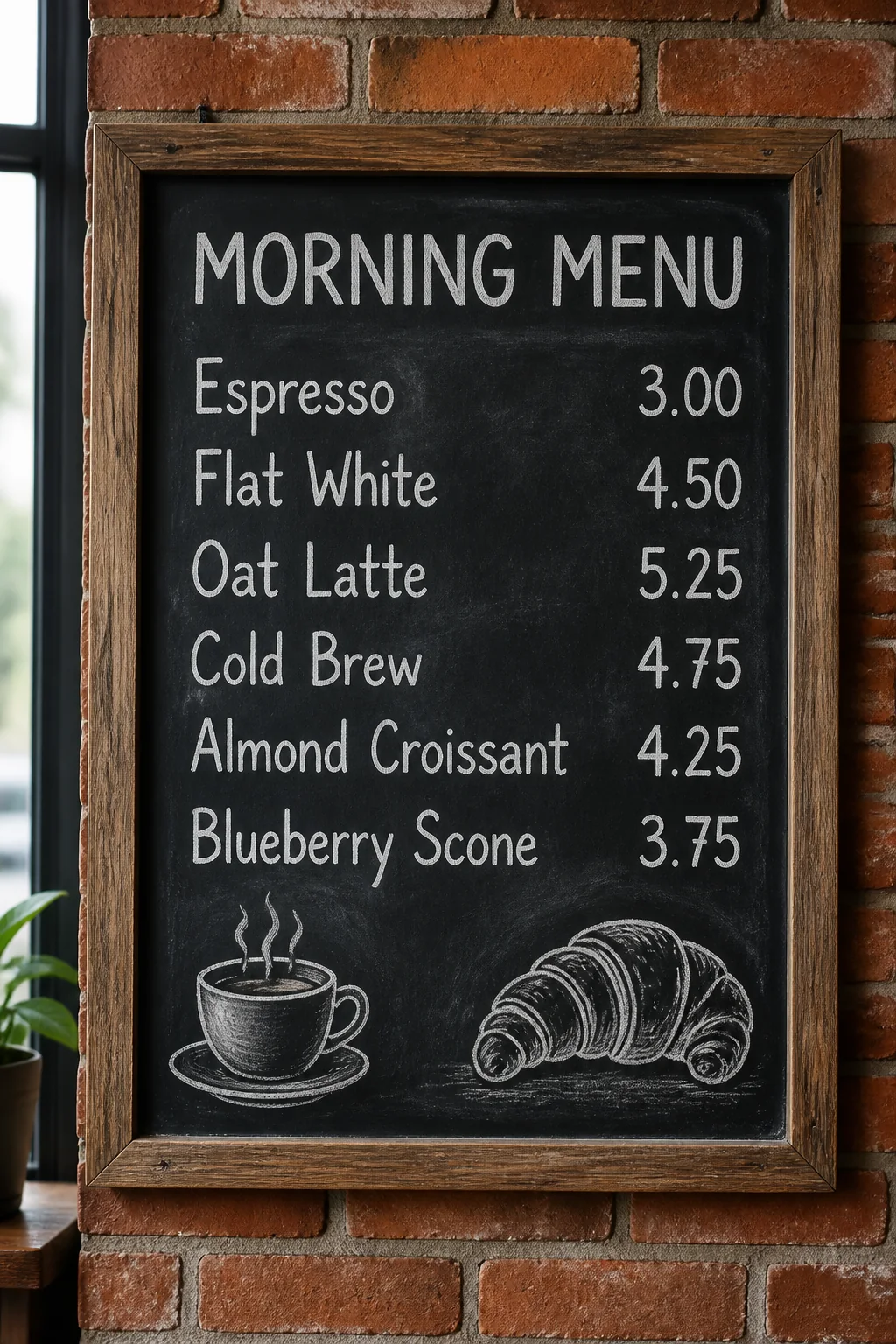
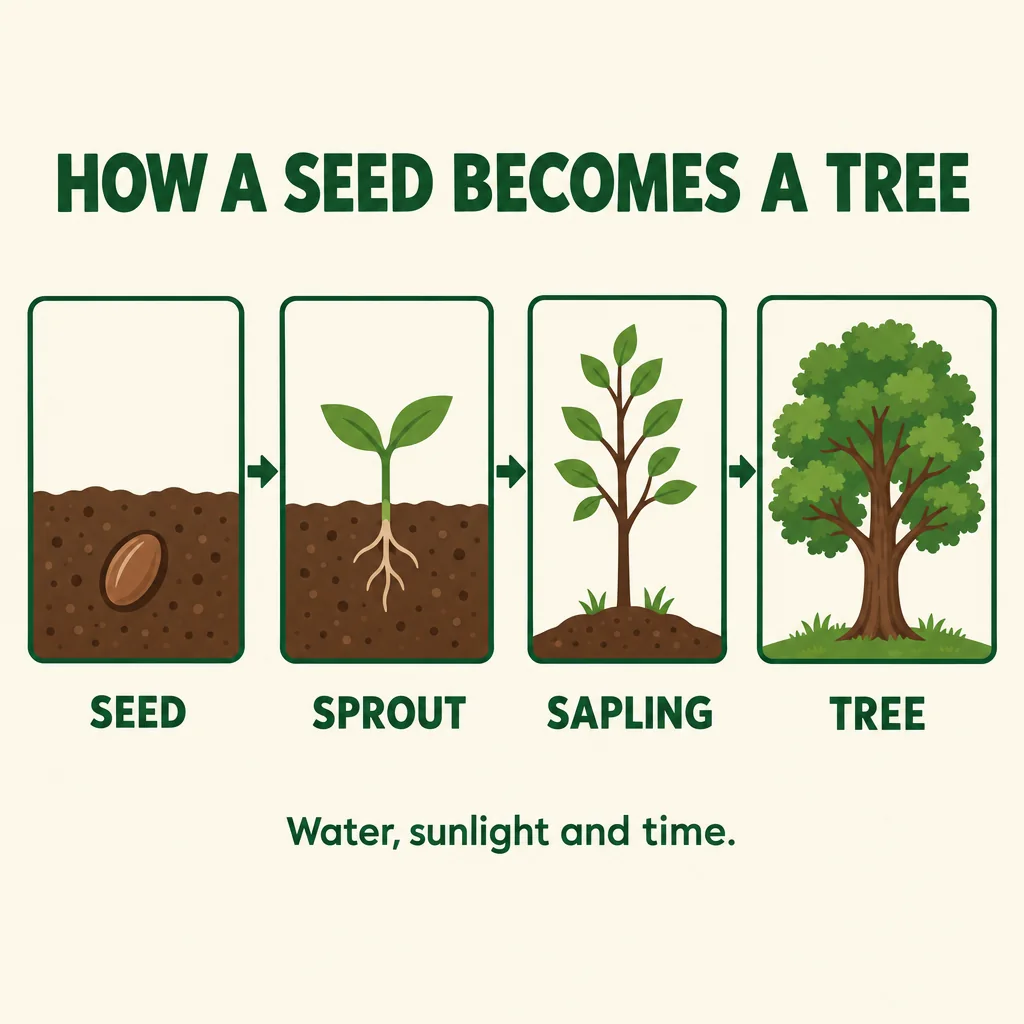
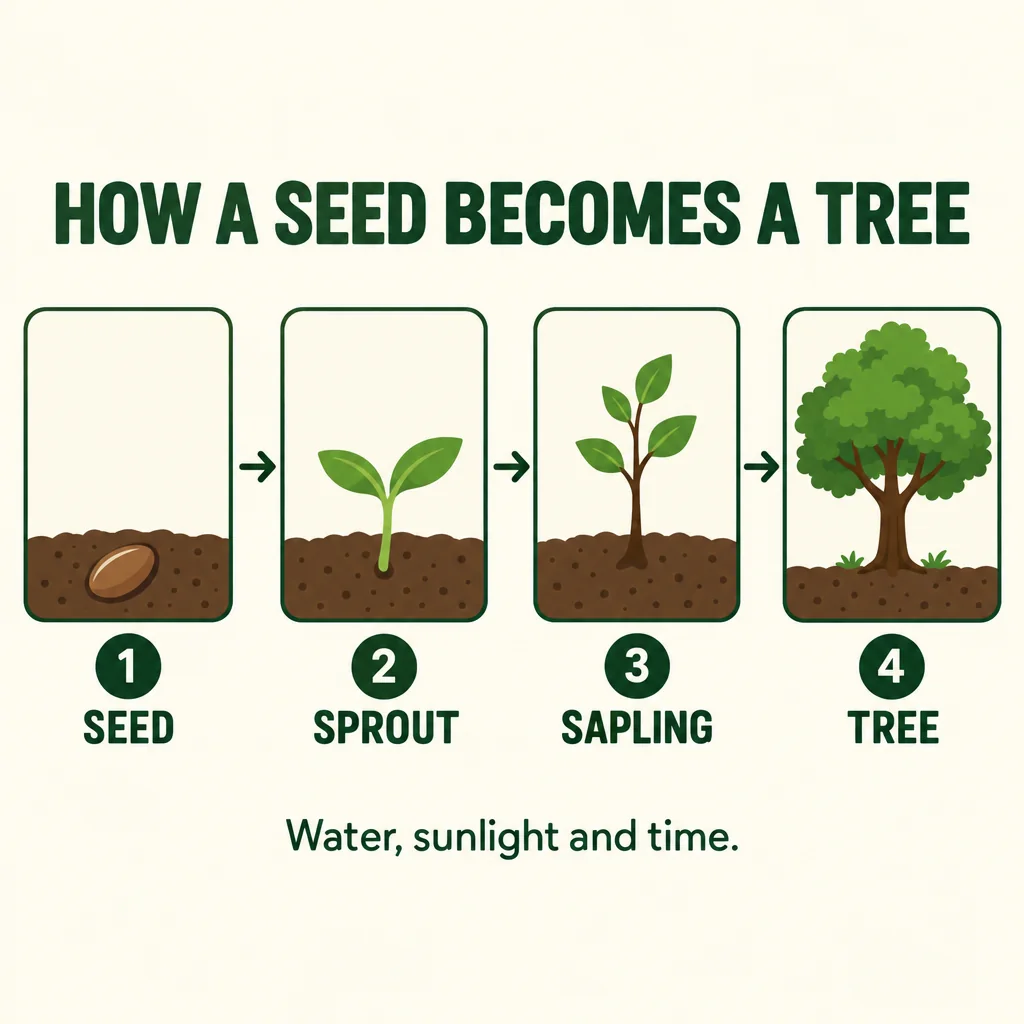
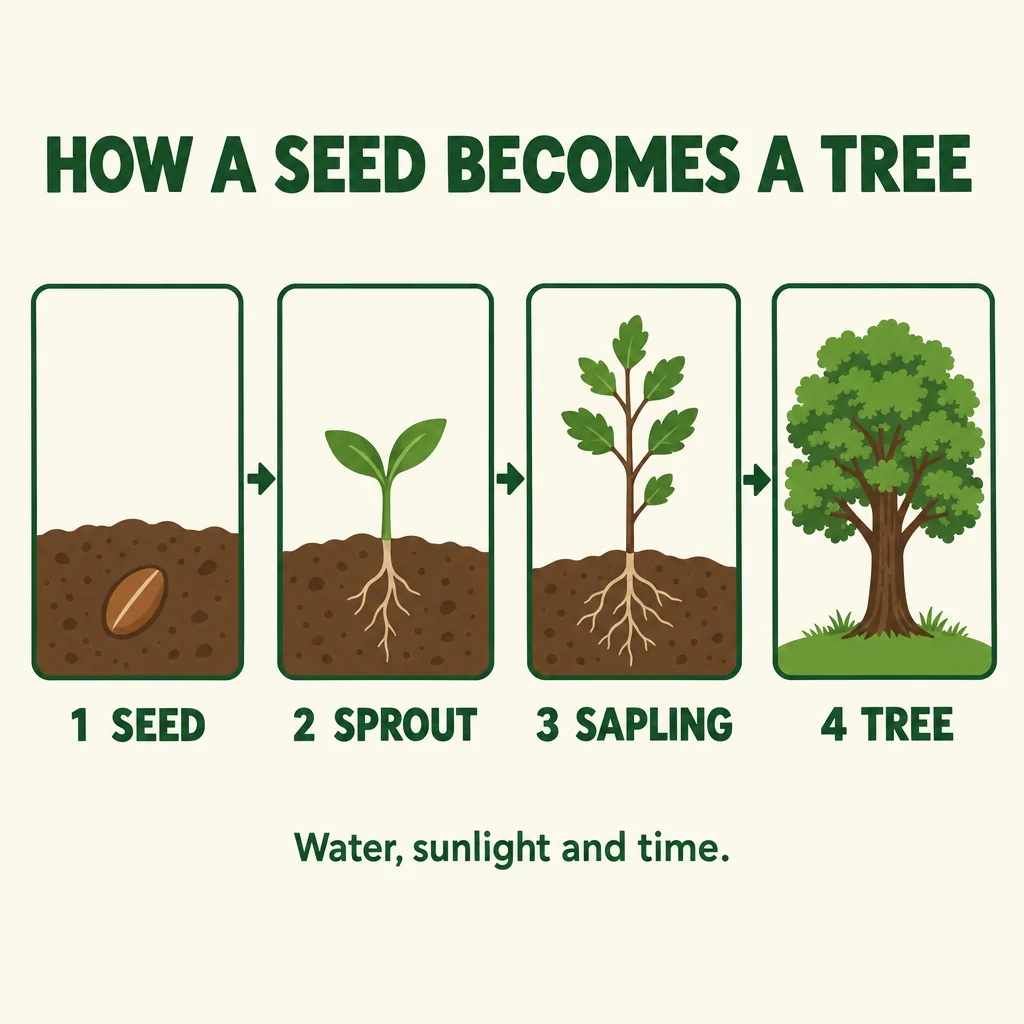
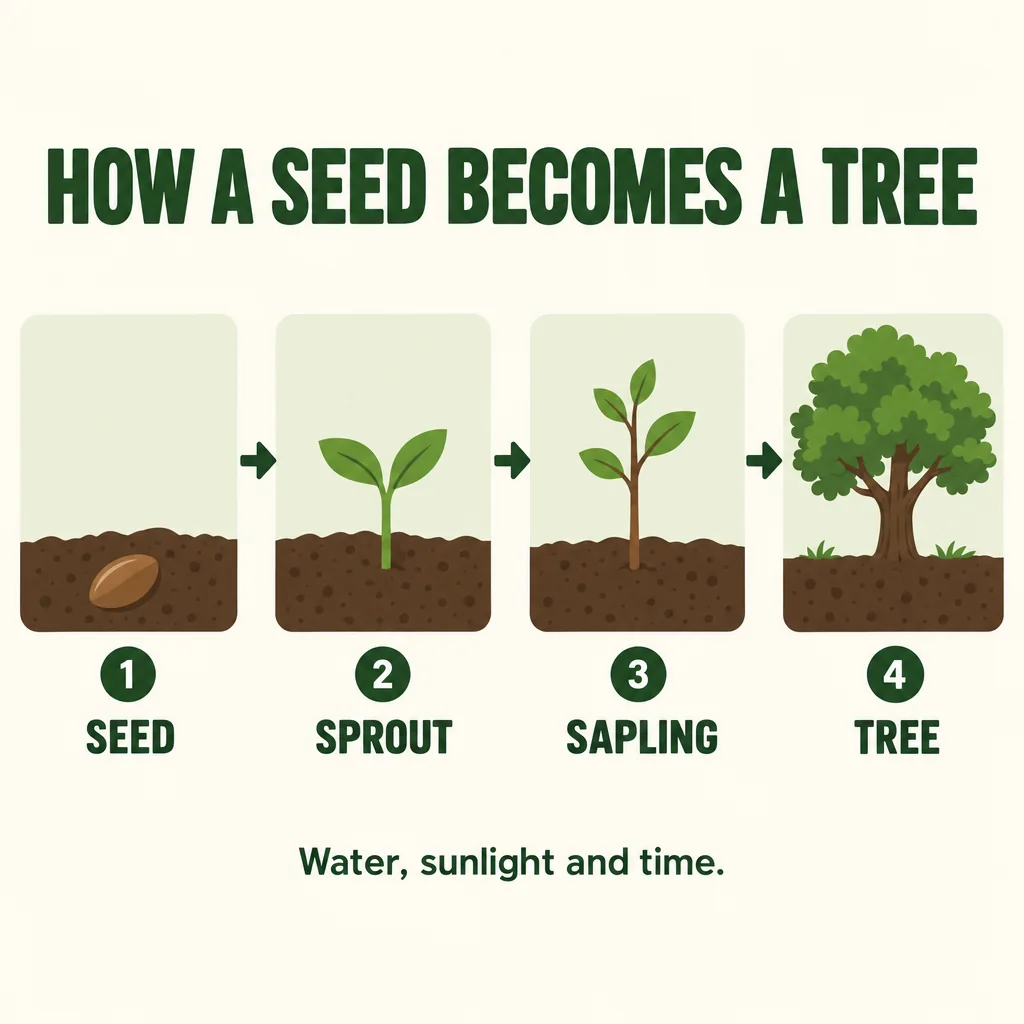
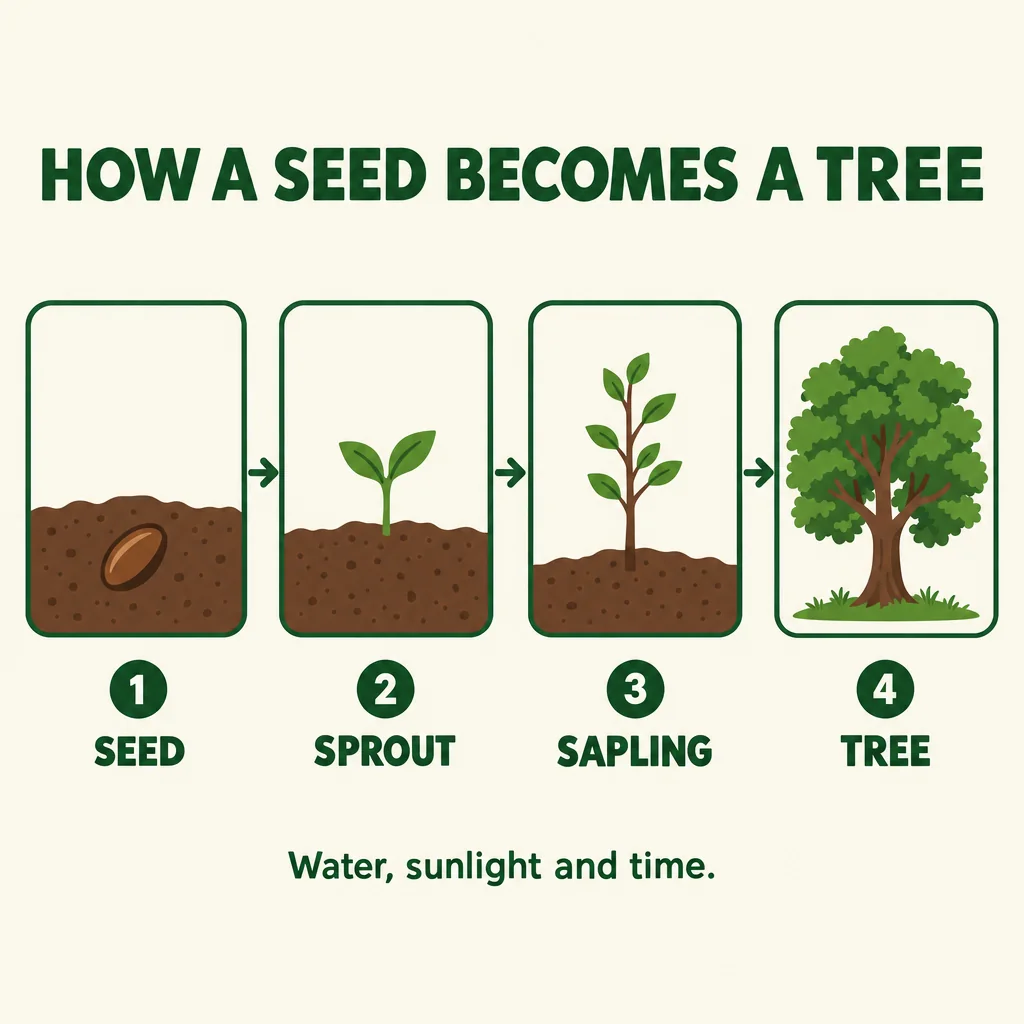
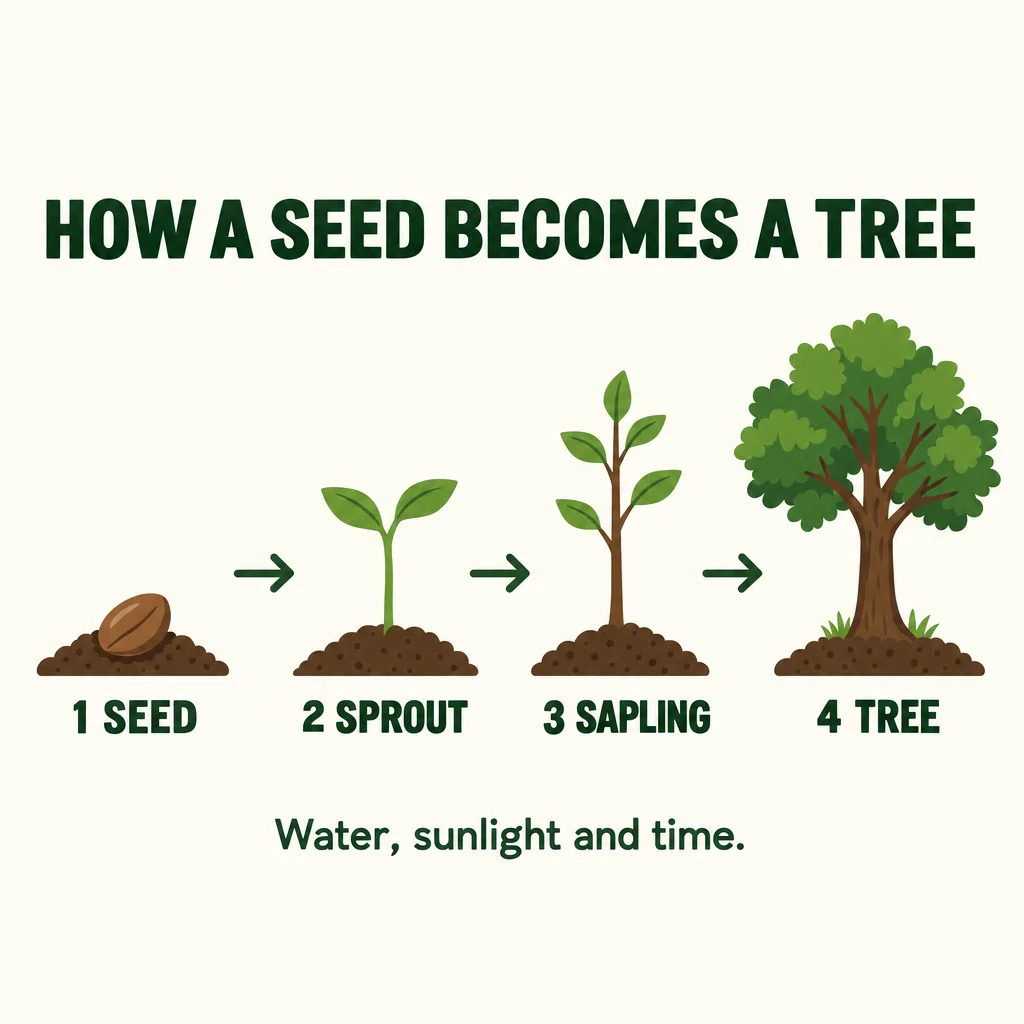
- All three render text well. Every one of the 28 chalkboard menus got all six items and prices right, and all 27 portraits spelled the mug’s SOGNI STUDIO correctly. Flare had one repeated miss: on the infographic it dropped the step numbers in 7 of 8 images up to High.
- Edits keep the room. Asked to change only a person’s pose in a 2688 × 1536 photo, Sunburst left about 99% of the rest untouched. See the frames.
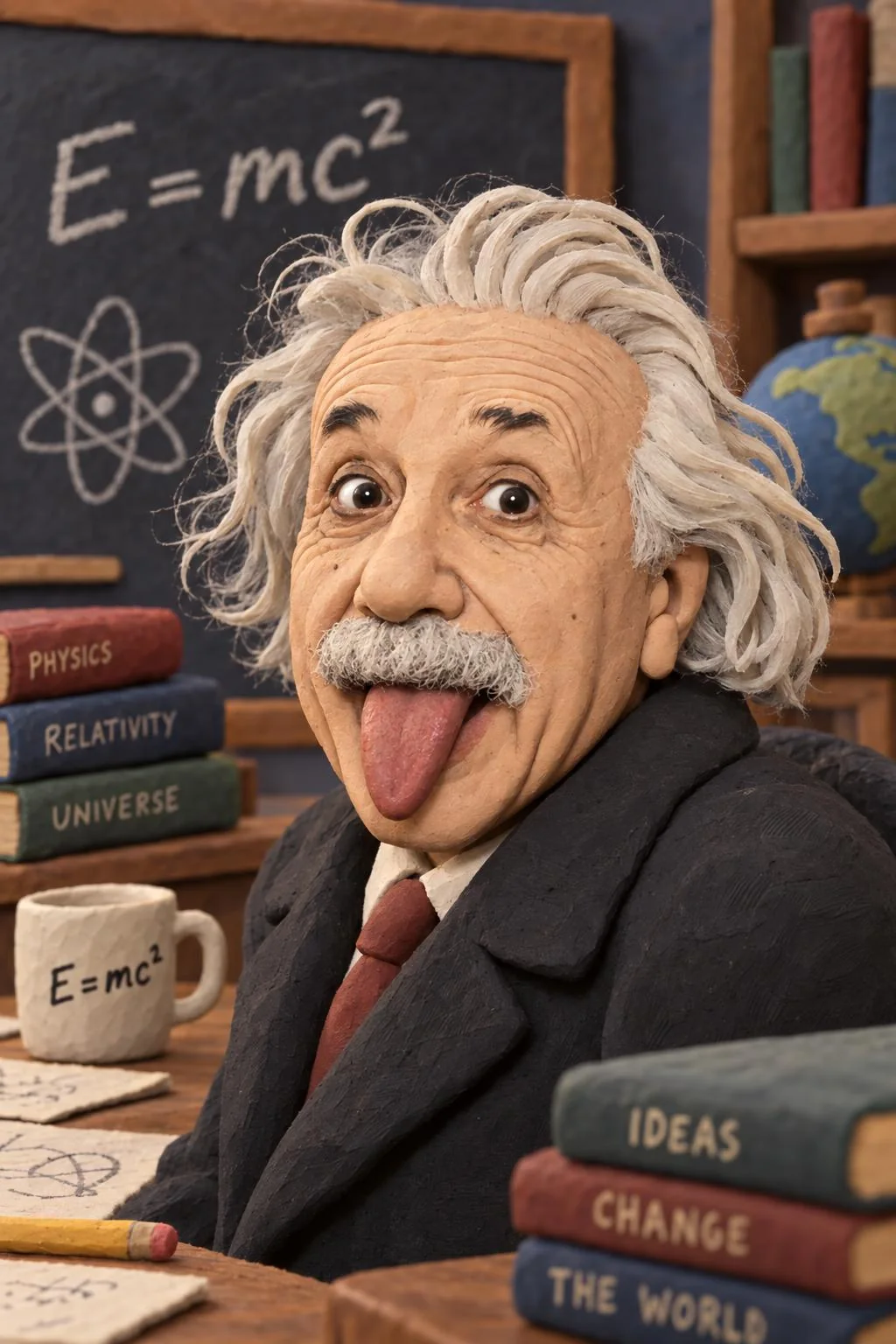
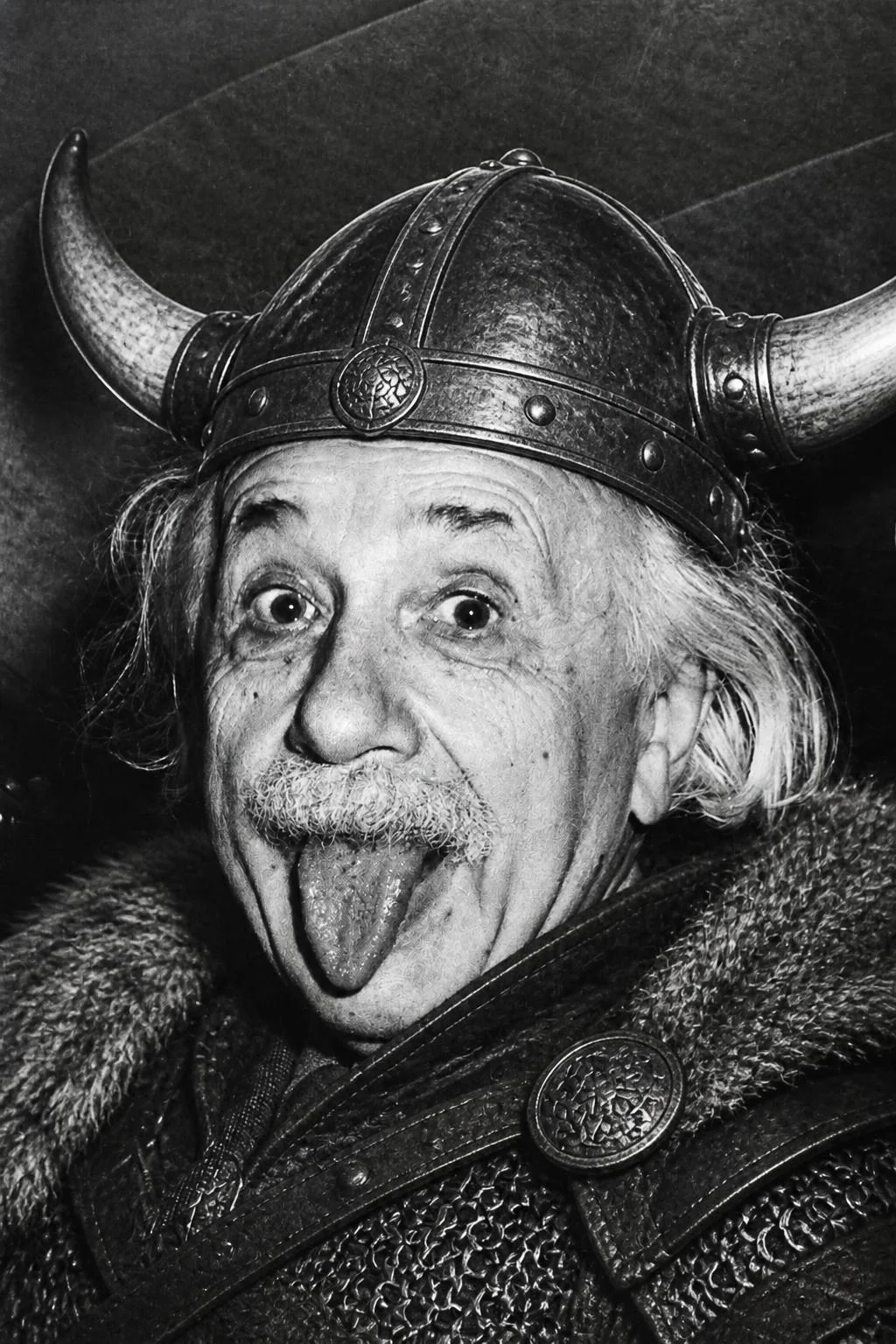
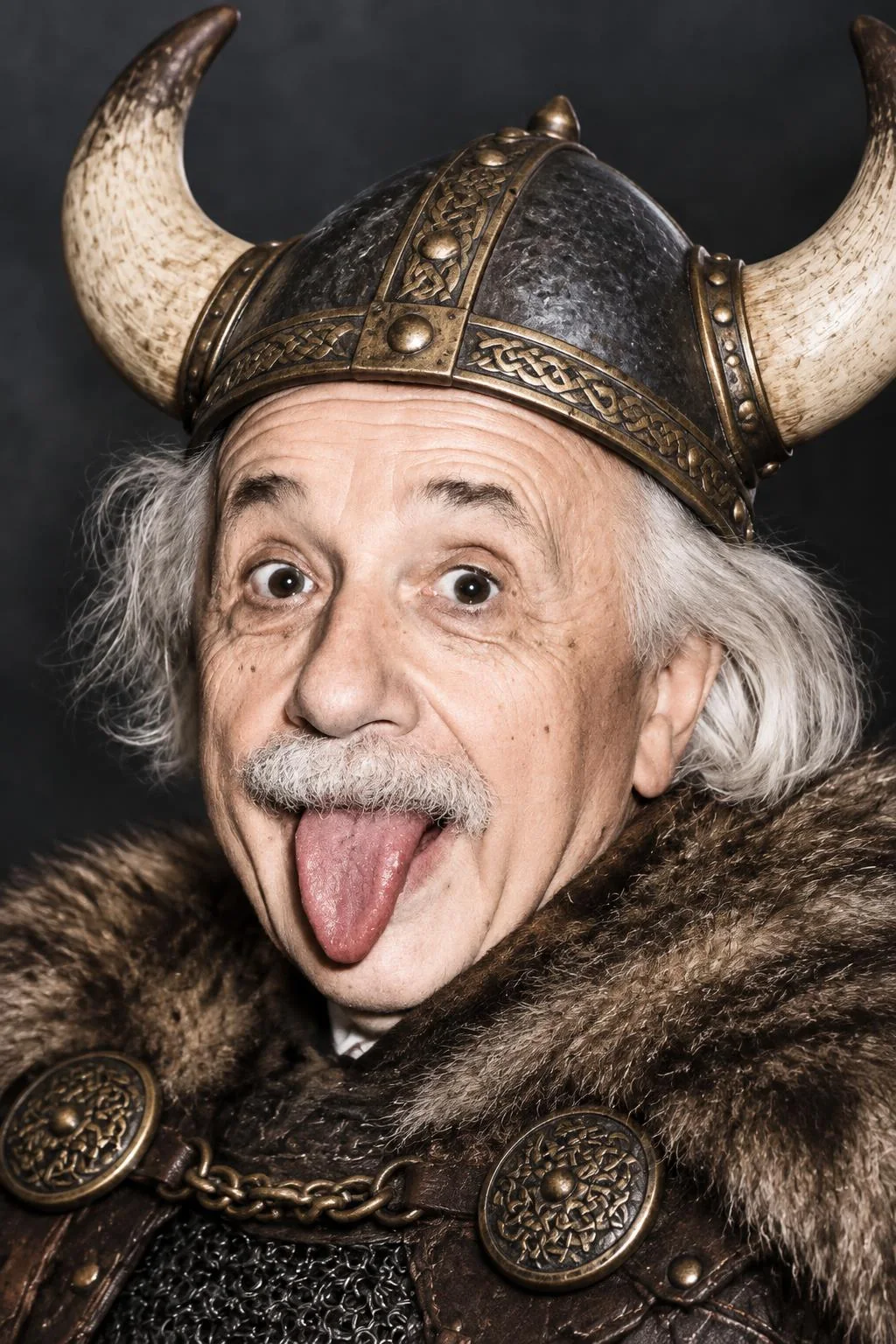
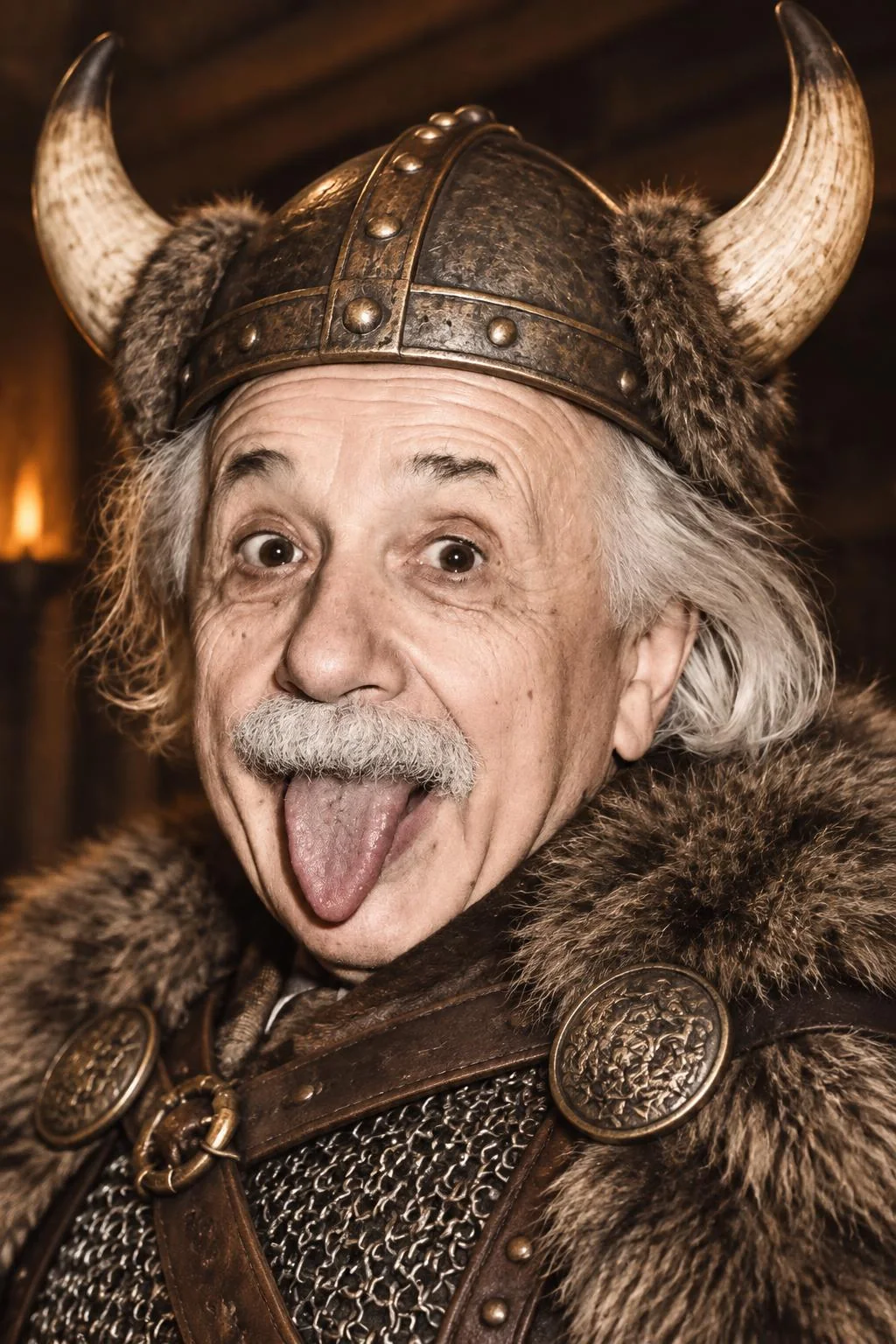
- For photo edits, GPT Image 2.5 is faster and much cheaper. Turning Einstein into a Viking or a clay figure took 14 seconds on Flare at Low and cost $0.018, against 18 seconds and $0.047 on GPT Image 2. GPT Image 2 stayed truest to the black-and-white source; GPT Image 2.5 colorized it.
What GPT Image 2.5 is
GPT Image 2.5 is OpenAI’s newest image family, and it comes in two sizes. OpenAI positions Sunburst as the quality-first model, rated above GPT Image 2, and Flare as the smaller, faster model with image quality comparable to GPT Image 2. Both add two quality settings above High, Extra high and Maximum, plus transparent backgrounds and edit masks. Both take up to 16 reference images. On Sogni the two cost the same for the same request, and GPT Image 2 remains available alongside them.
We wanted to know what those positions mean in practice: how long you wait, what you pay, and what changes in the picture. So we measured it on the same path everyone uses, Sogni’s standard image API.
How we tested
| Models | GPT Image 2, GPT Image 2.5 Flare and GPT Image 2.5 Sunburst, through Sogni’s standard image API on the fast network, using the Sogni JavaScript SDK |
|---|---|
| Text-to-image prompts | Five, each sent word for word to every model: a portrait with a lettered mug, a chalkboard menu, an alpine lake, an infographic and a watercolor fox. The prompts are under each comparison below. |
| Sizes | 1024 × 1024 for the portrait, infographic and fox; 1024 × 1536 for the menu; 1536 × 1024 for the lake. PNG output, one image per job, no reference images. |
| Quality settings | Low, Medium and High on all three models; Extra high and Maximum on the two GPT Image 2.5 models, the only ones that offer them |
| Takes | Three per prompt and model at Medium and High, two at Low and one at Extra high and Maximum: 140 text-to-image jobs. Extra takes of the expensive settings would have told us little more. |
| Photobooth edit | Two Sogni Photobooth styles applied to the app’s sample photo of Einstein, one take at every quality setting: 26 jobs. Details in the Photobooth test. |
| Timing | From submitting the job to the finished image being ready to download. That includes Sogni’s queue, OpenAI’s render and delivery. OpenAI does not report its own render time separately, and it does not expose seeds or step counts. |
| Fairness | Each round sent one prompt to every model at the same moment, rotating which went first, so all three saw the same network and provider conditions |
| Prices | Pay-as-you-go prices in Premium Spark, shown in US dollars (100 Spark = $0.50). Our test account has Unlimited Pro, which takes 10% off; the prices here are before that discount. |
| When | September 24, 2026: Medium and High between 11:27 AM and 12:04 PM Pacific, everything else between 2:21 and 2:48 PM |
| Totals | 169 jobs, including a three-image trial run; 1 failed. The whole test cost $11.93 on our account ($13.25 at pay-as-you-go prices). |
The one failure was a GPT Image 2 High job that OpenAI answered with a temporary error (HTTP 503) after 112 seconds. We counted it and did not retry it.
Speed
Here is every median with its fastest and slowest image. At Low all three models finish in about the same time. From Medium up, GPT Image 2 slows down much faster than either 2.5 model: going from Medium to High added 68 seconds to GPT Image 2’s median, but only 7 to Flare’s.
| Quality | GPT Image 2 | GPT Image 2.5 Flare | GPT Image 2.5 Sunburst |
|---|---|---|---|
| Low Fast | 14 s10–17 s · 10 of 10 | 12 s9–15 s · 10 of 10 | 12 s11–16 s · 10 of 10 |
| Medium HQ | 37 s27–45 s · 15 of 15 | 14 s13–16 s · 15 of 15 | 17 s15–31 s · 15 of 15 |
| High Pro | 105 s85–140 s · 14 of 15 · 1 failed | 21 s20–25 s · 15 of 15 | 34 s27–49 s · 15 of 15 |
| Extra high Extra high | Not offered | 28 s23–32 s · 5 of 5 | 48 s39–64 s · 5 of 5 |
| Maximum Maximum | Not offered | 48 s39–54 s · 5 of 5 | 85 s82–133 s · 5 of 5 |
Median across the five prompts, with the range and the number of finished images. Times vary with load on the day; the size of the gap held on every prompt.
The higher settings follow the same pattern. Flare took a median 28 seconds at Extra high and 48 at Maximum. Sunburst took 48 and 85. Even at Maximum, Flare finished in less than half the time GPT Image 2 needs at High.
Price
Sogni quotes every image before it runs, and the charge follows the output OpenAI reports. For a plain text-to-image job at these sizes, the charge matched the quote exactly, less our plan’s discount. The table shows pay-as-you-go prices for one 1024 × 1024 image. Under each is what one of our 1024 × 1536 Photobooth edits actually cost, since editing a photo adds the cost of reading it.
| Quality | GPT Image 2 | GPT Image 2.5 Flare | GPT Image 2.5 Sunburst |
|---|---|---|---|
| Low Fast | $0.0076Photobooth edit: $0.047 | $0.0076Photobooth edit: $0.018 | $0.0076Photobooth edit: $0.018 |
| Medium HQ | $0.068Photobooth edit: $0.094 | $0.017Photobooth edit: $0.026 | $0.017Photobooth edit: $0.026 |
| High Pro | $0.27Photobooth edit: $0.25 | $0.068Photobooth edit: $0.066 | $0.068Photobooth edit: $0.066 |
| Extra high Extra high | Not offered | $0.12Photobooth edit: $0.11 | $0.12Photobooth edit: $0.11 |
| Maximum Maximum | Not offered | $0.27Photobooth edit: $0.23 | $0.27Photobooth edit: $0.23 |
Three things stand out. At Low, all three cost the same. At Medium and High, GPT Image 2.5 is a quarter of GPT Image 2’s price, so its High costs what GPT Image 2’s Medium does. And for photo edits the saving is bigger than the price list suggests: a Photobooth edit at Low cost $0.018 on GPT Image 2.5 and $0.047 on GPT Image 2, 2.5 times as much. The 1024 × 1536 and 1536 × 1024 images cost about 20% less than 1024 × 1024 on every model.
The five prompts
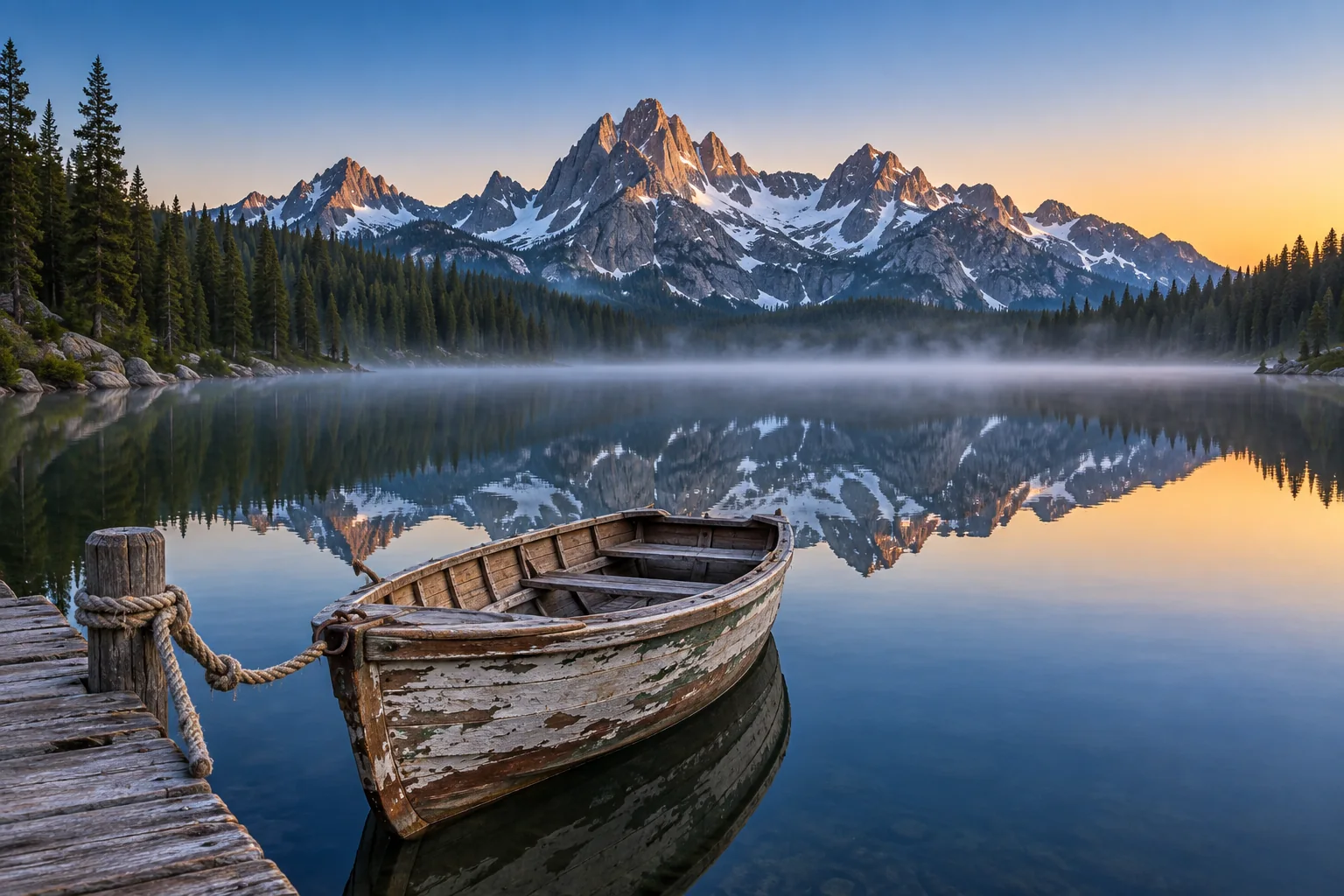
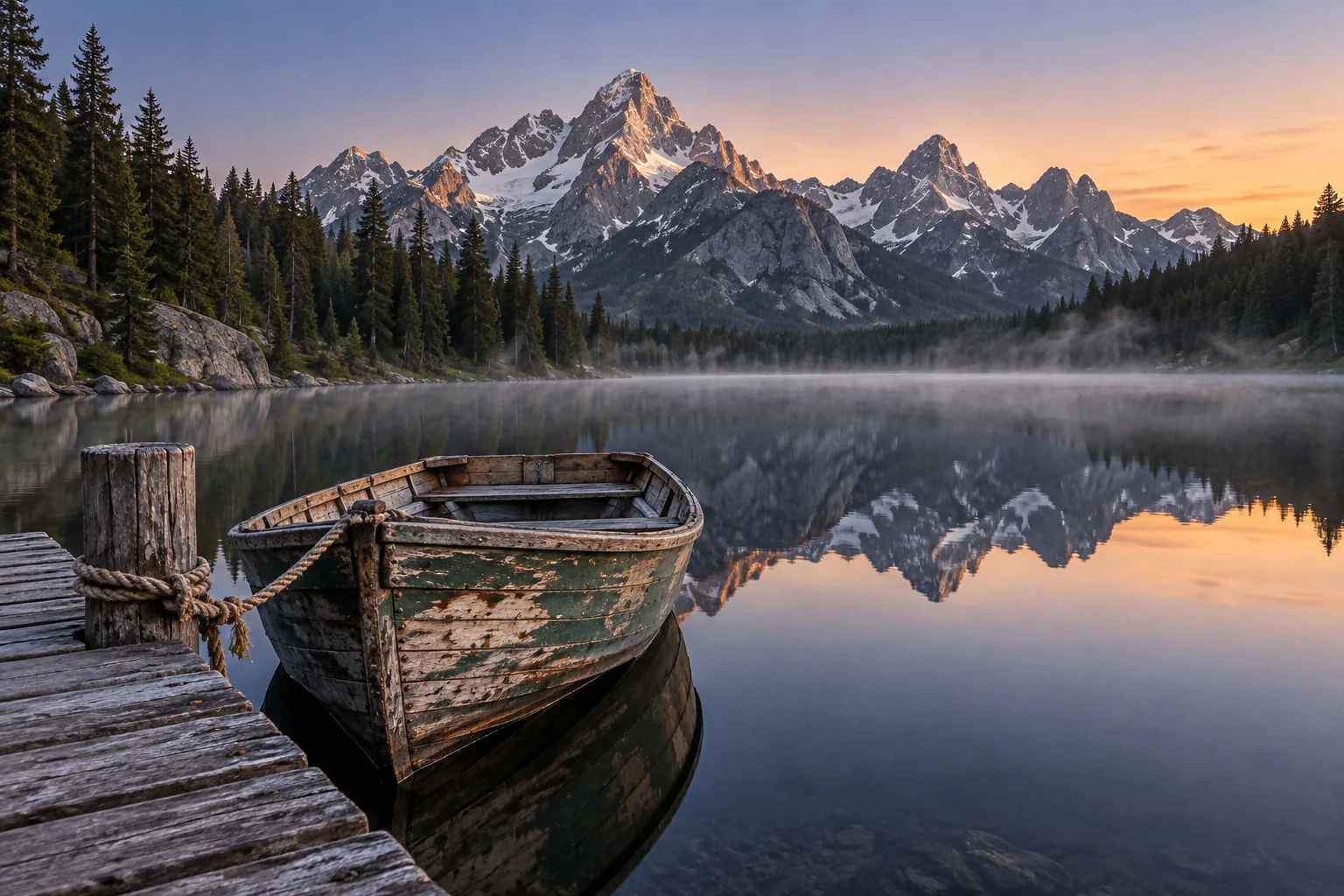
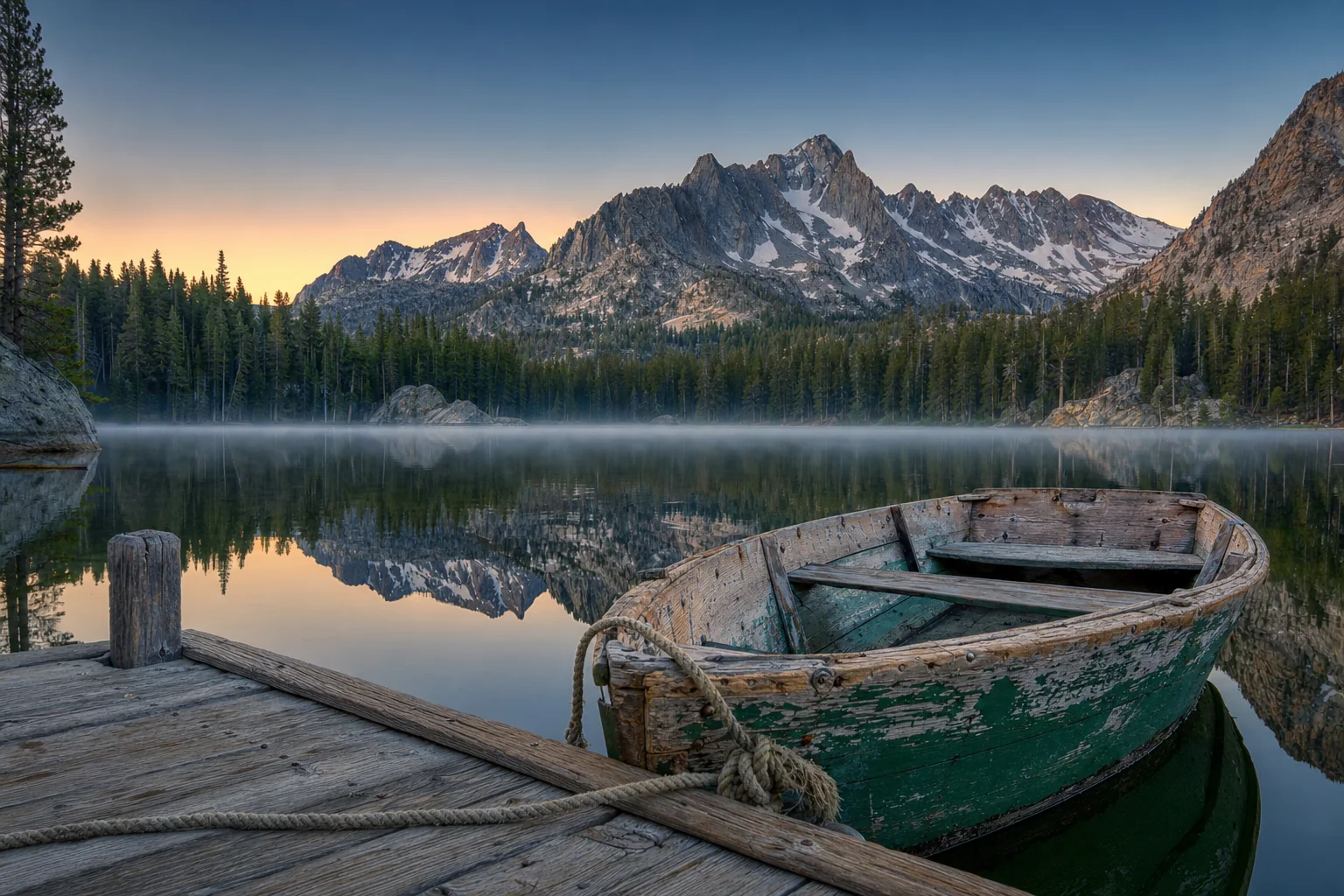
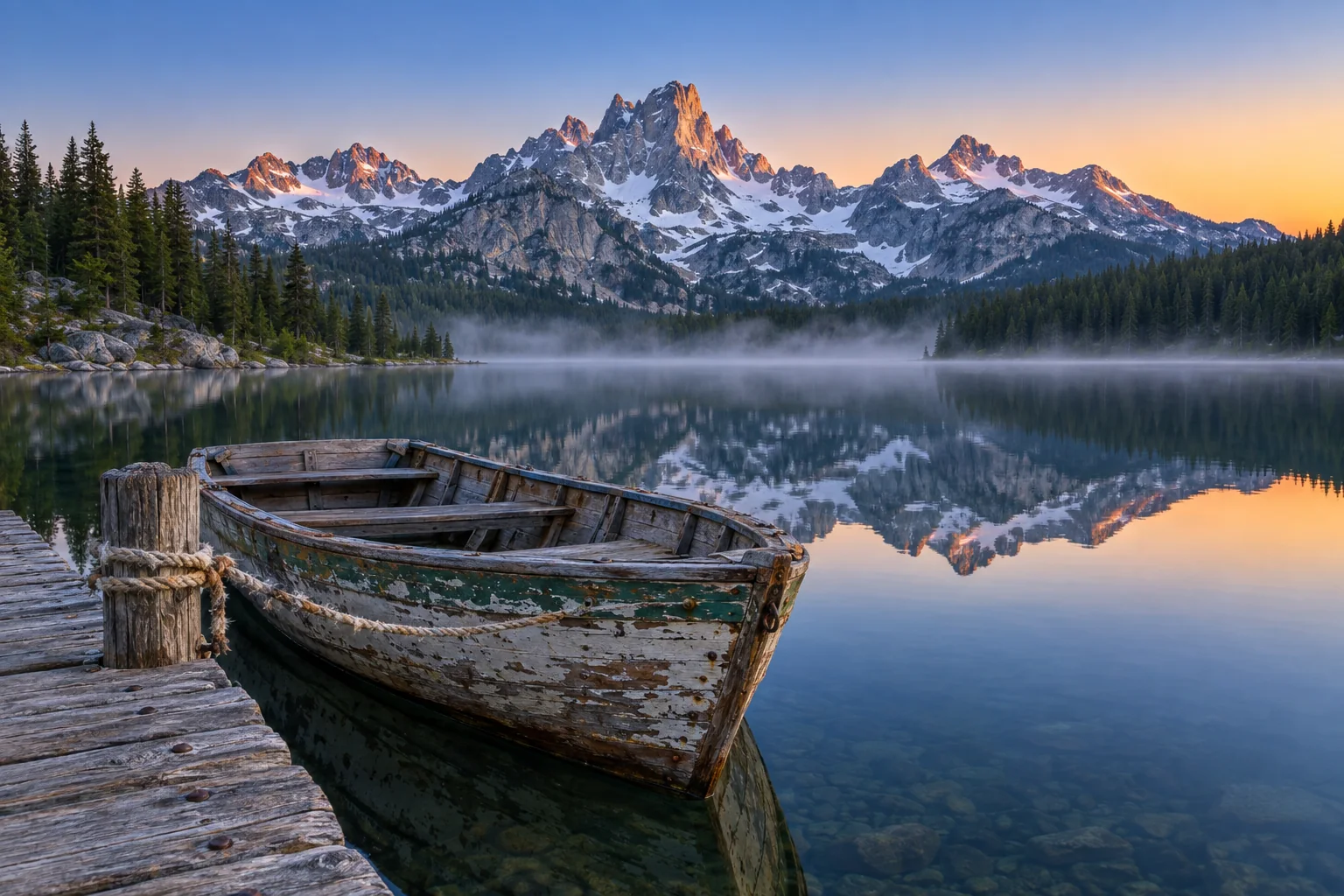
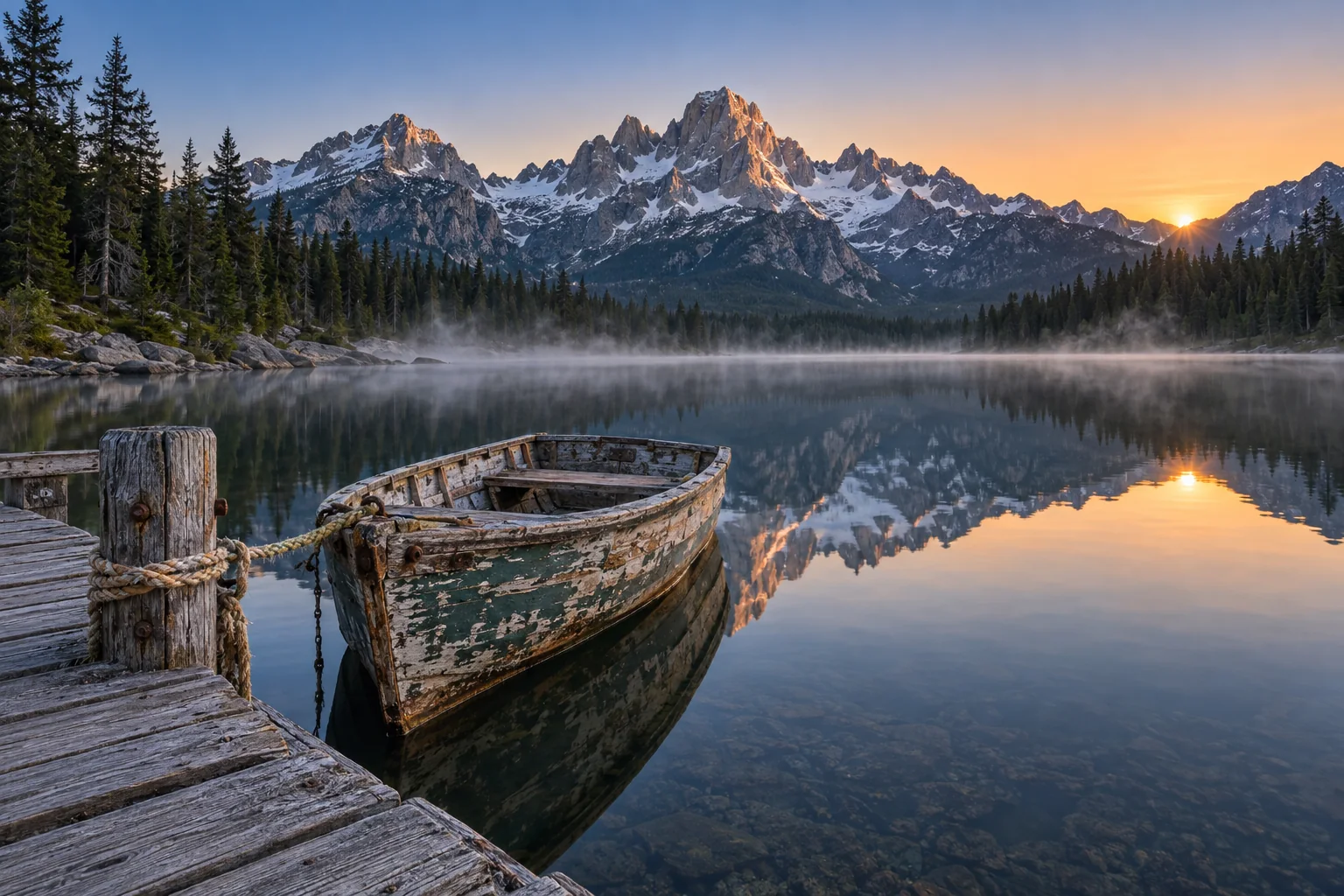
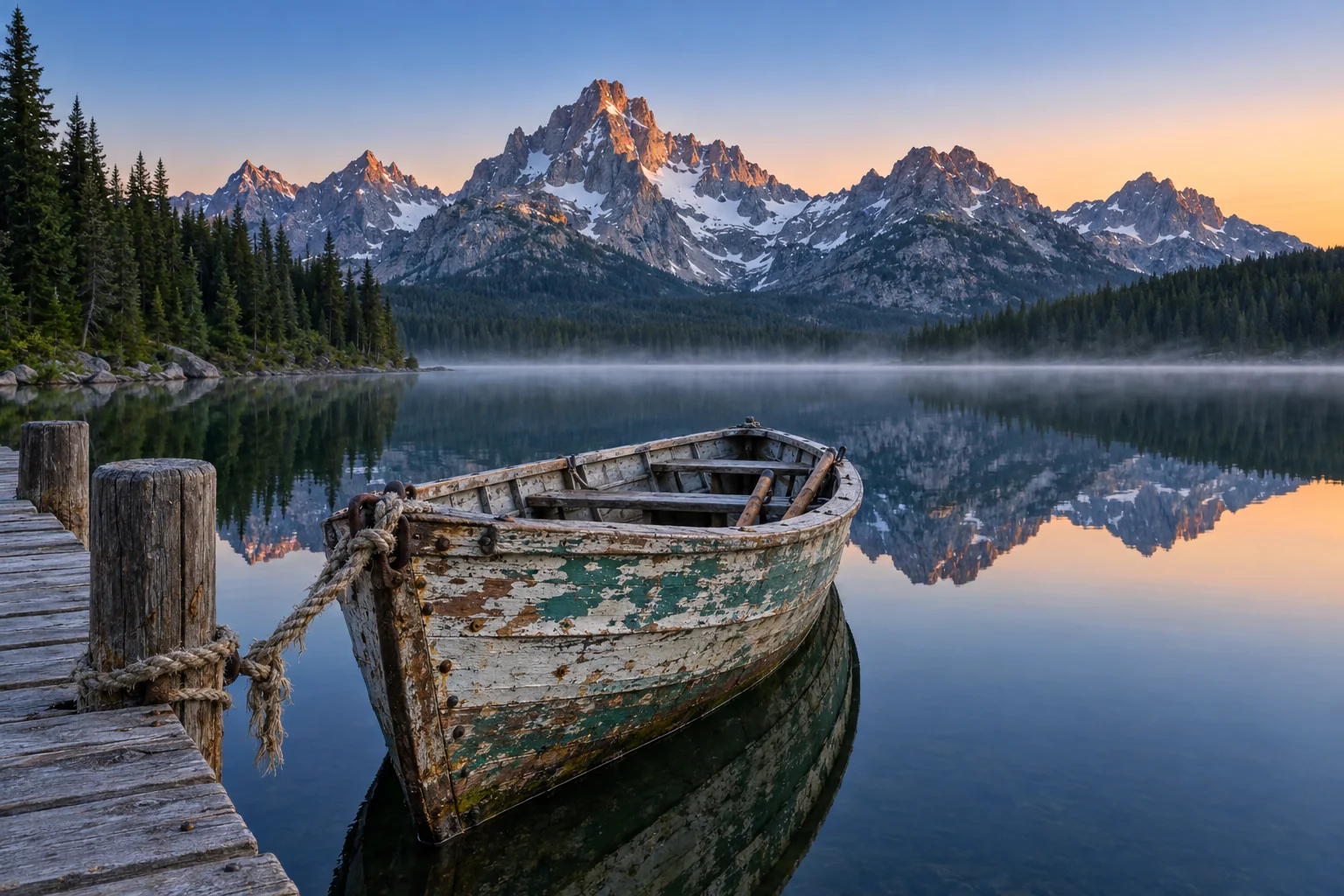
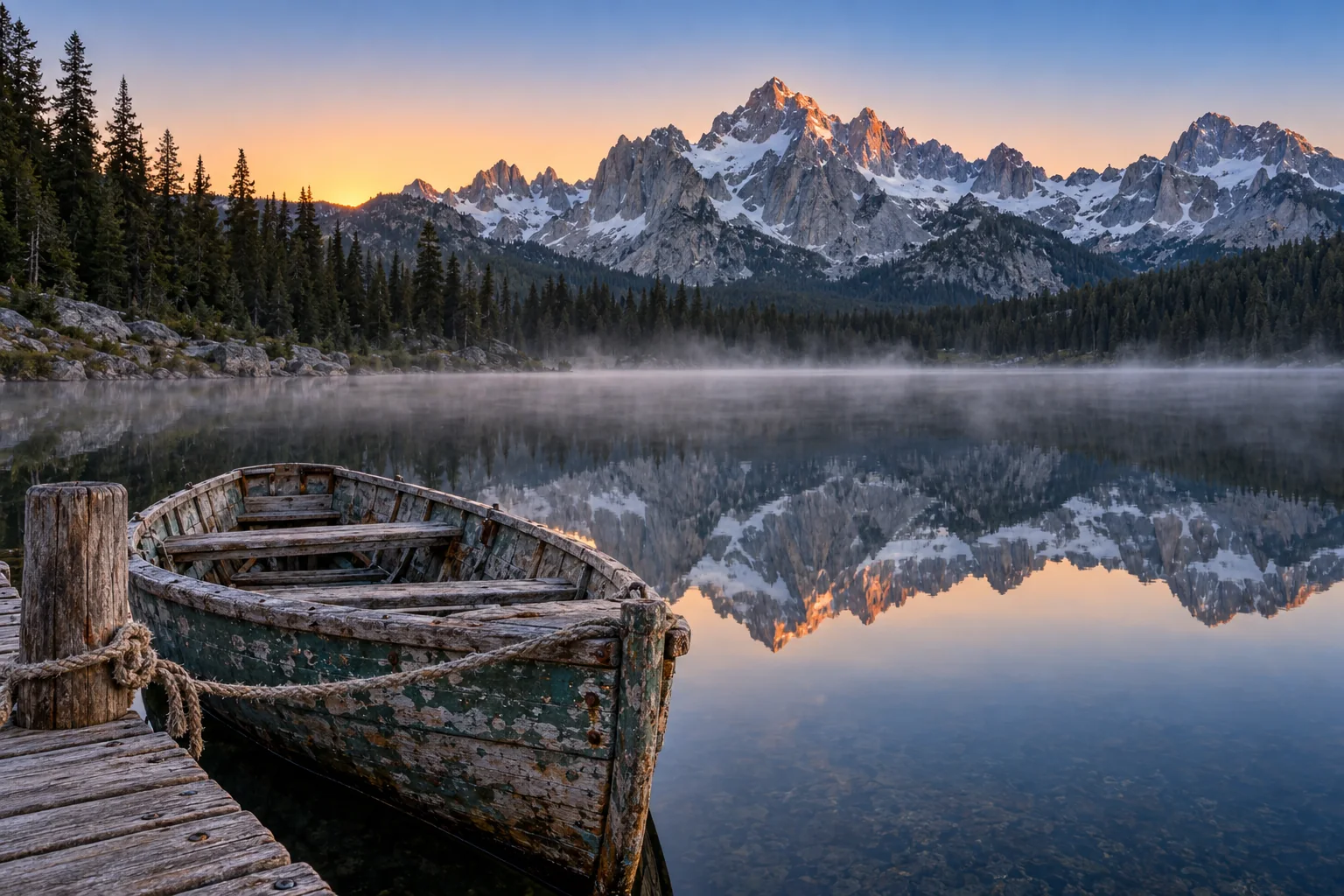
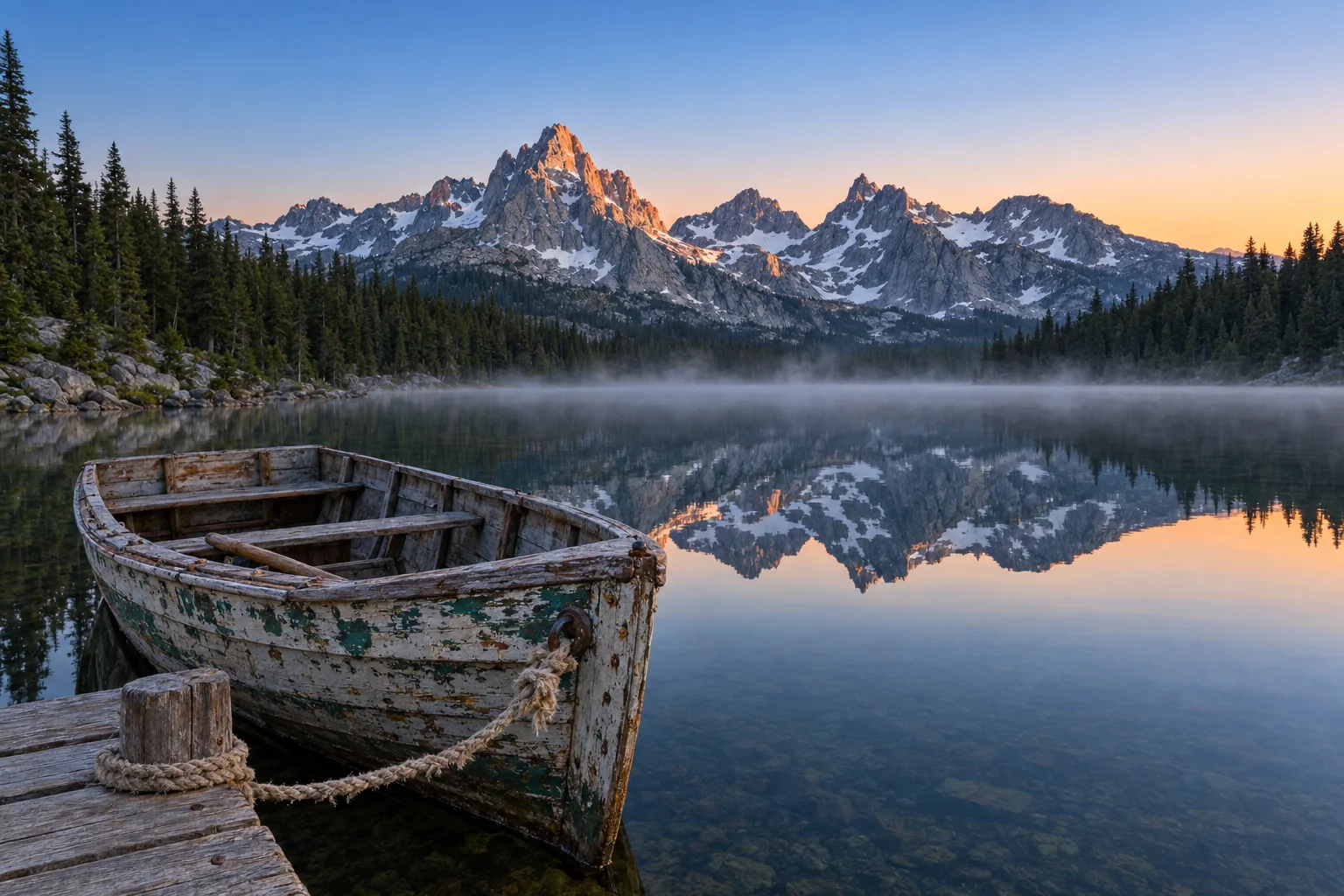
Each comparison shows the first take from each model, not the best of three. Choose a quality setting to switch every comparison on the page, and click any image to open it at full size. The time and price are for that exact image; the note says what we saw when we checked it at full size.
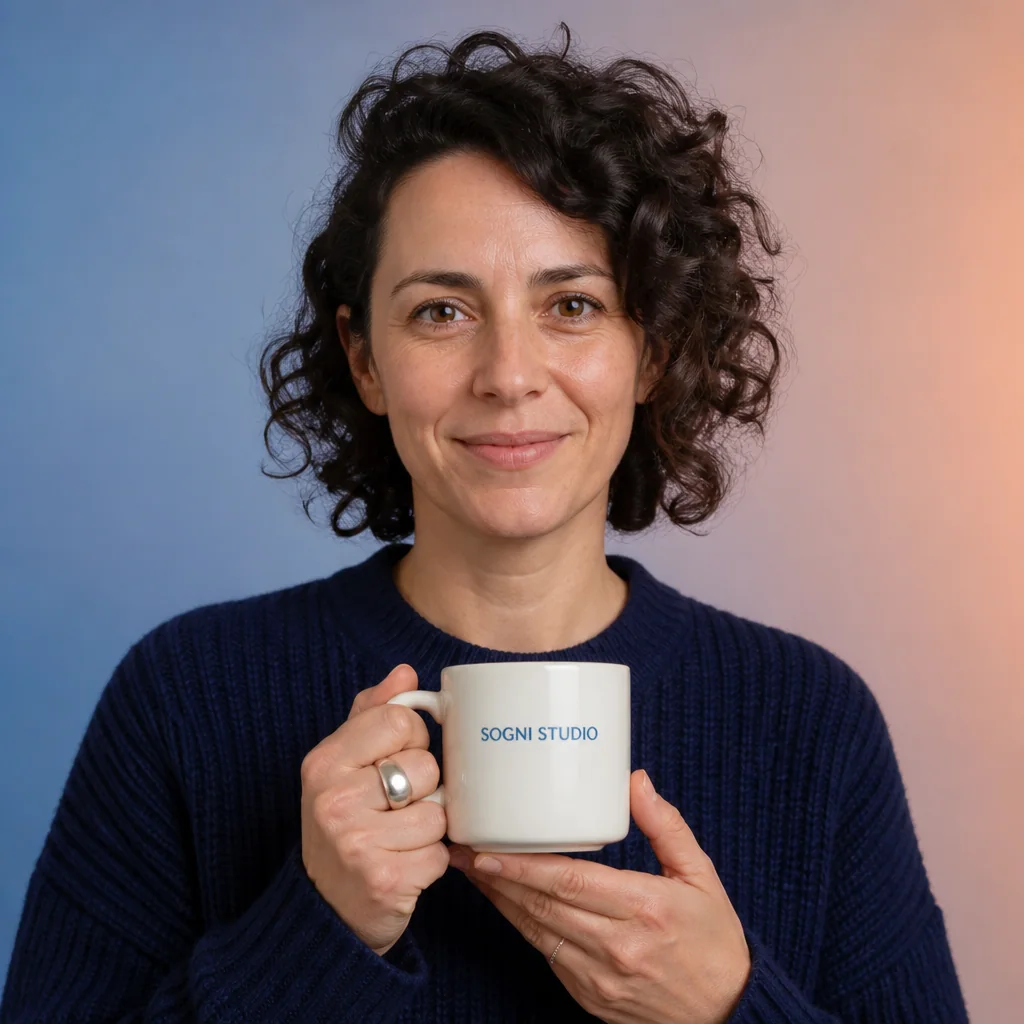
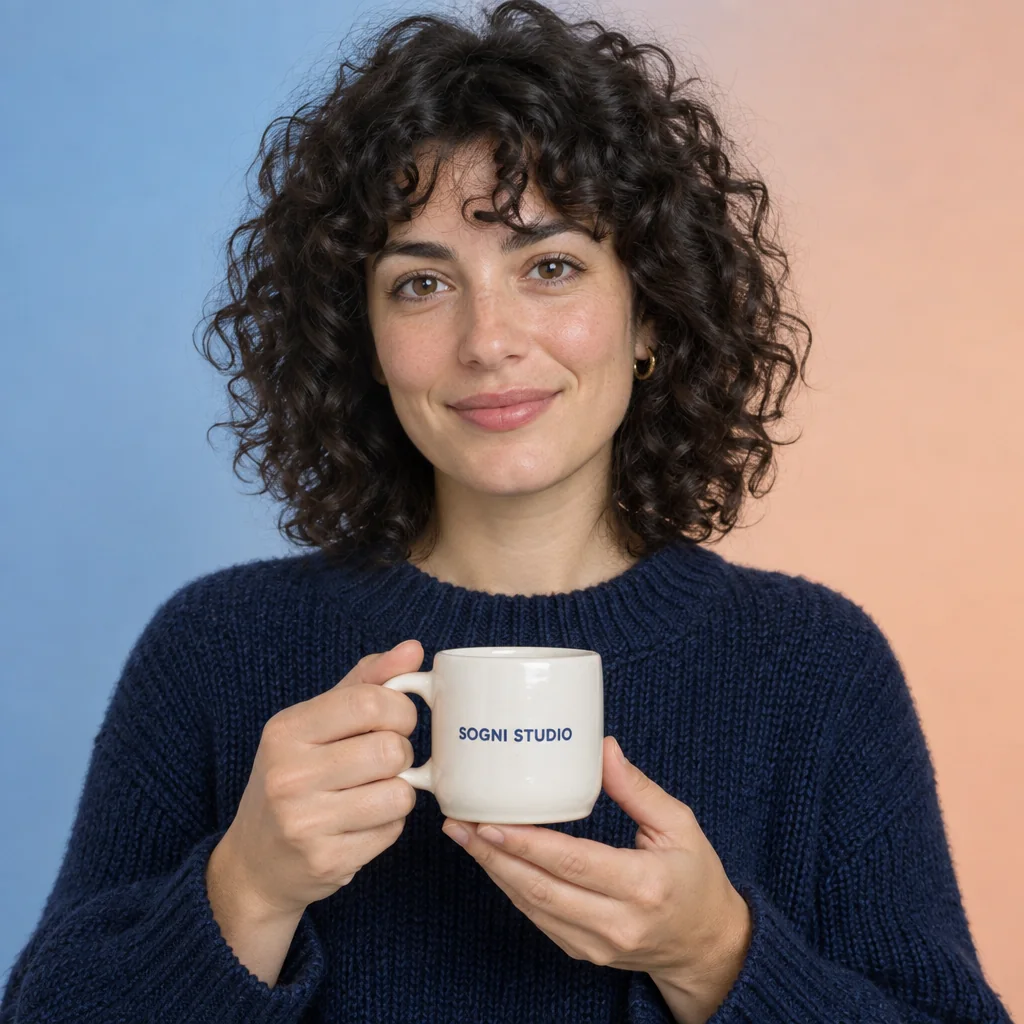
Portrait with a lettered mug 1024 × 1024
Prompt
Photorealistic editorial studio portrait of an adult ceramic artist with curly dark hair and natural skin texture, wearing a navy knitted sweater. She holds a small ivory ceramic mug at chest height with both hands naturally visible. The mug has a single centered label reading exactly SOGNI STUDIO in crisp dark blue uppercase letters. Eye-level medium close-up, face and mug both in sharp focus. Soft diffused studio lighting, realistic glazed ceramic highlights and detailed wool fibers. The background is a smooth blue-to-peach gradient. One person, one mug, balanced square composition.




Chalkboard menu: six items, six prices 1024 × 1536
Prompt
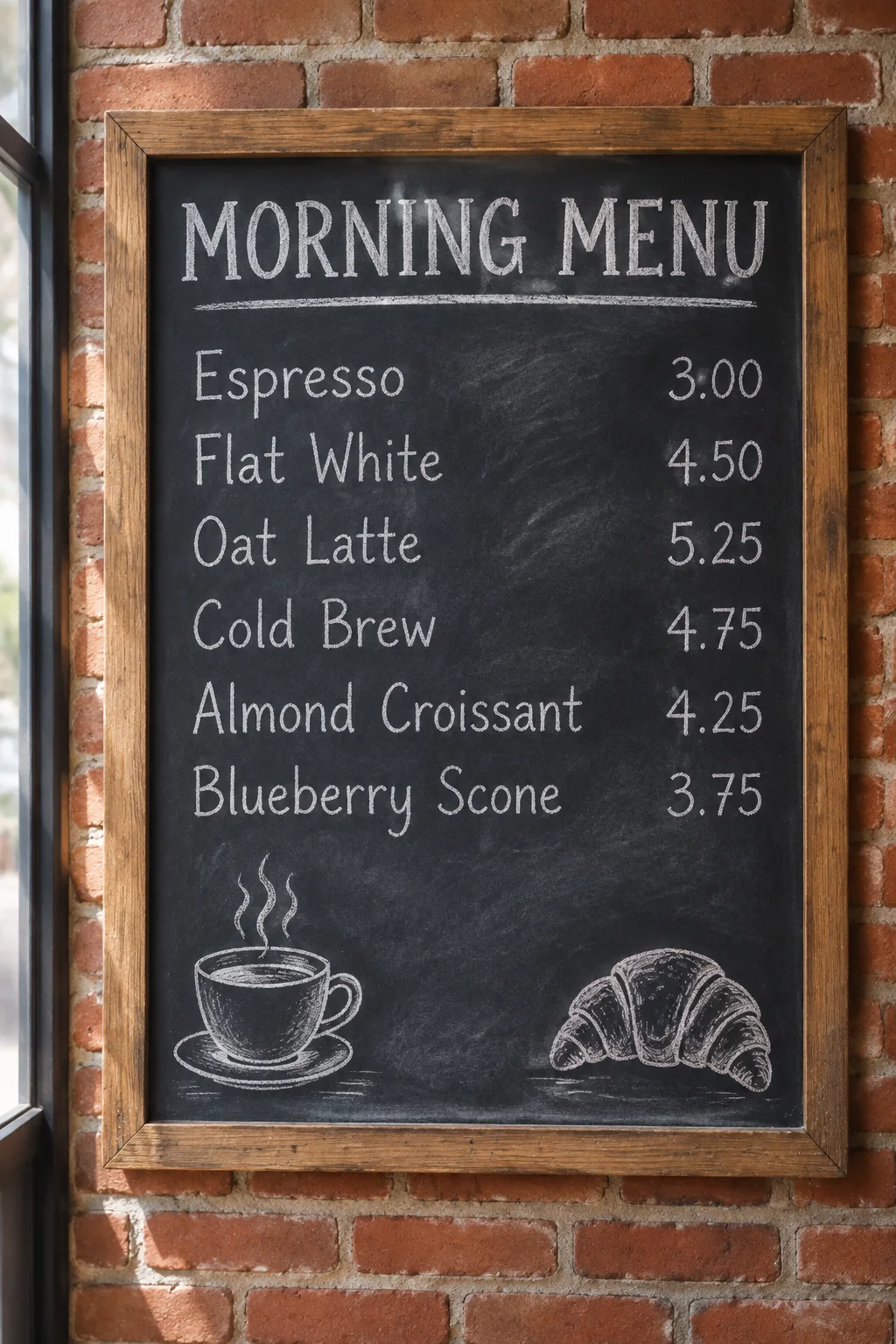
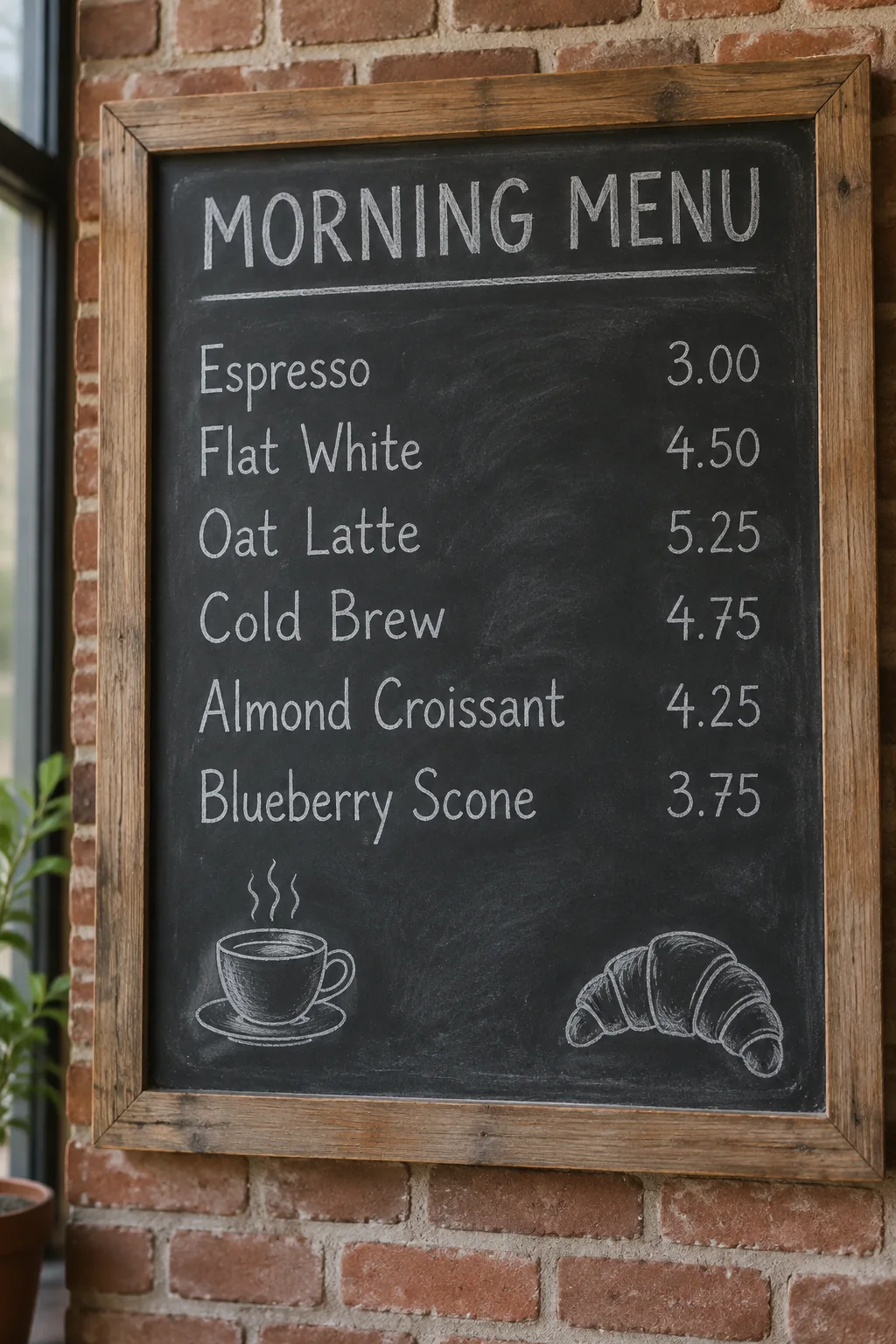
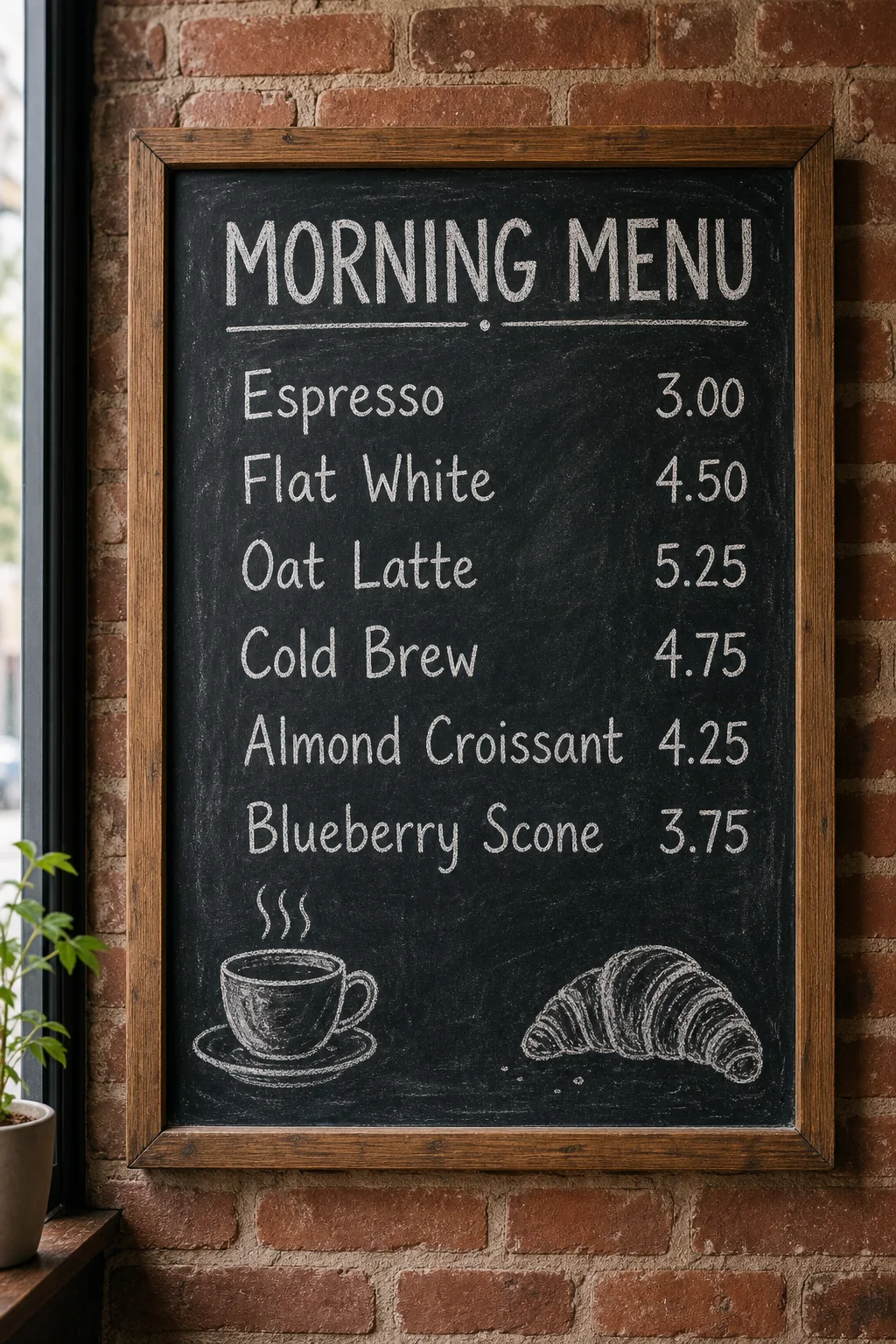
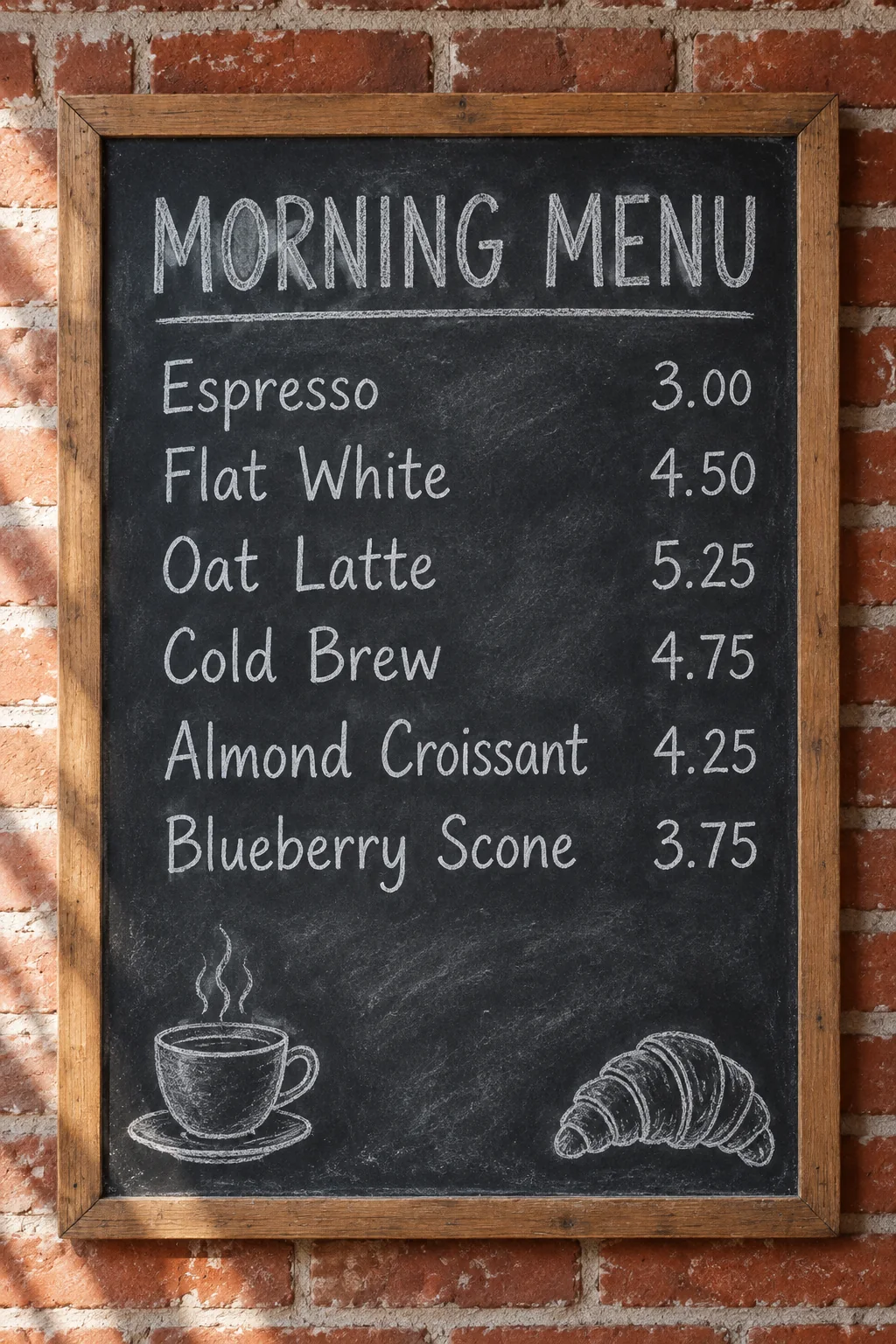
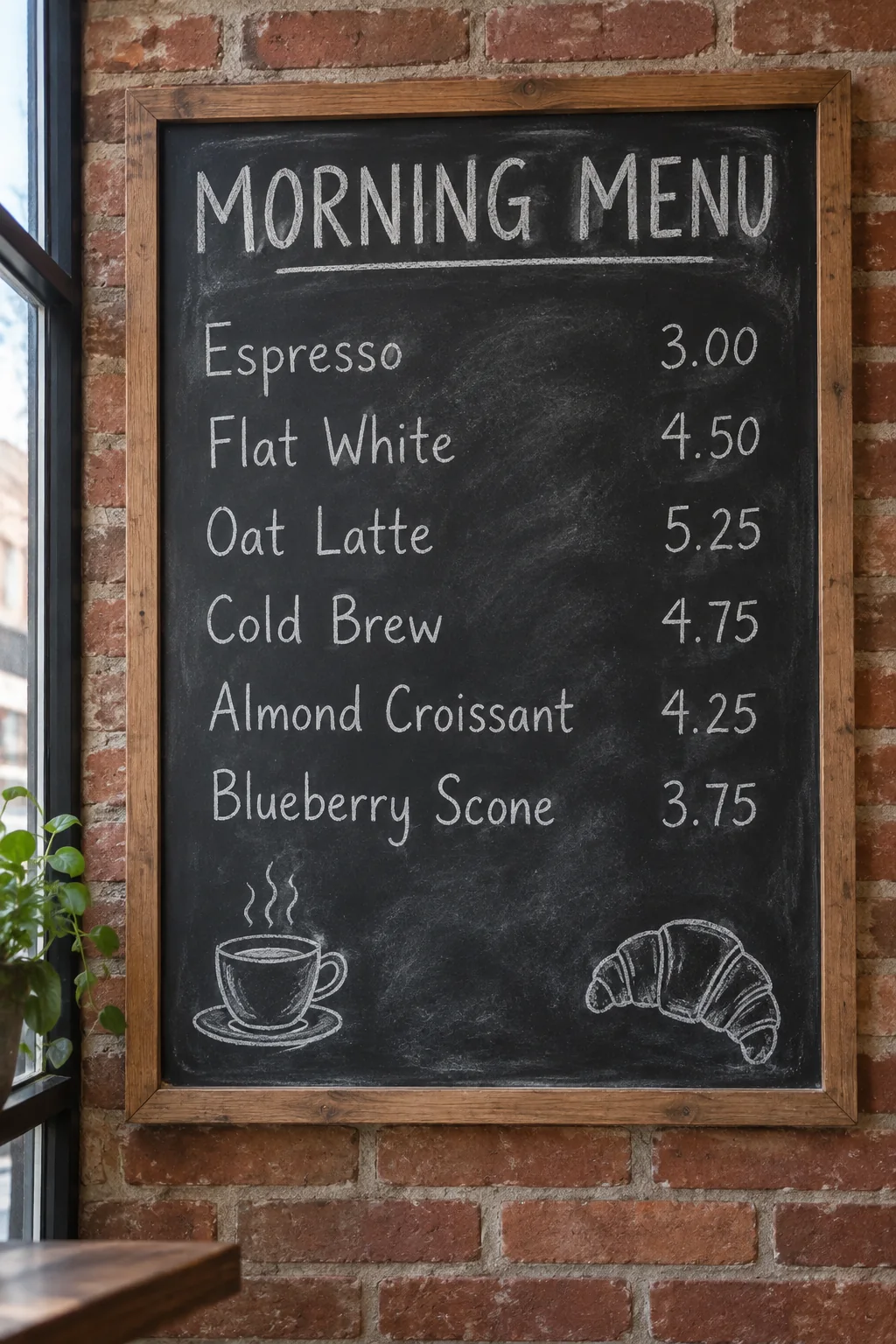
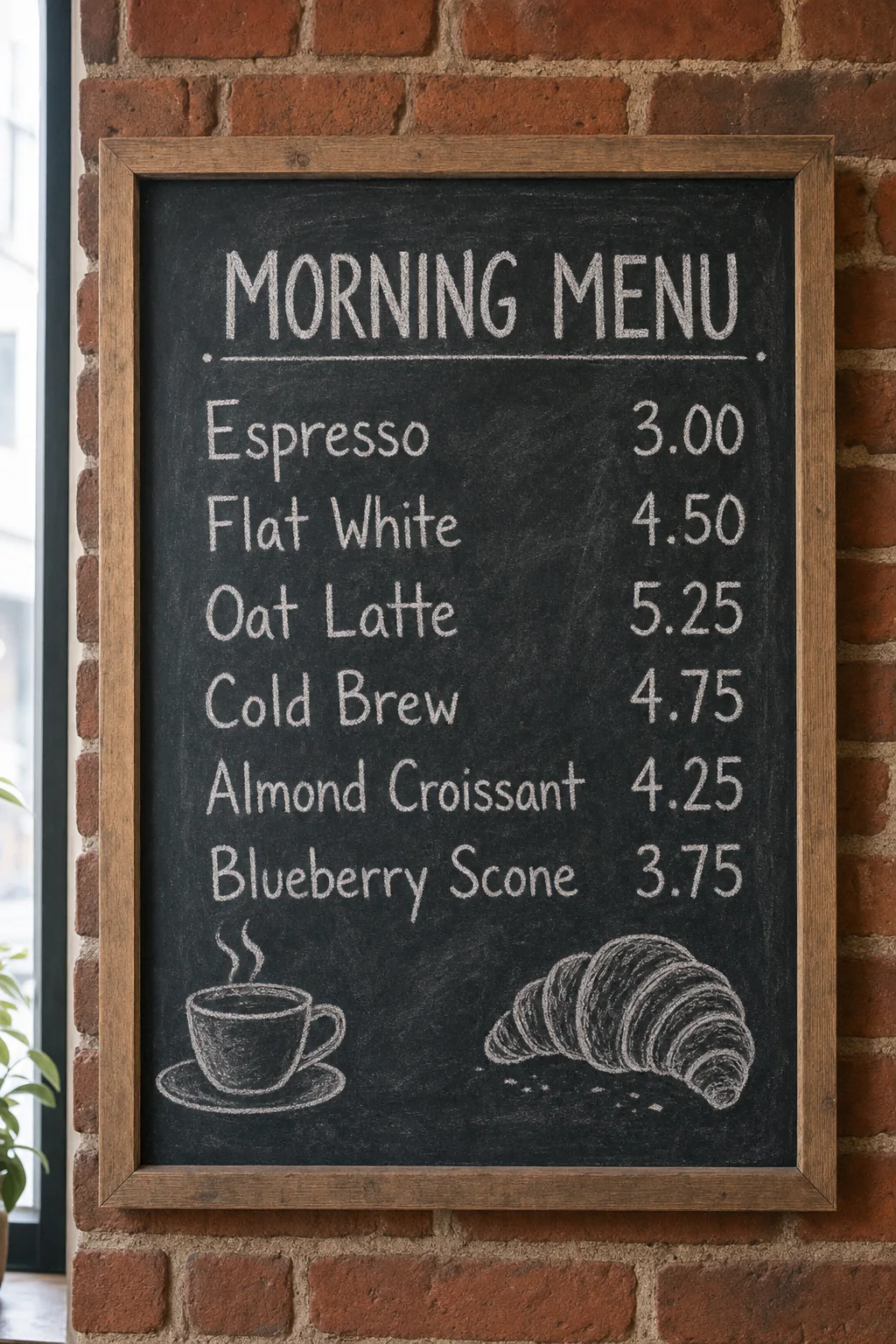
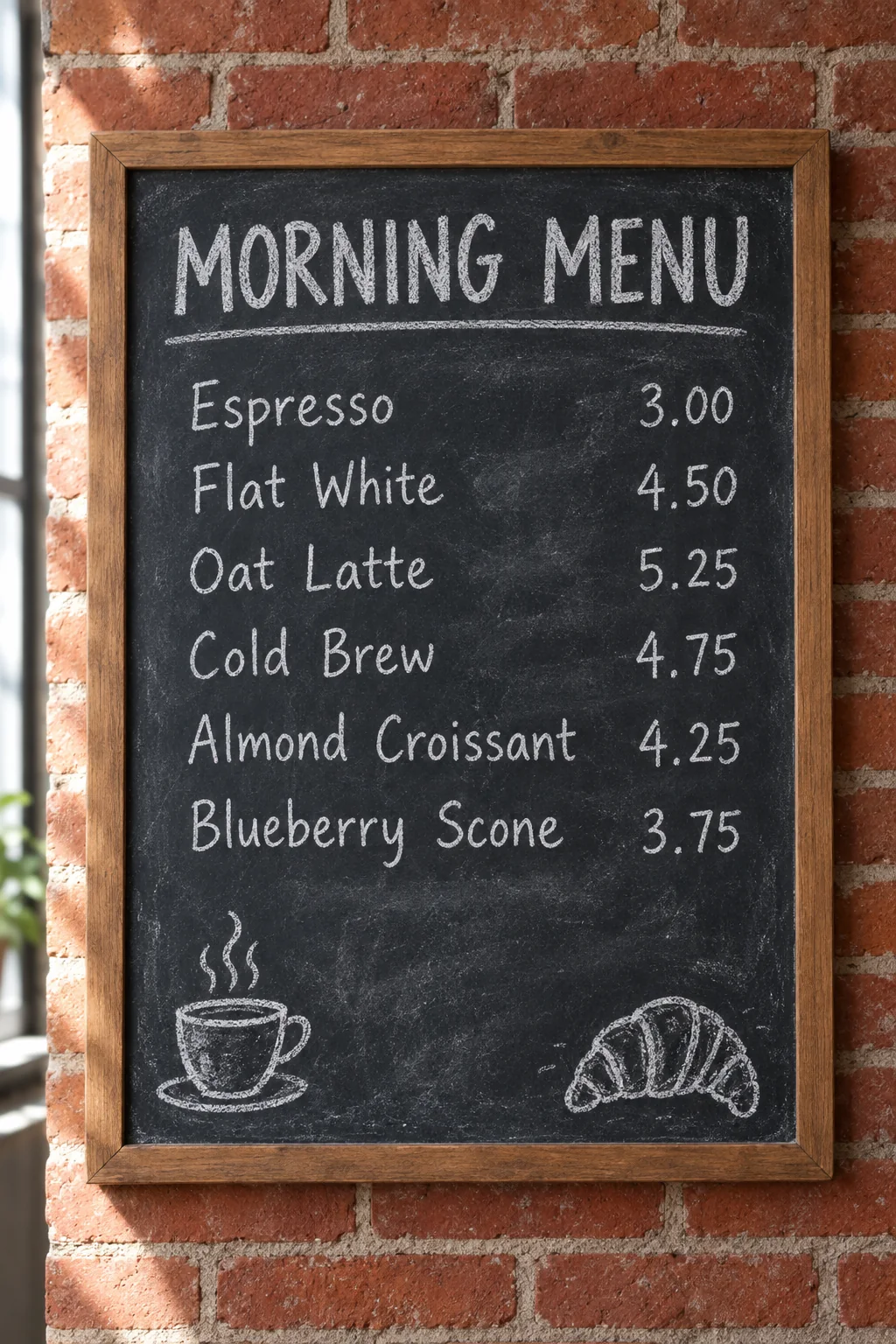
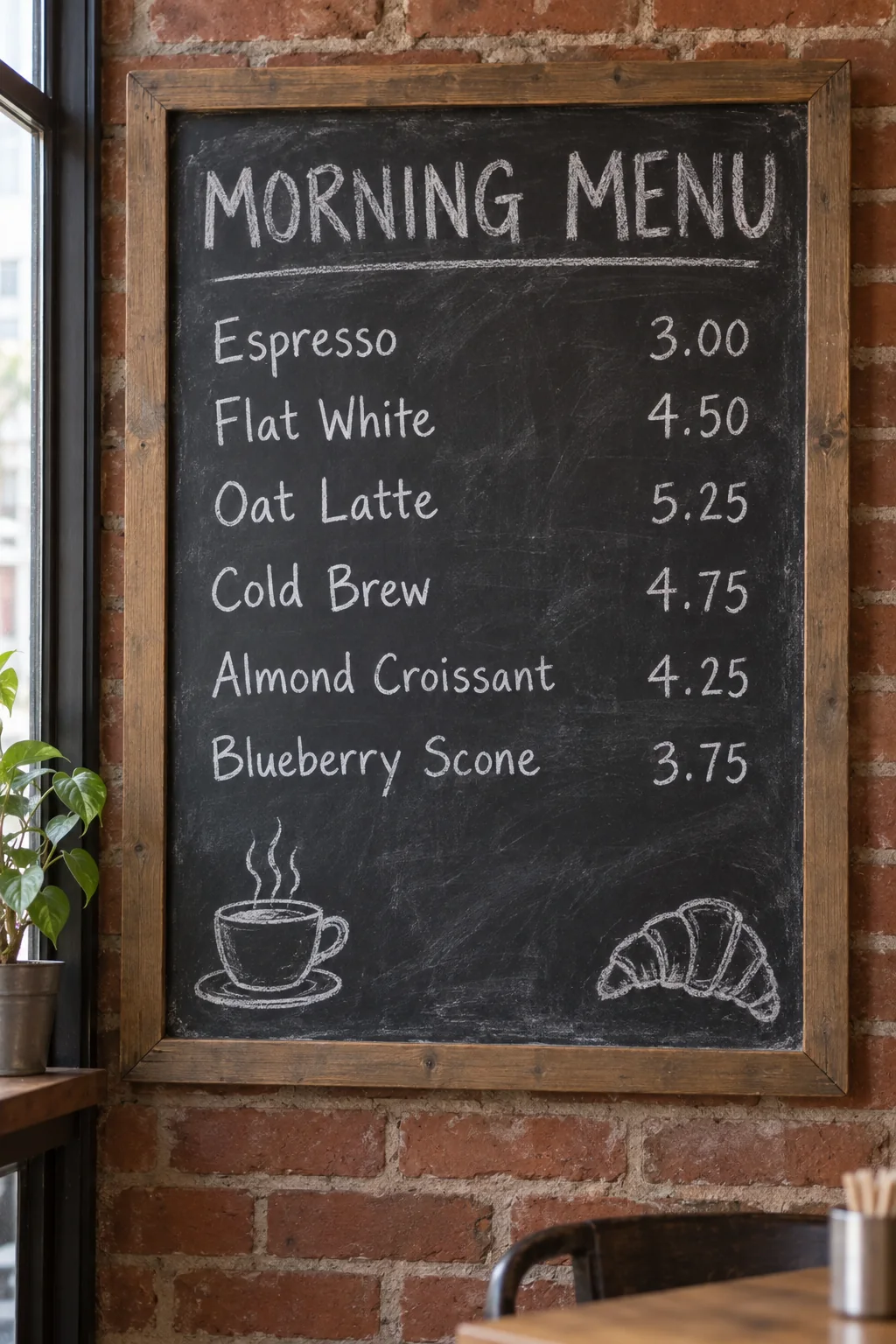
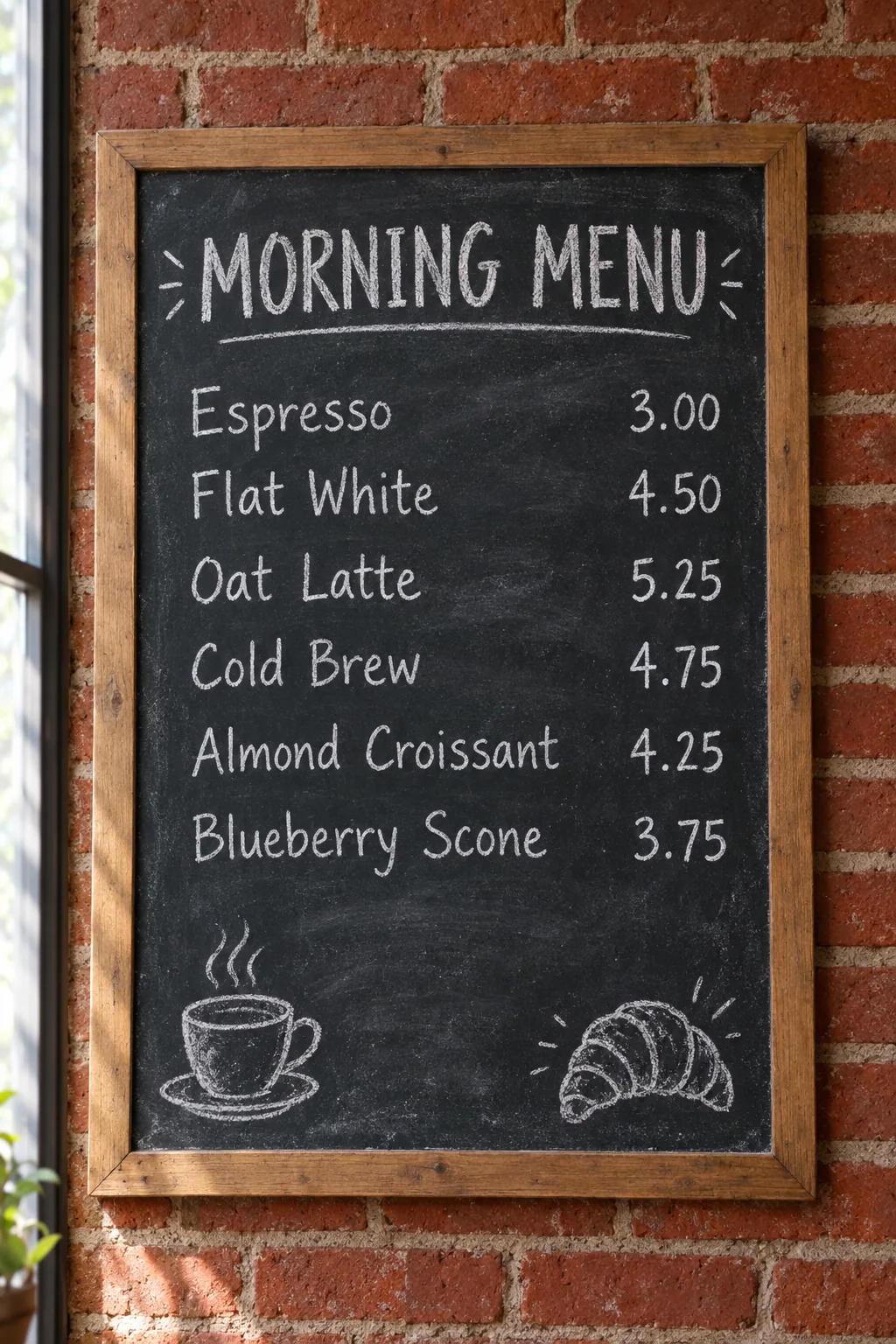
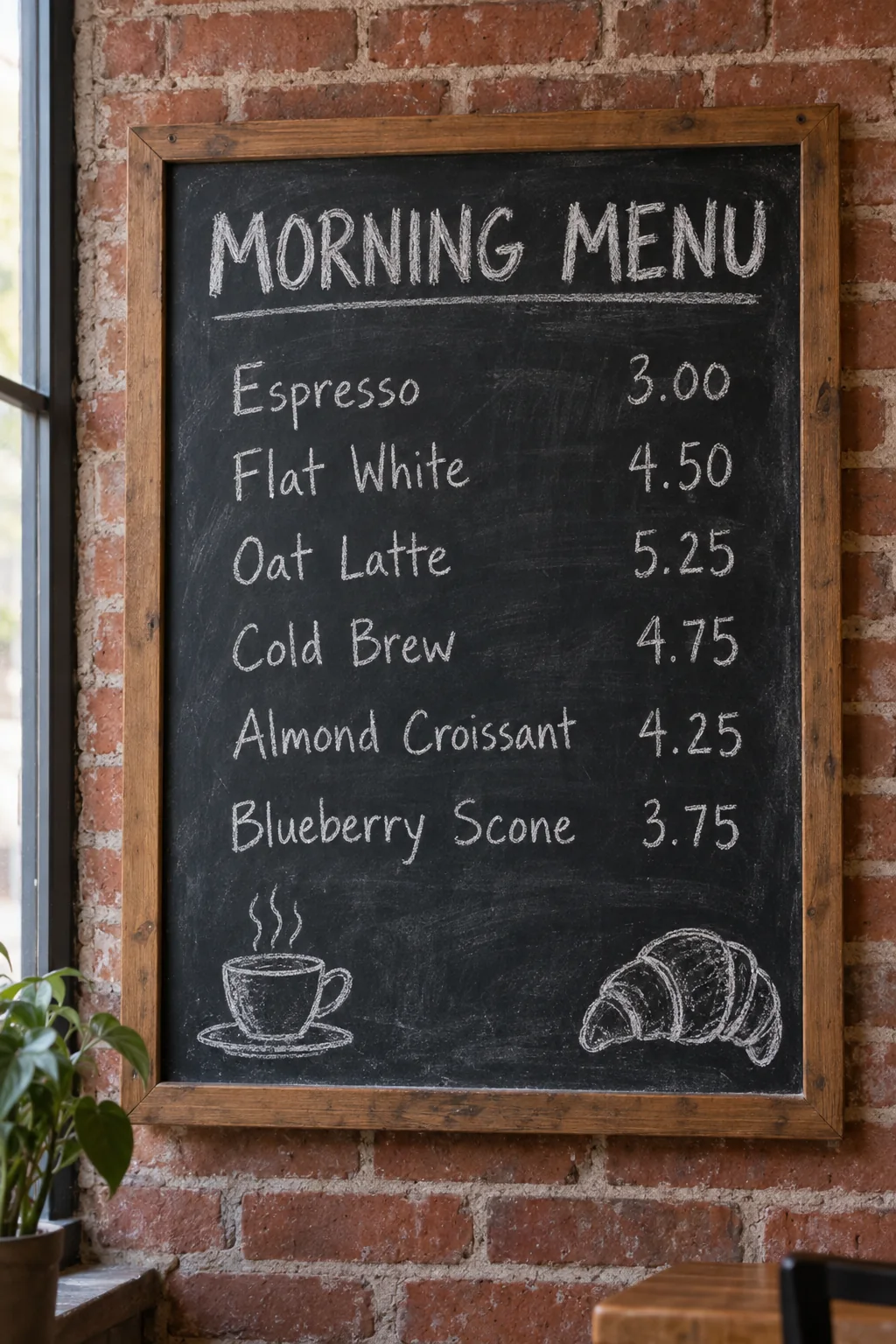
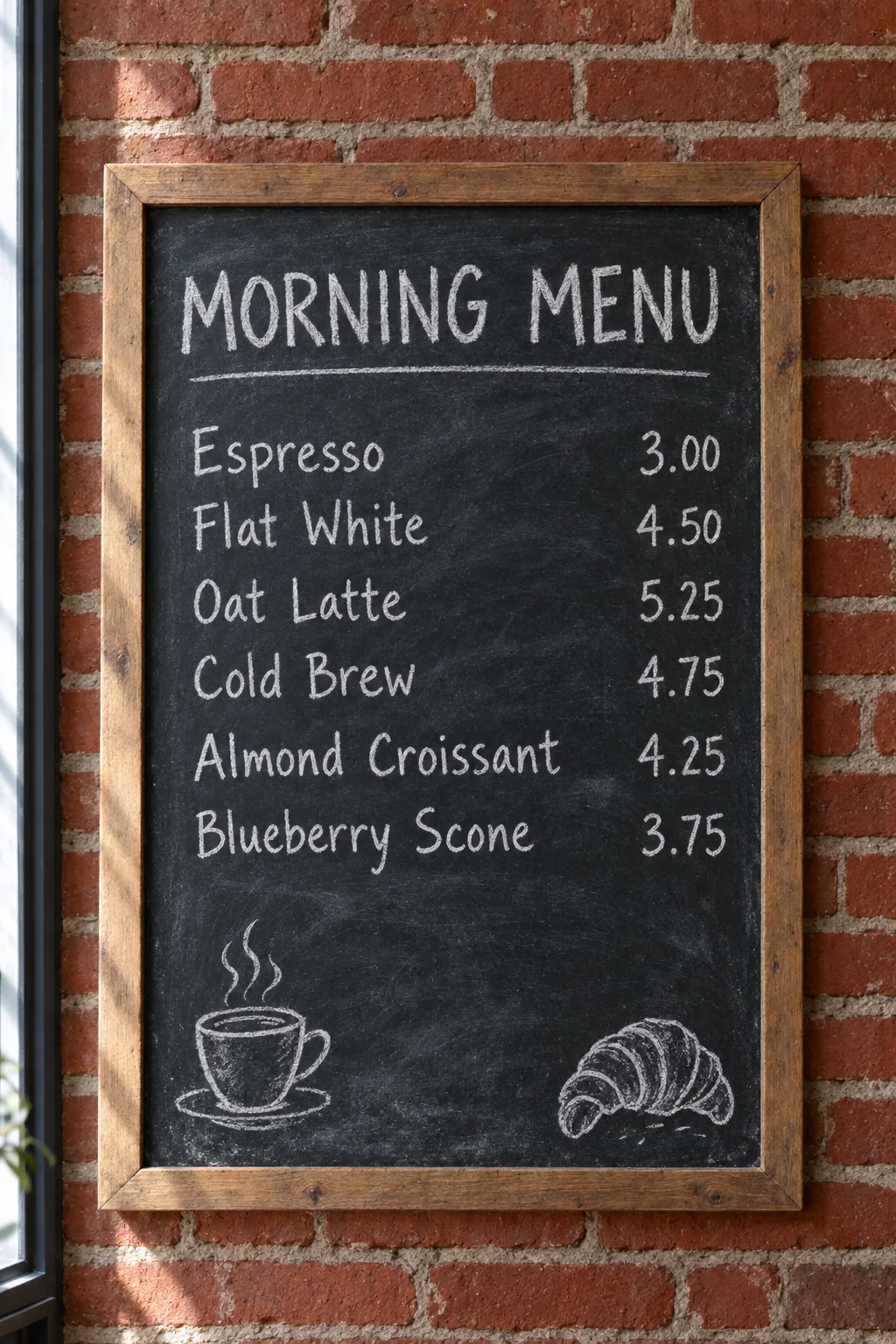
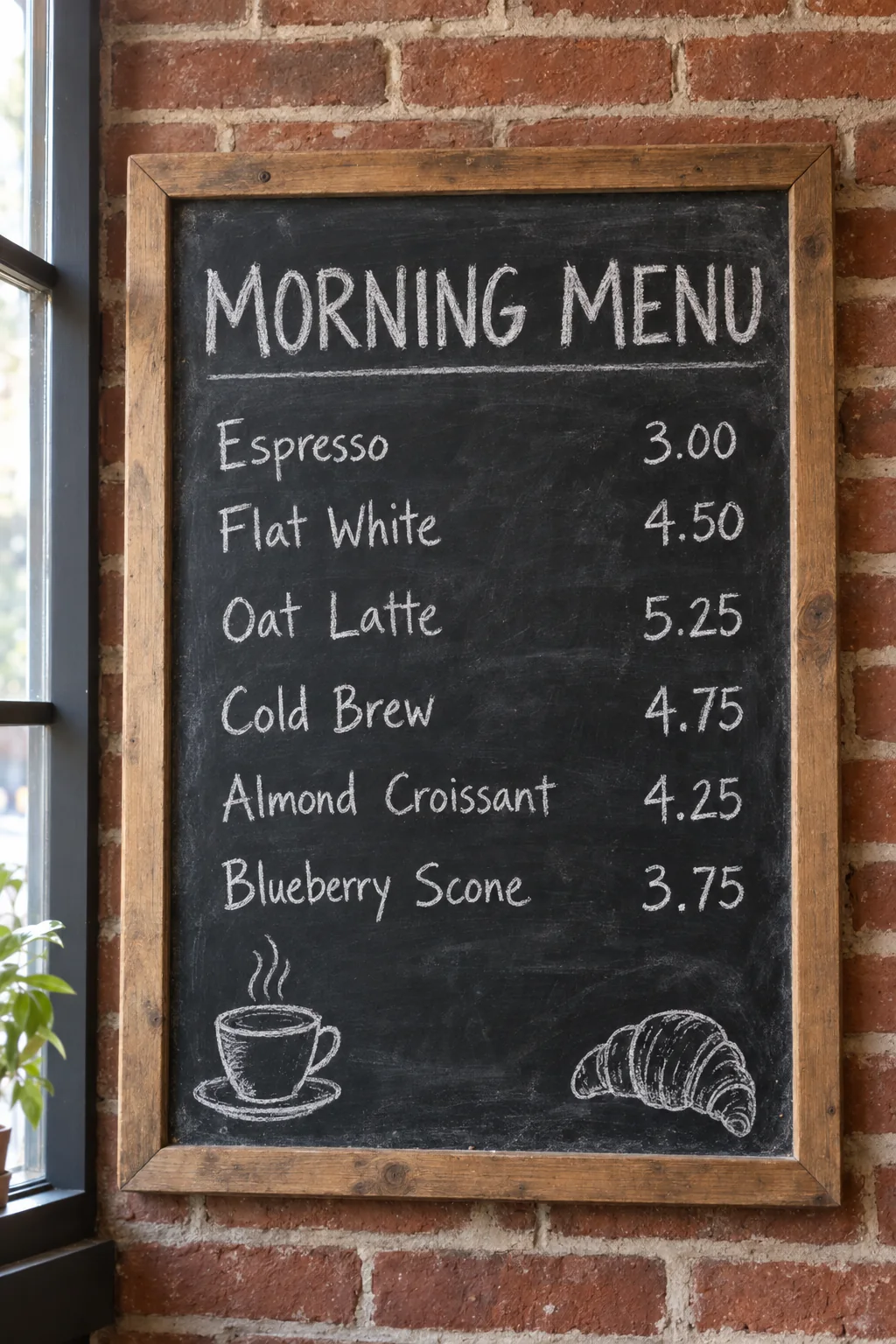
Photograph of a café chalkboard menu hanging on a red brick wall, straight-on view, soft window light from the left. The heading at the top reads exactly MORNING MENU in large hand-lettered chalk capitals. Below it are six lines of neat white chalk lettering, each item on the left and its price aligned on the right: Espresso 3.00, Flat White 4.50, Oat Latte 5.25, Cold Brew 4.75, Almond Croissant 4.25, Blueberry Scone 3.75. A small chalk drawing of a steaming coffee cup sits in the lower left corner and a croissant in the lower right corner. Visible chalk dust, faint smudges from earlier erasing, and a natural wooden frame.
Landscape detail 1536 × 1024
Prompt
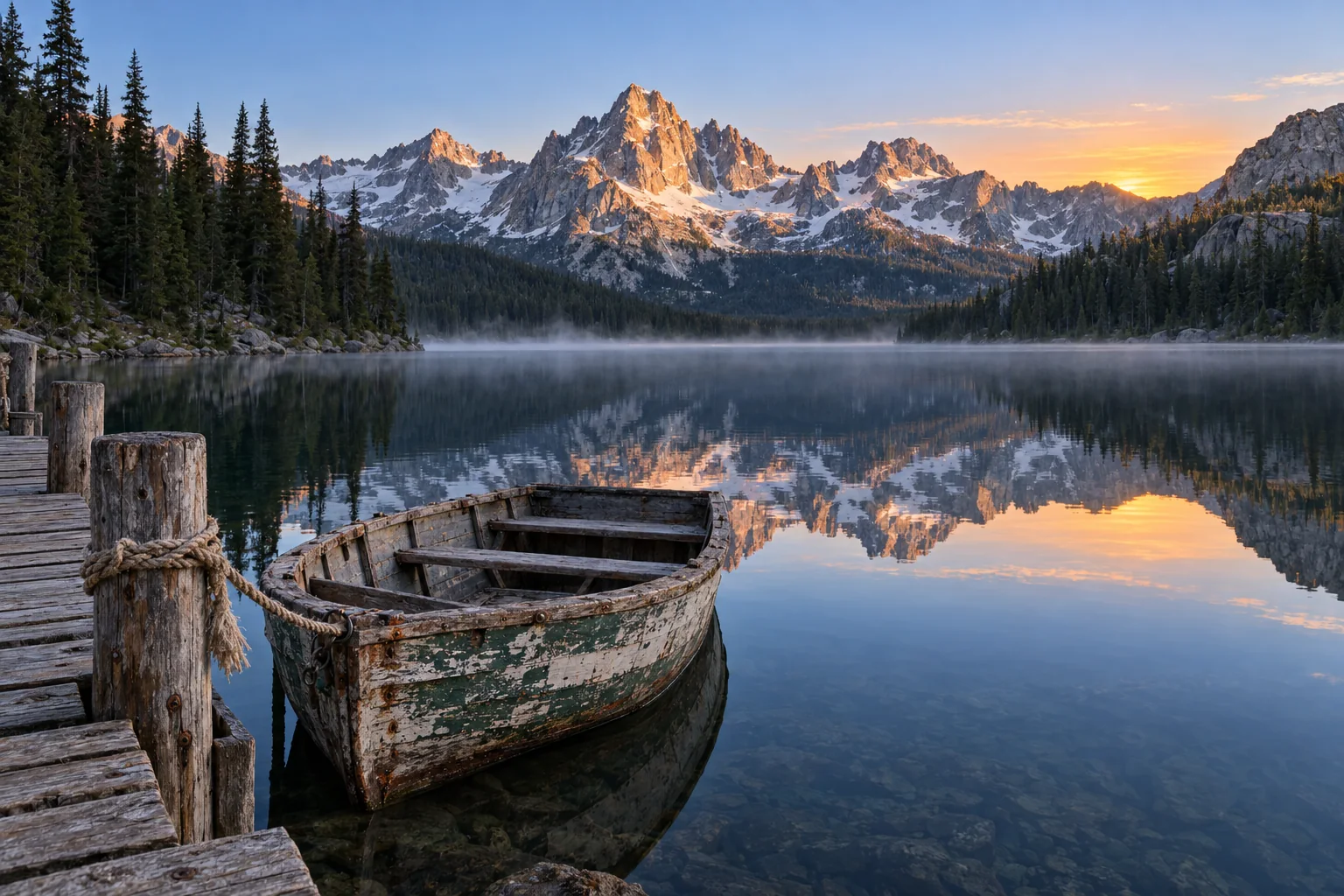
Wide landscape photograph at dawn. A perfectly still alpine lake reflects jagged granite peaks with patches of snow. In the foreground a weathered wooden rowboat is tied to a small dock with frayed rope; the peeling paint, wood grain and iron nails are sharp and detailed. Dark pine forest lines the shore, a thin layer of mist drifts over the water, and the sky is a smooth gradient from deep blue at the top to pale apricot at the horizon. Natural colors, sharp from the foreground to the distant peaks.
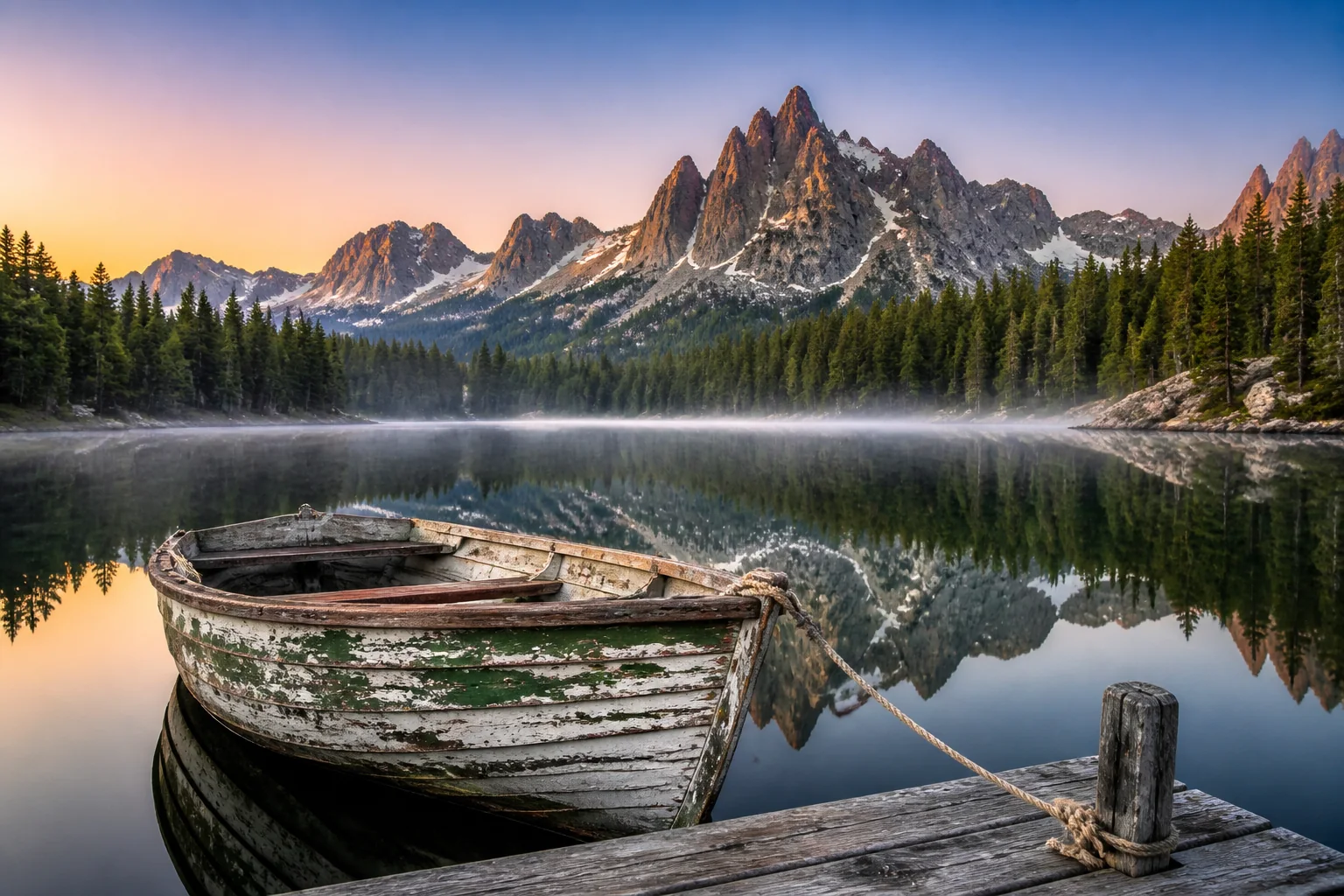
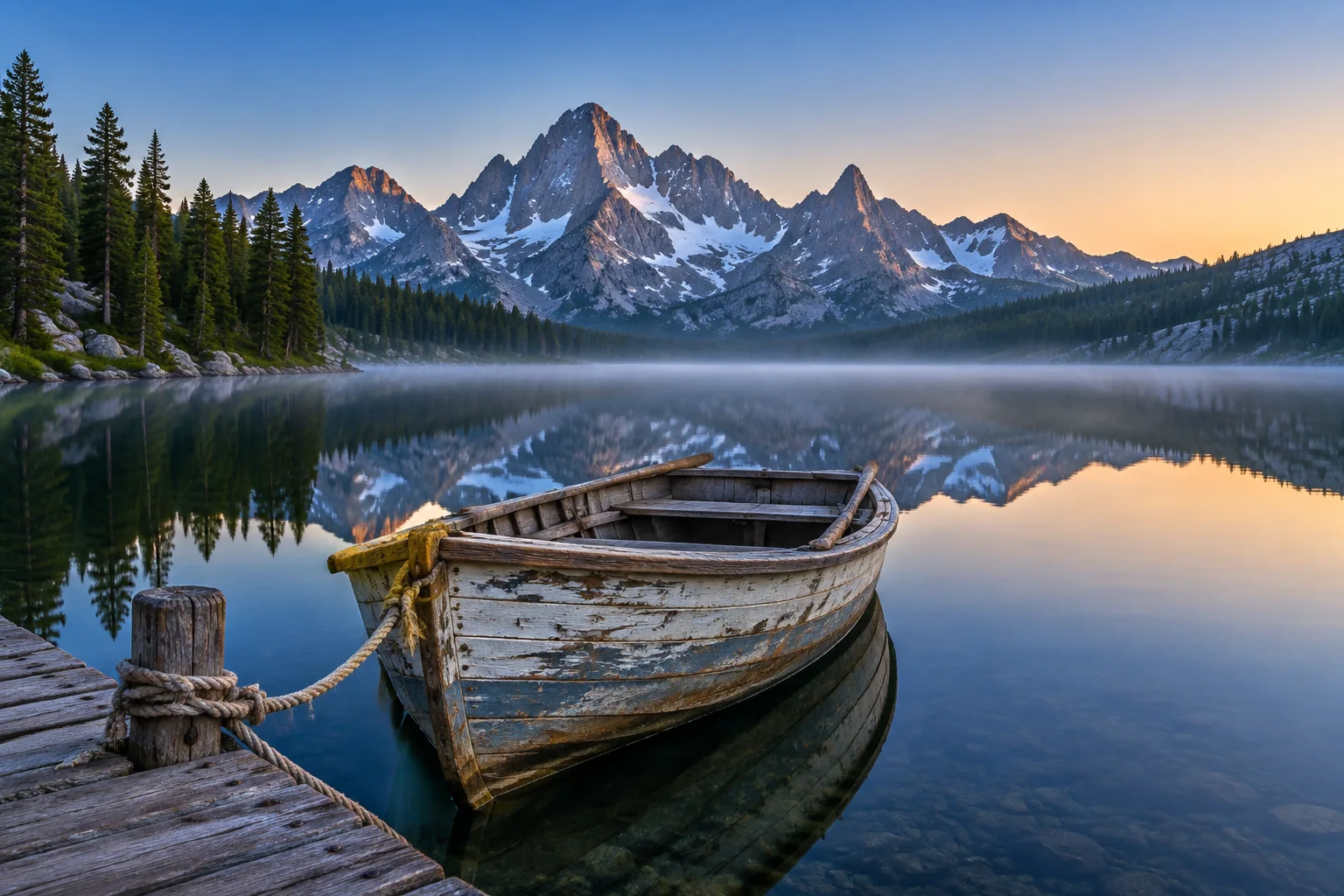
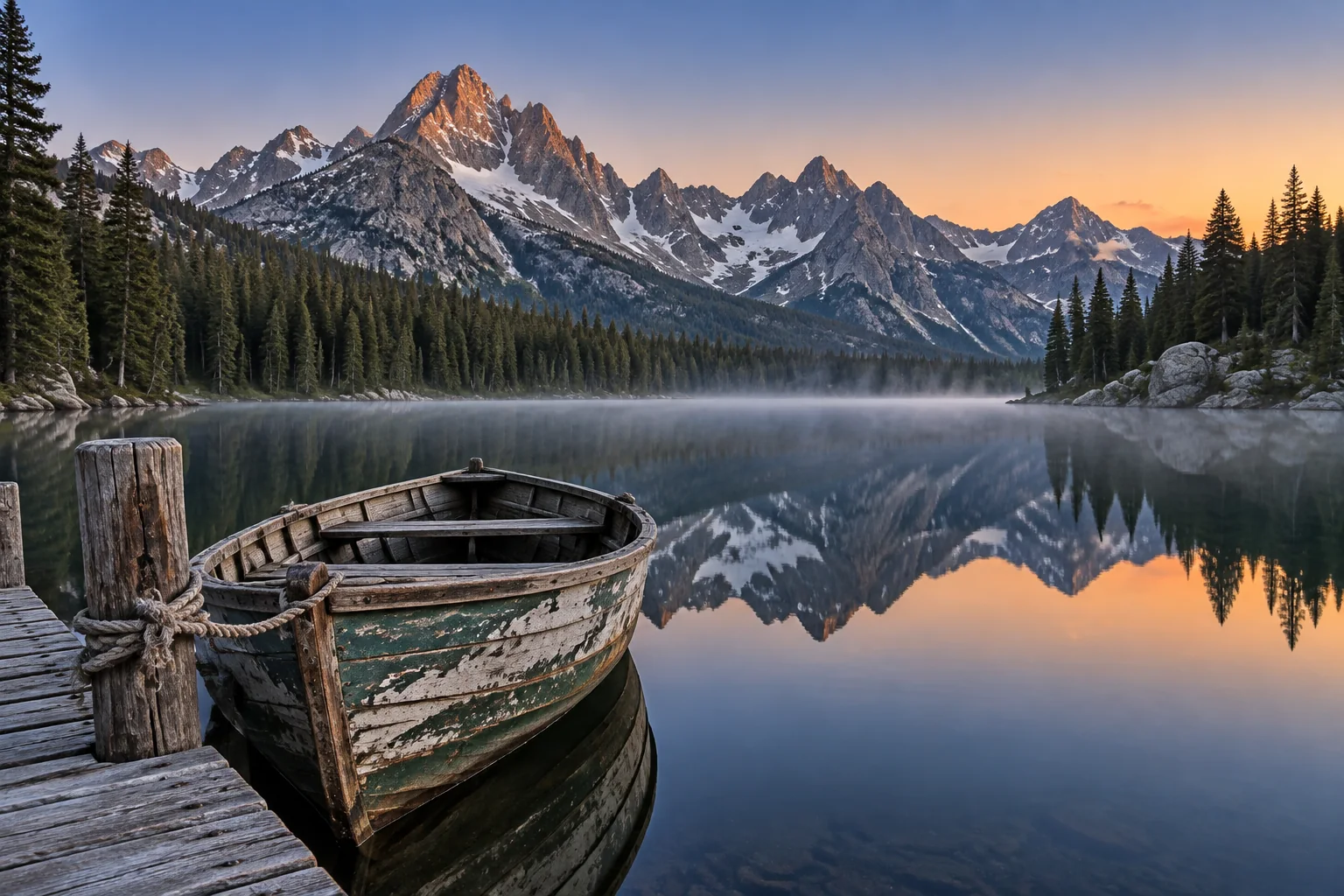
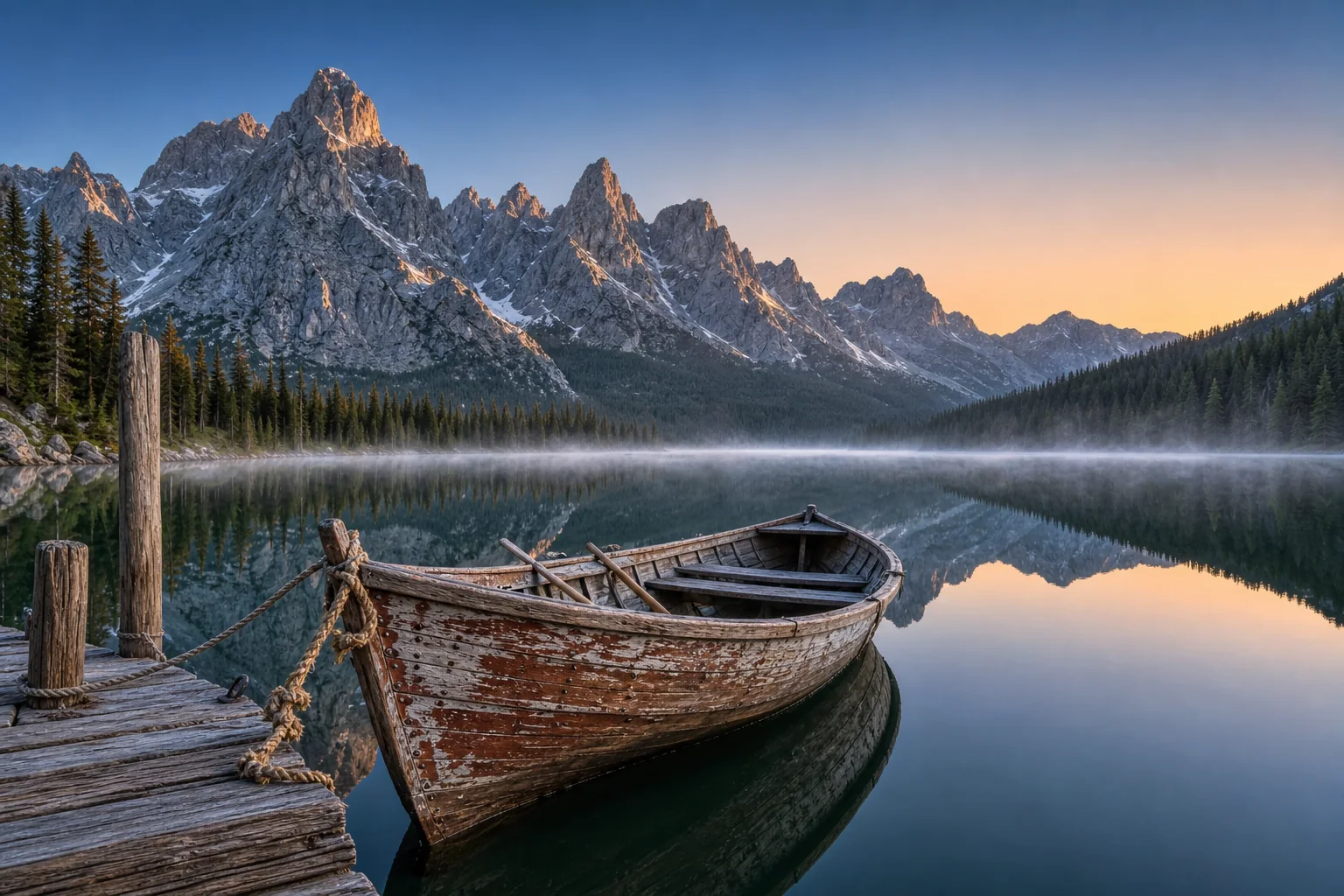
Infographic with numbered captions 1024 × 1024
Prompt
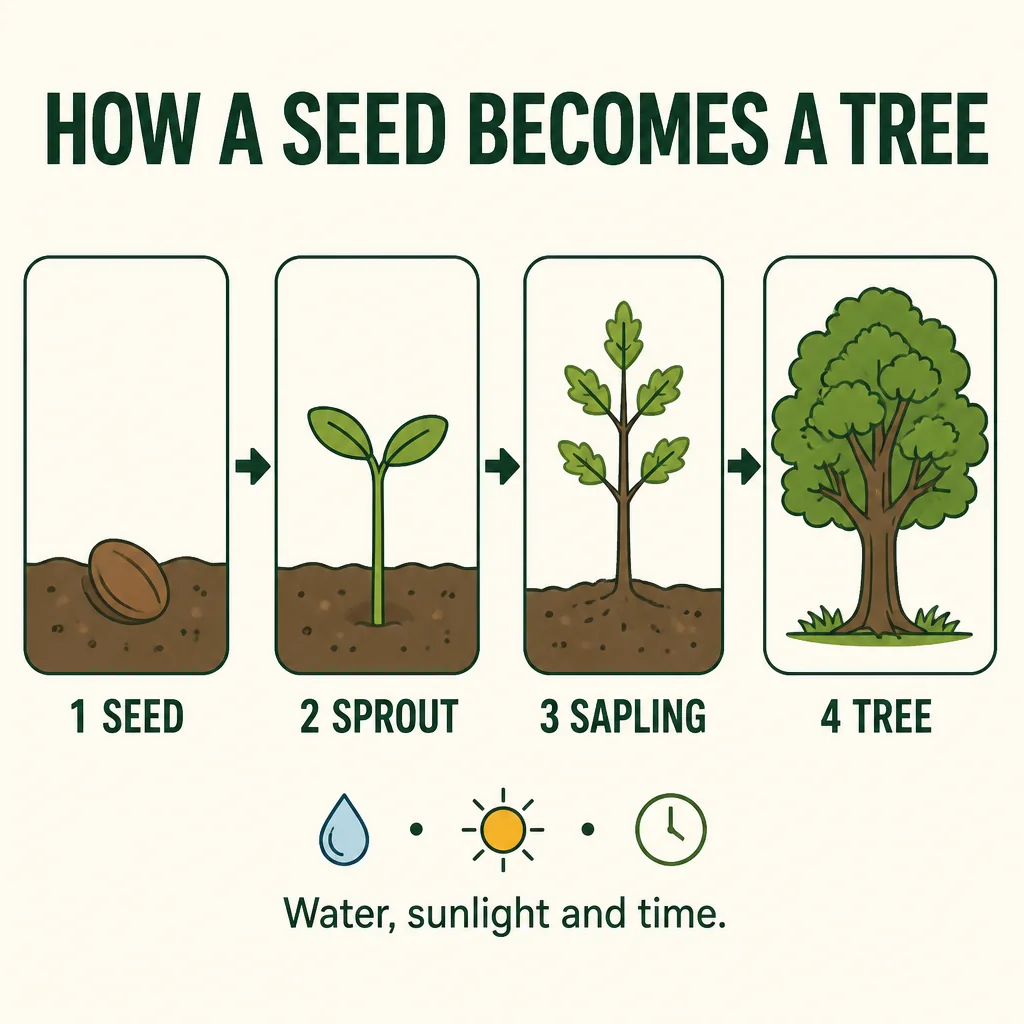
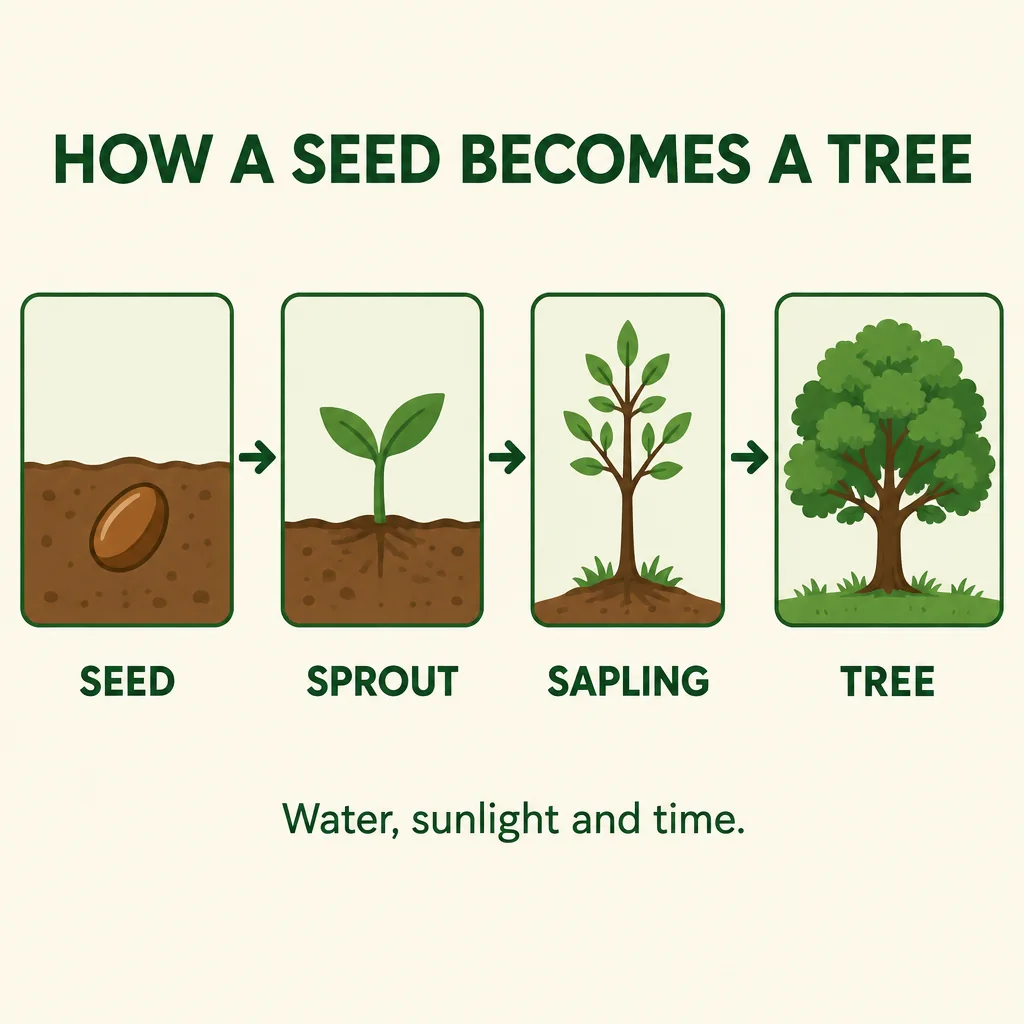
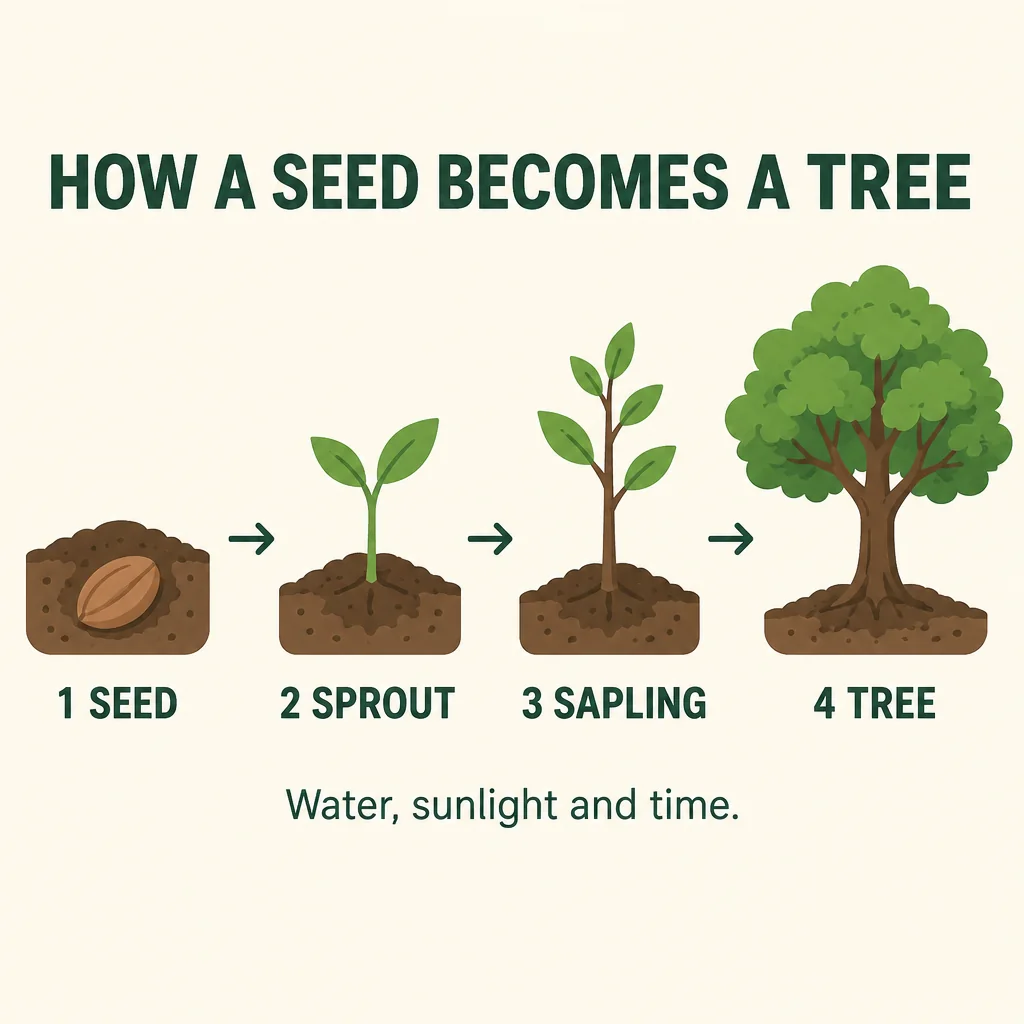
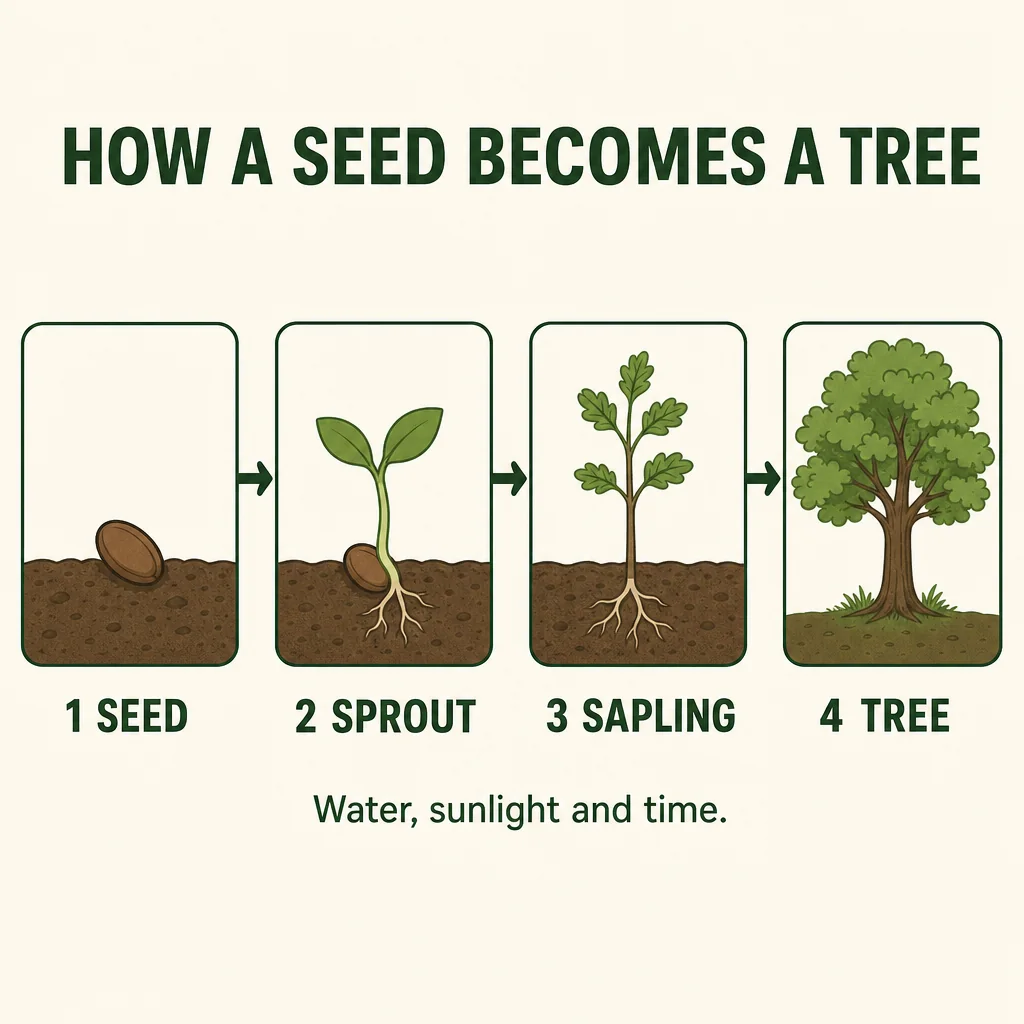
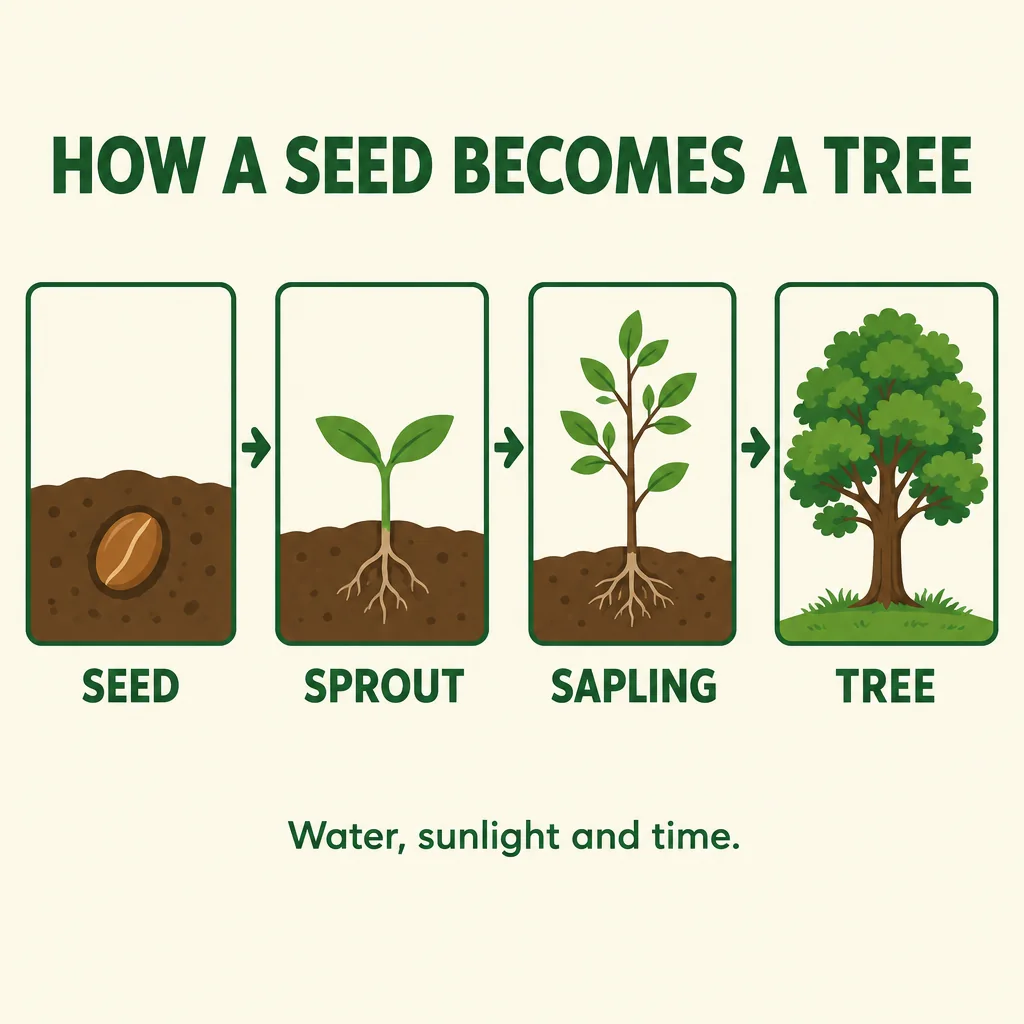
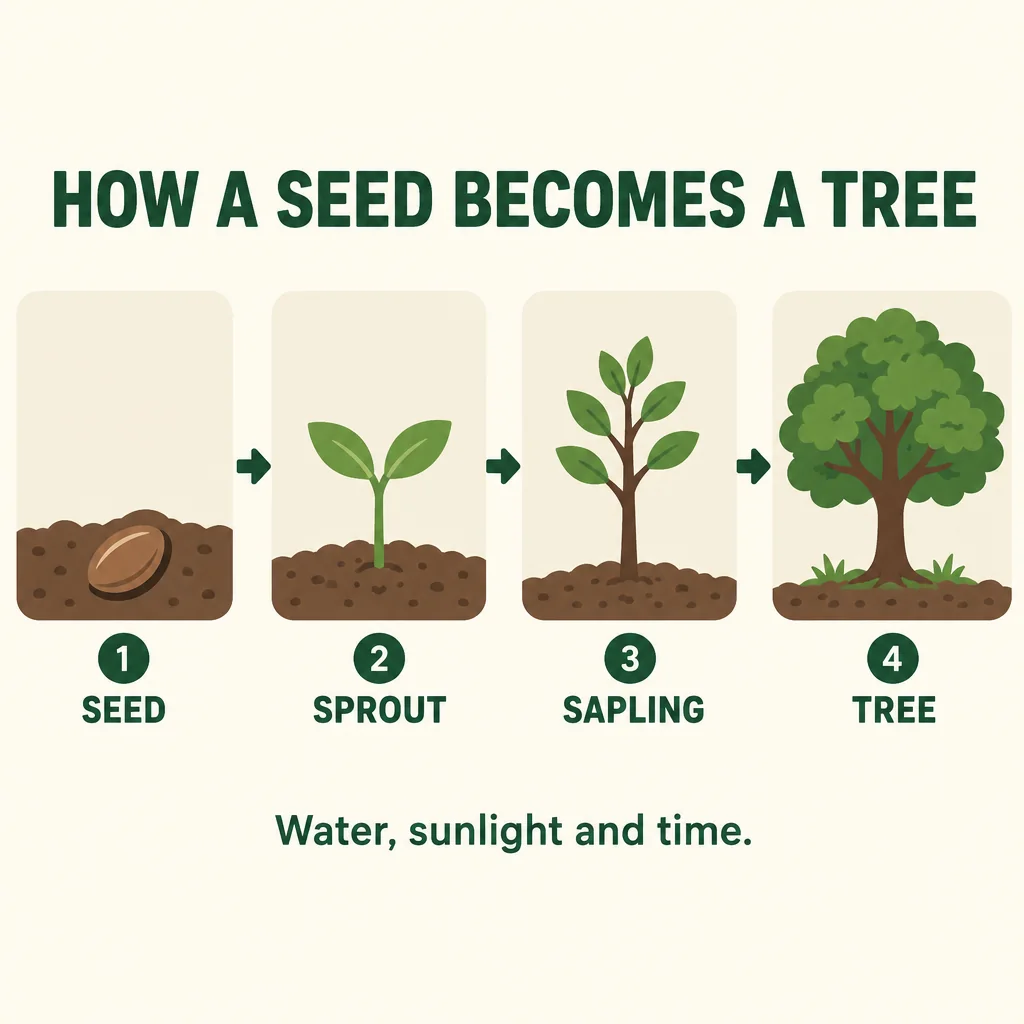
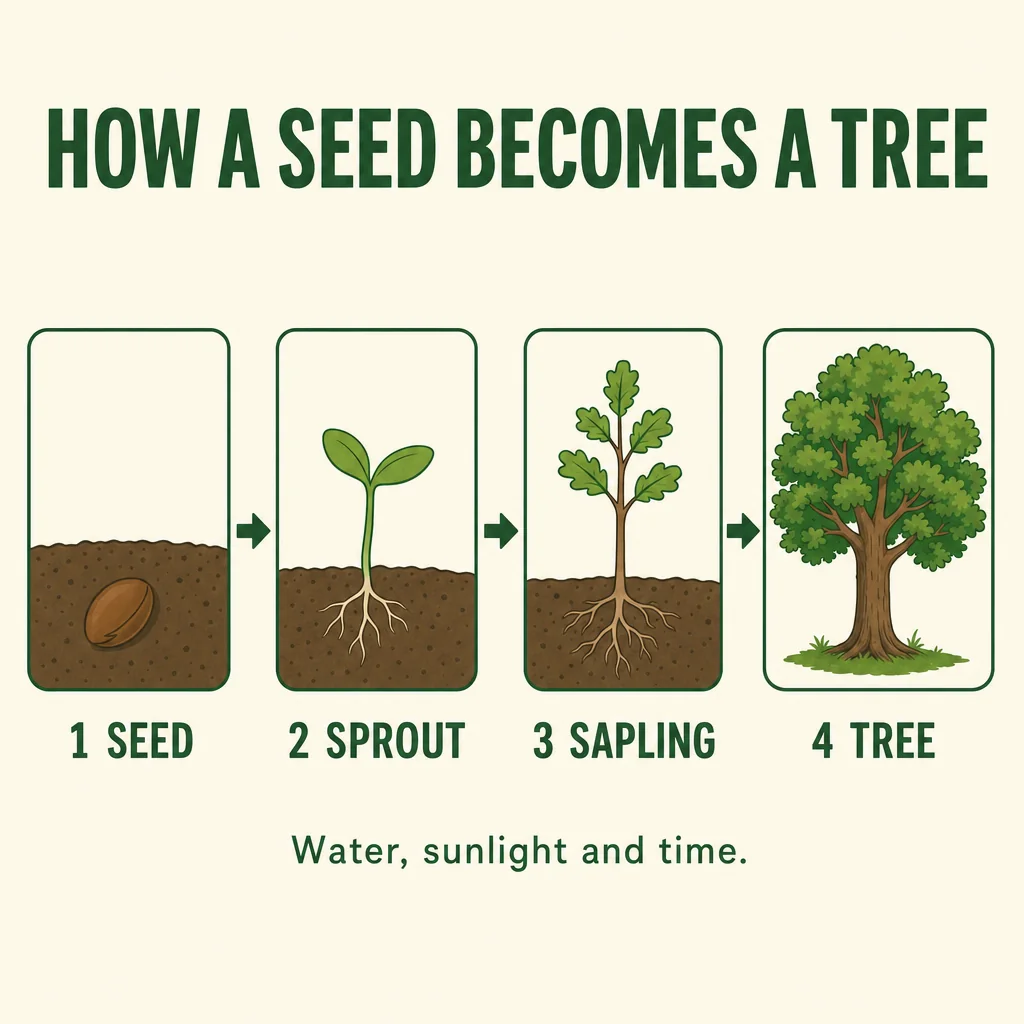
A clean flat vector infographic on a cream background. The title at the top reads exactly HOW A SEED BECOMES A TREE in bold dark green sans-serif capitals. Below it, four panels in a row connected by arrows, each with a simple illustration and a caption beneath it: 1 SEED shows a brown seed in soil, 2 SPROUT shows a small green shoot with two leaves, 3 SAPLING shows a thin young tree, 4 TREE shows a full leafy oak. At the bottom, one line of smaller text reads exactly Water, sunlight and time. Consistent line weights, a limited palette of greens and browns, generous spacing.
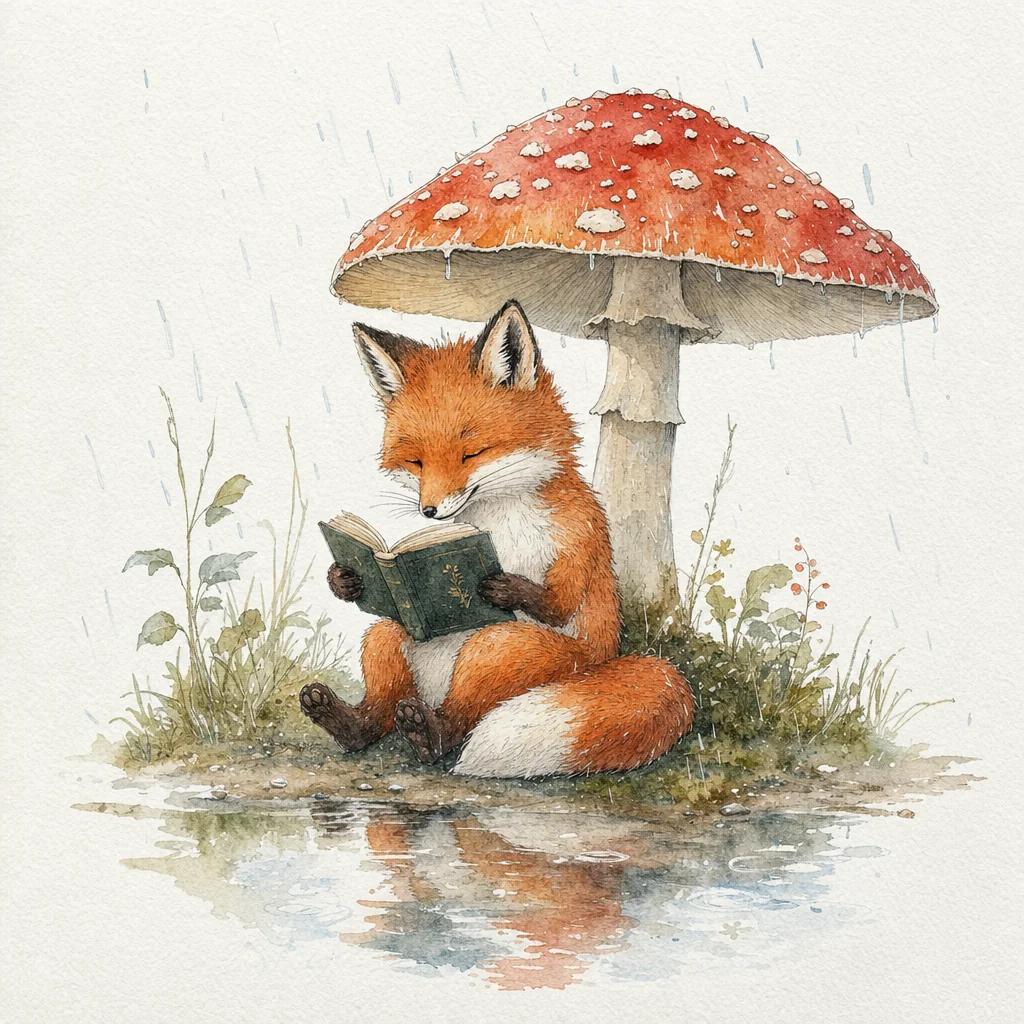
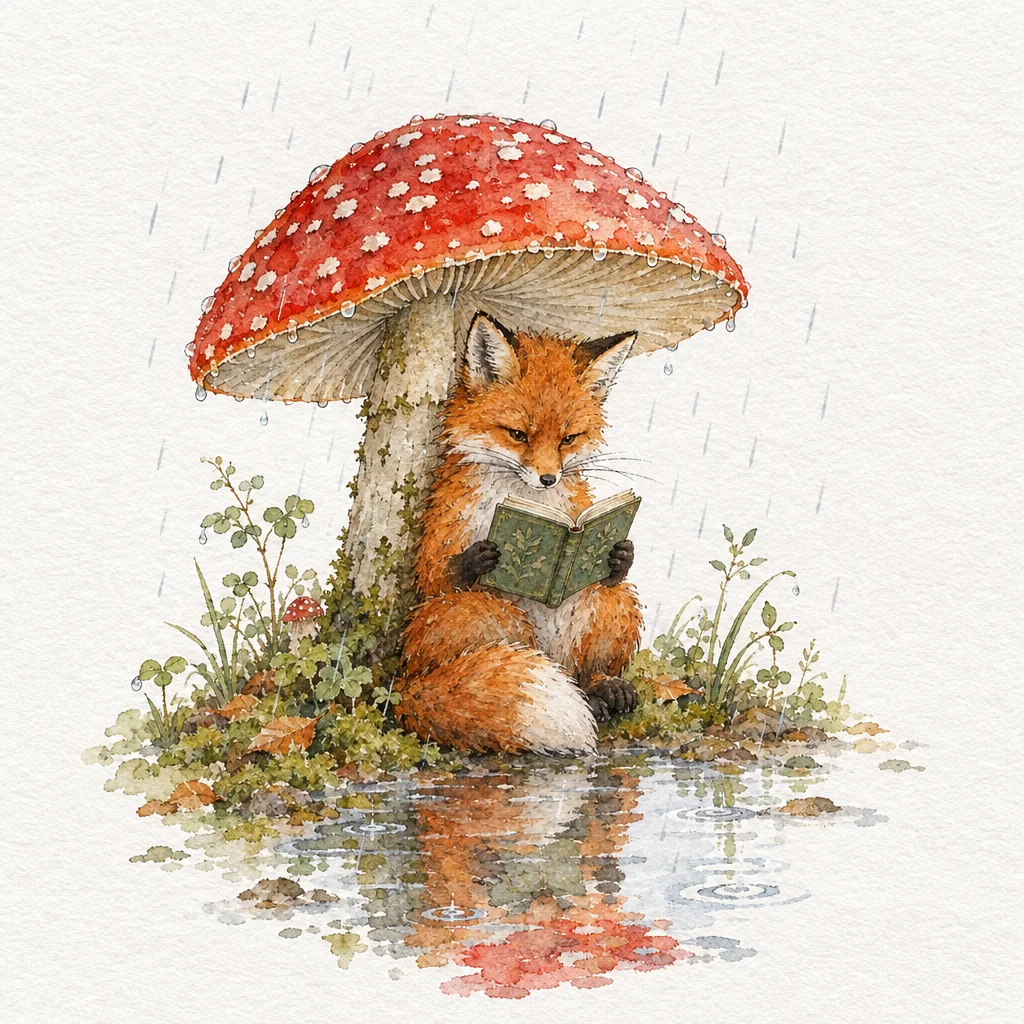
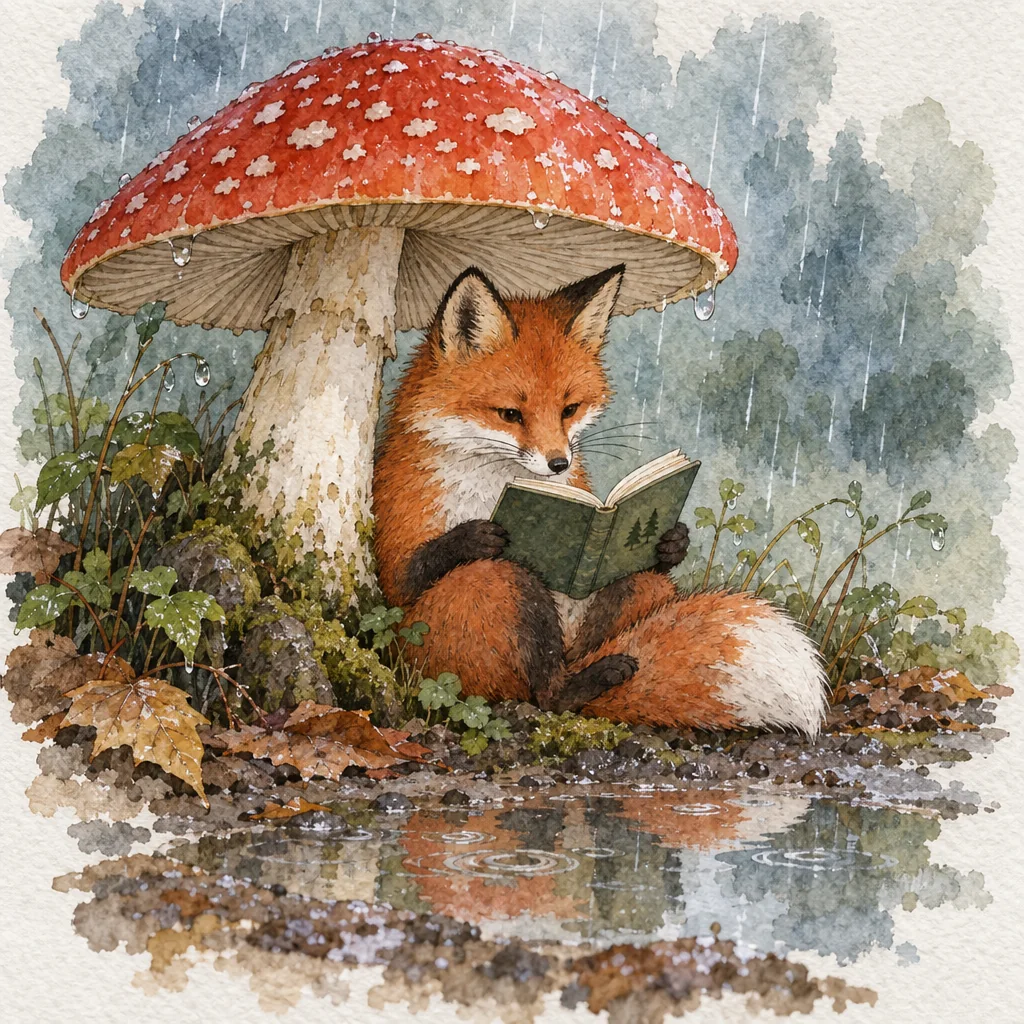
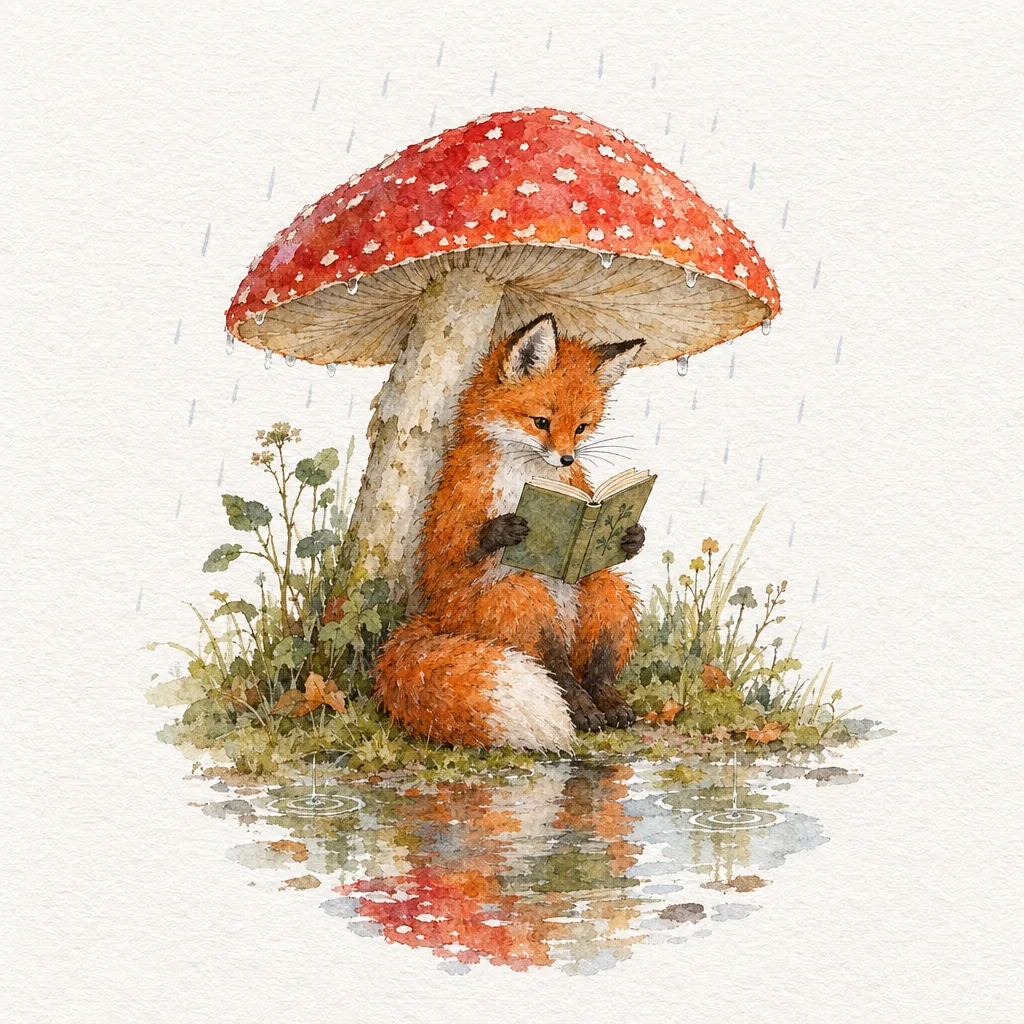
Watercolor illustration 1024 × 1024
Prompt
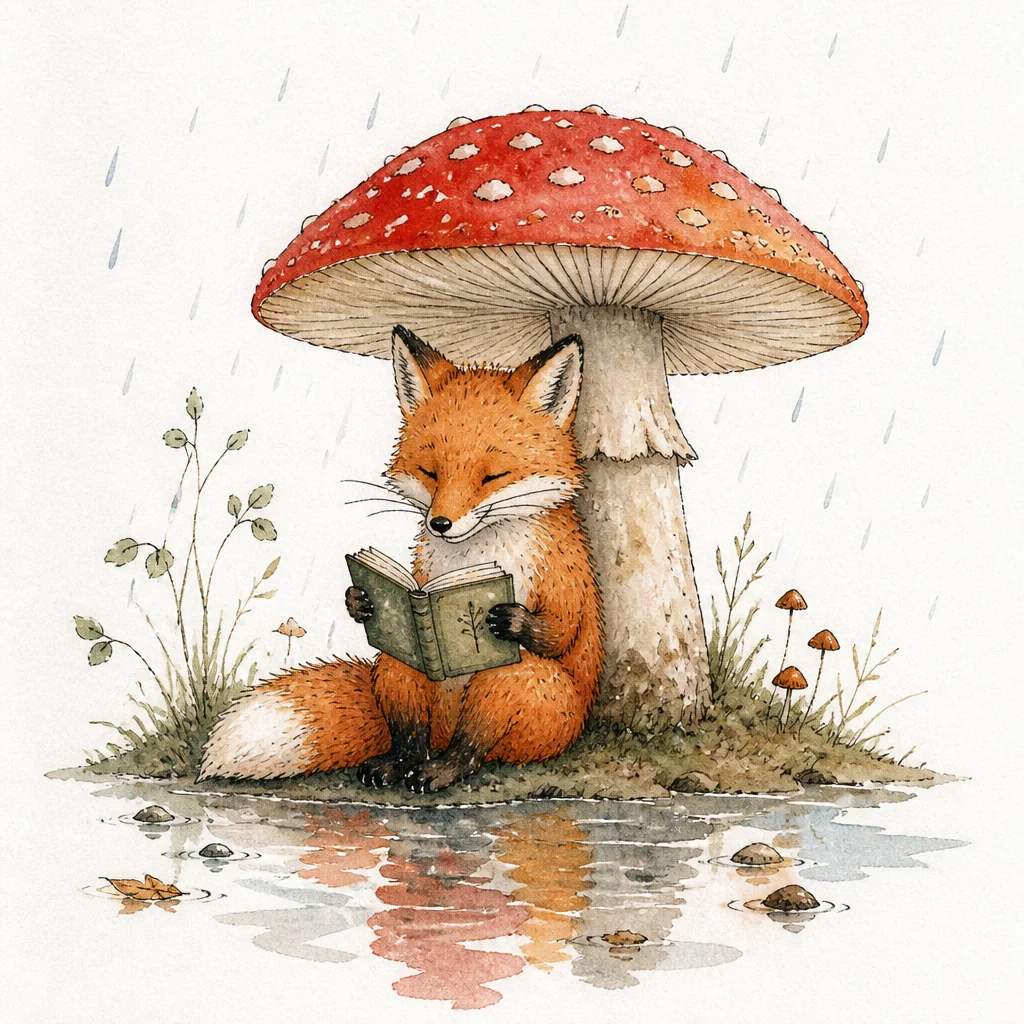
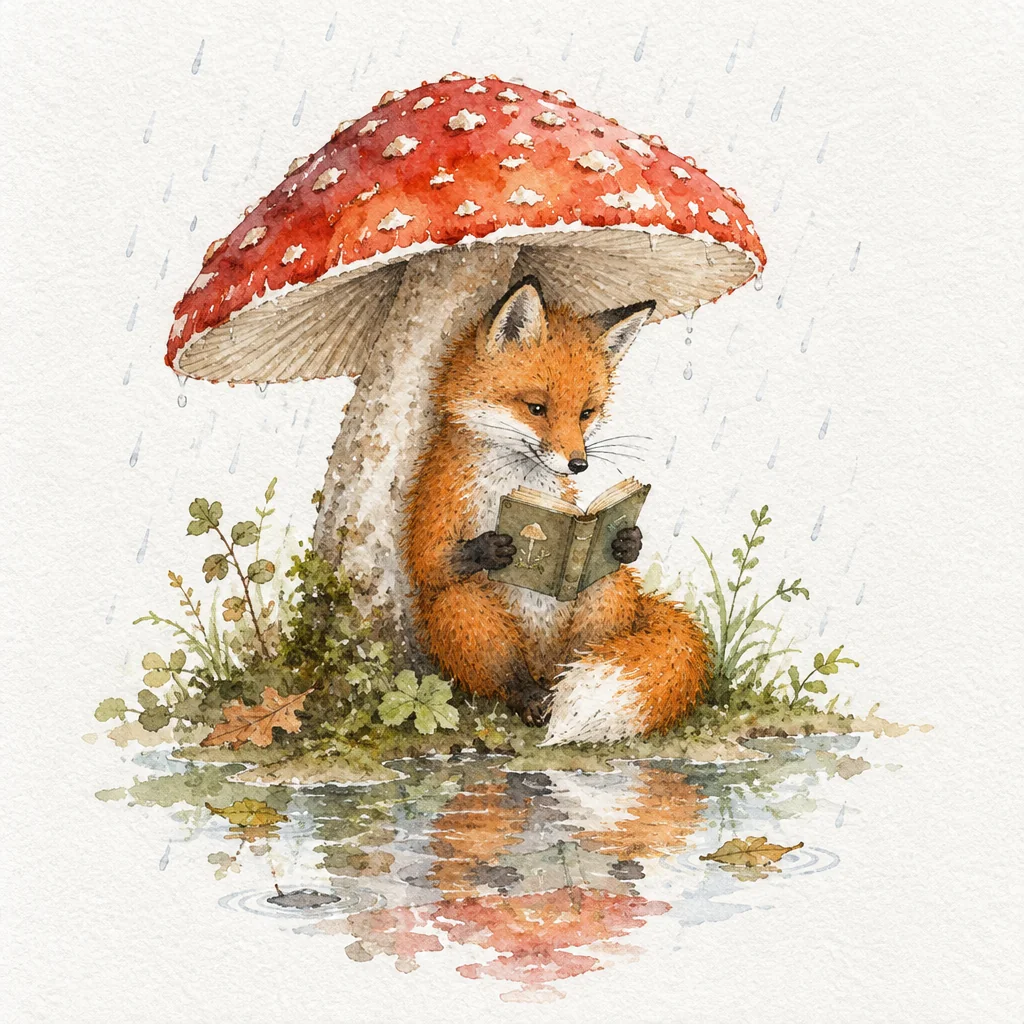
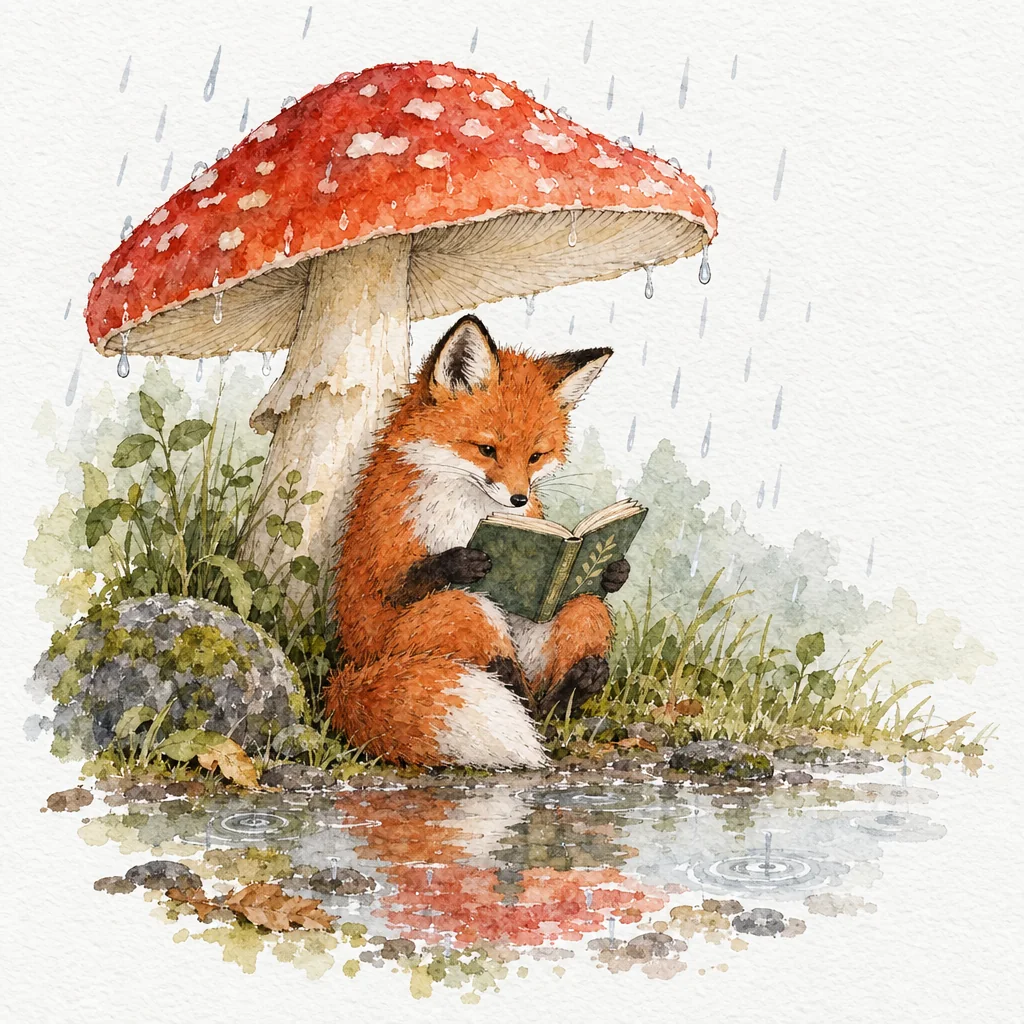
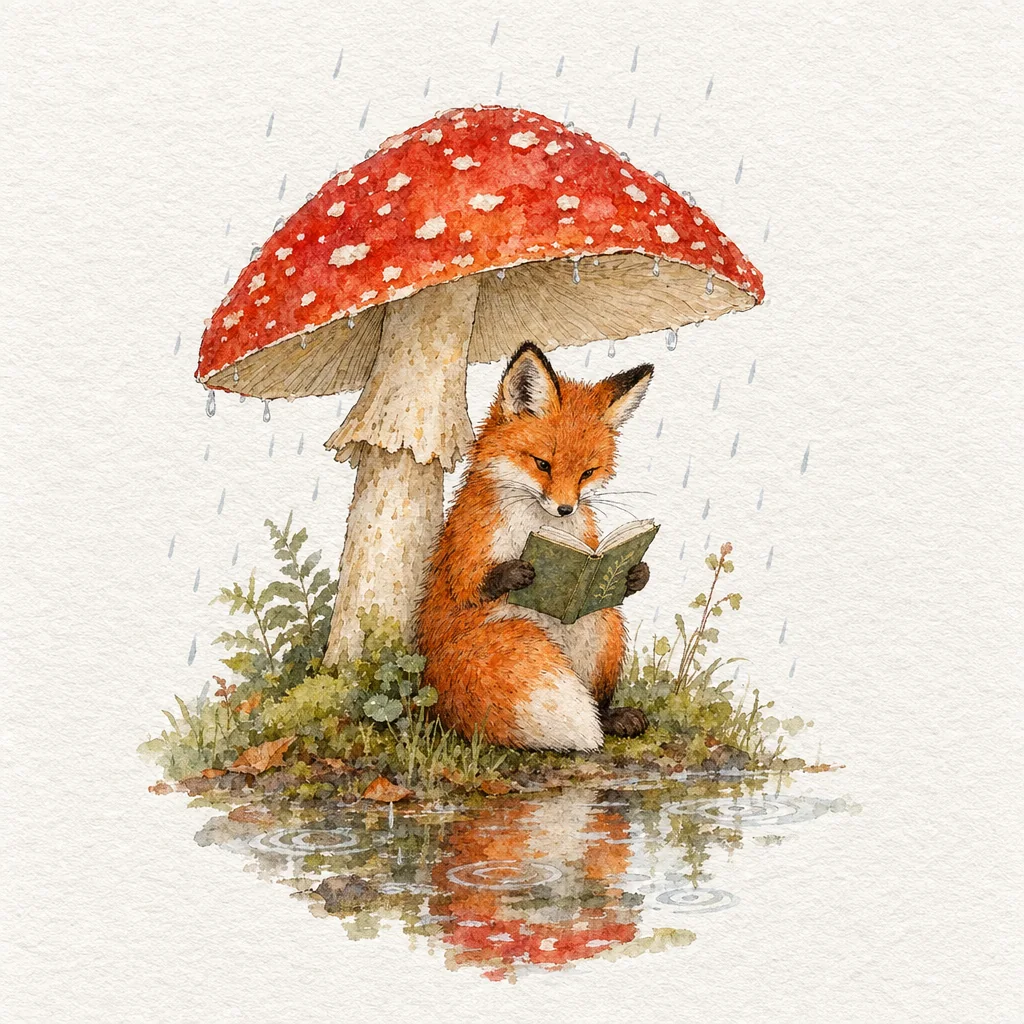
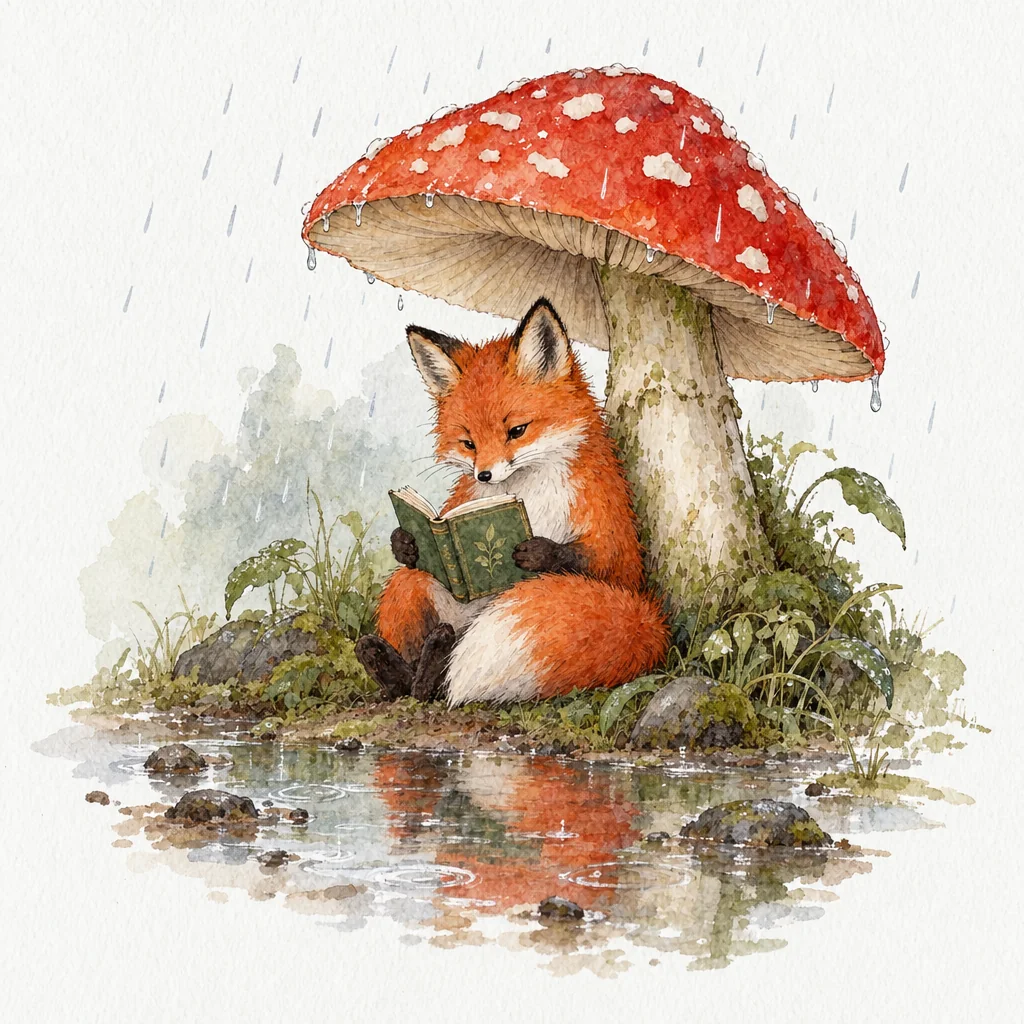
A whimsical watercolor illustration of a red fox sitting under a large red-capped mushroom during a light rain, reading a small open book held in both paws. Loose, transparent watercolor washes with soft blooms and granulation, fine ink linework on the fox fur and whiskers, visible cold-press paper texture, raindrops drawn as short pale strokes, puddles reflecting the mushroom, muted greens and warm oranges, plenty of white paper around the scene.
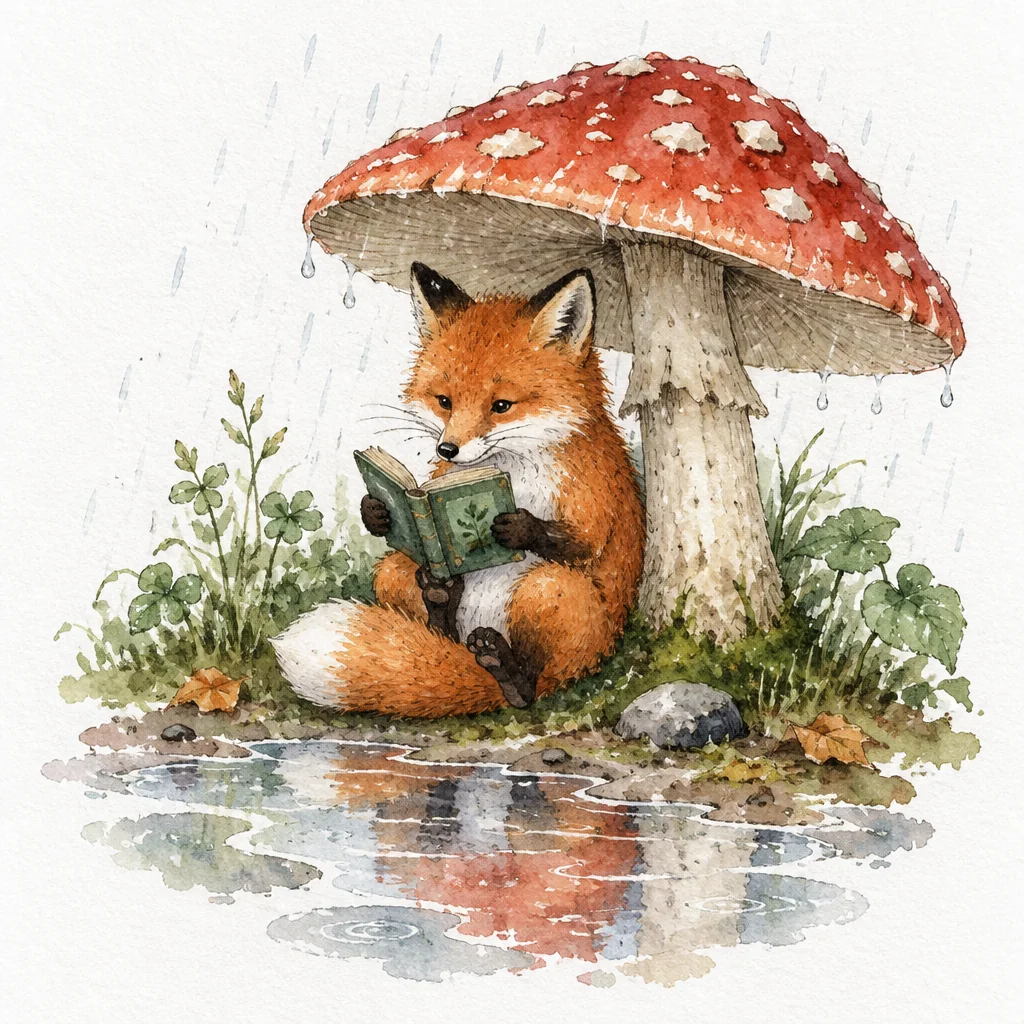
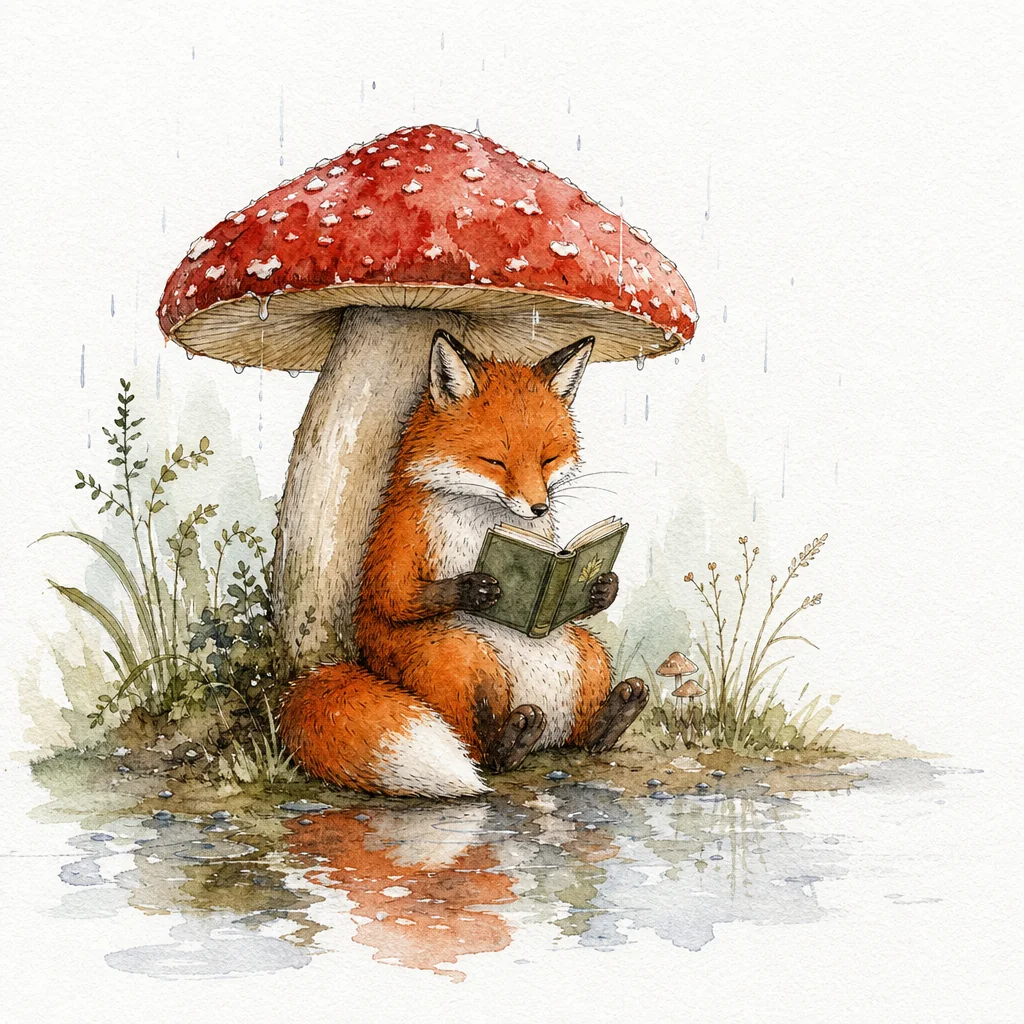
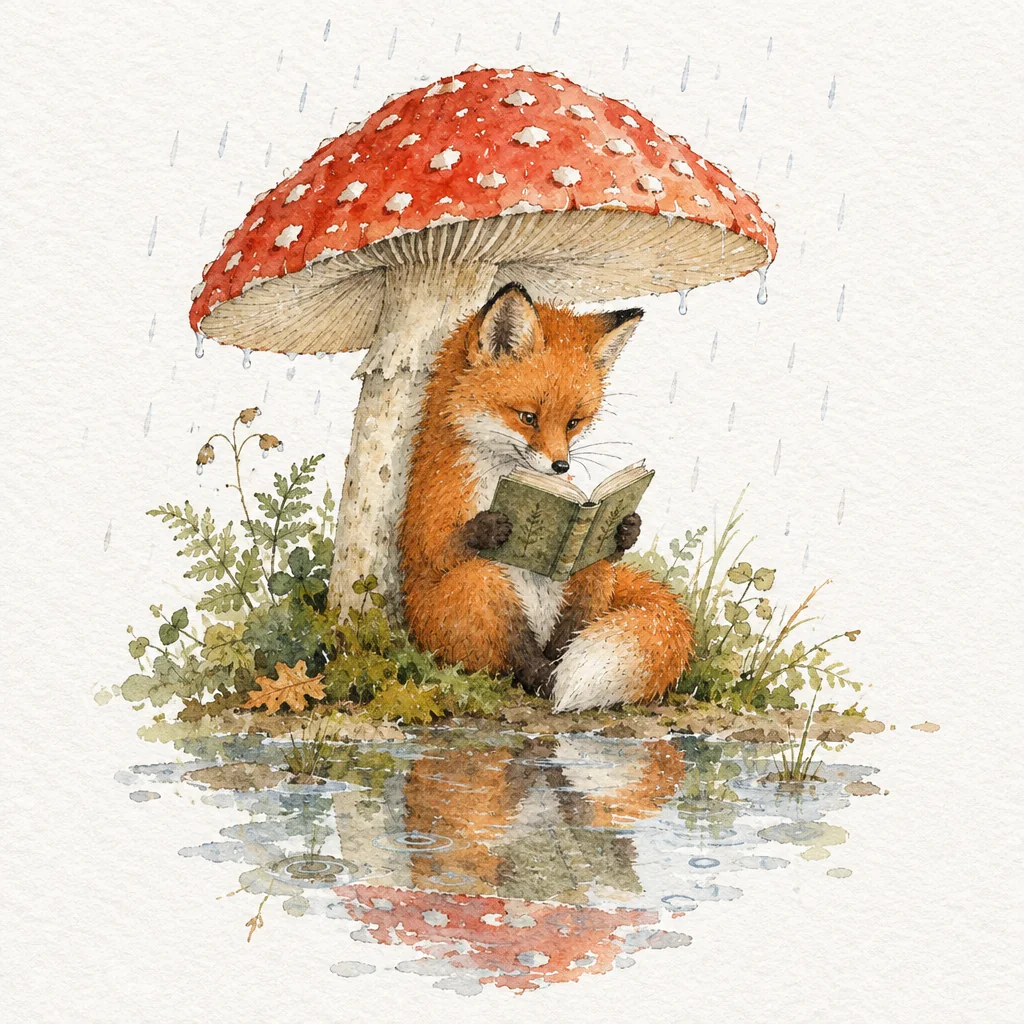
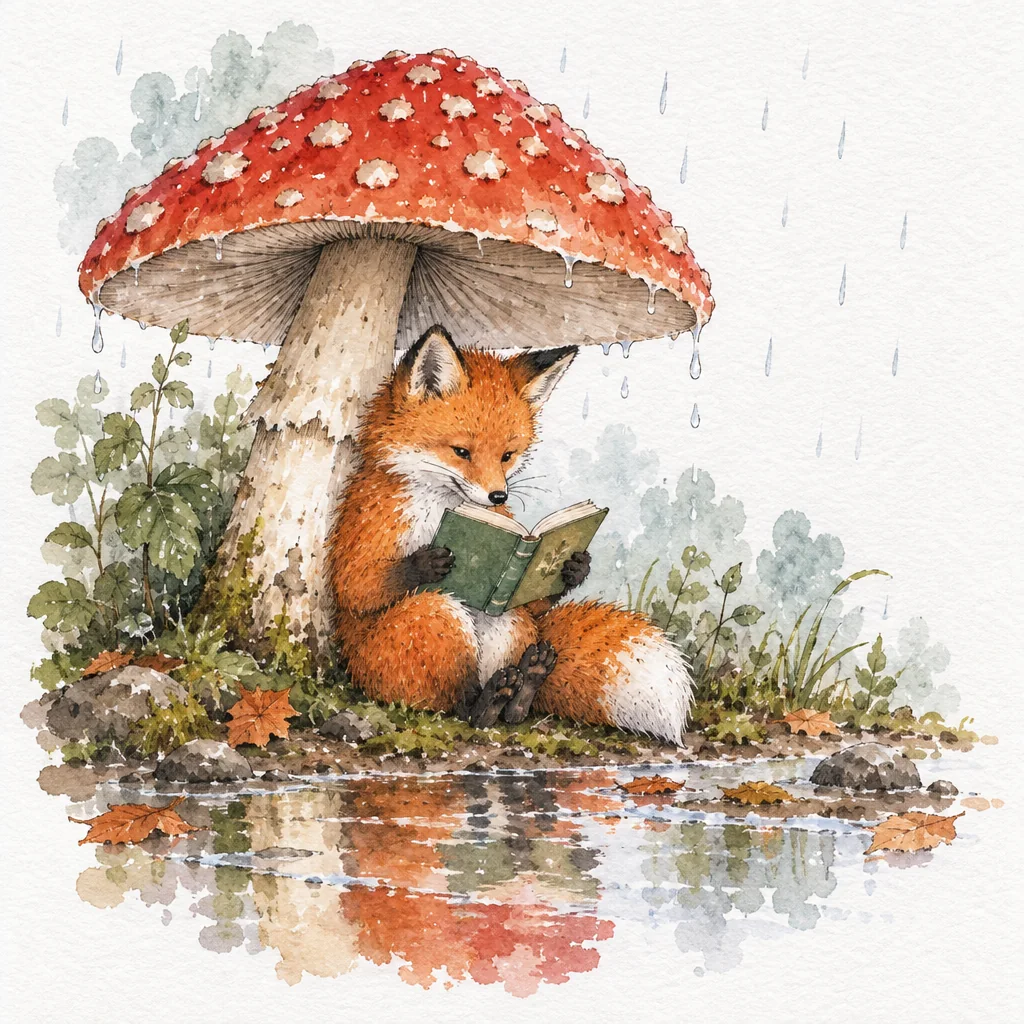
What the pictures show
- Text: all three models are strong. All 28 menus and all 27 mugs were spelled correctly at every setting, including Low. One Sunburst mug gained a small ® mark.
- Layout details: Flare dropped the infographic’s step numbers, captioning SEED instead of 1 SEED, in 7 of its 8 images from Low to High. It kept them at Extra high and Maximum. GPT Image 2 and Sunburst kept them every time.
- Following the scene: GPT Image 2 drew the reading fox with its eyes closed or nearly closed in all 8 of its images. All 20 GPT Image 2.5 foxes looked at the book.
- Extras: both GPT Image 2.5 models, Sunburst most of all, like to add things nobody asked for: a café table, a rising sun, a grey wash that covers the white paper. If you need a sparse scene, say so in the prompt.
- Low quality is a real option on all three. It keeps the composition and the text, with less fine texture, for $0.0076.
The Photobooth test: Einstein, transformed
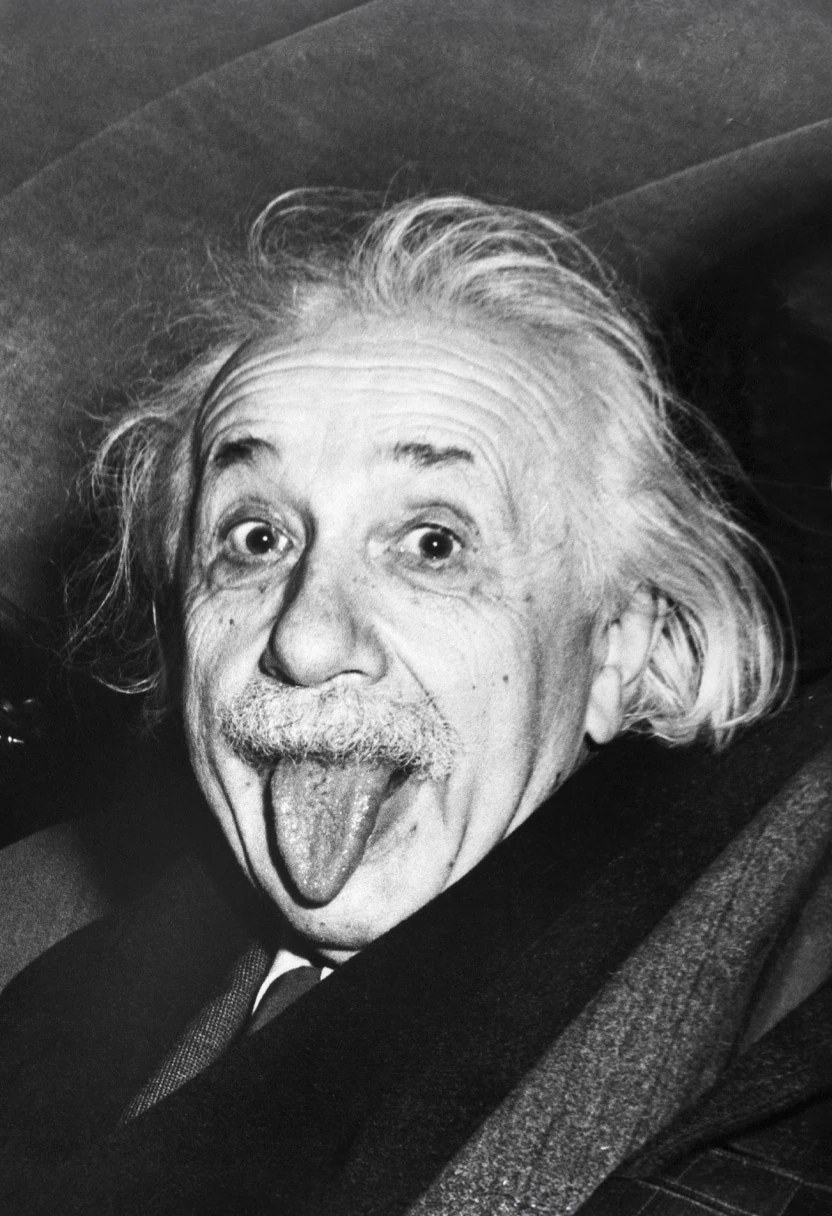
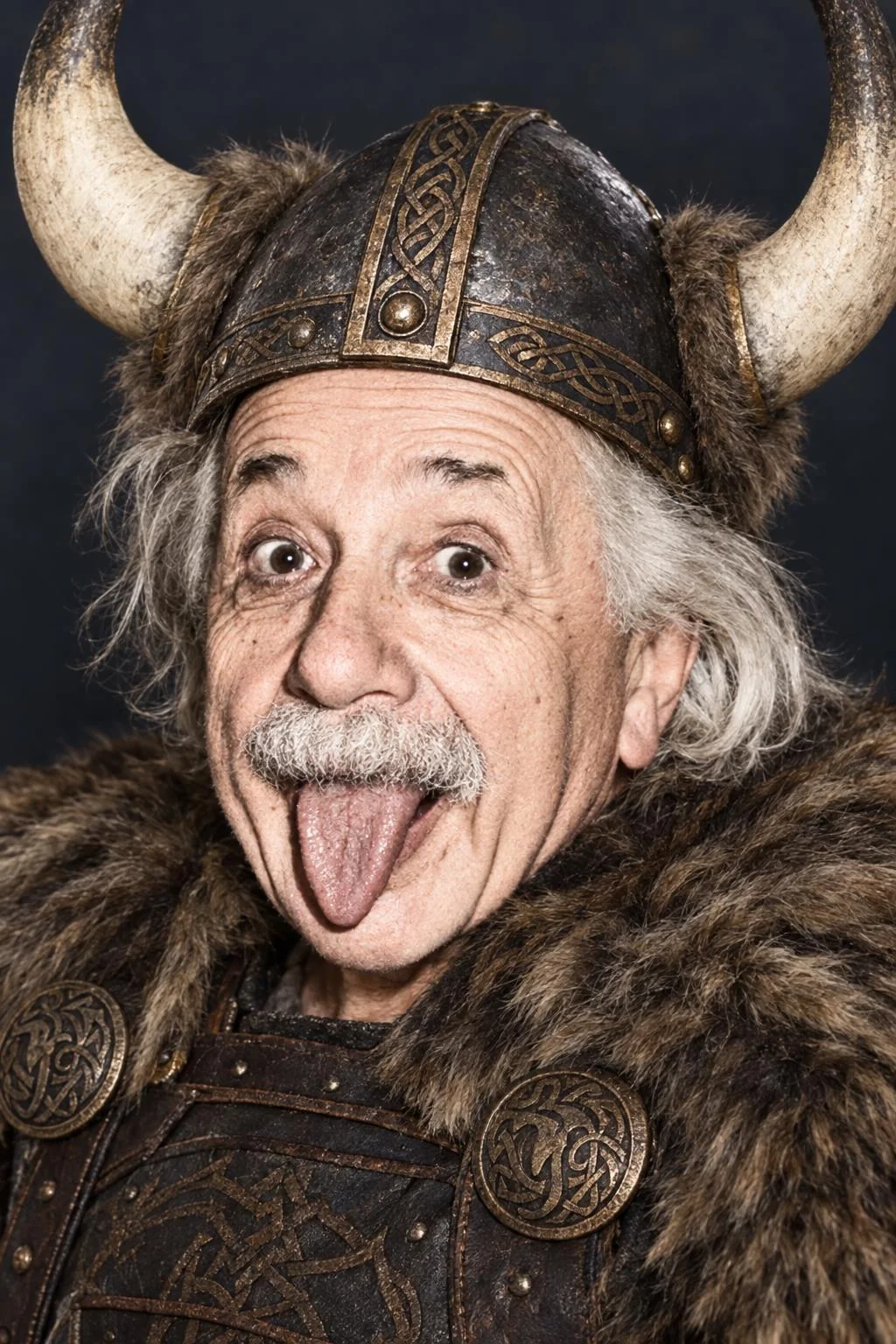
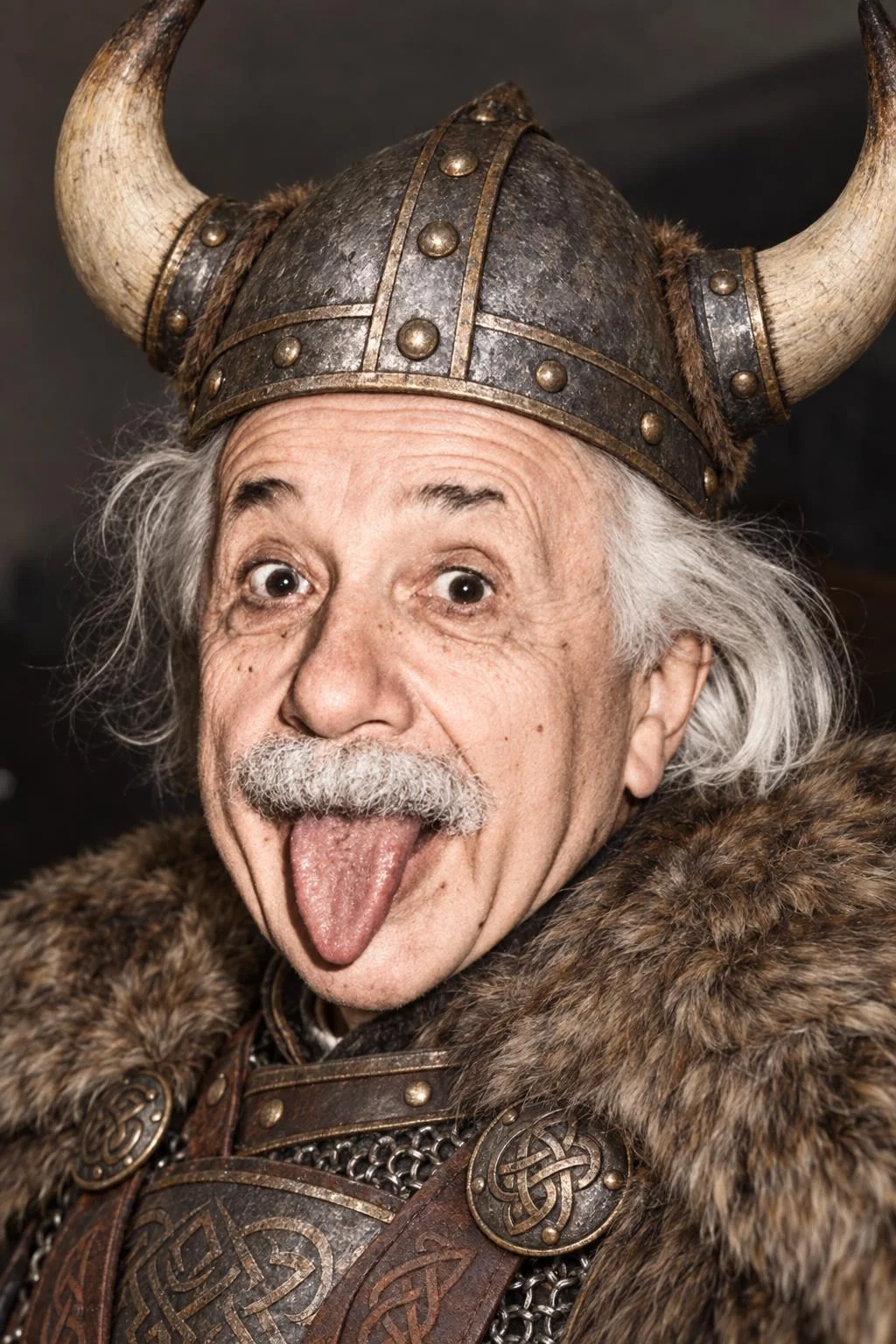
The most common thing people do with an edit model on Sogni is hand it a portrait and ask for a character. That is the core of Sogni Photobooth, where GPT Image 2 is one of the models you can pick, set to Low quality by default. So we reproduced a Photobooth render as closely as we could, with the app’s own sample photo and prompts, and ran it on all three models.
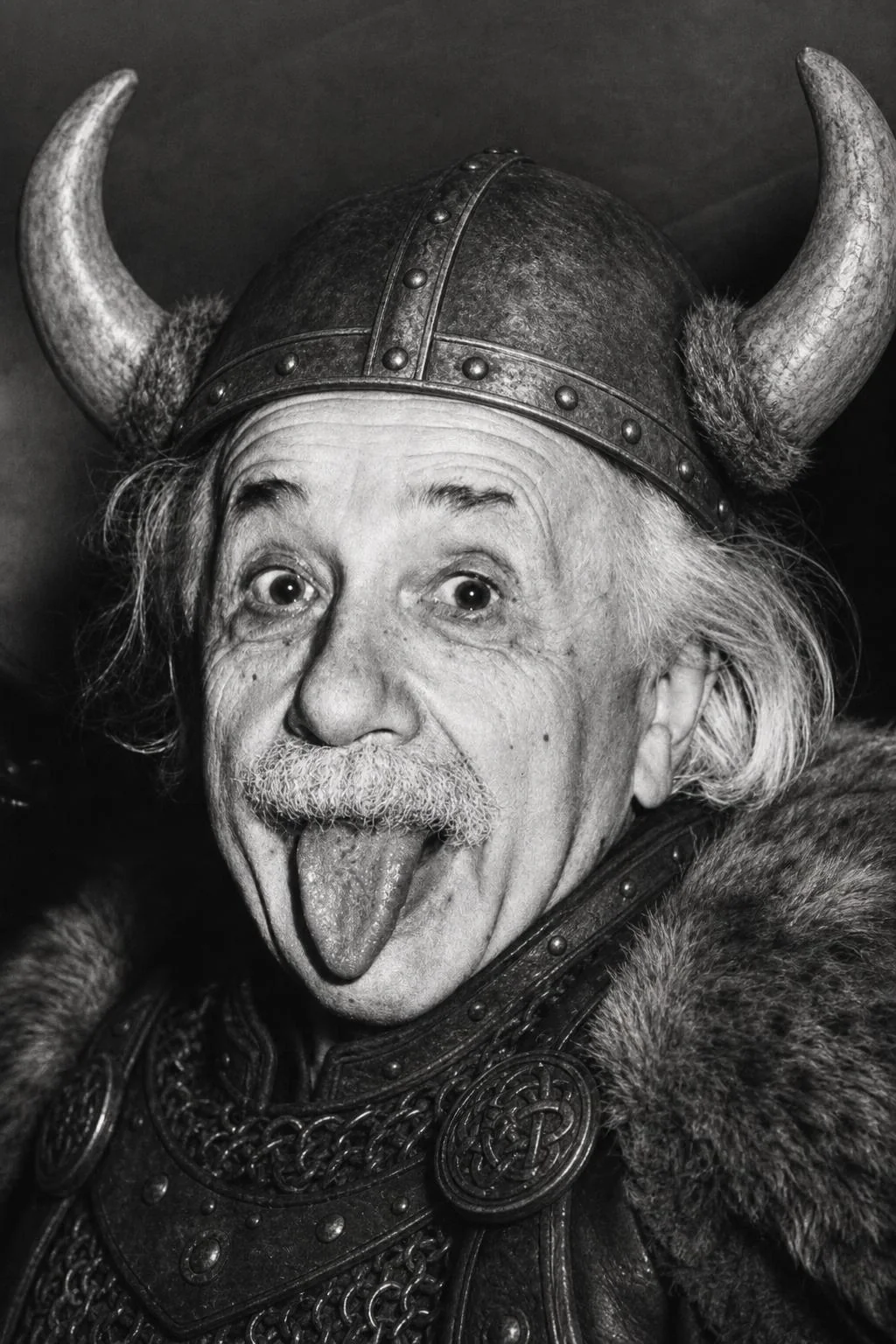
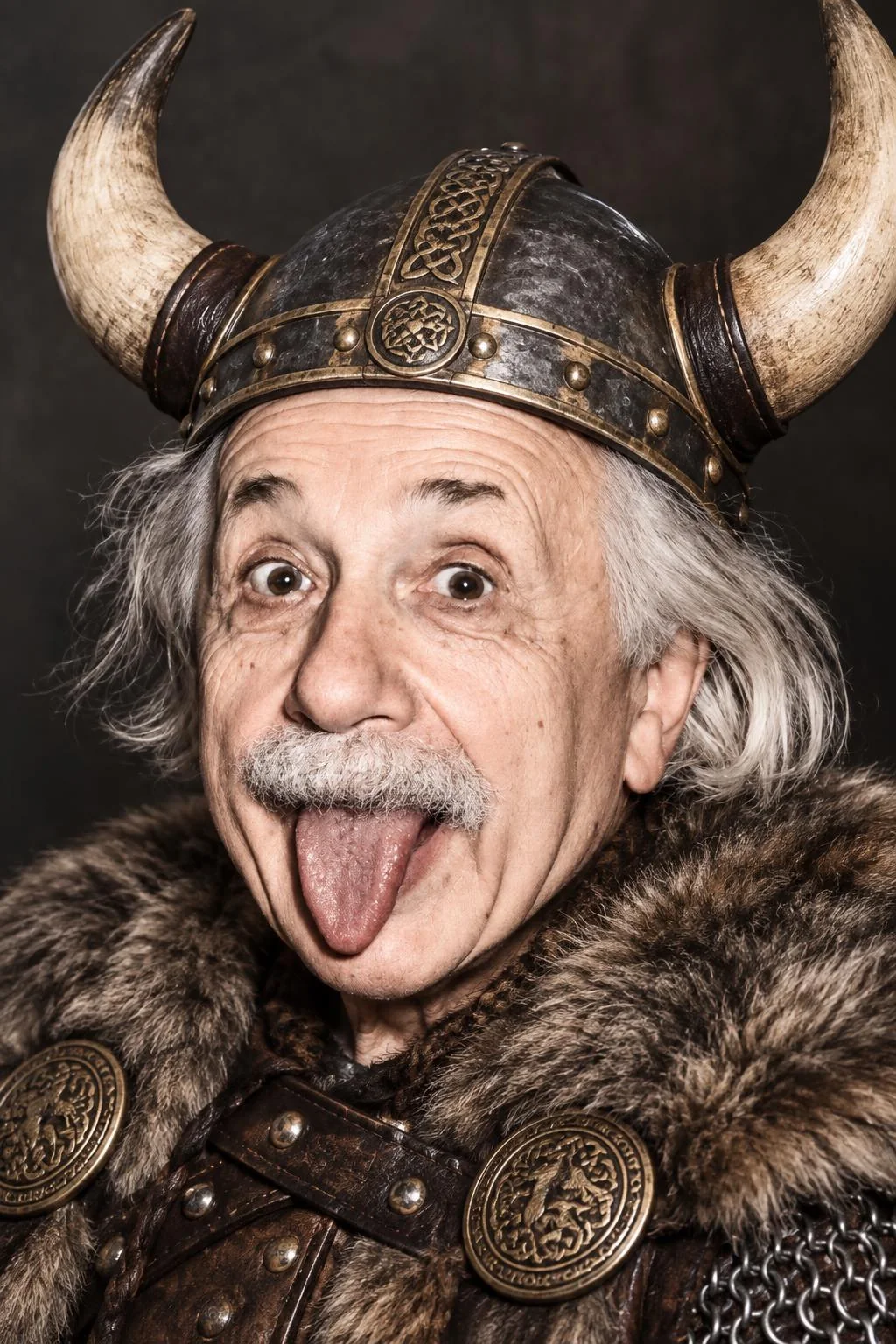
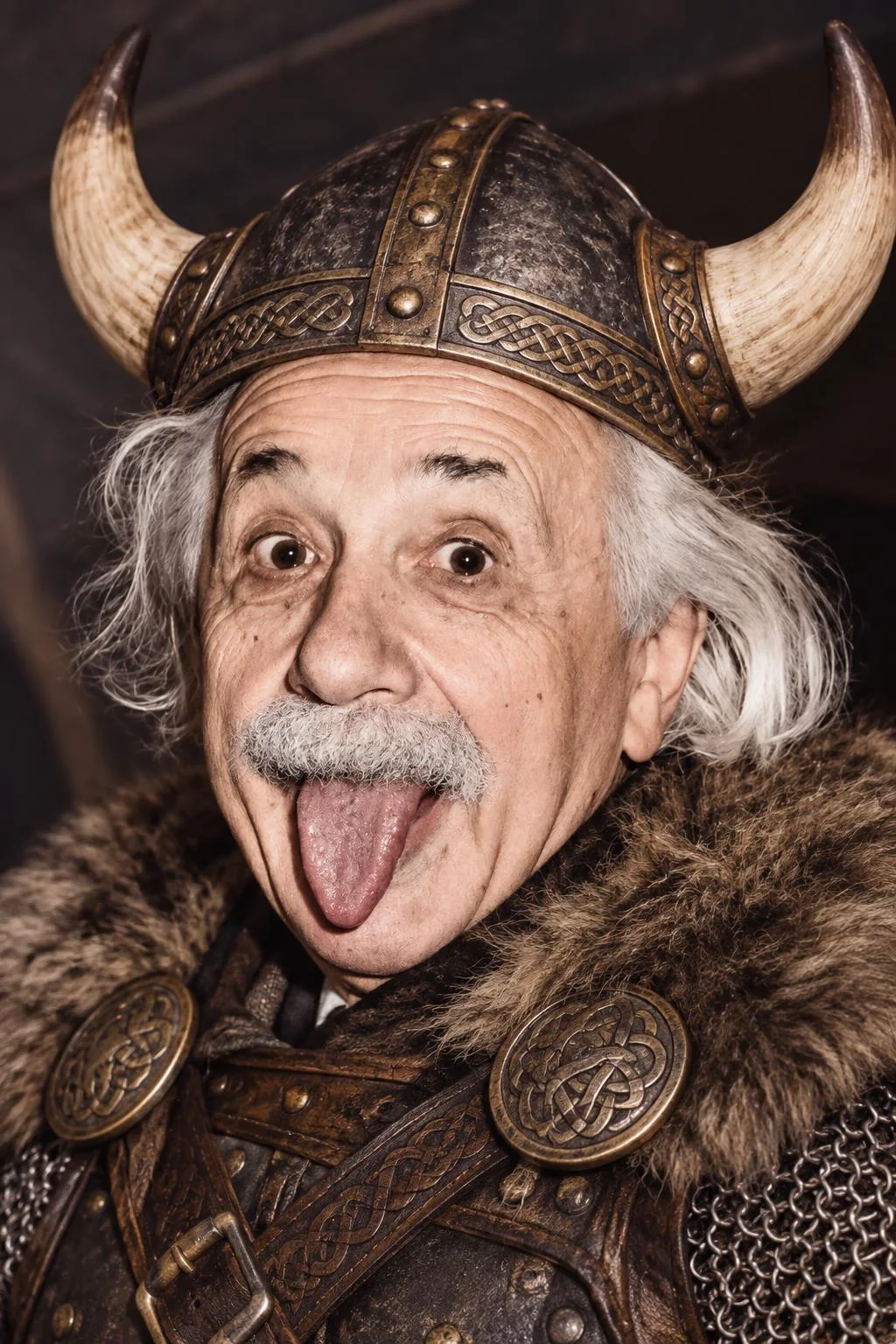
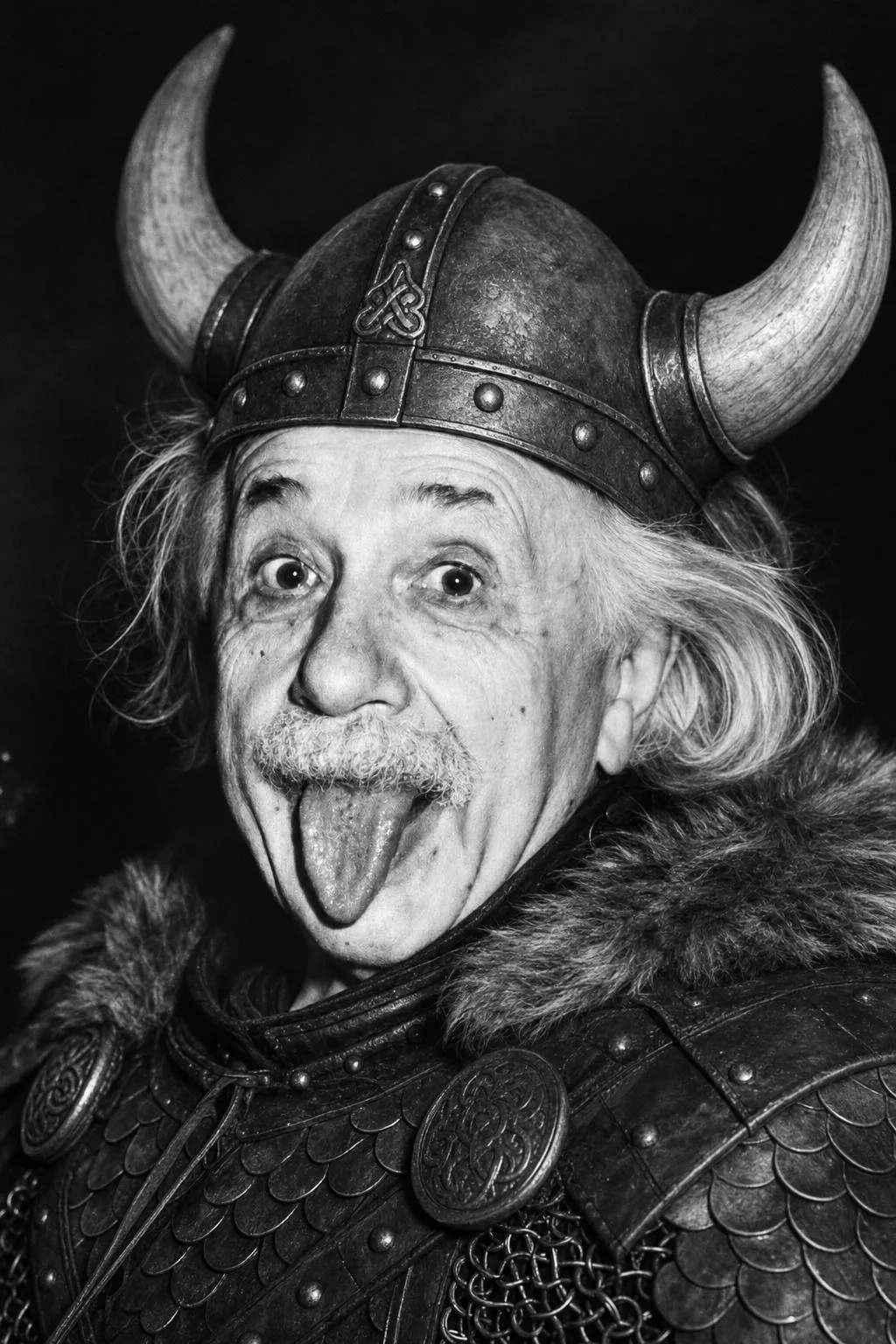
| Styles | Two of the Photobooth’s edit styles: “claymation” (Model the person in a claymation look, keep their identity, finger dents, matte clay and diorama set) and “makeMeViking” (Change all the clothes to viking armor and viking hat with horns while keeping exact face and body size the same) |
|---|---|
| Prompt | Built by the Photobooth’s own prompt code: the style, with “the person” replaced by a description of the subject, followed by its standard instructions to keep the likeness. The app normally writes that description with a vision model; we used a fixed one, so every model received identical words. |
| Settings | The app’s defaults: 1024 × 1536 portrait, JPEG output, the photo as the one reference image, and its standard negative prompt |
| Takes | One per style at each quality setting on each model: 26 images |
| Quality | GPT Image 2 | GPT Image 2.5 Flare | GPT Image 2.5 Sunburst |
|---|---|---|---|
| Low Fast | 18 s17–20 s · 2 of 2 | 14 s13–15 s · 2 of 2 | 16 s15–16 s · 2 of 2 |
| Medium HQ | 36 s35–38 s · 2 of 2 | 13 s12–14 s · 2 of 2 | 18 s18–19 s · 2 of 2 |
| High Pro | 102 s93–111 s · 2 of 2 | 19 s18–20 s · 2 of 2 | 32 s32–32 s · 2 of 2 |
| Extra high Extra high | Not offered | 25 s25–26 s · 2 of 2 | 47 s47–47 s · 2 of 2 |
| Maximum Maximum | Not offered | 42 s41–42 s · 2 of 2 | 85 s83–87 s · 2 of 2 |
Median of the two styles at each setting, with the range.
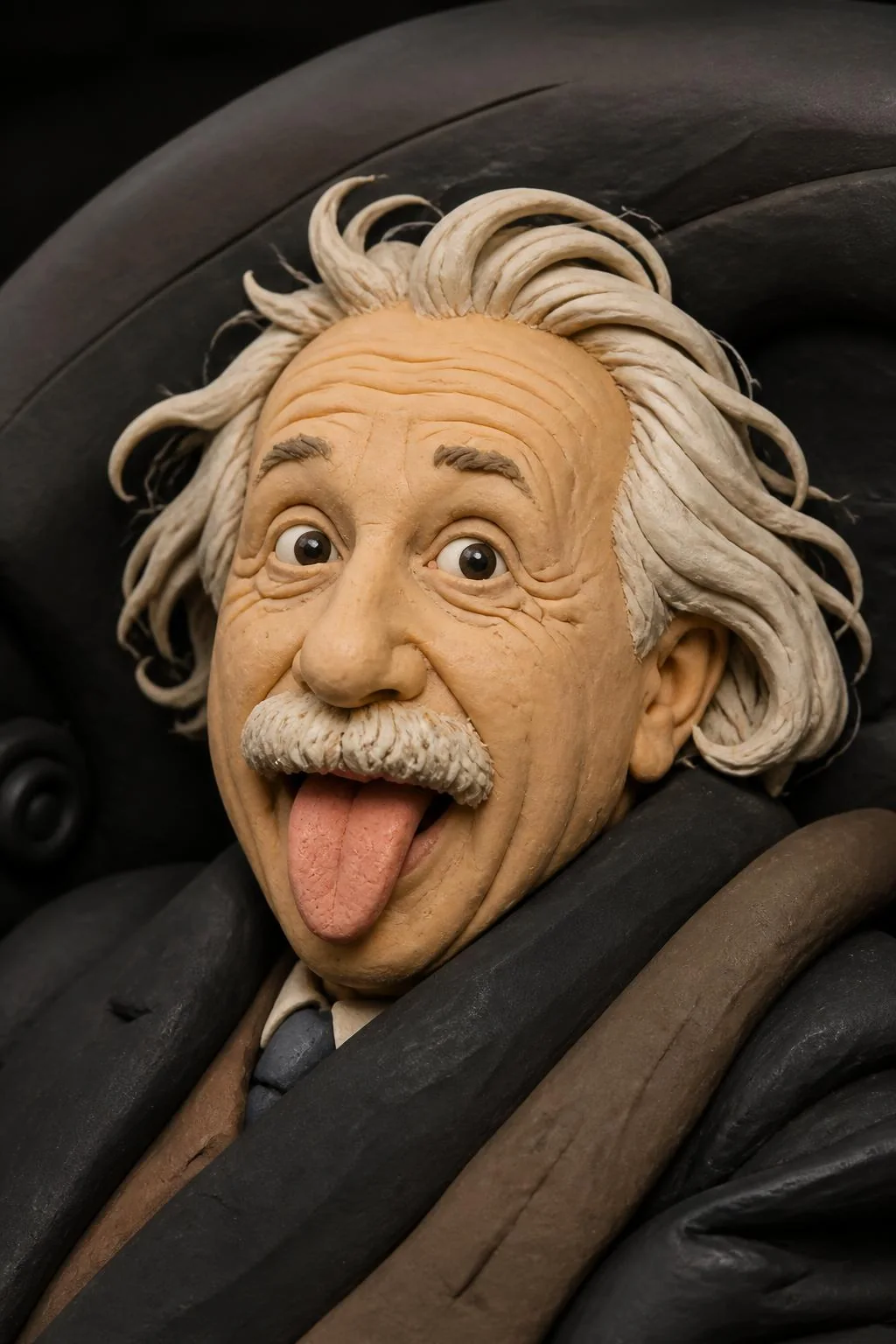
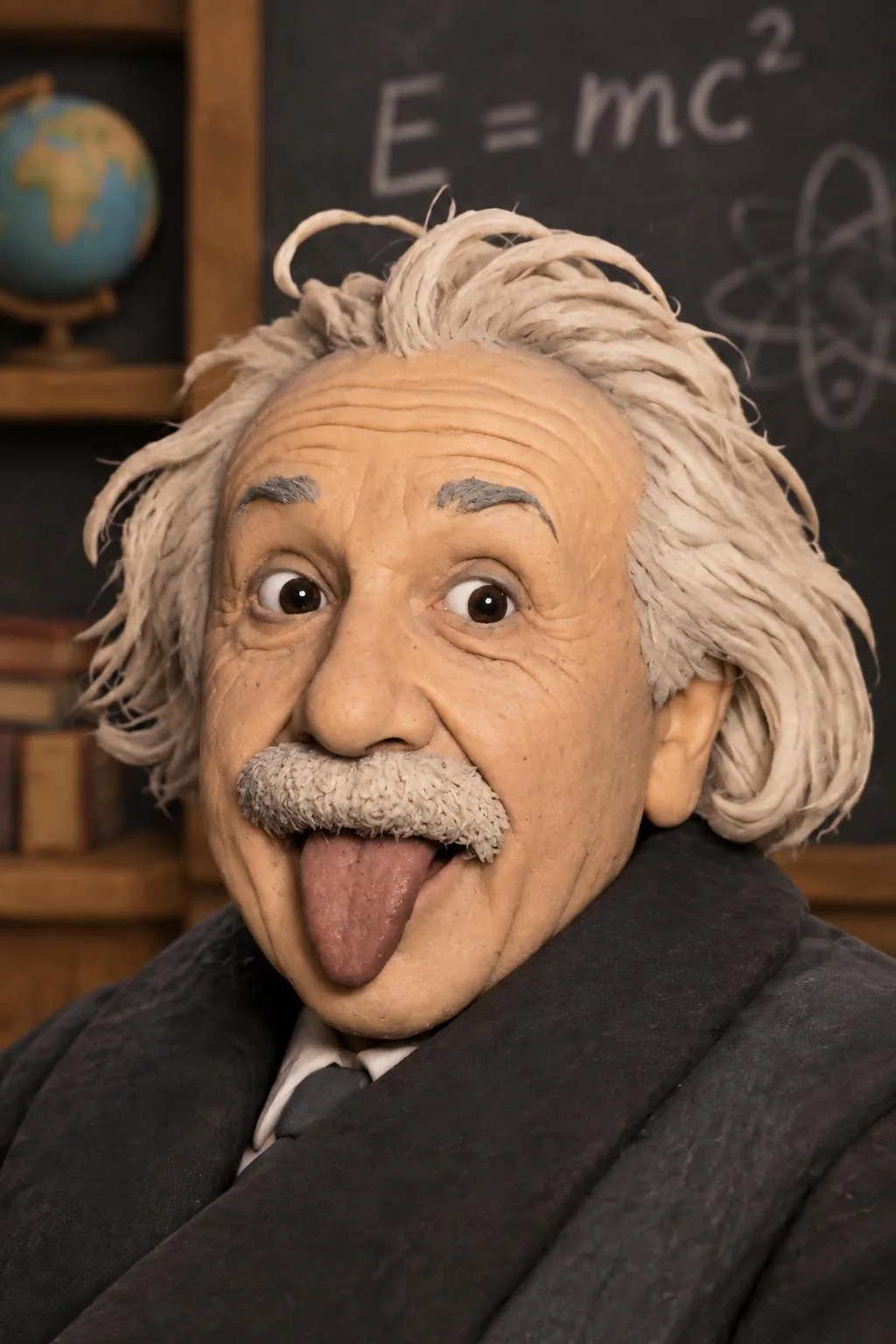
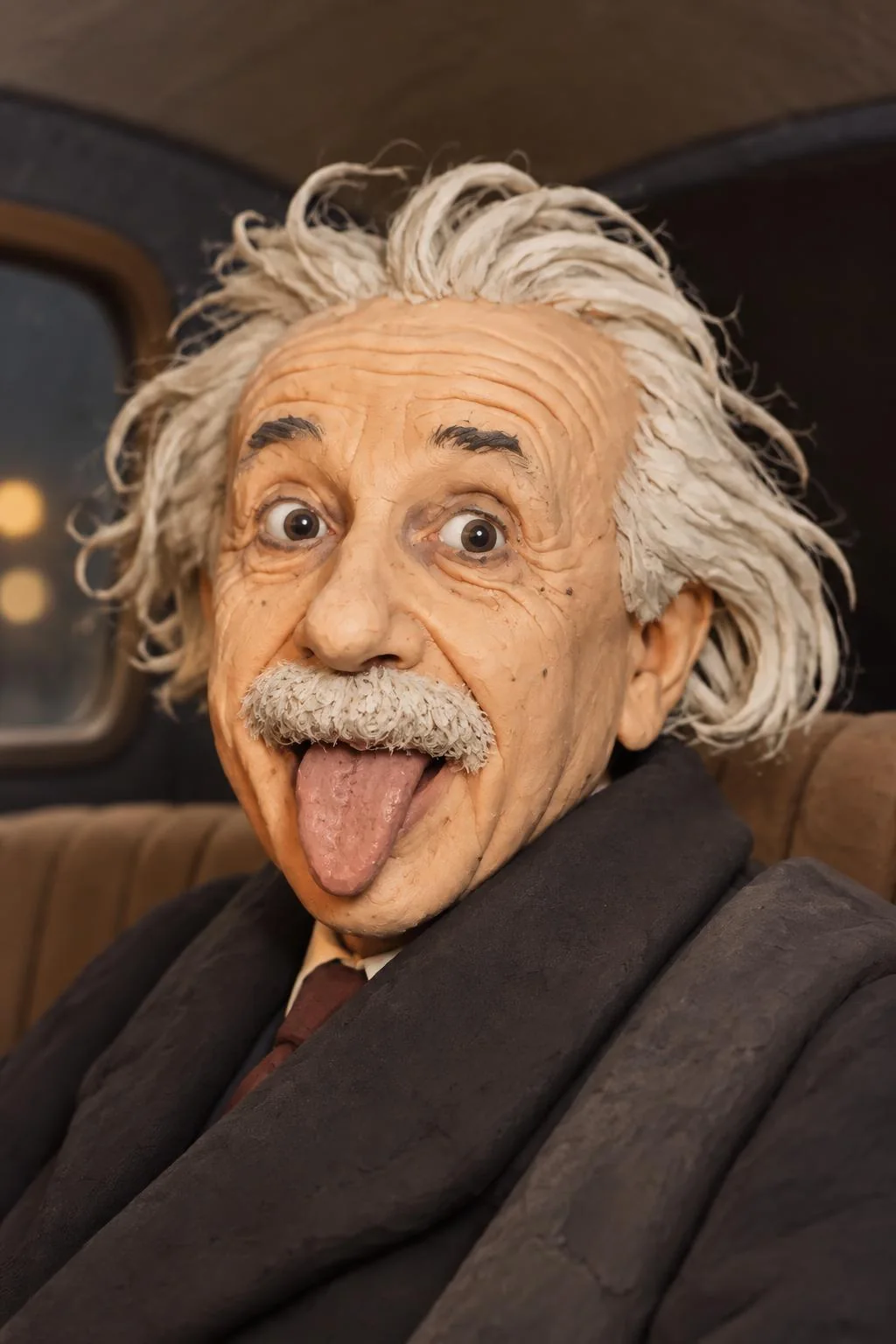
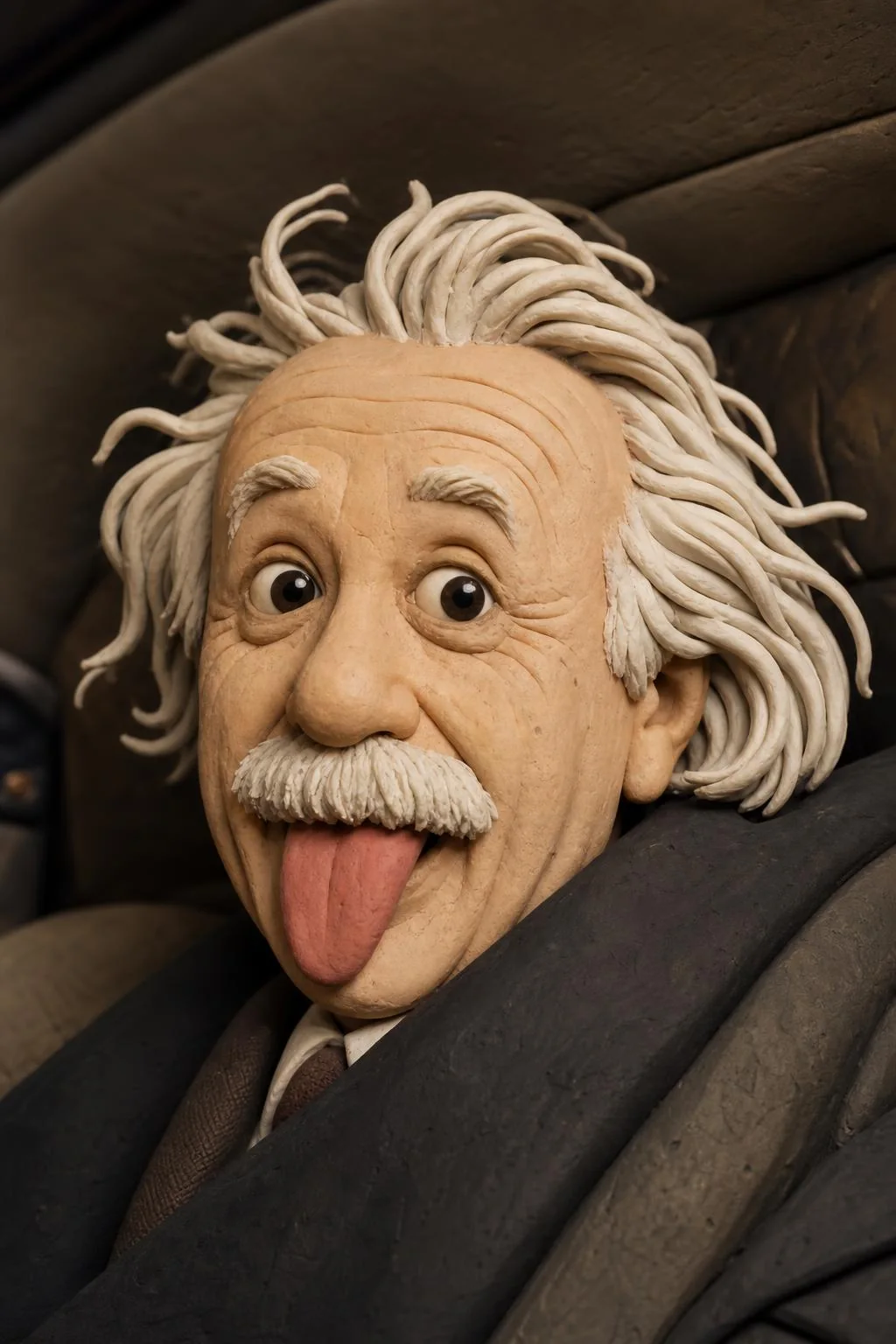
Claymation (Photobooth style “claymation”) 1024 × 1536
Full prompt, as the Photobooth builds it
Model the older White man with wild white hair in a claymation look, keep his identity, finger dents, matte clay and diorama set. Use the source photo as a professionally cleaned-up portrait reference for his appearance at the time the picture was taken: keep his key recognizable identity anchors such as face shape, facial proportions, age range, gender presentation, ethnicity/skin-tone family, eyes, nose, mouth, smile, hair color and hairline including gray or salt-and-pepper hair, glasses, facial hair if present, wrinkles, natural skin texture, and distinctive features. Apply very light professional portrait cleanup: improve lighting, color, clarity, and only obvious temporary distractions while keeping retouching conservative and believable. Soften only temporary raw-camera fatigue cues such as strong under-eye shadows or puffiness, obvious blemishes, redness, dullness, awkward expression, and tired lighting unless the requested character or scene explicitly requires them. Do not beautify, make the subject look younger, erase gray hair, remove natural age indicators, over-smooth skin, change facial hair, or alter stable facial structure. Let the requested style, mood, wardrobe, hair, makeup, lighting, and scene lead the transformation. The result should feel like a clean, flattering, camera-ready portrait that is faithful to the requested scene and style. Do not preserve raw camera-photo artifacts or every small imperfection.
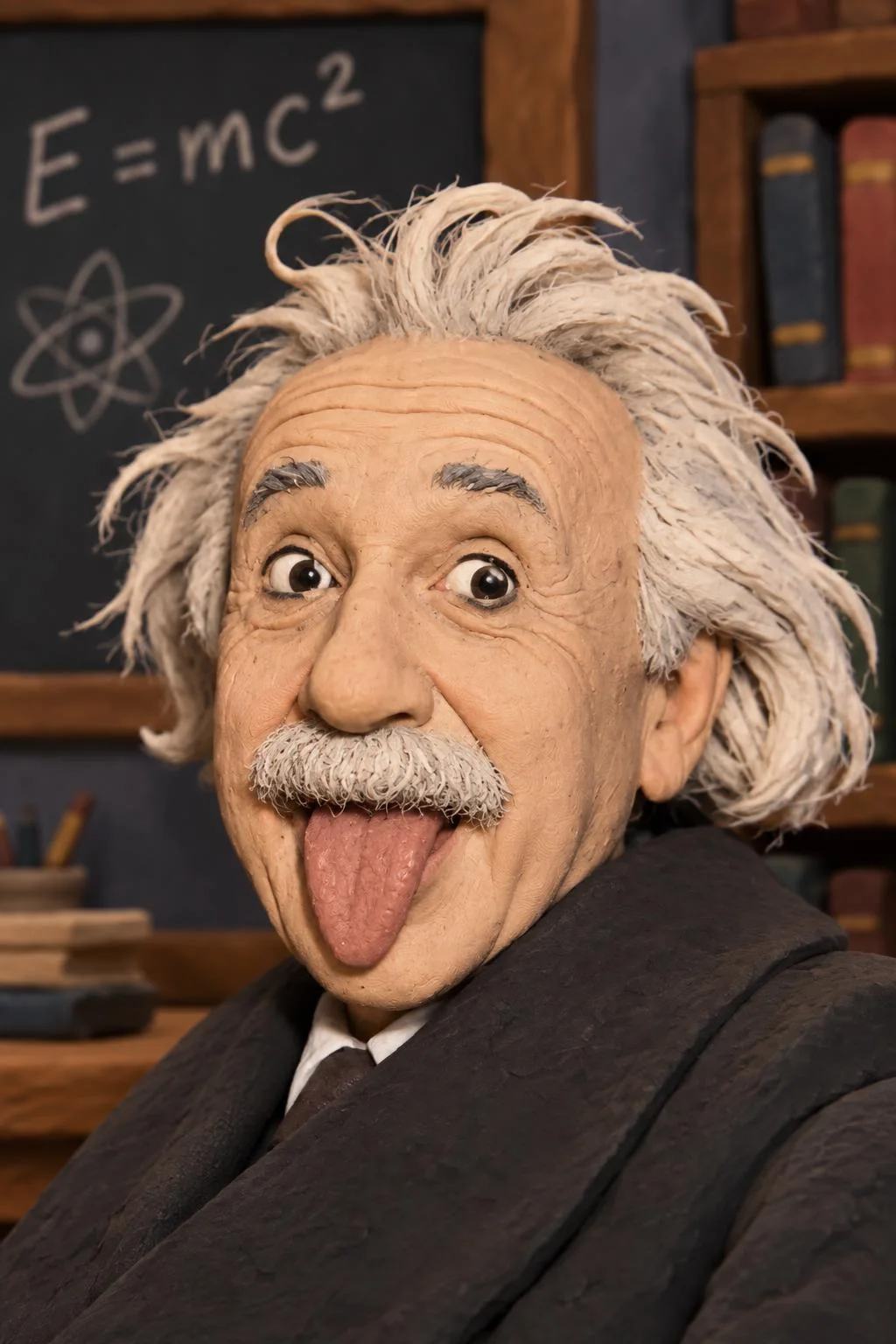
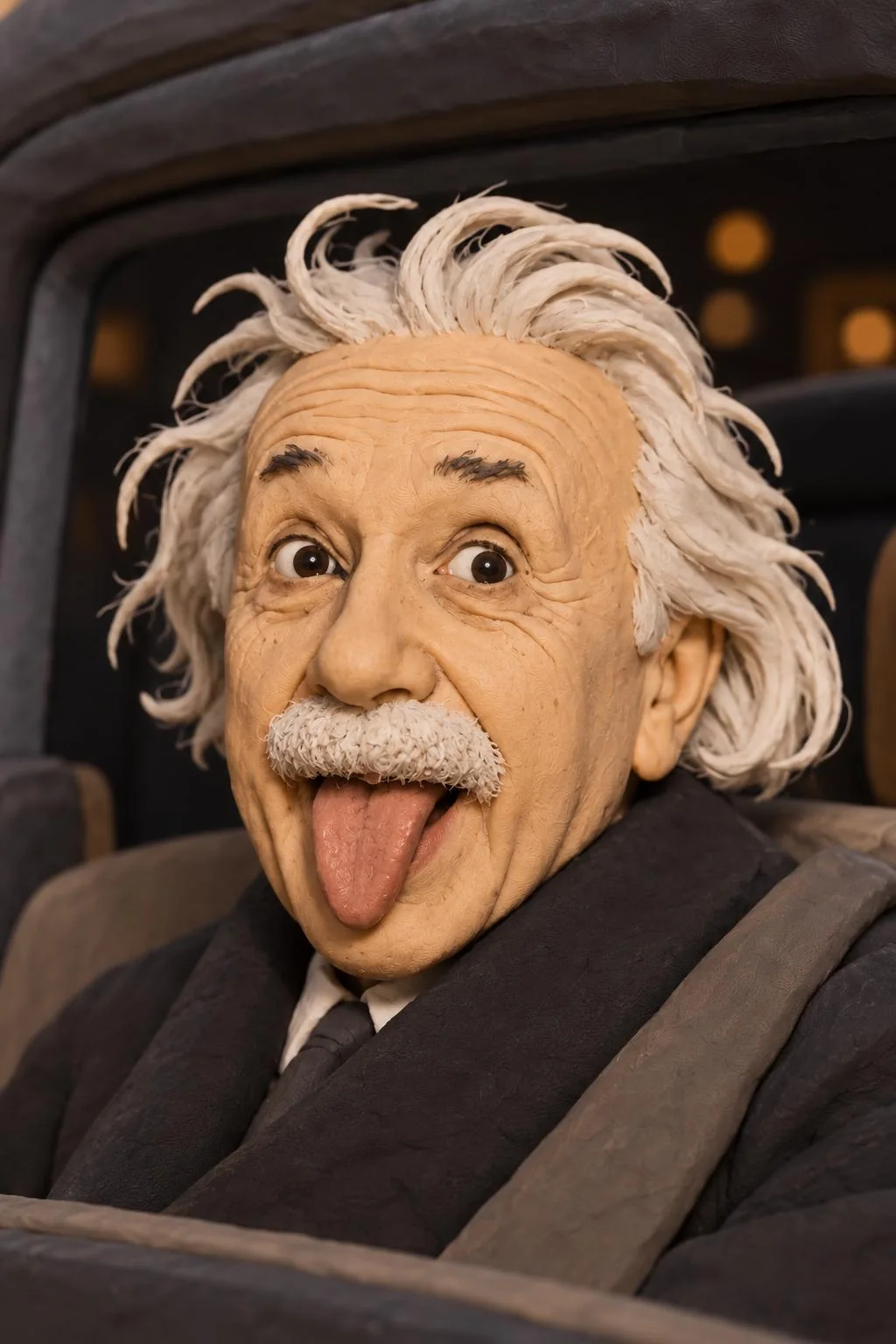
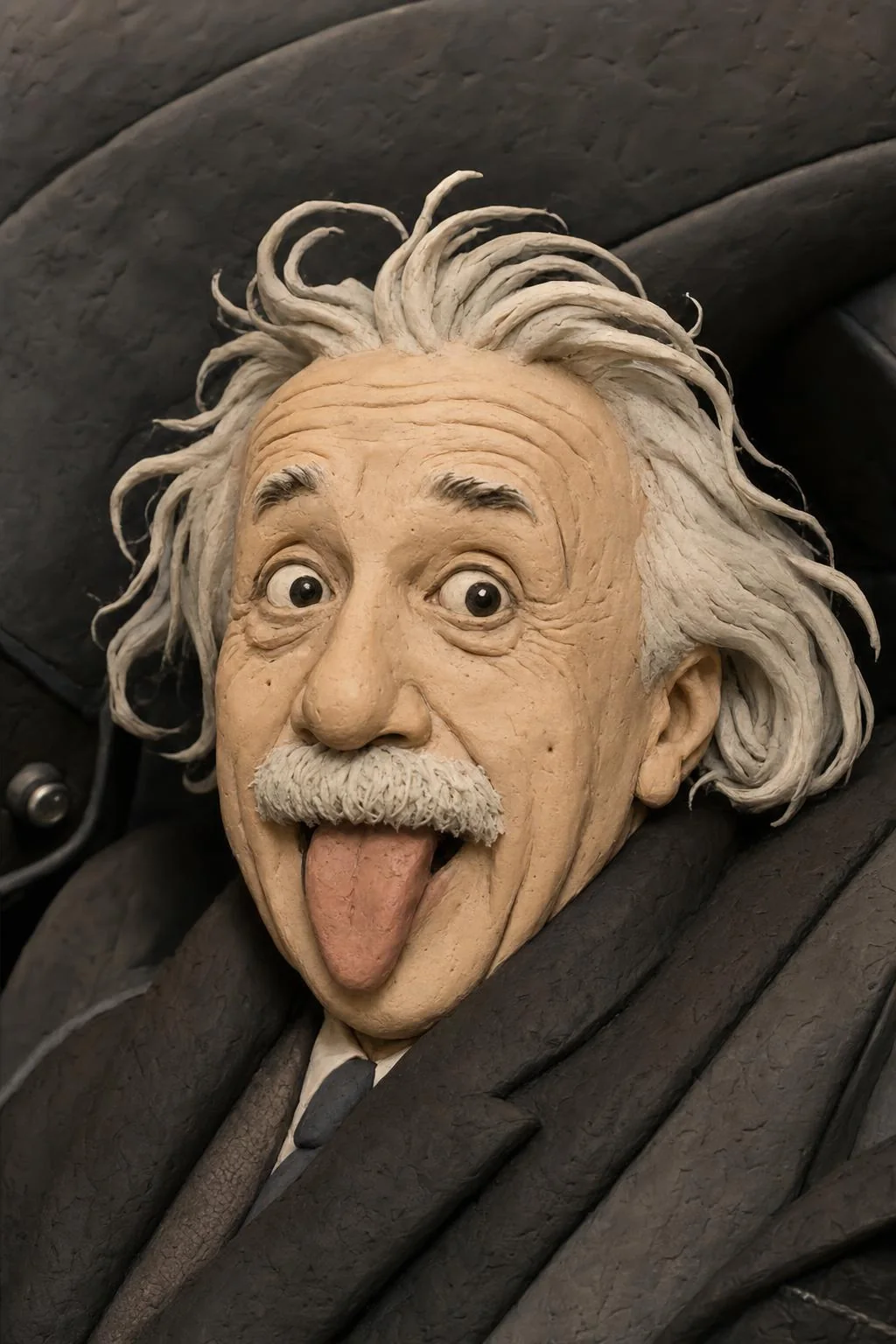
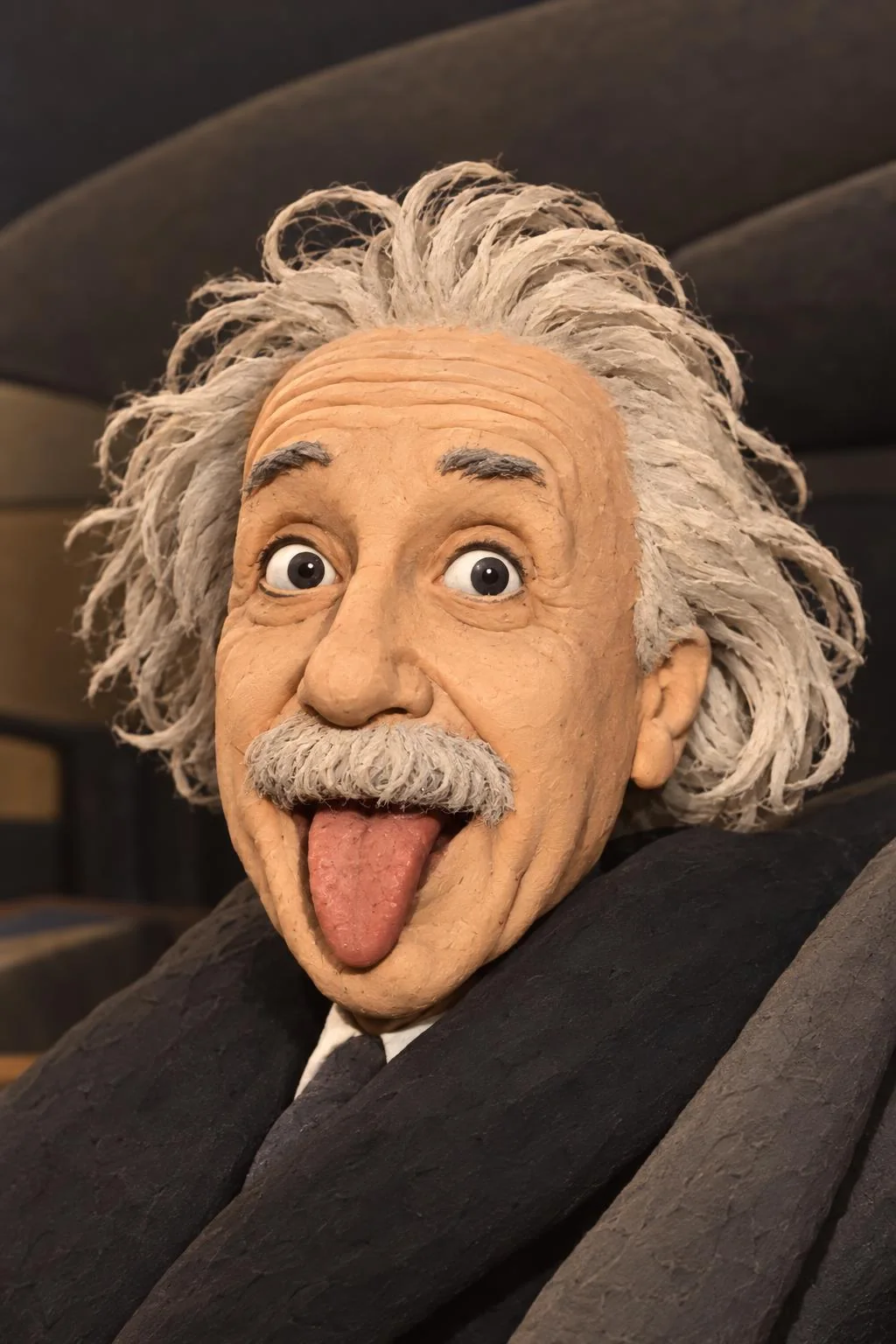
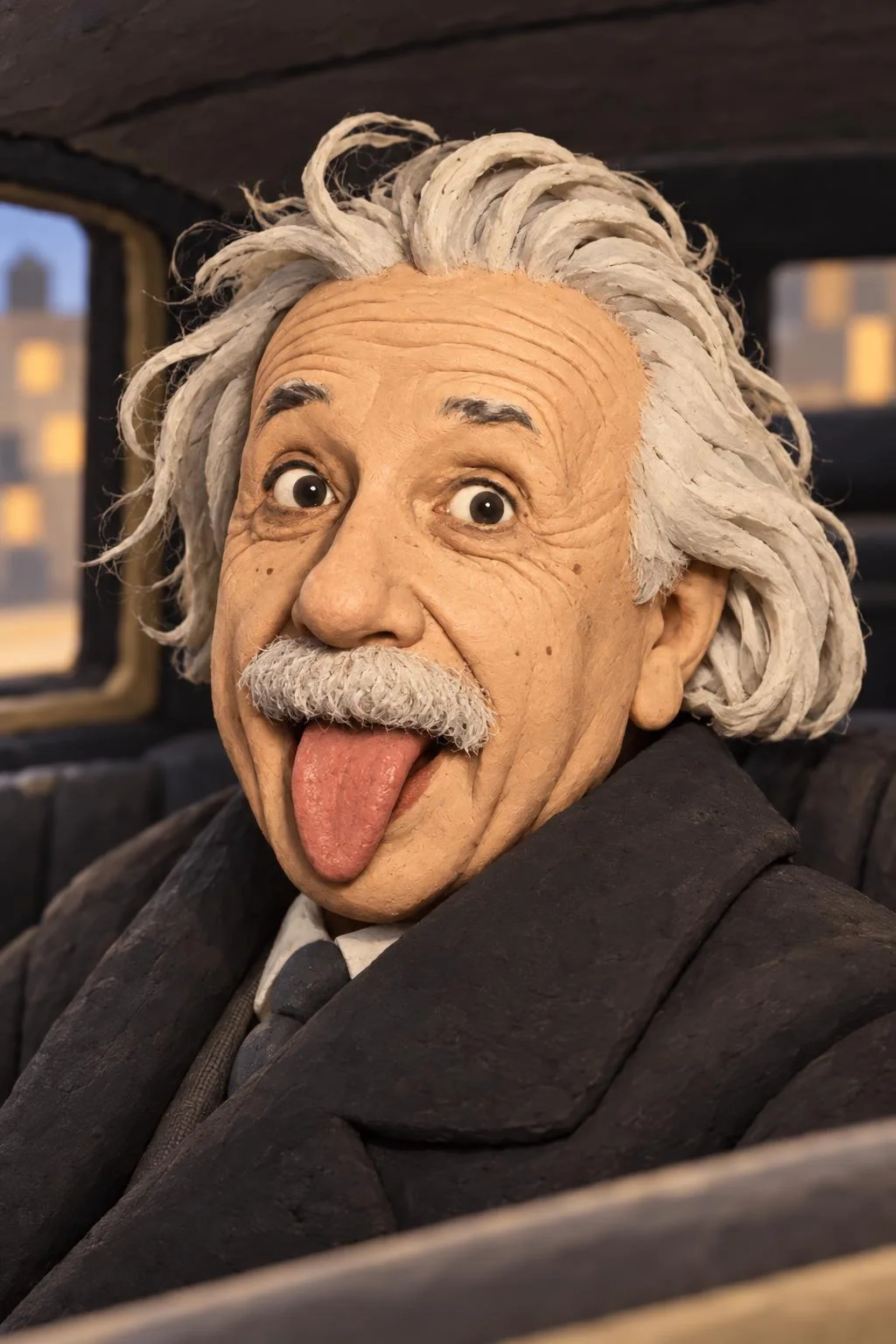
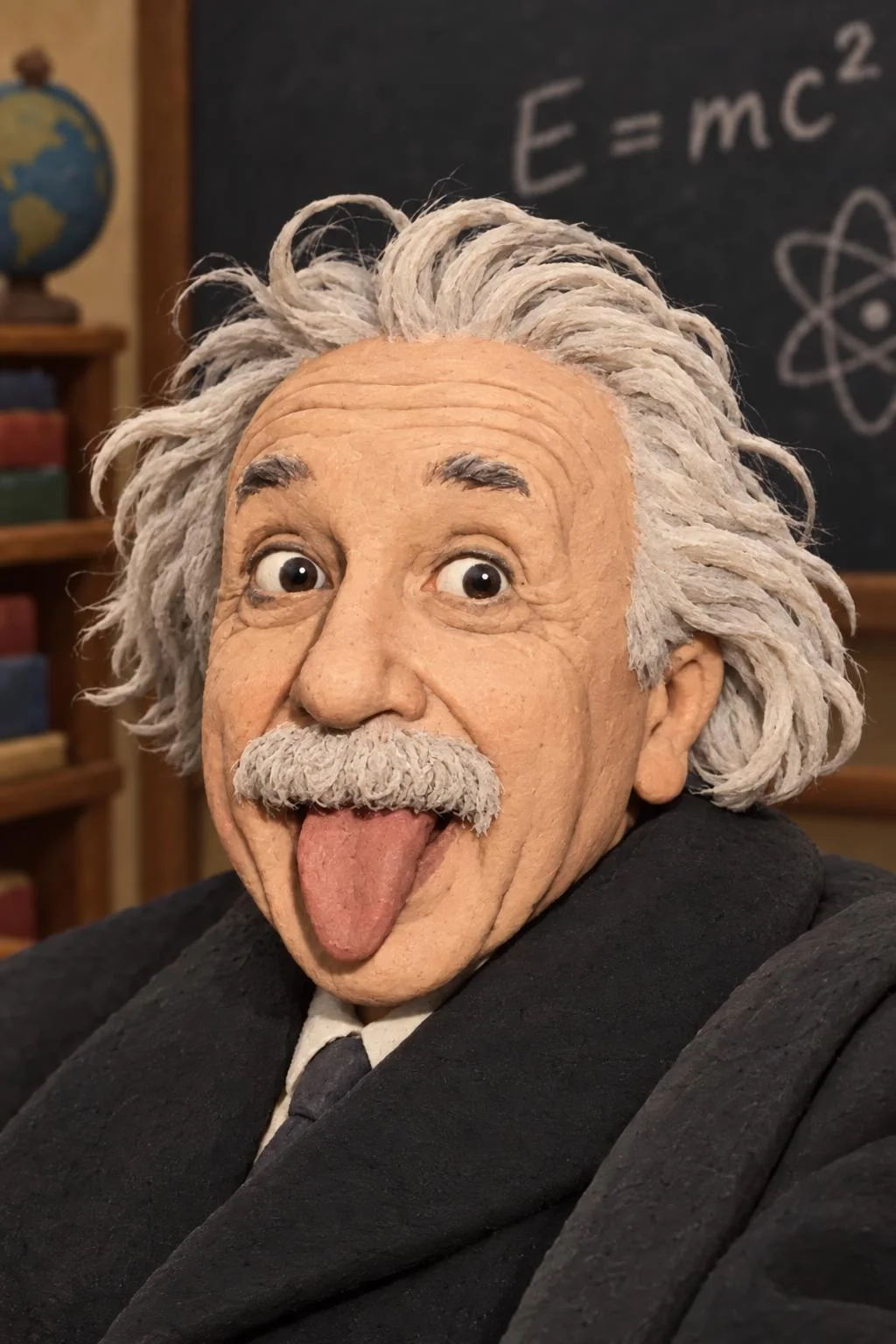
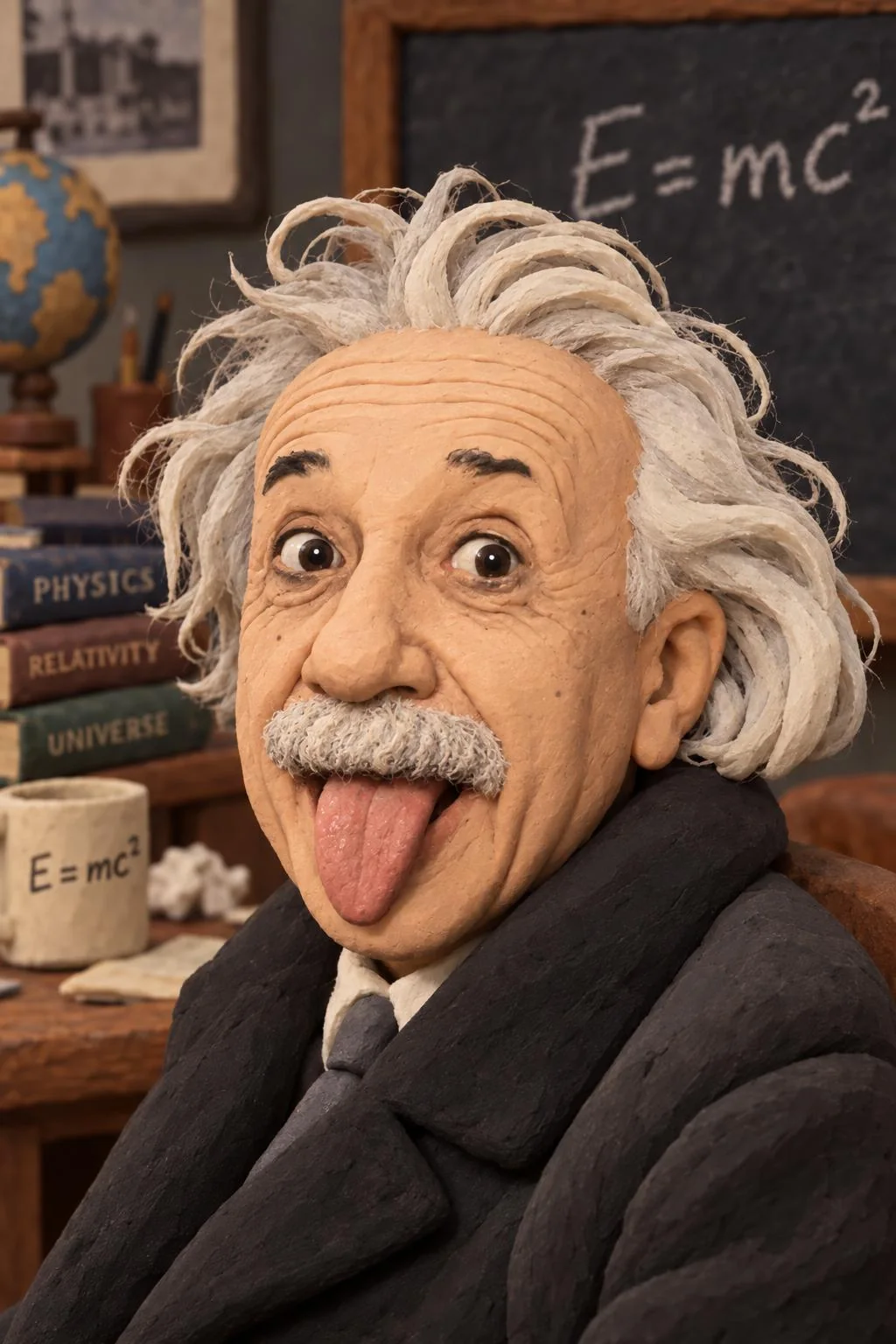
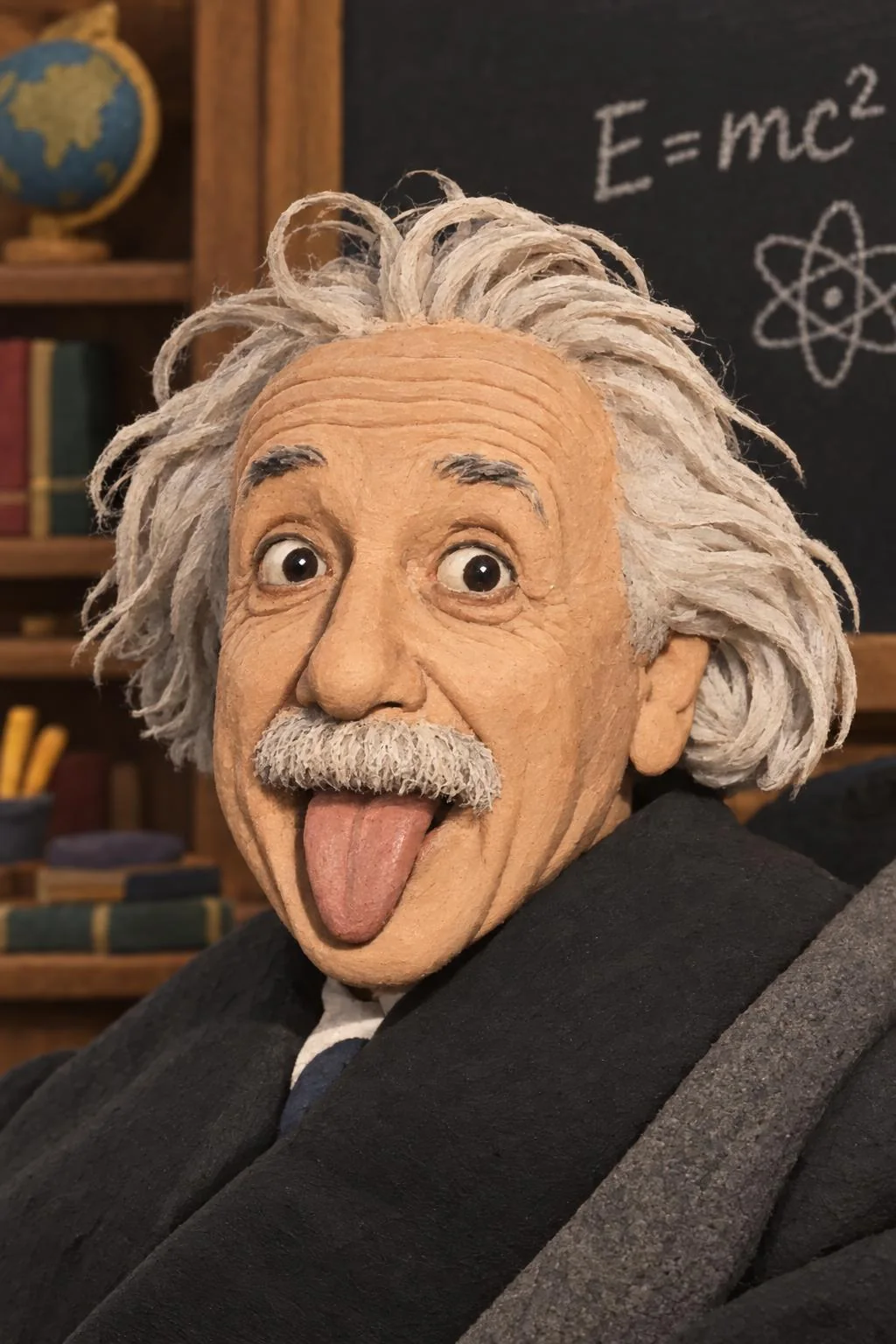
Viking (Photobooth style “makeMeViking”) 1024 × 1536
Full prompt, as the Photobooth builds it
Change all the clothes to viking armor and viking hat with horns while keeping exact face and body size the same. Use the source photo as a professionally cleaned-up portrait reference for his appearance at the time the picture was taken: keep his key recognizable identity anchors such as face shape, facial proportions, age range, gender presentation, ethnicity/skin-tone family, eyes, nose, mouth, smile, hair color and hairline including gray or salt-and-pepper hair, glasses, facial hair if present, wrinkles, natural skin texture, and distinctive features. Apply very light professional portrait cleanup: improve lighting, color, clarity, and only obvious temporary distractions while keeping retouching conservative and believable. Soften only temporary raw-camera fatigue cues such as strong under-eye shadows or puffiness, obvious blemishes, redness, dullness, awkward expression, and tired lighting unless the requested character or scene explicitly requires them. Do not beautify, make the subject look younger, erase gray hair, remove natural age indicators, over-smooth skin, change facial hair, or alter stable facial structure. Let the requested style, mood, wardrobe, hair, makeup, lighting, and scene lead the transformation. The result should feel like a clean, flattering, camera-ready portrait that is faithful to the requested scene and style. Do not preserve raw camera-photo artifacts or every small imperfection.
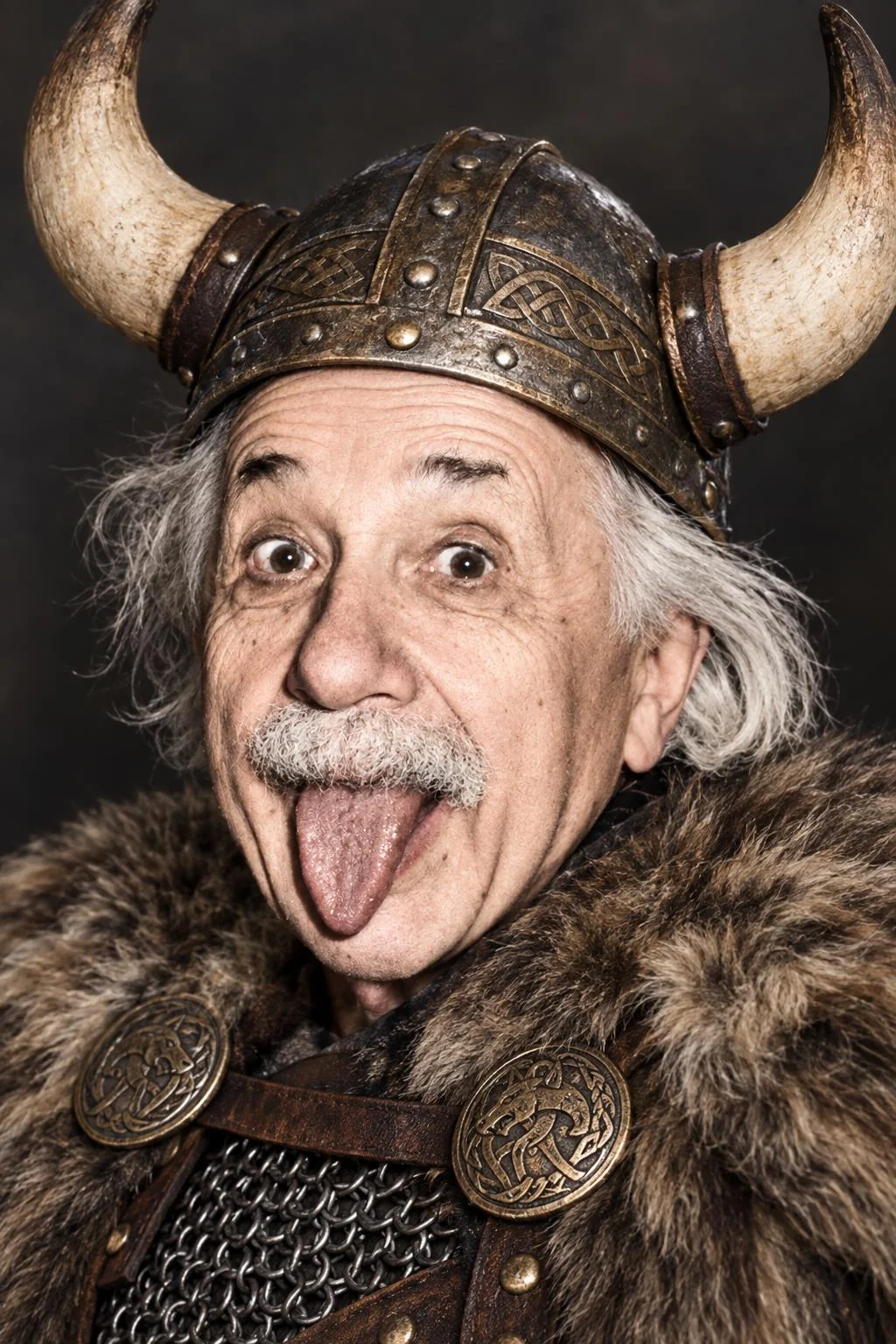
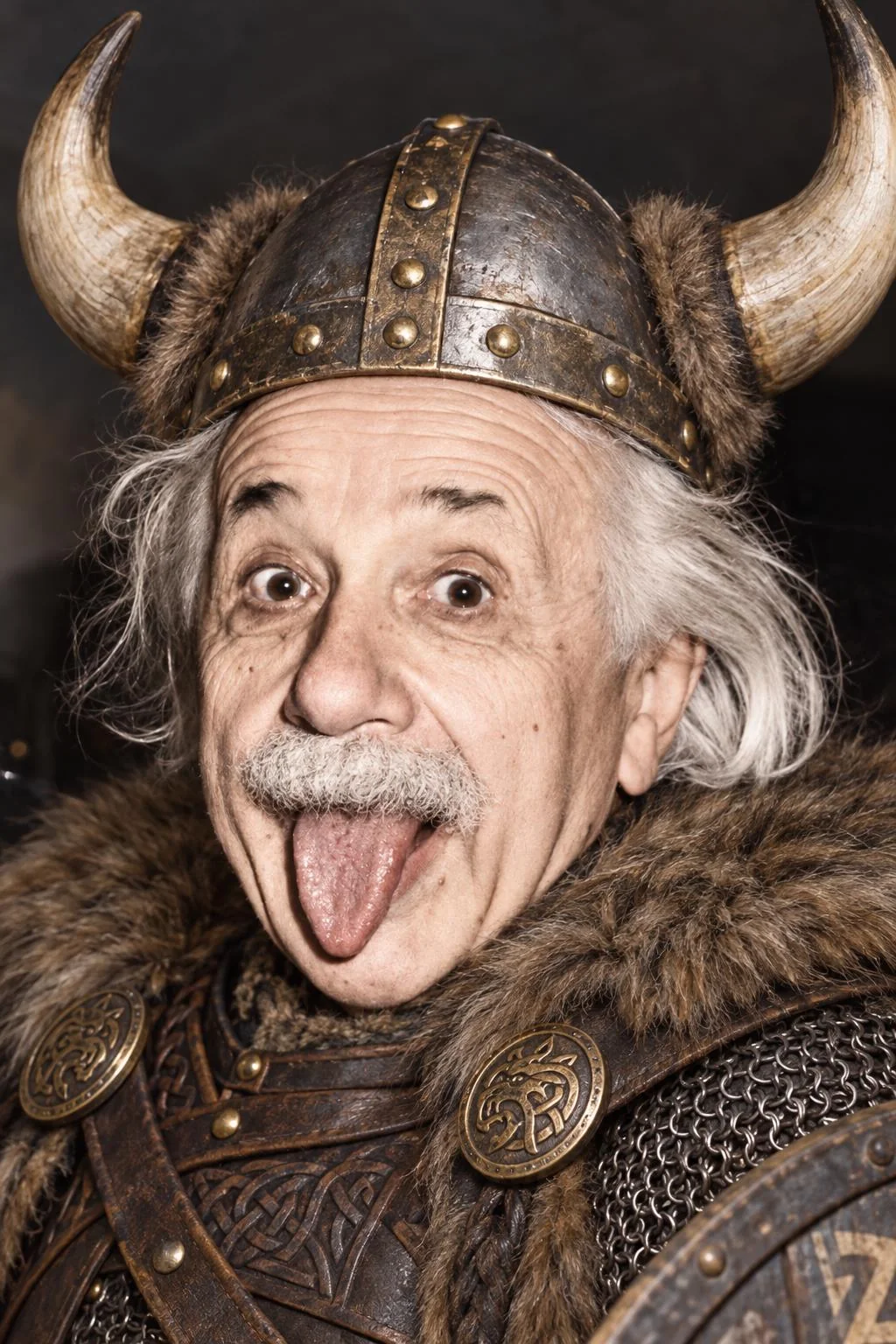
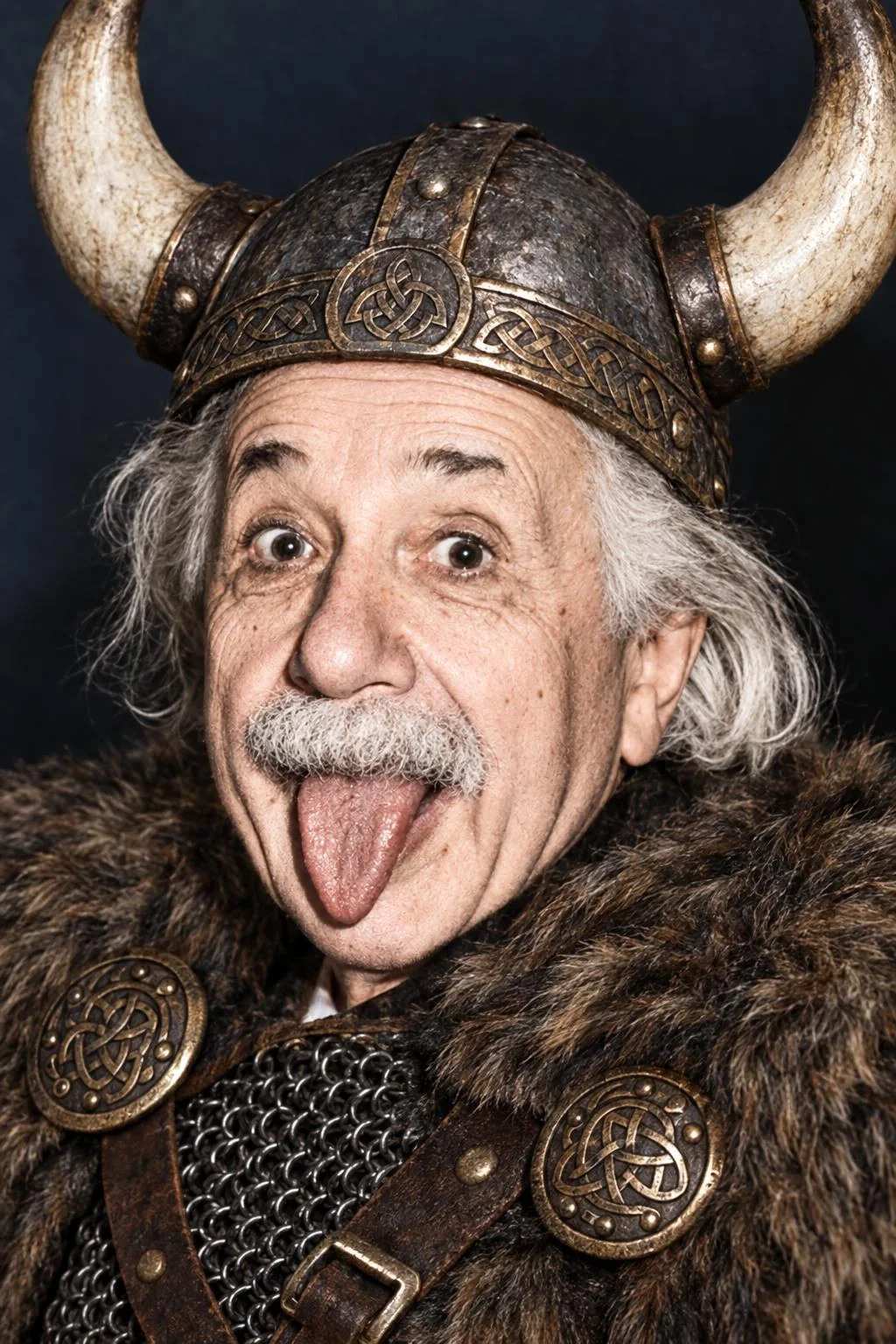
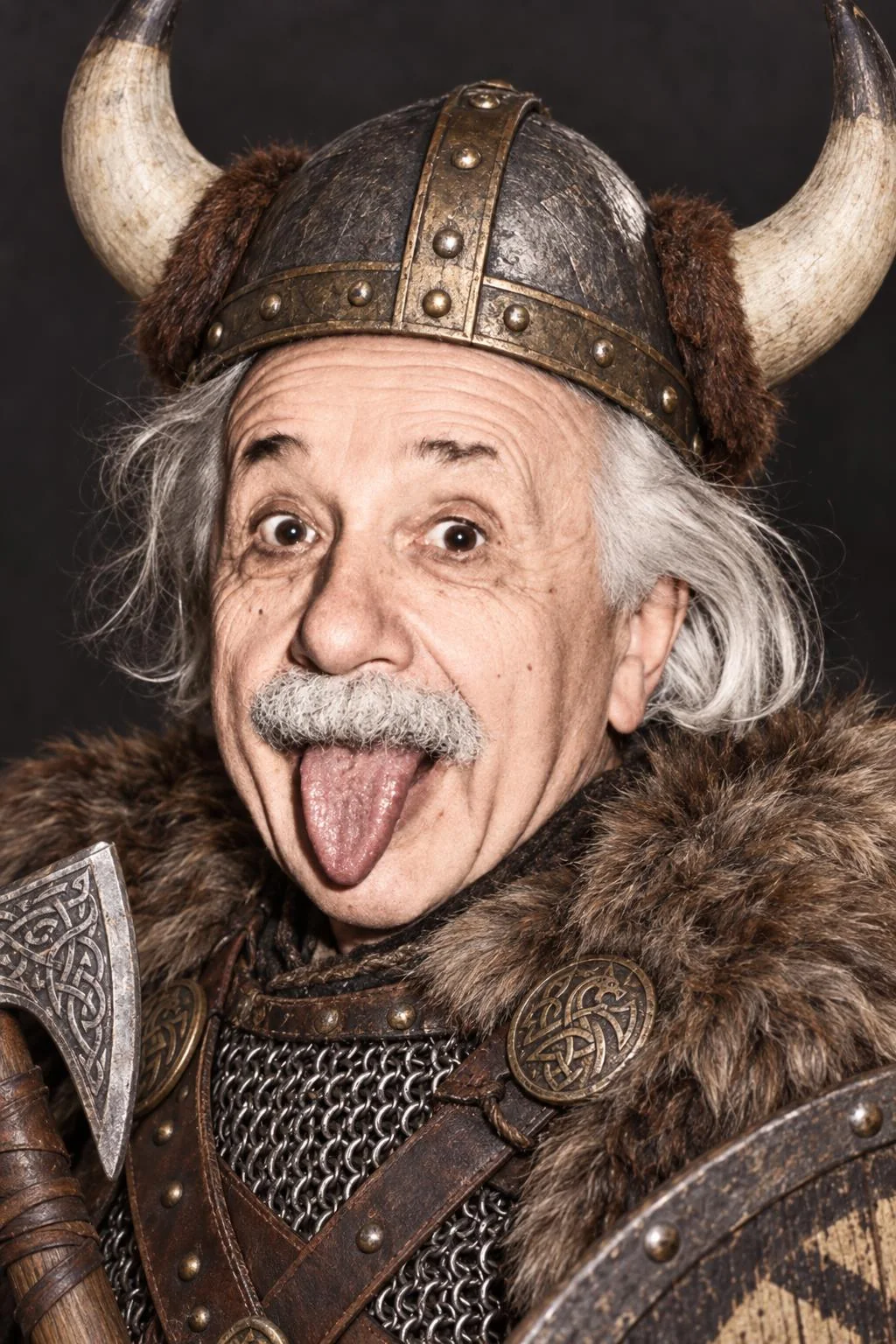
What the Photobooth test shows
- Everyone kept Einstein. All 26 edits are recognizably him, tongue out, eyebrows up, at every setting.
- GPT Image 2 stays closest to the photo. It kept the black-and-white original in all three of its Viking edits and gave the most sculpted clay look. Both GPT Image 2.5 models colorized him, which the Photobooth’s prompt arguably invites, since it asks the model to improve lighting and color.
- GPT Image 2.5 adds set dressing. Flare put an E = mc² chalkboard behind the claymation Einstein at Low and Medium, and at Extra high and Maximum both 2.5 models built him a whole classroom. Sunburst handed the Viking an axe and a shield.
- For photobooth-style edits, Flare at Low is the value pick. 14 seconds and $0.018 per image, against 18 seconds and $0.047 on GPT Image 2. With GPT Image models the Photobooth renders nine images per batch by default, so that is about $0.17 a batch instead of $0.42.
Editing one photo into matching frames
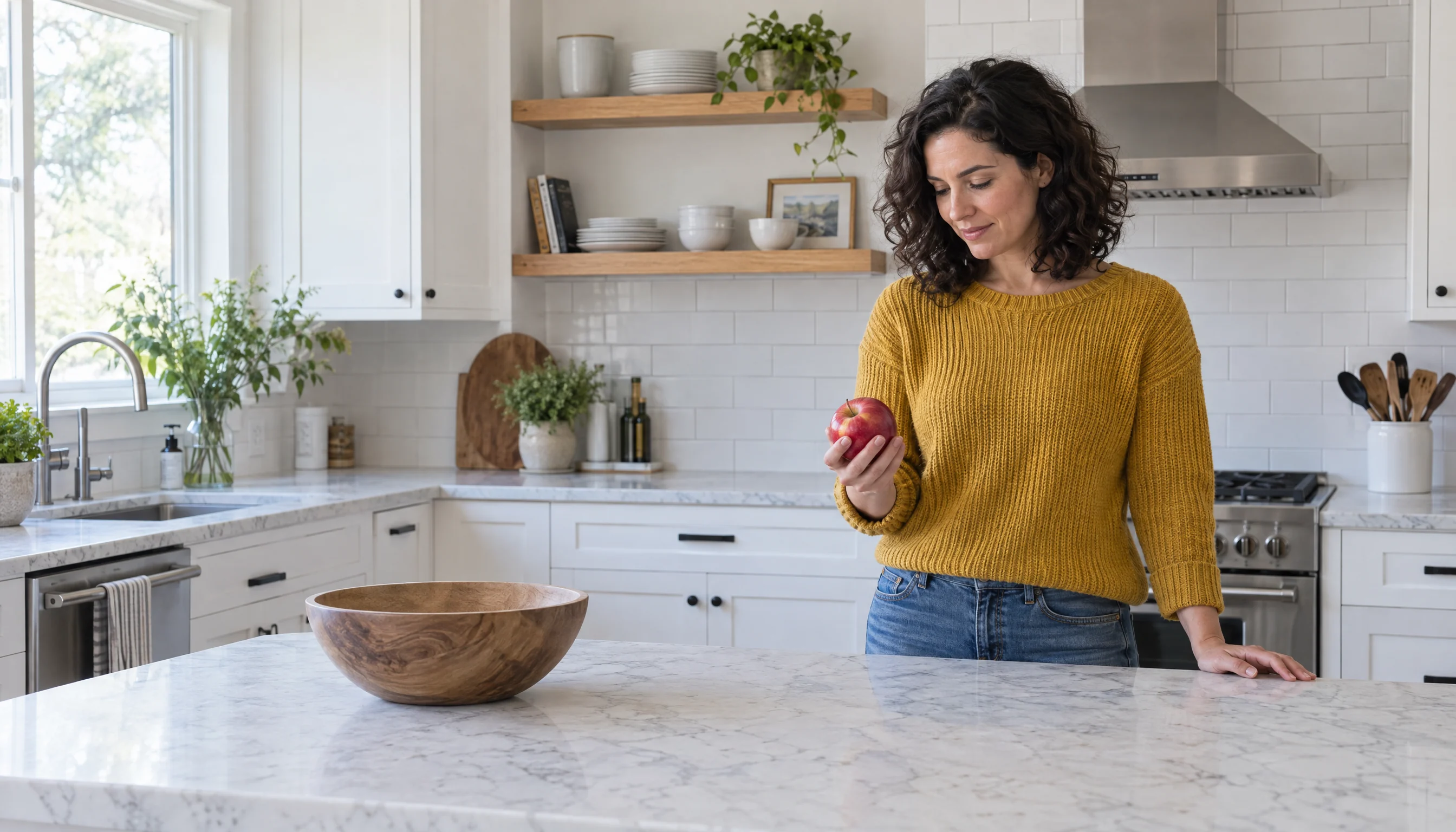
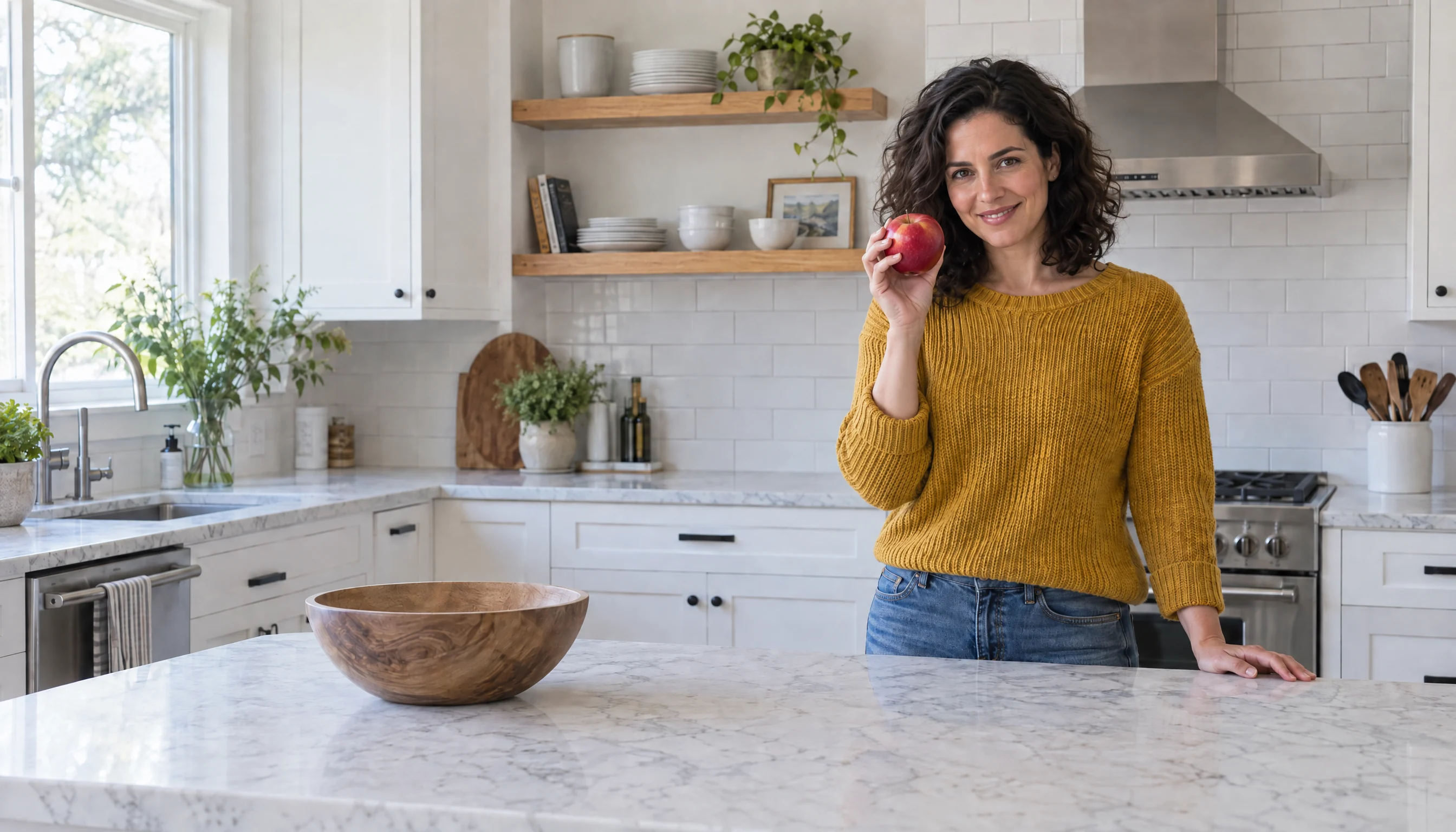
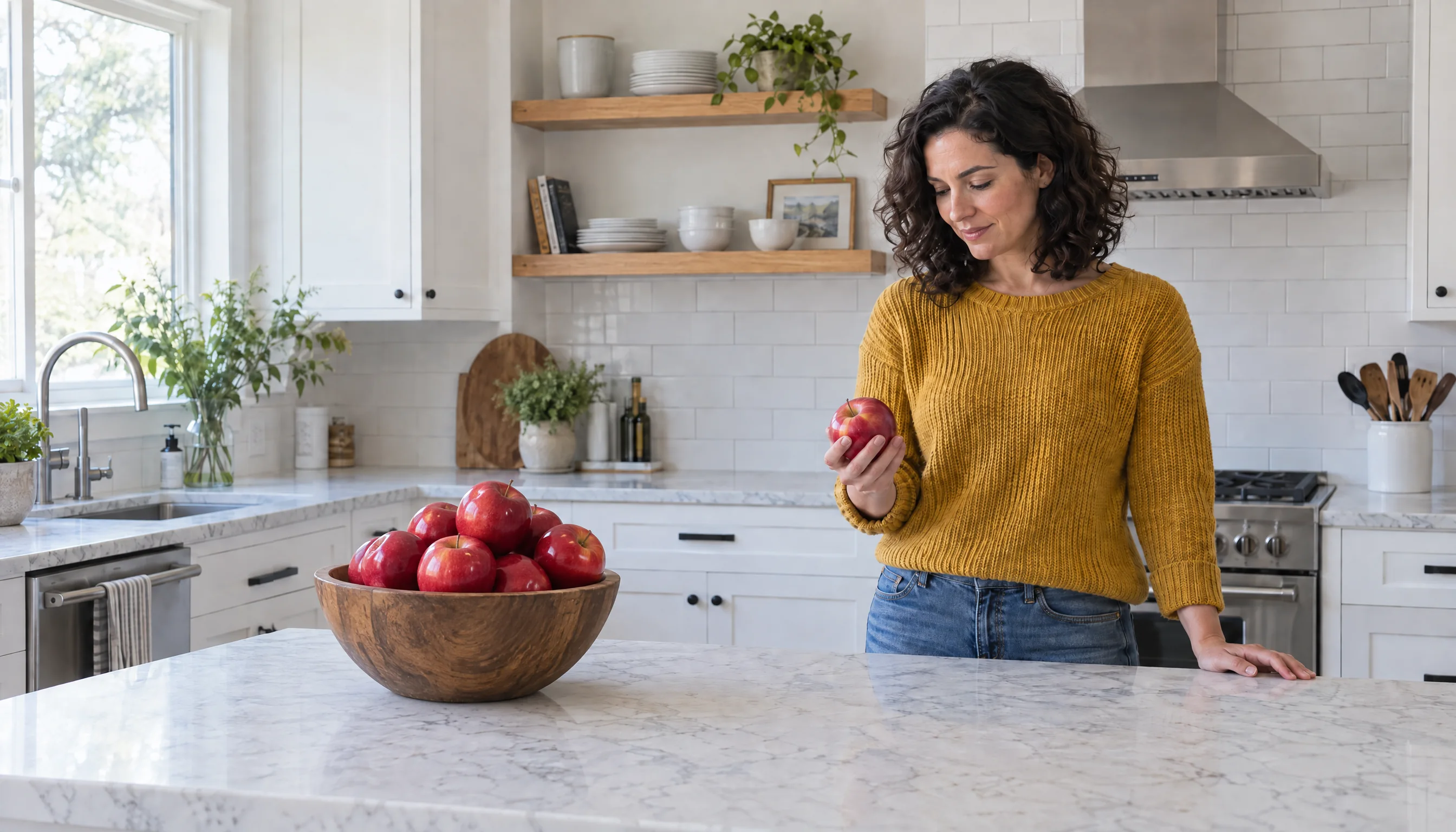
A first-to-last-frame video needs stills of the same room: the same camera, light and props, with only the person moved. That is a hard ask of an image model, because an edit redraws the whole picture. For a video test we made one kitchen photo with GPT Image 2.5 Sunburst at Extra high, 2688 × 1536 pixels, then asked Sunburst to edit it twice, each time starting from the original: once to turn her toward the camera, once to walk her to the bowl. Each edit prompt begins “Keep everything identical” and names the one thing that changes.
GPT Image 2.5 Sunburst, Extra high 2688 × 1536
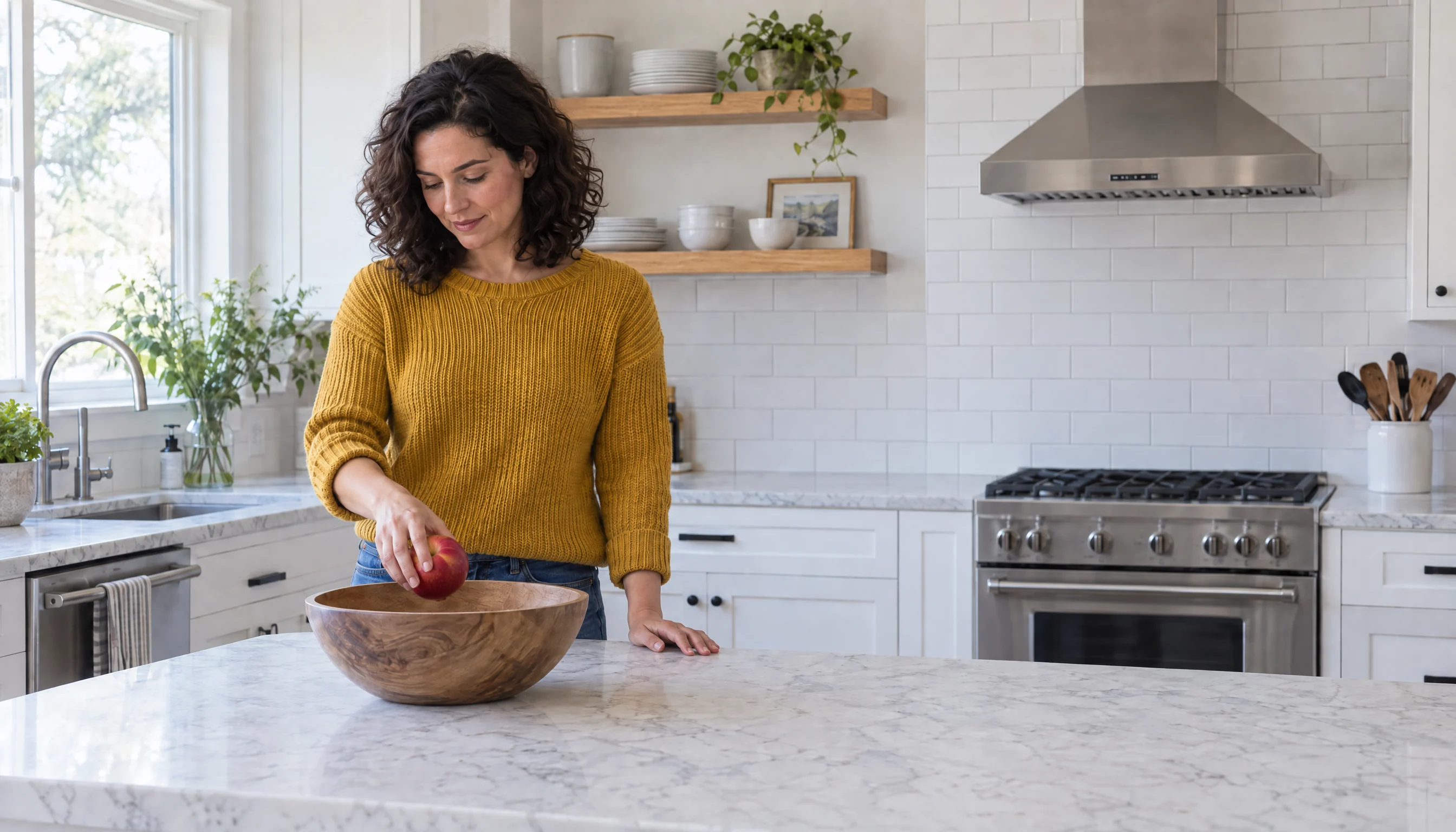
The original: prompt
Photorealistic photograph of a bright modern kitchen. A woman in her thirties with shoulder-length dark curly hair, wearing a mustard-yellow knit sweater and blue jeans, stands behind a white marble kitchen island, positioned on the right third of the frame. She looks down at a single red apple that she holds in her right hand at waist height, just above the countertop. An empty wooden fruit bowl sits on the marble island on the left side of the frame. White shaker cabinets, light oak open shelves holding white plates and bowls and a small plant, white subway tile backsplash, stainless steel range hood in the background. Soft natural window daylight coming from a window on the left side of the frame. Locked-off medium-wide shot, straight-on camera at chest height, 35mm lens, f/8, deep depth of field with the whole room in sharp focus, realistic skin texture, natural colors, true-to-life photographic detail.
Edit 1: turn to the camera: prompt
Edit this photo. Keep everything identical: the same woman with the same face, the same shoulder-length dark curly hair, the same mustard-yellow knit sweater and blue jeans, the same kitchen, the same white marble island, the same empty wooden bowl in the same place, the same soft window daylight from the left, and the exact same camera position, lens and framing. Change only her pose: she has turned to face the camera directly and is smiling at the viewer, holding the same red apple up beside her cheek at face height in her right hand, as if showing it to the viewer. She still stands behind the island in the same spot on the right third of the frame.
Edit 2: walk to the bowl: prompt
Edit this photo. Keep everything identical: the same woman with the same face, the same shoulder-length dark curly hair, the same mustard-yellow knit sweater and blue jeans, the same kitchen, the same white marble island, the same wooden bowl in the same place, the same soft window daylight from the left, and the exact same camera position, lens and framing. Change only her position and pose: she has walked to the left side of the island and now stands behind the island directly behind the wooden bowl, placing the red apple into the bowl with her right hand while looking down at the bowl. The right side of the frame behind the island is now empty.
- The room held still. Outside the woman, only 0.6% and 1.2% of pixels changed noticeably, most of them in the leaves of the window plants, redrawn at the pixel level. There was no measurable pan, zoom or tilt, and the light, the bowl and the marble veining match.
- She stayed the same person: same face, curls, sweater and jeans. Facing the camera, her frontal face had to be inferred from a three-quarter view. It is convincing, but it is the model’s guess.
- Hidden areas get invented. When she walked away, Sunburst filled in the stove she had been blocking, with a knob layout of its own. Another edit of the same spot invents another, so make every frame from the same original and check what each one reveals.
- Small misses: the apple ended up at chest and chin height rather than the waist and cheek heights we asked for.
Each edit used the original as its only reference image, not the previous edit. Times are per image. Sunburst made two takes of each edit and we used the better one; the prices are pay-as-you-go.
The same edits on all three models
Then we gave the same original and the same two prompts, word for word, to all three models at High, the top setting GPT Image 2 has, at the same 2688 × 1536 size. We added a simpler edit, filling the empty bowl with apples, twice: once as a plain prompt, and once with an edit mask, a PNG whose transparent area marks the only place the model may change, here the bowl. One take of each.
Four edits of the kitchen photo, High 2688 × 1536
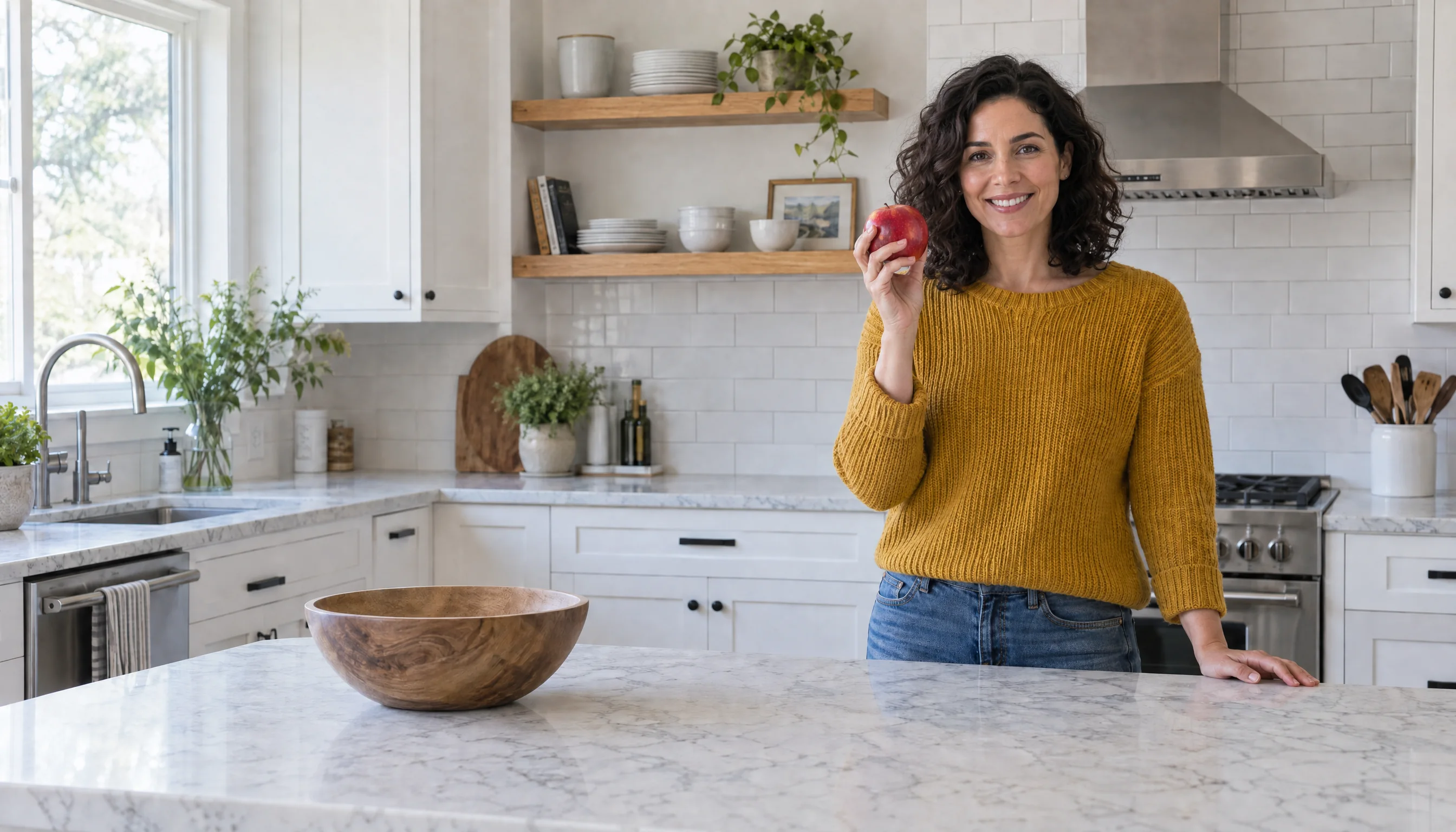
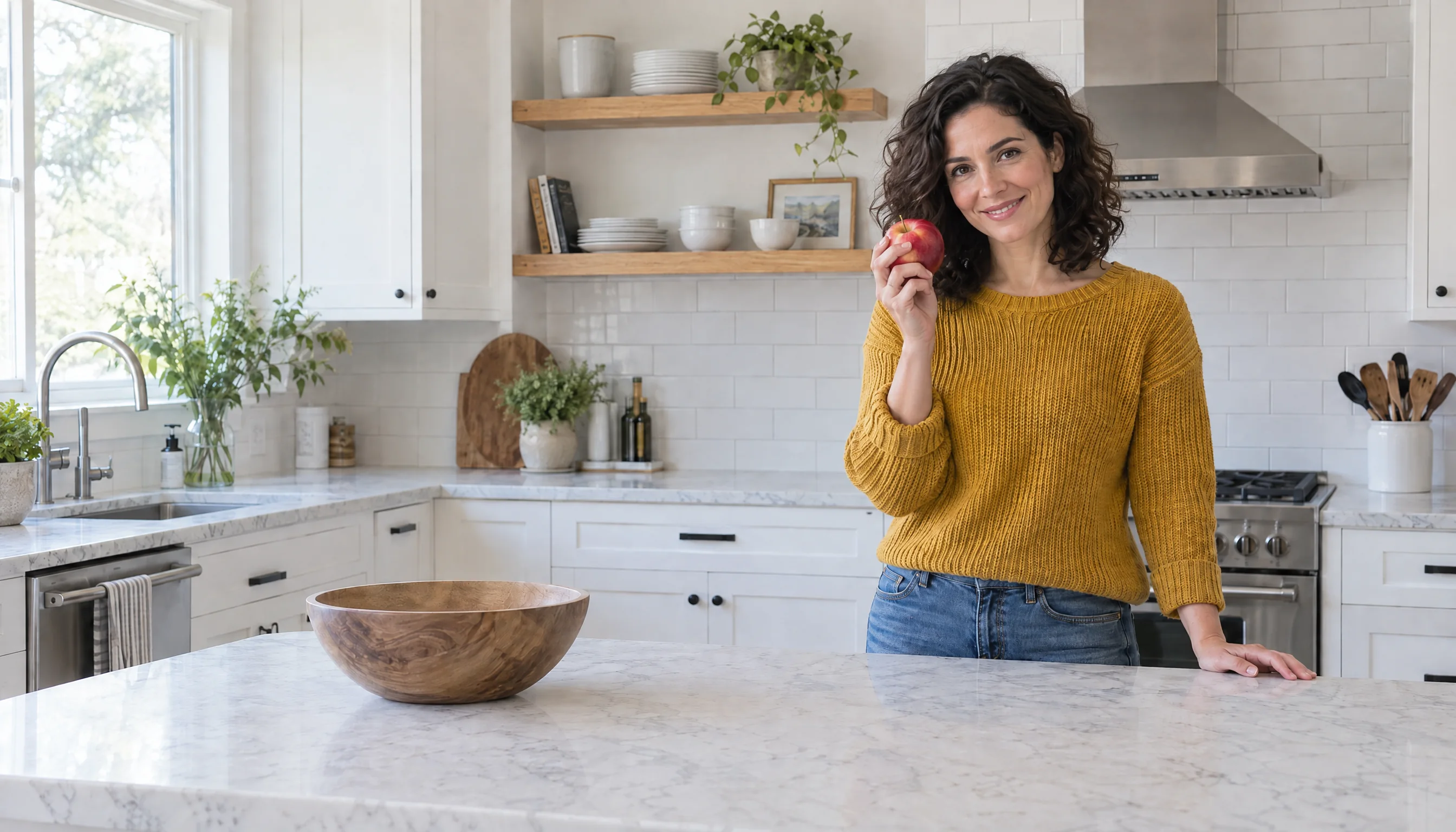
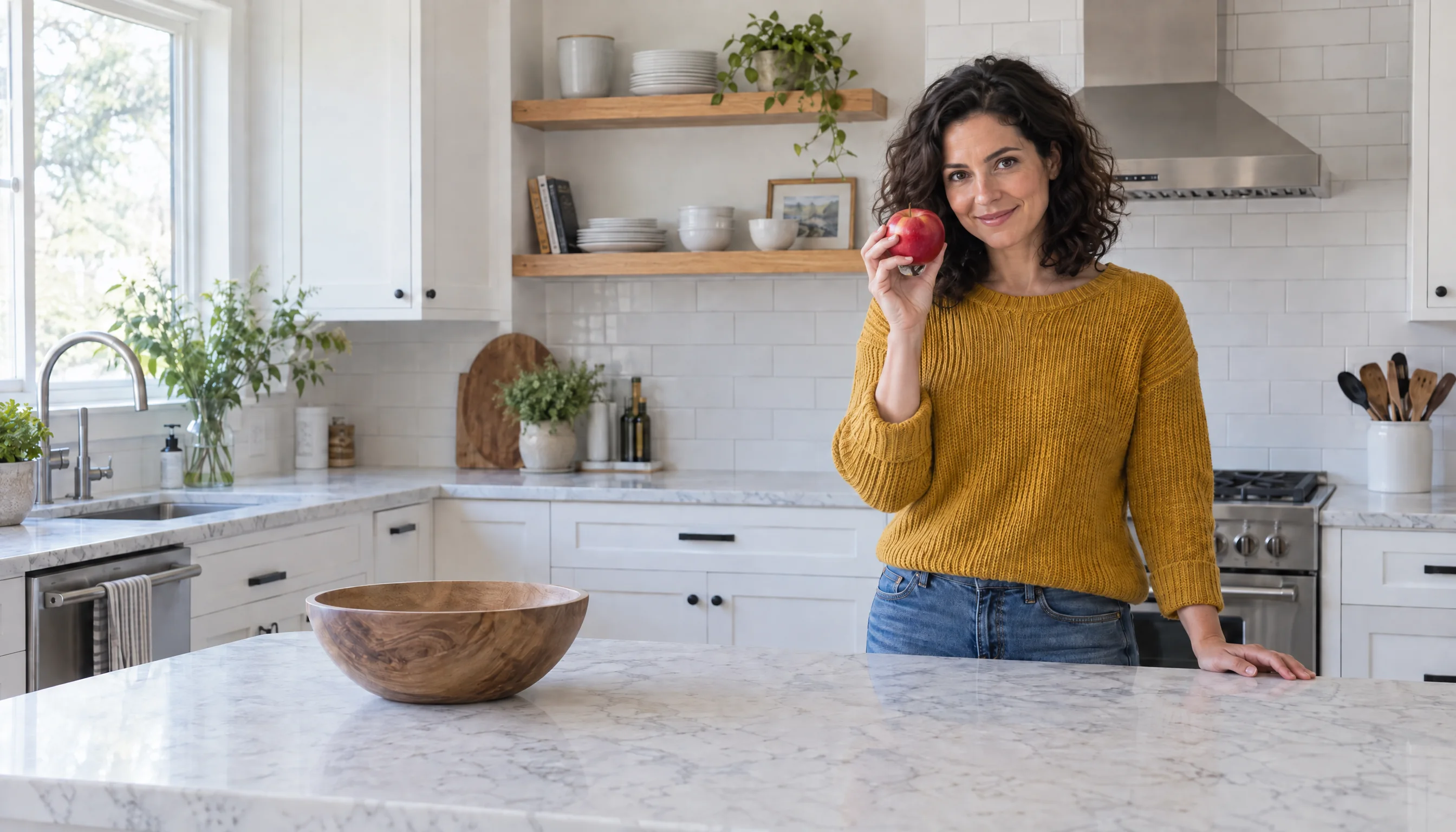
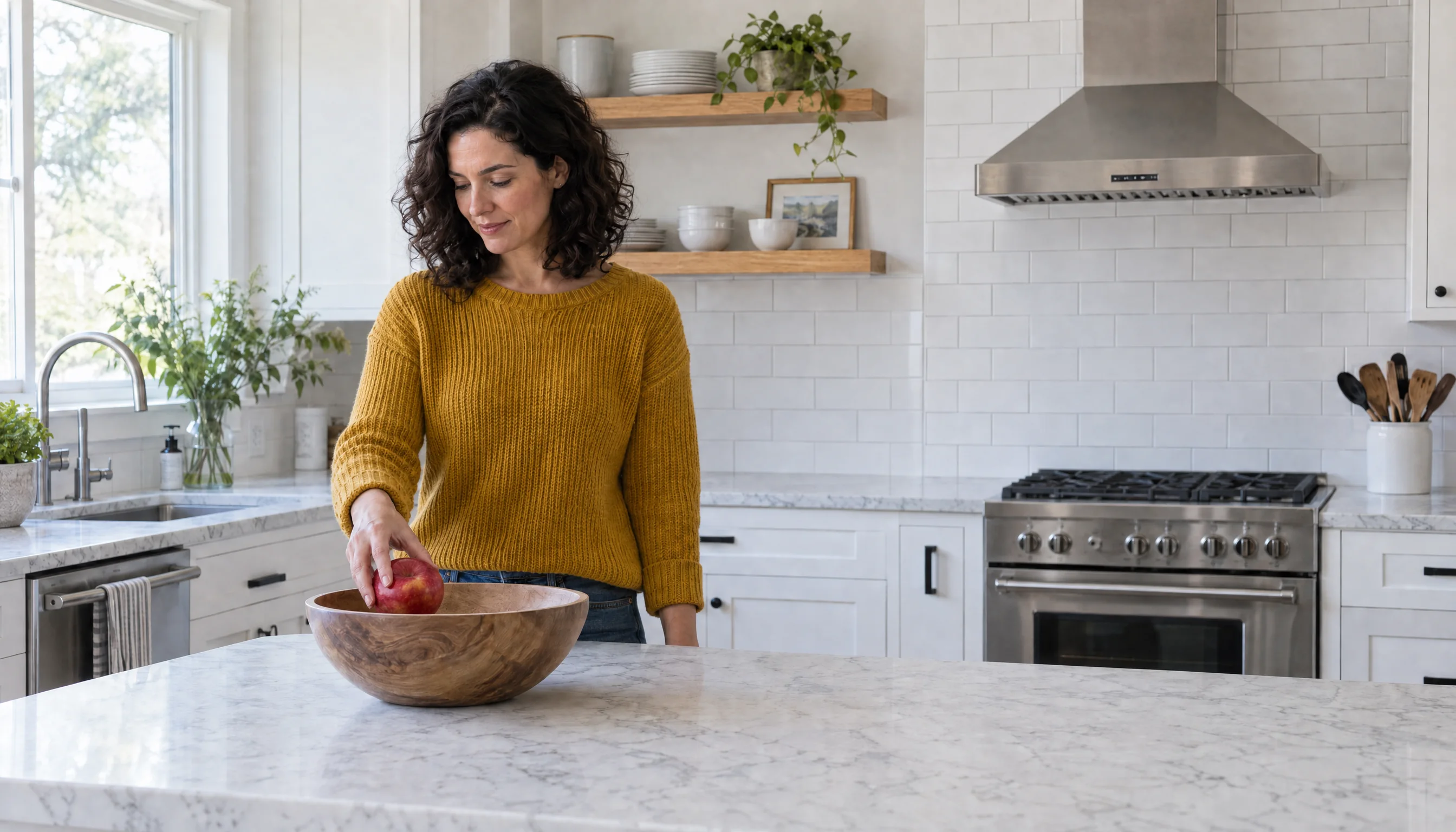
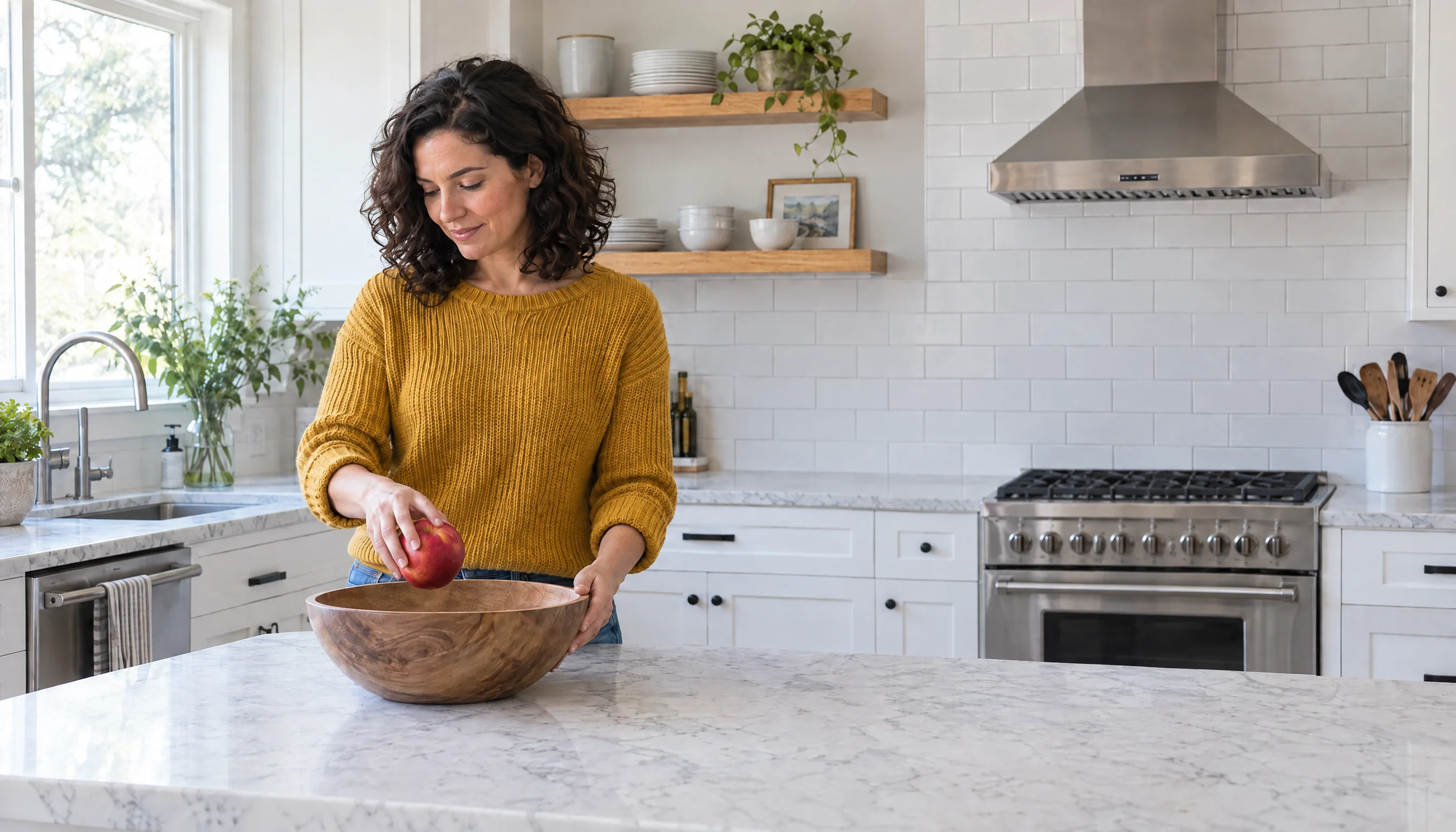
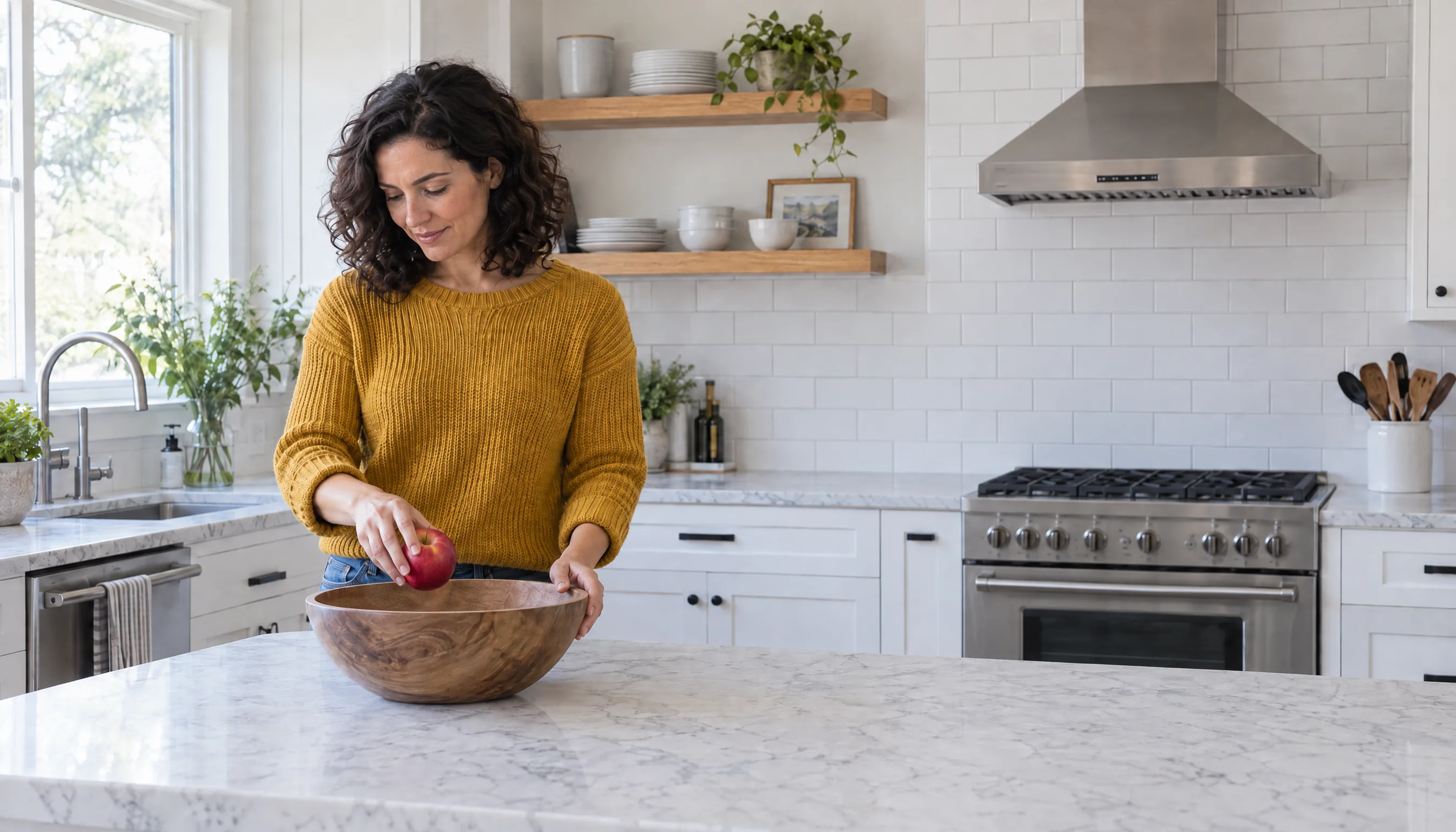
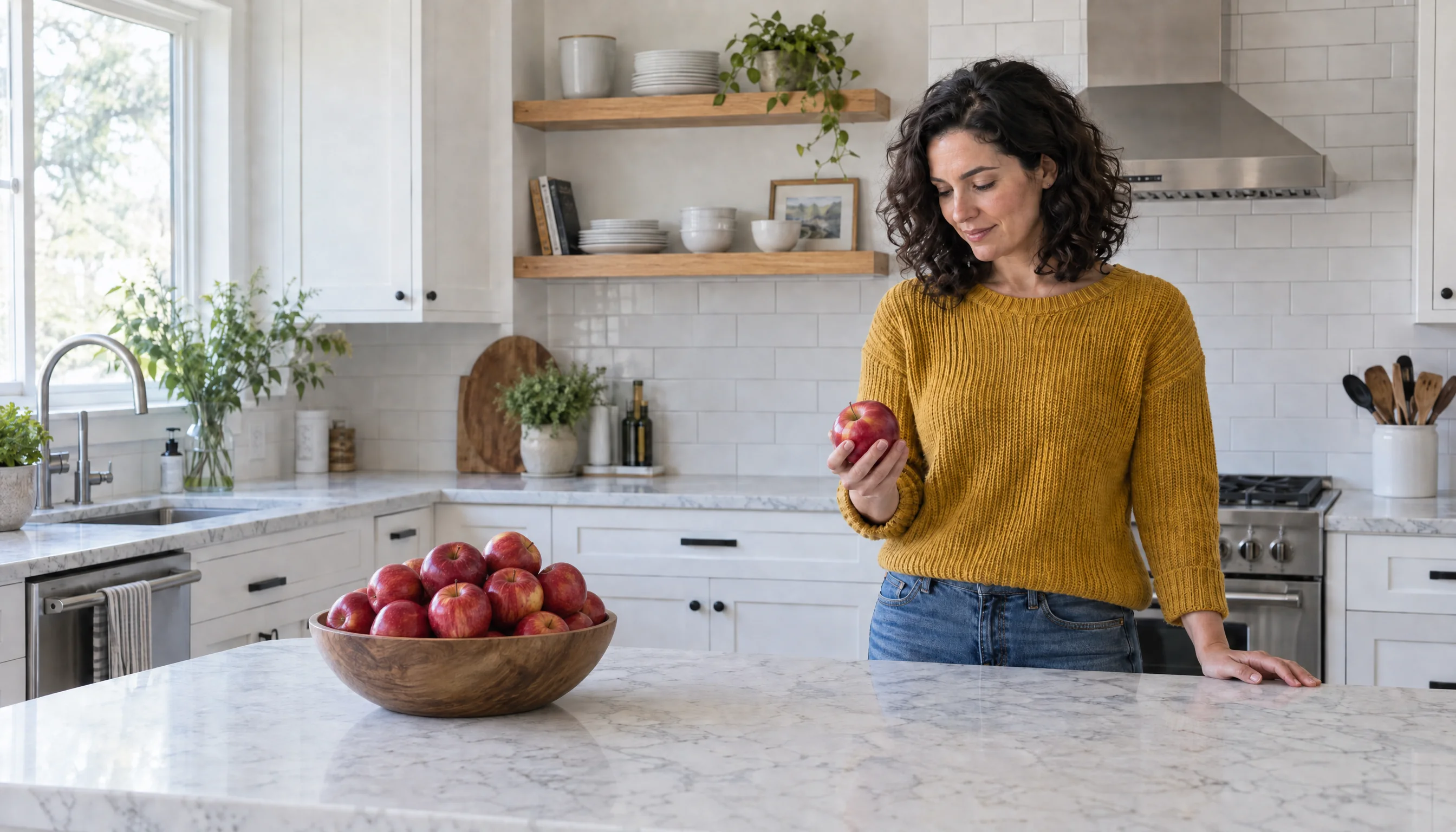
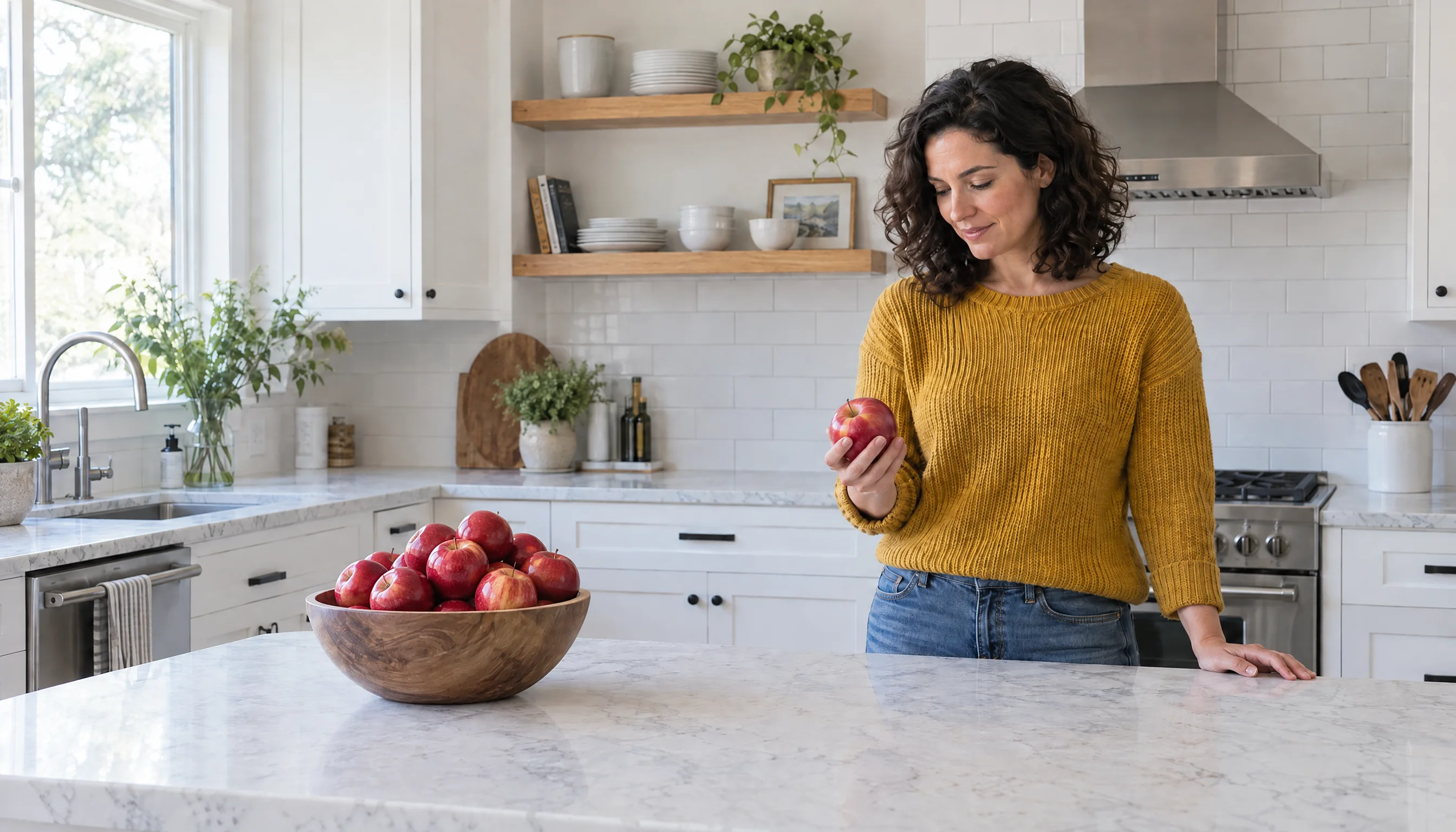
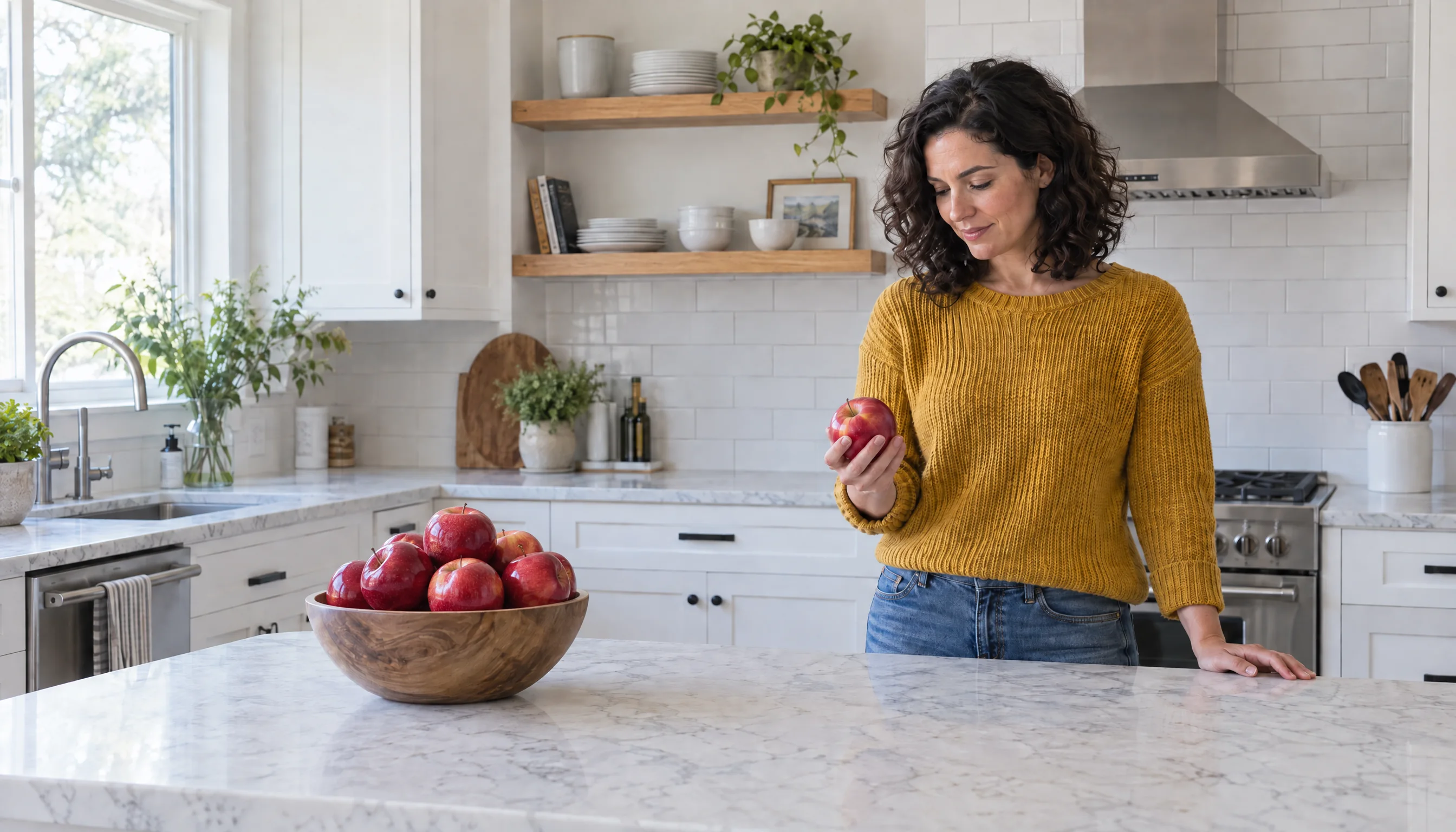
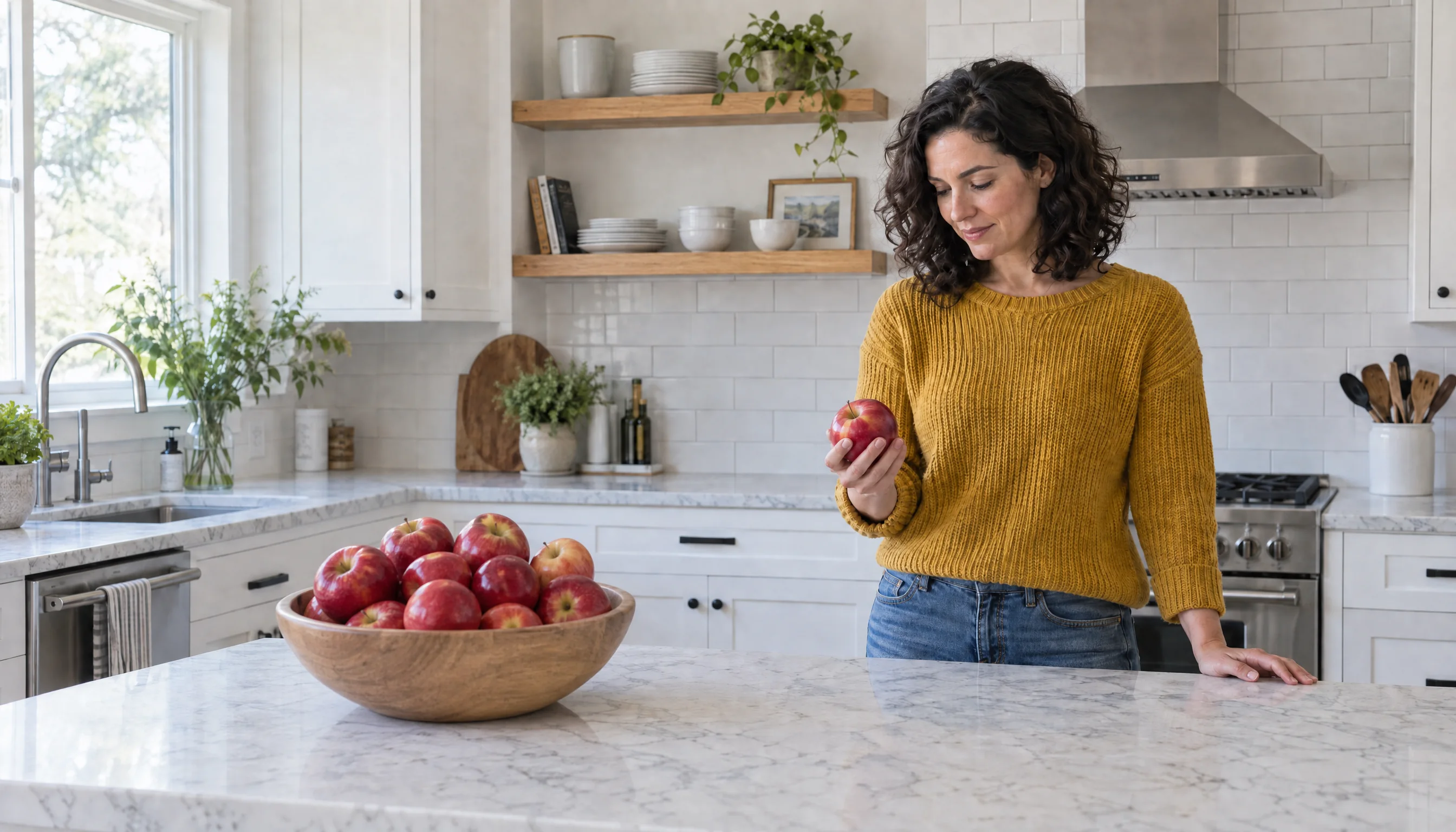
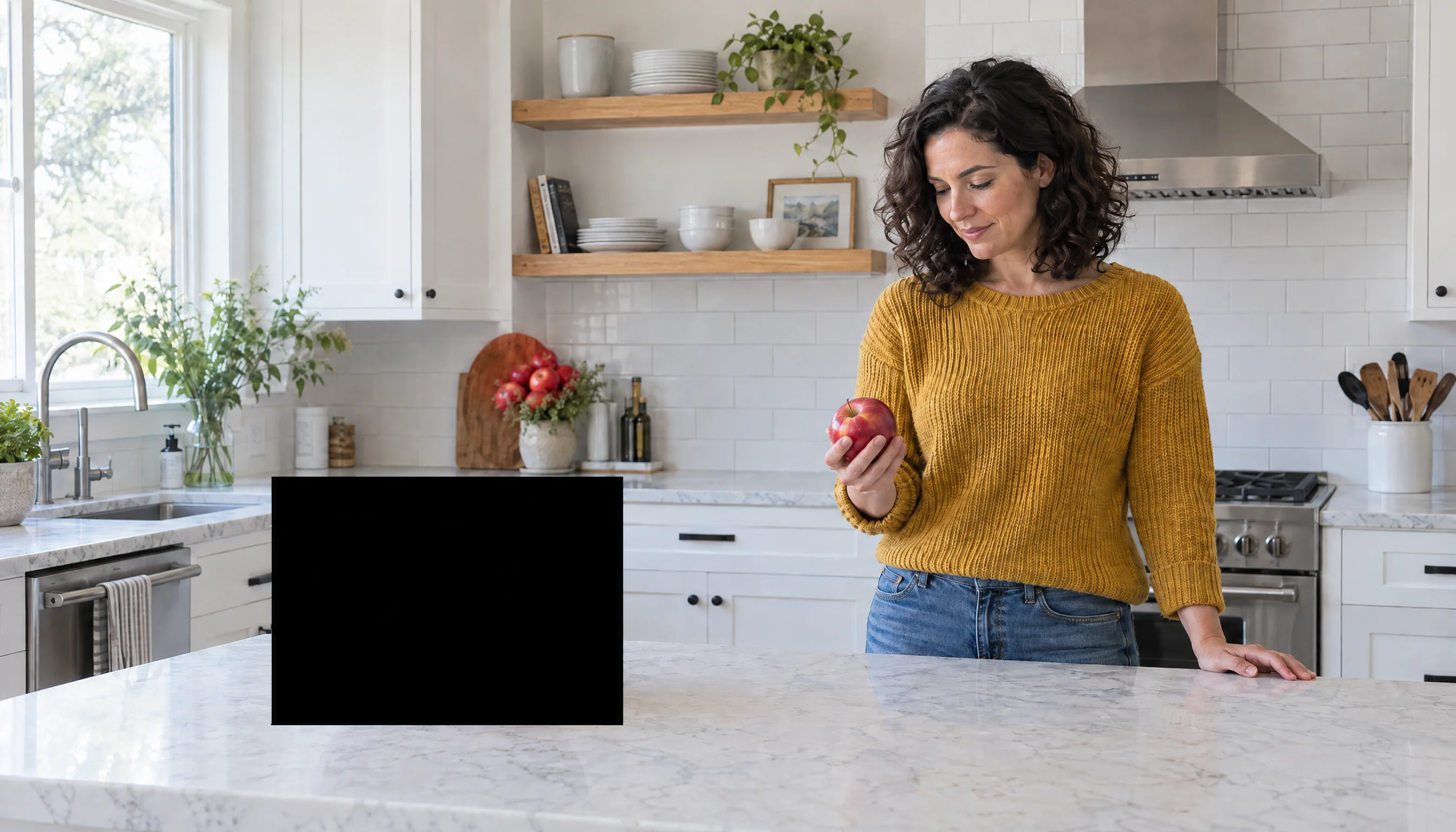
Turn to the camera: prompt
Edit this photo. Keep everything identical: the same woman with the same face, the same shoulder-length dark curly hair, the same mustard-yellow knit sweater and blue jeans, the same kitchen, the same white marble island, the same empty wooden bowl in the same place, the same soft window daylight from the left, and the exact same camera position, lens and framing. Change only her pose: she has turned to face the camera directly and is smiling at the viewer, holding the same red apple up beside her cheek at face height in her right hand, as if showing it to the viewer. She still stands behind the island in the same spot on the right third of the frame.
Walk to the bowl: prompt
Edit this photo. Keep everything identical: the same woman with the same face, the same shoulder-length dark curly hair, the same mustard-yellow knit sweater and blue jeans, the same kitchen, the same white marble island, the same wooden bowl in the same place, the same soft window daylight from the left, and the exact same camera position, lens and framing. Change only her position and pose: she has walked to the left side of the island and now stands behind the island directly behind the wooden bowl, placing the red apple into the bowl with her right hand while looking down at the bowl. The right side of the frame behind the island is now empty.
Fill the bowl, no mask: prompt
Fill the wooden bowl with a heap of shiny red apples. Keep everything else in the photo exactly as it is.
Fill the bowl, with a mask: prompt
Fill the wooden bowl with a heap of shiny red apples. Keep everything else in the photo exactly as it is.
- All three made both pose edits correctly, with the same woman, clothes and room. Sunburst held the room steadiest: 4% of the pixels on the window side changed, against 6 to 7% for Flare and 5 to 18% for GPT Image 2, which redrew the most.
- At this size GPT Image 2.5 is about three times faster and a quarter of the price. Flare took 25 to 31 seconds, Sunburst 34 to 37 and GPT Image 2 87 to 94, at about $0.09 an edit against $0.38 to $0.40.
- Without a mask, all three filled the bowl and left the woman alone. For a simple object edit like this, you may not need a mask at all.
- With a mask, GPT Image 2 and Sunburst filled the bowl, redrawing it inside the mask, and the mask cut GPT Image 2’s drift elsewhere from 17% to 11%. Flare failed: the masked area came back as a solid black rectangle and the apples went into a flower pot. It did the same with a second mask. The same Flare mask edit at 1024 × 1024 worked, so this appears tied to the large size: OpenAI calls sizes above 2560 × 1440 experimental. For masked edits on Flare, stay at or below that size.
Which one should you use?
- GPT Image 2.5 Flare for most work: portraits, product shots, illustrations, social images and photo edits in volume. It was the fastest at every setting and costs the same as Sunburst. Check text-heavy layouts, where it can drop small details such as numbered captions.
- GPT Image 2.5 Sunburst when you want richer detail and fuller scenes, and for layouts that must come out exactly right. Expect to wait up to 1.8 times as long as Flare, and be explicit if you want a sparse picture.
- GPT Image 2 when an edit must stay as close as possible to the source photo’s look, like keeping a black-and-white photo black and white. At Medium and High it is 2 to 5 times slower and four times the price, so try GPT Image 2.5 first.
- Quality: start at Medium, where GPT Image 2.5 costs $0.017. Use High for finals. Extra high and Maximum cost more and take longer; in our test High already got the text right.
What this test does not show
Two or three takes per setting give a reliable typical time, not a guarantee: times move with load on OpenAI’s side and ours. We tested one aspect ratio per prompt, sizes up to 1536 pixels on all three models, and 2688 × 1536 only for the frame edits. We tested edit masks with one mask on one photo, one take per model. We did not test transparent backgrounds, multiple reference images, JPEG or WebP compression settings, or 4K. Quality judgments are ours, made by looking at every image at full size; you can do the same with every image above.
Questions
Is GPT Image 2.5 faster than GPT Image 2?
Yes, from Medium quality up. In our test on Sogni, the median image took 14 seconds on GPT Image 2.5 Flare, 17 on Sunburst and 37 on GPT Image 2 at Medium, and 21, 34 and 105 seconds at High. At Low all three finished in 12 to 14 seconds.
What is the difference between GPT Image 2.5 Flare and Sunburst?
OpenAI describes Sunburst as the quality-first model and Flare as the smaller, faster one. On Sogni they cost the same. In our test Flare was the fastest at every setting. Sunburst matched it at Low and took up to 1.8 times as long at higher settings; it drew busier, more detailed scenes and kept small layout details, such as numbered captions, that Flare often dropped.
How much does GPT Image 2.5 cost on Sogni?
A 1024 × 1024 image costs $0.0076 at Low, $0.017 at Medium, $0.068 at High, $0.12 at Extra high and $0.27 at Maximum, pay-as-you-go in Premium Spark. That is a quarter of GPT Image 2’s price at Medium and High. Editing a photo adds input cost: our 1024 × 1536 portrait edits came to $0.018 at Low and $0.026 at Medium.
Which GPT Image model is best for turning a portrait into a character?
In our Sogni Photobooth test all three kept Einstein recognizable. GPT Image 2.5 Flare was the fastest and cheapest (14 seconds and $0.018 at Low, against 18 seconds and $0.047 on GPT Image 2). GPT Image 2 stayed closest to the source photo, keeping it black and white, while both 2.5 models colorized it and sometimes added props.
Do edit masks work with GPT Image 2.5?
Yes, with one caution. In our test at 2688 × 1536, GPT Image 2 and GPT Image 2.5 Sunburst both confined the change to the masked area. GPT Image 2.5 Flare returned the masked area as a black rectangle at that size, twice, while the same Flare mask edit at 1024 × 1024 worked. OpenAI calls sizes above 2560 × 1440 experimental, so keep masked Flare edits at or below that size. For simple object edits, a plain prompt without a mask also worked on all three models.
Are Extra high and Maximum worth it?
They cost more and take longer: Maximum took a median 48 seconds on Flare and 85 on Sunburst at $0.27 per 1024 × 1024 image. Flare kept the infographic’s step numbers at both (one image each), which it had dropped at lower settings; on every other prompt High already got the text right. Try High first.
Sources
- GPT Image 2.5 Sunburst and Flare on Sogni: specs, prices and API
- GPT Image 2 on Sogni
- OpenAI: GPT Image 2.5 Flare model page
- OpenAI: GPT Image 2.5 Sunburst model page
- OpenAI: image generation guide
- Sogni client SDK and examples