1 · Reference photo
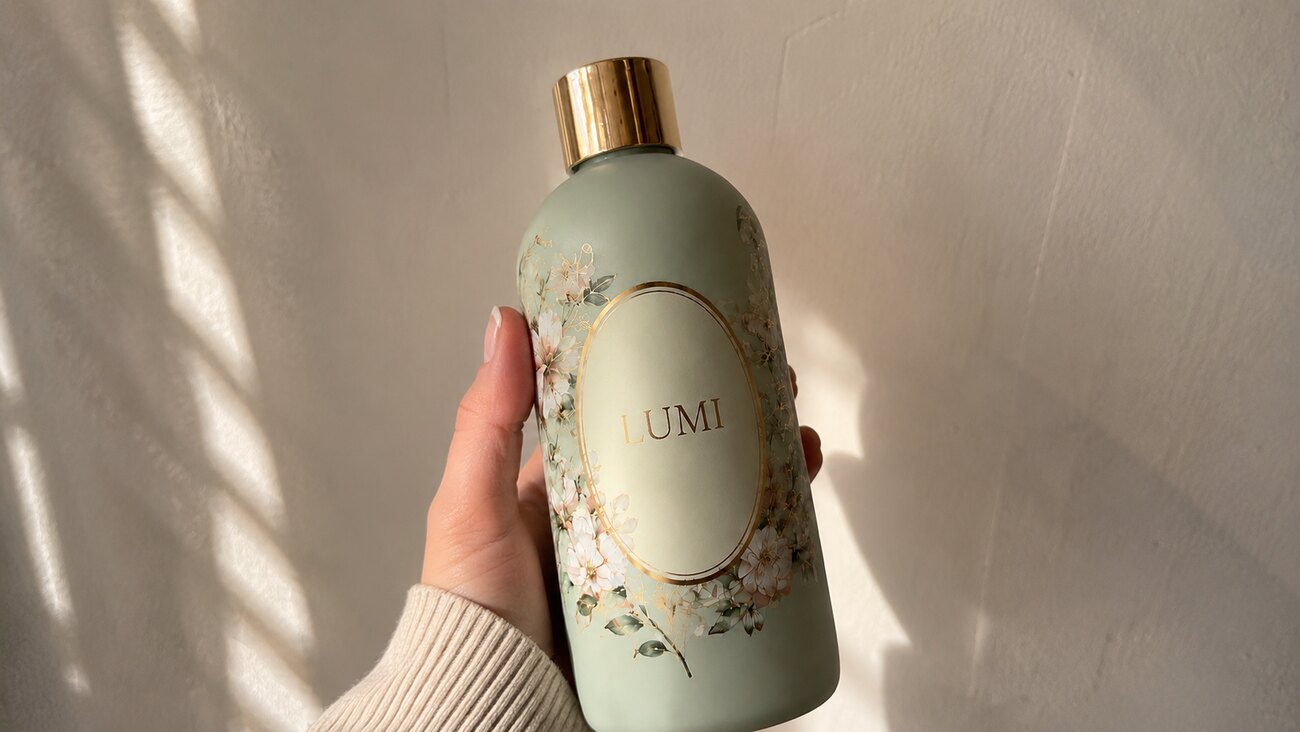
One product photo anchors it all.
→

No casting, no shipping samples, no week of reshoots. Drop in a product photo, describe the spot, and walk out with an influencer-style video, voice-over and all.
Drop in a photo of your own product and walk away with a finished influencer video. Run it as a guided conversation, or fire it off from your terminal.
User-generated content used to mean people - finding creators, negotiating rates, shipping product and waiting for footage. Sogni collapses the whole thing into one move: a product photo in, finished influencer videos out.
For a small brand the bottleneck was never the idea - it was the production. A product photo is easy. A week of UGC from real creators is not. Sogni puts that whole chain into a single conversation - or a single command.
You drop in a reference image - a fragrance, a shampoo, a serum - or just describe it. The agent treats the product as the anchor and generates the creator and the scene around it. Then Seedance 2.0 animates it into a finished social video, native audio included. One detail worth knowing up front: Seedance won't clone a real person's face, so every creator is generated and unique - UGC energy with none of the likeness headaches.
There are two ways to drive it: Open Sogni Chat ↗ for a guided conversation in your browser, or Get the Sogni Skill ↗ to run the same engine inside your own agent - Claude Code, Codex or Hermes - handy when you want to fire off ten campaign stills in one batch.
The same flow works for any category: start from a real product photo, let Sogni build the creator and the scene, then render with Seedance 2.0. The whole workflow is in the examples below.
One product photo anchors it all.
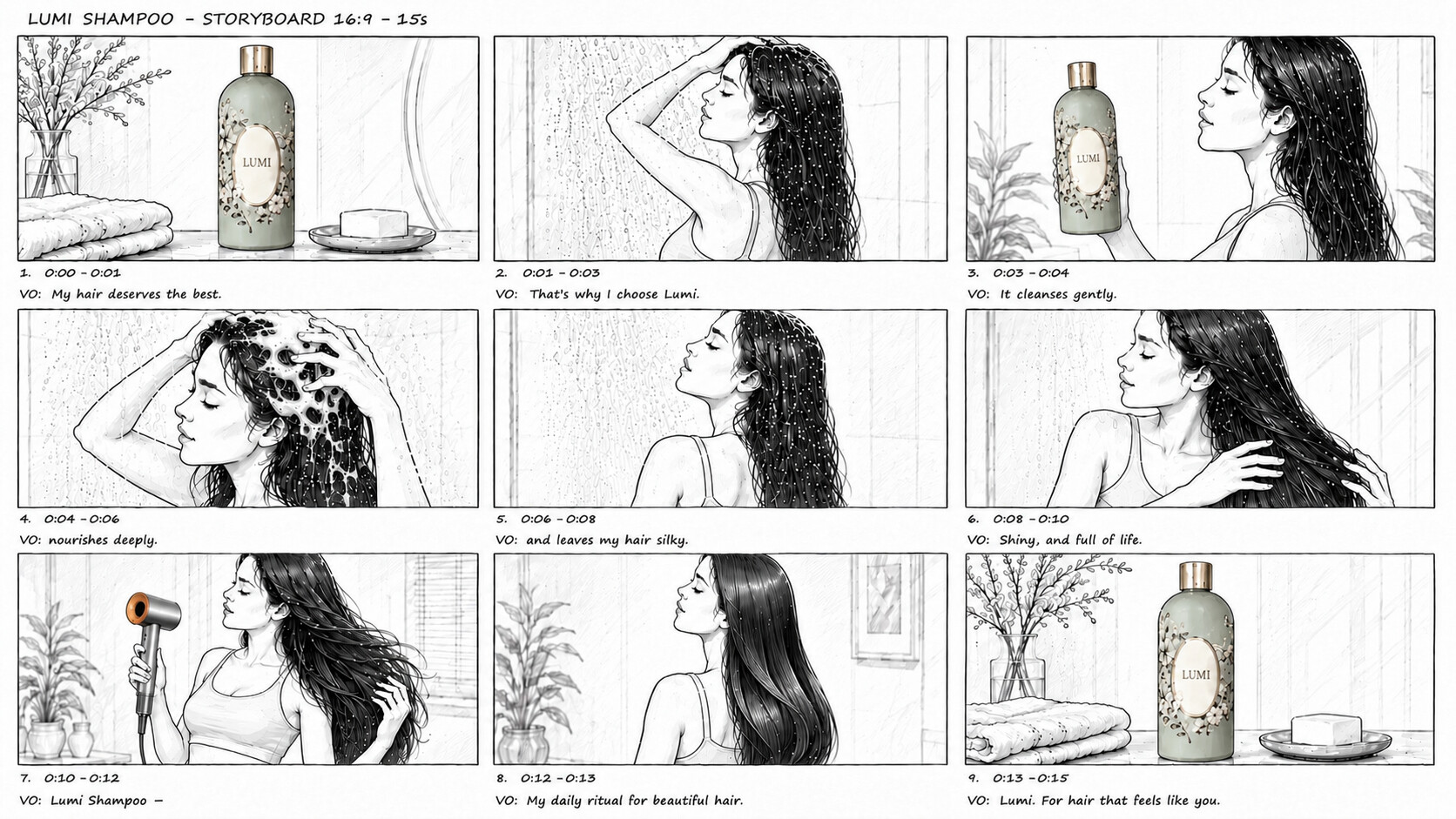
A 9-panel storyboard sheet.
A glossy 15-second beauty ad.
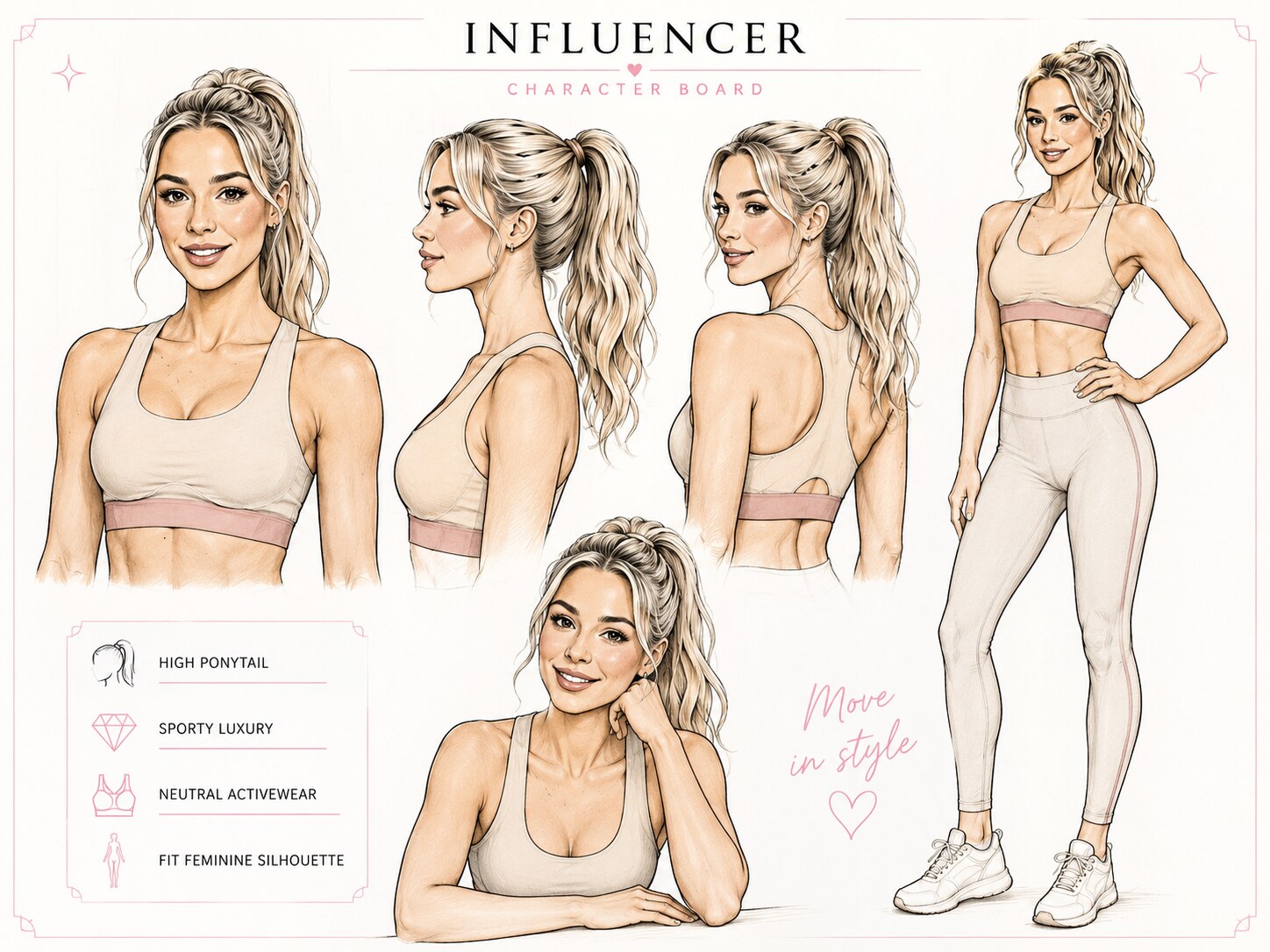
A reusable creator persona.
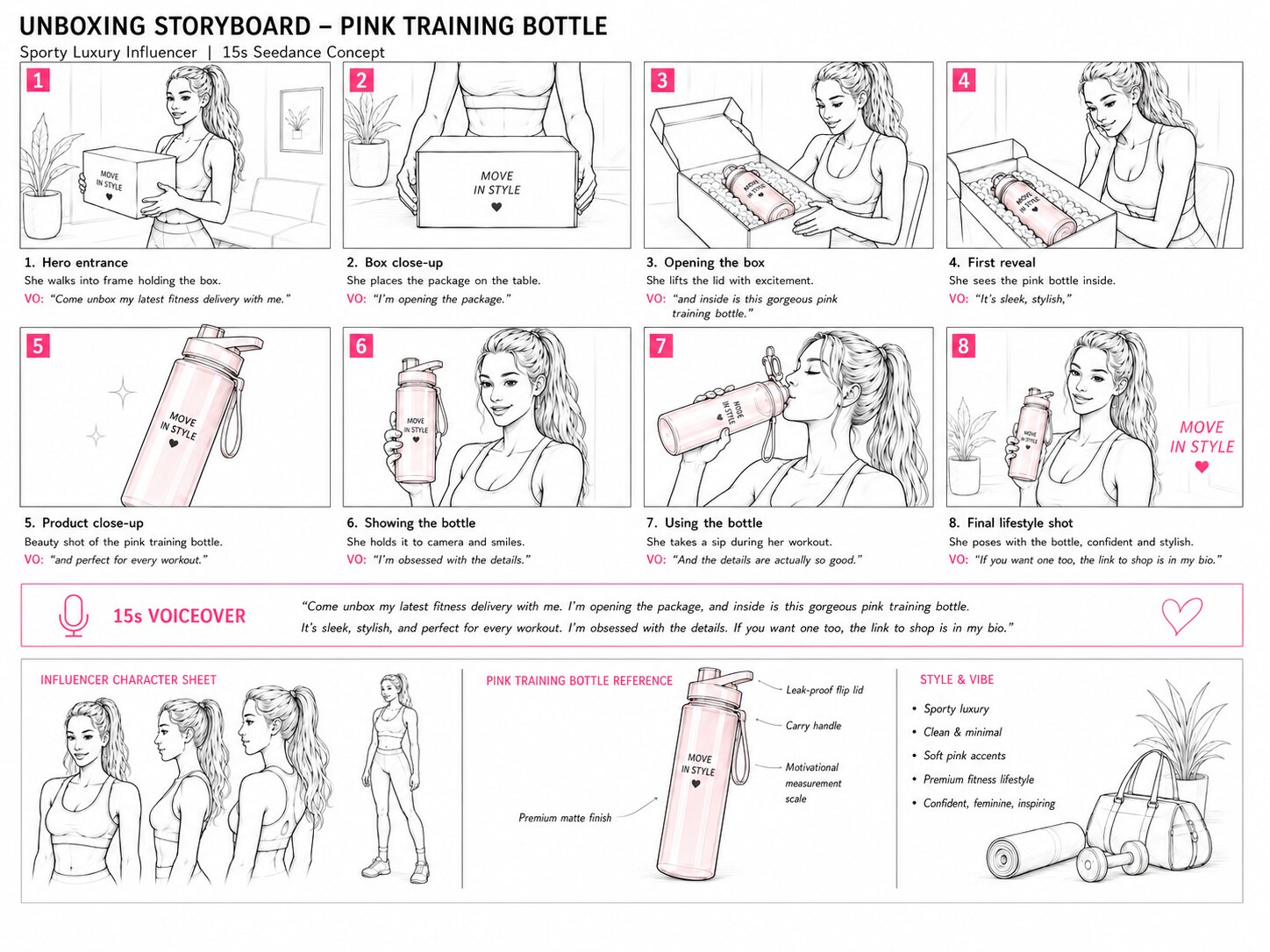
An unboxing storyboard.
The persona shows it on camera.
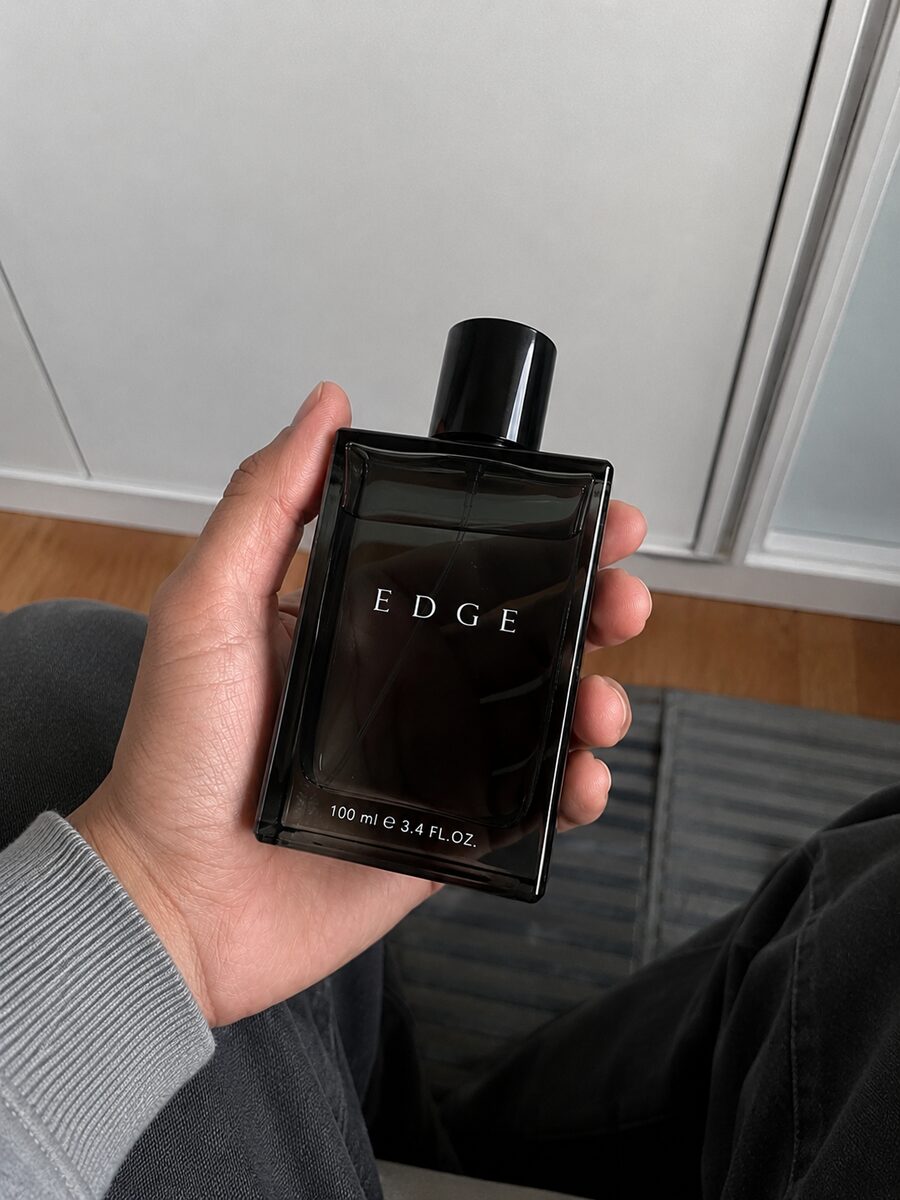
One phone shot of the bottle.
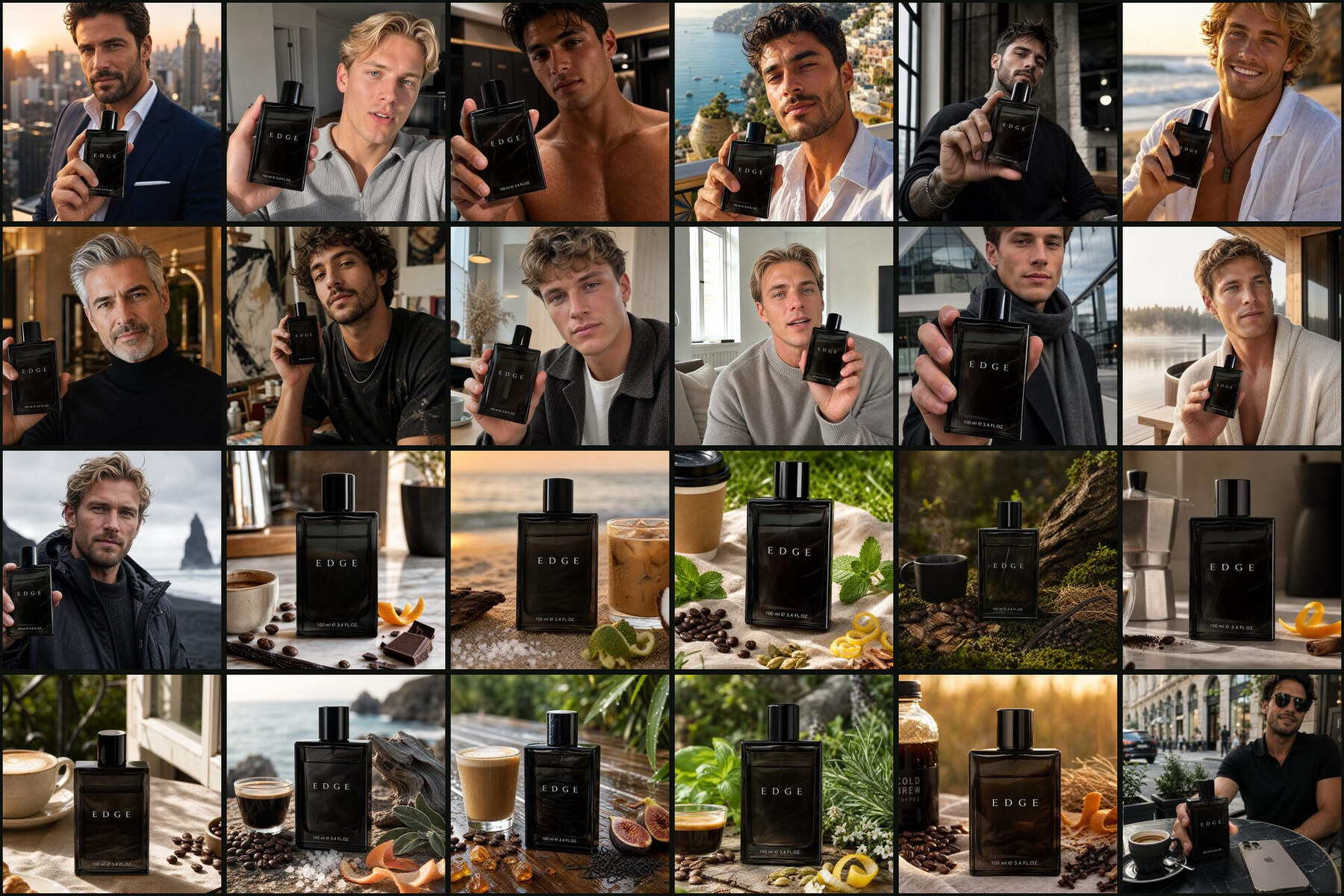
A whole shoot from one photo.
A vertical UGC spot.
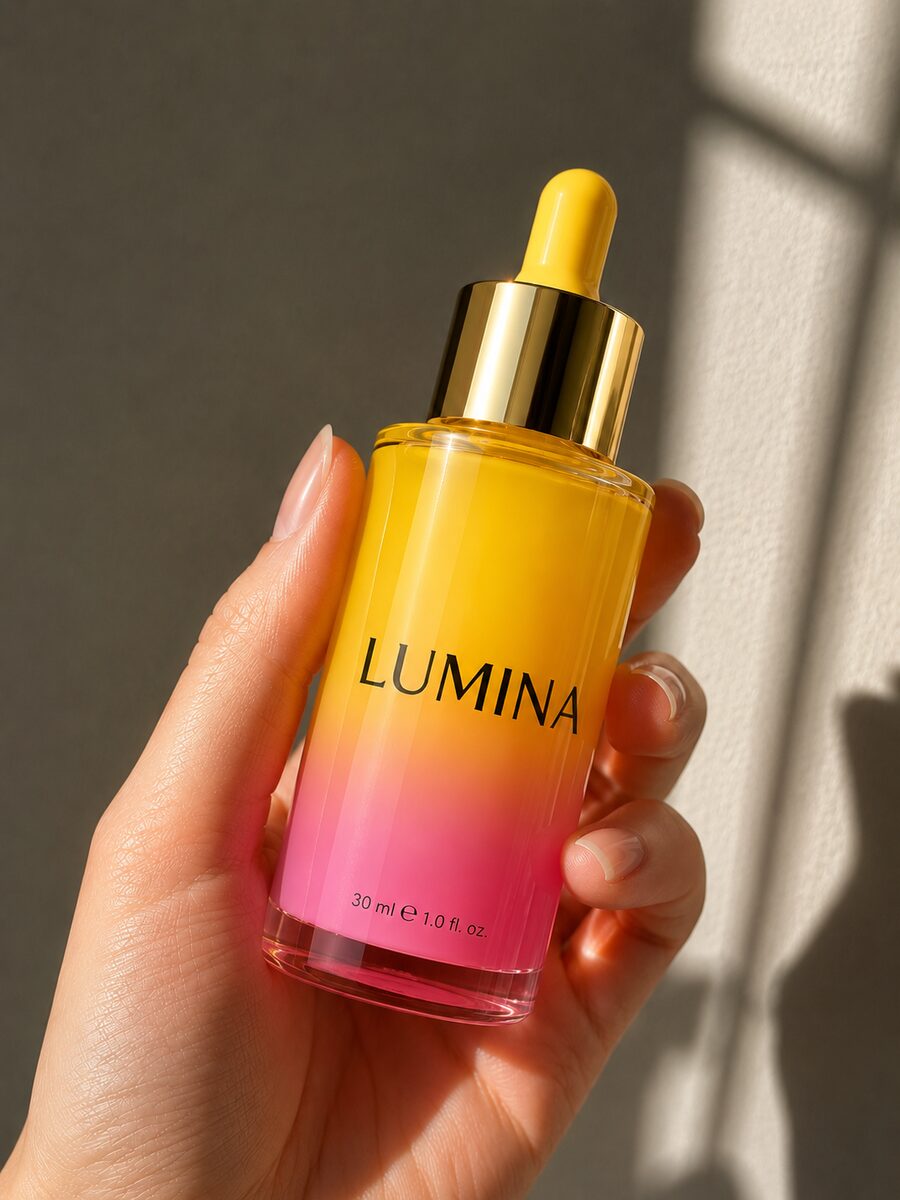
The serum bottle in hand.
A close-up application demo.
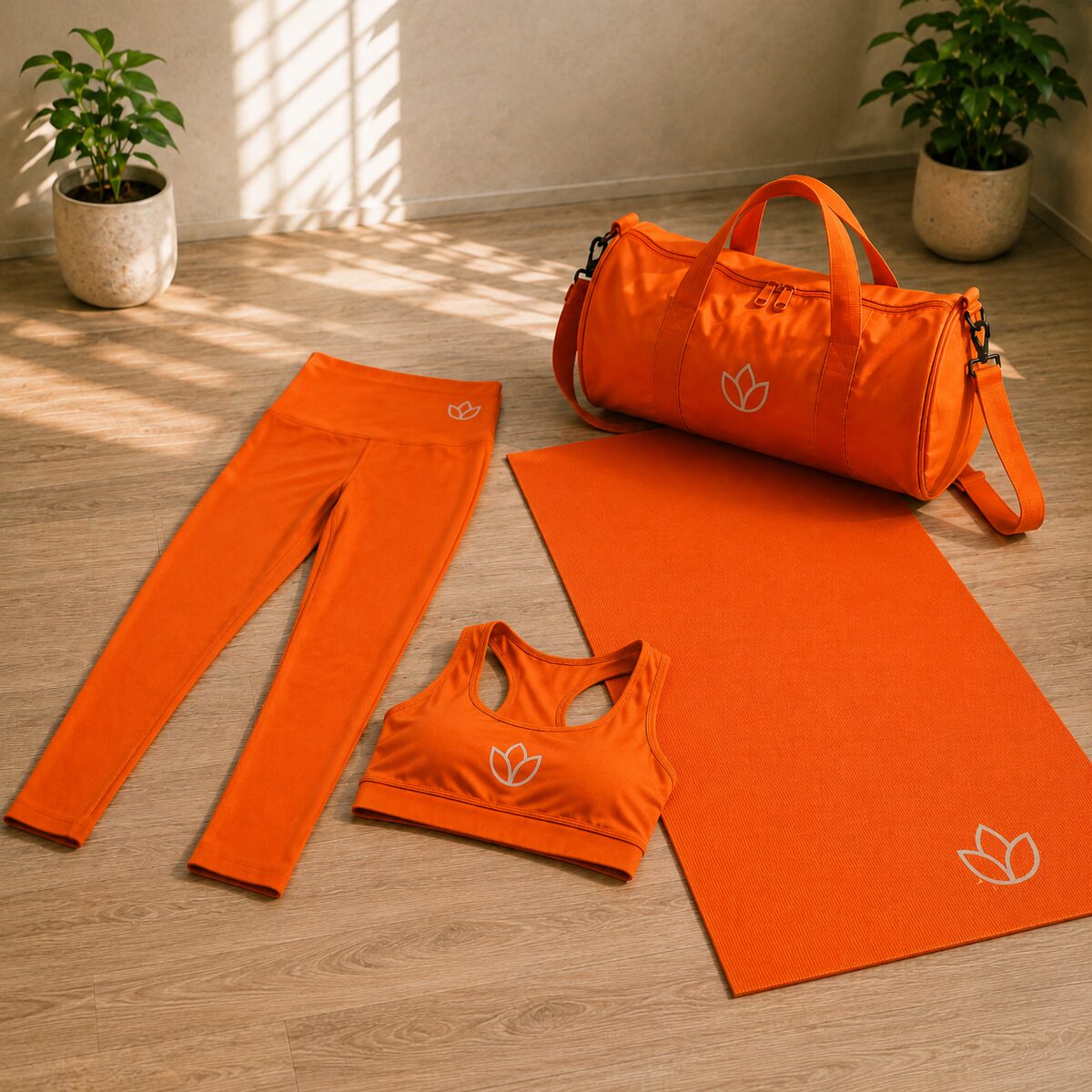
A flat-lay of the set.
A sunlit outdoor reel.
Start with what you already have. Here it's one snapshot of the EDGE bottle in hand - black glass, the wordmark on the front. No studio, no lightbox.
From this moment the image is the product anchor: it keeps the bottle's shape, glass, label and logo placement consistent across every still and every video the agent makes next.
It works for any category, from a fragrance to a gadget to a garment, and the photo doesn't even need to be perfect. The agent only needs to recognise the product, not copy your lighting, so a quick phone shot is plenty.
npx setup-sogni-agent-skillauto-detects Claude Code, Codex CLI & Hermes · installs CLI + skill/plugin marketplace add Sogni-AI/sogni-creative-agent-skill
/plugin install sogni-creative-agent@sognirun inside Claude Codenpm install -g @sogni-ai/sogni-creative-agent-skill@latest
npx setup-sogni-agent-skill --only=codexrestart Codex after installnpm install -g @sogni-ai/sogni-creative-agent-skill@latest
npx setup-sogni-agent-skill --only=hermesthen run /reset in Hermessogni-agent doctorconfirms the CLI + skill are wired upThe Sogni Creative Agent Skill installs in one command - it adds the CLI and the skill and prompts for your API key (grab it from dashboard.sogni.ai). Pick your runtime on the right and copy the command.
The fastest path auto-detects Claude Code, Codex CLI and Hermes in one go. Prefer no install at all? Everything here also runs in chat.sogni.ai - just a browser tab.
All install options live at sogni.ai/agent.With the skill loaded, drop in your product photo and describe the spot in plain language - the agent plans it, estimates the cost in Spark, and routes the job to Seedance 2.0. We'll do exactly that next.
This is where the Skill earns its keep. Ask for a batch and it generates 10 stills at a time - a different creator and location in each, every aspect ratio you'll need, plus clean product-only shots. Same bottle, same label, every frame.
Generate 10 different photos. Different ratios. Use the EXACT same perfume bottle from the reference image, product clearly visible, realistic hands, photorealistic, premium fragrance campaign, UGC advertising content, social media presence, natural expression, shallow depth of field, 4K. Generate and save all images in the folder "Sogni Generations".

1. Handsome dark-haired businessman, 36, tailored navy suit, luxury rooftop in Manhattan at sunset, confidently holding the perfume bottle, authentic UGC luxury fragrance advertisement.
2. Blonde Scandinavian male influencer, minimalist modern apartment with natural sunlight, holding the perfume bottle while speaking to camera, clean luxury aesthetic.
3. Athletic fitness influencer, luxury gym locker room, post-workout atmosphere, holding the perfume bottle naturally, masculine confidence.
4. Mediterranean man with olive skin, white linen shirt, Amalfi Coast terrace overlooking the sea, holding the perfume bottle, luxury travel lifestyle, golden sunlight.
5. Stylish tattooed male creator, trendy industrial loft, fashionable streetwear, holding the perfume bottle casually, edgy masculine vibe.
6. Successful Asian entrepreneur, smart casual outfit, Tokyo skyline at night, city lights behind, holding the perfume bottle confidently.
7. Surfer-type influencer, sandy beach at golden hour, relaxed white shirt, holding the perfume bottle while smiling naturally, fresh summer lifestyle.
8. Sophisticated silver-haired gentleman, luxury hotel lobby, elegant black turtleneck, holding the perfume bottle, refined masculine elegance.
9. Creative artist with curly hair, modern art studio filled with paintings, holding the perfume bottle naturally, artistic luxury lifestyle.
10. Rugged bearded adventurer, mountain viewpoint at sunrise, outdoor jacket, holding the perfume bottle proudly, adventure-inspired luxury fragrance UGC.
Same skill, now for motion. Hand it the bottle photo and a UGC brief - who's holding it, where, which aspect ratio - and Seedance 2.0 generates the creator and the movement, native audio and all.
You don't have to over-specify. Name the creator, the setting and the format, and the agent fills in the rest: pacing, framing, lighting, even the voice-over script. Want a different take? Ask for a new creator, a calmer delivery or a tighter crop, and only that part changes while the bottle stays locked frame to frame. Prefer a different engine? Swap Seedance 2.0 for LTX 2.3 in the same sentence.
Use Sogni Skill. Use Seedance 2.0. Reference image: the EDGE bottle photo. UGC content type.

A young, handsome, French-looking man, around 25-30, is showing off the fragrance in his own bedroom - nothing styled or staged. Aspect ratio 9:16.

Highly realistic: natural skin texture, well-built physique, candid handheld movement, premium lighting, sharp focus.

Product consistency is critical: the EDGE bottle must stay identical in every shot - same packaging, label, text, logo placement, colours and proportions across all scenes.
npx setup-sogni-agent-skill
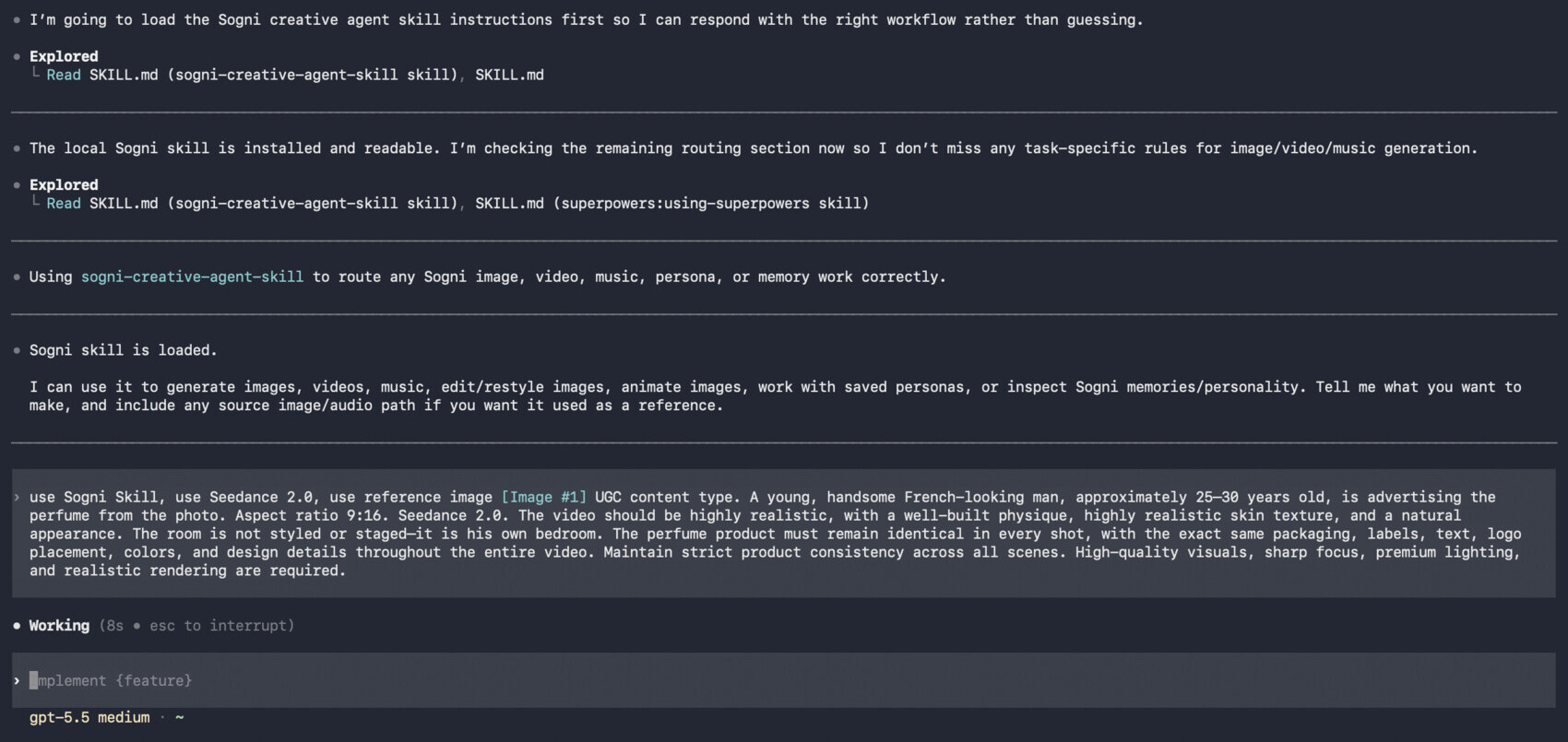

From here it's all variations. Keep the same creator and drop them into a fresh scene, or spin up a brand-new one - a different guy, or a female creator entirely. You choose how they sound, too: a voice-over narrating over the shot, or the creator talking straight to camera. Three cuts here, each a different person, the bottle byte-for-byte the same.
Finish the set with a clean product film - the same bottle, no creator, just the hero shot for the top of the feed or an end card. One photo has now produced a campaign of stills and a stack of videos.
There are two ways to build the LUMI spot - and they share one trick. Seedance 2.0 won't take a real person's face, so instead of fighting it you anchor your real product and let the model generate the creator around it. We start in chat.sogni.ai with the shampoo bottle as the reference.
Strengthen the prompt while you're at it: spell out that the logo, the captions at the bottom and any other details must stay identical across the whole video, so nothing drifts between shots.
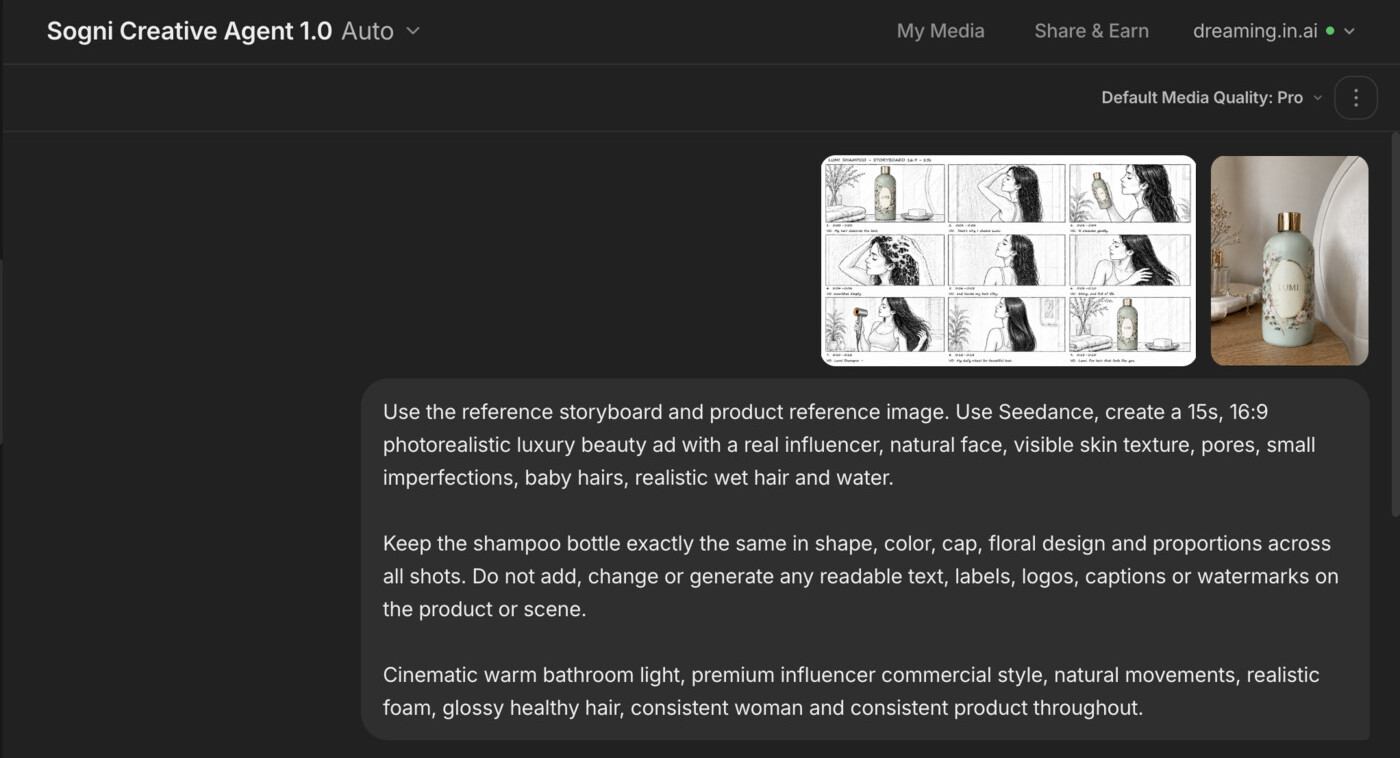
1 · The brief. Type the spot in plain language and attach the storyboard and the product reference. Set the format, the mood, and a firm product-consistency note. New to storyboards? Our guide Storyboards that move walks through making one from scratch.
Use the reference storyboard and the product reference image. With Seedance, create a 15s, 16:9 photorealistic luxury beauty ad with a real-looking influencer - natural face, visible skin texture, pores, small imperfections, baby hairs, realistic wet hair and water.

Keep the shampoo bottle exactly the same in shape, colour, cap, floral design and proportions across all shots. Do not add, change or generate any readable text, labels, logos, captions or watermarks on the product or scene.

Cinematic warm bathroom light, premium influencer commercial style, natural movements, realistic foam, glossy healthy hair, consistent woman and consistent product throughout.
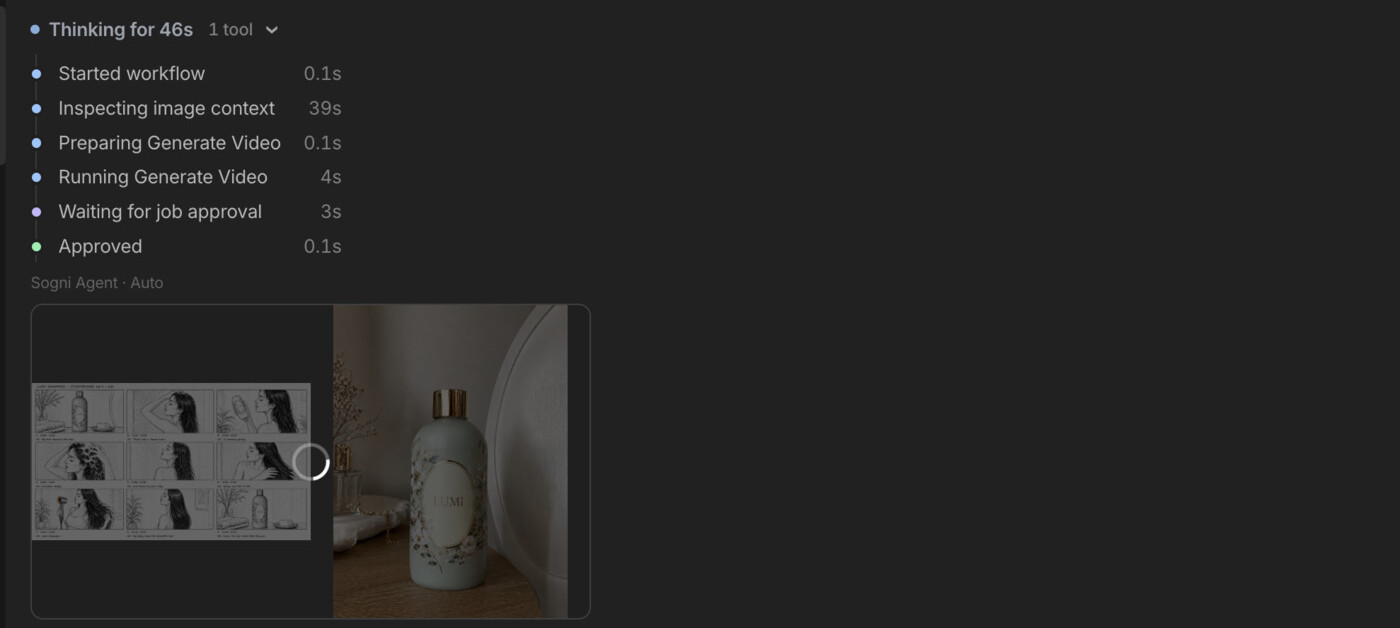
2 · The plan. The agent inspects the board and the product, works out the beats, and gets the render approved - all before it draws a frame.
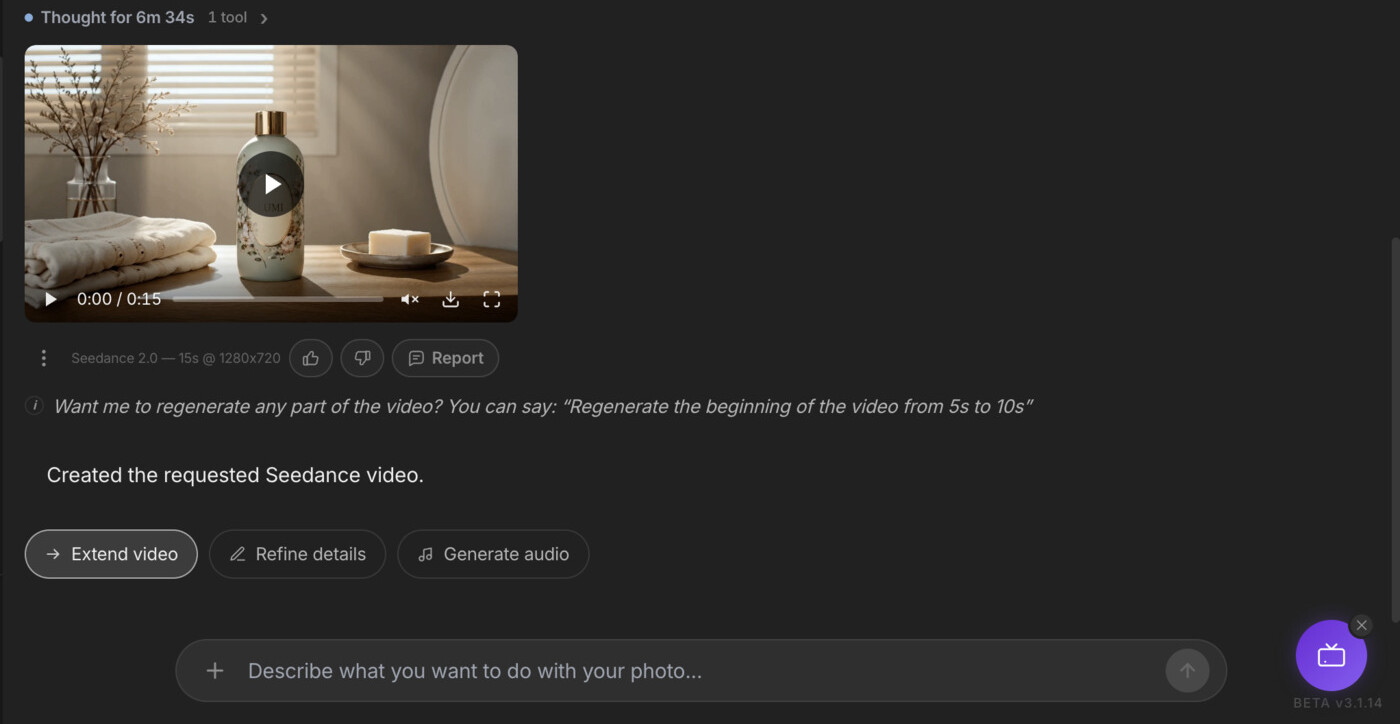
3 · Delivered. The finished video lands right back in the conversation - with Extend, Refine and Generate-audio buttons to keep shaping it without ever leaving chat.
Here's the storyboard it drew along the way: nine panels with timecodes and voice-over baked in - bottle on the shelf, the shower ritual, the blow-dry payoff, the hero packshot. That's the beauty of a storyboard: you get a preview of every scene, and you can define and re-tweak it as many times as you like before spending a credit on the video.
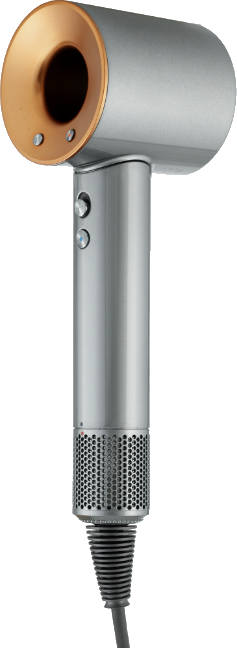
And the finished spot: a real-looking influencer with natural skin texture and wet hair, the LUMI bottle never changing - a polished 16:9 beauty ad straight out of the chat. It even picks up the hairdryer we put in the storyboard - dropping in a styling tool like that is a nice touch for extra realism.
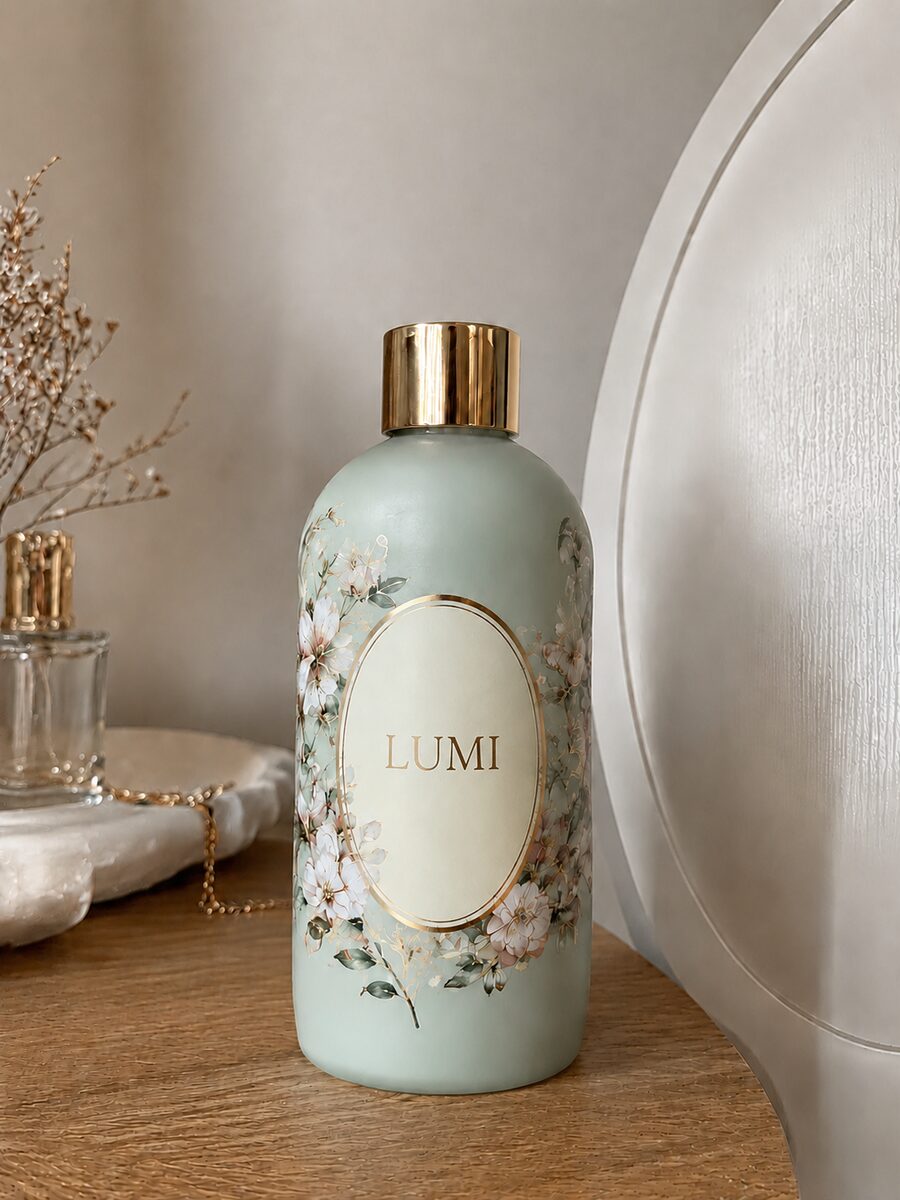
The second way skips the storyboard entirely. Drop only the bottle into the Sogni Skill in your terminal and ask for a UGC ad in one line. The agent writes its own brief, picks Seedance, plans the beats and renders - start to finished MP4, hands-off.
Create an advertisement for this product (reference image). The text on the bottle must stay clearly visible and readable. Use Seedance, 15-second duration, 16:9. Style: UGC - an Instagram influencer testing the shampoo. Maintain brand consistency throughout.
npx setup-sogni-agent-skill
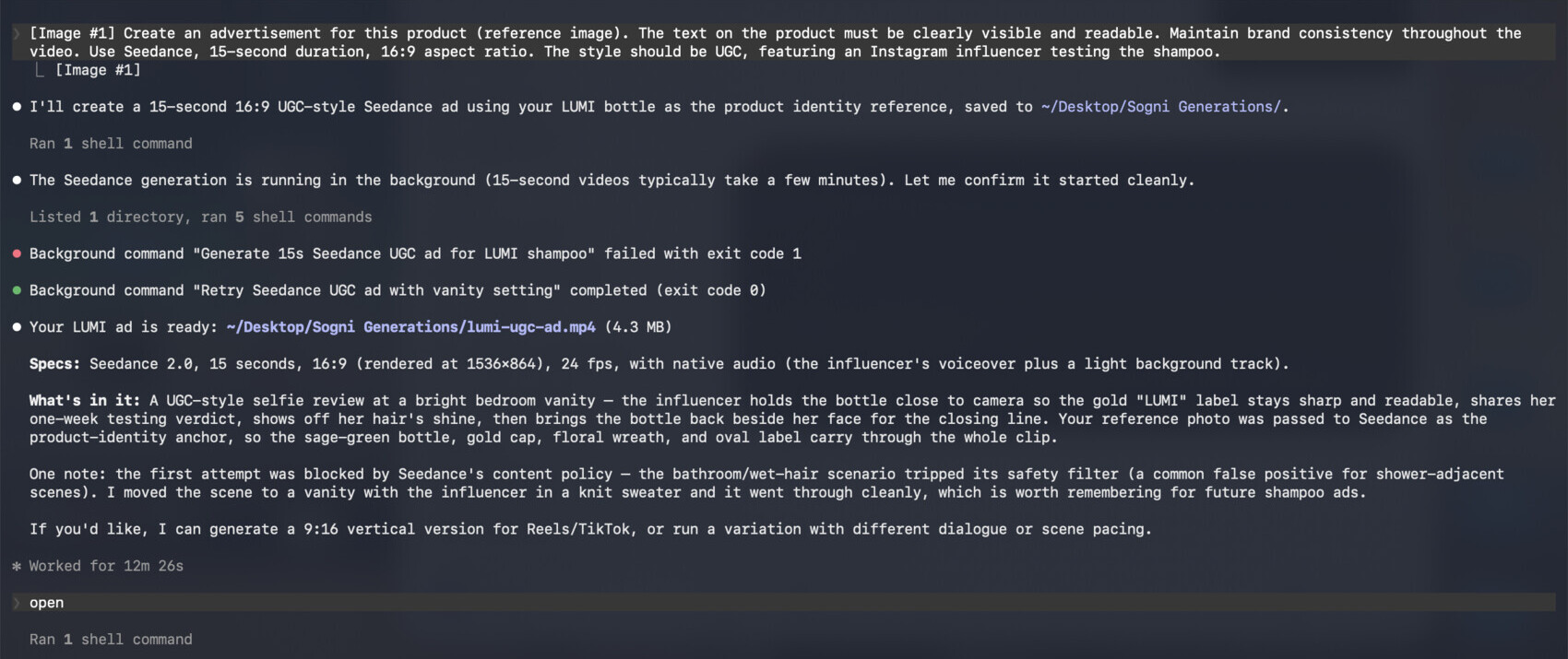
That's the entire workflow - and it's the one you'll reuse forever. Open the Sogni Skill in your terminal, swap in your own product as the reference image, and type one sentence describing what should happen. No storyboard, no prompt engineering - the agent fills in the rest: it drafts the brief, picks the model, estimates the Spark cost, renders, and saves the finished MP4.
New product next week? Drop its photo in as the reference and send the same one-liner - a fresh ad in minutes. Want a vertical cut for Reels, a square for the feed, or a different scene? Change just that part of the sentence and run it again; everything else stays locked.
That's the point of Sogni. The same photo that anchors your product writes the brief, casts the creator and renders the video - metered, reversible, and locked to your brand the whole way. No casting calls, no shipping samples, no waiting on footage.
Start in the chat or run it from your terminal. Then save the chain as a Workflow Template and the next product drop is one prompt away - a fresh batch of stills and a stack of videos, not a pile of separate calls.


