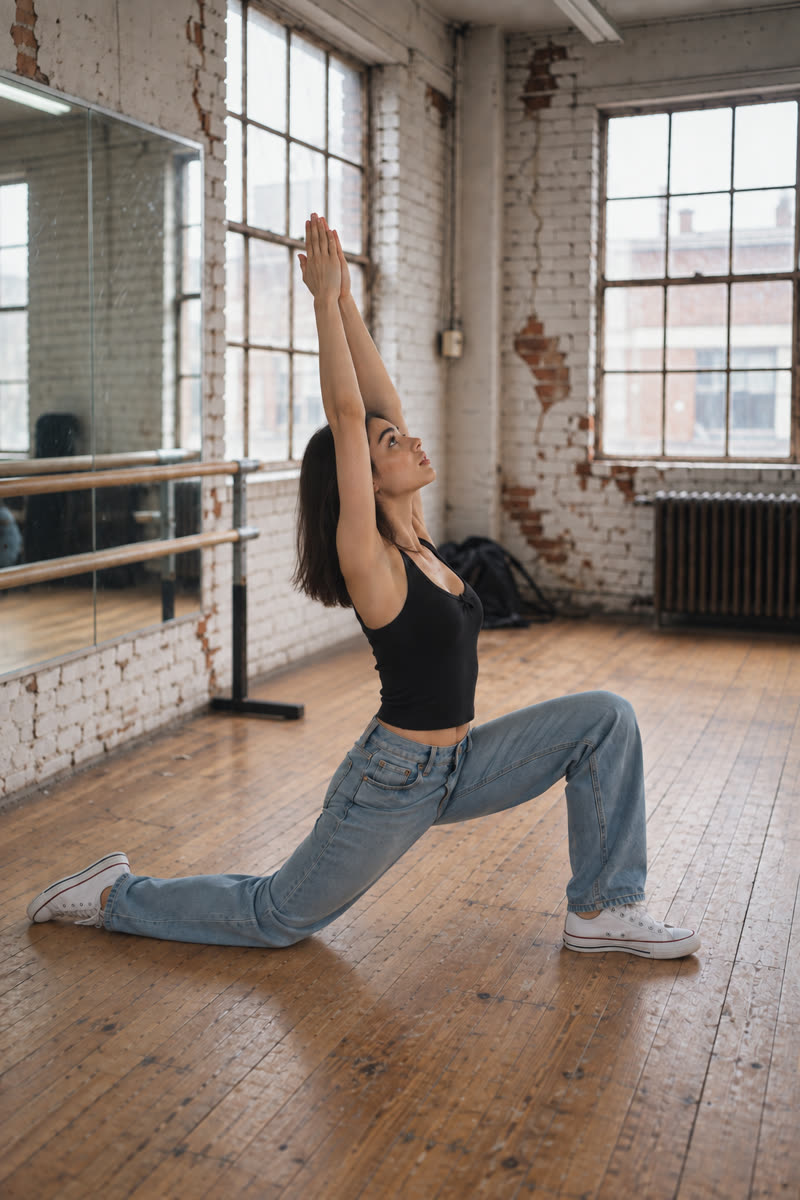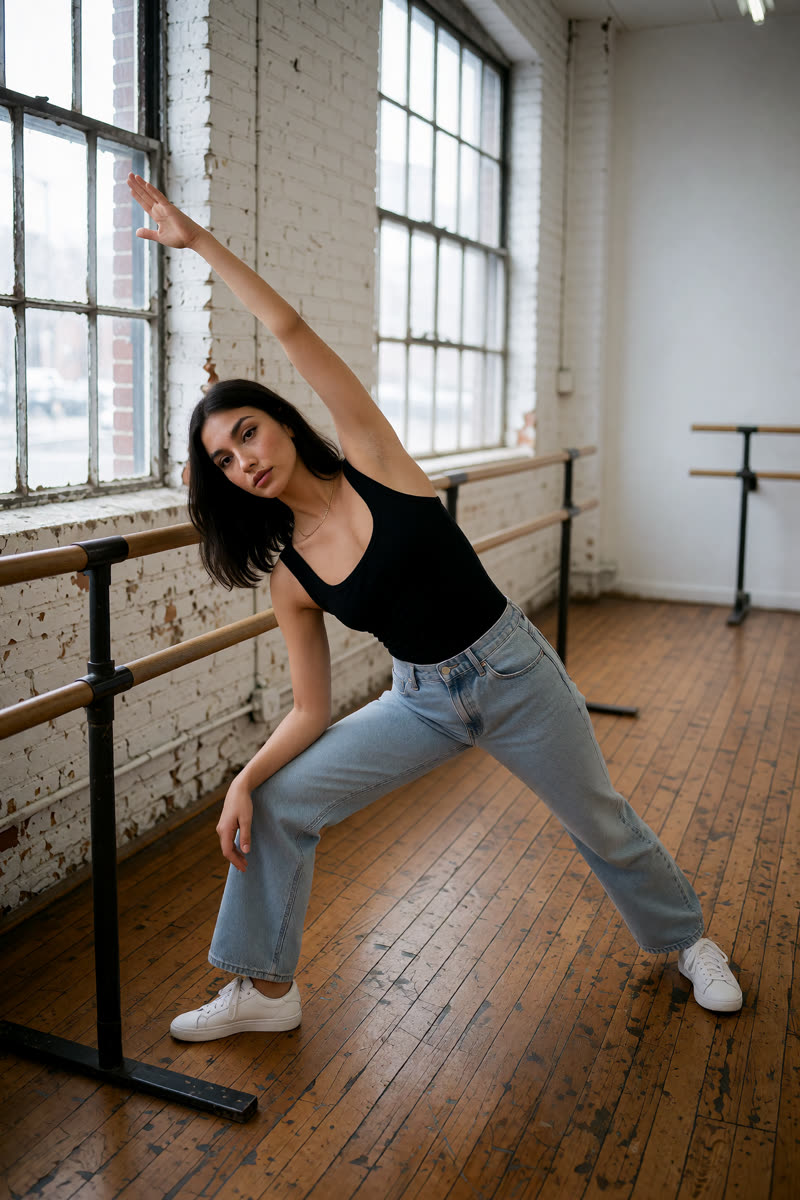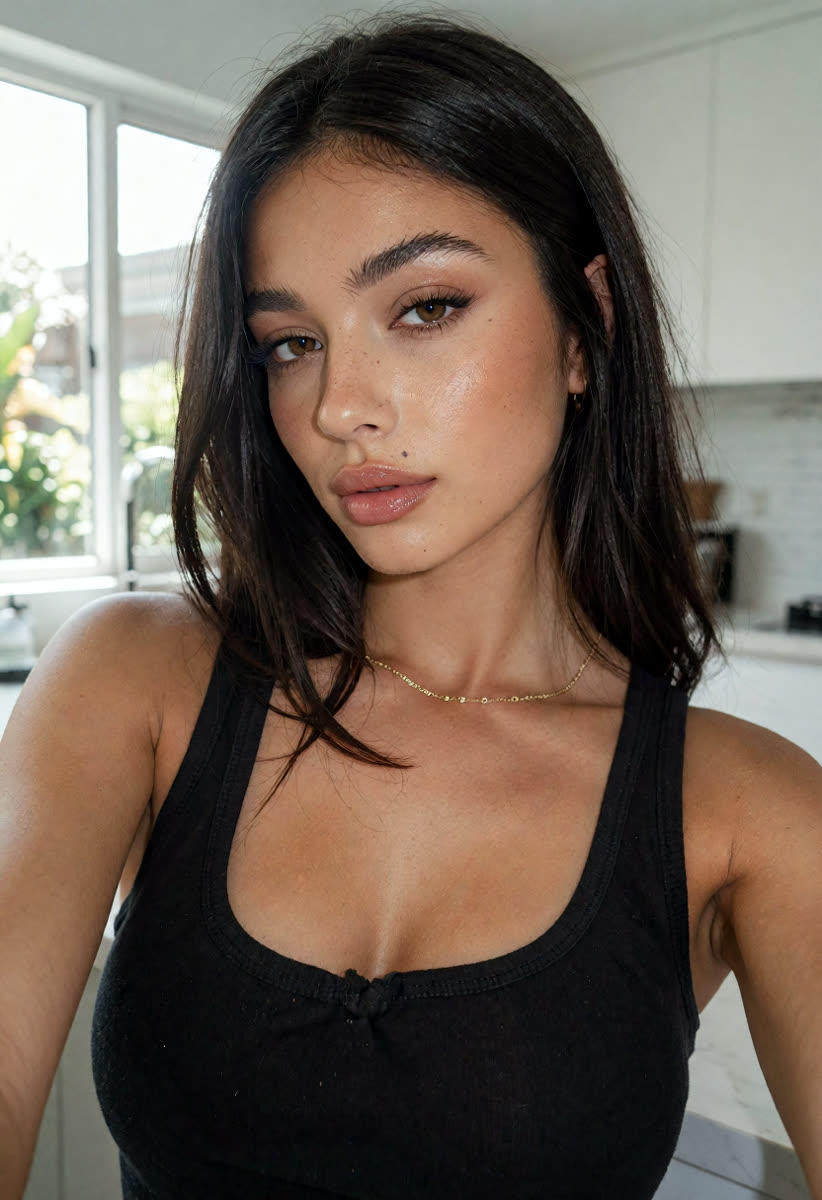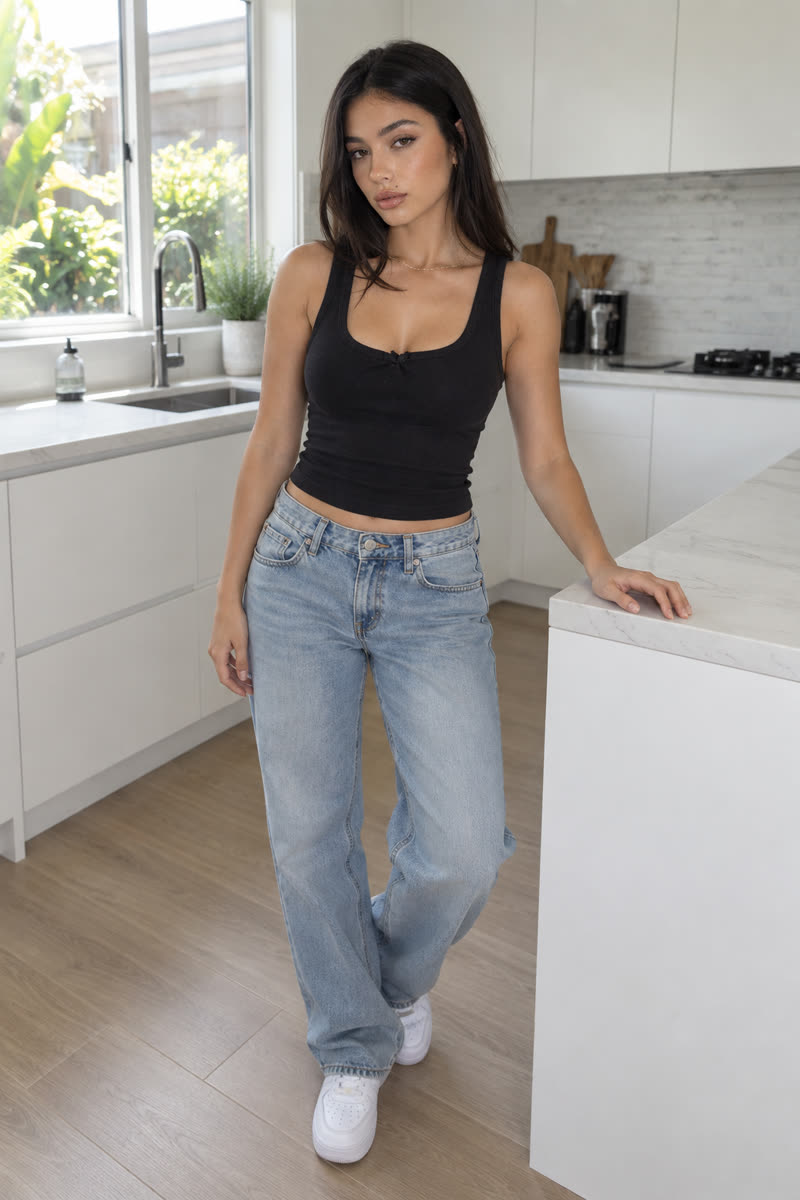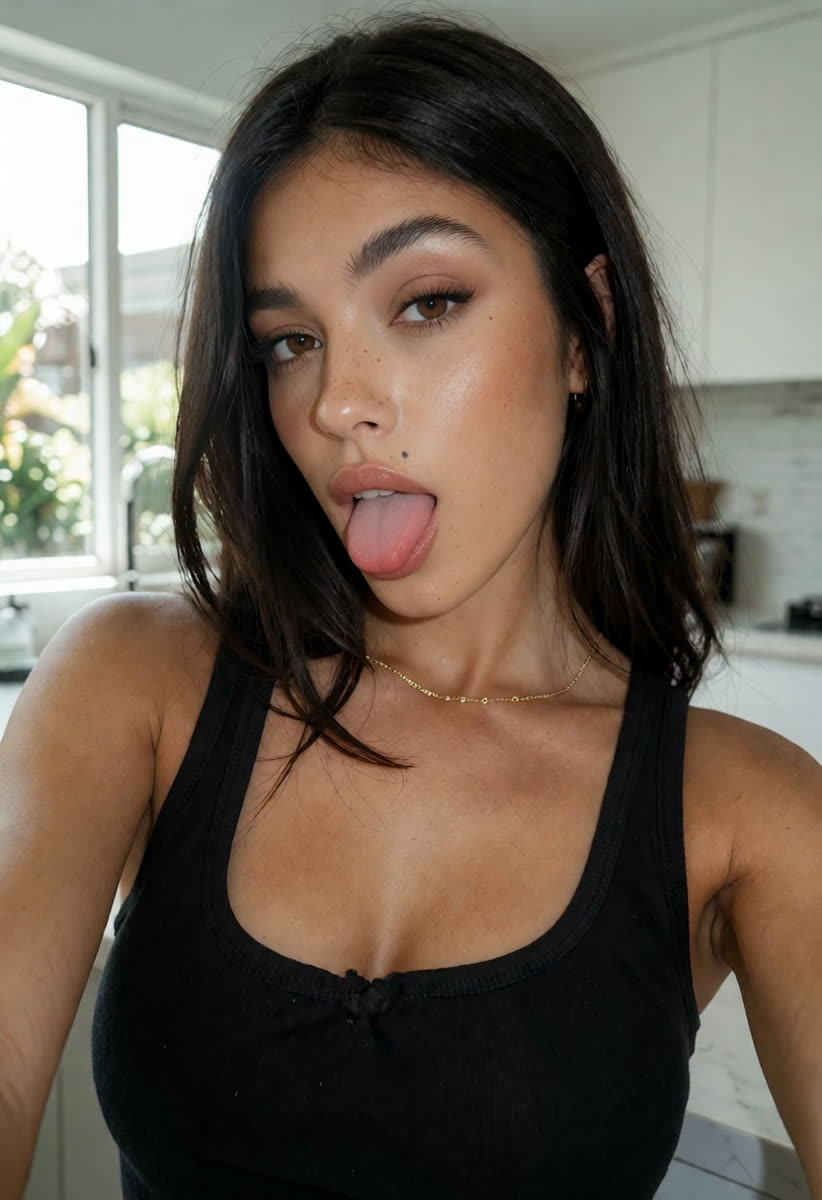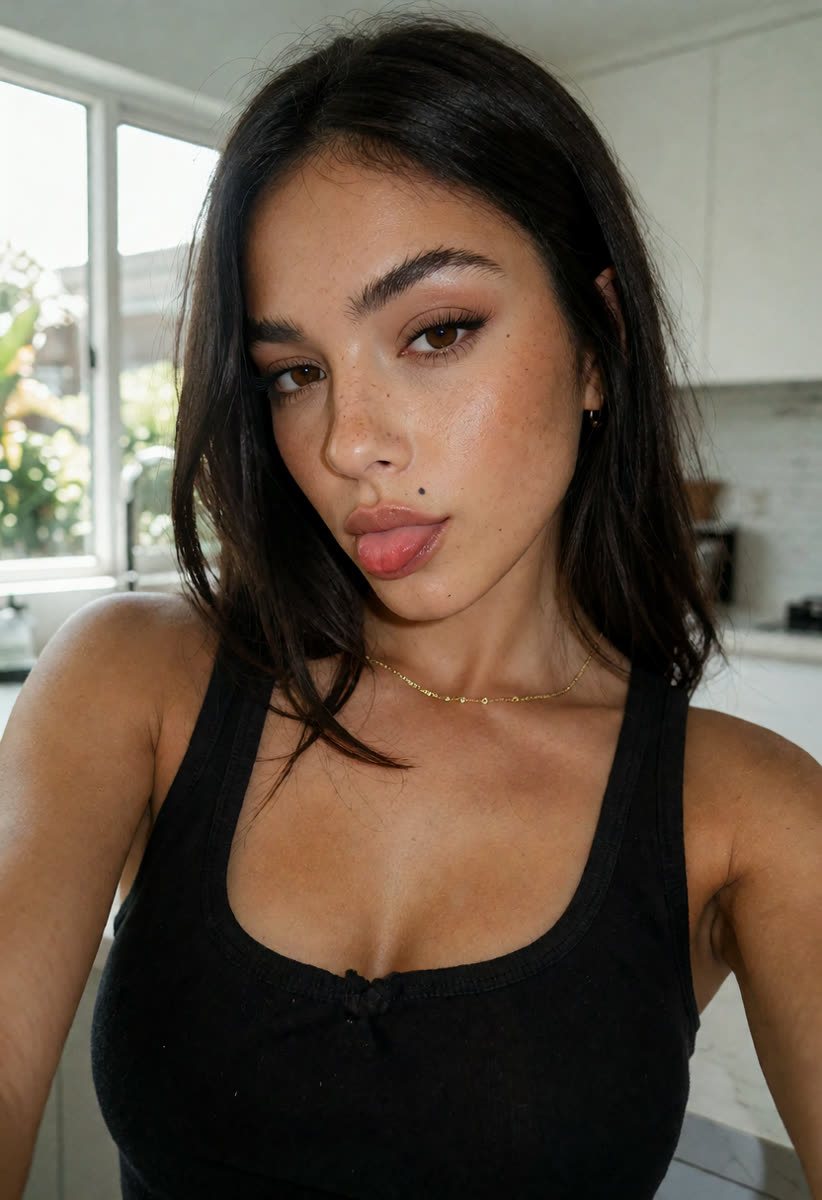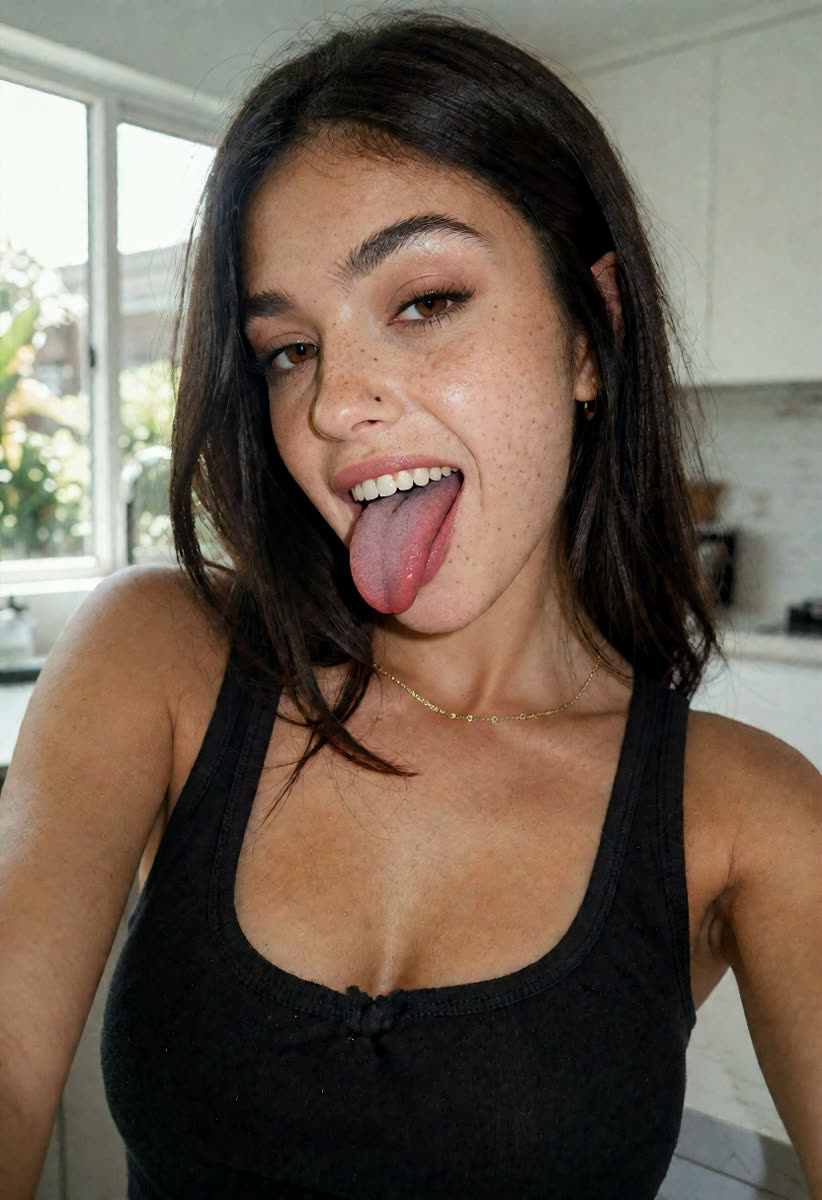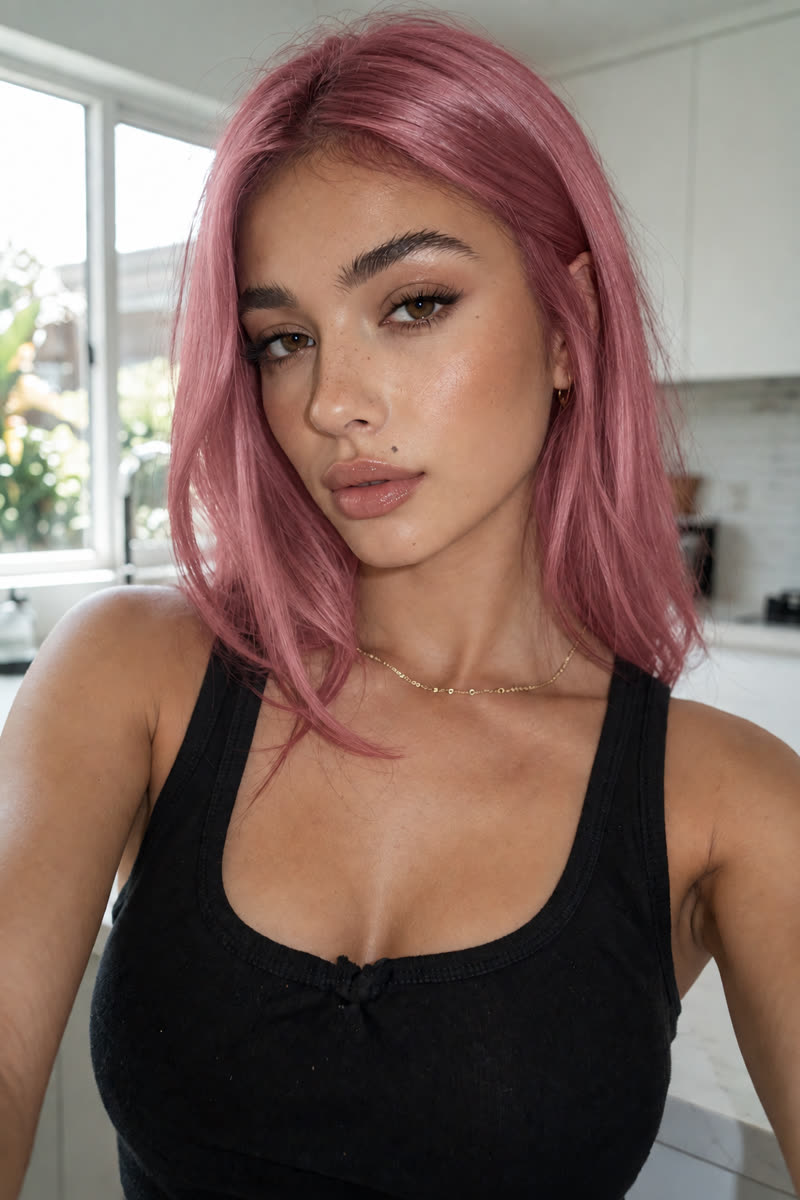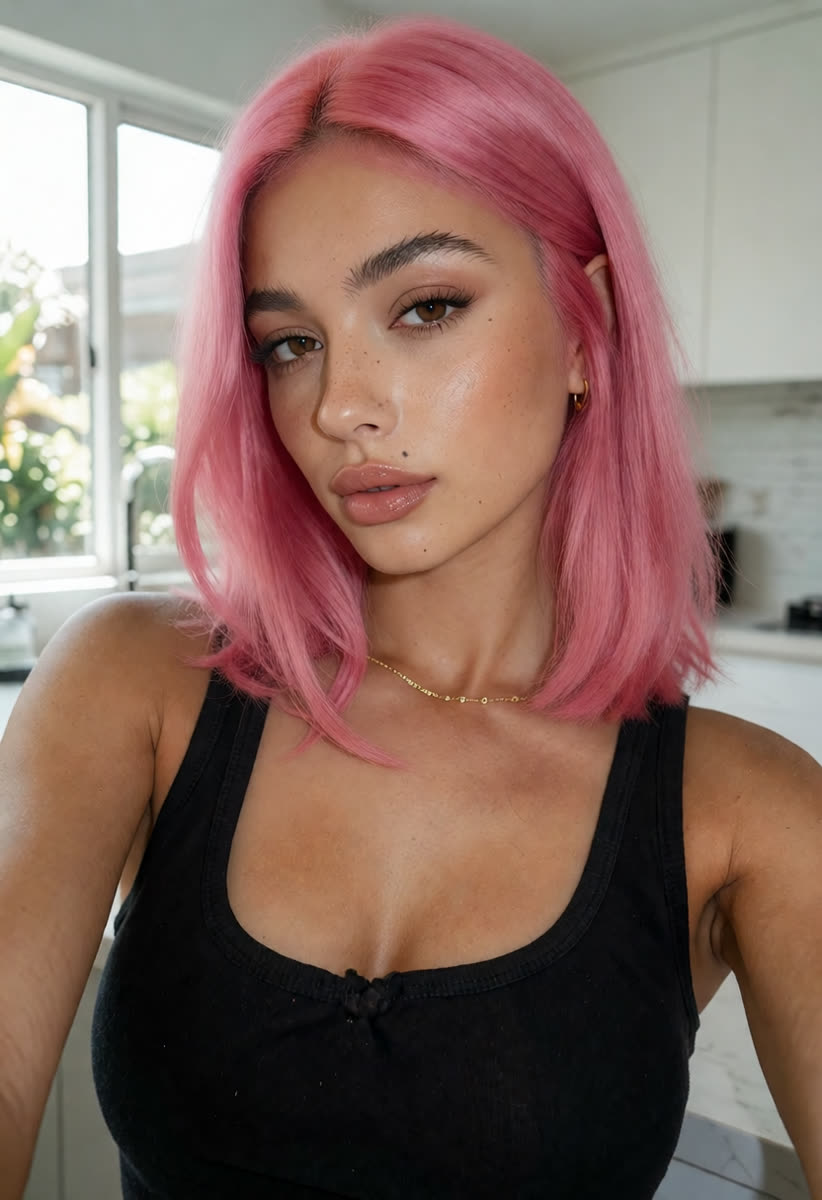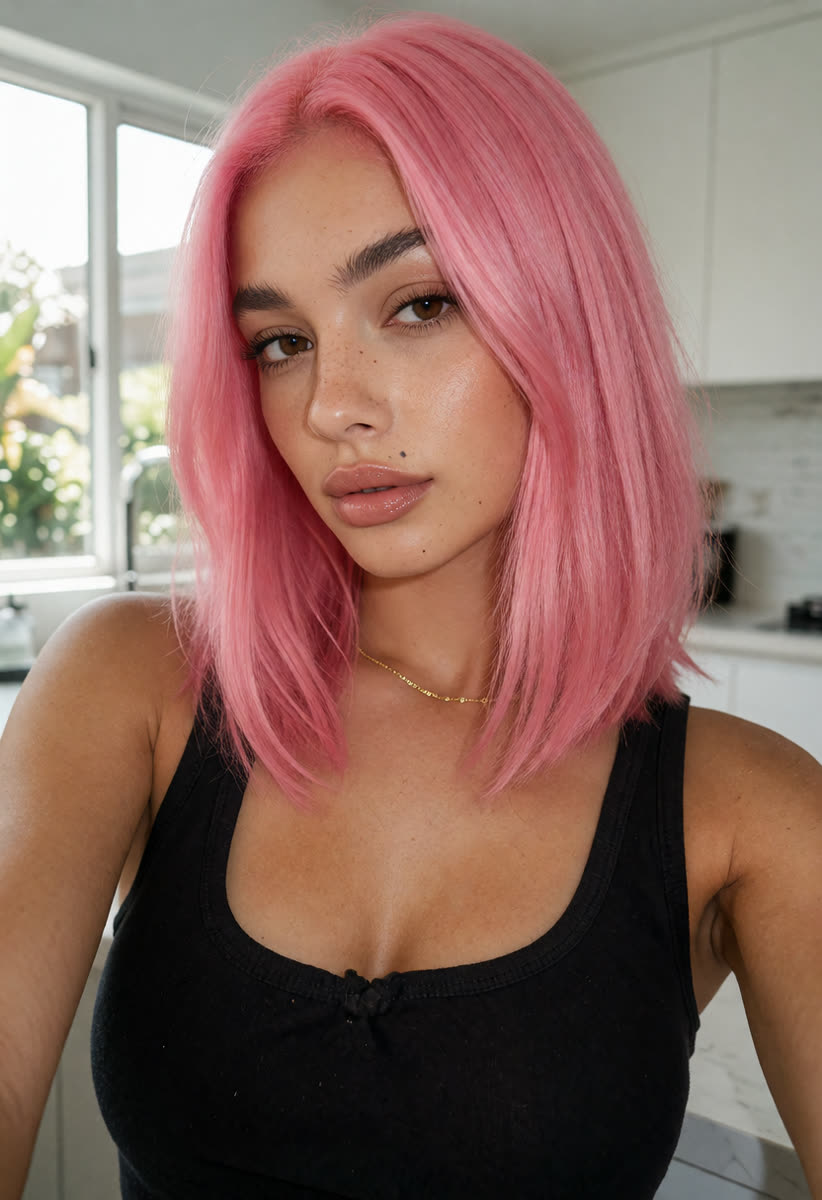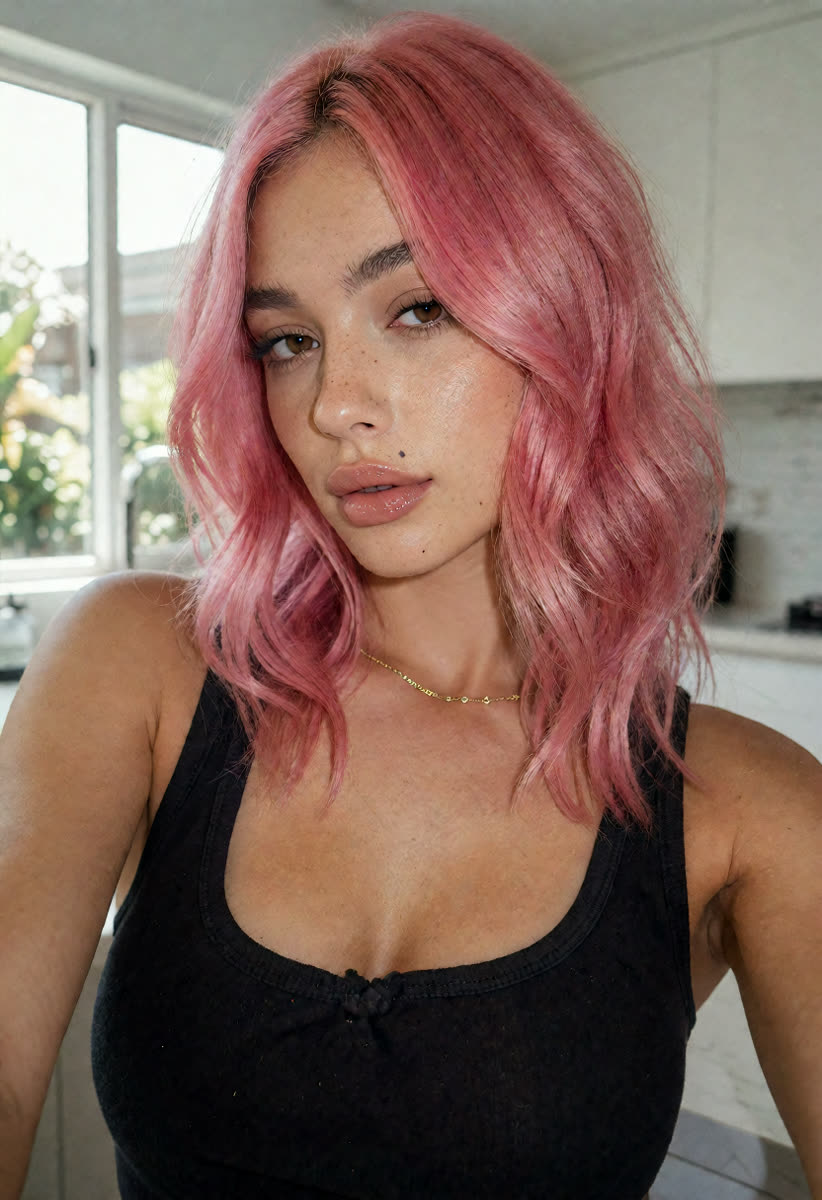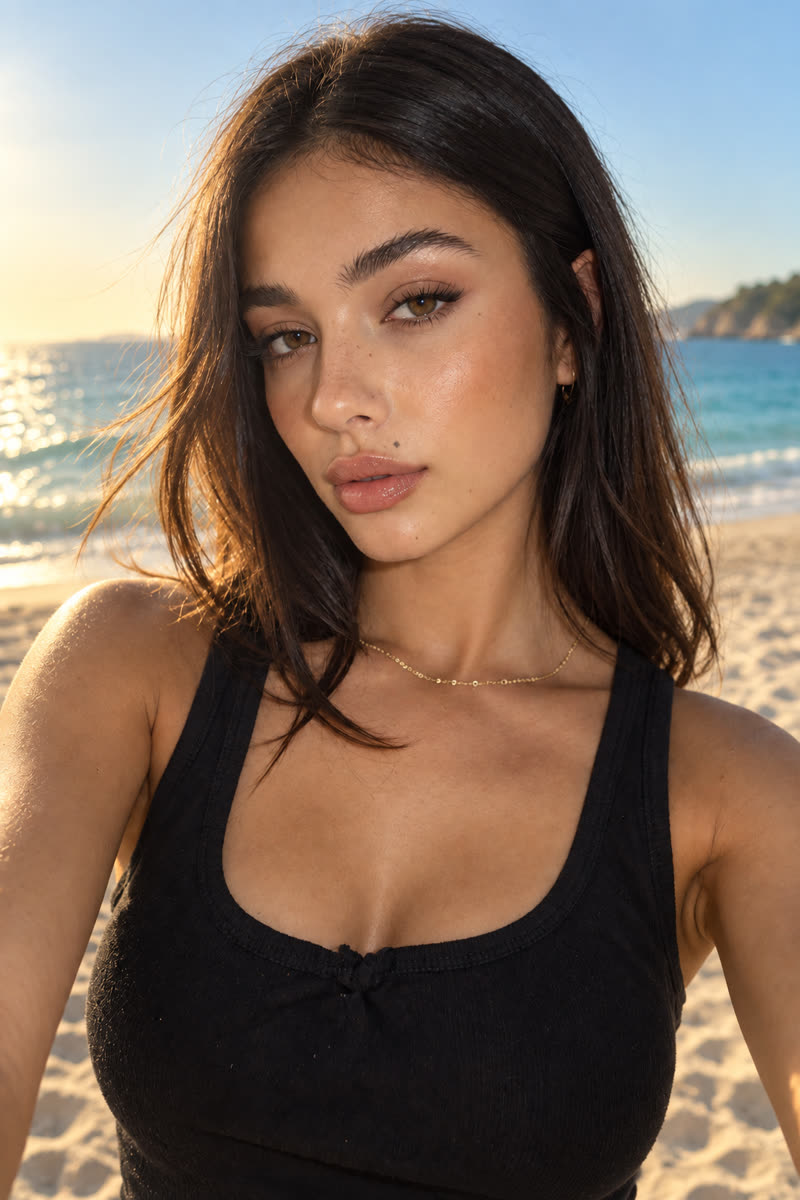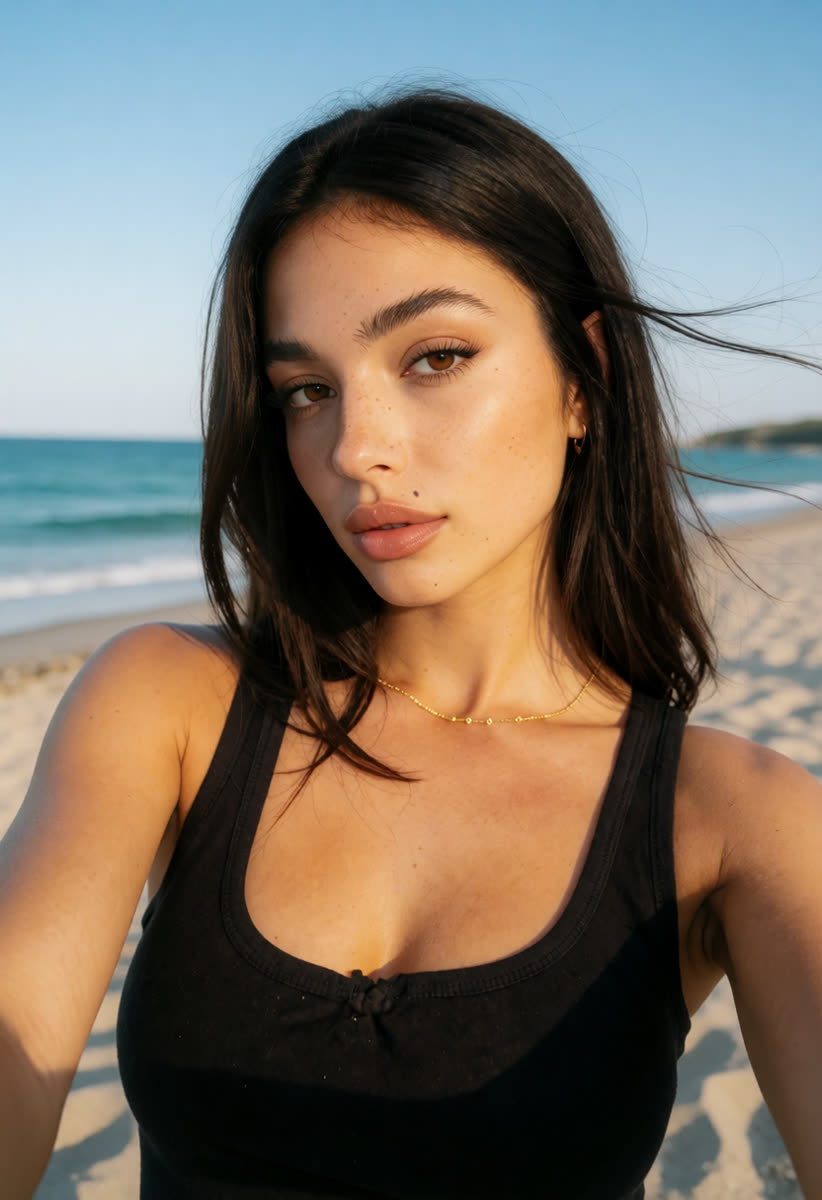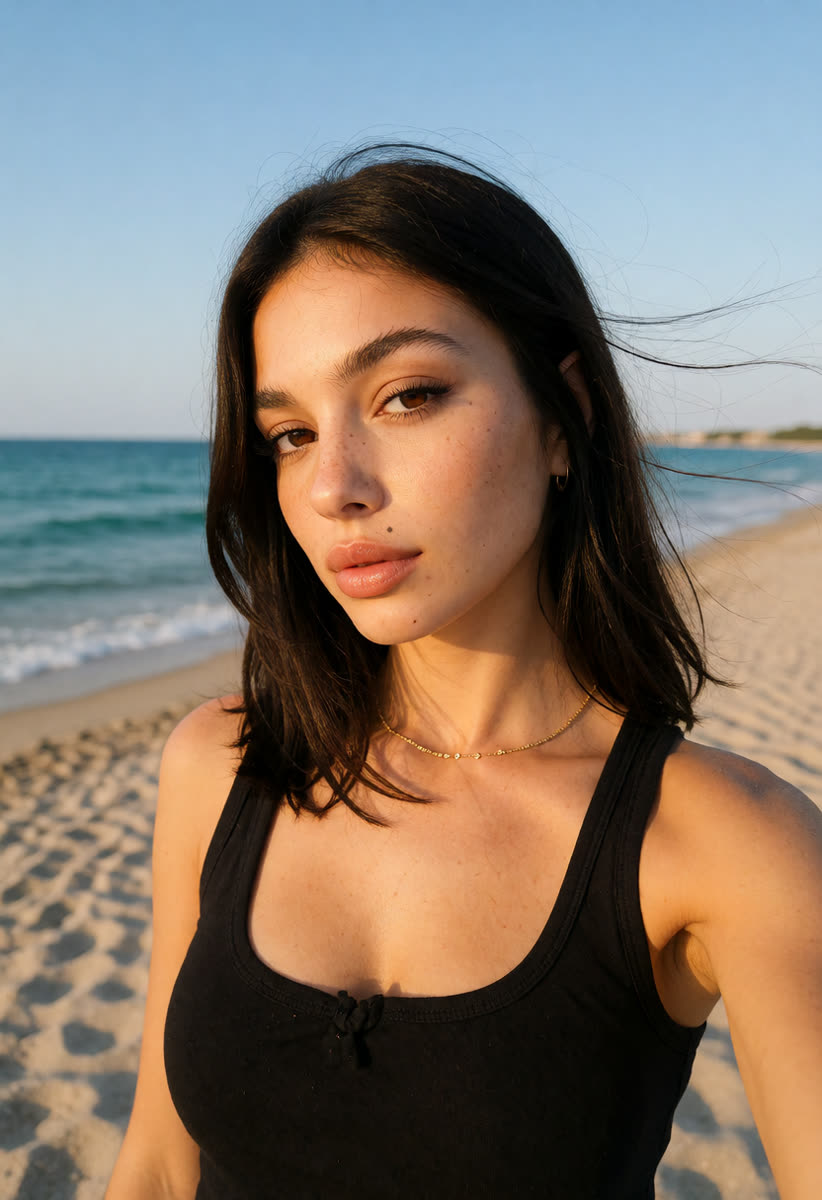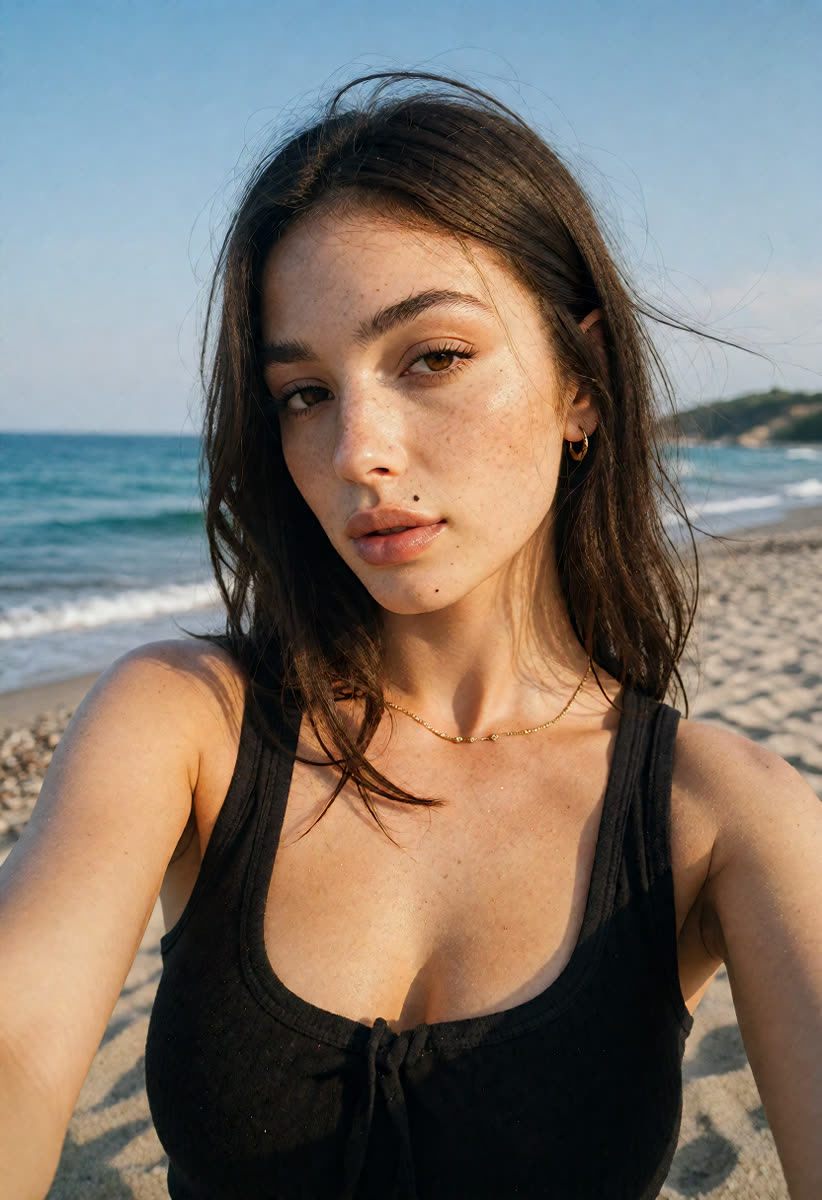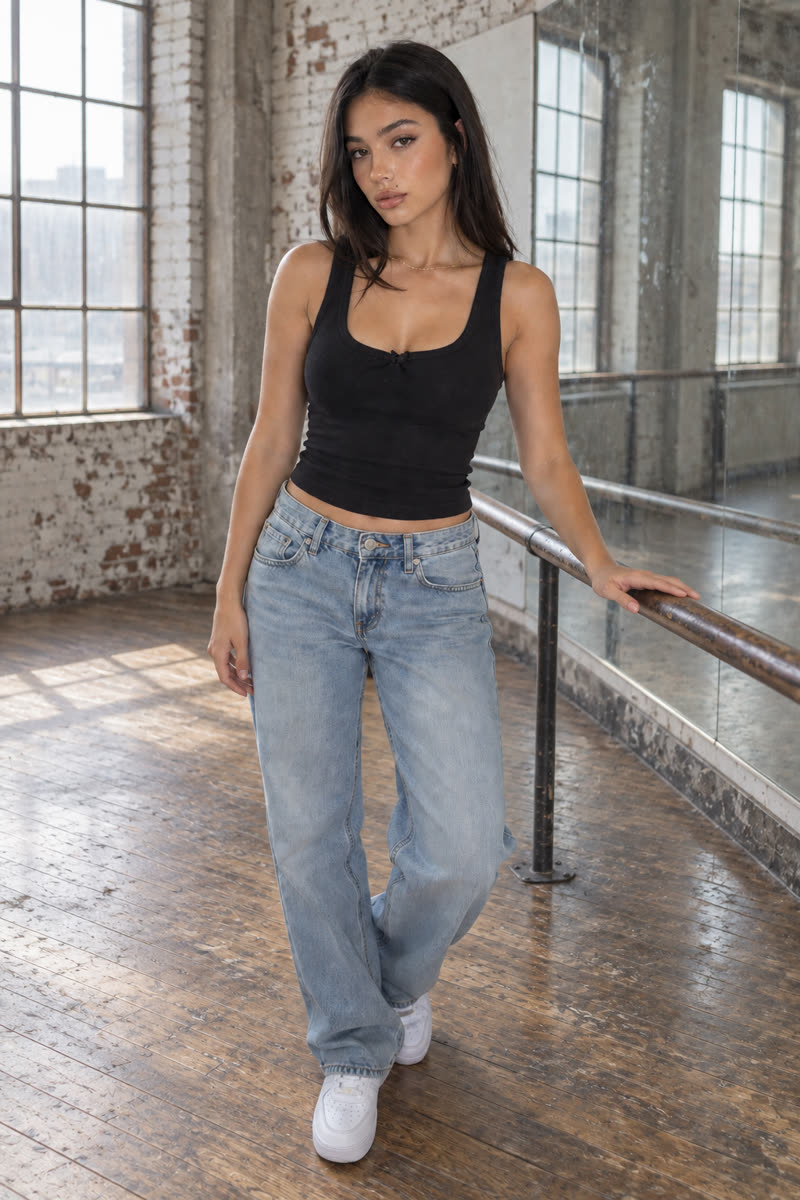
/ Blogs & Newsletters
Sogni Krea v0.3
GPT Image 2.5
GPT on Dark Beast base
Krea v1.2

One photo. Four editing workflows.

Start with one simple edit, then try new outfits, backgrounds and poses.

GPT Image 2.5Photo edits and detail fixes. Paid credits.
Sogni Krea v0.3New looks for the same person. Included in Unlimited.
Krea v1.2Change clothes, hair or location. Included in Unlimited.
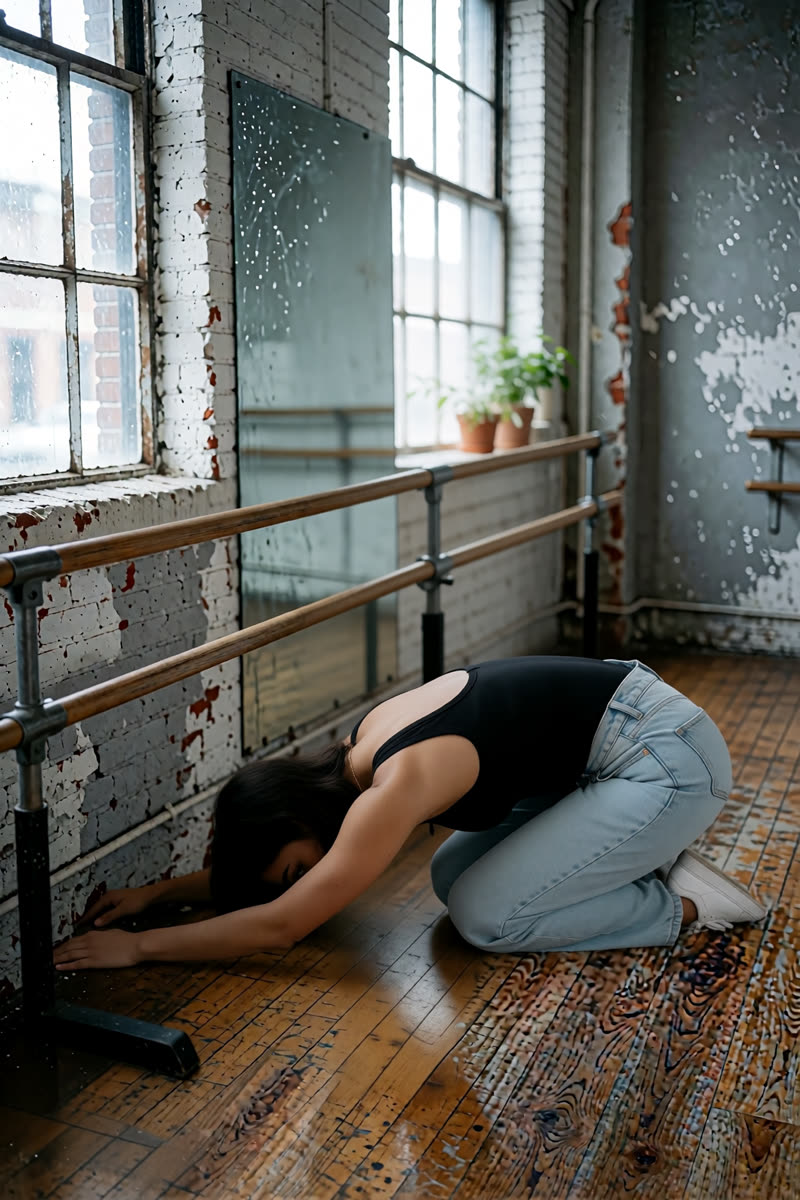
Dark BeastBold styles. Included in Unlimited.
A guide for your first photo edits

One photo, eight edits, four editors.

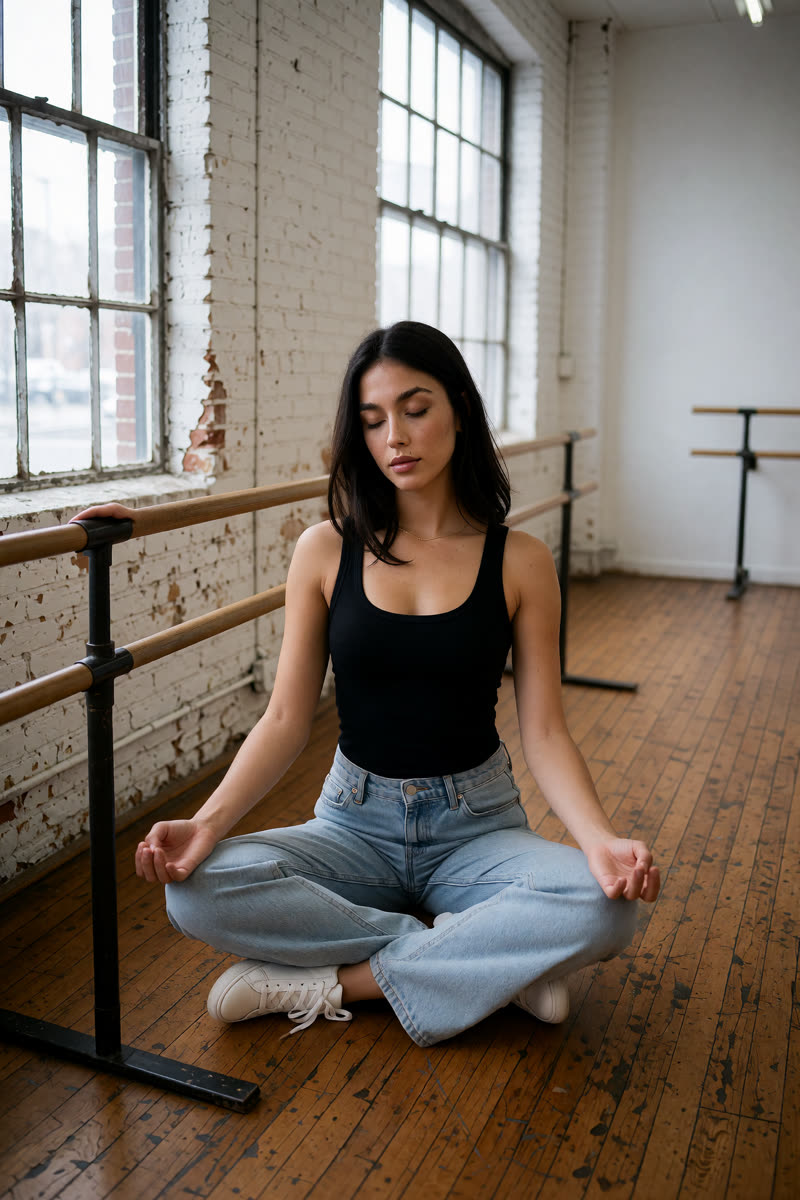
Want to try pink hair, a new outfit or a different background in your photo? You can ask an AI editor to make those changes in everyday language. In Sogni, the model is the AI editor you choose, and the prompt is the written instruction you give it.

New to AI? Start with the hair-colour walkthrough below. After that, pick an example you like. You can try the simple edits independently; you do not need to complete every section in order.

The examples follow one selfie through eight edits, then explore 25 poses. Some use one model; others use one editor, then another. The captions explain which photos to upload and which model makes the edit. Different photos and instructions can give different results.

Before you begin

Know which edits your plan covers.

With a Sogni Unlimited subscription, edits made in the app with Sogni Krea v0.3, Krea v1.2 and Dark Beast are included under fair use. GPT Image 2.5 uses Premium Spark (purchased credits) and is paid separately, even with Unlimited. That also applies when GPT edits a picture made with Dark Beast.

Start here

Your first edit: try pink hair

You need a clear photo of one person with their face and hair visible. This is your reference photo: the picture the AI will edit. Keep the original so you can compare it with the result.

  1. Open Sogni Create and sign in. Use this link to select Sogni Krea v0.3. In the model picker, its full name is Sogni Krea 2 Identity Edit v0.3 Alpha.
  2. Upload your photo. Open Context and add your photo there. On a phone, tap Context to open the Context Images panel. For this edit, use just one photo.
  3. Give the editor an instruction. Tap Copy on the prompt below, then paste it into Prompt. You can replace “rose pink” with a colour you prefer.
  4. Make one image. Set the batch size (the number of images to make) to 1. Leave the other model settings at their defaults, review the displayed cost, then tap Imagine.
  5. Compare and save. Check the hair colour, then the face, clothes and background. If anything else changed, try a simpler instruction that names what should stay the same. Save the result you like.
Suggested first-edit promptChange only the hair colour of the person in this photo to rose pink. Keep their haircut, face, expression, clothes and background the same.

Ready for more? See the four pink-hair examples, try a comic illustration, or change to a seaside background.

Using the longer prompts. They describe the woman in our example photo. Replace details such as “freckles,” “gold chain” and “black tank top” with details from your own photo. Instructions such as “keep her face identical” describe what you want; always check the result. To continue editing, upload your saved result as the next reference photo. To start a separate idea, upload the original again.
0The line-up

Meet the four editors

All four models can edit a photo from a written instruction. Use these suggestions to pick a starting point, then check the result before making another edit. We use short names in the captions; the cards below show the names to look for in the app.

GPT Image 2.5

Detailed photo edits

Find in the app: GPT Image 2.5 Sunburst or GPT Image 2.5 Flare.

  • Try it for a new background, a full-body photo or a final detail fix.
  • It can use two photos: one to edit and another to show a face or pose.
  • Our examples use Sunburst unless the caption says Flare.

Cost: Premium Spark (purchased credits), paid separately from Unlimited.

Sogni Krea v0.3

A place to start

Find in the app: Sogni Krea 2 Identity Edit v0.3 Alpha.

  • Try it for hair colour, a comic style or a different expression.
  • The portrait examples keep recognisable features from the selfie.
  • Check body position carefully in the more difficult pose edits.

Cost: Included in Sogni Unlimited under fair use.

Krea v1.2

Clothes, hair and location

Find in the app: Krea 2 Identity Edit. We call this version Krea v1.2 below.

  • Try it for a different outfit or hairstyle.
  • The full-body example uses two edits: first the body, then the face.
  • You can upload a saved result to make another change.

Cost: Included in Sogni Unlimited under fair use.

Dark Beast

A bolder look

Find in the app: Dark Beast KREA 2 Identity Edit. It appears when the Sensitive Content Filter is off.

  • In these examples, freckles and skin details look more pronounced.
  • The pink-hair result also changes the haircut, so check both.
  • Some later examples begin with Dark Beast, then use GPT for further edits.

Cost: Dark Beast edits are included in Unlimited under fair use. Any later GPT edits use purchased credits.

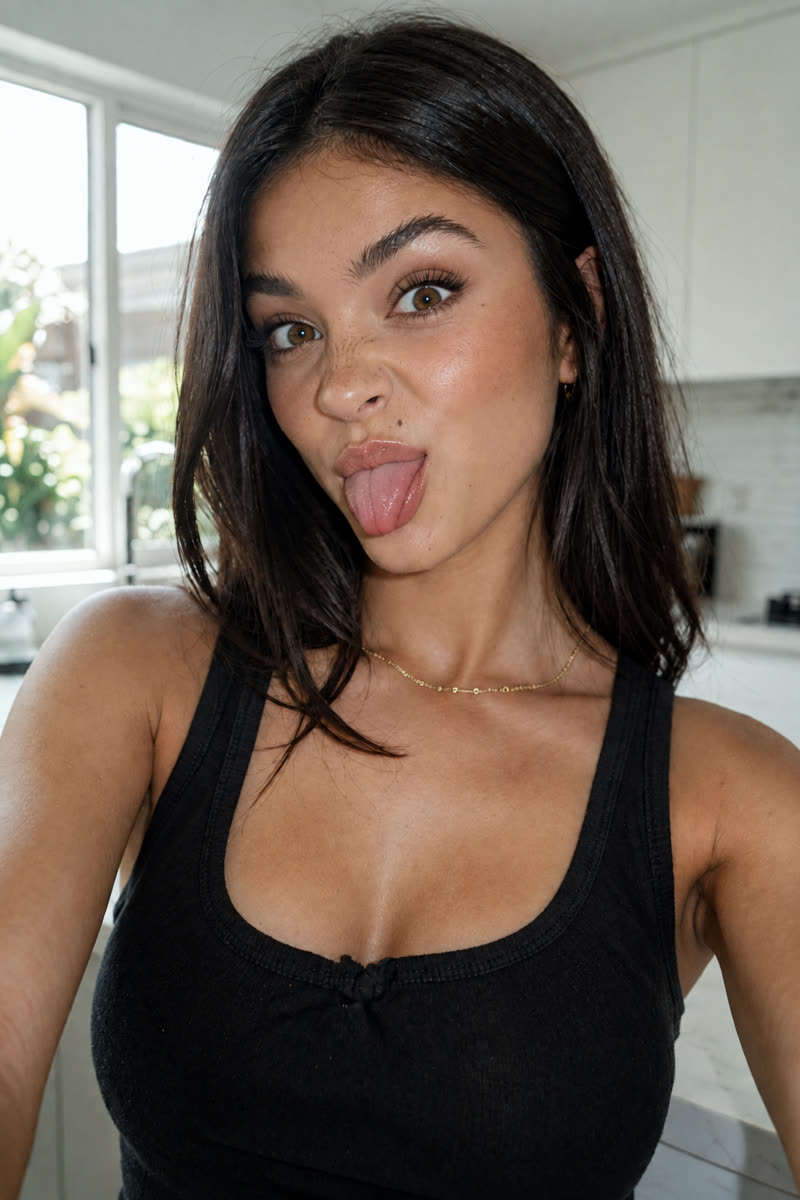
The input photo: a dark-haired woman with freckles taking a selfie in a white kitchen.Input photo
The input photo. This is the original selfie used in our examples. You can follow along with your own photo; each section tells you which picture to upload.
1Show more of the person

From selfie to full-body photo

This is a bigger change than hair colour. We ask for a photo that shows the woman from head to toe. The editor has to create the parts missing from the selfie, including her legs and shoes. Check the face carefully because it is smaller in the finished picture.

Upload: The original selfie. The Krea v1.2 example adds a second edit, explained in its caption.

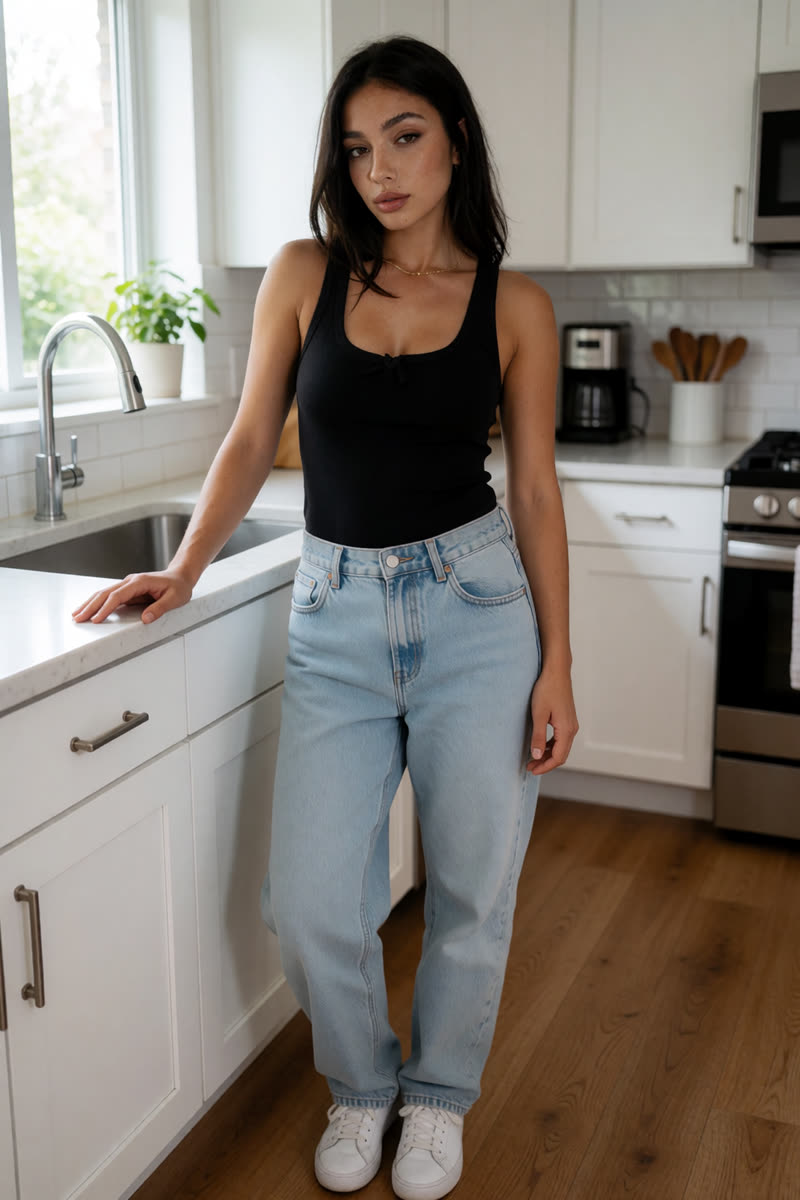
GPT Image 2.5: The freckles, beauty mark and eye shape are recognisable in this full-body example.
GPT Image 2.5The freckles, beauty mark and eye shape are recognisable in this full-body example.
Example prompt“Photograph of this exact same woman taken by a friend standing about three metres away, showing her full body from head to toe, not a selfie: both hands relaxed, one resting on the kitchen counter edge, weight on one leg, looking at the camera with the same soft confident expression. Keep her face, freckles, beauty mark above the lip, brown eyes, straight dark shoulder-length hair and thin gold chain necklace exactly as in the reference. She wears the same black ribbed cotton tank top, loose light-wash straight-leg jeans and plain white sneakers. Same bright white kitchen with the window and greenery on the left, soft daylight from the window. Shot on an iPhone rear camera at chest height, natural perspective, vertical frame with a little floor visible below her feet, sharp focus on her face.”
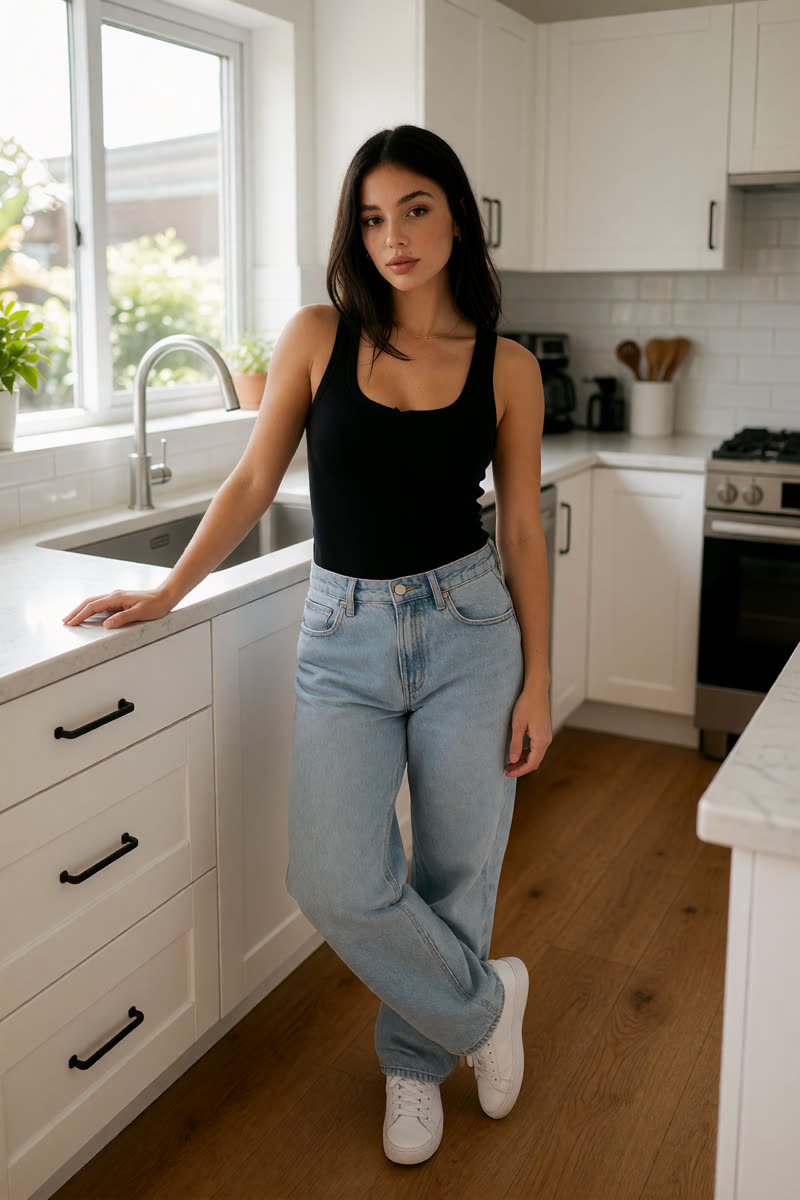
Sogni Krea v0.3: A full-body example with recognisable facial features from the selfie.
Sogni Krea v0.3A full-body example with recognisable facial features from the selfie.
Example prompt“Show this exact woman, keeping her face 100% identical to the reference: the same face shape, eyes, brows, nose, lips, the freckles across her nose and cheeks and the small beauty mark above her upper lip. Full-body photo from head to toe, taken by another person from a few metres away, not a selfie. She stands relaxed in the same white kitchen, one hand on the counter, looking at the camera, in the same black tank top with loose light-wash jeans and white sneakers. Natural window daylight, iPhone rear camera at chest height.”
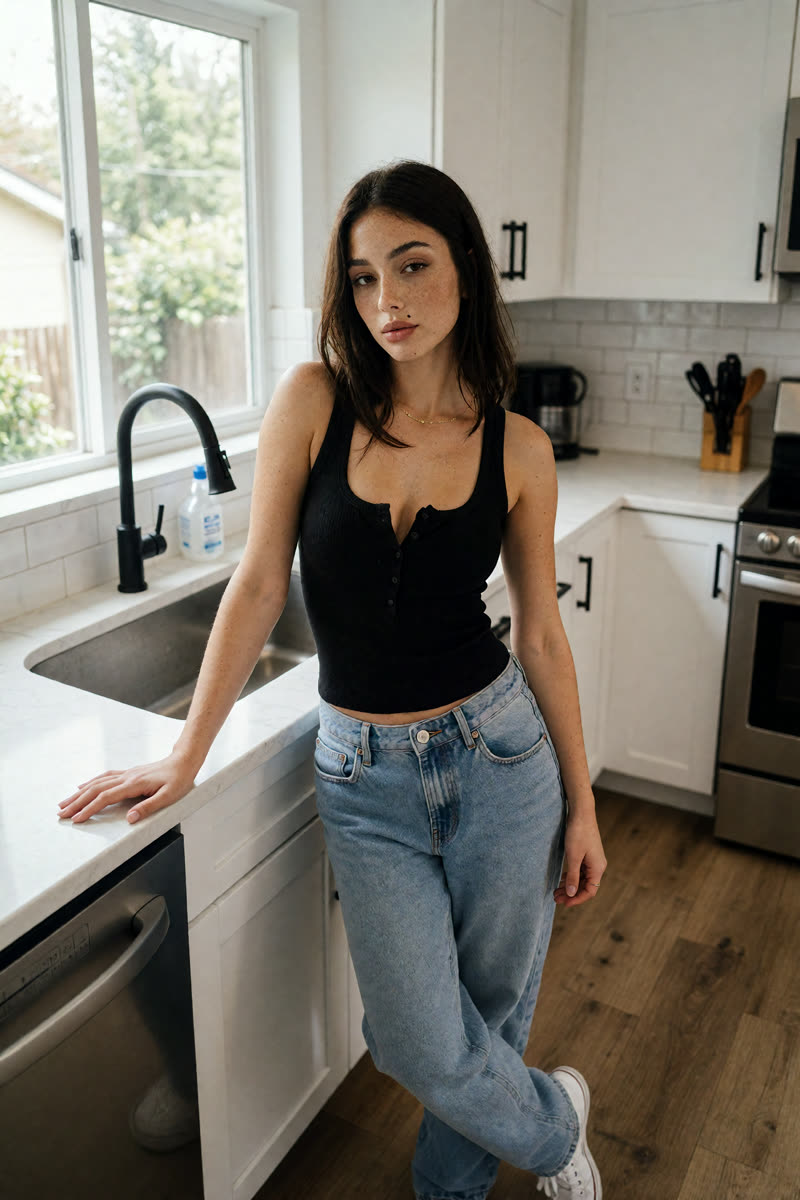
Krea v1.2: Two edits: first make a full-body picture, then use the selfie to restore the face.
Krea v1.2Two edits: first make a full-body picture, then use the selfie to restore the face.

For a suggested first instruction, try the Sogni Krea v0.3 full-body prompt beside this card with Krea v1.2 selected. Save that result before the second edit below.

Upload in this order: image 1 = your first full-body result; image 2 = the original selfie.

Second edit prompt“Keep image 1 exactly as it is: the same pose, body, outfit, kitchen and framing. Replace only the woman's face with the exact face of the woman in image 2, 100% identical: her face shape, eyes, brows, nose, lips, freckles and the small beauty mark above her upper lip, same expression.”
Dark Beast: Recognisable, but exaggerates freckles and the beauty mark.
Dark BeastRecognisable, but exaggerates freckles and the beauty mark.
Example prompt“Show this exact woman, keeping her face 100% identical to the reference: the same face shape, eyes, brows, nose, lips, the freckles across her nose and cheeks and the small beauty mark above her upper lip. Full-body photo from head to toe, taken by another person from a few metres away, not a selfie. She stands relaxed in the same white kitchen, one hand on the counter, looking at the camera, in the same black tank top with loose light-wash jeans and white sneakers. Natural window daylight, iPhone rear camera at chest height.”
What we learned. For a full-body photo, describe the features you want to keep, such as eye shape or a beauty mark. Use details from your own photo. Check the face before editing the result again. The Krea v1.2 example takes two edits, so budget for both.
2Change the art style

Turn the photo into a comic

Turn a photo into a drawing while keeping the person recognisable. This prompt asks for black outlines, blocks of colour and comic-book shadows. You can keep those style instructions and change the description of the person to match your photo.

Upload: The original selfie. You can do this edit on its own; you do not need the full-body result.

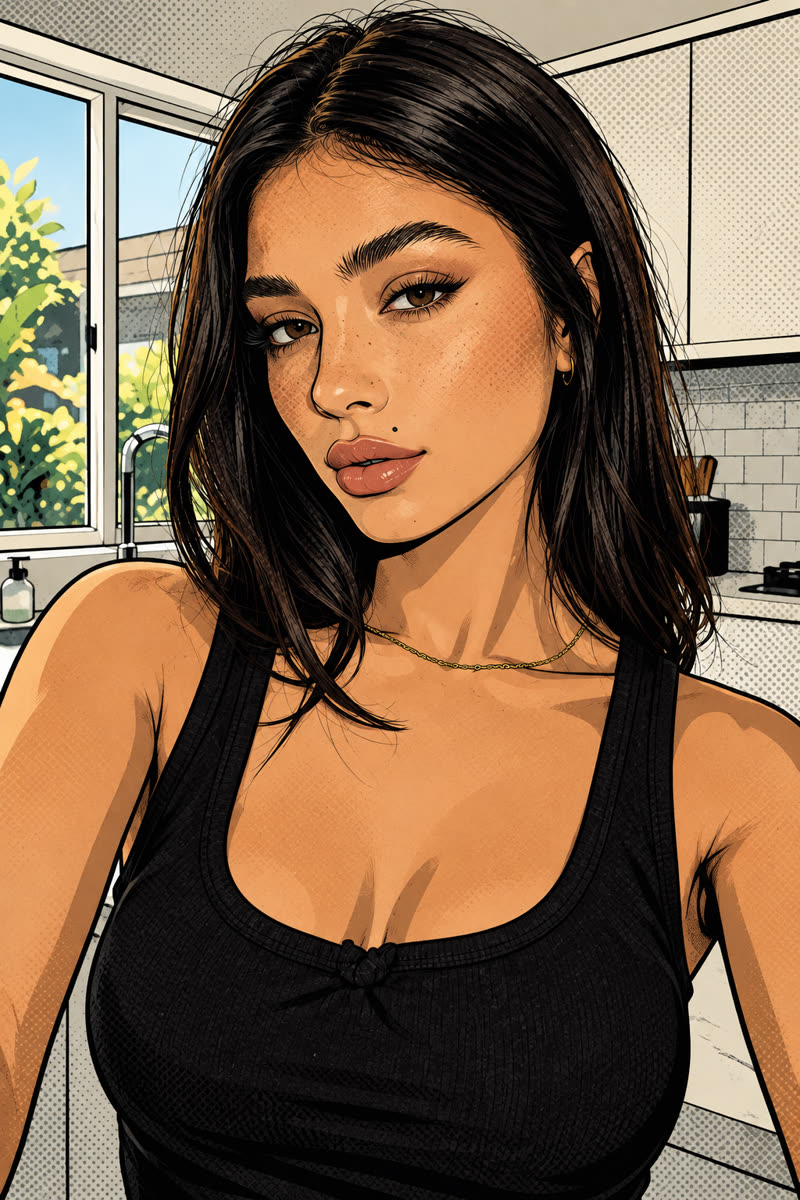
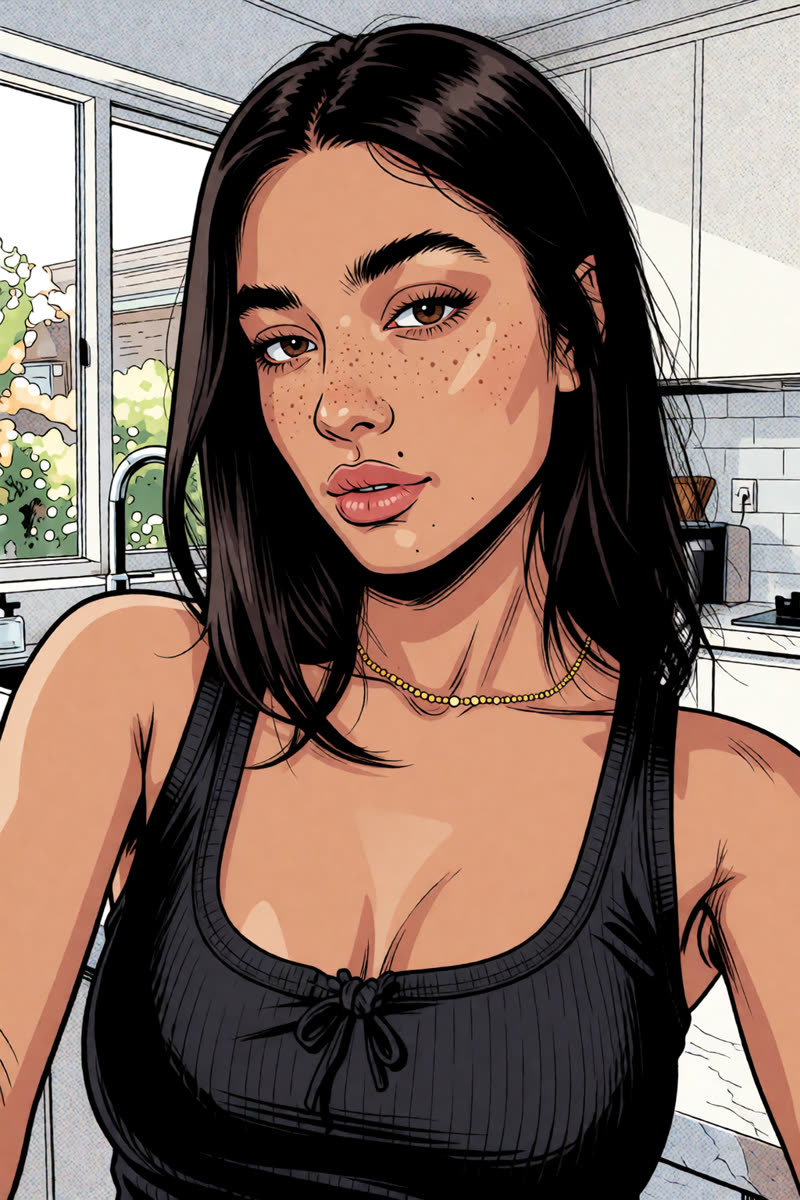
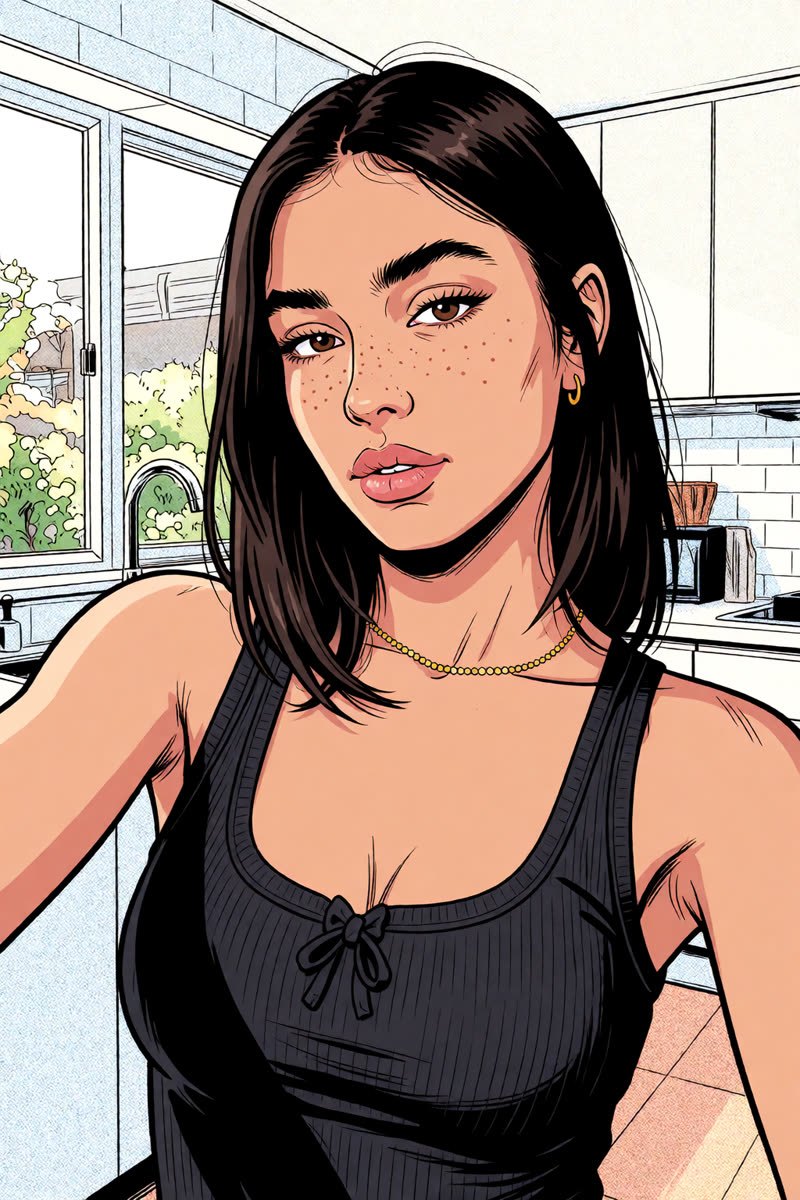
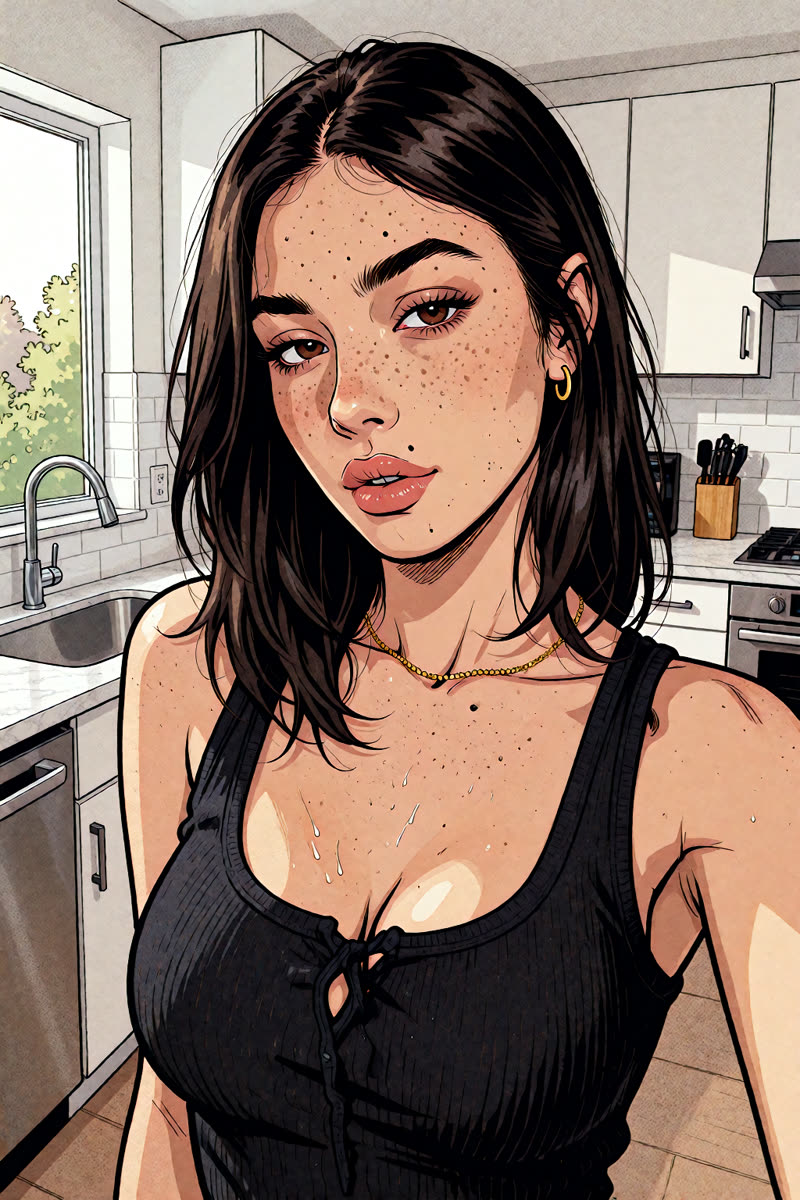
Example prompt (all four models)“Redraw this exact photo as a modern comic book illustration, keeping her face 100% recognisable: the same face shape, heavy-lidded brown eyes, brows, nose, full lips, freckles and the small beauty mark above her upper lip. Same selfie framing, pose, straight dark shoulder-length hair, thin gold chain, black tank top and white kitchen with the window on the left. Bold clean black ink outlines with varied line weight, flat cel-shaded colour with crisp two-tone shadows, warm skin tones, subtle halftone dots in the shadows and background, inked like a high-end graphic novel cover.”
GPT Image 2.5: The beauty mark and eye shape remain recognisable in the drawing.
GPT Image 2.5The beauty mark and eye shape remain recognisable in the drawing.
Sogni Krea v0.3: Fine ink lines with recognisable features from the selfie.
Sogni Krea v0.3Fine ink lines with recognisable features from the selfie.
Krea v1.2: The drawing makes the face rounder and younger-looking than the selfie.
Krea v1.2The drawing makes the face rounder and younger-looking than the selfie.
Dark Beast: Bold outlines, with freckles that look more like a pattern.
Dark BeastBold outlines, with freckles that look more like a pattern.
3A full-body drawing

Comic, now head to toe

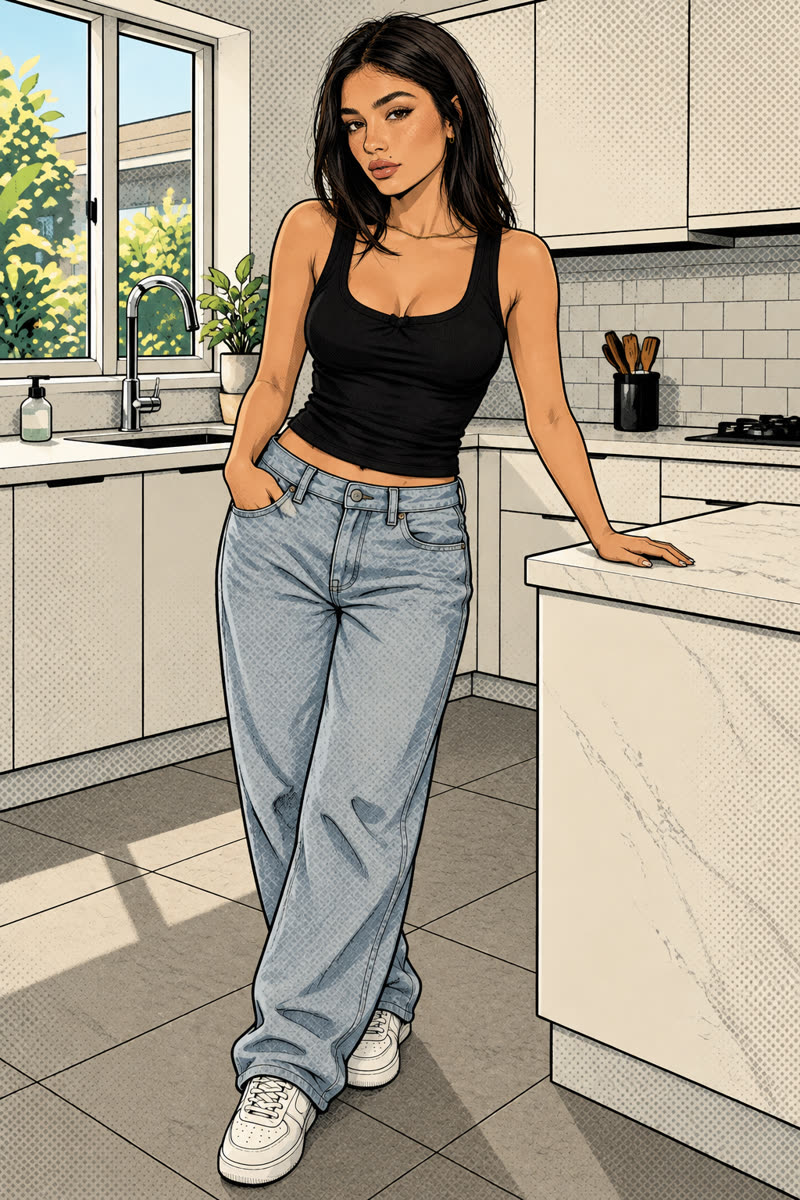
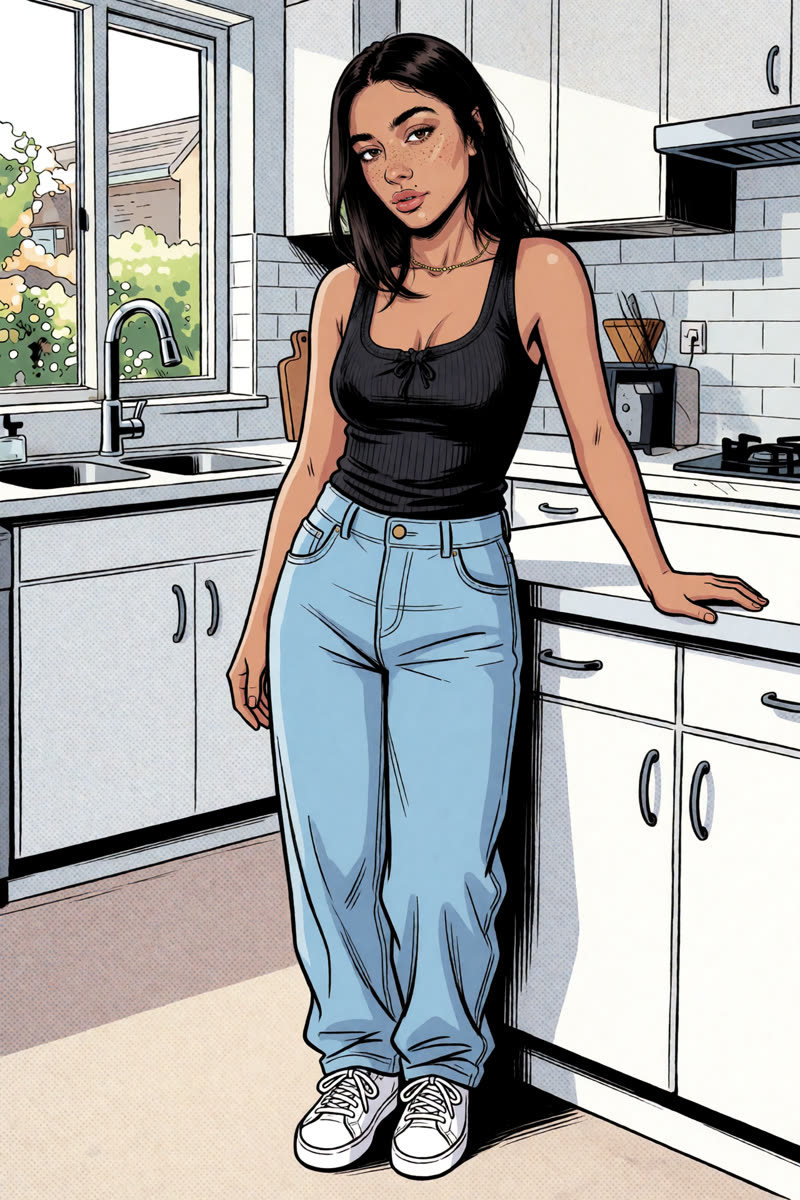
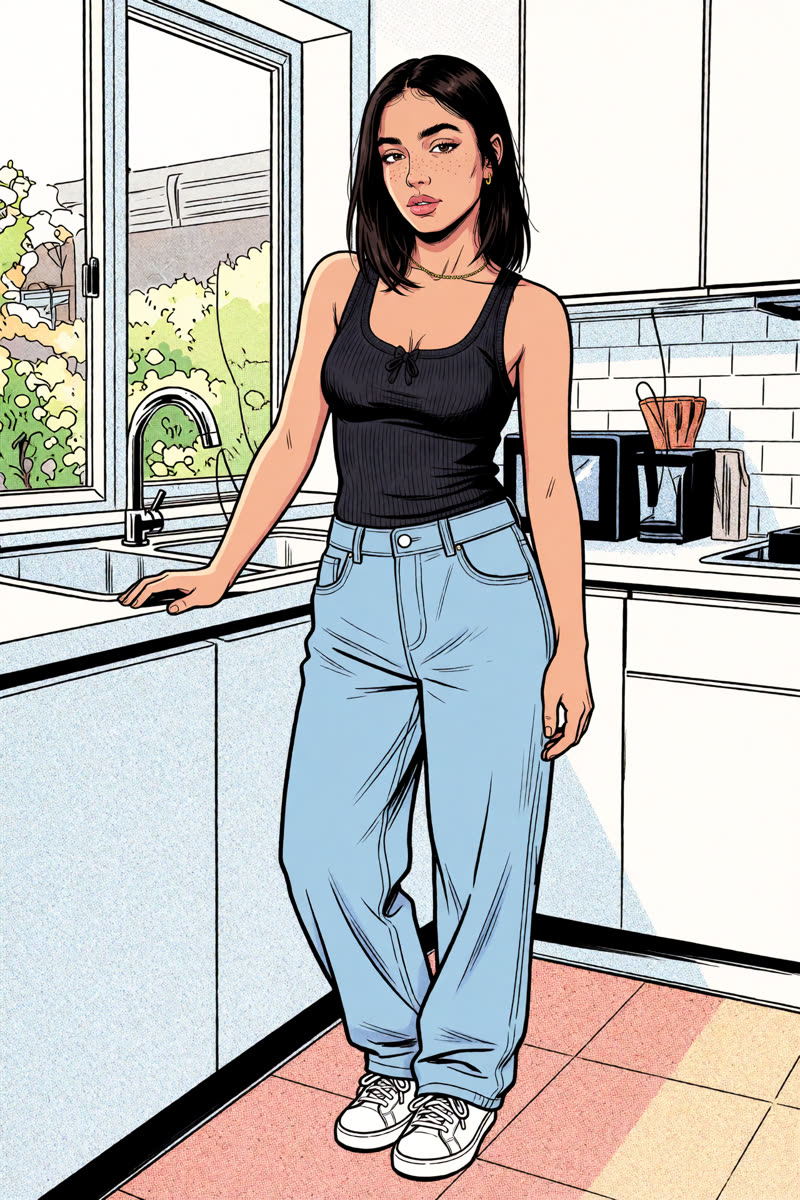
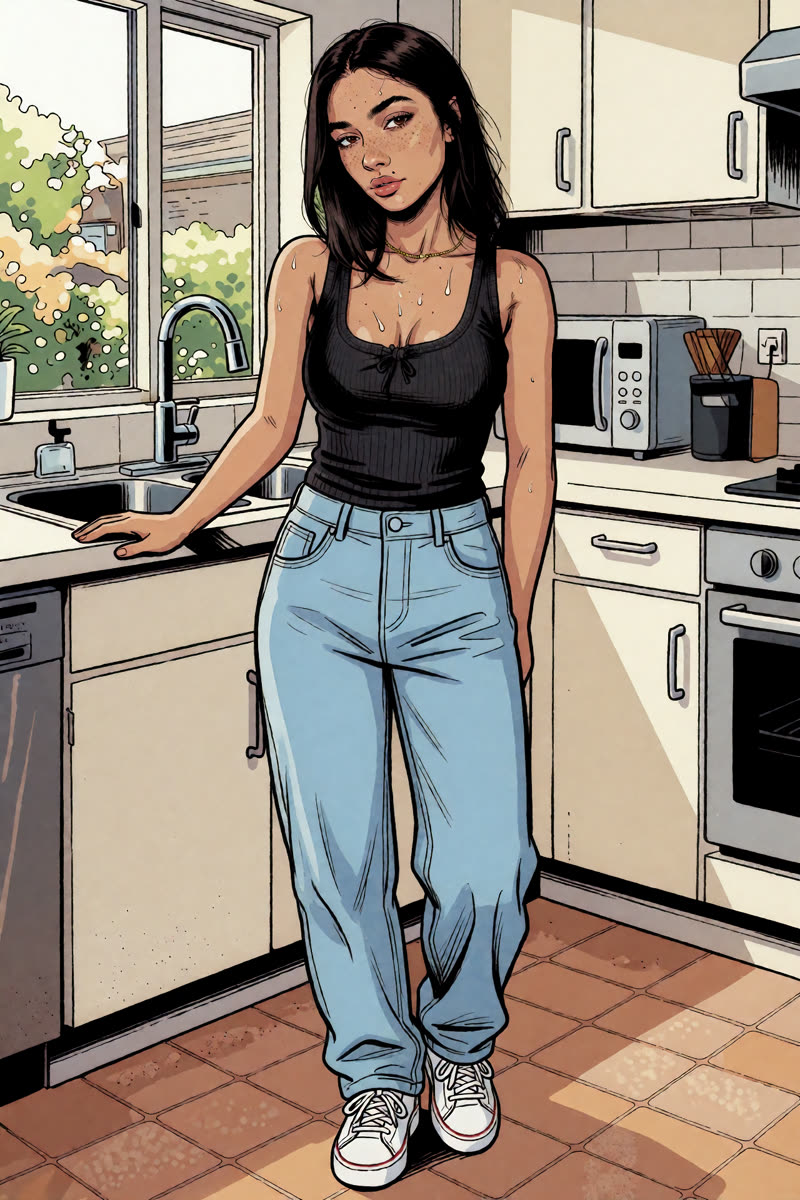
Once you like a comic portrait, try showing the whole person. Three examples continue with the same editor. The fourth combines the body from Sogni Krea v0.3 with the face from the Dark Beast comic portrait.

Upload: For GPT, Sogni Krea v0.3 or Krea v1.2, use that model's comic portrait from Section 2. For the combined example, select Dark Beast and use the Sogni Krea v0.3 full-body comic as image 1 and the Dark Beast comic portrait as image 2.

GPT Image 2.5: A full-body comic with bold outlines and simple blocks of colour.
GPT Image 2.5A full-body comic with bold outlines and simple blocks of colour.
Example prompt“Show this exact comic book woman in a full-body comic illustration from head to toe, drawn as if another person photographed her from a few metres away instead of a selfie. Keep her face 100% identical. She stands relaxed in the same white kitchen, one hand resting on the counter, looking at the viewer, wearing the same black tank top with loose light-wash jeans and white sneakers. Keep exactly the same comic art style: bold clean black ink outlines, flat cel-shaded colour with crisp two-tone shadows, subtle halftone dots, vertical frame with the floor visible.”
Sogni Krea v0.3: The comic style carries through to the full-body framing.
Sogni Krea v0.3The comic style carries through to the full-body framing.
Example prompt“Show this exact comic book woman in a full-body comic illustration from head to toe, drawn as if another person photographed her from a few metres away instead of a selfie. Keep her face 100% identical. She stands relaxed in the same white kitchen, one hand resting on the counter, looking at the viewer, wearing the same black tank top with loose light-wash jeans and white sneakers. Keep exactly the same comic art style: bold clean black ink outlines, flat cel-shaded colour with crisp two-tone shadows, subtle halftone dots, vertical frame with the floor visible.”
Krea v1.2: This recipe explicitly asks for one woman and head-to-shoes framing.
Krea v1.2This recipe explicitly asks for one woman and head-to-shoes framing.
Example prompt“Exactly one woman in the picture: this exact comic book woman, now seen whole from head to shoes from a few metres away at chest height, standing in the same white kitchen. Both of her arms are down and visible: one hand rests on the counter edge, the other hangs relaxed at her side. Her whole body including the white sneakers and some floor fits inside the vertical frame. Keep her face 100% identical. Clean dry matte skin. Keep exactly the same comic art style.”
Dark Beast: Combines the Sogni Krea v0.3 full-body comic with the face from the Dark Beast portrait.
Sogni Krea v0.3 + Dark BeastCombines the Sogni Krea v0.3 full-body comic with the face from the Dark Beast portrait.

Upload in this order: image 1 = Sogni Krea v0.3 full-body comic; image 2 = Dark Beast comic portrait.

Example prompt“Keep image 1 exactly as it is: the same full-body framing from head to shoes, pose, outfit, kitchen and comic art style. Replace only the woman's face and hair with the exact face of the woman in image 2.”
What we learned. Describe the picture you want directly: “one person, visible from head to shoes, both arms down.” Check that the result has one person and that their whole body fits in the picture.
4Expression

A big expression change: tongue out

Ask for a playful tongue-out expression while keeping the clothes, background and camera view the same. Describe what the face should do, then check that the person still looks like themselves.

Upload: The original selfie, rather than the comic result.

GPT Image 2.5 (Flare): This Flare example uses the playful-expression prompt shown below.
GPT Image 2.5 (Flare)This Flare example uses the playful-expression prompt shown below.
Example prompt“Wholesome, family-friendly edit. Change only her expression to a goofy 'bleh' face like a kid teasing a sibling: eyes wide and bright, eyebrows raised, nose slightly scrunched, tongue sticking straight out in a silly raspberry. Keep everything else in the photo unchanged: same person, freckles, hair, necklace, black tank top, framing, light and kitchen.”
Sogni Krea v0.3: A clear tongue-out expression with recognisable facial features.
Sogni Krea v0.3A clear tongue-out expression with recognisable facial features.
Example prompt“Change only her facial expression: she playfully sticks her tongue out at the camera in a cheeky, fun selfie face. Everything else stays exactly the same as in the original photo: her face and identity, freckles, beauty mark, eyes, hair, gold chain, black tank top, pose, framing, camera angle, lighting and the kitchen background.”
Krea v1.2: The tongue is barely visible; the expression looks more like a pout.
Krea v1.2The tongue is barely visible; the expression looks more like a pout.
Example prompt“Change only her facial expression: she playfully sticks her tongue out at the camera in a cheeky, fun selfie face. Everything else stays exactly the same as in the original photo: her face and identity, freckles, beauty mark, eyes, hair, gold chain, black tank top, pose, framing, camera angle, lighting and the kitchen background.”
Dark Beast: The tongue is visible, but the edit also adds a toothy grin and changes the face.
Dark BeastThe tongue is visible, but the edit also adds a toothy grin and changes the face.
Example prompt“Change only her facial expression: she playfully sticks her tongue out at the camera in a cheeky, fun selfie face. Everything else stays exactly the same as in the original photo: her face and identity, freckles, beauty mark, eyes, hair, gold chain, black tank top, pose, framing, camera angle, lighting and the kitchen background.”
What we learned. Describe the expression itself and say which parts of the photo should stay the same. Check that the person still looks recognisable as well as having the new expression.
5Hair

Change the hair colour

This is the same kind of edit as the first-edit walkthrough. All four selected results have pink hair. Look at the length and texture too: Dark Beast also changes the haircut.

Upload: The original selfie. Use the short starter prompt for your own photo, or adapt the longer example below.

Example prompt (all four models)“Change only her hair colour to pink: realistic salon-dyed rose pink, evenly coloured from root to tip, with natural shine and strand detail. Keep the same hairstyle, length and part. Everything else stays exactly the same: her face, expression, eyebrows, freckles, beauty mark, gold chain, black tank top, pose, framing, lighting and the kitchen.”
GPT Image 2.5: Salon-style rose pink with a similar haircut.
GPT Image 2.5Salon-style rose pink with a similar haircut.
Sogni Krea v0.3: Brighter pink with a recognisable face and similar cut.
Sogni Krea v0.3Brighter pink with a recognisable face and similar cut.
Krea v1.2: Bright pink; the hair looks thicker and less natural than in the original.
Krea v1.2Bright pink; the hair looks thicker and less natural than in the original.
Dark Beast: The hair is pink, longer and wavy, despite the request to keep the haircut.
Dark BeastThe colour changed, but so did the haircut: the hair is longer and wavy.
6Background and lighting

New location, matching light

Change the background to a beach and ask for sunlight that fits the new location. The goal is for the person and the background to look as though they were photographed together.

Upload: The original selfie. If you want to keep an earlier change, such as pink hair, upload that saved result instead and adapt the prompt.

Example prompt (all four models)“Move this exact selfie to the seaside: behind her is a sandy beach and calm turquoise sea under a clear sky, slightly out of focus like a real phone selfie background. Relight her to match: warm late-afternoon sun from the side lights her face, hair and shoulders with a soft golden glow and gentle natural shadows, a cool blue fill from the open sky, a light breeze lifting a few strands of hair. Keep her face 100% identical, with the same expression, freckles and beauty mark, and the same hair, gold chain, black tank top, pose and selfie framing.”
GPT Image 2.5: A similar selfie view, with golden light on the hair and shoulders.
GPT Image 2.5A similar selfie view, with golden light on the hair and shoulders.
Sogni Krea v0.3: A recognisable face and similar selfie view, with warm light on the face.
Sogni Krea v0.3A recognisable face and similar selfie view, with warm light on the face.
Krea v1.2: The view is wider and the face looks less like the original selfie.
Krea v1.2The view is wider and the face looks less like the original selfie.
Dark Beast: Warm seaside light, with more pronounced freckles.
Dark BeastWarm seaside light, with more pronounced freckles.
What we learned. Say where the light comes from, such as “warm late-afternoon sunlight from the left.” Check the shadows on the face and clothes to see whether they fit the new background.
7A different room

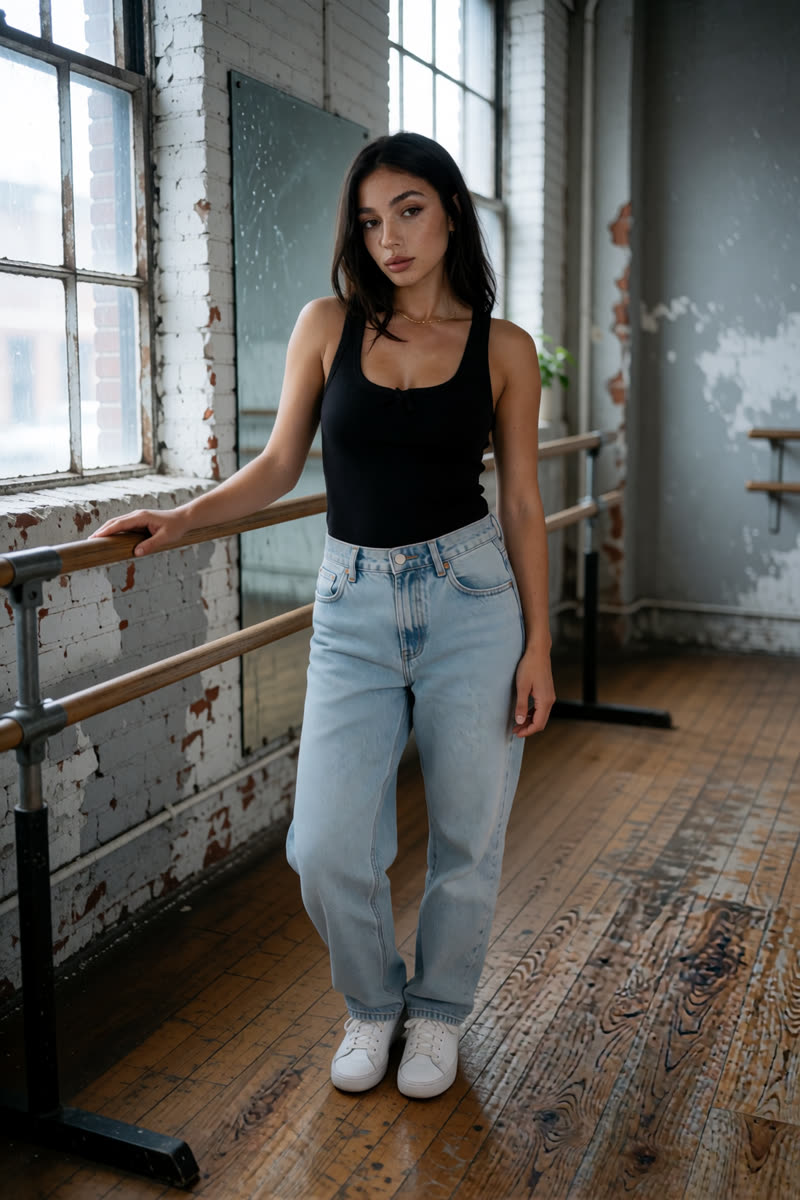
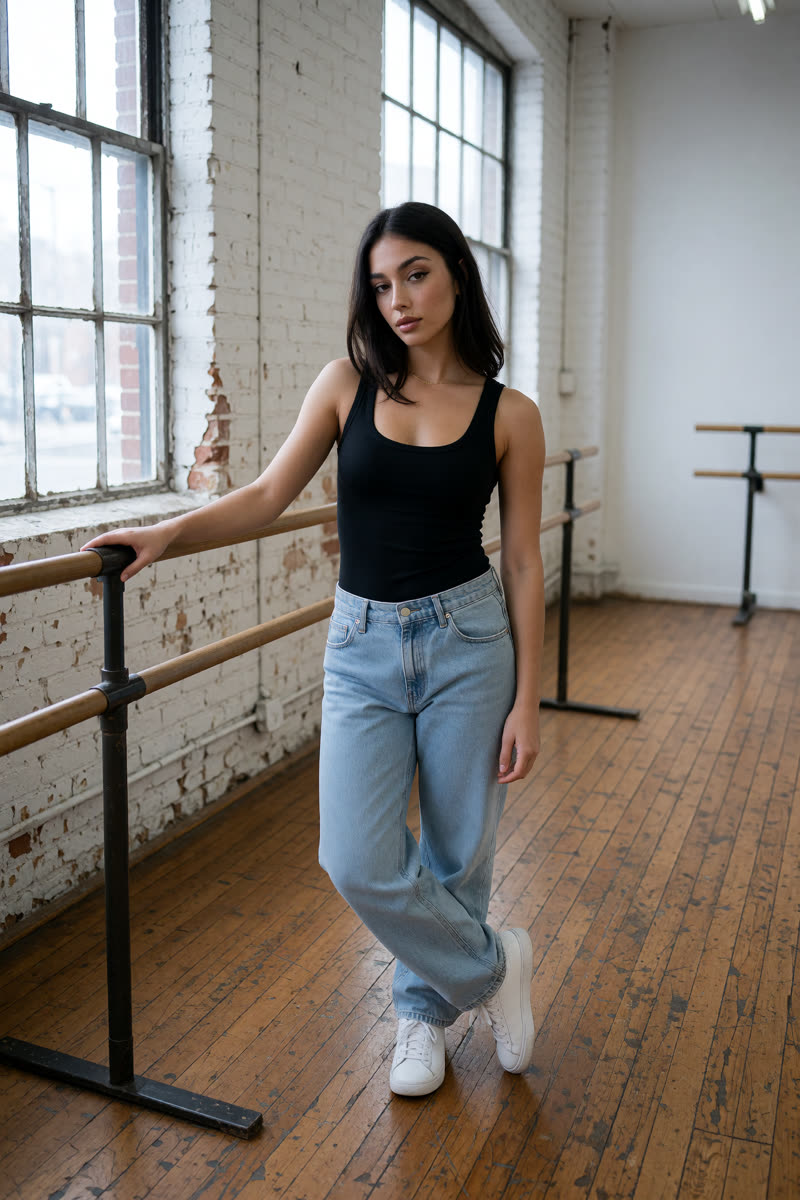
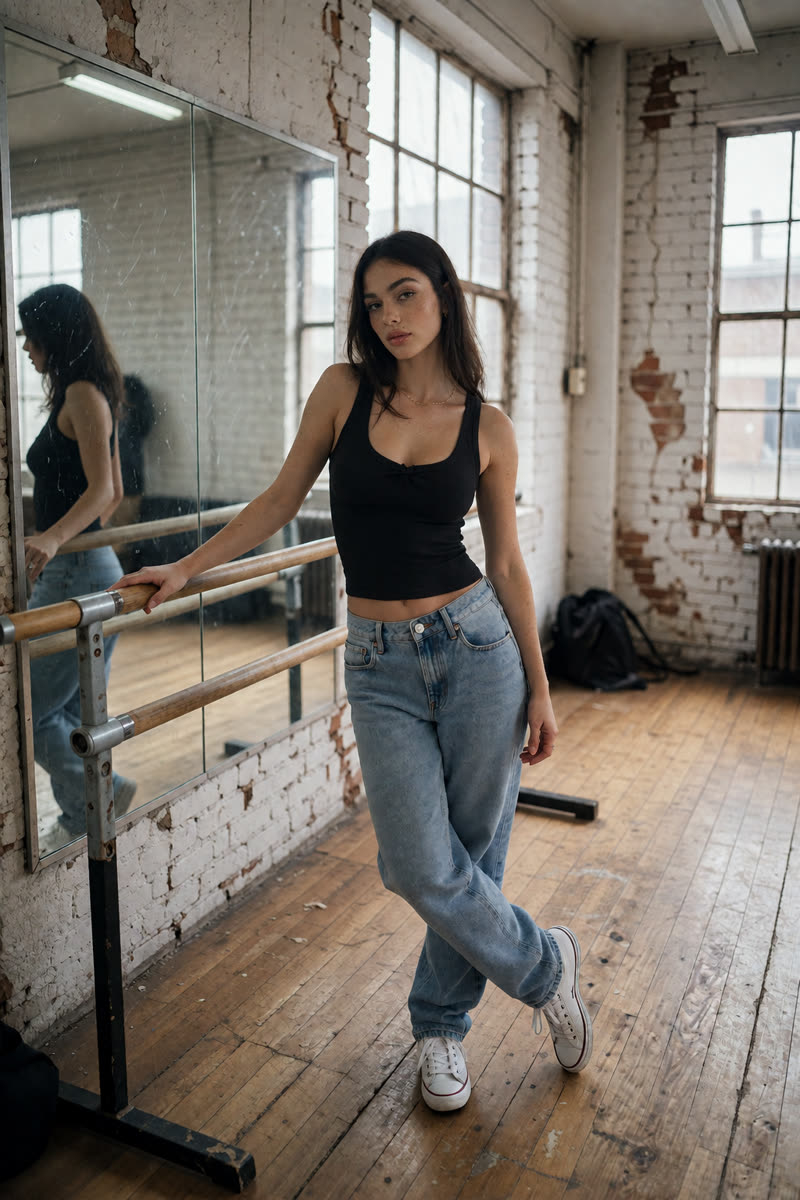
From the kitchen to a dance studio

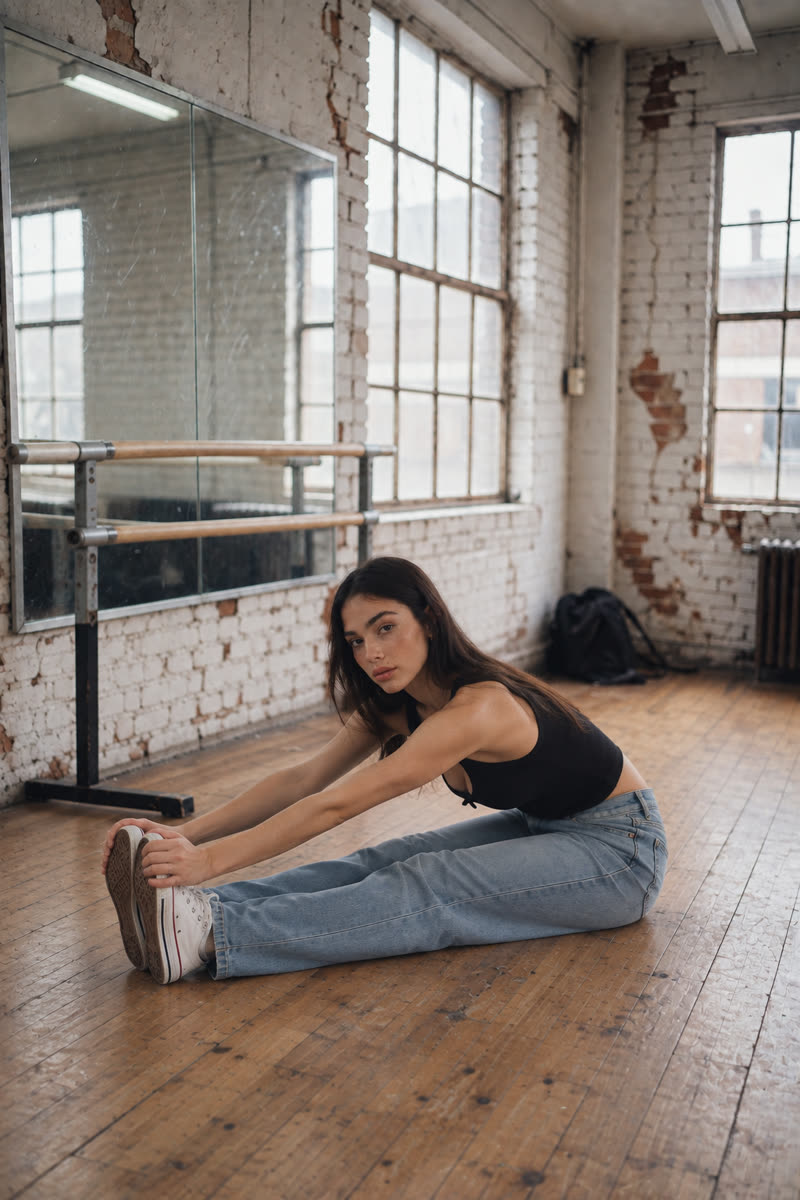
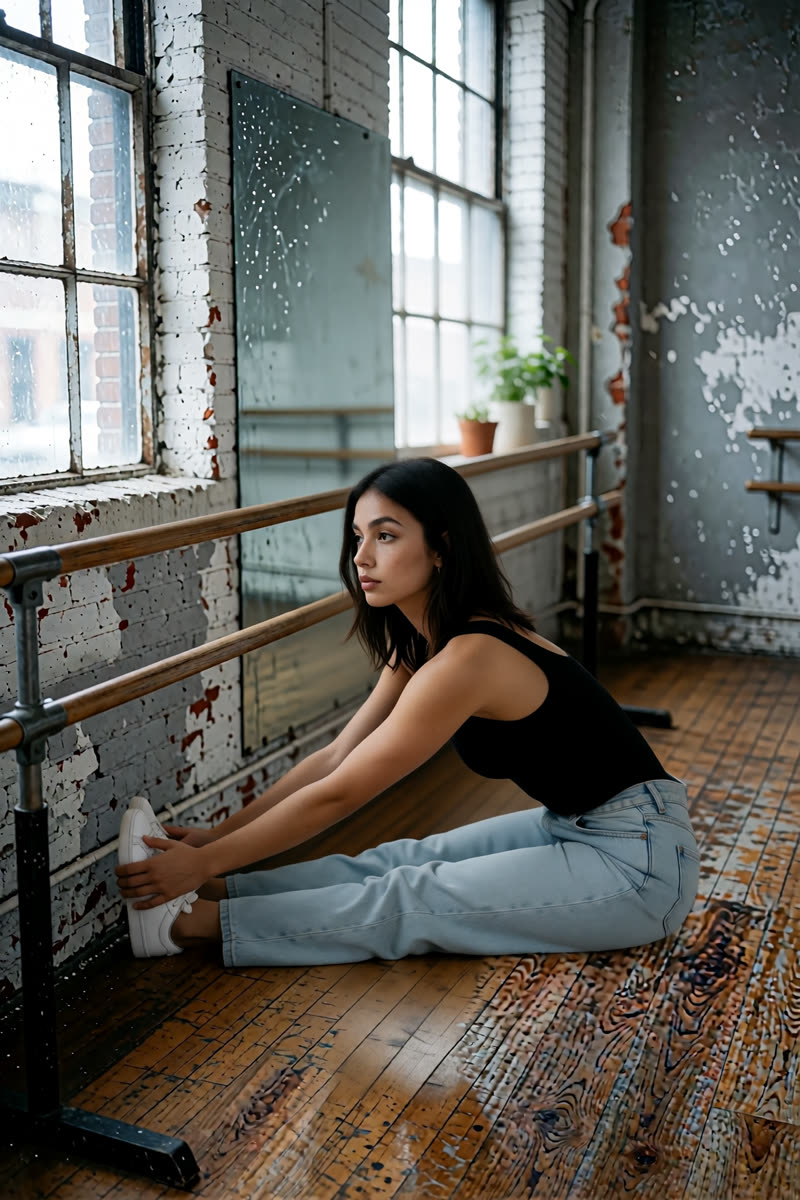
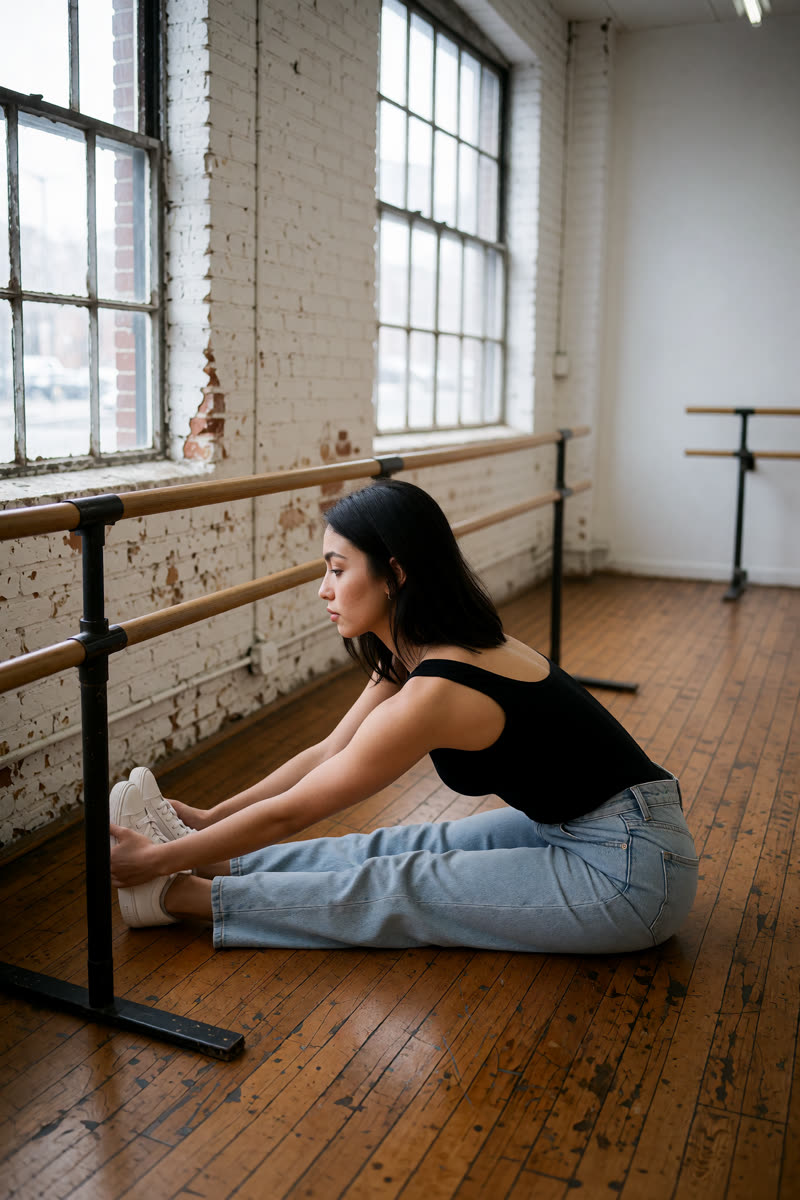
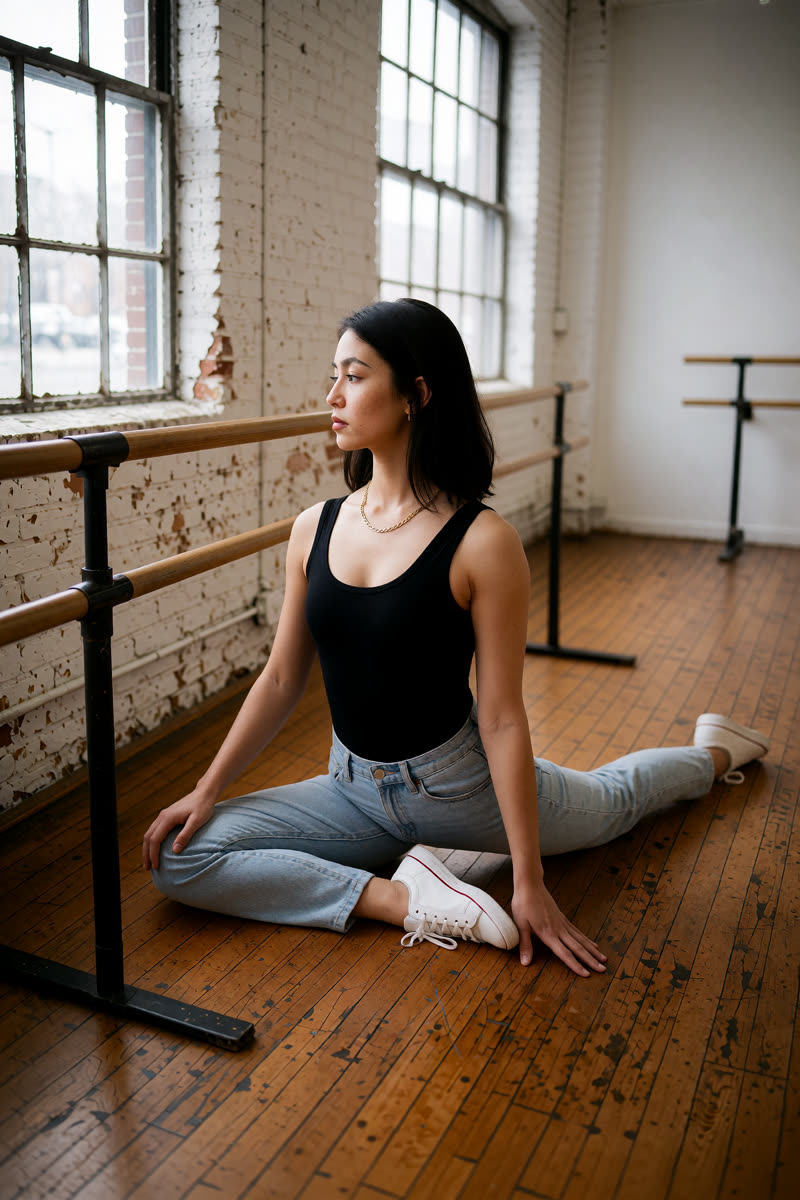
Now try a full-body photo in a different room. The example studio has a worn wooden floor, large windows and a ballet barre (the rail dancers hold). The fourth image takes two editors: Dark Beast creates the studio picture, then GPT fixes the face, top and reflection.

Upload: For GPT and Sogni Krea v0.3, use their Section 1 full-body photos. For Krea v1.2, use the original selfie. For the final GPT edit of the Dark Beast picture, upload the studio picture as image 1 and the original selfie as image 2.

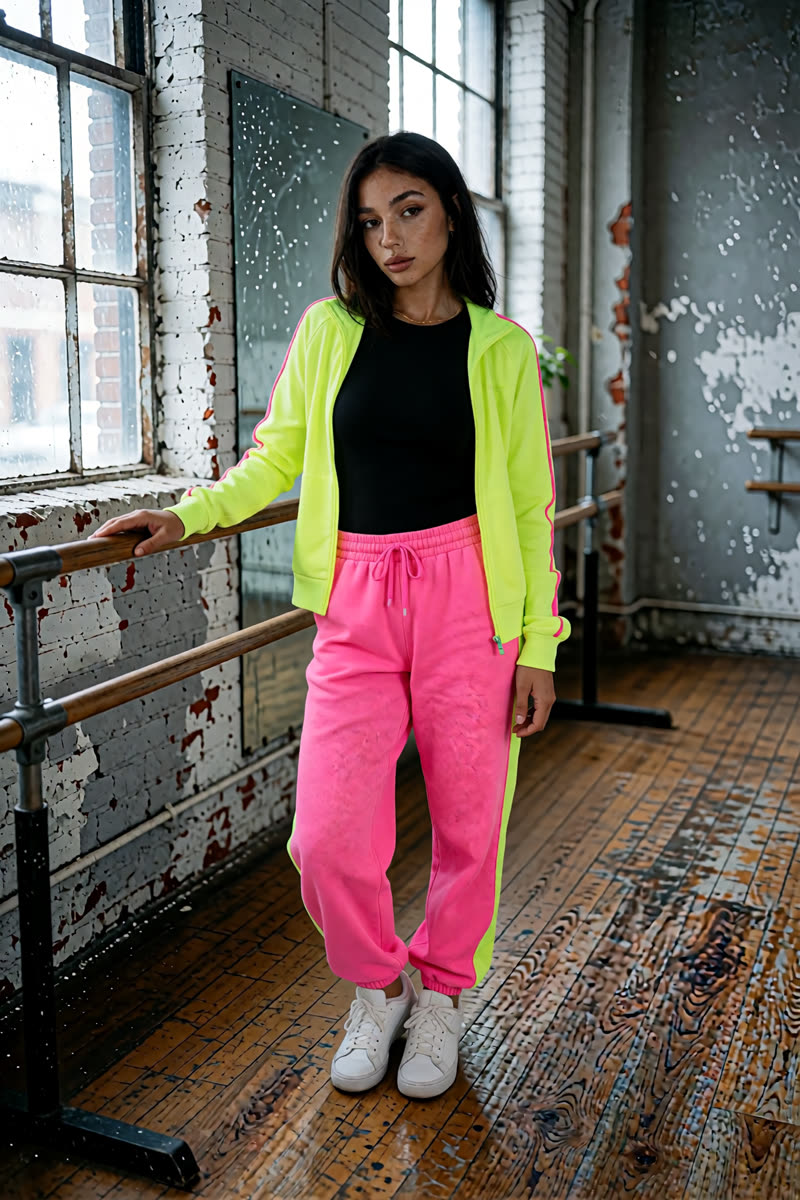
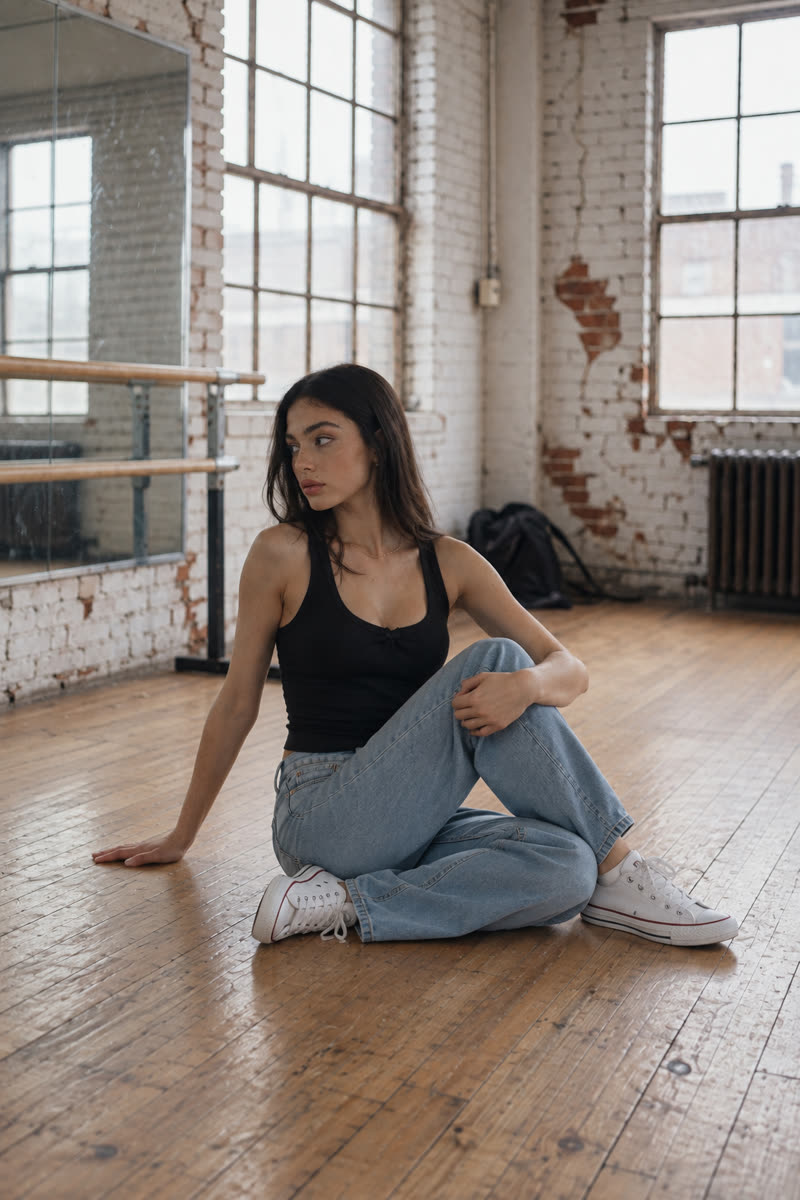
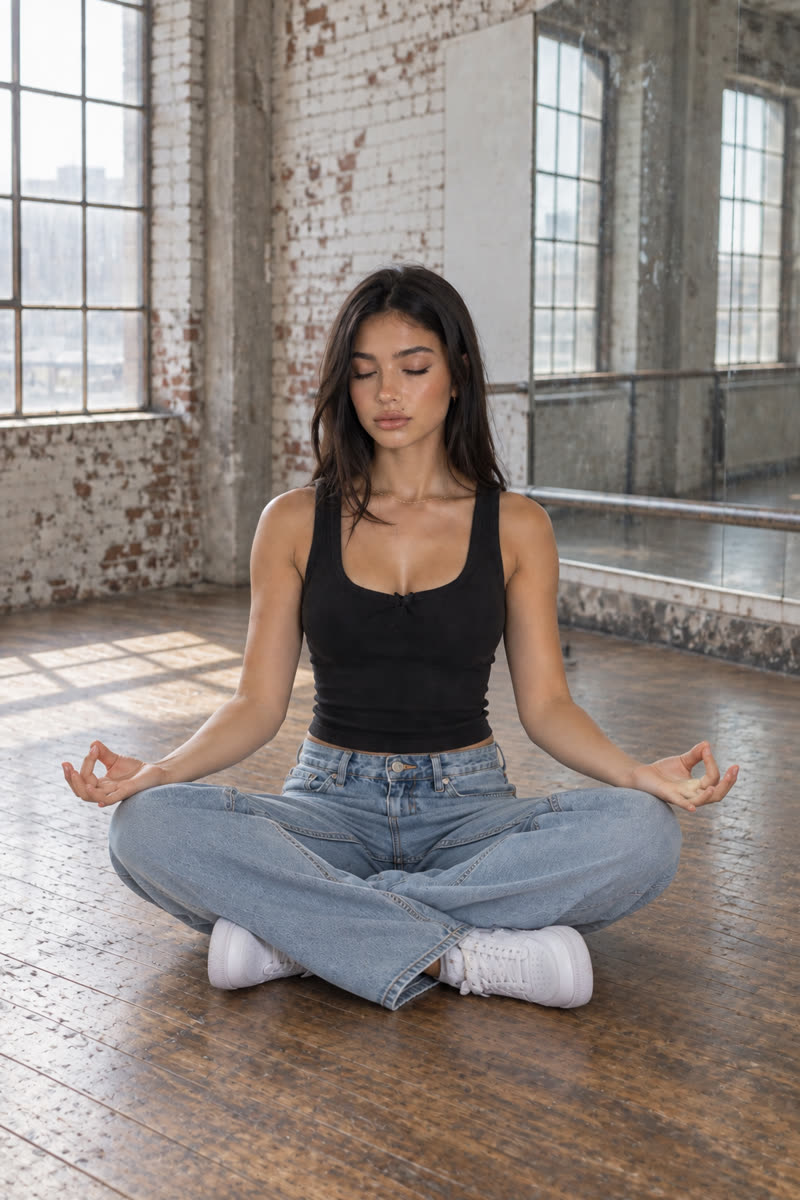
GPT Image 2.5: A recognisable face and relaxed pose, with daylight from the windows.
GPT Image 2.5A recognisable face and relaxed pose, with daylight from the windows.
Example prompt“Move this exact woman into a raw, unpolished dance studio: worn scuffed wooden floorboards, a long wall mirror with smudges, a simple metal ballet barre, bare grey concrete and peeling white-painted brick walls, large old industrial windows. Her hand that rested on the counter now rests on the ballet barre; same relaxed pose, full body from head to toe. Relight her to match: soft cool daylight from the big windows on one side, gentle natural shadows, slightly dusty air. Keep her face 100% identical.”
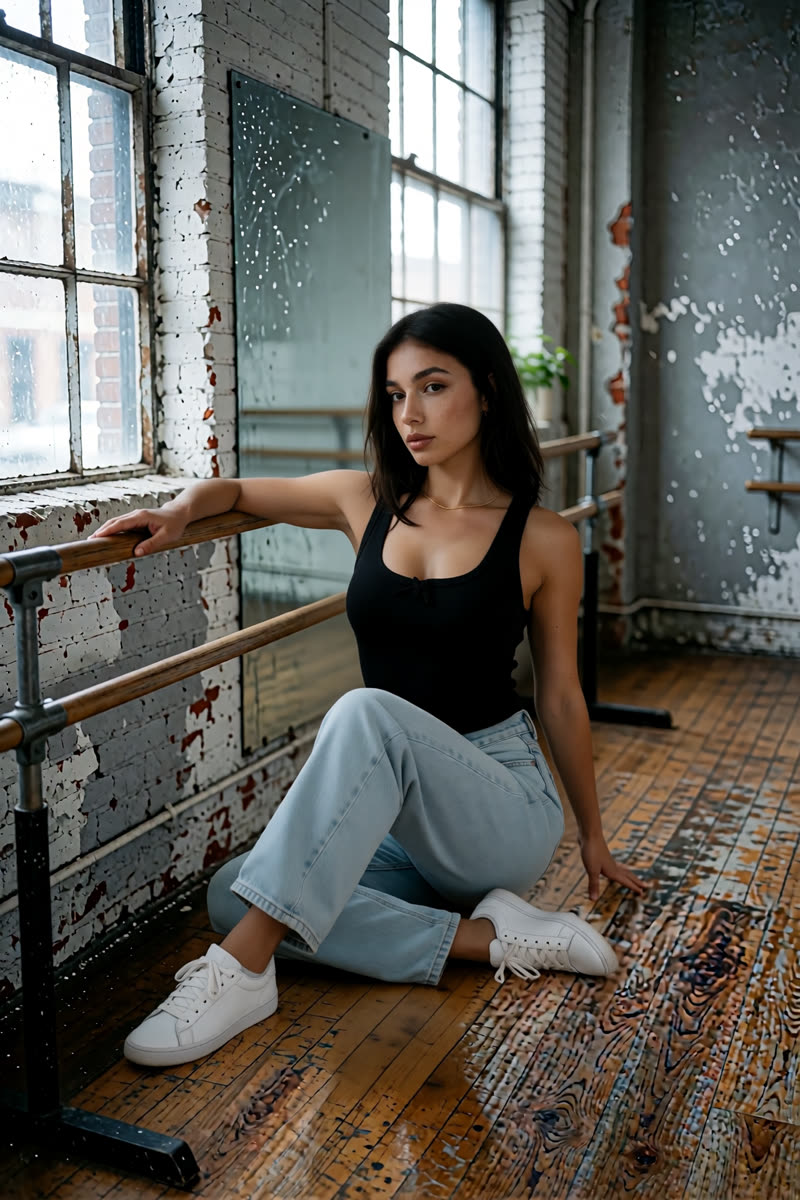
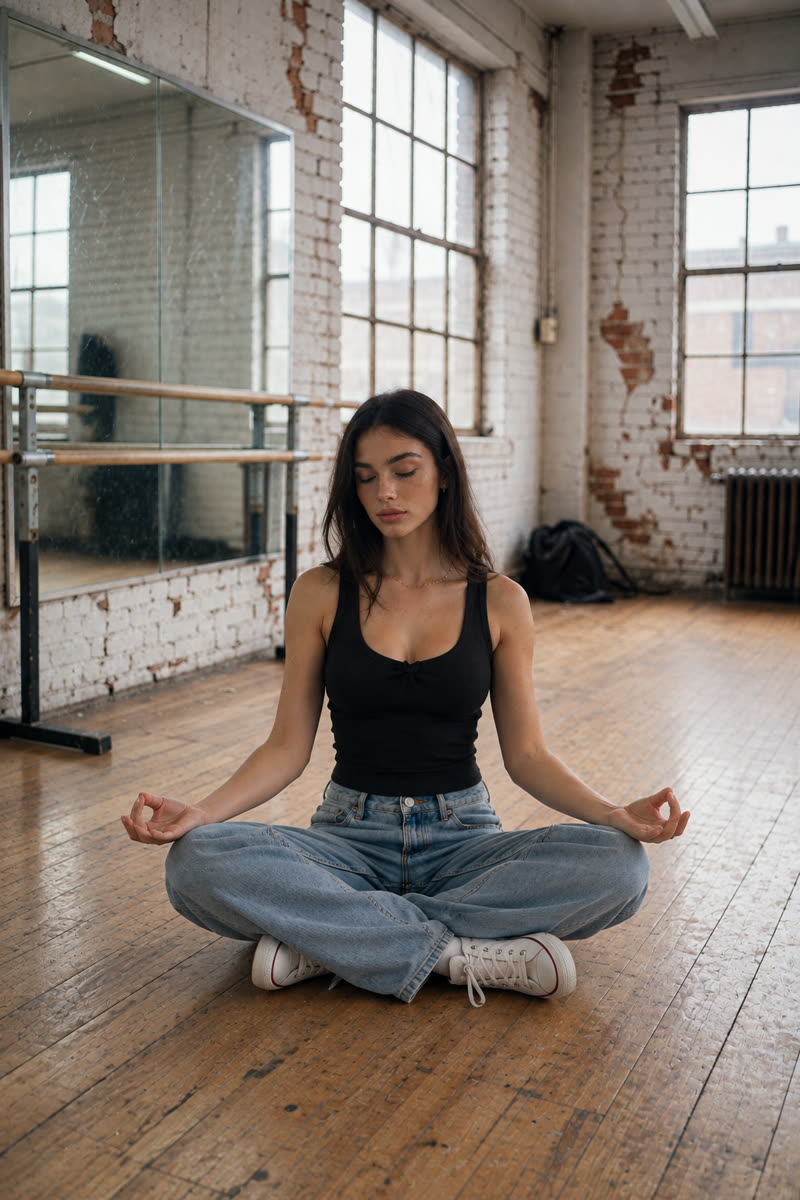
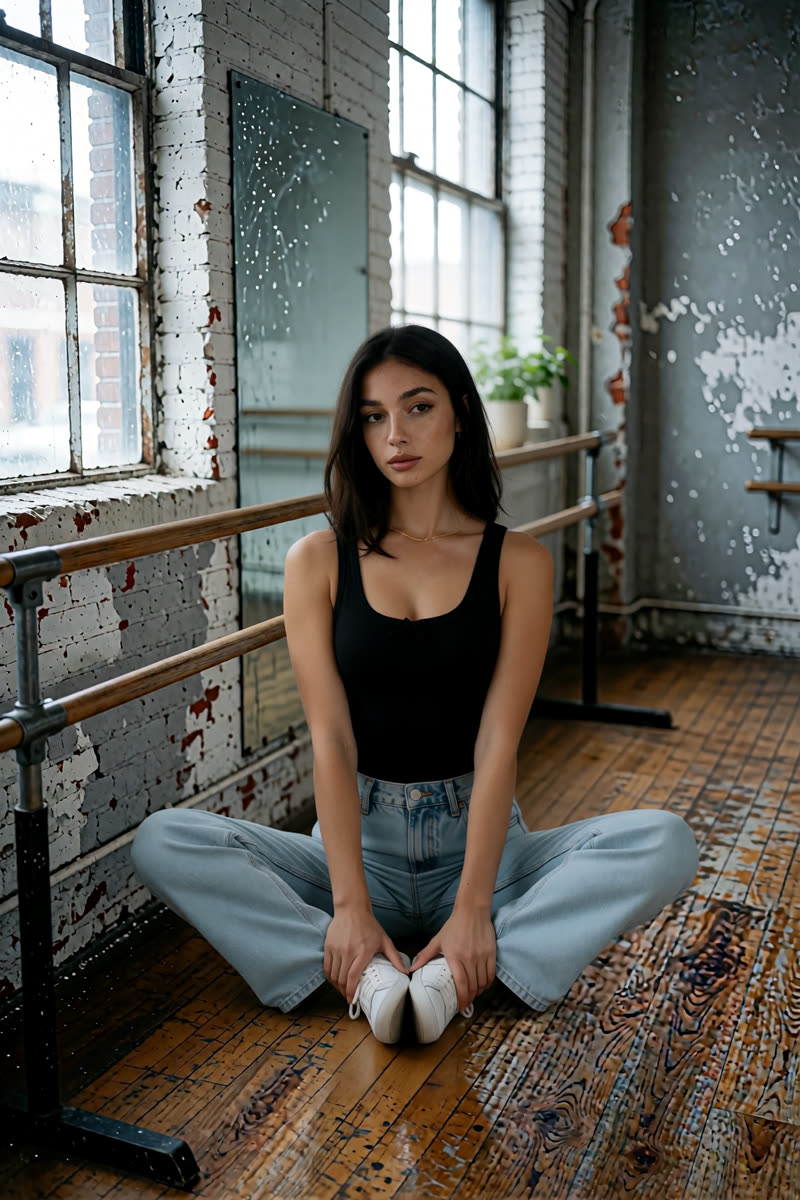
Sogni Krea v0.3: Peeling plaster and a battered floor give the room a worn look.
Sogni Krea v0.3Peeling plaster and a battered floor give the room a worn look.
Example prompt“Move this exact woman into a raw, unpolished dance studio: worn scuffed wooden floorboards, a long wall mirror with smudges, a simple metal ballet barre, bare grey concrete and peeling white-painted brick walls, large old industrial windows. Her hand that rested on the counter now rests on the ballet barre; same relaxed pose, full body from head to toe. Relight her to match: soft cool daylight from the big windows on one side, gentle natural shadows, slightly dusty air. Keep her face 100% identical.”
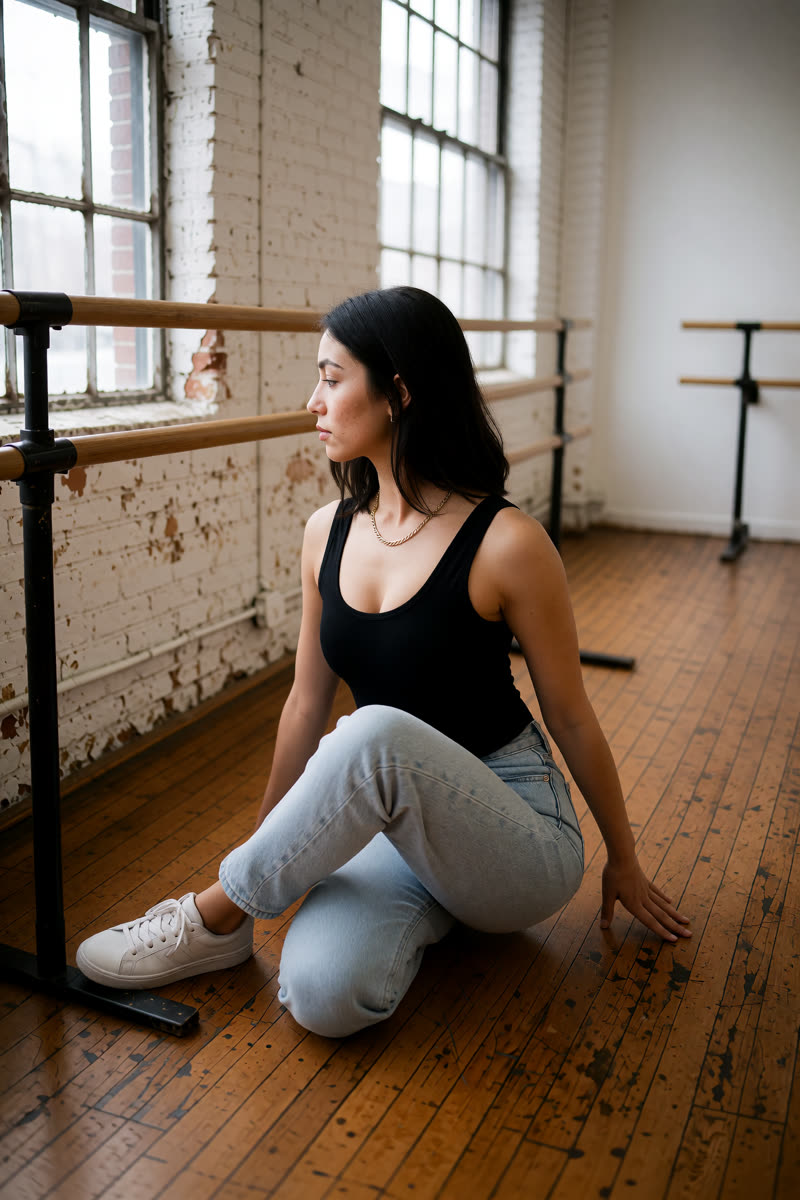
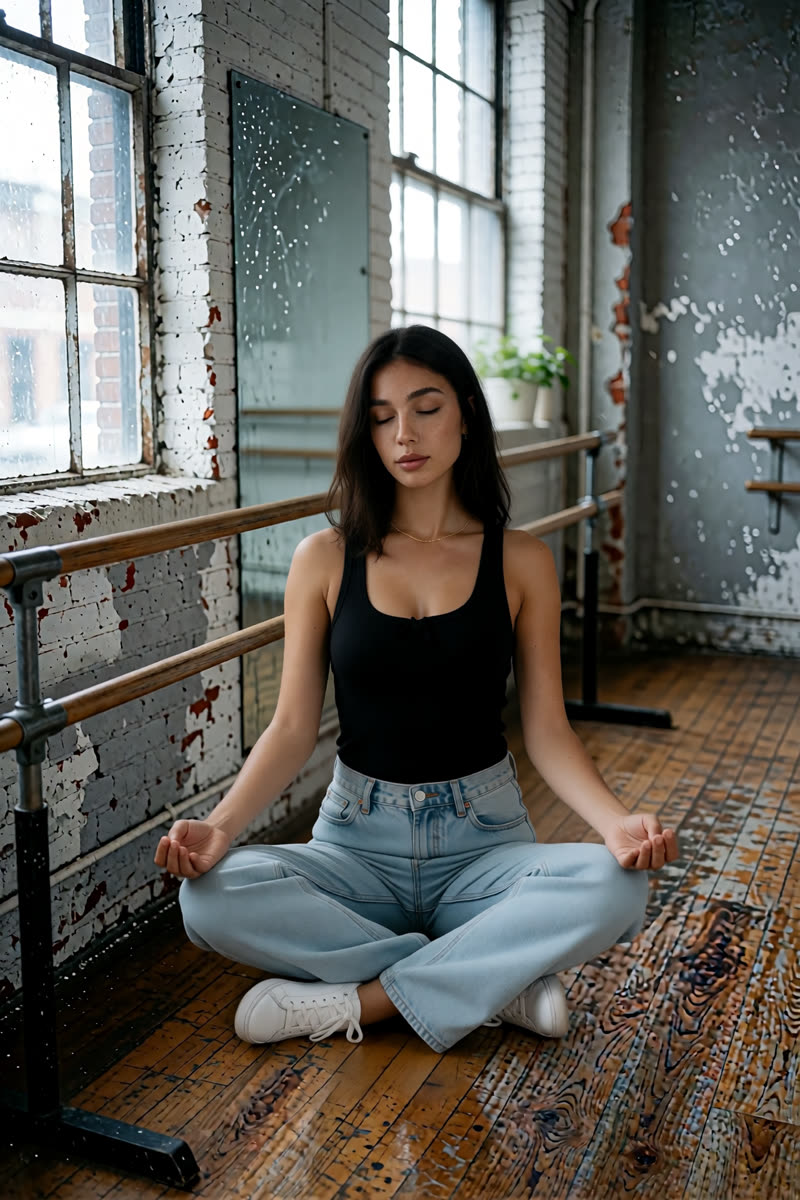
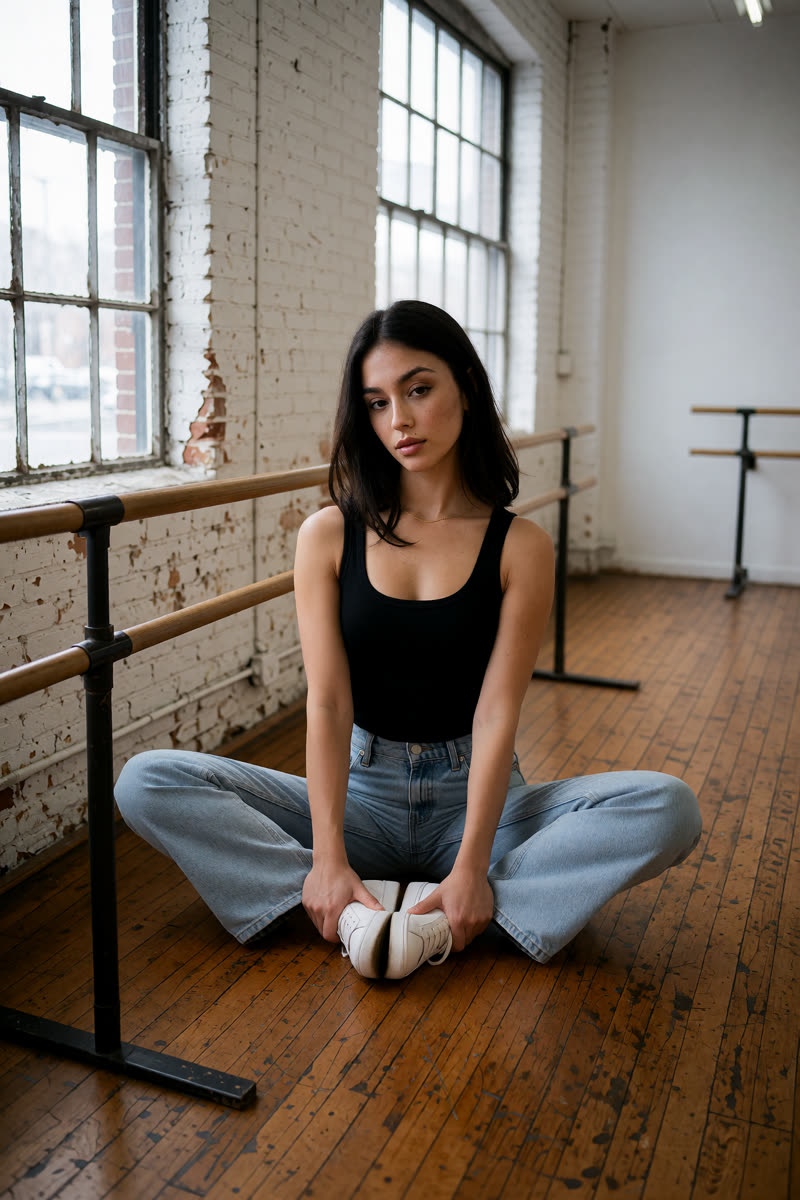
Krea v1.2: A studio image made from the selfie with a prompt that asks for no mirrors.
Krea v1.2A studio image made from the selfie with a prompt that asks for no mirrors.
Example prompt“Show this exact woman, keeping her face 100% identical. Full-body photo from head to toe in a raw, unpolished dance studio: worn scuffed wooden floorboards, peeling white-painted brick walls, large old industrial windows, a simple metal and wood ballet barre, no mirrors. She leans relaxed with one hand on the barre, ankles crossed, looking at the camera. Soft cool daylight from the windows.”
Dark Beast, then GPT: Dark Beast built the room; GPT Image 2.5 then fixed the face, the top and the mirror reflection.
Dark Beast, then GPTDark Beast built the room; GPT Image 2.5 then fixed the face, the top and the mirror reflection.

To start your own version, select Dark Beast and upload its full-body photo from Section 1. Try the studio prompt in the GPT card as a suggested first instruction, then save the result and switch to GPT for the fix below.

For the GPT edit: image 1 = the Dark Beast studio picture; image 2 = the original selfie.

Example prompt“Edit image 1 and keep everything in it unchanged: the dance studio, pose, barre, jeans, sneakers, framing and daylight. Fix two things: her face becomes exactly the face of the woman in image 2; her top becomes exactly the top from image 2, the same black cotton scoop-neck tank top with the small gathered bow. The mirror on the left shows a correct reflection of her from behind, matching her pose.”
What we learned. Check that any mirror reflection matches the person's pose and outfit. If you do not need a mirror, ask for “no mirrors.” You can also upload a saved picture to another editor for a specific fix. Remember that a GPT fix uses purchased credits.
8Outfit

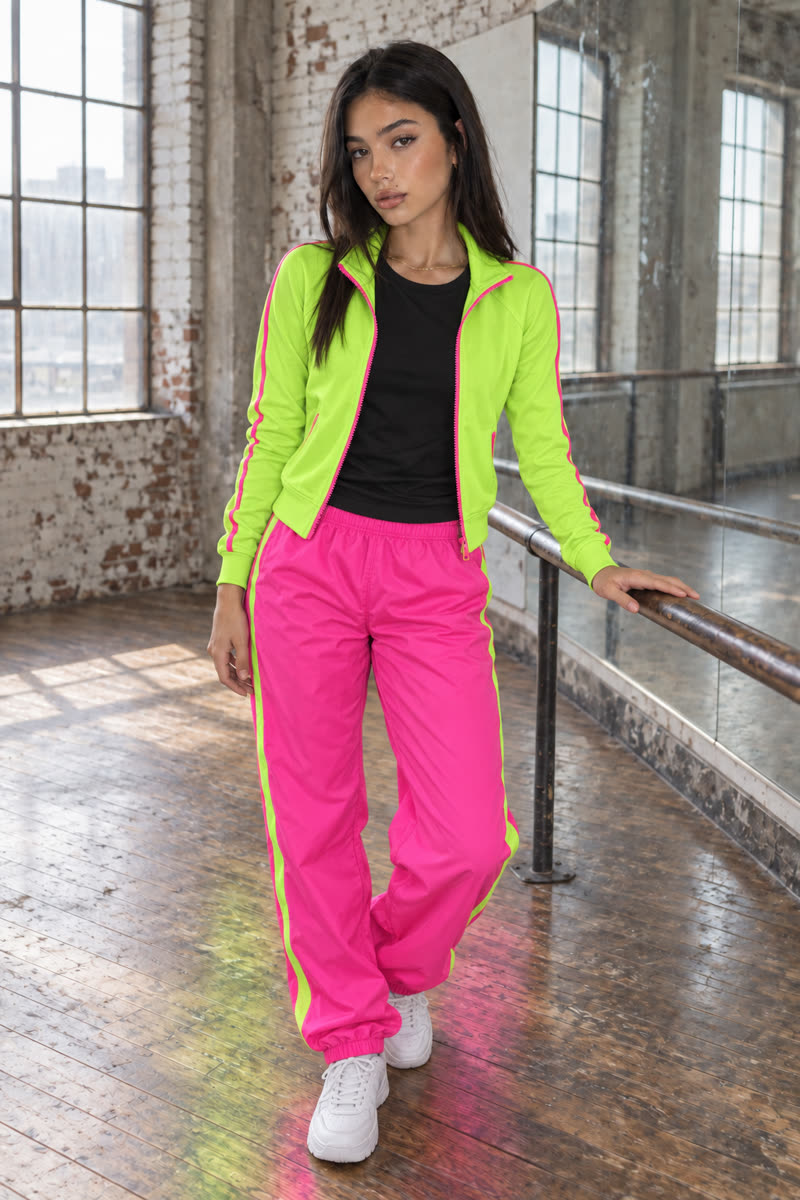
Same room, neon workout outfit

Change the clothes in the studio photos to neon trousers and a training jacket. Describe each item and colour. GPT makes the outfit change in the fourth example, using the studio picture that began with Dark Beast.

Upload: Your chosen studio photo from Section 7. Keep the original studio photo if you also want to try the pose edits below.

Example prompt (GPT, Sogni Krea, Krea, or Dark Beast then GPT)“She has changed into a bright neon workout outfit: a neon lime-green zip-up training jacket, half unzipped, with hot pink piping on the sleeves, over a plain black crew-neck t-shirt; loose neon hot-pink jogger pants with a lime side stripe; chunky white trainers. Keep her face, hair, gold chain, pose, the raw dance studio, framing and window light exactly the same.”
GPT Image 2.5: Neon reflections even appear on the wooden floor.
GPT Image 2.5Neon reflections even appear on the wooden floor.
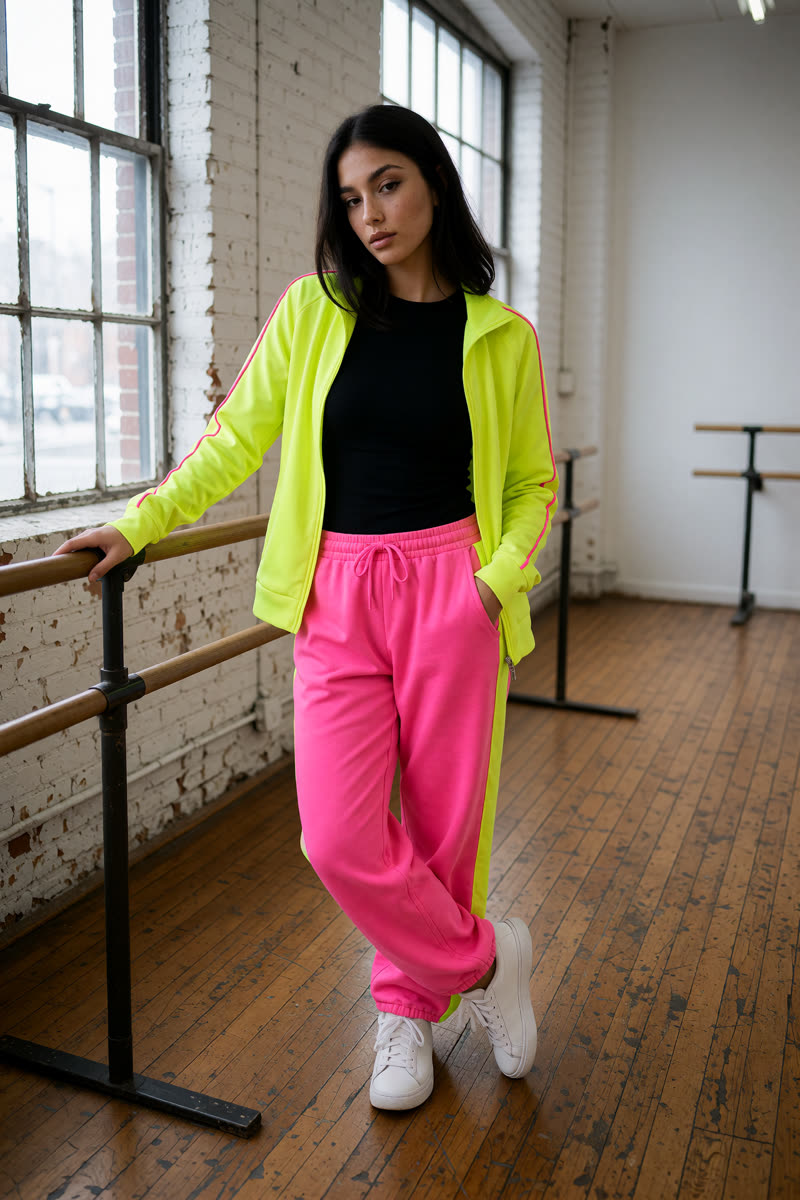
Sogni Krea v0.3: The outfit changes while the face stays recognisable and the room looks similar.
Sogni Krea v0.3The outfit changes while the face stays recognisable and the room looks similar.
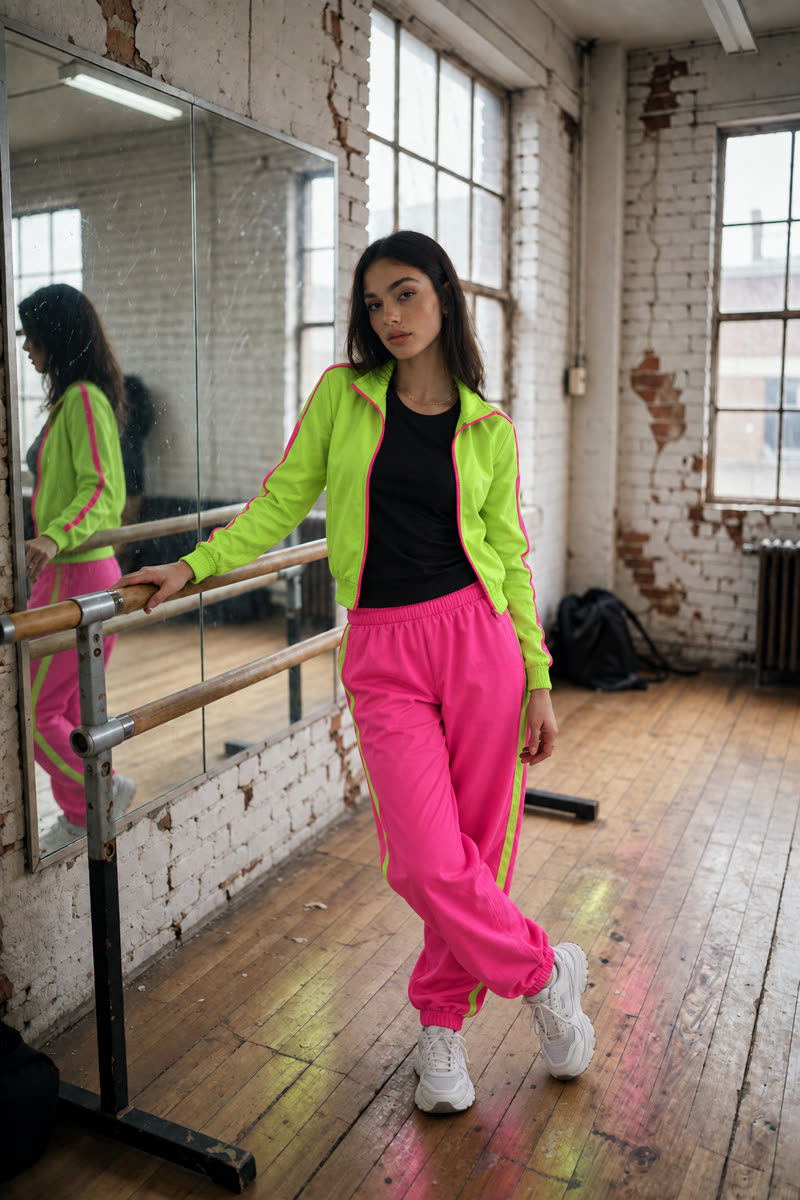
Krea v1.2: The outfit changes, with a similar pose and one hand in a pocket.
Krea v1.2The outfit changes, with a similar pose and one hand in a pocket.
Dark Beast, then GPT: The mirror reflection updates with the new outfit.
Dark Beast, then GPTThe mirror reflection updates with the new outfit.
What we learned. Spell out each garment and its colour. Compare the result with the input for pose, hair and background changes as well as the requested outfit.
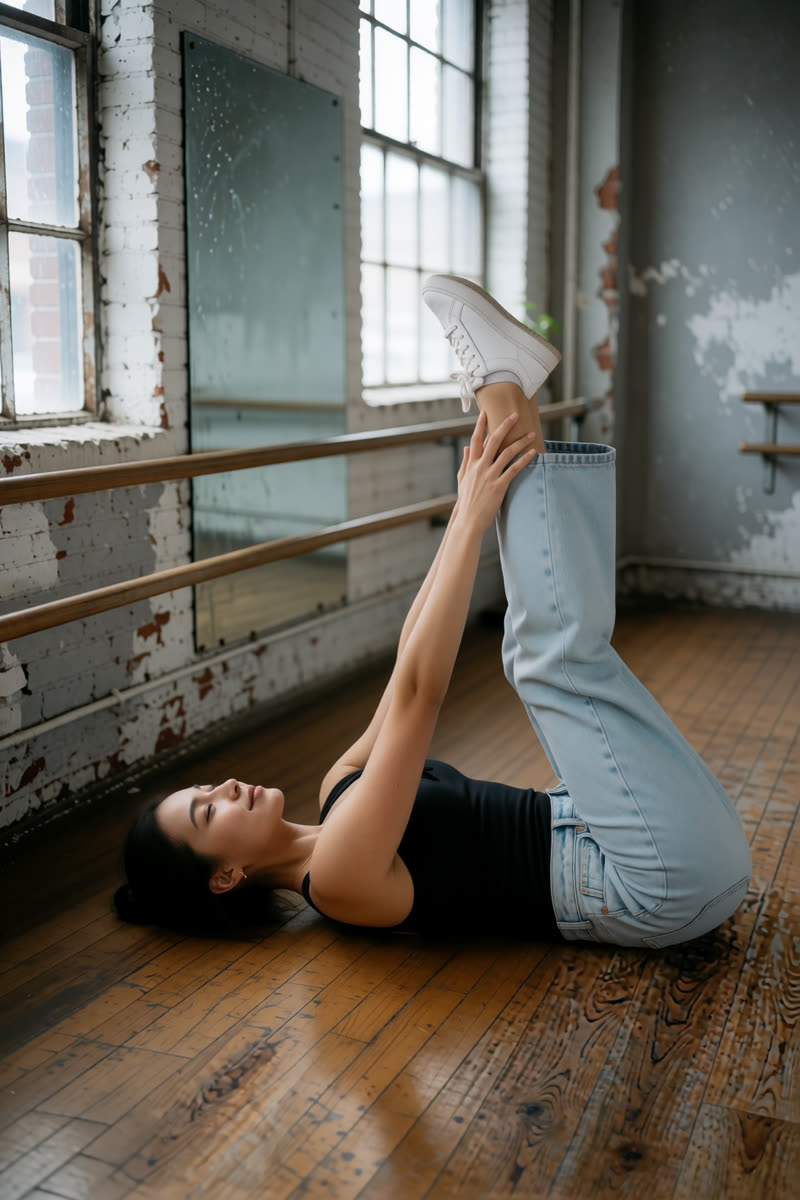
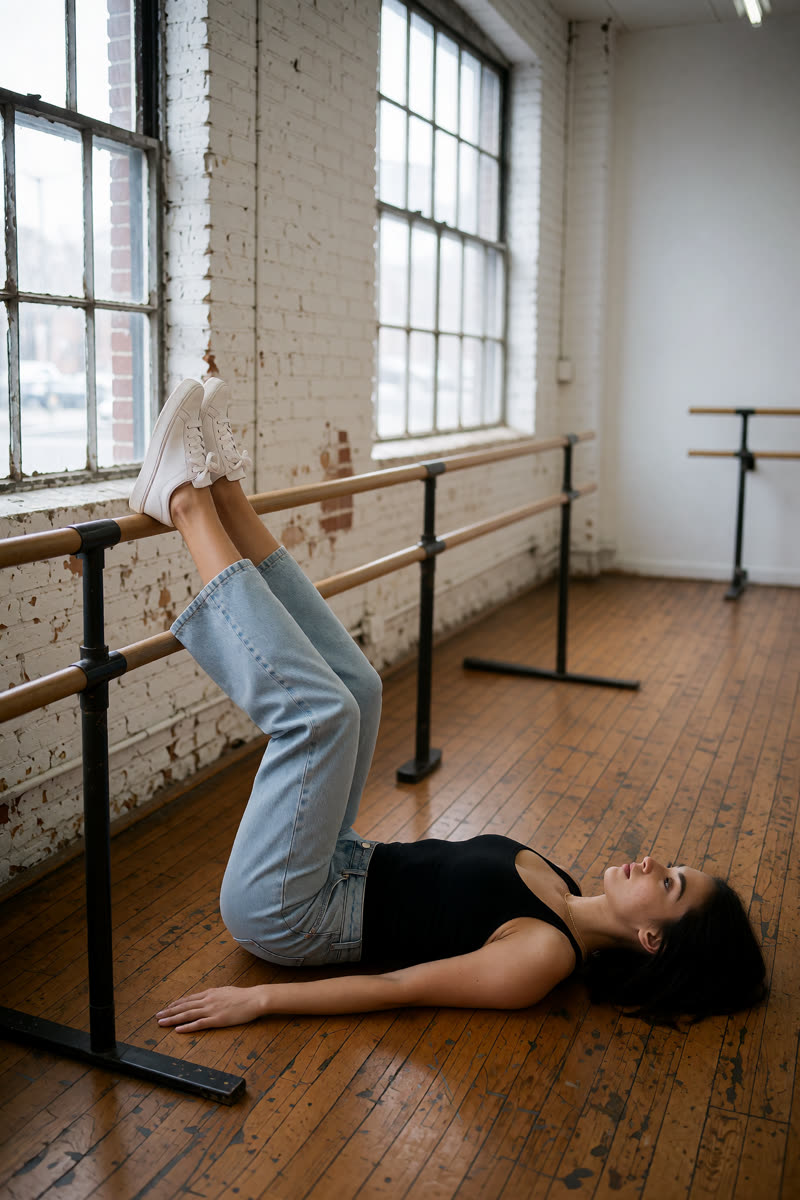
9Next challenge: change the pose

Try a new pose: 25 examples

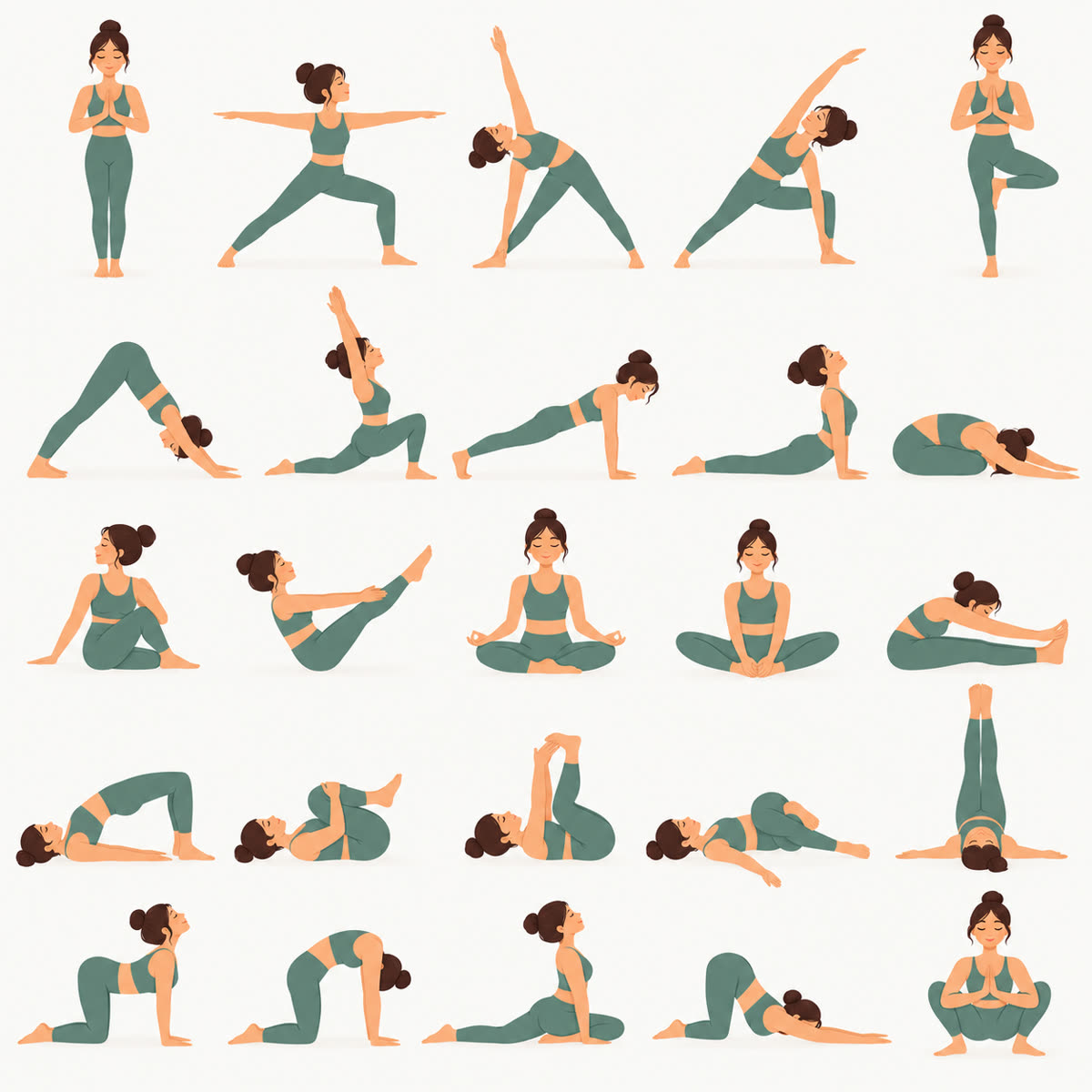
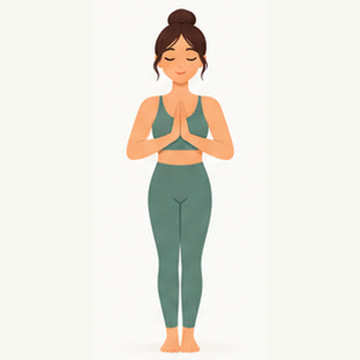
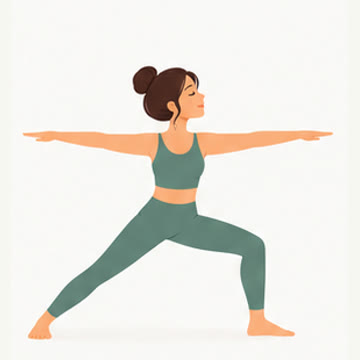
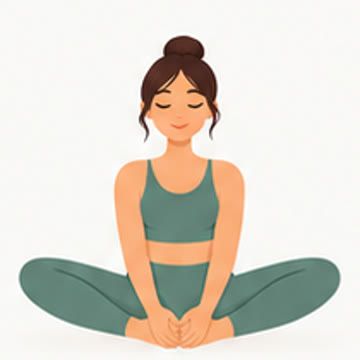
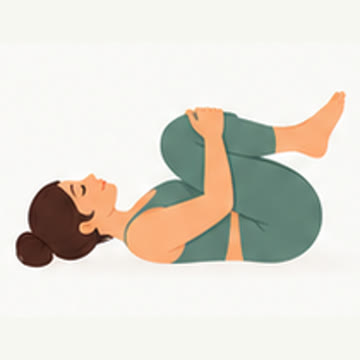
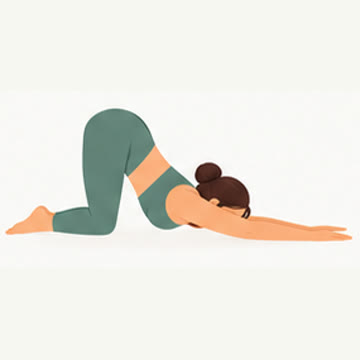
Once you are comfortable with simple edits, try changing the person's body position. Start from a full-body studio photo in the original outfit from Section 7. The diagrams show the poses we asked for, and the photos show where the editors got close or missed. You can pick one pose, or skip to the guide for choosing an editor.

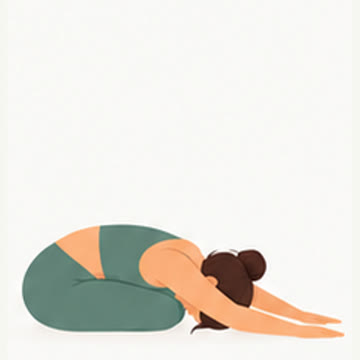
An illustrated board of 25 yoga poses in five rows.
The poses we asked for. GPT uses the matching diagram as a second image; Sogni Krea v0.3 and Krea v1.2 use a written description of the pose.

Which images should you upload?

For GPT: upload your studio photo as image 1 and that row's pose diagram as image 2. For Sogni Krea v0.3 or Krea v1.2: upload only the studio photo and describe the pose in words. The column labelled Dark Beast, then GPT shows poses made with GPT using a studio picture that began with Dark Beast; those GPT edits use purchased credits.

Open Suggested pose prompts in any row and copy the instruction for your chosen editor. These suggested prompts ask the editor to keep the clothes and background from your own photo; they are suggestions to try, rather than the exact wording used for every example shown. Some of the floor-pose examples continued from an earlier pose picture. If your first attempt misses, try again from a saved result closer to the pose you want. Tap a diagram or result to see it larger.

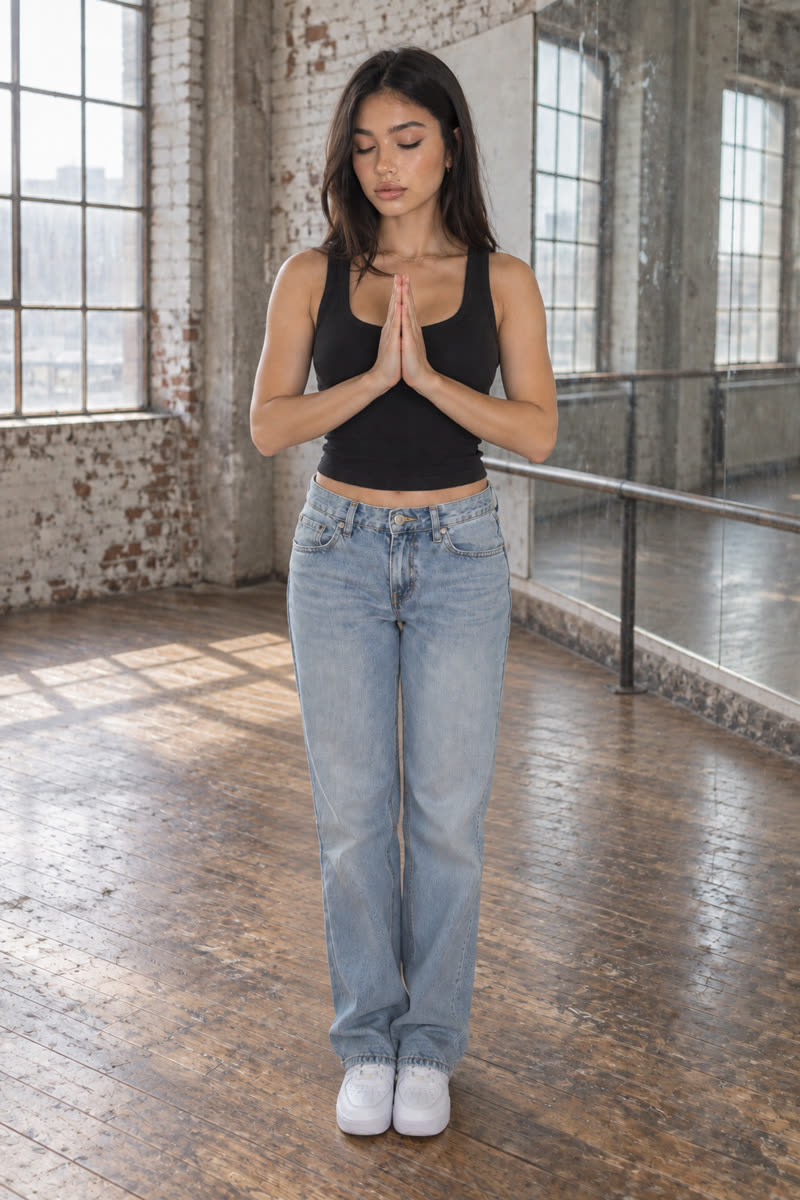
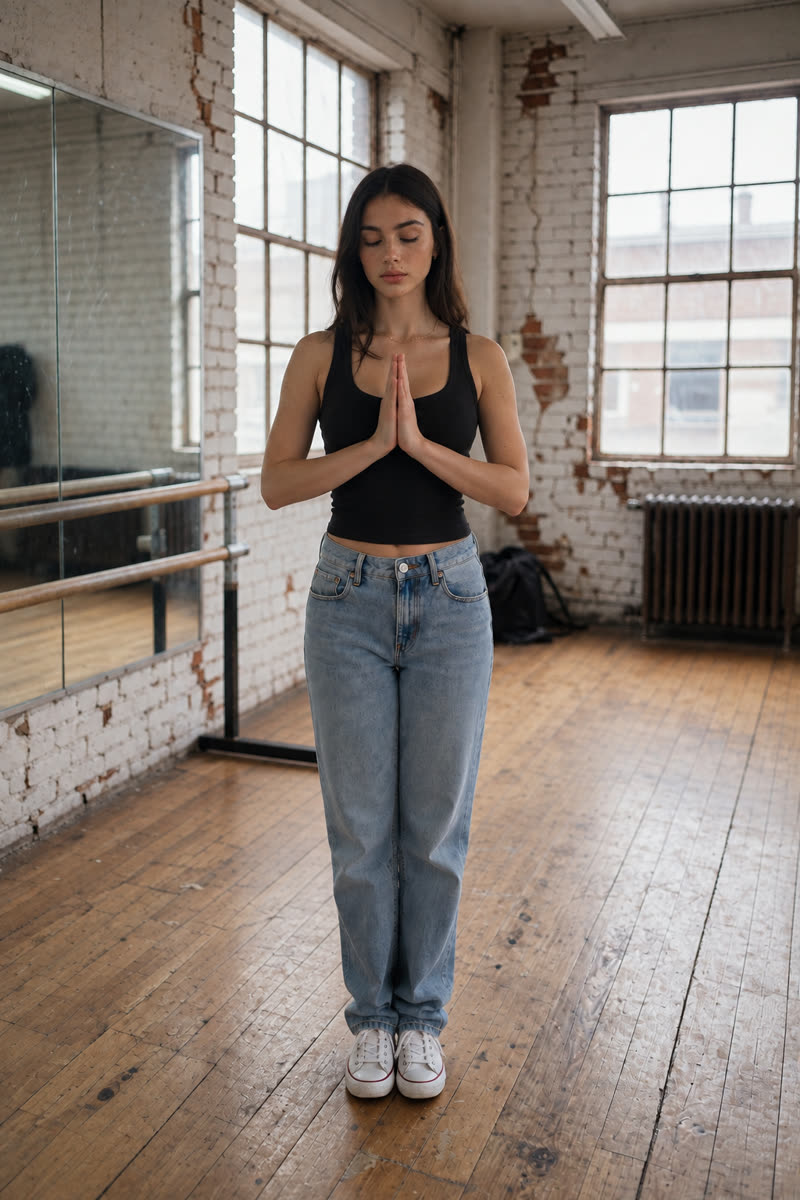
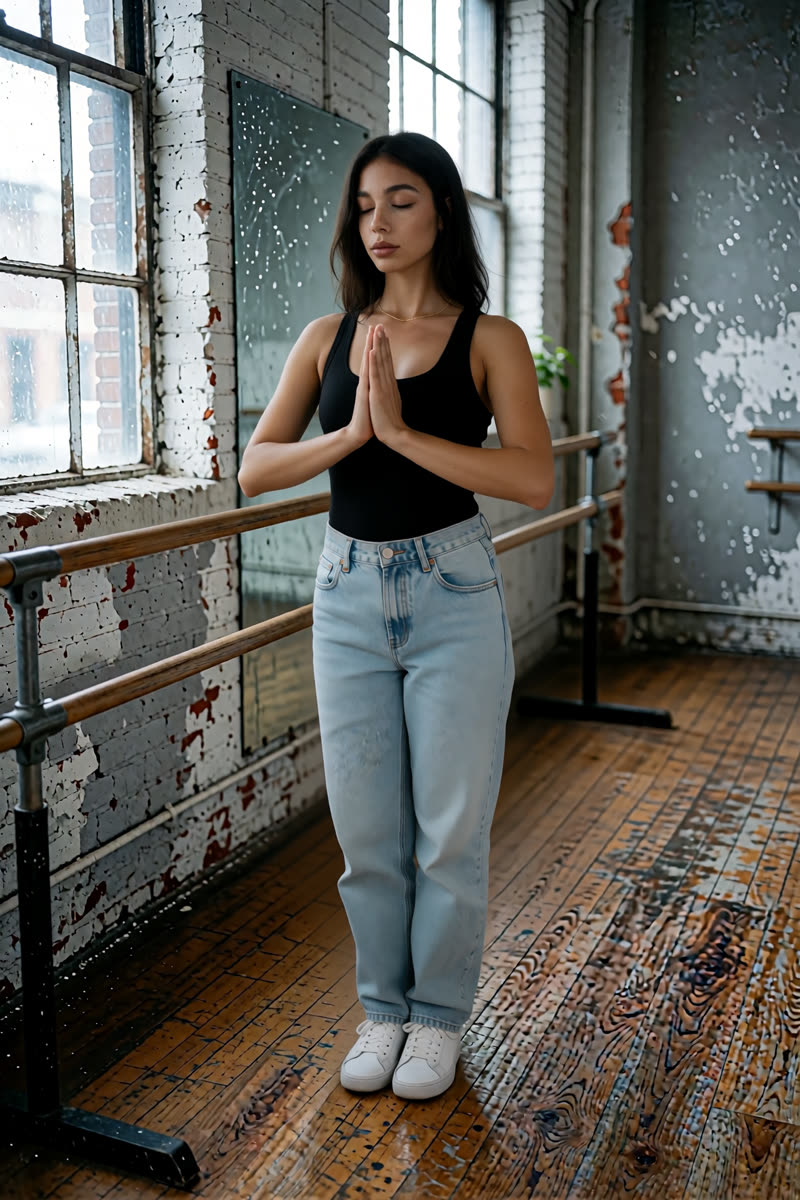
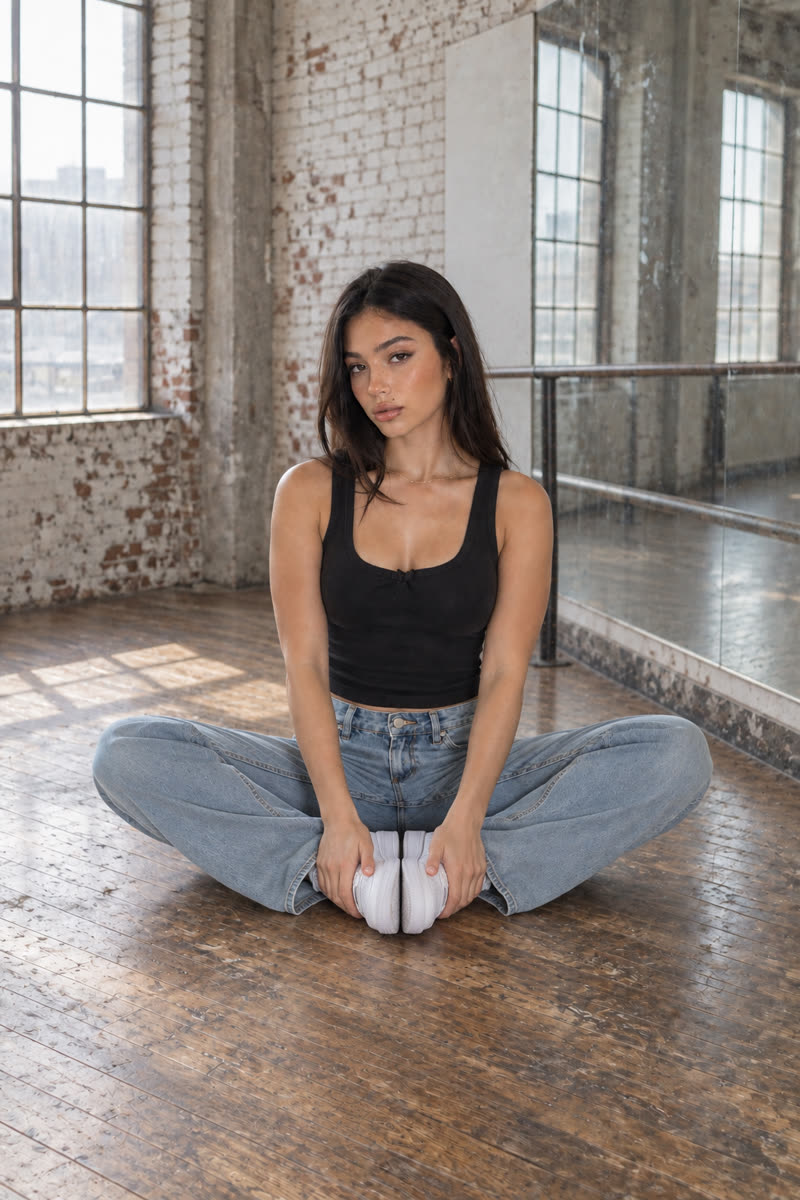
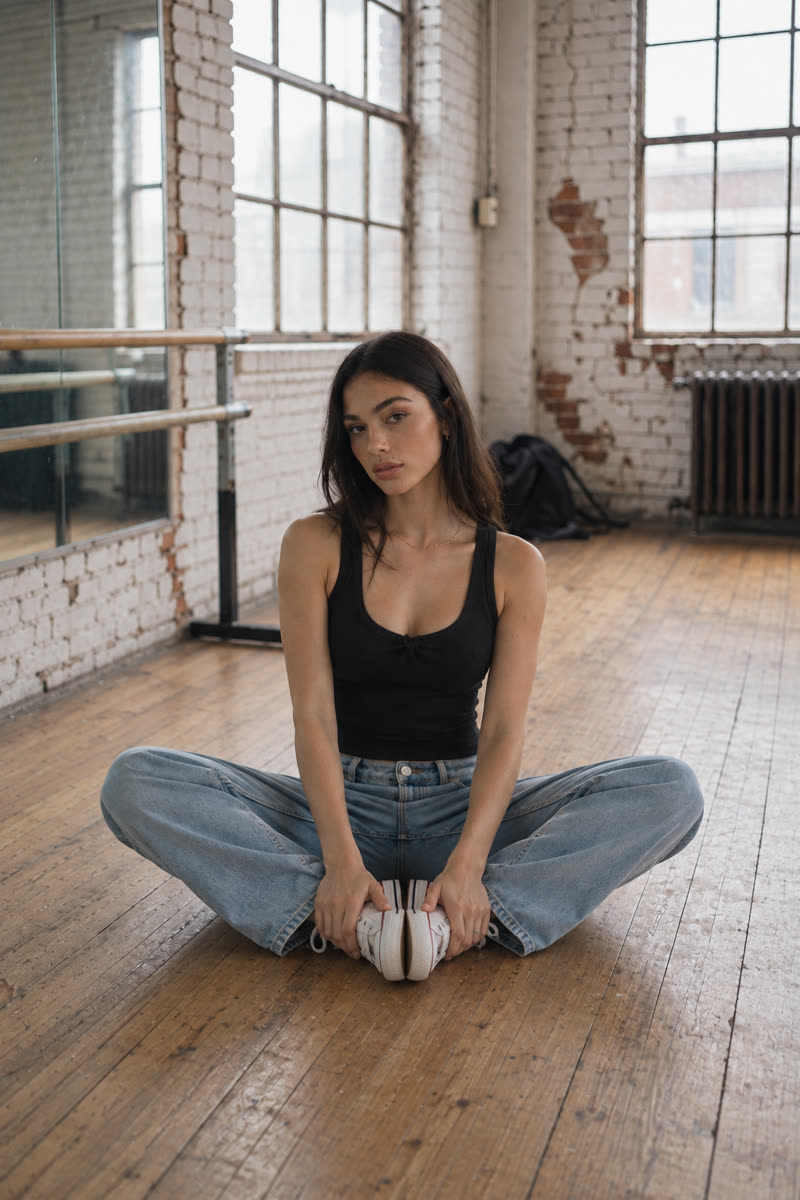
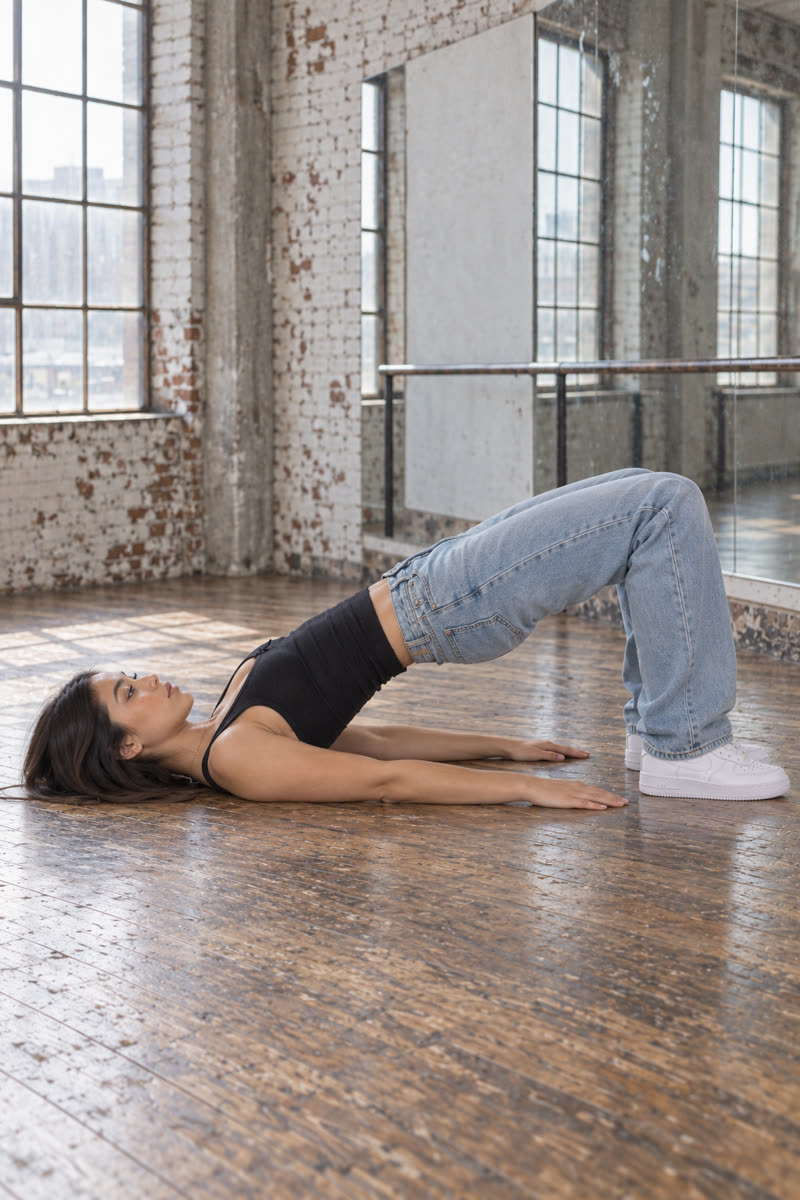
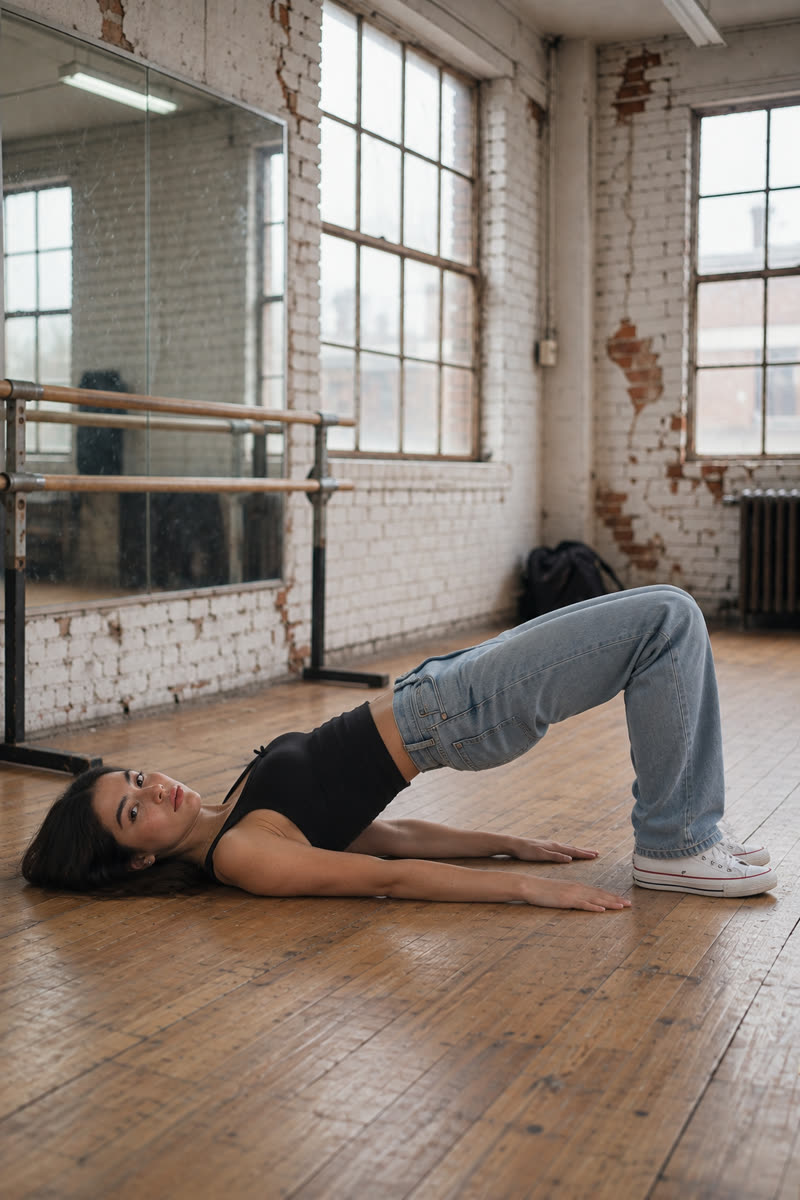
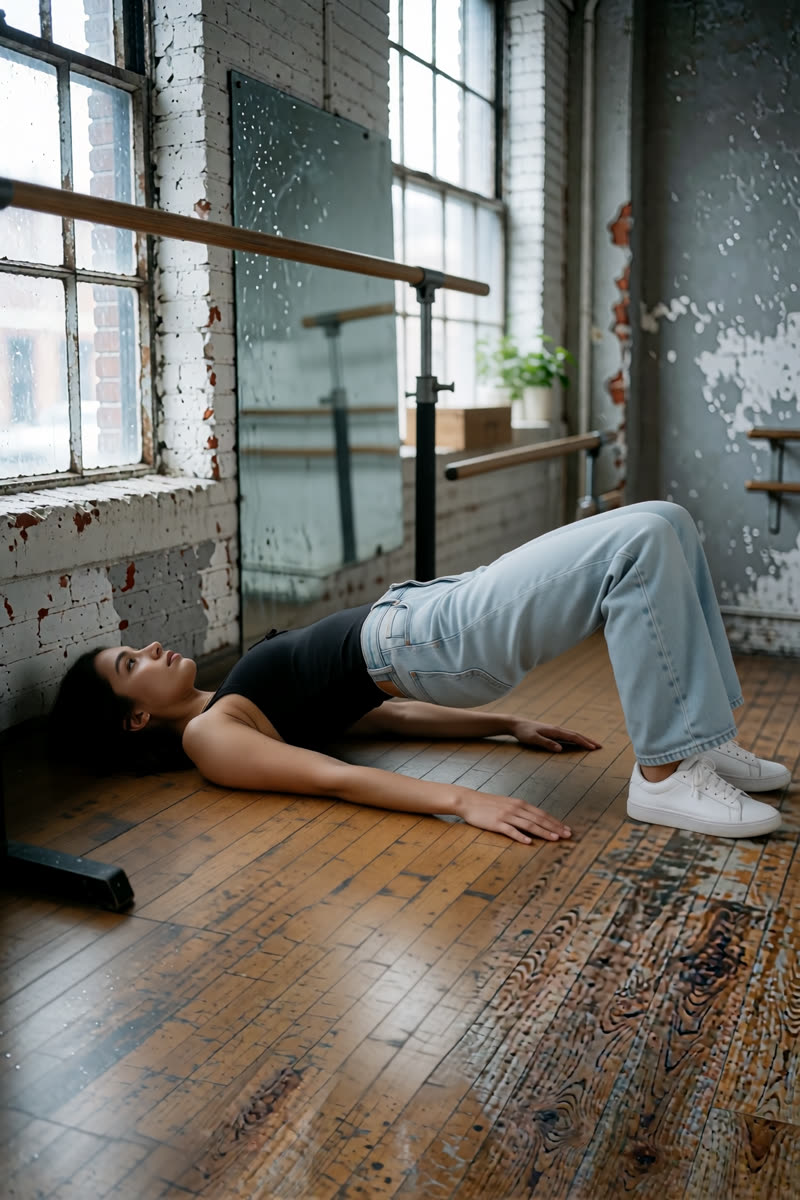
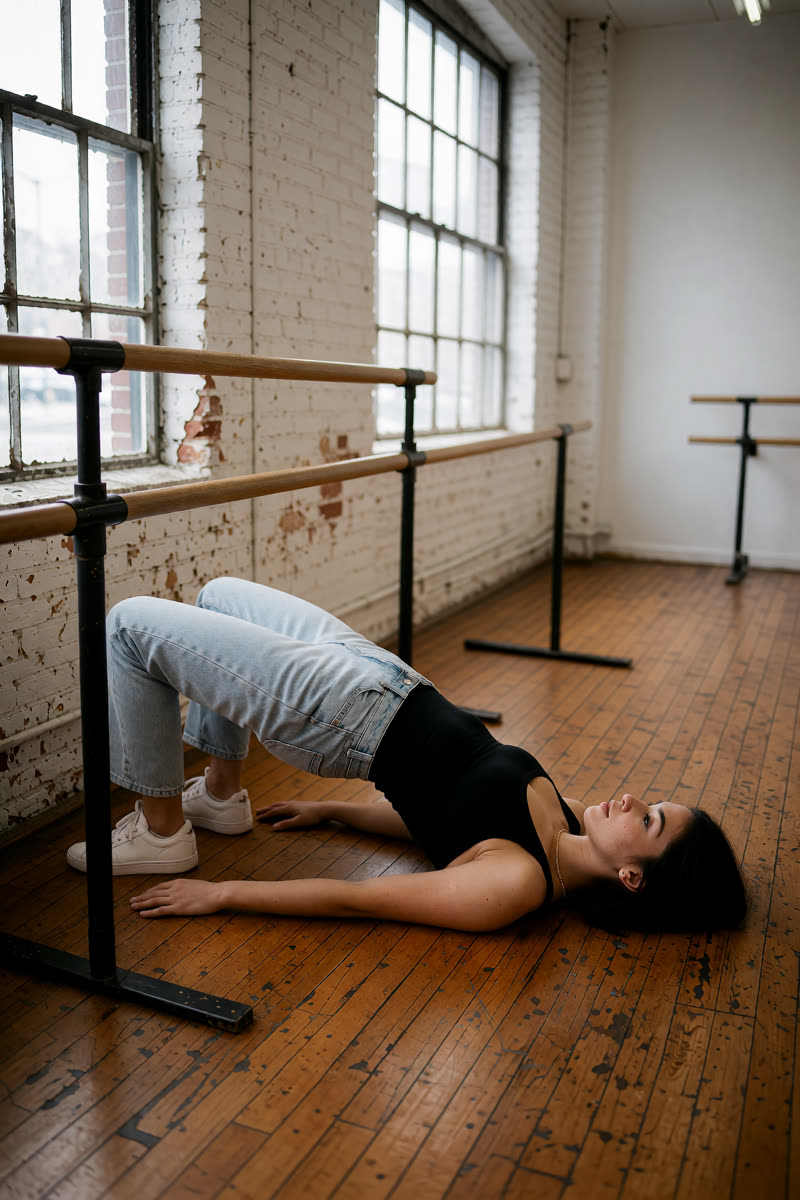
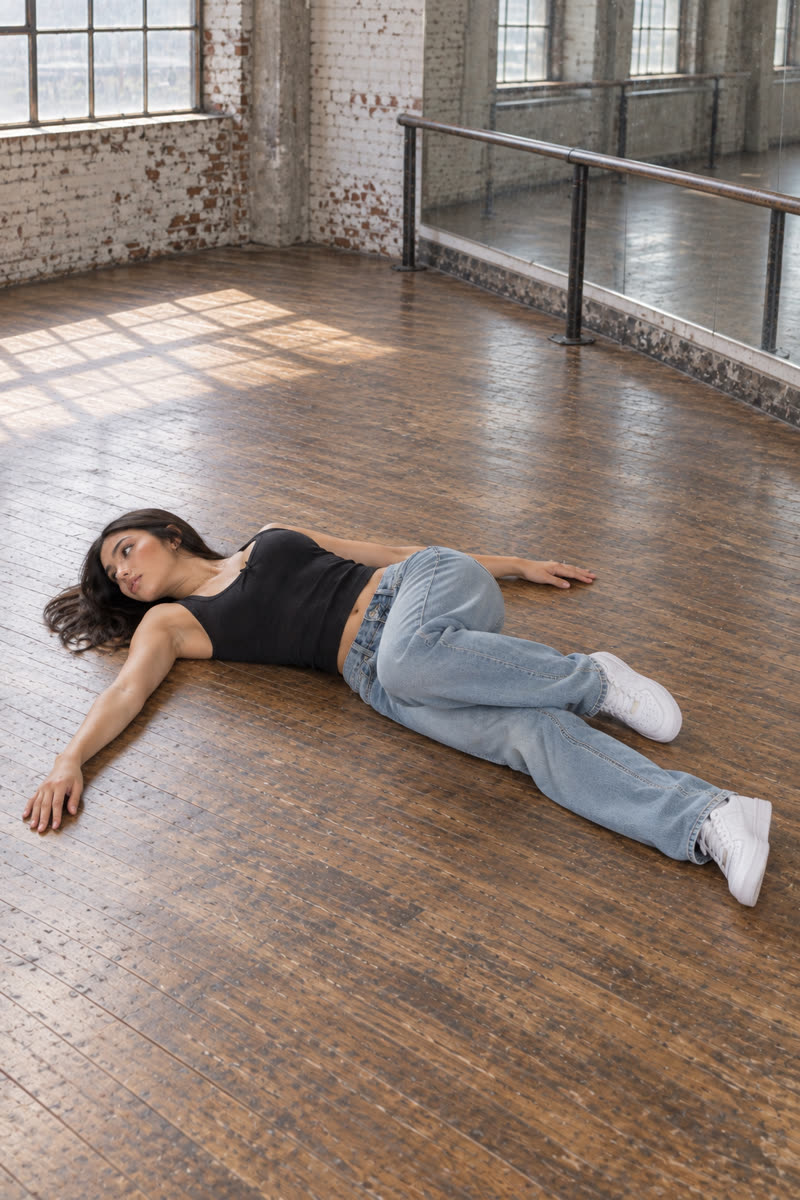
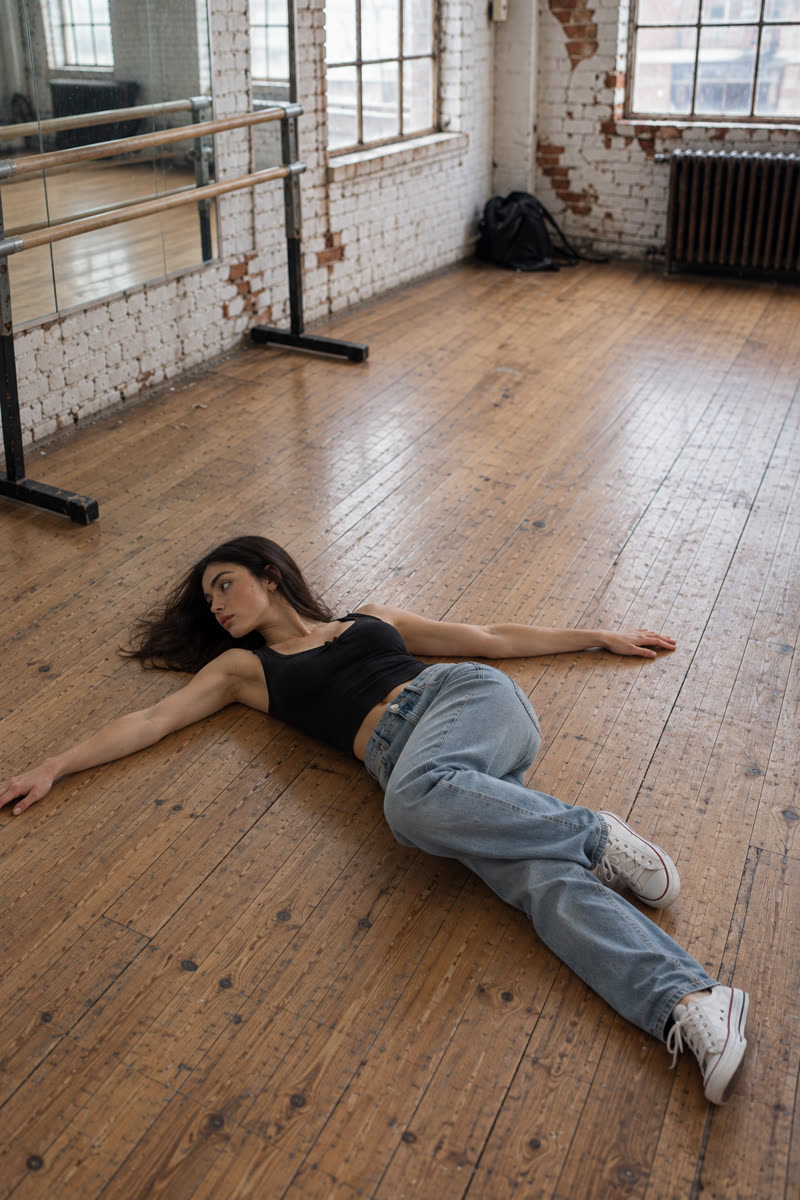
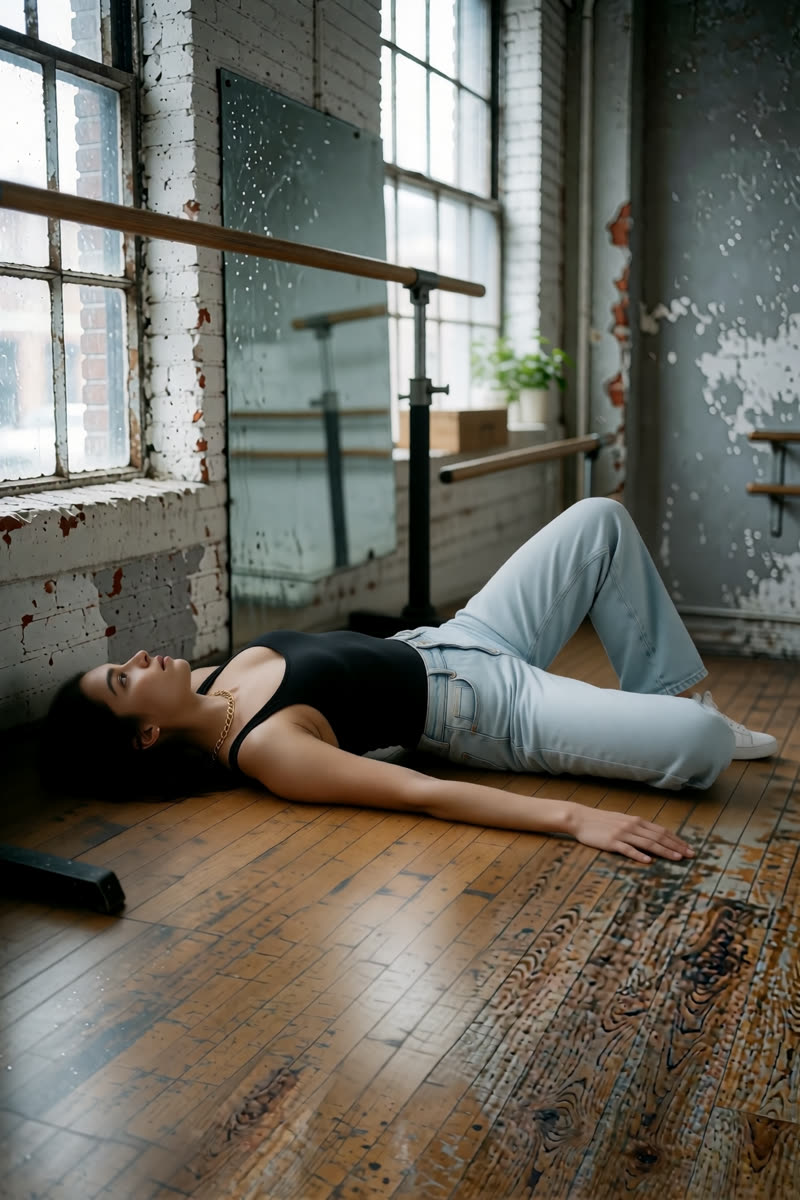
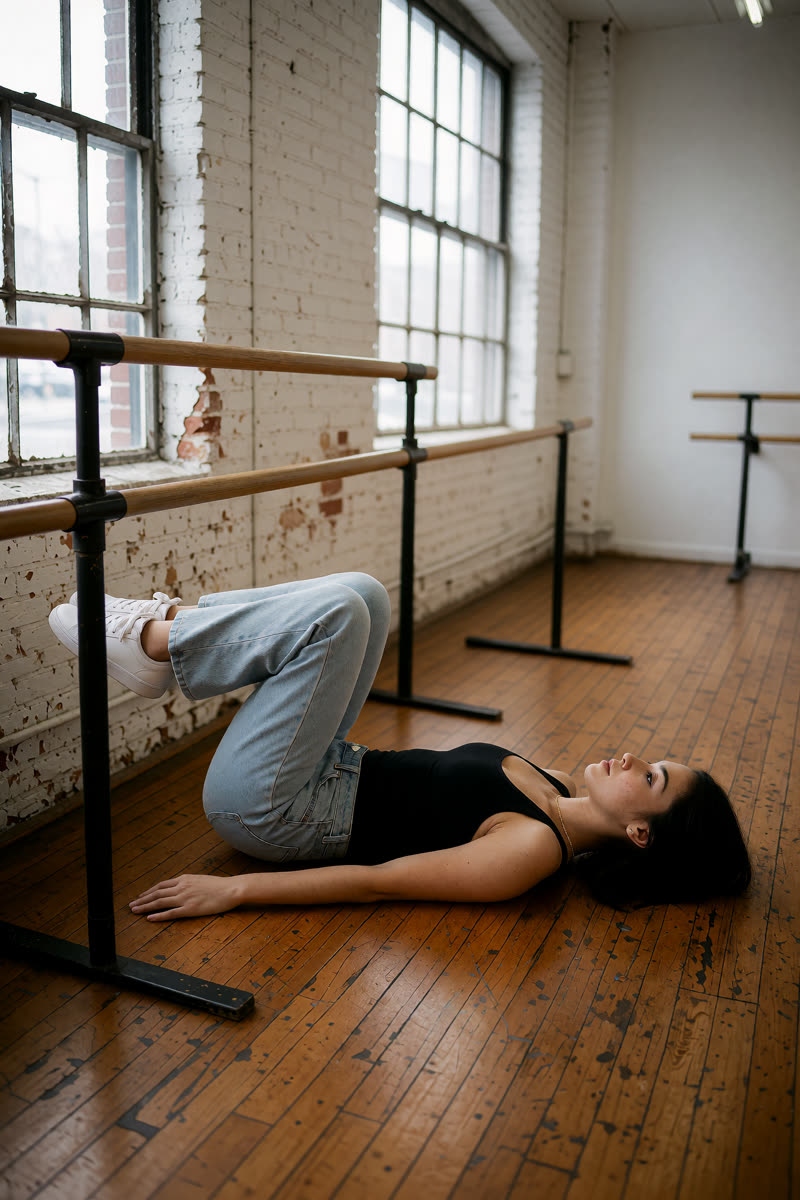
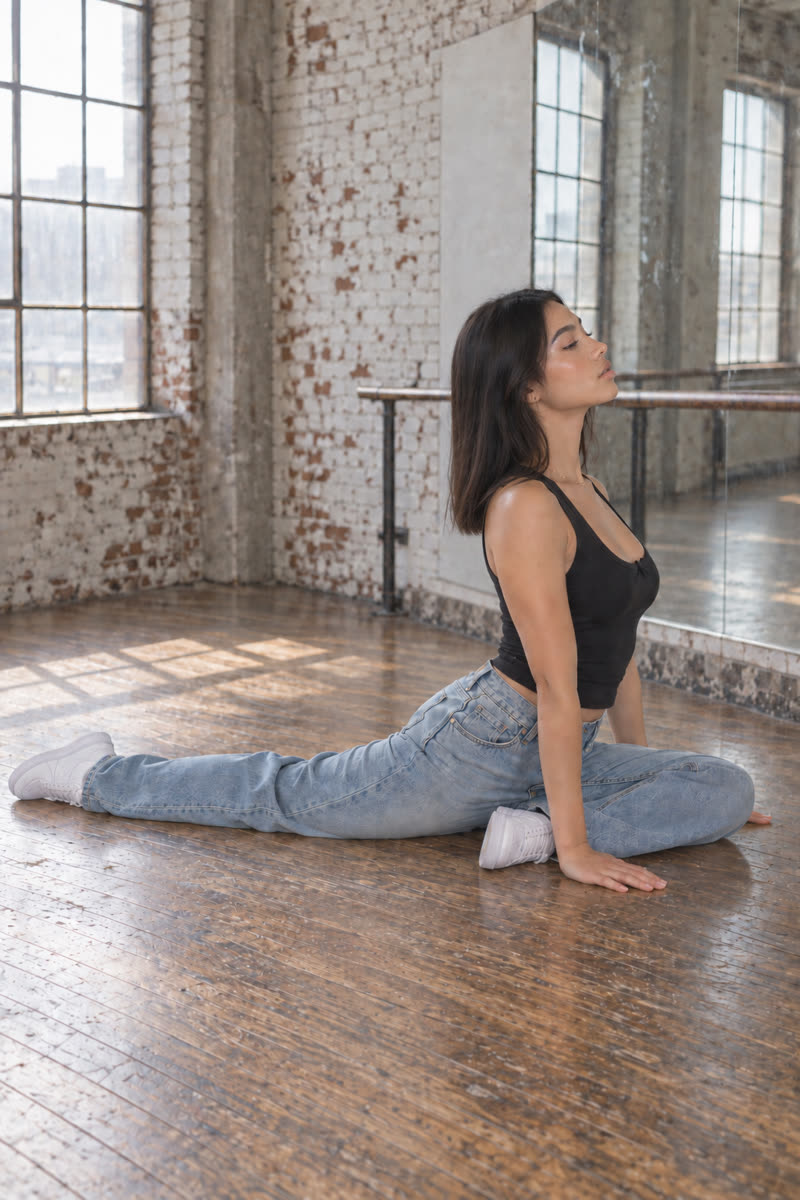
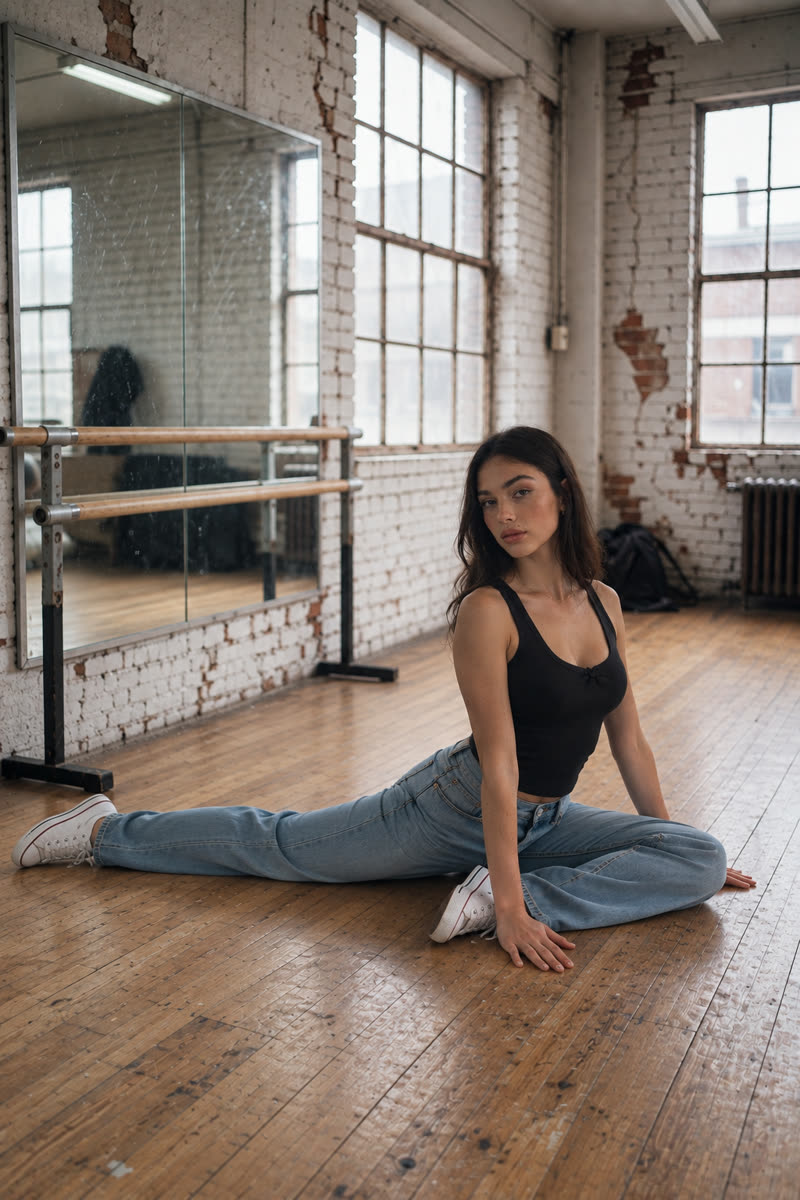
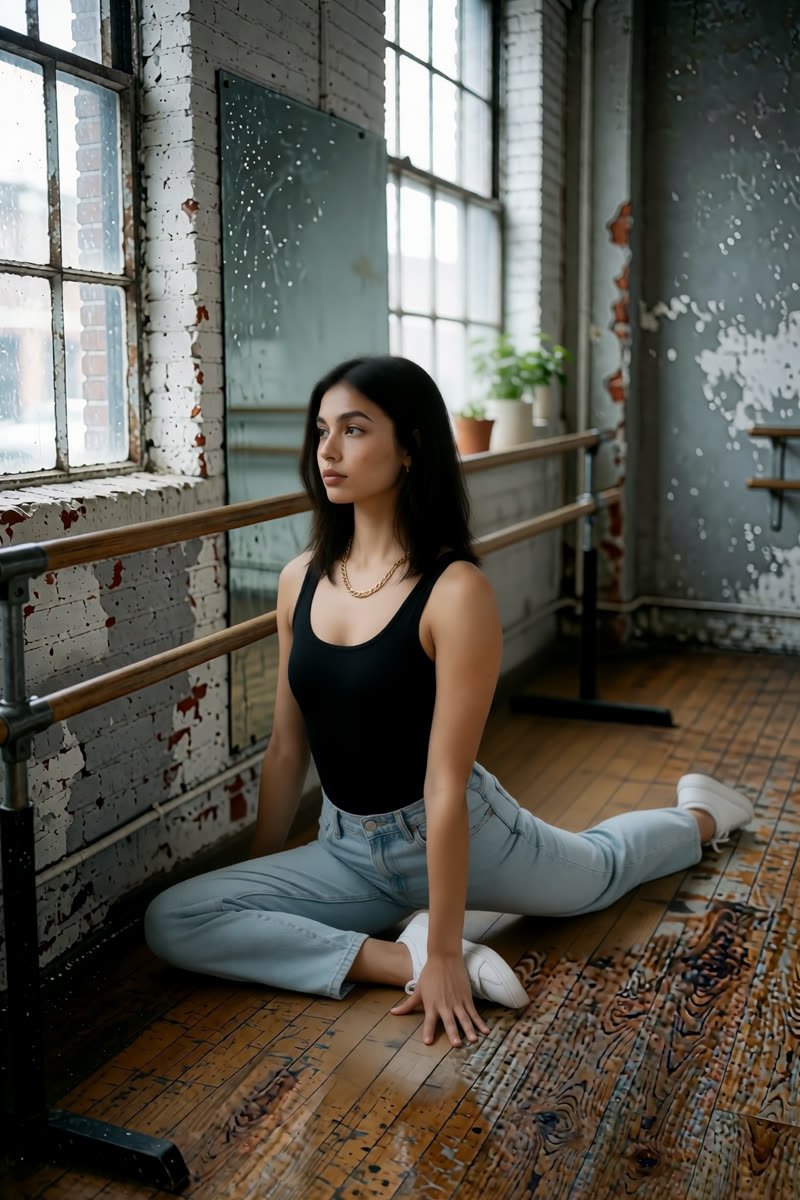
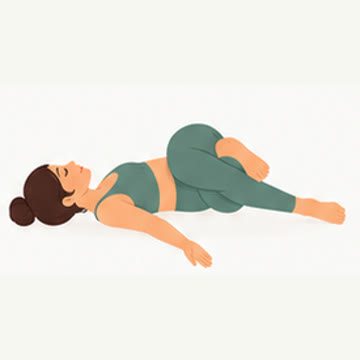
Check the whole pose. The Sogni Krea v0.3 happy-baby example and the Krea v1.2 supine-twist example do not match the diagrams. Compare the knees, hands and body direction. Check the whole picture before deciding that a pose edit worked.
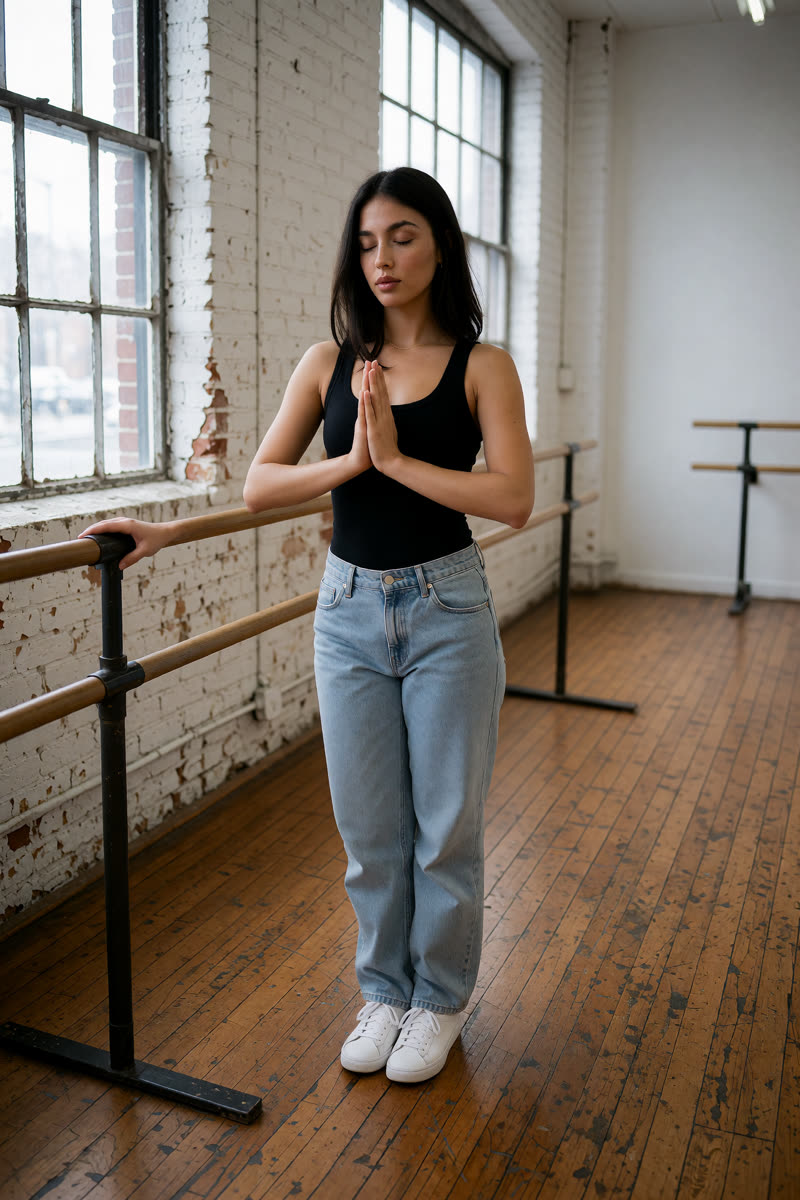
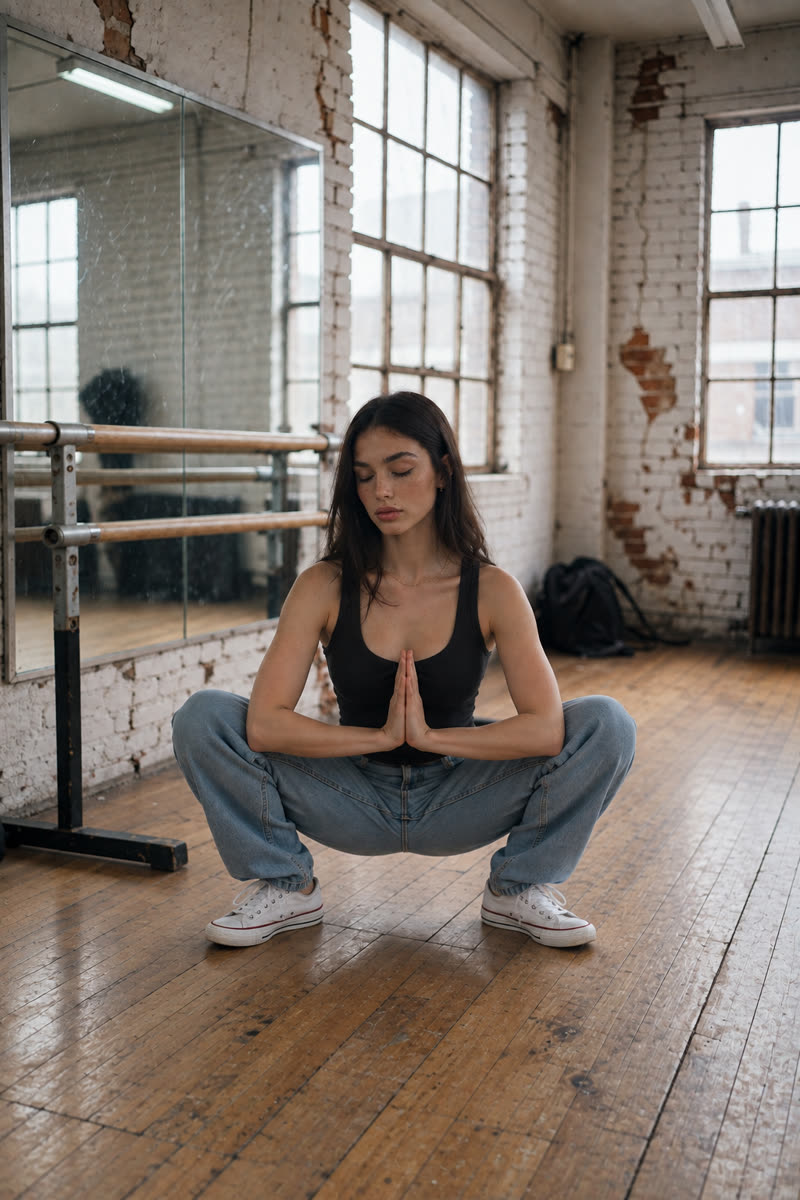
01Mountain pose, prayer hands
Reference drawing: Mountain pose, prayer hands
Input pose
Mountain pose, prayer hands, GPT Image 2.5
GPT Image 2.5
Mountain pose, prayer hands, Dark Beast, then GPT
Dark Beast, then GPT
Mountain pose, prayer hands, Sogni Krea v0.3
Sogni Krea v0.3
Mountain pose, prayer hands, Krea v1.2
Krea v1.2
Suggested pose prompts
GPT: photo + pose diagramEdit image 1 so the person stands upright with both feet together, palms pressed together at chest height, matching the body position in image 2. Image 2 is a pose diagram only: copy its body position, not its drawing style, person or green clothing. Keep the person's face, hair, clothes, shoes, background, lighting and photographic style unchanged. Show their whole body in an open area of the floor, away from furniture.
Sogni Krea v0.3 or Krea v1.2: photo onlyChange only the body position of the person in this photo: they stand upright with both feet together, palms pressed together at chest height. Keep the person's face, hair, clothes, shoes, background, lighting and photographic style unchanged. Show their whole body in an open area of the floor, away from furniture.
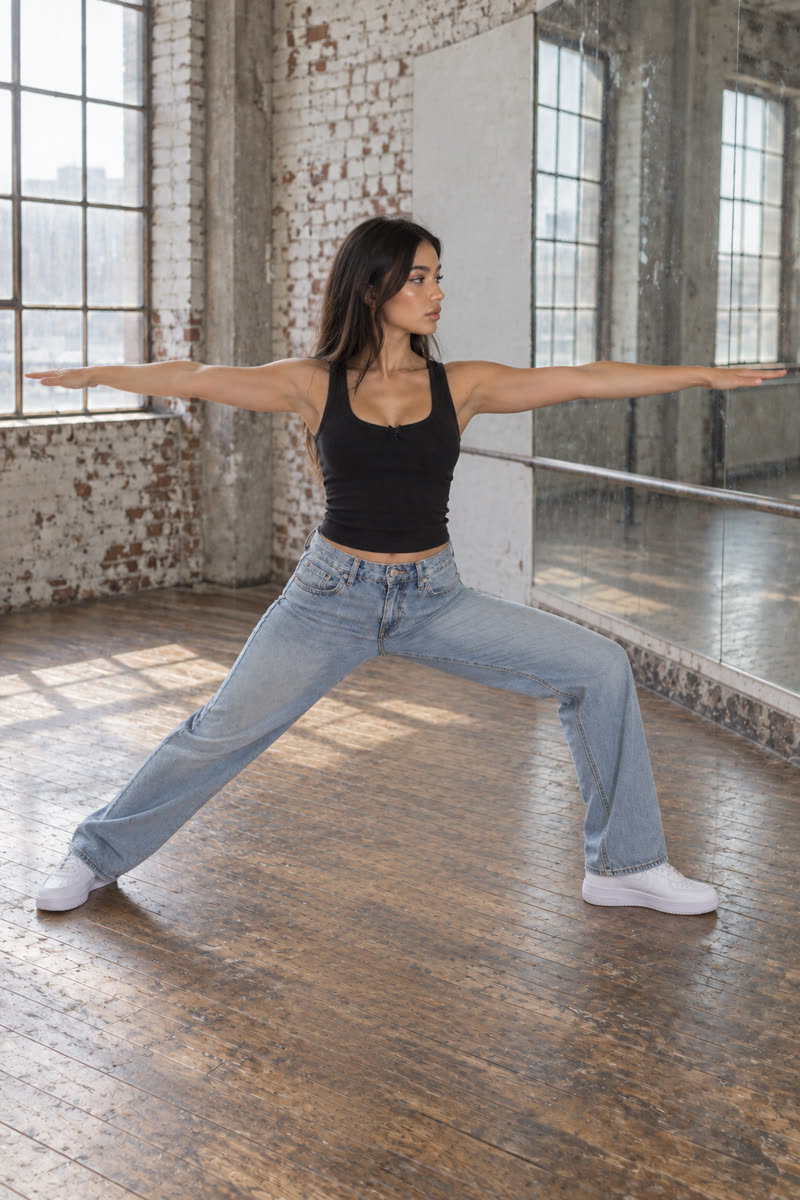
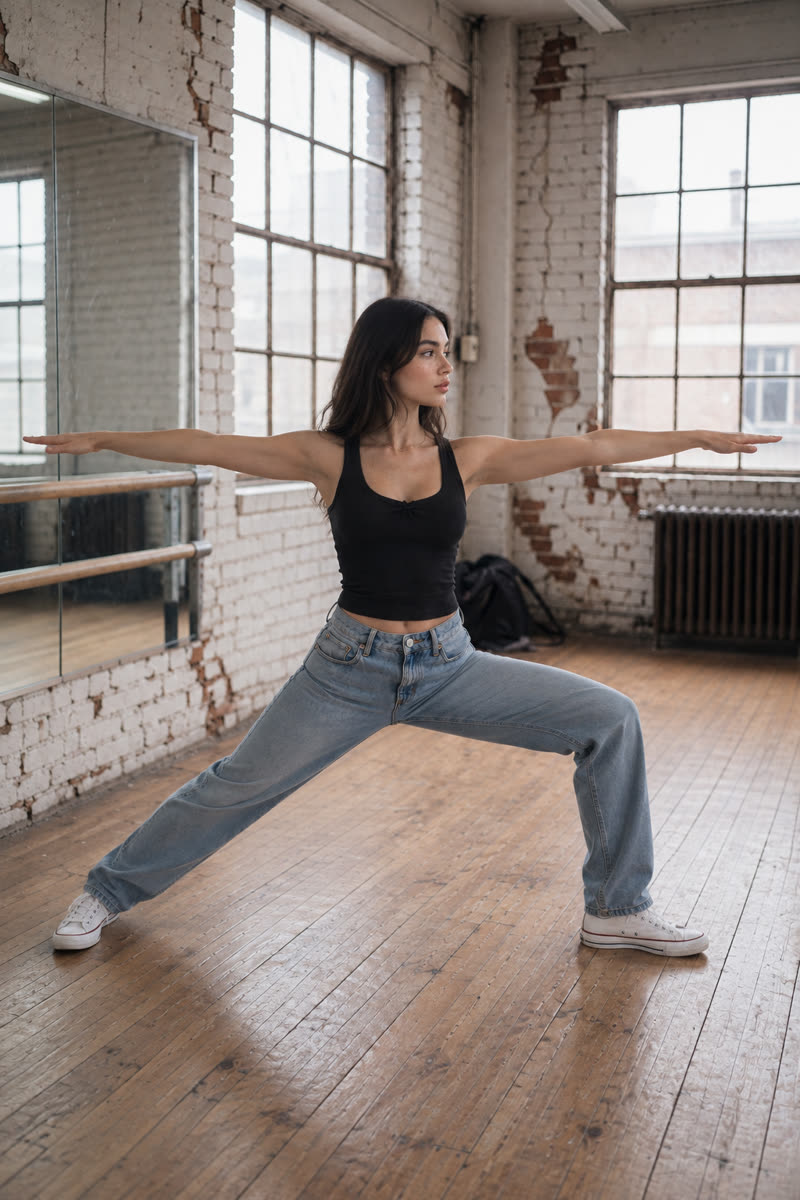
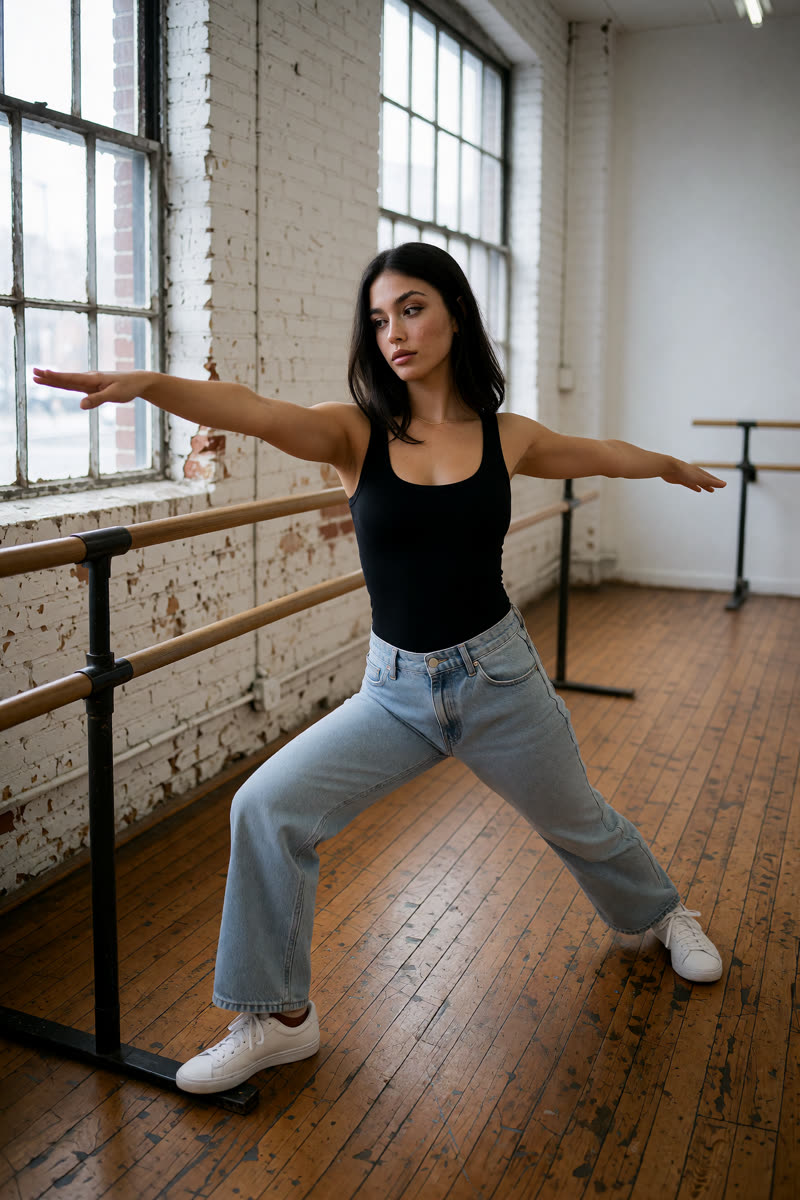
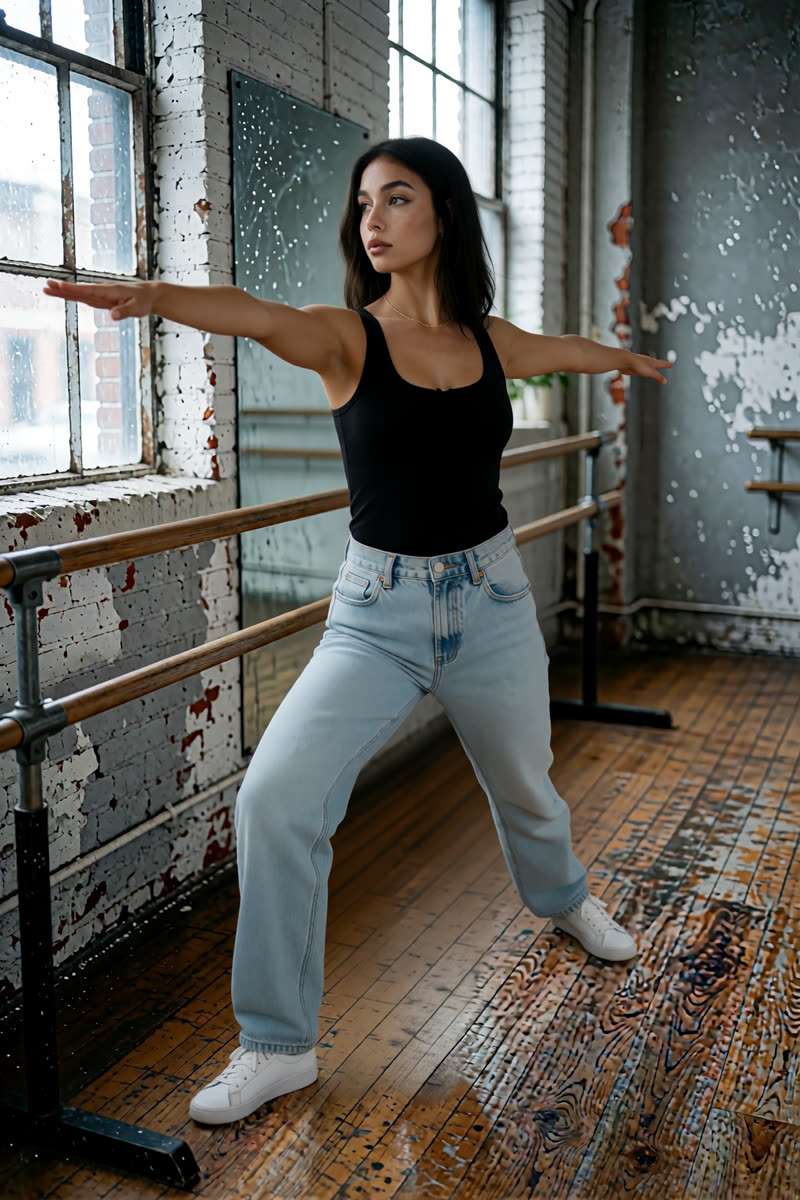
02Warrior II
Reference drawing: Warrior II
Input pose
Warrior II, GPT Image 2.5
GPT Image 2.5
Warrior II, Dark Beast, then GPT
Dark Beast, then GPT
Warrior II, Sogni Krea v0.3
Sogni Krea v0.3
Warrior II, Krea v1.2
Krea v1.2
Suggested pose prompts
GPT: photo + pose diagramEdit image 1 so the person stands in Warrior II, feet wide apart, front knee bent, back leg straight, both arms extended horizontally, looking over the front hand, matching the body position in image 2. Image 2 is a pose diagram only: copy its body position, not its drawing style, person or green clothing. Keep the person's face, hair, clothes, shoes, background, lighting and photographic style unchanged. Show their whole body in an open area of the floor, away from furniture.
Sogni Krea v0.3 or Krea v1.2: photo onlyChange only the body position of the person in this photo: they stand in Warrior II, feet wide apart, front knee bent, back leg straight, both arms extended horizontally, looking over the front hand. Keep the person's face, hair, clothes, shoes, background, lighting and photographic style unchanged. Show their whole body in an open area of the floor, away from furniture.
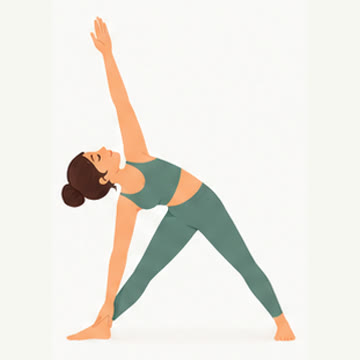
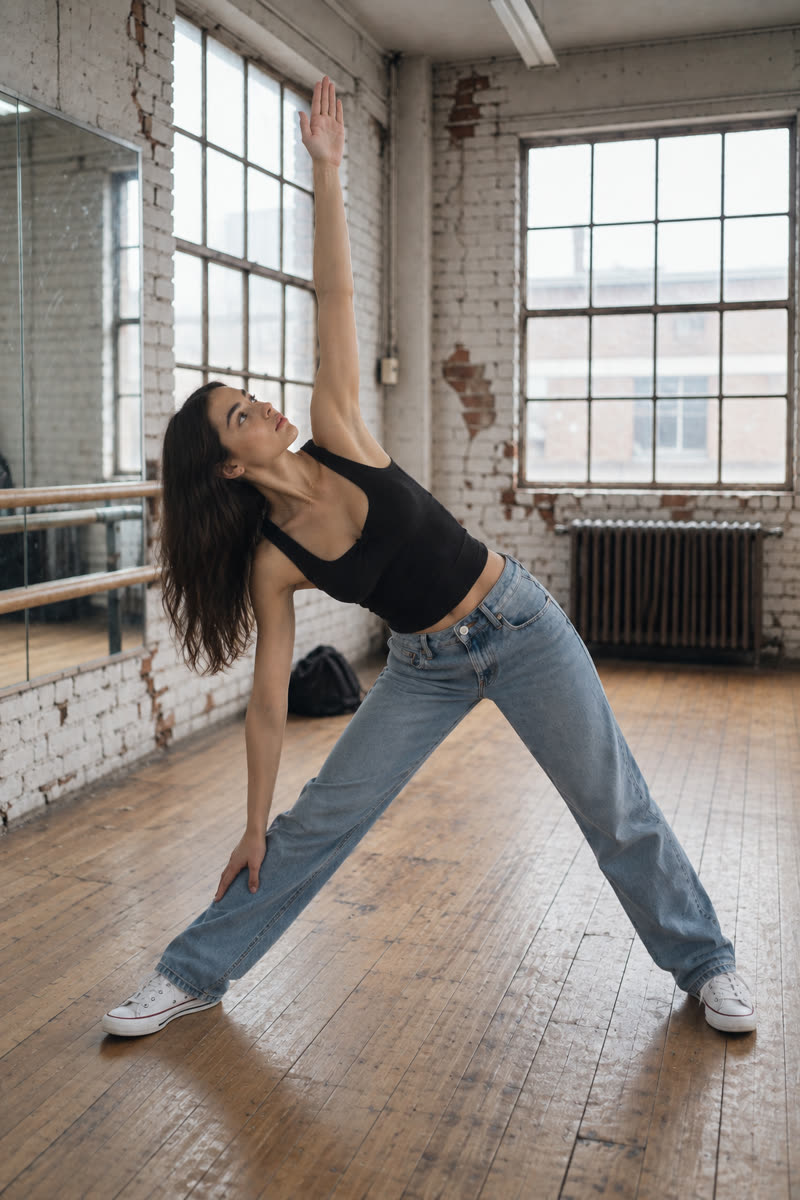
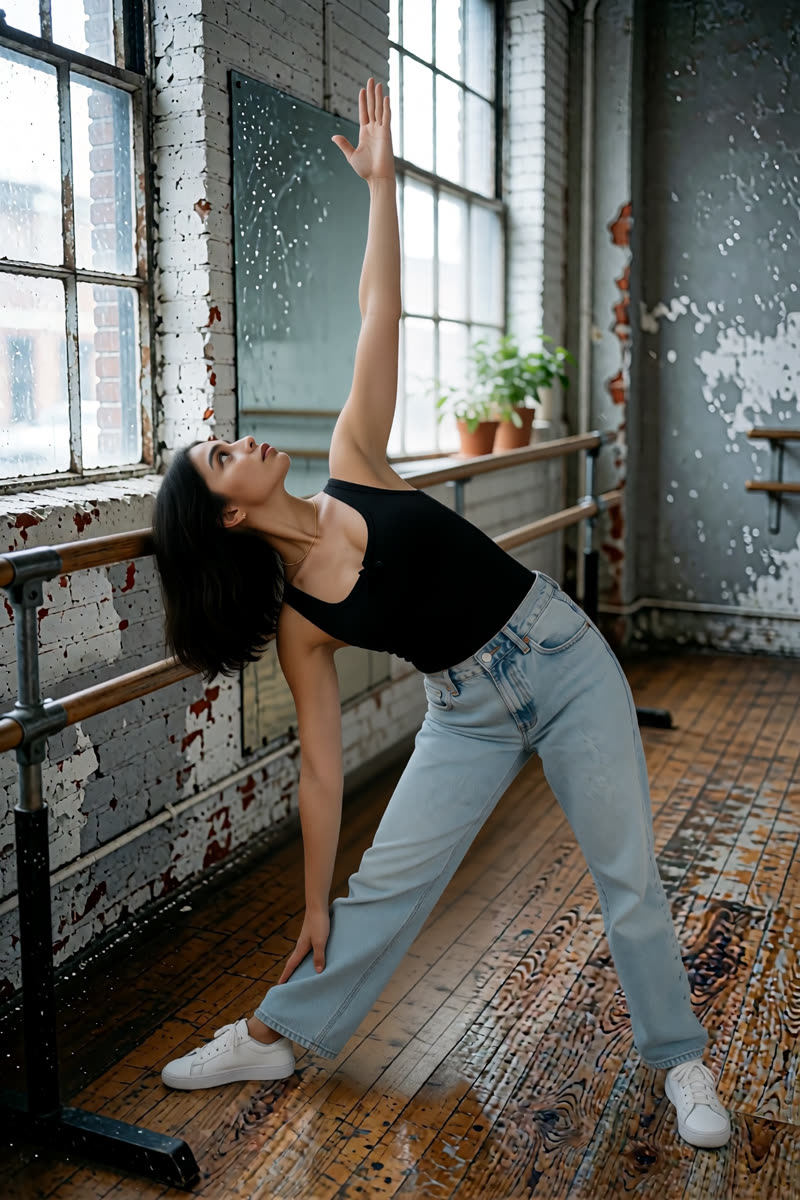
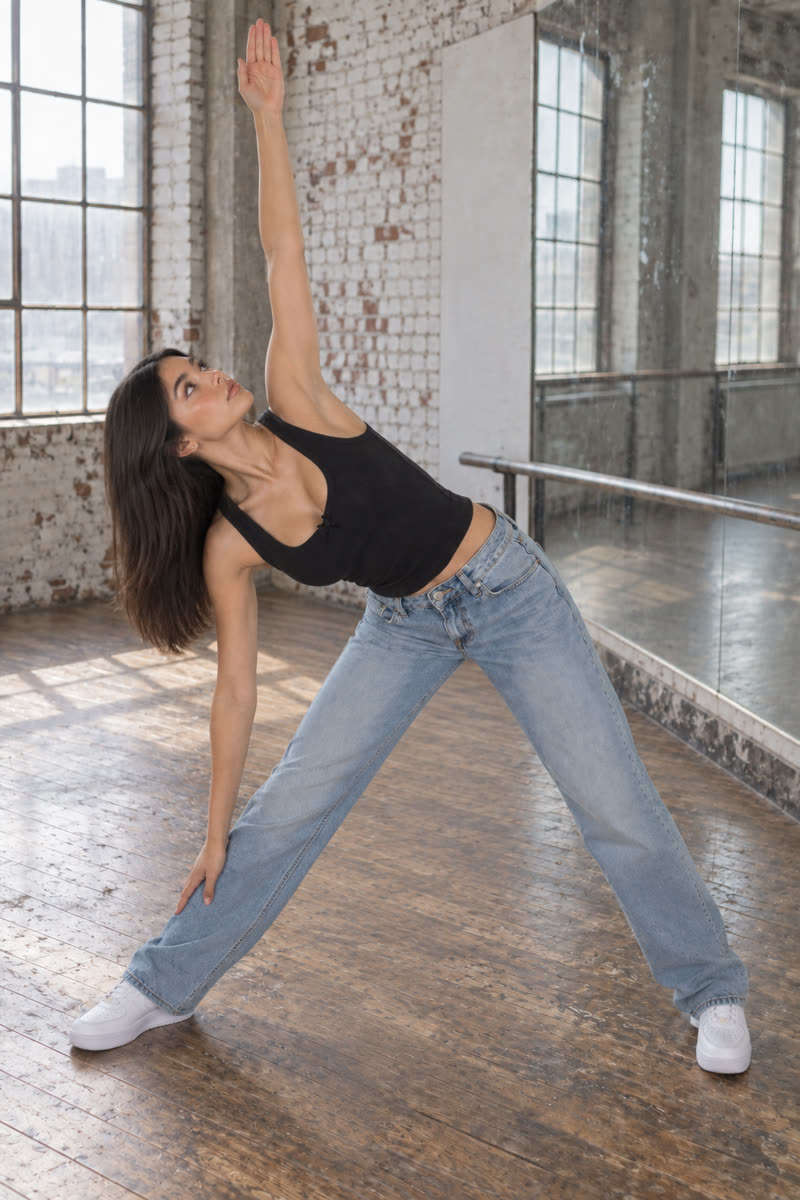
03Triangle
Reference drawing: Triangle
Input pose
Triangle, GPT Image 2.5
GPT Image 2.5
Triangle, Dark Beast, then GPT
Dark Beast, then GPT
Triangle, Sogni Krea v0.3
Sogni Krea v0.3
Triangle, Krea v1.2
Krea v1.2
Suggested pose prompts
GPT: photo + pose diagramEdit image 1 so the person holds triangle pose with both legs straight and feet wide apart, torso tilted sideways, one hand reaching toward the front ankle and the opposite arm pointing upward, matching the body position in image 2. Image 2 is a pose diagram only: copy its body position, not its drawing style, person or green clothing. Keep the person's face, hair, clothes, shoes, background, lighting and photographic style unchanged. Show their whole body in an open area of the floor, away from furniture.
Sogni Krea v0.3 or Krea v1.2: photo onlyChange only the body position of the person in this photo: they hold triangle pose with both legs straight and feet wide apart, torso tilted sideways, one hand reaching toward the front ankle and the opposite arm pointing upward. Keep the person's face, hair, clothes, shoes, background, lighting and photographic style unchanged. Show their whole body in an open area of the floor, away from furniture.
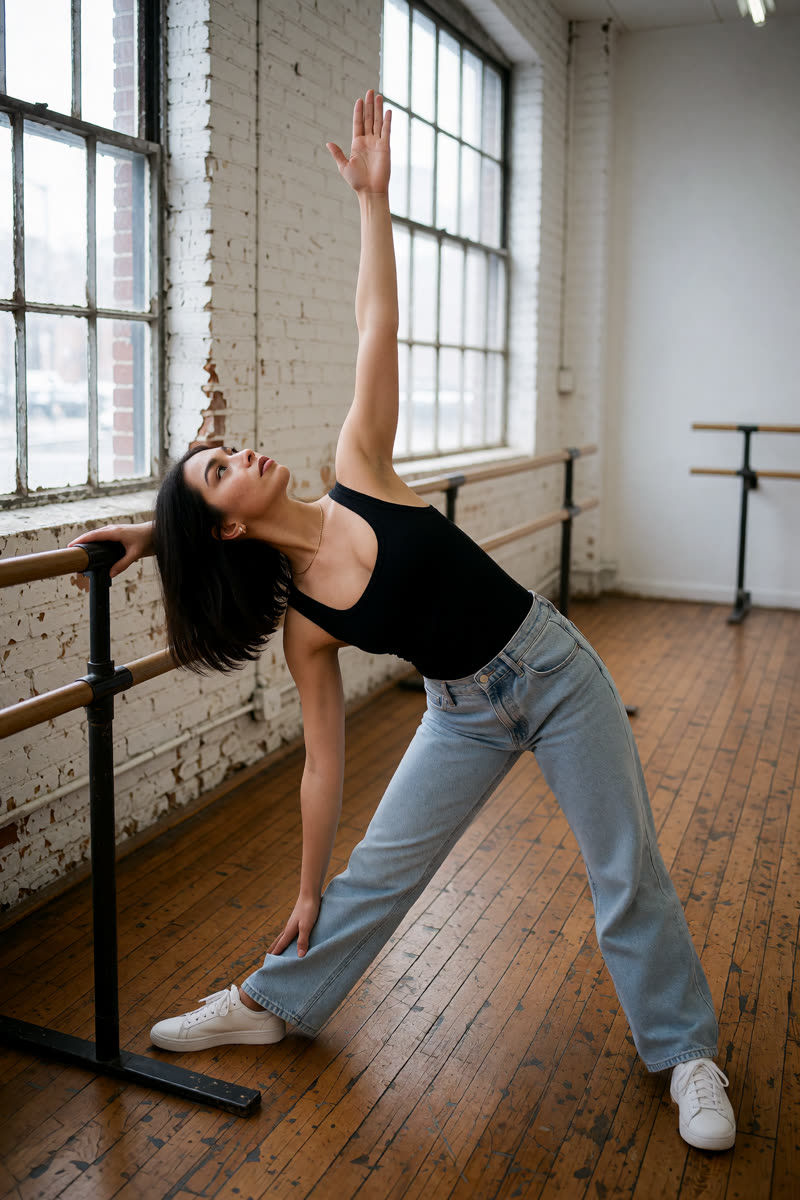
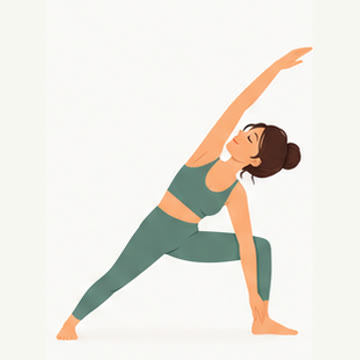
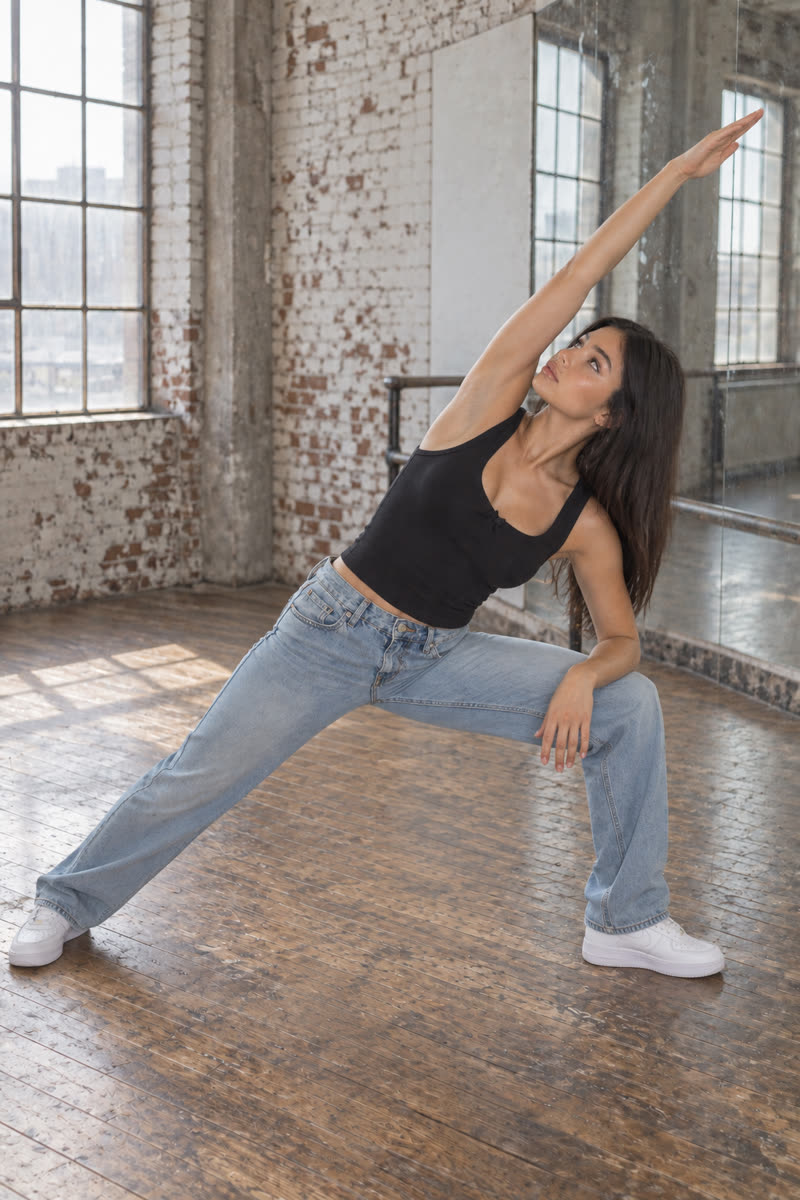
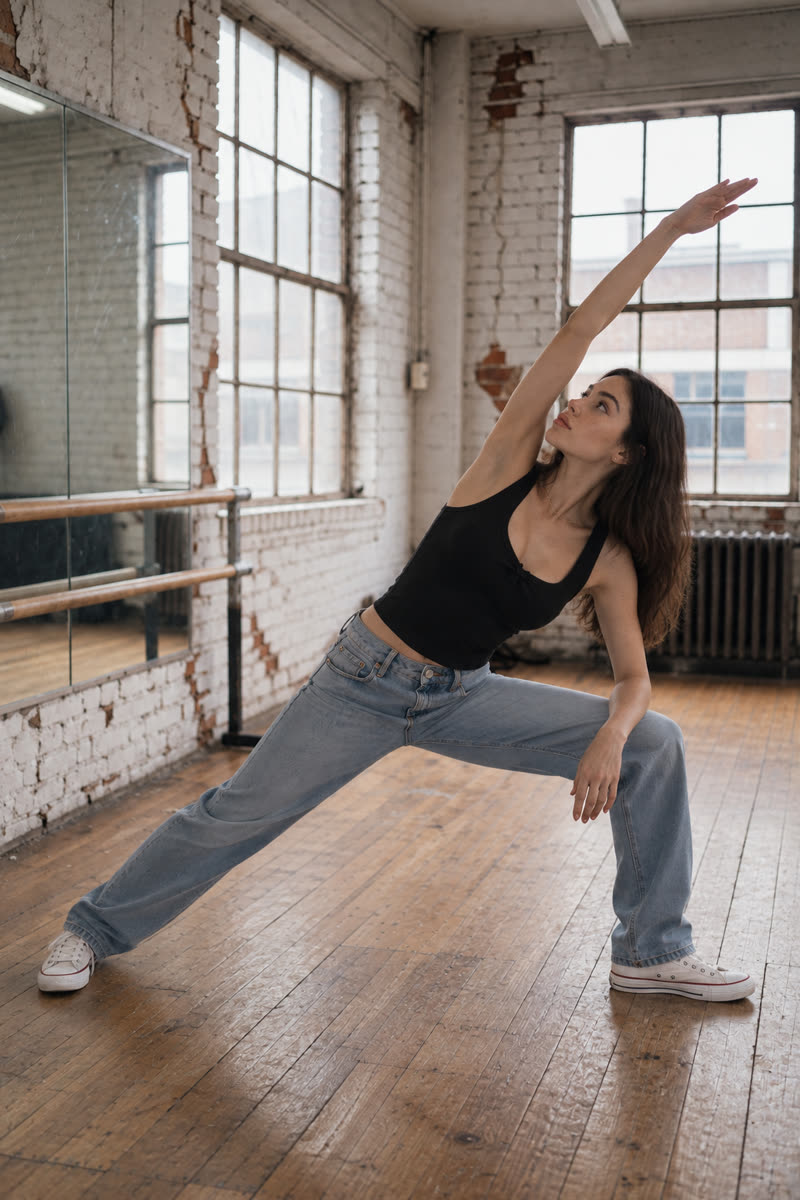
04Extended side angle
Reference drawing: Extended side angle
Input pose
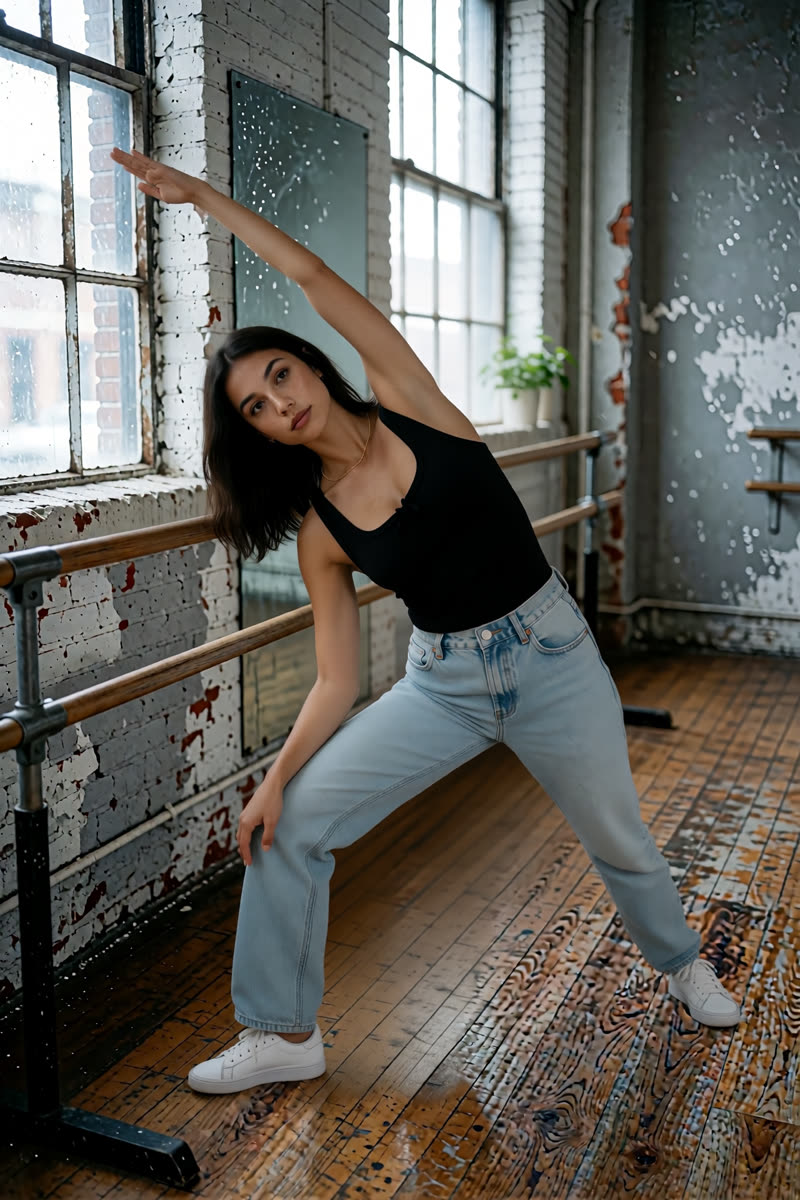
Extended side angle, GPT Image 2.5
GPT Image 2.5
Extended side angle, Dark Beast, then GPT
Dark Beast, then GPT
Extended side angle, Sogni Krea v0.3
Sogni Krea v0.3
Extended side angle, Krea v1.2
Krea v1.2
Suggested pose prompts
GPT: photo + pose diagramEdit image 1 so the person holds extended side angle with the front knee bent, back leg straight, lower forearm resting on the front thigh, and opposite arm reaching diagonally overhead, matching the body position in image 2. Image 2 is a pose diagram only: copy its body position, not its drawing style, person or green clothing. Keep the person's face, hair, clothes, shoes, background, lighting and photographic style unchanged. Show their whole body in an open area of the floor, away from furniture.
Sogni Krea v0.3 or Krea v1.2: photo onlyChange only the body position of the person in this photo: they hold extended side angle with the front knee bent, back leg straight, lower forearm resting on the front thigh, and opposite arm reaching diagonally overhead. Keep the person's face, hair, clothes, shoes, background, lighting and photographic style unchanged. Show their whole body in an open area of the floor, away from furniture.
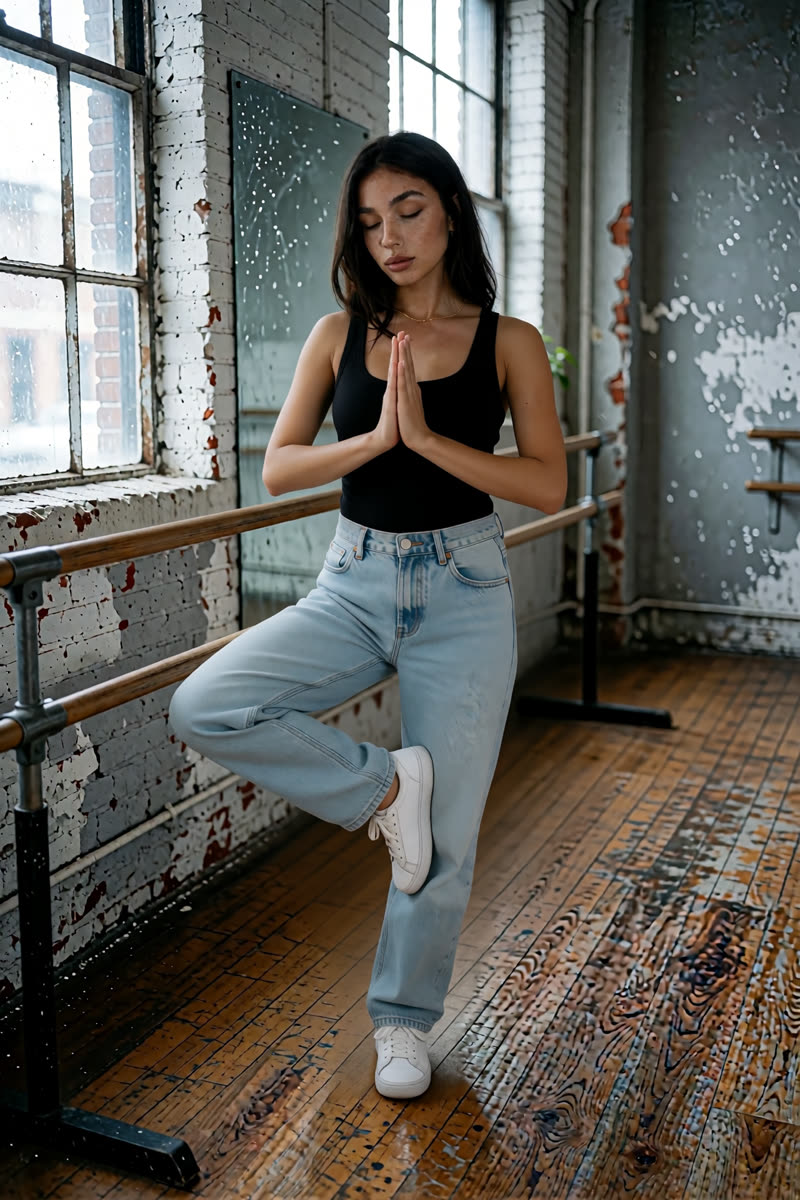
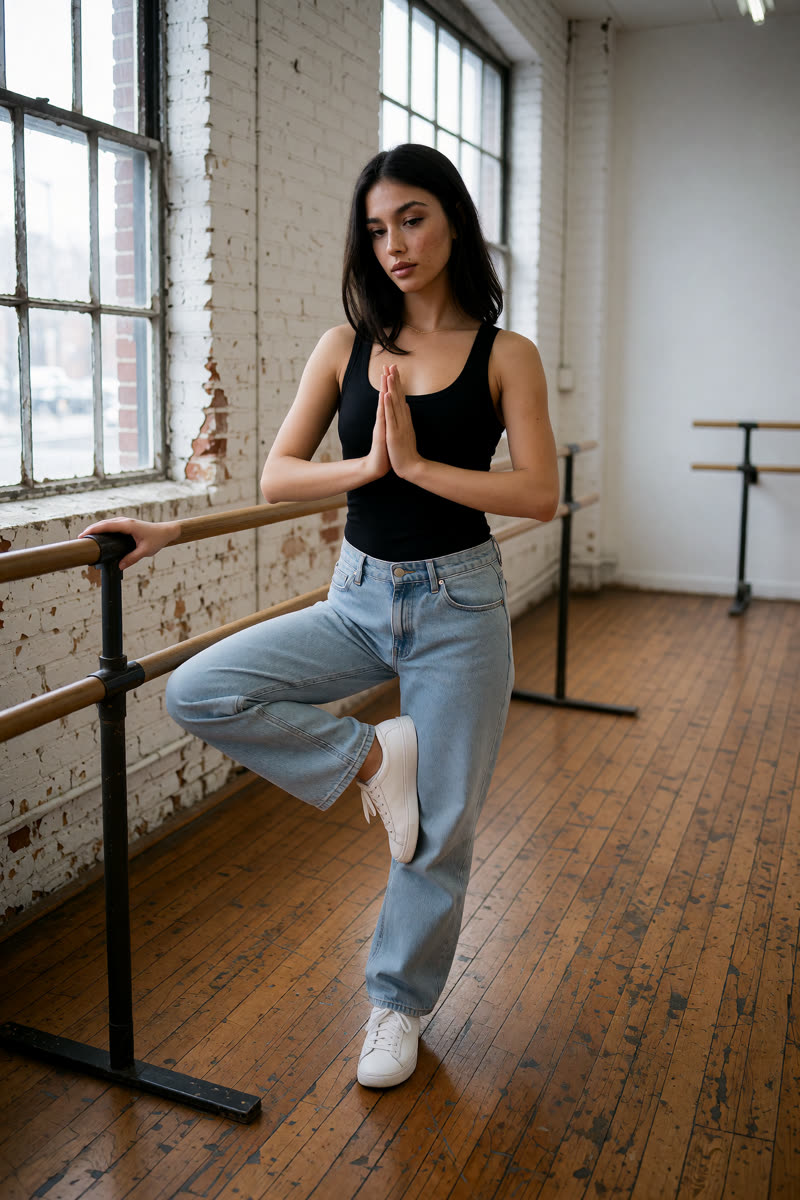
05Tree pose
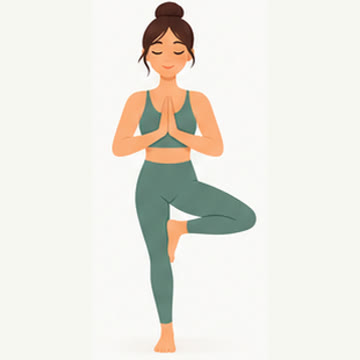
Reference drawing: Tree pose
Input pose
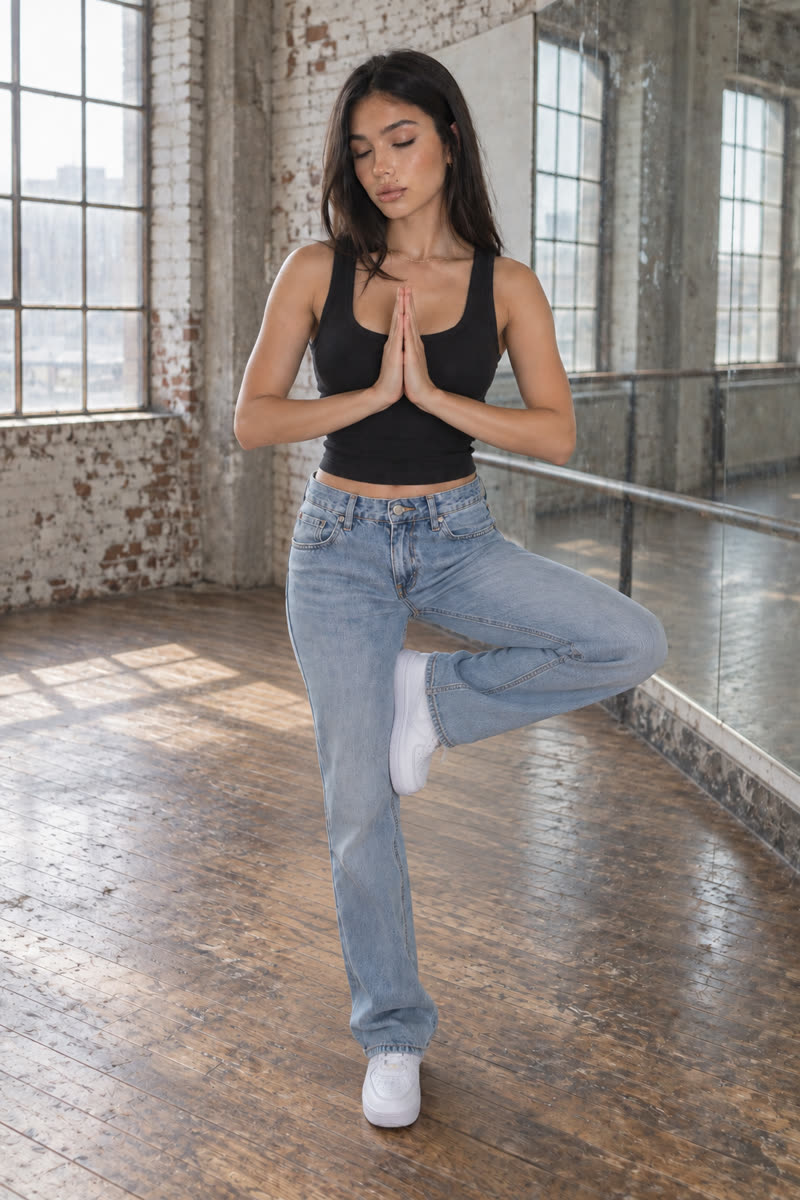
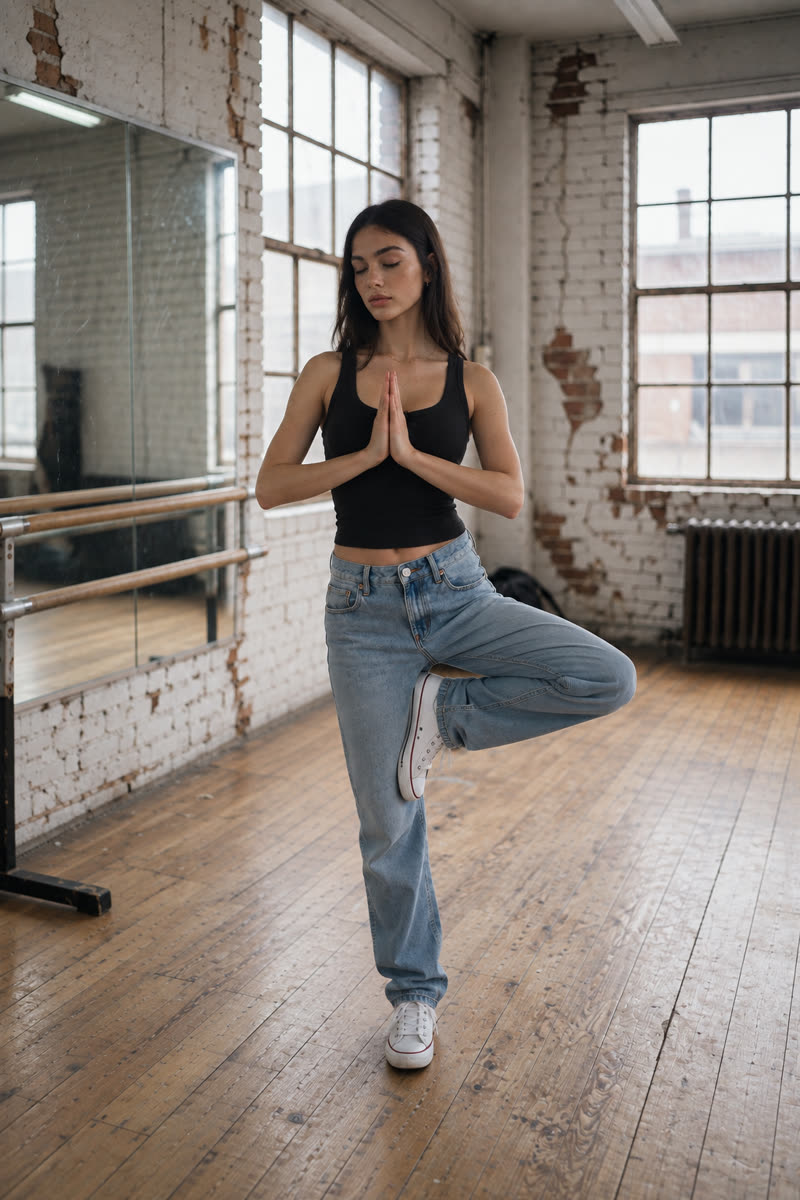
Tree pose, GPT Image 2.5
GPT Image 2.5
Tree pose, Dark Beast, then GPT
Dark Beast, then GPT
Tree pose, Sogni Krea v0.3
Sogni Krea v0.3
Tree pose, Krea v1.2
Krea v1.2
Suggested pose prompts
GPT: photo + pose diagramEdit image 1 so the person balances in tree pose on one straight leg, the other knee pointing out to the side with its foot resting against the inner thigh, palms together at chest height, matching the body position in image 2. Image 2 is a pose diagram only: copy its body position, not its drawing style, person or green clothing. Keep the person's face, hair, clothes, shoes, background, lighting and photographic style unchanged. Show their whole body in an open area of the floor, away from furniture.
Sogni Krea v0.3 or Krea v1.2: photo onlyChange only the body position of the person in this photo: they balance in tree pose on one straight leg, the other knee pointing out to the side with its foot resting against the inner thigh, palms together at chest height. Keep the person's face, hair, clothes, shoes, background, lighting and photographic style unchanged. Show their whole body in an open area of the floor, away from furniture.
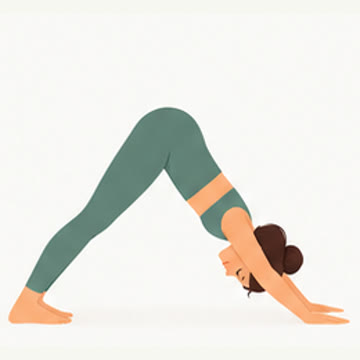
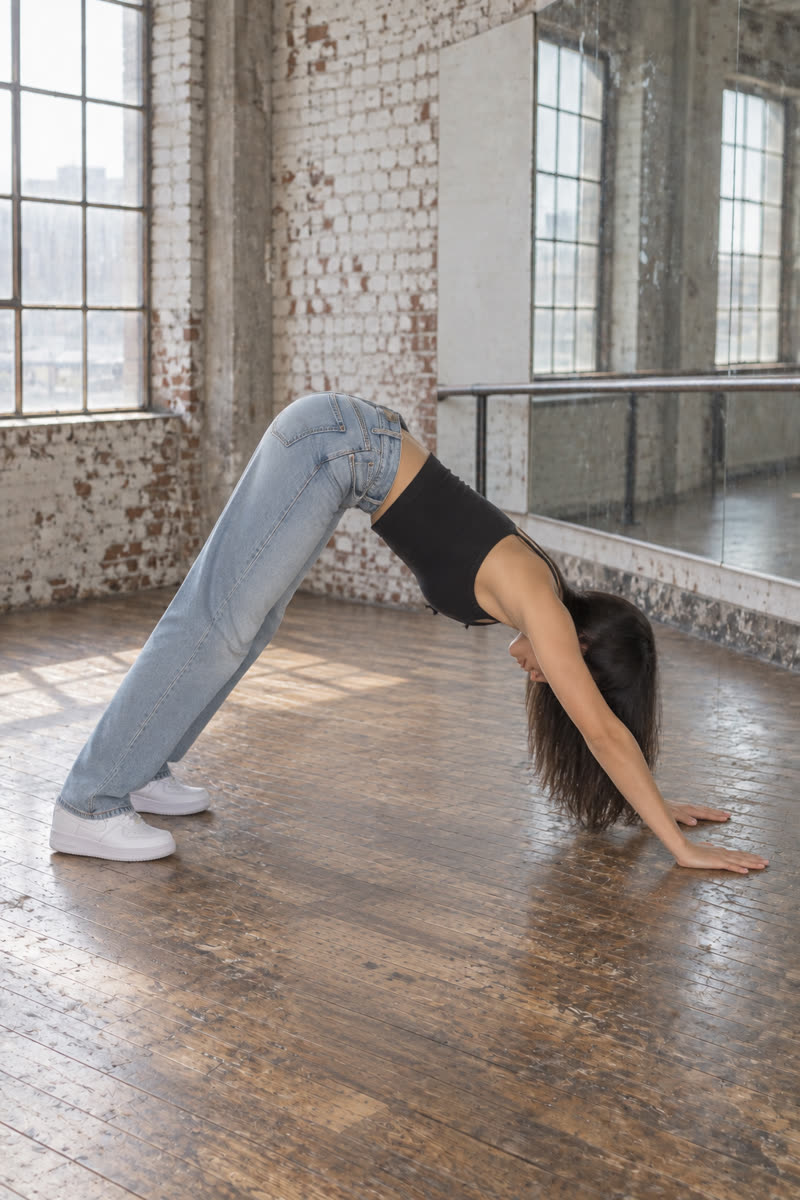
06Downward-facing dog
Reference drawing: Downward-facing dog
Input pose
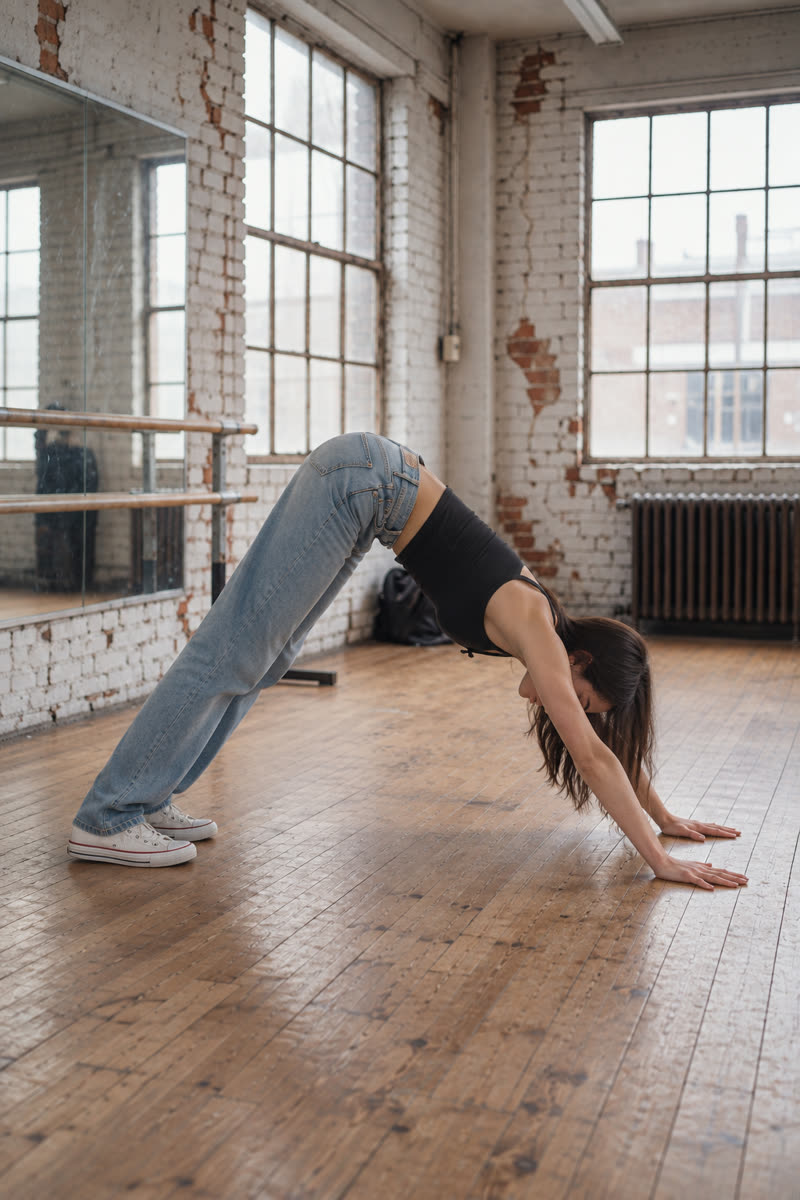
Downward-facing dog, GPT Image 2.5
GPT Image 2.5
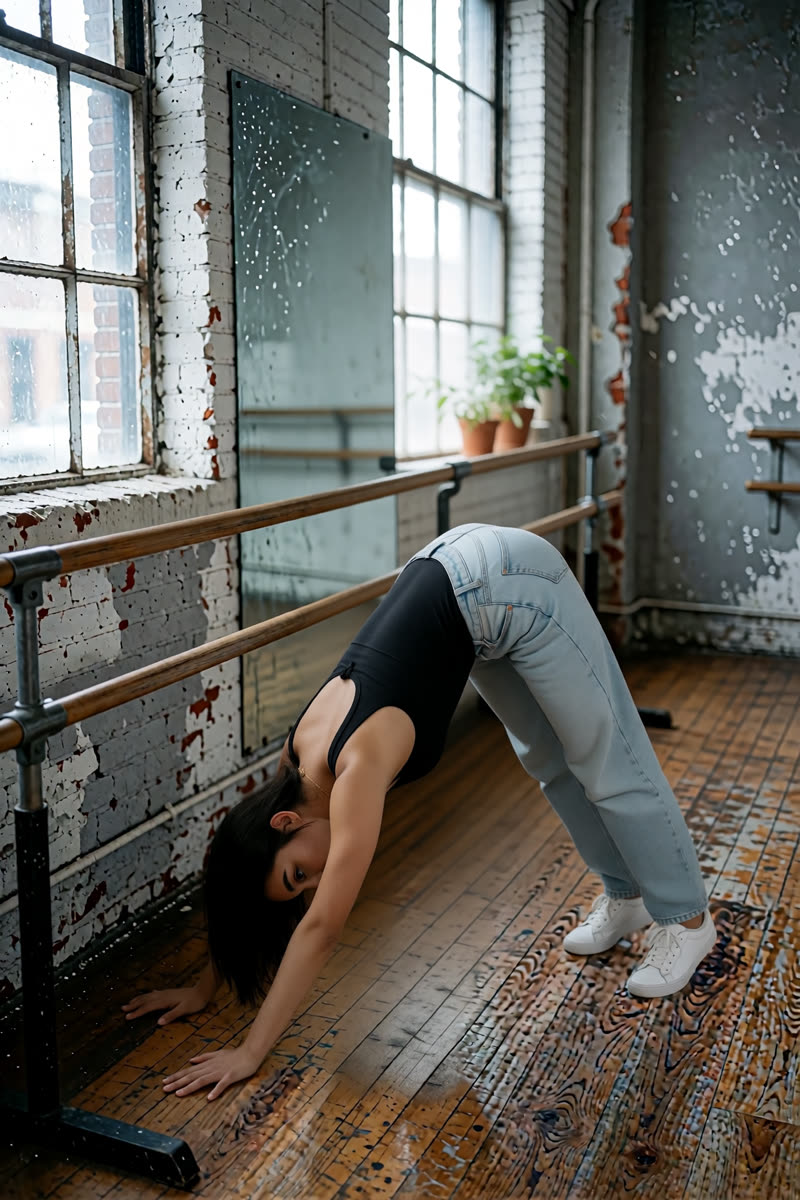
Downward-facing dog, Dark Beast, then GPT
Dark Beast, then GPT
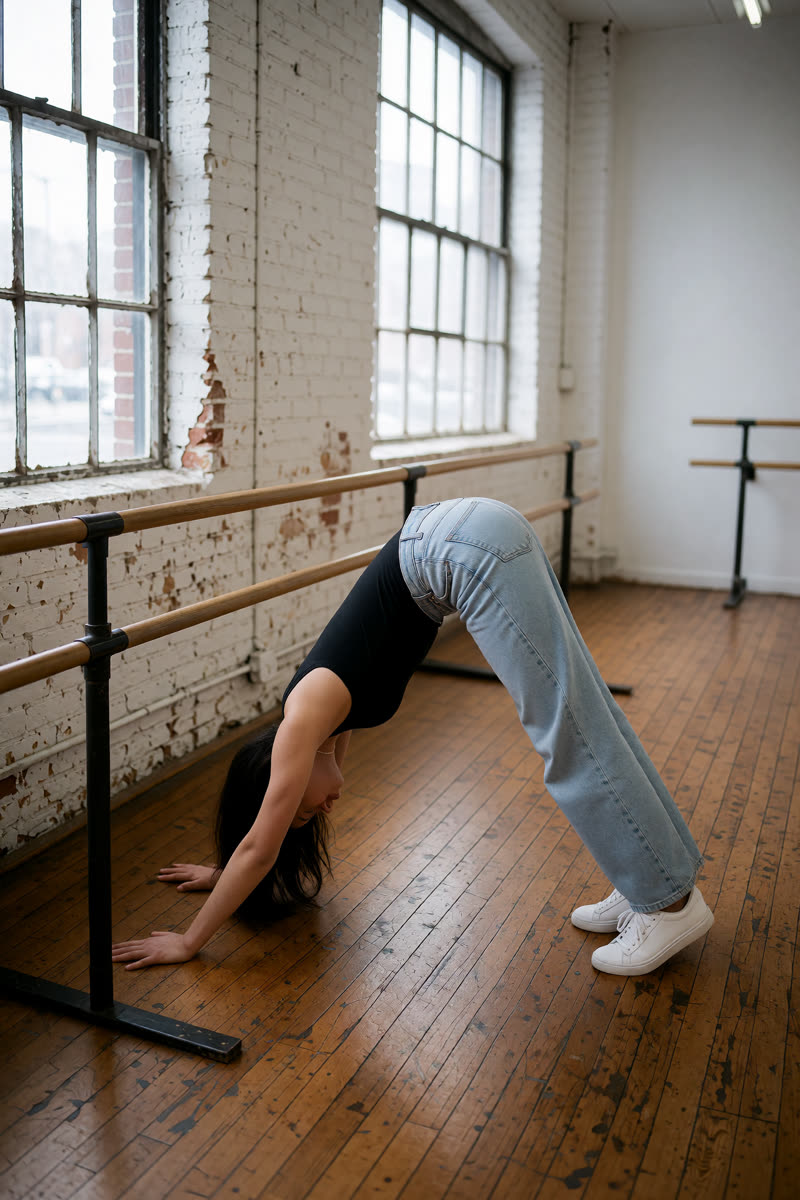
Downward-facing dog, Sogni Krea v0.3
Sogni Krea v0.3
Downward-facing dog, Krea v1.2
Krea v1.2
Suggested pose prompts
GPT: photo + pose diagramEdit image 1 so the person holds downward-facing dog with both hands and feet on the floor, hips lifted high, arms and legs extended into an inverted V, matching the body position in image 2. Image 2 is a pose diagram only: copy its body position, not its drawing style, person or green clothing. Keep the person's face, hair, clothes, shoes, background, lighting and photographic style unchanged. Show their whole body in an open area of the floor, away from furniture.
Sogni Krea v0.3 or Krea v1.2: photo onlyChange only the body position of the person in this photo: they hold downward-facing dog with both hands and feet on the floor, hips lifted high, arms and legs extended into an inverted V. Keep the person's face, hair, clothes, shoes, background, lighting and photographic style unchanged. Show their whole body in an open area of the floor, away from furniture.
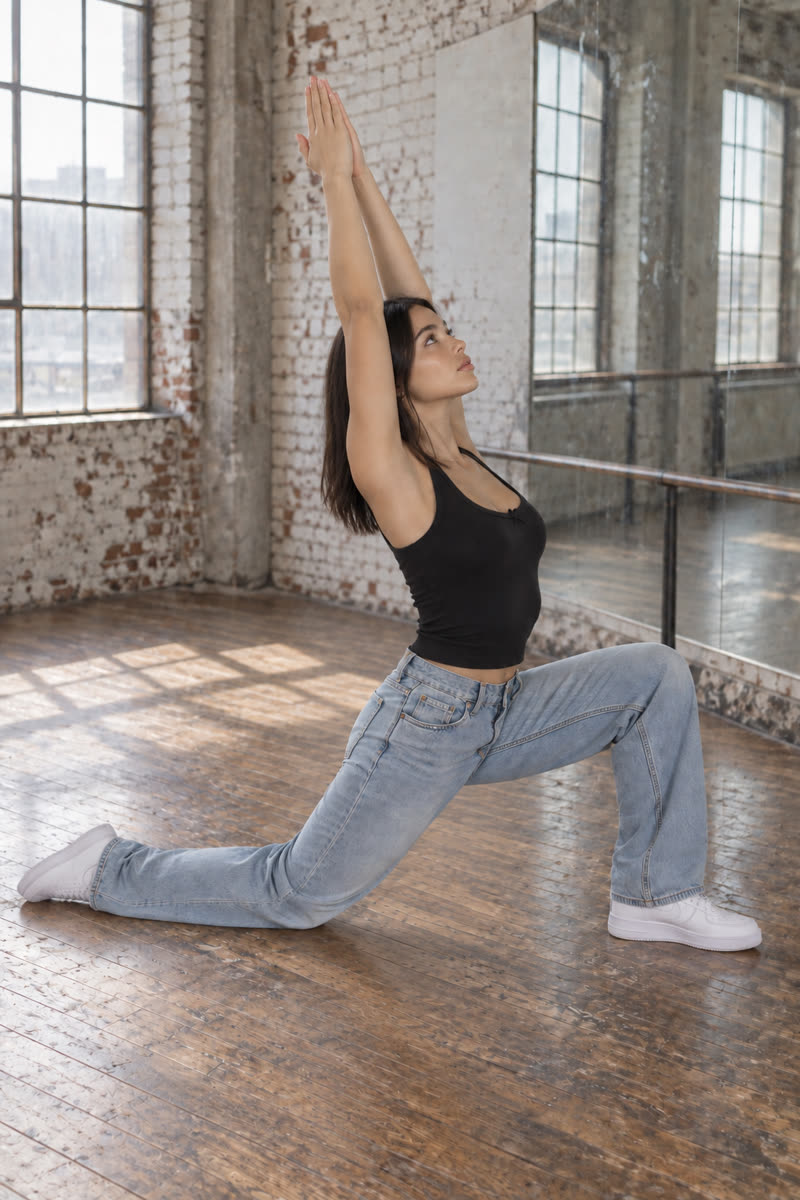
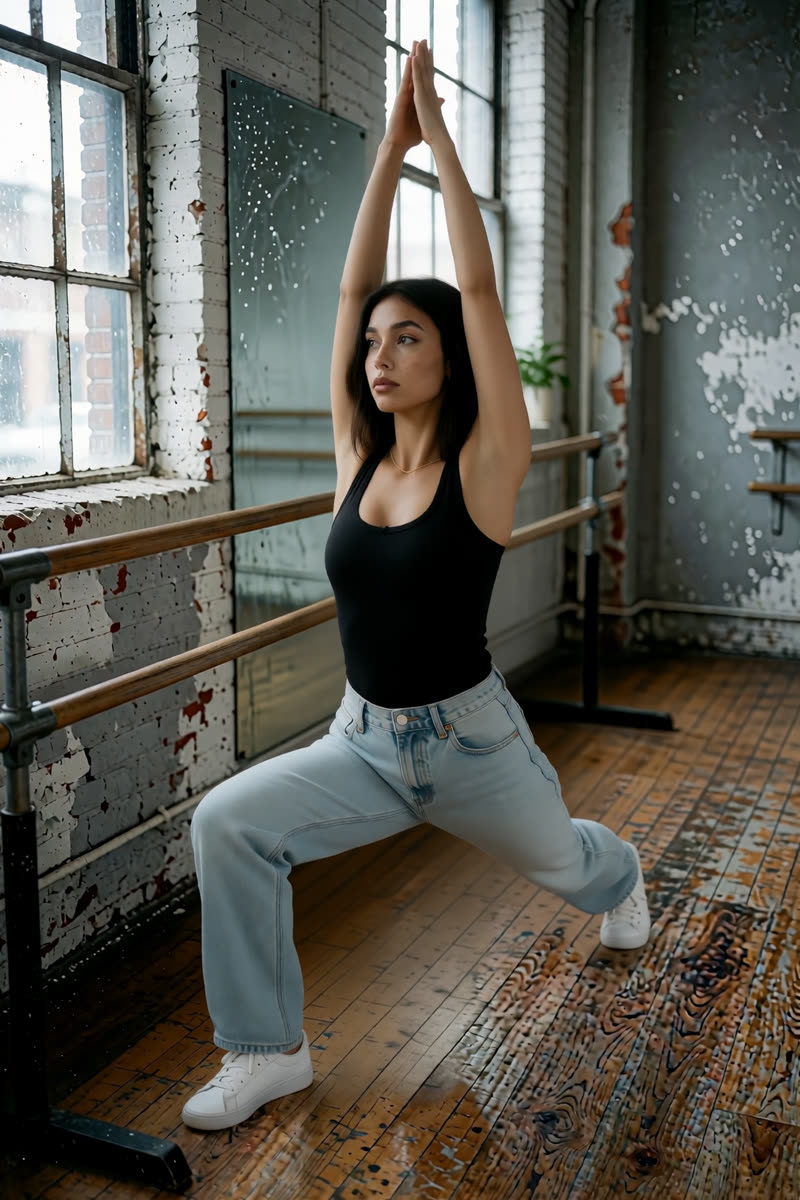
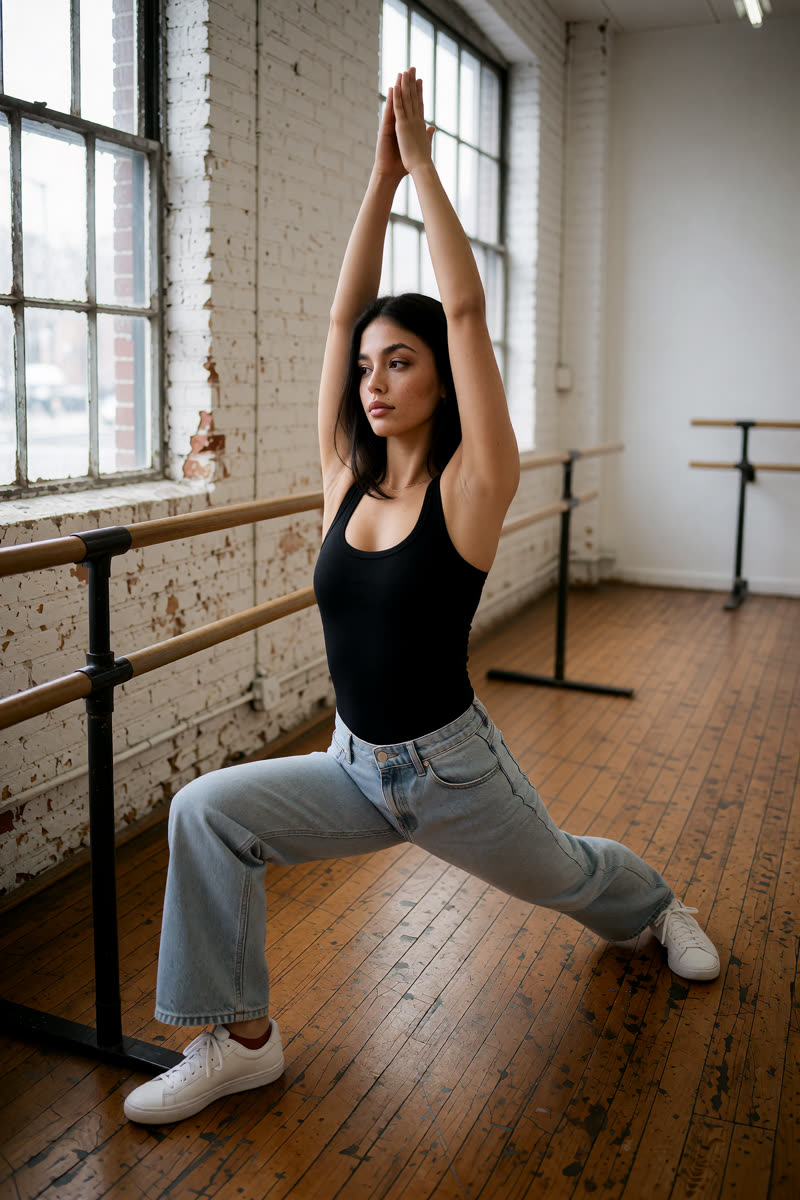
07Low crescent lunge
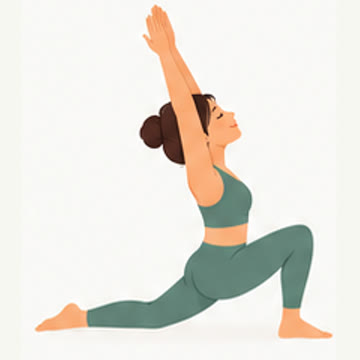
Reference drawing: Low crescent lunge
Input pose
Low crescent lunge, GPT Image 2.5
GPT Image 2.5
Low crescent lunge, Dark Beast, then GPT
Dark Beast, then GPT
Low crescent lunge, Sogni Krea v0.3
Sogni Krea v0.3
Low crescent lunge, Krea v1.2
Krea v1.2
Suggested pose prompts
GPT: photo + pose diagramEdit image 1 so the person holds a low crescent lunge, one knee forward over the front foot, the back knee resting on the floor, torso upright and both arms reaching upward, matching the body position in image 2. Image 2 is a pose diagram only: copy its body position, not its drawing style, person or green clothing. Keep the person's face, hair, clothes, shoes, background, lighting and photographic style unchanged. Show their whole body in an open area of the floor, away from furniture.
Sogni Krea v0.3 or Krea v1.2: photo onlyChange only the body position of the person in this photo: they hold a low crescent lunge, one knee forward over the front foot, the back knee resting on the floor, torso upright and both arms reaching upward. Keep the person's face, hair, clothes, shoes, background, lighting and photographic style unchanged. Show their whole body in an open area of the floor, away from furniture.
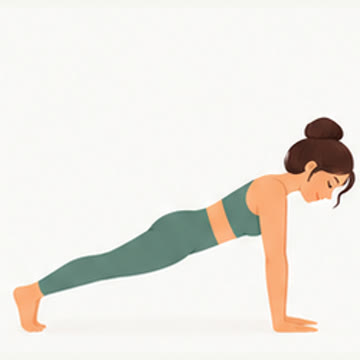
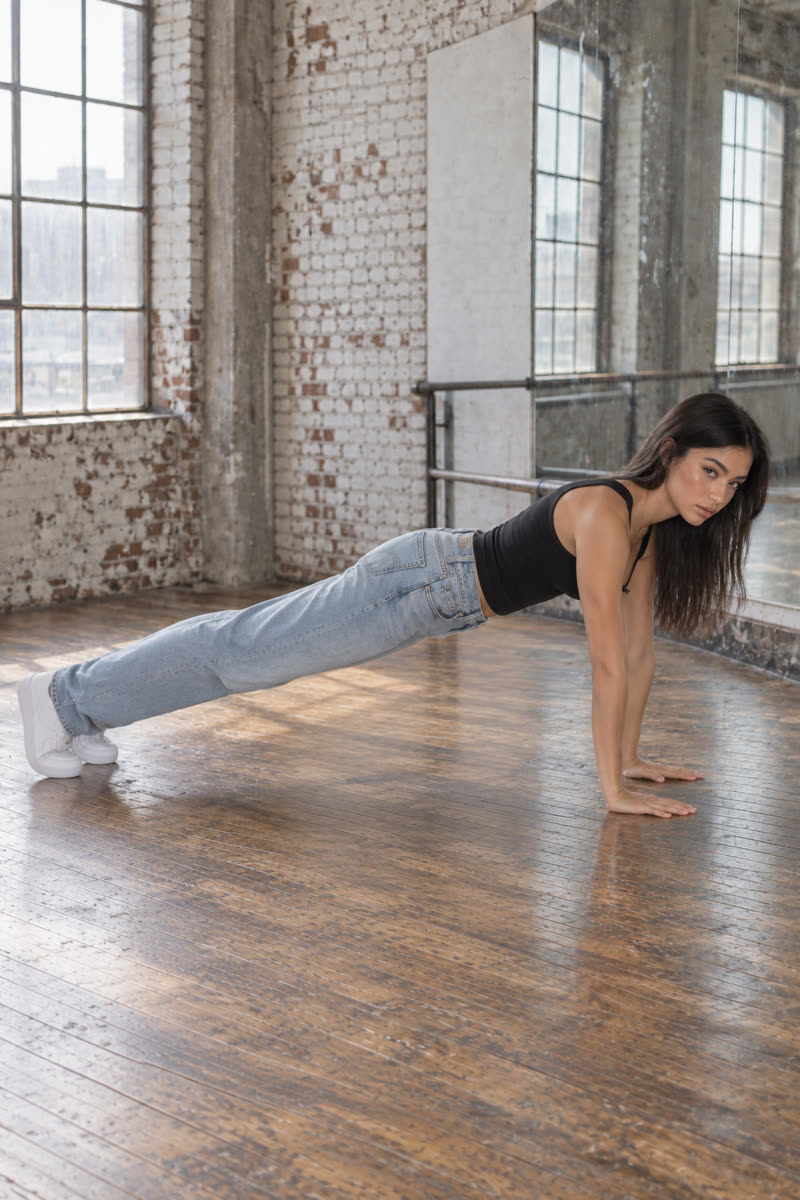
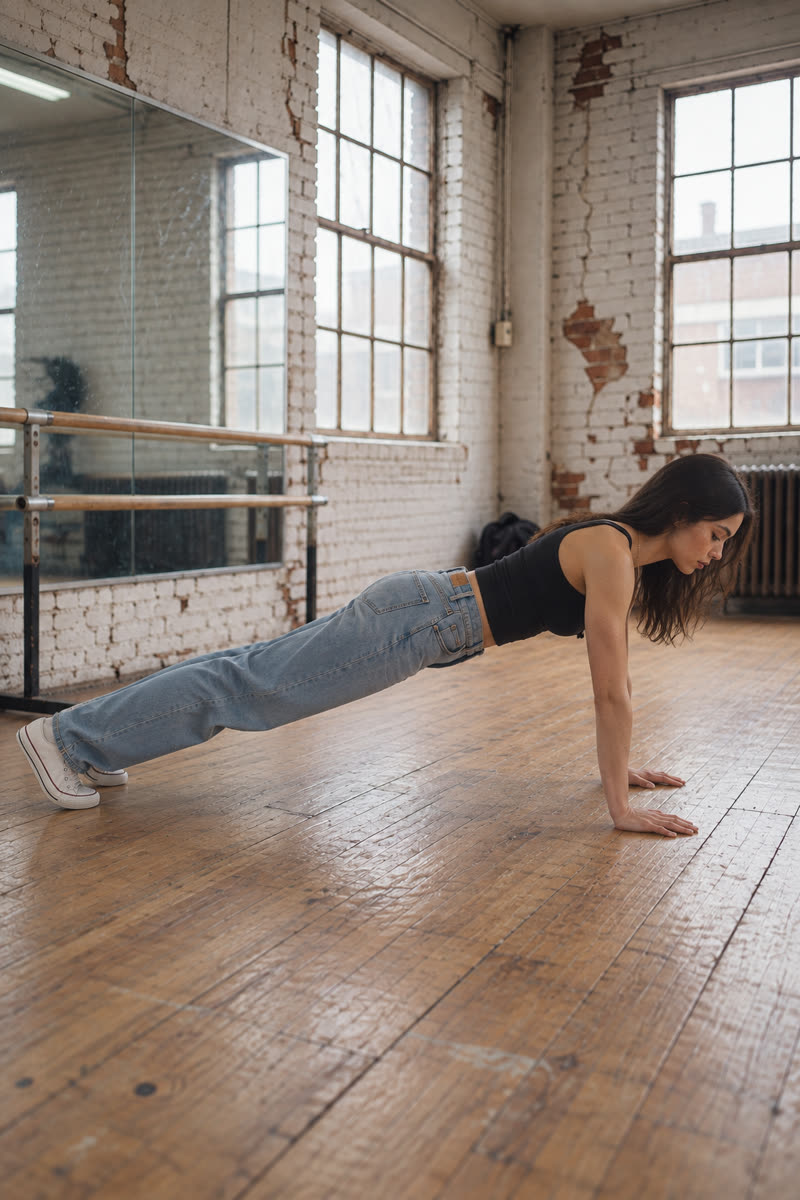
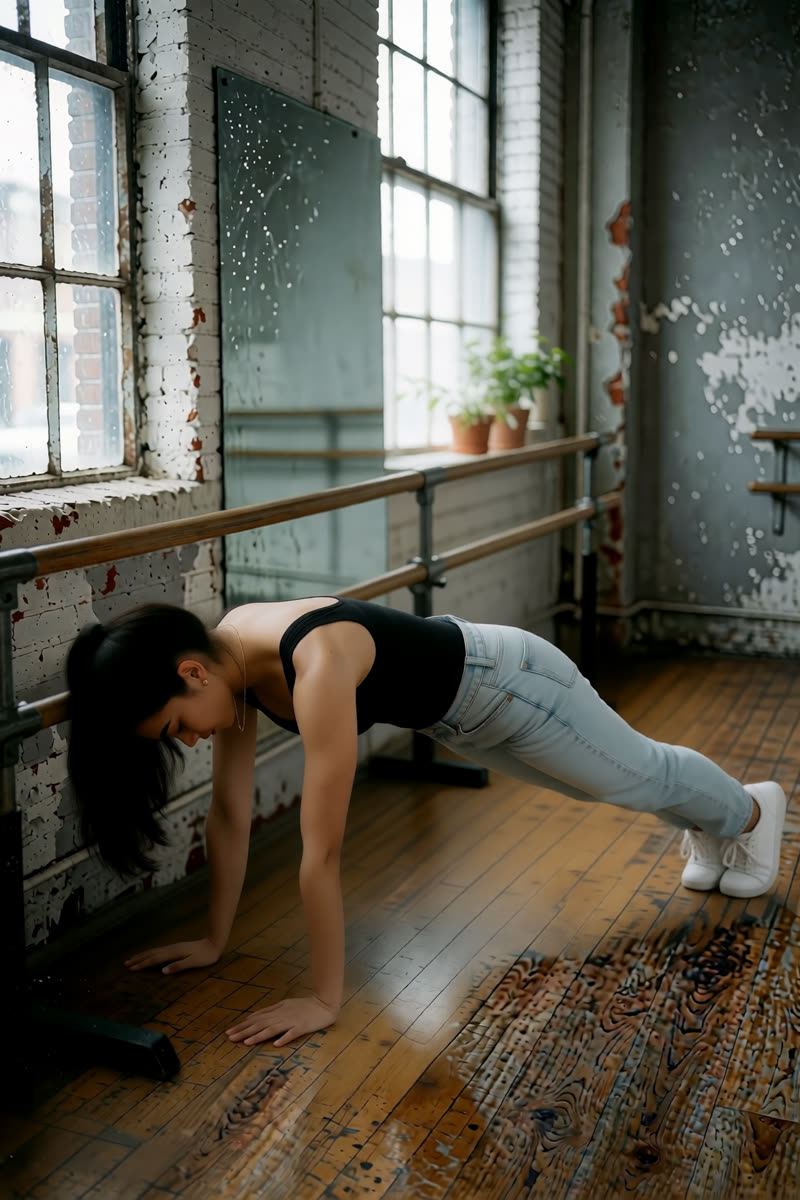
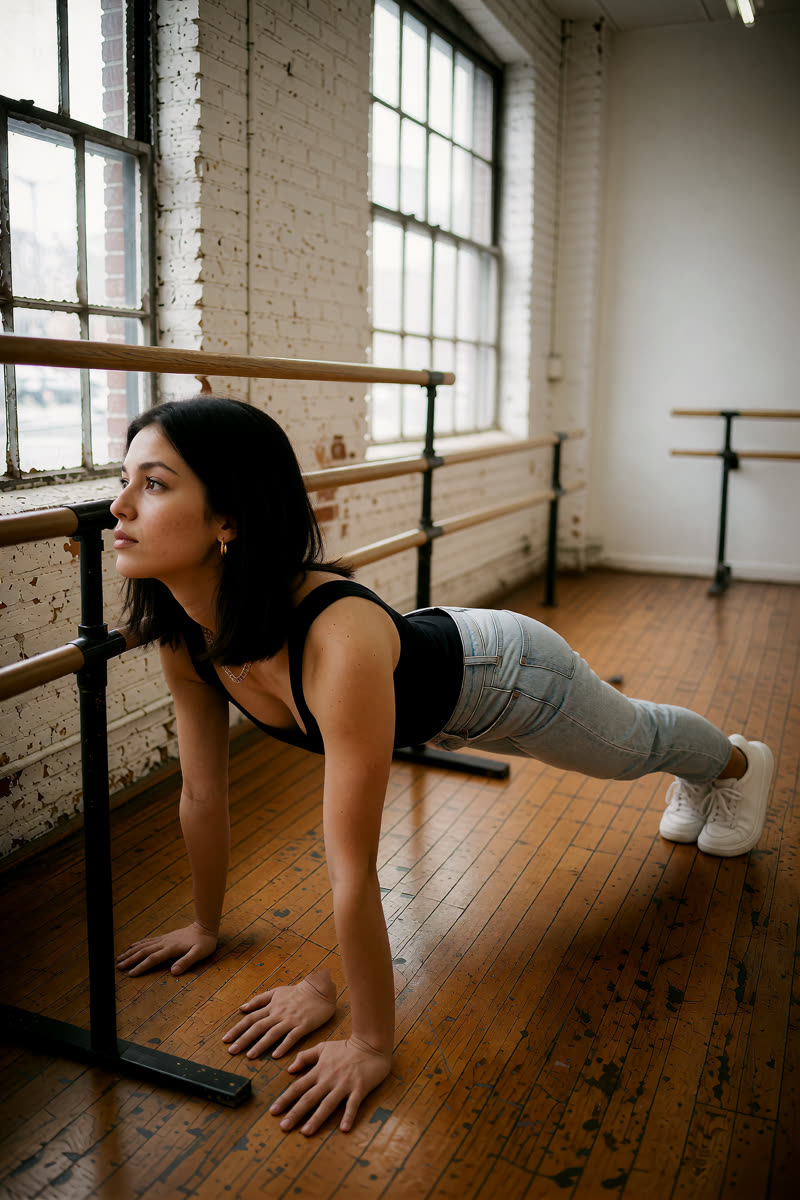
08High plank
Reference drawing: High plank
Input pose
High plank, GPT Image 2.5
GPT Image 2.5
High plank, Dark Beast, then GPT
Dark Beast, then GPT
High plank, Sogni Krea v0.3
Sogni Krea v0.3
High plank, Krea v1.2
Krea v1.2
Suggested pose prompts
GPT: photo + pose diagramEdit image 1 so the person holds high plank with straight arms, palms on the floor beneath the shoulders, legs extended behind their, and body aligned from head to heels, matching the body position in image 2. Image 2 is a pose diagram only: copy its body position, not its drawing style, person or green clothing. Keep the person's face, hair, clothes, shoes, background, lighting and photographic style unchanged. Show their whole body in an open area of the floor, away from furniture.
Sogni Krea v0.3 or Krea v1.2: photo onlyChange only the body position of the person in this photo: they hold high plank with straight arms, palms on the floor beneath the shoulders, legs extended behind their, and body aligned from head to heels. Keep the person's face, hair, clothes, shoes, background, lighting and photographic style unchanged. Show their whole body in an open area of the floor, away from furniture.
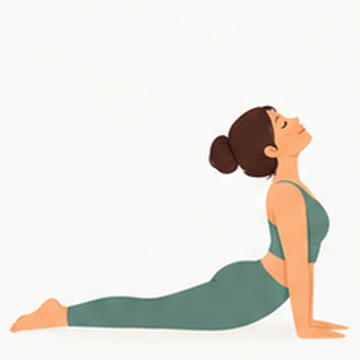
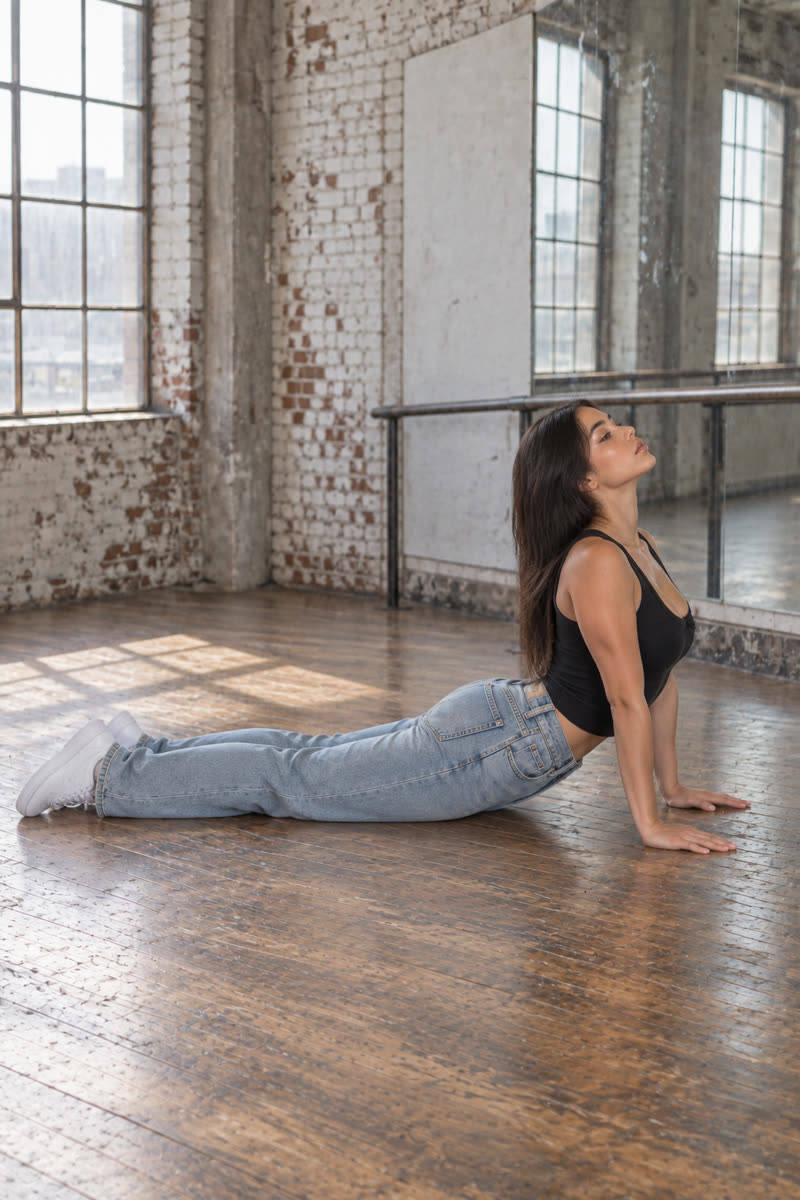
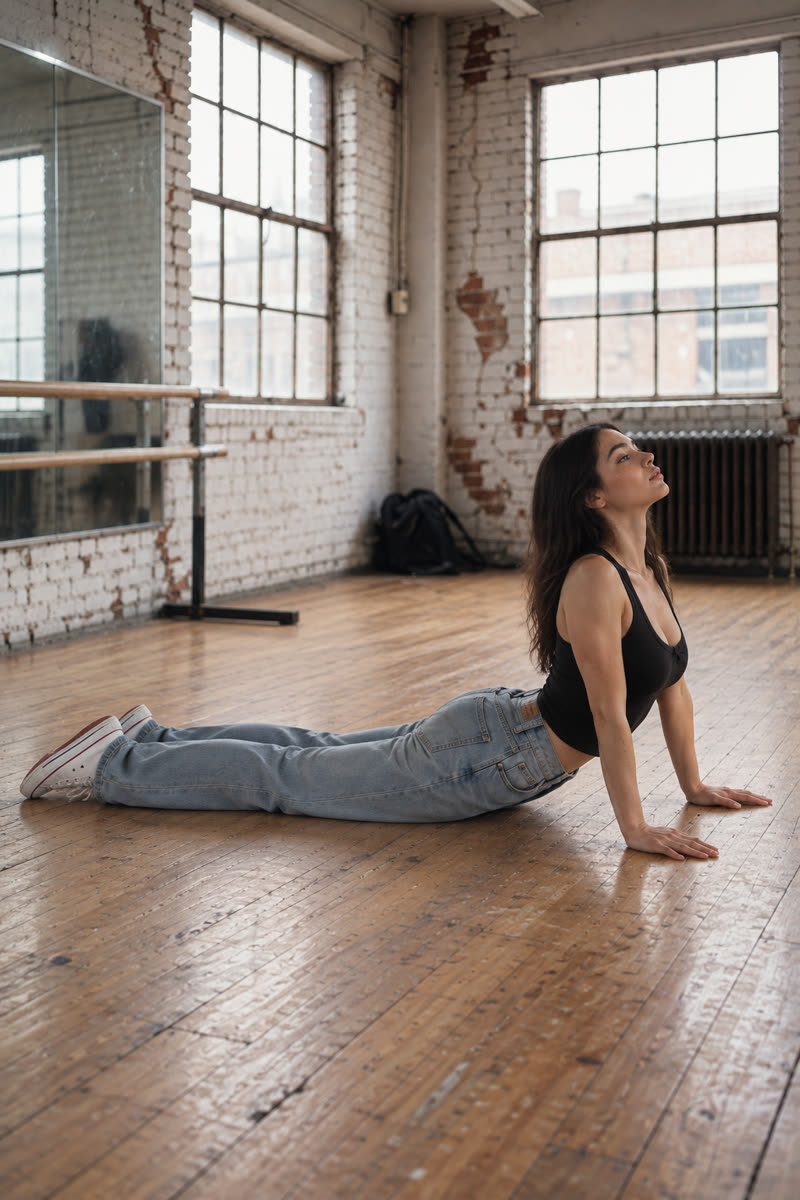
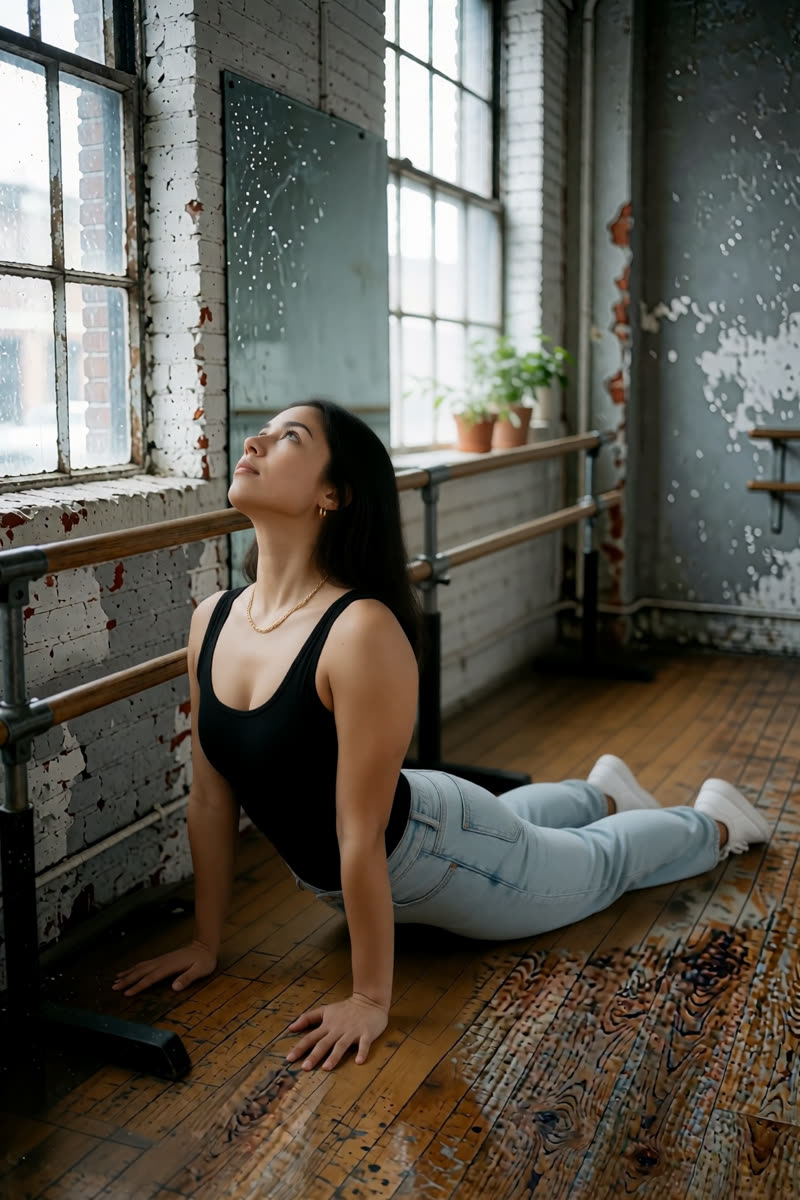
09Cobra
Reference drawing: Cobra
Input pose
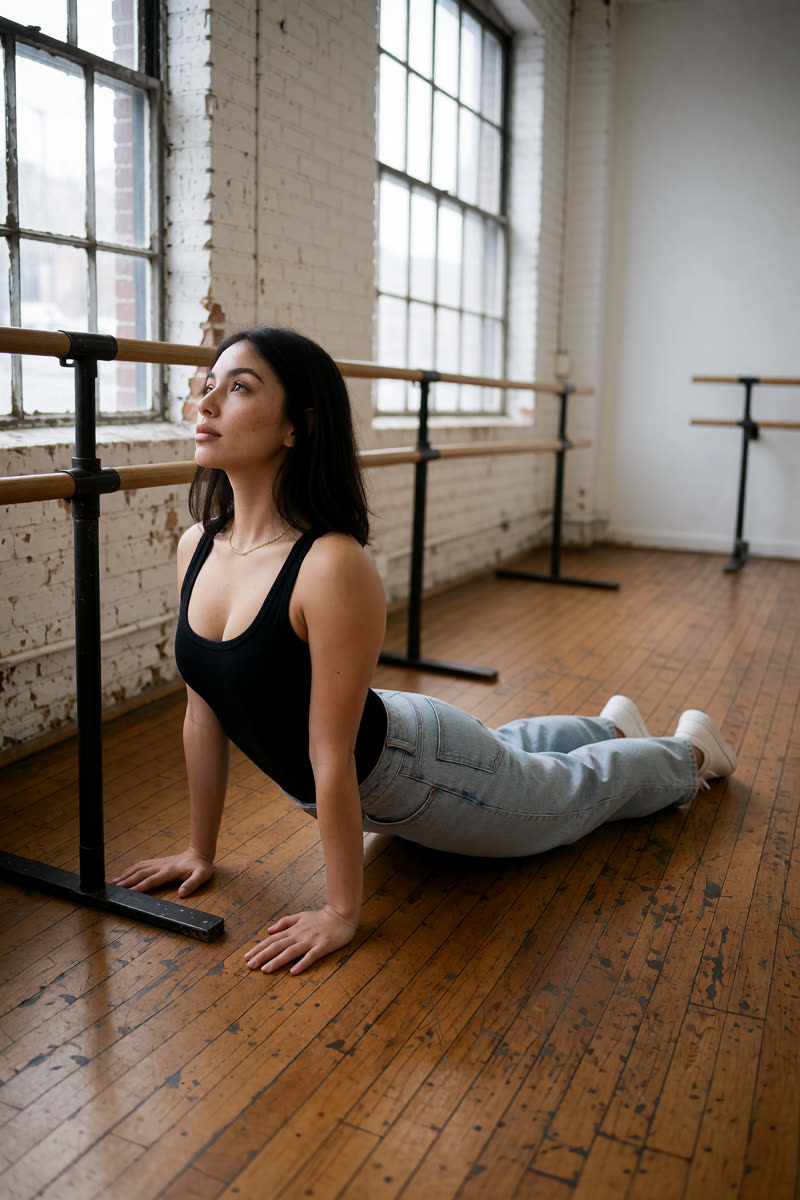
Cobra, GPT Image 2.5
GPT Image 2.5
Cobra, Dark Beast, then GPT
Dark Beast, then GPT
Cobra, Sogni Krea v0.3
Sogni Krea v0.3
Cobra, Krea v1.2
Krea v1.2
Suggested pose prompts
GPT: photo + pose diagramEdit image 1 so the person holds cobra pose lying face down, legs extended on the floor, palms near the ribs and upper body lifted with the chest open, matching the body position in image 2. Image 2 is a pose diagram only: copy its body position, not its drawing style, person or green clothing. Keep the person's face, hair, clothes, shoes, background, lighting and photographic style unchanged. Show their whole body in an open area of the floor, away from furniture.
Sogni Krea v0.3 or Krea v1.2: photo onlyChange only the body position of the person in this photo: they hold cobra pose lying face down, legs extended on the floor, palms near the ribs and upper body lifted with the chest open. Keep the person's face, hair, clothes, shoes, background, lighting and photographic style unchanged. Show their whole body in an open area of the floor, away from furniture.
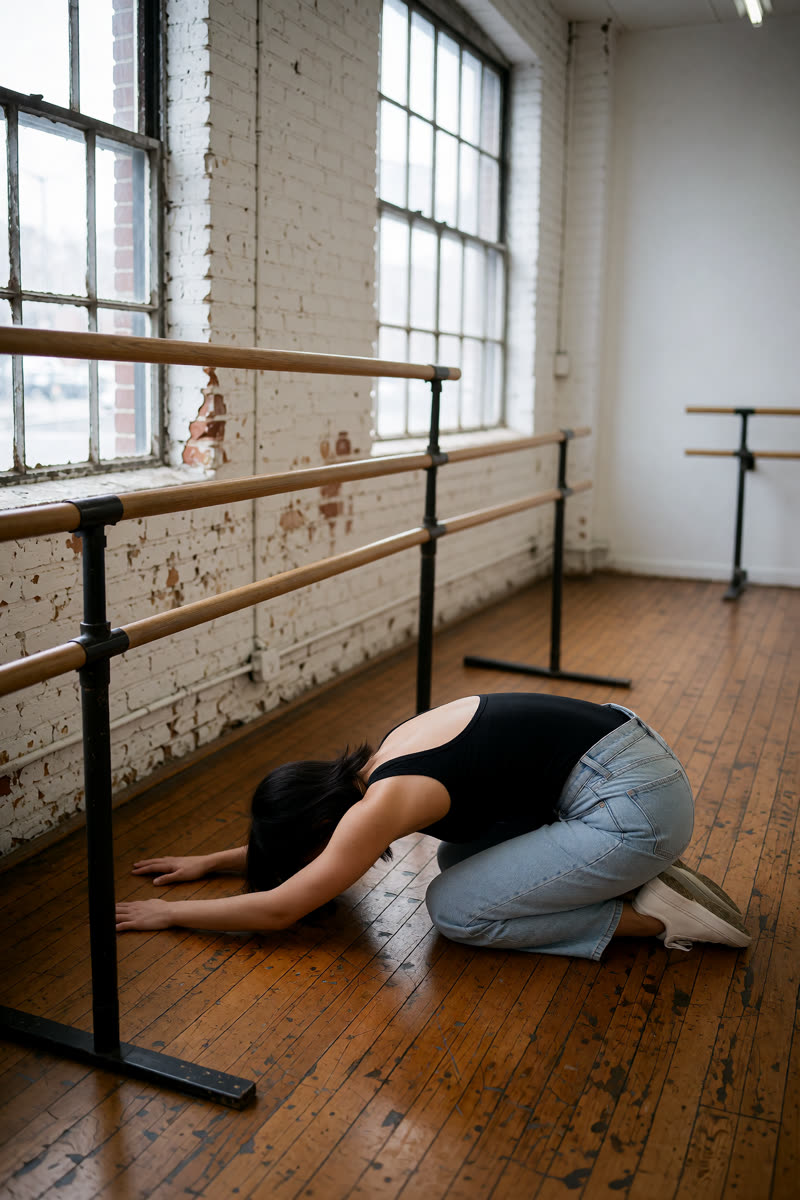
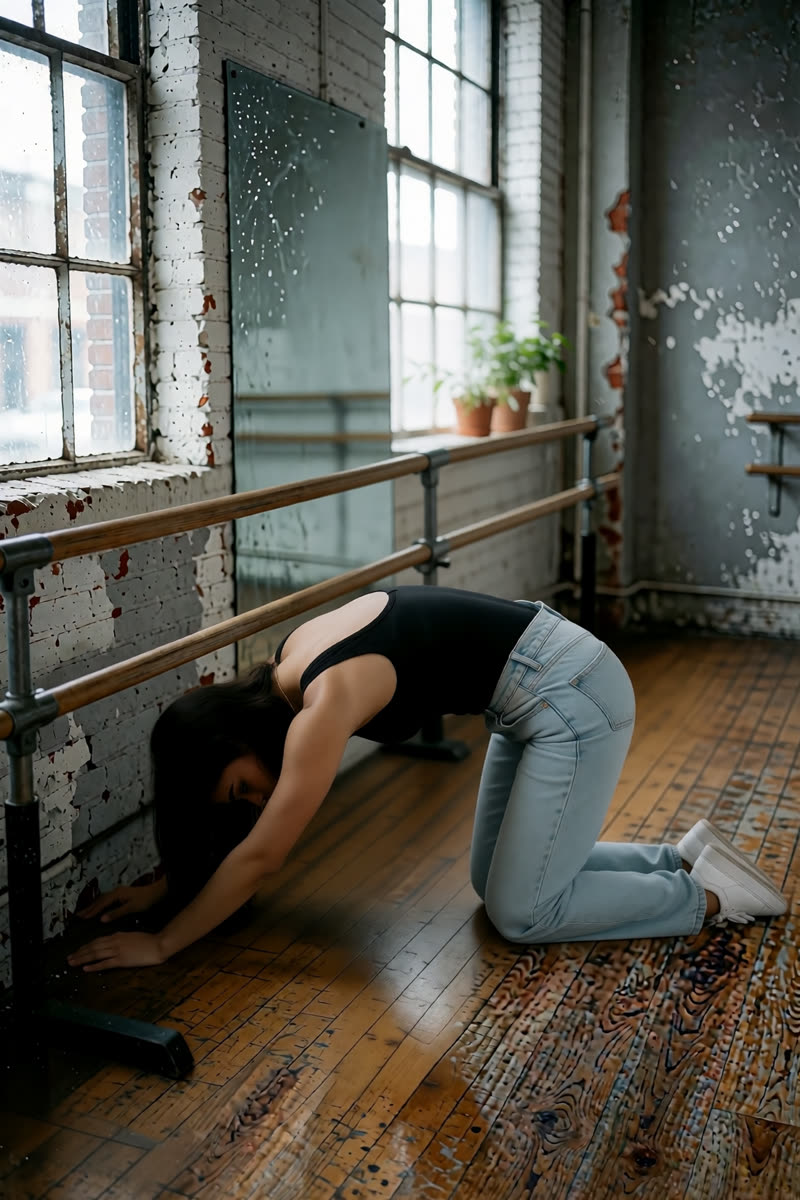
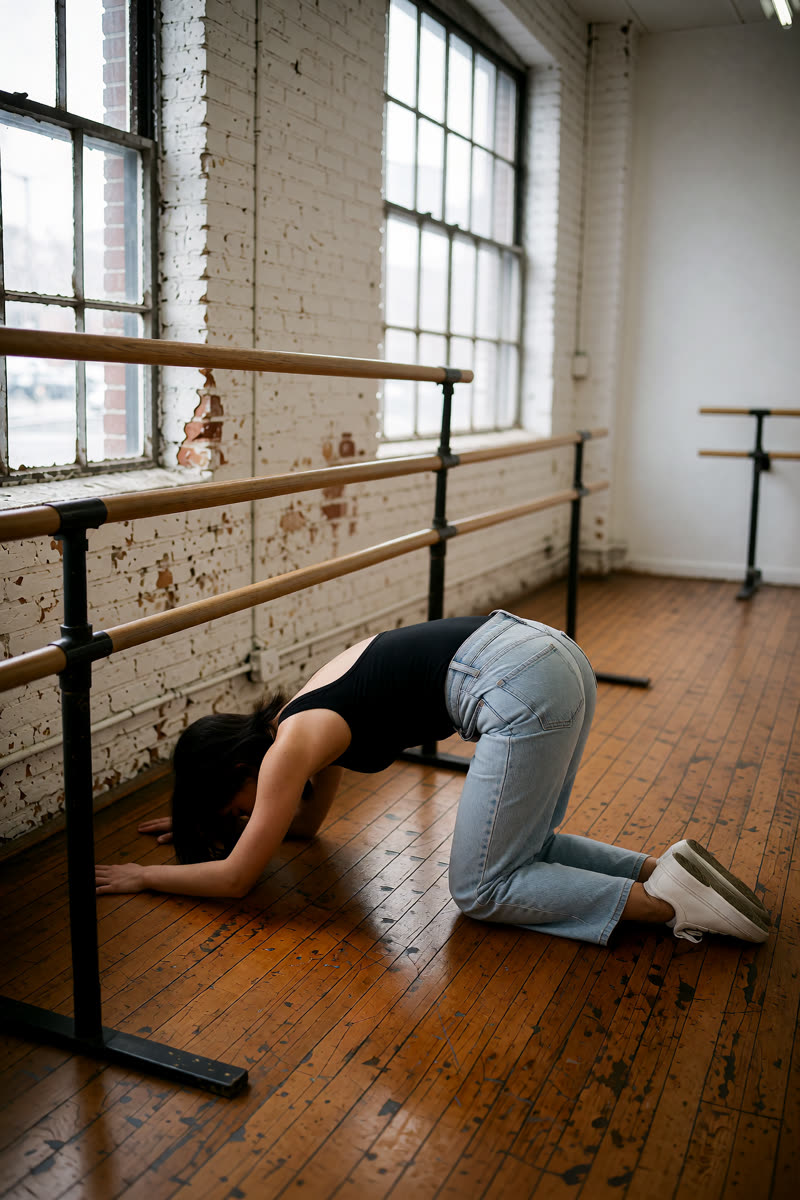
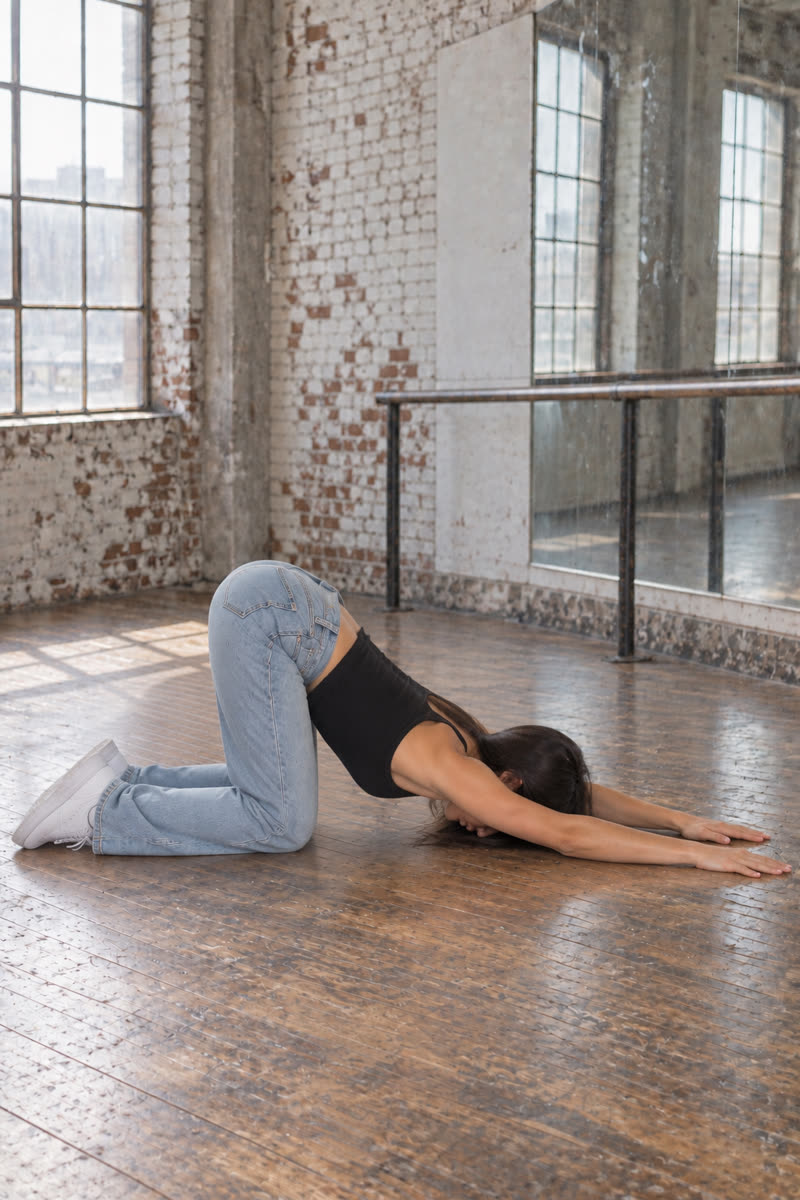
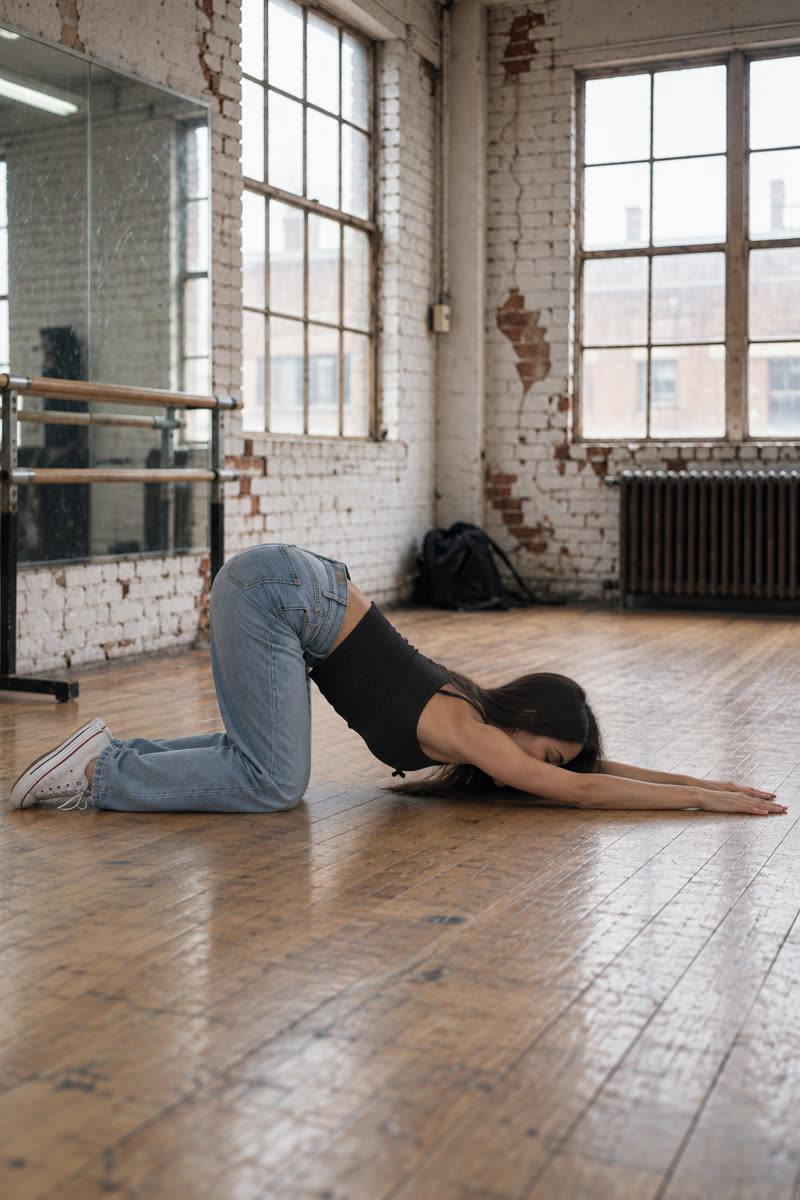
10Child's pose
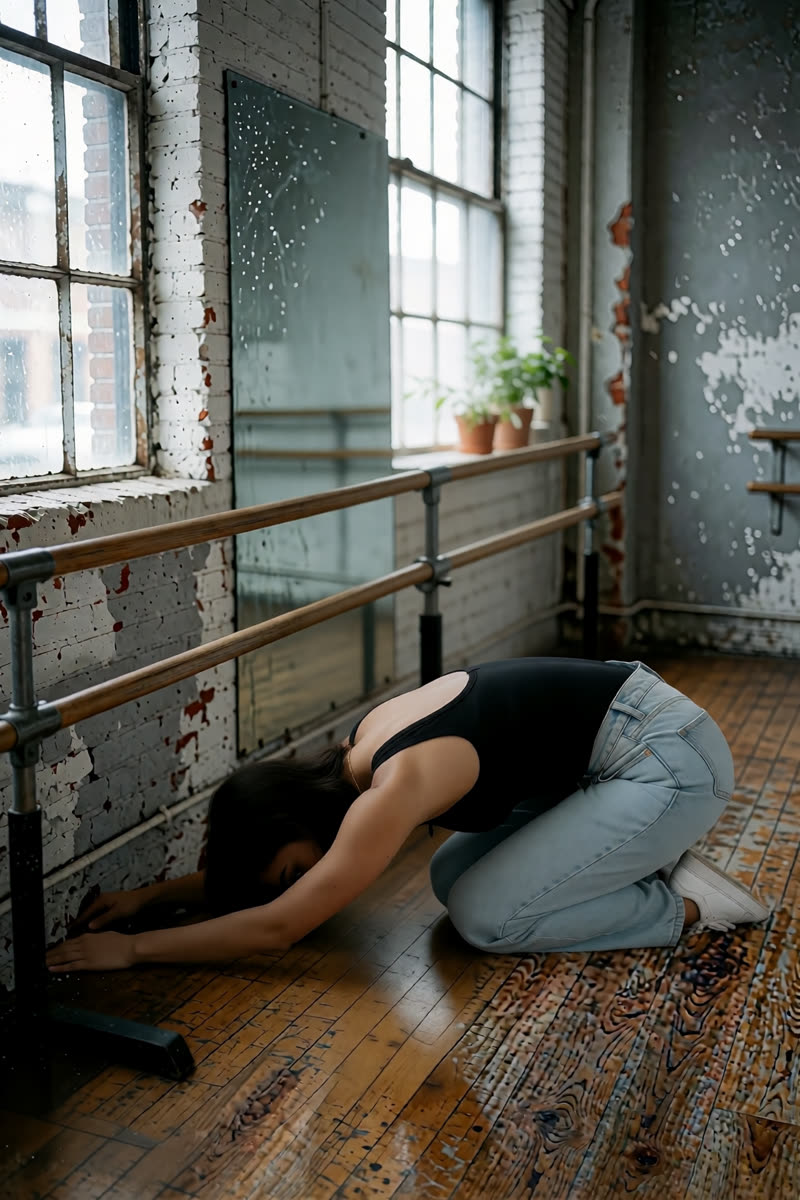
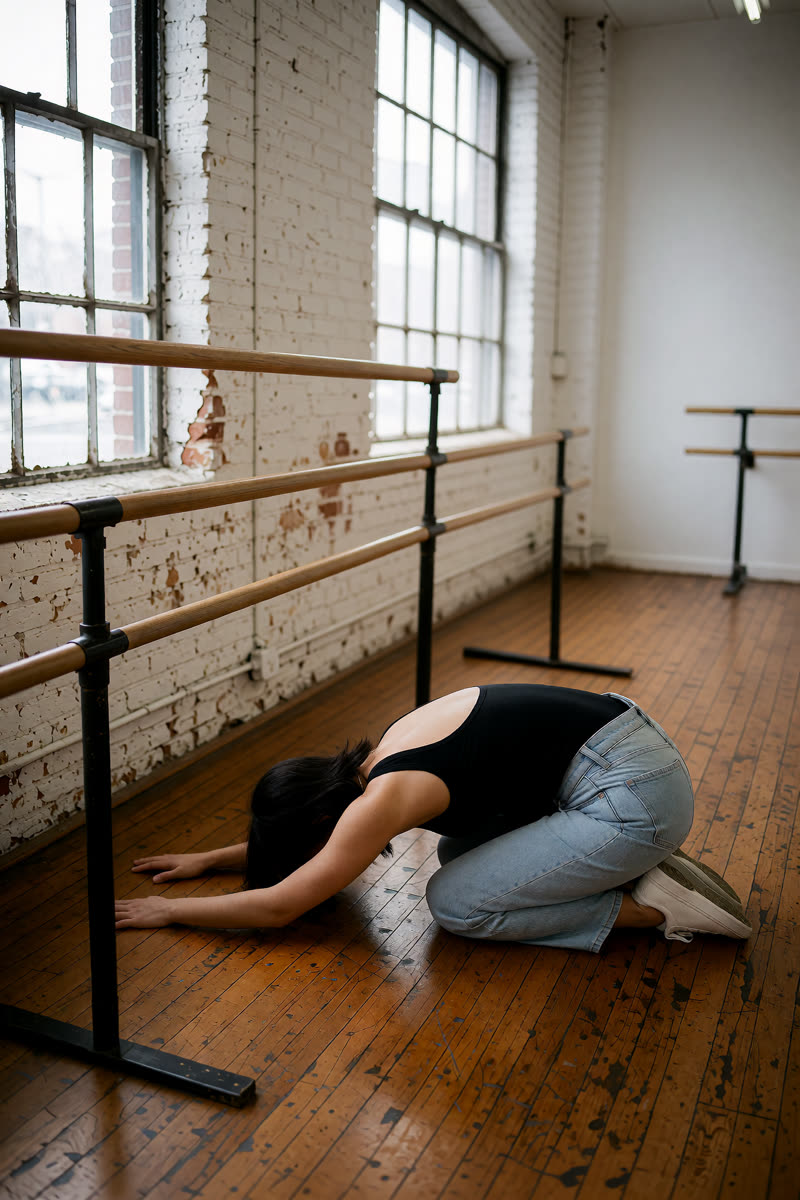
Reference drawing: Child's pose
Input pose
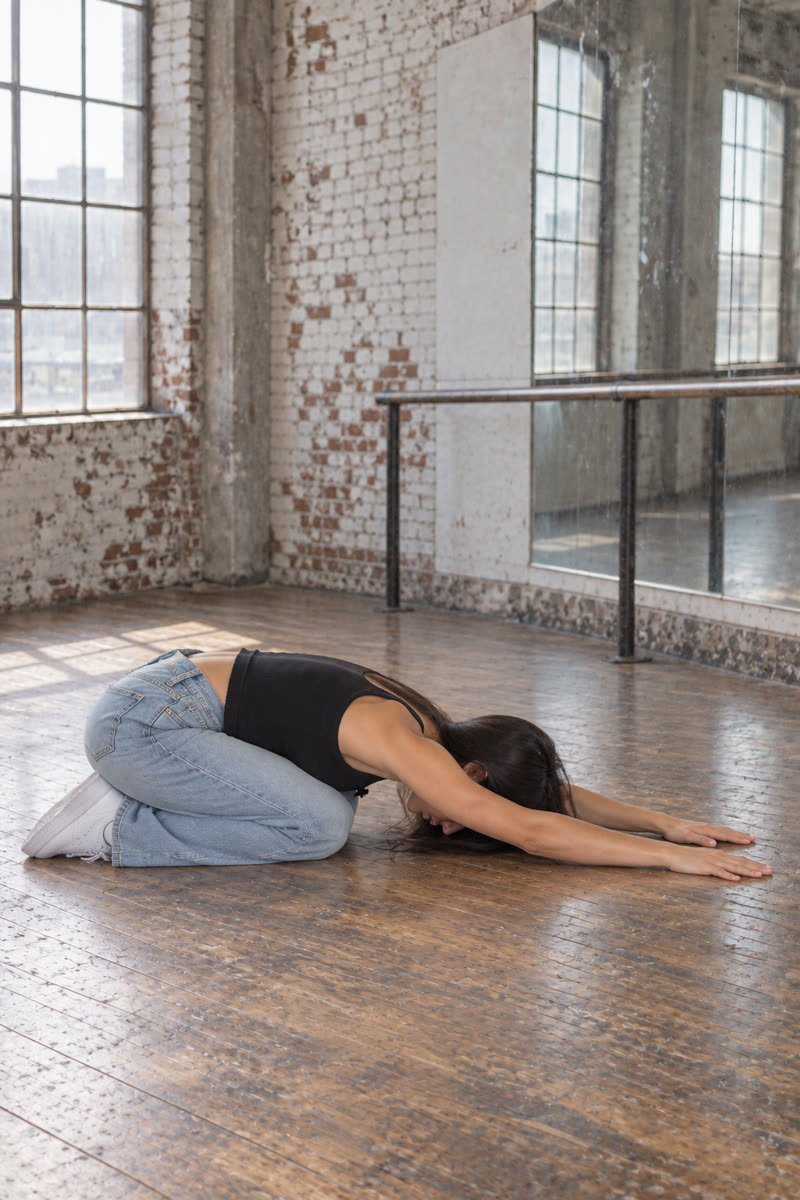
Child's pose, GPT Image 2.5
GPT Image 2.5
Child's pose, Dark Beast, then GPT
Dark Beast, then GPT
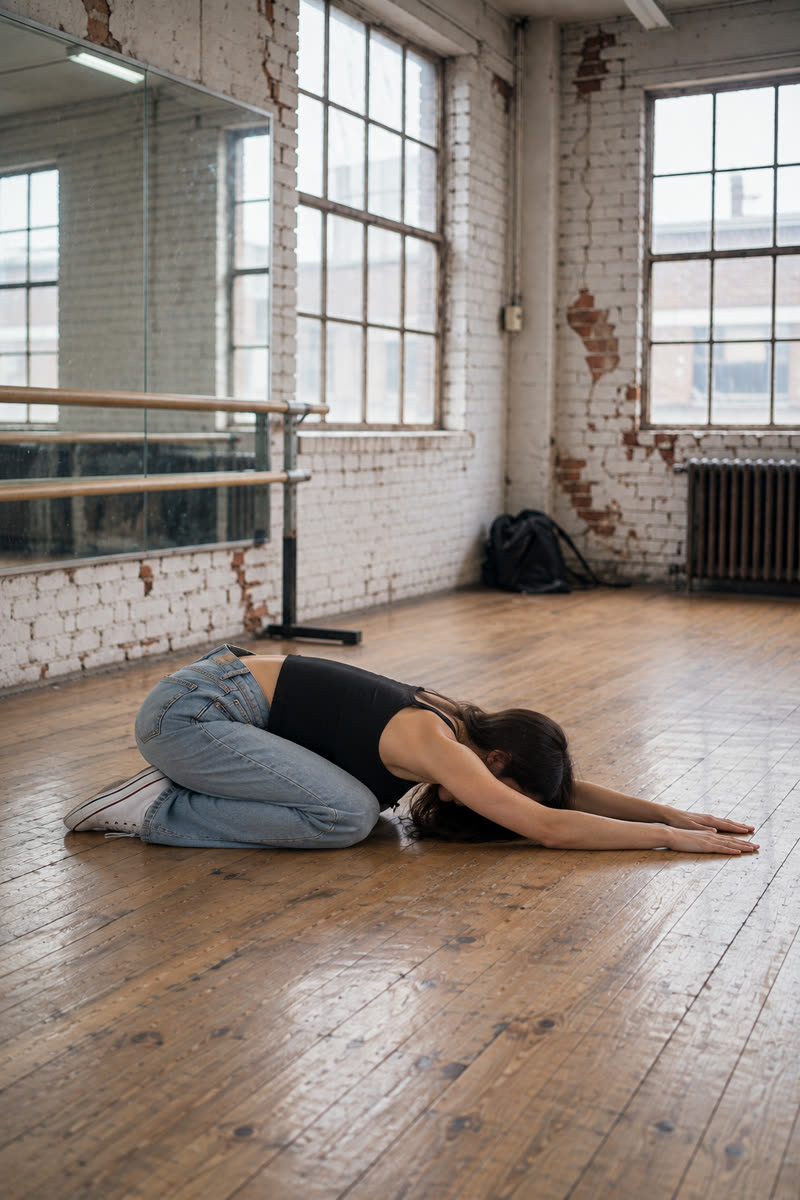
Child's pose, Sogni Krea v0.3
Sogni Krea v0.3
Child's pose, Krea v1.2
Krea v1.2
Suggested pose prompts
GPT: photo + pose diagramEdit image 1 so the person holds child's pose kneeling with hips near the heels, torso folded forward, forehead toward the floor and both arms extended ahead, matching the body position in image 2. Image 2 is a pose diagram only: copy its body position, not its drawing style, person or green clothing. Keep the person's face, hair, clothes, shoes, background, lighting and photographic style unchanged. Show their whole body in an open area of the floor, away from furniture.
Sogni Krea v0.3 or Krea v1.2: photo onlyChange only the body position of the person in this photo: they hold child's pose kneeling with hips near the heels, torso folded forward, forehead toward the floor and both arms extended ahead. Keep the person's face, hair, clothes, shoes, background, lighting and photographic style unchanged. Show their whole body in an open area of the floor, away from furniture.
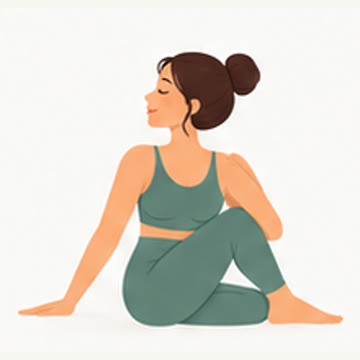
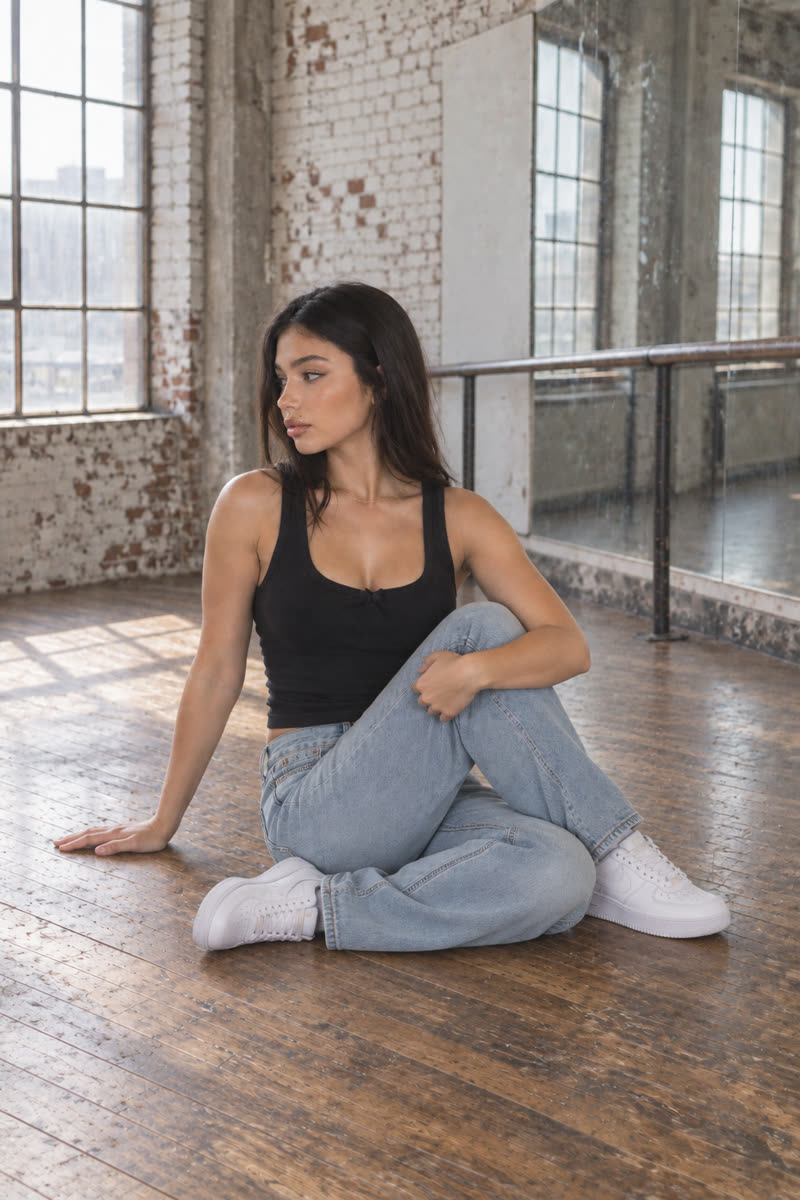
11Seated spinal twist
Reference drawing: Seated spinal twist
Input pose
Seated spinal twist, GPT Image 2.5
GPT Image 2.5
Seated spinal twist, Dark Beast, then GPT
Dark Beast, then GPT
Seated spinal twist, Sogni Krea v0.3
Sogni Krea v0.3
Seated spinal twist, Krea v1.2
Krea v1.2
Suggested pose prompts
GPT: photo + pose diagramEdit image 1 so the person sits in a spinal twist, one leg folded, the opposite foot crossed outside the bent knee, torso turned toward the raised knee and one hand resting on the floor behind their, matching the body position in image 2. Image 2 is a pose diagram only: copy its body position, not its drawing style, person or green clothing. Keep the person's face, hair, clothes, shoes, background, lighting and photographic style unchanged. Show their whole body in an open area of the floor, away from furniture.
Sogni Krea v0.3 or Krea v1.2: photo onlyChange only the body position of the person in this photo: they sit in a spinal twist, one leg folded, the opposite foot crossed outside the bent knee, torso turned toward the raised knee and one hand resting on the floor behind their. Keep the person's face, hair, clothes, shoes, background, lighting and photographic style unchanged. Show their whole body in an open area of the floor, away from furniture.
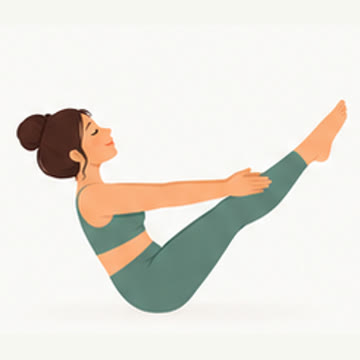
12Boat pose
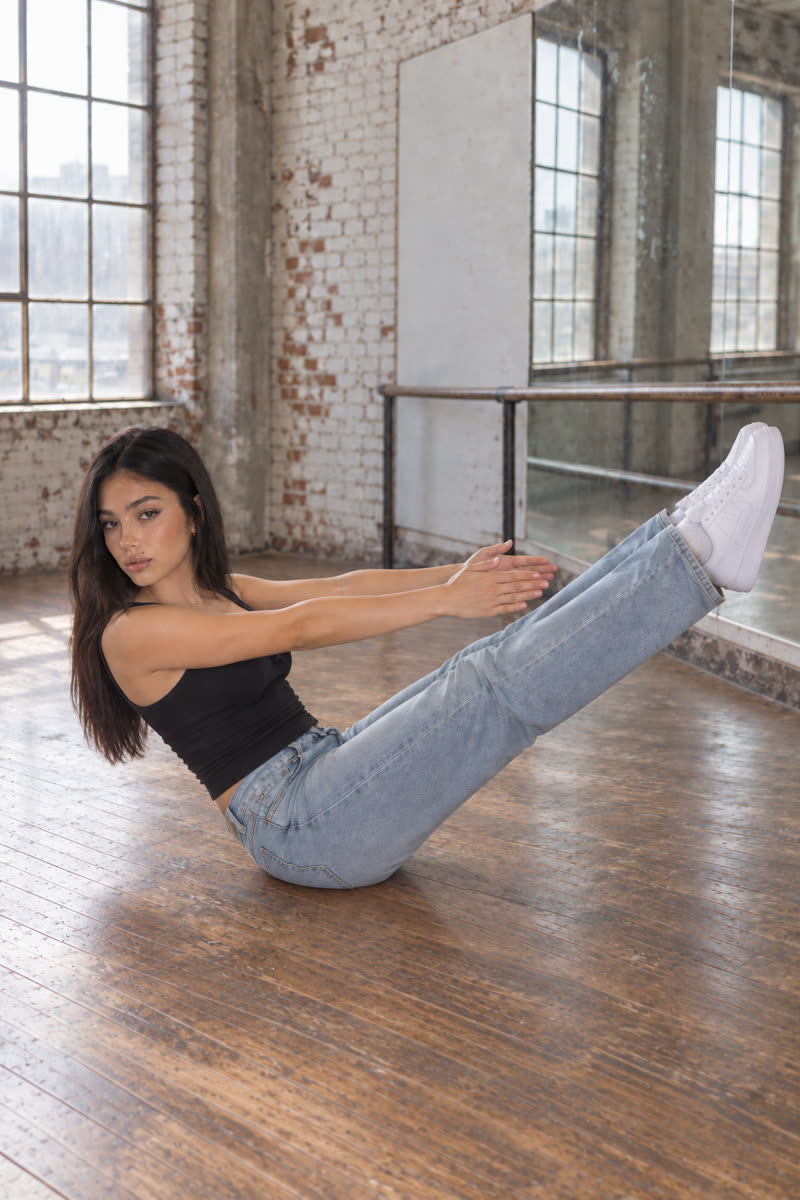
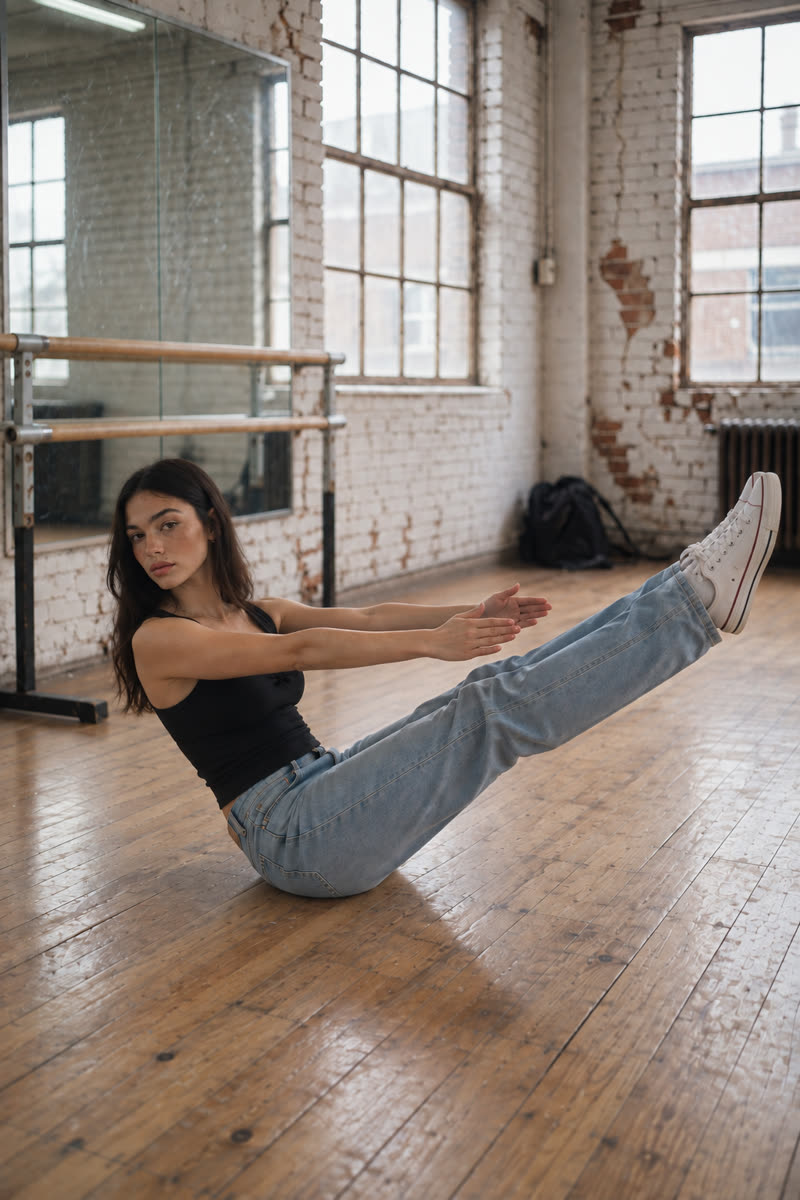
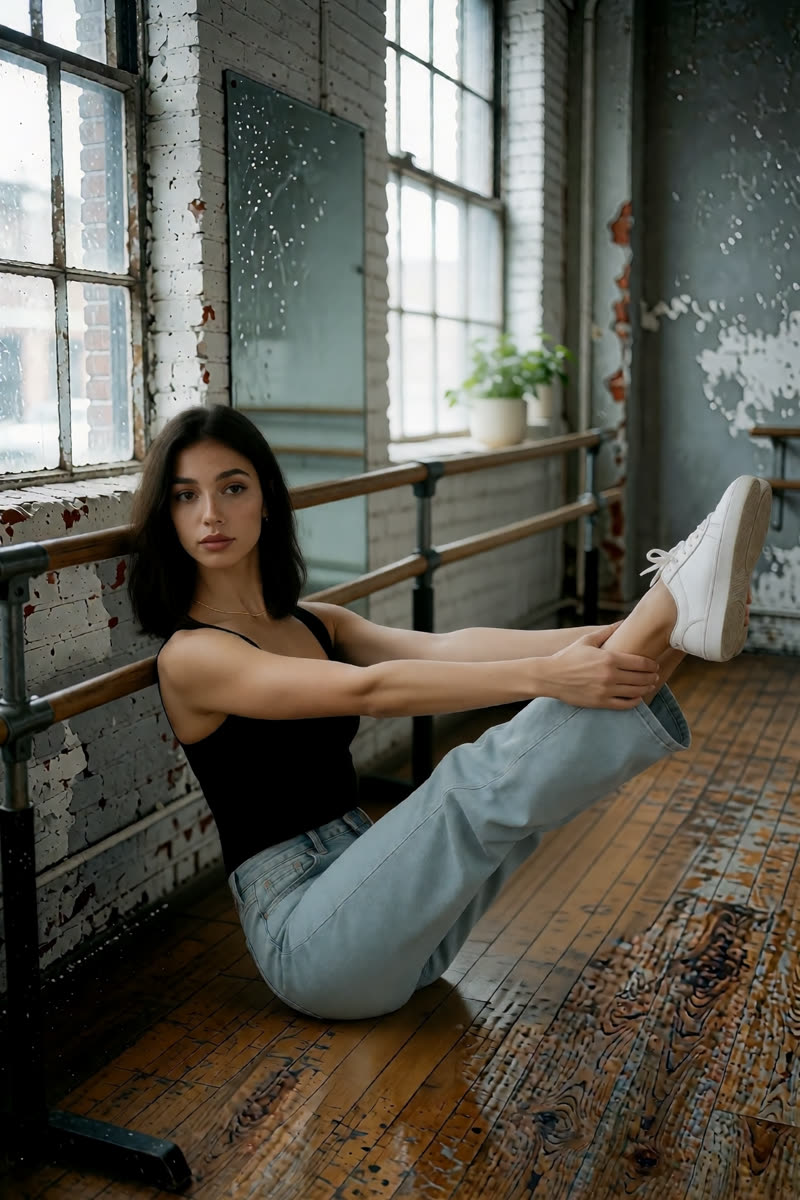
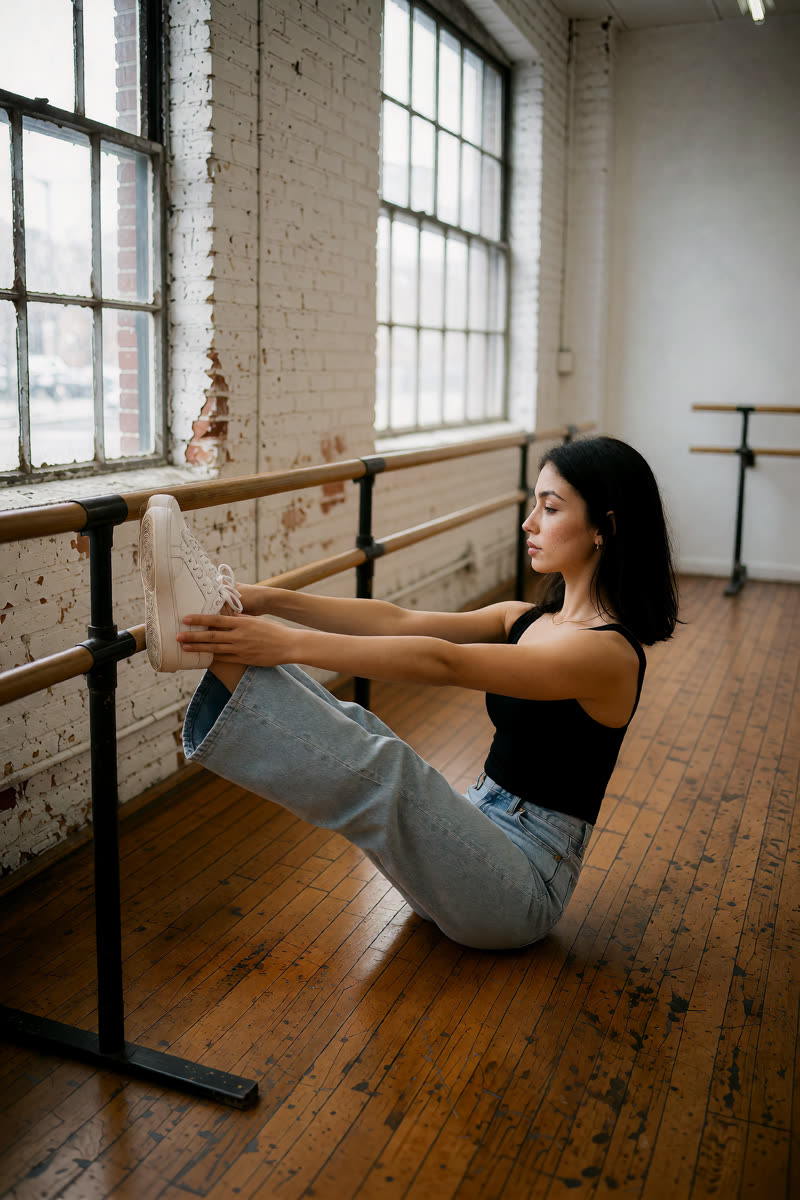
Reference drawing: Boat pose
Input pose
Boat pose, GPT Image 2.5
GPT Image 2.5
Boat pose, Dark Beast, then GPT
Dark Beast, then GPT
Boat pose, Sogni Krea v0.3
Sogni Krea v0.3
Boat pose, Krea v1.2
Krea v1.2
Suggested pose prompts
GPT: photo + pose diagramEdit image 1 so the person holds boat pose balanced on their sitting bones, torso leaning back, both legs lifted diagonally and both arms extended toward their feet, matching the body position in image 2. Image 2 is a pose diagram only: copy its body position, not its drawing style, person or green clothing. Keep the person's face, hair, clothes, shoes, background, lighting and photographic style unchanged. Show their whole body in an open area of the floor, away from furniture.
Sogni Krea v0.3 or Krea v1.2: photo onlyChange only the body position of the person in this photo: they hold boat pose balanced on their sitting bones, torso leaning back, both legs lifted diagonally and both arms extended toward their feet. Keep the person's face, hair, clothes, shoes, background, lighting and photographic style unchanged. Show their whole body in an open area of the floor, away from furniture.
13Easy seat meditation
Reference drawing: Easy seat meditation
Input pose
Easy seat meditation, GPT Image 2.5
GPT Image 2.5
Easy seat meditation, Dark Beast, then GPT
Dark Beast, then GPT
Easy seat meditation, Sogni Krea v0.3
Sogni Krea v0.3
Easy seat meditation, Krea v1.2
Krea v1.2
Suggested pose prompts
GPT: photo + pose diagramEdit image 1 so the person sits upright in an easy cross-legged meditation pose, hands resting on their knees, matching the body position in image 2. Image 2 is a pose diagram only: copy its body position, not its drawing style, person or green clothing. Keep the person's face, hair, clothes, shoes, background, lighting and photographic style unchanged. Show their whole body in an open area of the floor, away from furniture.
Sogni Krea v0.3 or Krea v1.2: photo onlyChange only the body position of the person in this photo: they sit upright in an easy cross-legged meditation pose, hands resting on their knees. Keep the person's face, hair, clothes, shoes, background, lighting and photographic style unchanged. Show their whole body in an open area of the floor, away from furniture.
14Butterfly
Reference drawing: Butterfly
Input pose
Butterfly, GPT Image 2.5
GPT Image 2.5
Butterfly, Dark Beast, then GPT
Dark Beast, then GPT
Butterfly, Sogni Krea v0.3
Sogni Krea v0.3
Butterfly, Krea v1.2
Krea v1.2
Suggested pose prompts
GPT: photo + pose diagramEdit image 1 so the person sits in butterfly pose with the soles of their feet together, knees open to the sides and hands holding their feet, matching the body position in image 2. Image 2 is a pose diagram only: copy its body position, not its drawing style, person or green clothing. Keep the person's face, hair, clothes, shoes, background, lighting and photographic style unchanged. Show their whole body in an open area of the floor, away from furniture.
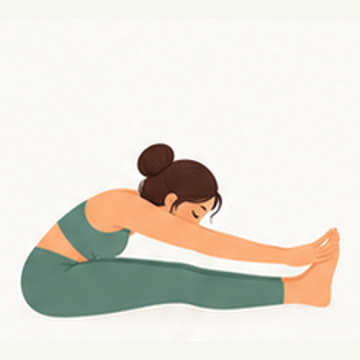
Sogni Krea v0.3 or Krea v1.2: photo onlyChange only the body position of the person in this photo: they sit in butterfly pose with the soles of their feet together, knees open to the sides and hands holding their feet. Keep the person's face, hair, clothes, shoes, background, lighting and photographic style unchanged. Show their whole body in an open area of the floor, away from furniture.
15Seated forward fold
Reference drawing: Seated forward fold
Input pose
Seated forward fold, GPT Image 2.5
GPT Image 2.5
Seated forward fold, Dark Beast, then GPT
Dark Beast, then GPT
Seated forward fold, Sogni Krea v0.3
Sogni Krea v0.3
Seated forward fold, Krea v1.2
Krea v1.2
Suggested pose prompts
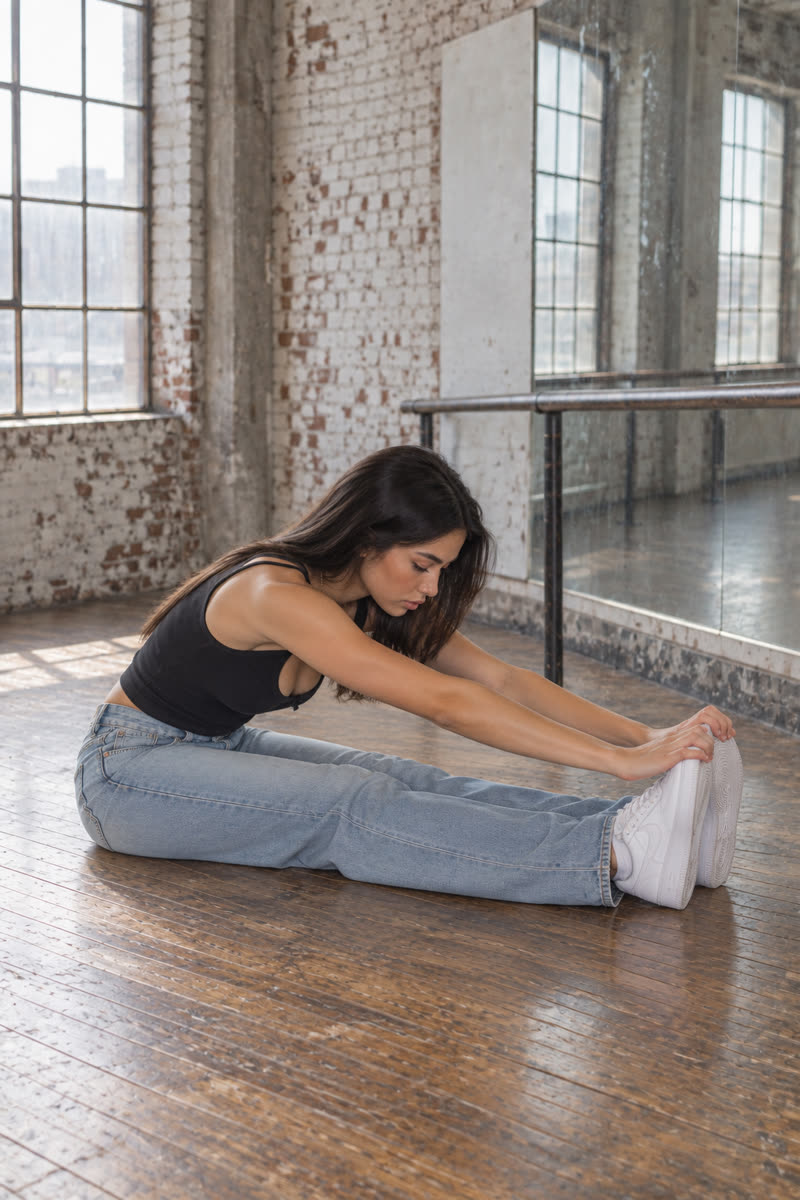
GPT: photo + pose diagramEdit image 1 so the person sits with both legs straight in front and folds their torso forward toward their legs, hands reaching toward their feet, matching the body position in image 2. Image 2 is a pose diagram only: copy its body position, not its drawing style, person or green clothing. Keep the person's face, hair, clothes, shoes, background, lighting and photographic style unchanged. Show their whole body in an open area of the floor, away from furniture.
Sogni Krea v0.3 or Krea v1.2: photo onlyChange only the body position of the person in this photo: they sit with both legs straight in front and folds their torso forward toward their legs, hands reaching toward their feet. Keep the person's face, hair, clothes, shoes, background, lighting and photographic style unchanged. Show their whole body in an open area of the floor, away from furniture.
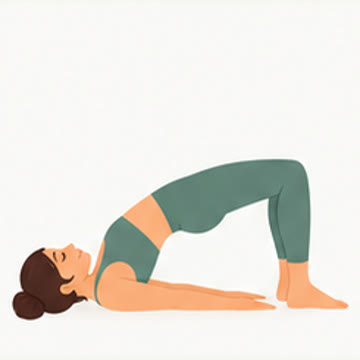
16Bridge
Reference drawing: Bridge
Input pose
Bridge, GPT Image 2.5
GPT Image 2.5
Bridge, Dark Beast, then GPT
Dark Beast, then GPT
Bridge, Sogni Krea v0.3
Sogni Krea v0.3
Bridge, Krea v1.2
Krea v1.2
Suggested pose prompts
GPT: photo + pose diagramEdit image 1 so the person holds bridge pose lying on their back, knees bent and feet flat on the floor, hips lifted, shoulders and head resting on the floor, matching the body position in image 2. Image 2 is a pose diagram only: copy its body position, not its drawing style, person or green clothing. Keep the person's face, hair, clothes, shoes, background, lighting and photographic style unchanged. Show their whole body in an open area of the floor, away from furniture.
Sogni Krea v0.3 or Krea v1.2: photo onlyChange only the body position of the person in this photo: they hold bridge pose lying on their back, knees bent and feet flat on the floor, hips lifted, shoulders and head resting on the floor. Keep the person's face, hair, clothes, shoes, background, lighting and photographic style unchanged. Show their whole body in an open area of the floor, away from furniture.
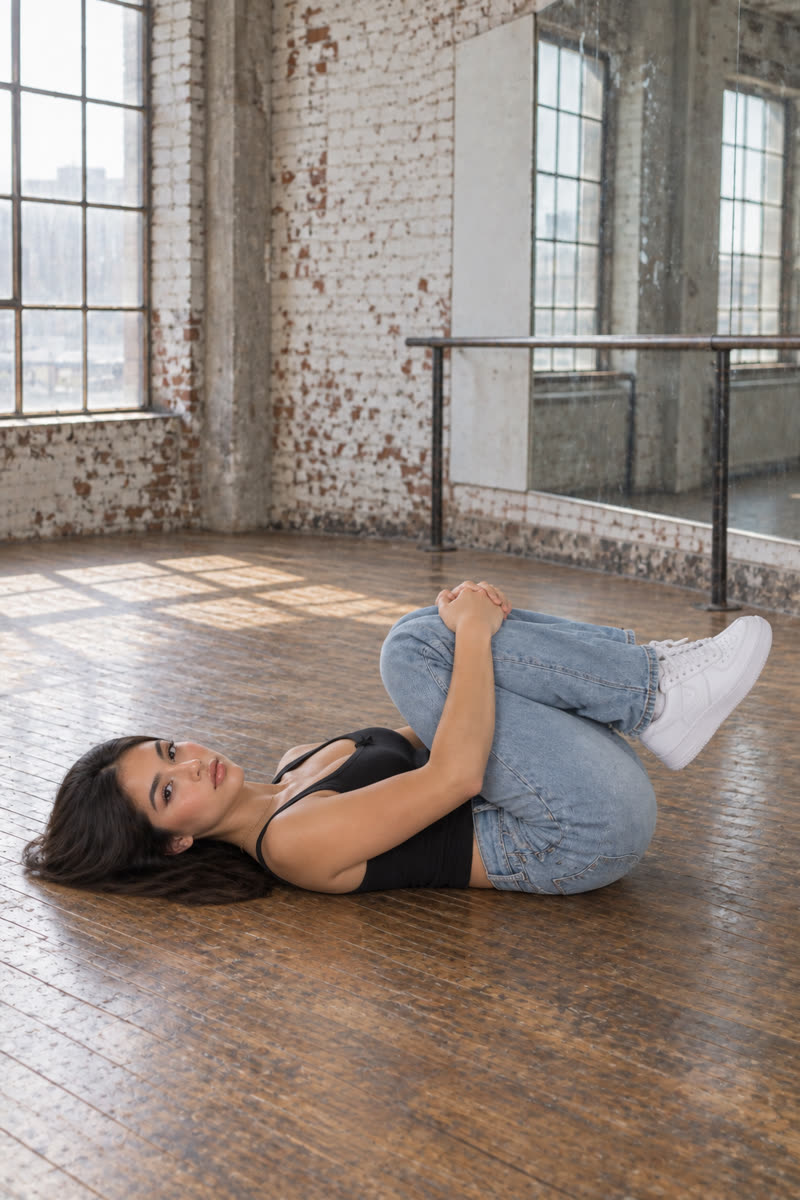
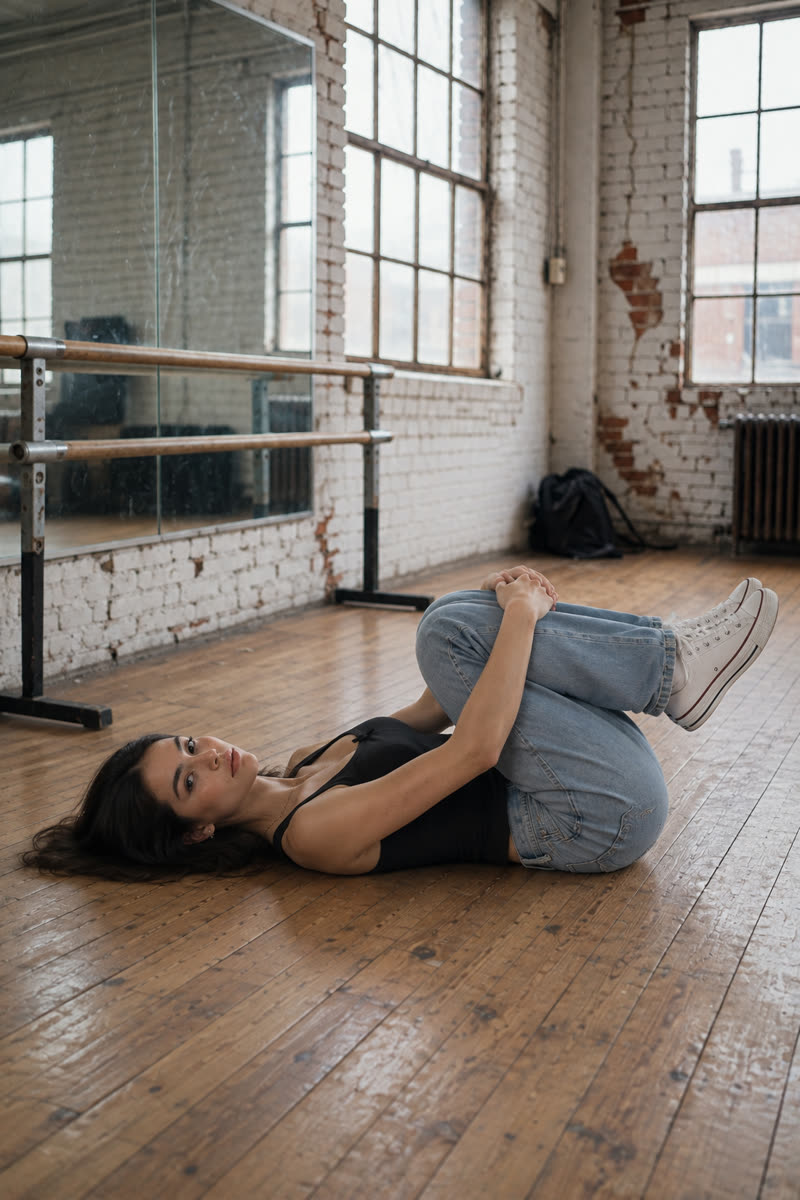
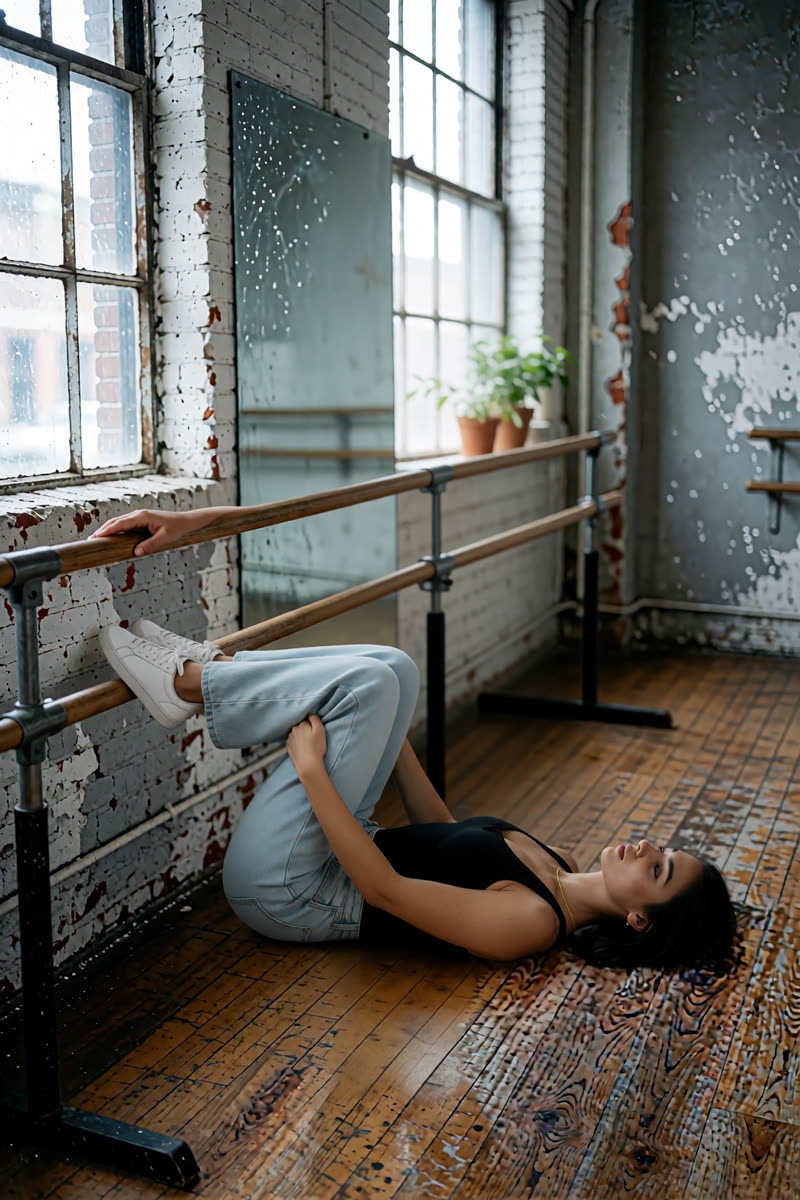
17Knees to chest
Reference drawing: Knees to chest
Input pose
Knees to chest, GPT Image 2.5
GPT Image 2.5
Knees to chest, Dark Beast, then GPT
Dark Beast, then GPT
Knees to chest, Sogni Krea v0.3
Sogni Krea v0.3
Knees to chest, Krea v1.2
Krea v1.2
Suggested pose prompts
GPT: photo + pose diagramEdit image 1 so the person lies on their back with both knees drawn toward their chest and arms wrapped around their shins, matching the body position in image 2. Image 2 is a pose diagram only: copy its body position, not its drawing style, person or green clothing. Keep the person's face, hair, clothes, shoes, background, lighting and photographic style unchanged. Show their whole body in an open area of the floor, away from furniture.
Sogni Krea v0.3 or Krea v1.2: photo onlyChange only the body position of the person in this photo: they lie on their back with both knees drawn toward their chest and arms wrapped around their shins. Keep the person's face, hair, clothes, shoes, background, lighting and photographic style unchanged. Show their whole body in an open area of the floor, away from furniture.
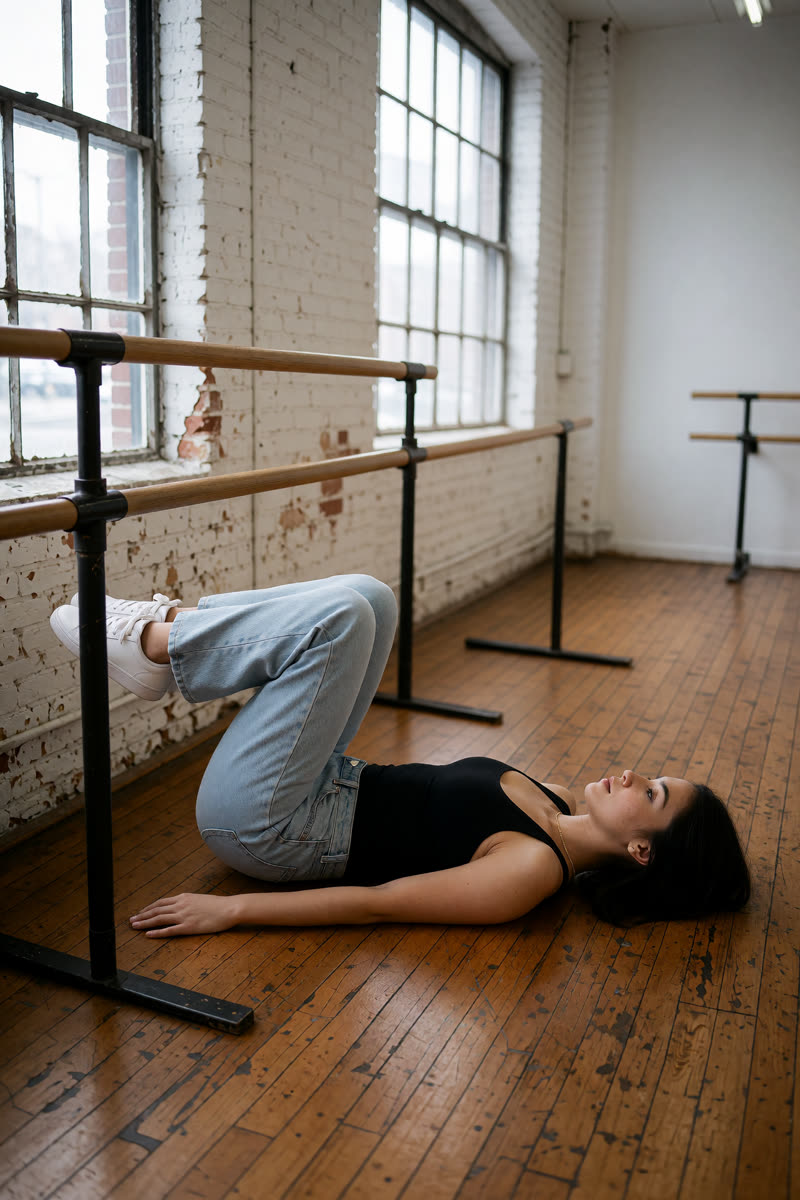
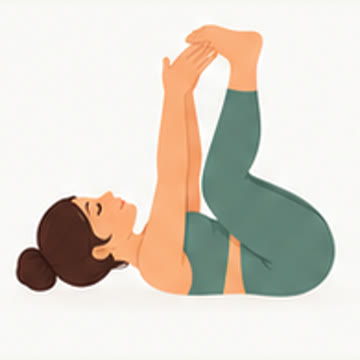
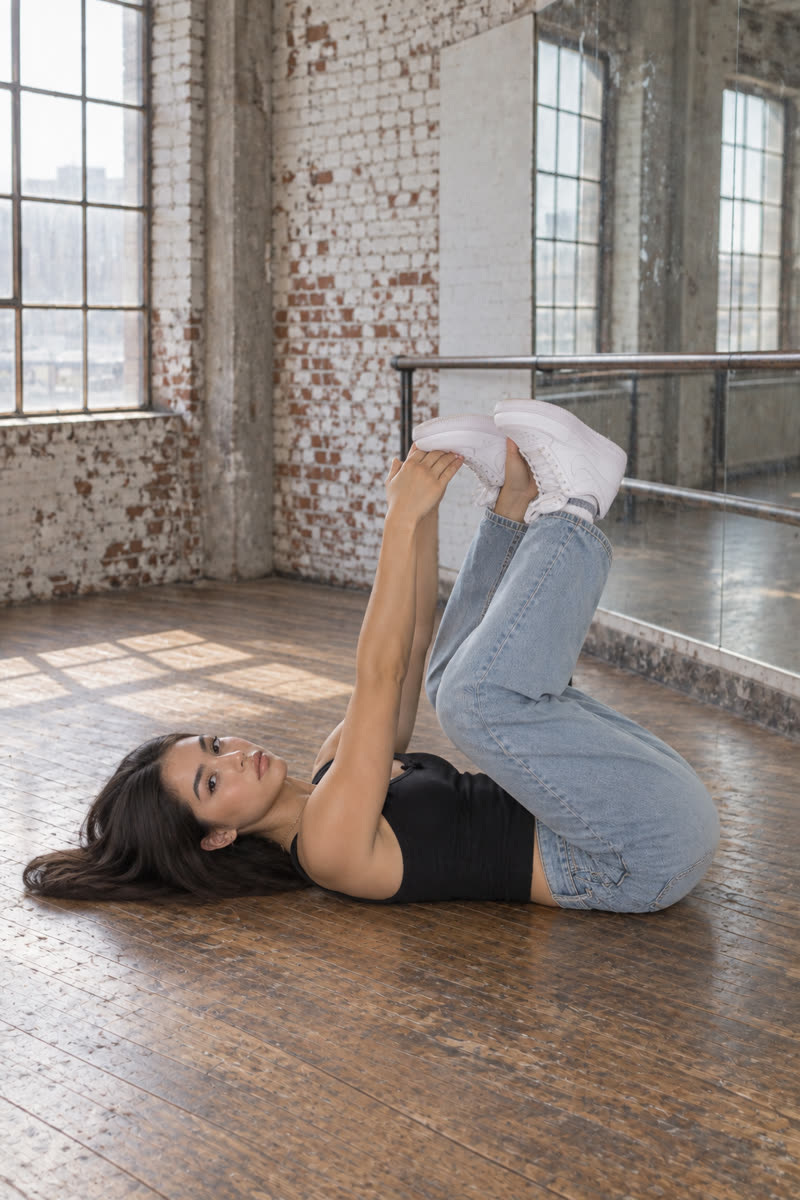
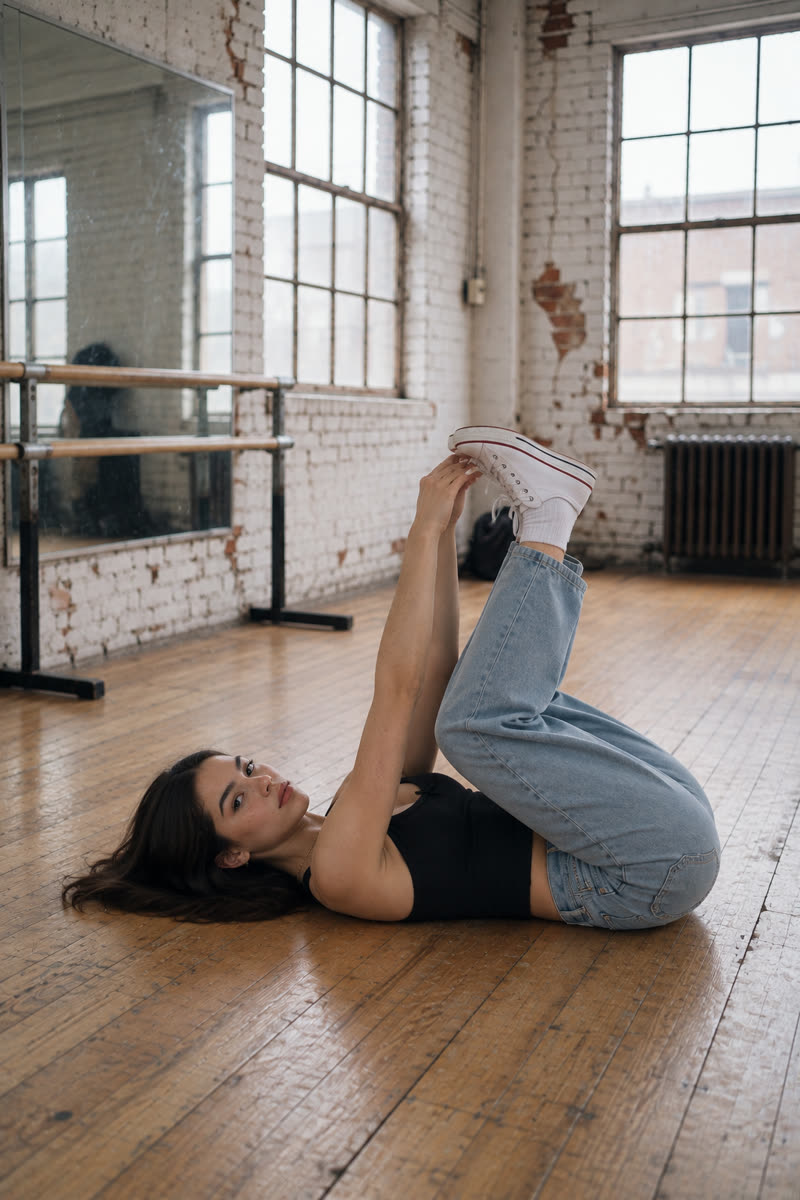
18Happy baby
Reference drawing: Happy baby
Input pose
Happy baby, GPT Image 2.5
GPT Image 2.5
Happy baby, Dark Beast, then GPT
Dark Beast, then GPT
Happy baby, Sogni Krea v0.3
Sogni Krea v0.3
Happy baby, Krea v1.2
Krea v1.2

Pose miss: the Sogni example raises the legs rather than matching the diagram's bent-knee happy baby position.

Suggested pose prompts
GPT: photo + pose diagramEdit image 1 so the person holds happy baby lying on their back, both knees bent and spread toward their shoulders, soles facing upward and each hand holding the corresponding foot, matching the body position in image 2. Image 2 is a pose diagram only: copy its body position, not its drawing style, person or green clothing. Keep the person's face, hair, clothes, shoes, background, lighting and photographic style unchanged. Show their whole body in an open area of the floor, away from furniture.
Sogni Krea v0.3 or Krea v1.2: photo onlyChange only the body position of the person in this photo: they hold happy baby lying on their back, both knees bent and spread toward their shoulders, soles facing upward and each hand holding the corresponding foot. Keep the person's face, hair, clothes, shoes, background, lighting and photographic style unchanged. Show their whole body in an open area of the floor, away from furniture.
19Supine twist
Reference drawing: Supine twist
Input pose
Supine twist, GPT Image 2.5
GPT Image 2.5
Supine twist, Dark Beast, then GPT
Dark Beast, then GPT
Supine twist, Sogni Krea v0.3
Sogni Krea v0.3
Supine twist, Krea v1.2
Krea v1.2

Pose miss: the Krea v1.2 example keeps the knees raised instead of lowering them sideways into the diagram's twist.

Suggested pose prompts
GPT: photo + pose diagramEdit image 1 so the person holds a supine twist lying on their back, both knees bent and lowered together to one side, shoulders on the floor and arms spread outward, matching the body position in image 2. Image 2 is a pose diagram only: copy its body position, not its drawing style, person or green clothing. Keep the person's face, hair, clothes, shoes, background, lighting and photographic style unchanged. Show their whole body in an open area of the floor, away from furniture.
Sogni Krea v0.3 or Krea v1.2: photo onlyChange only the body position of the person in this photo: they hold a supine twist lying on their back, both knees bent and lowered together to one side, shoulders on the floor and arms spread outward. Keep the person's face, hair, clothes, shoes, background, lighting and photographic style unchanged. Show their whole body in an open area of the floor, away from furniture.
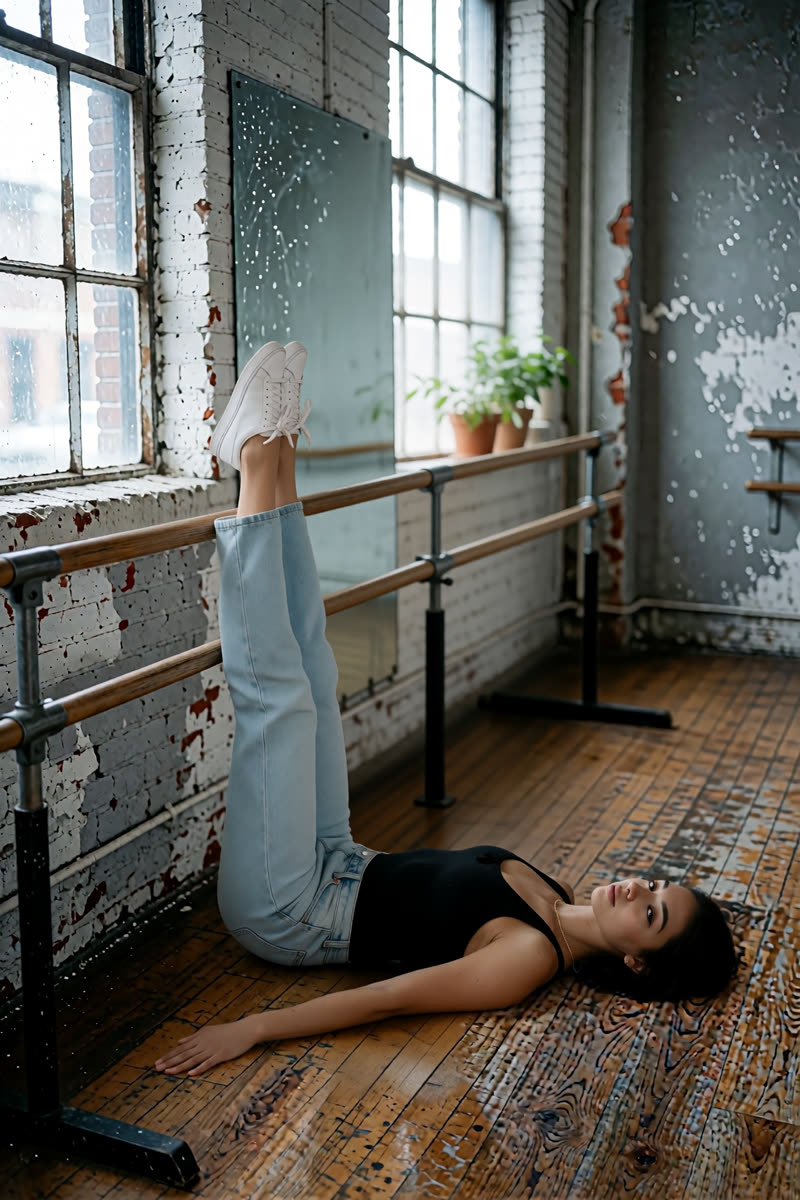
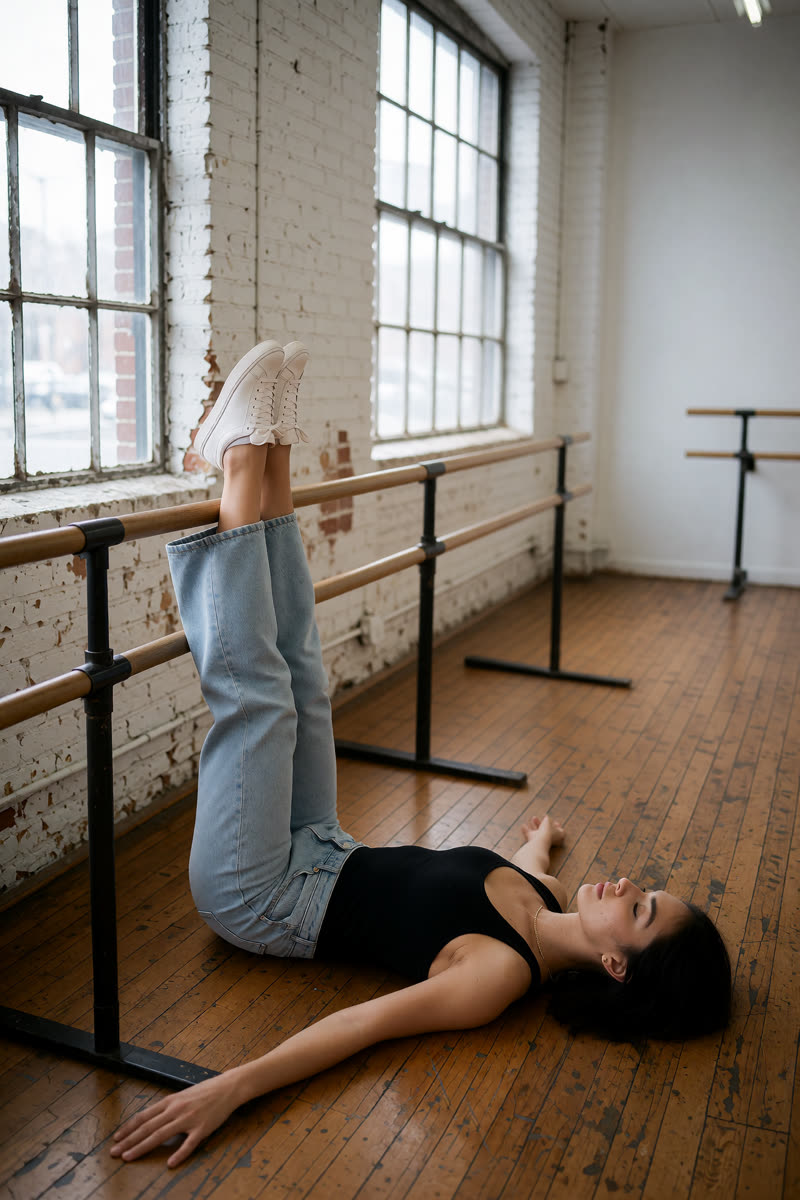
20Legs up
Reference drawing: Legs up
Input pose
Legs up, GPT Image 2.5
GPT Image 2.5
Legs up, Dark Beast, then GPT
Dark Beast, then GPT
Legs up, Sogni Krea v0.3
Sogni Krea v0.3
Legs up, Krea v1.2
Krea v1.2
Suggested pose prompts
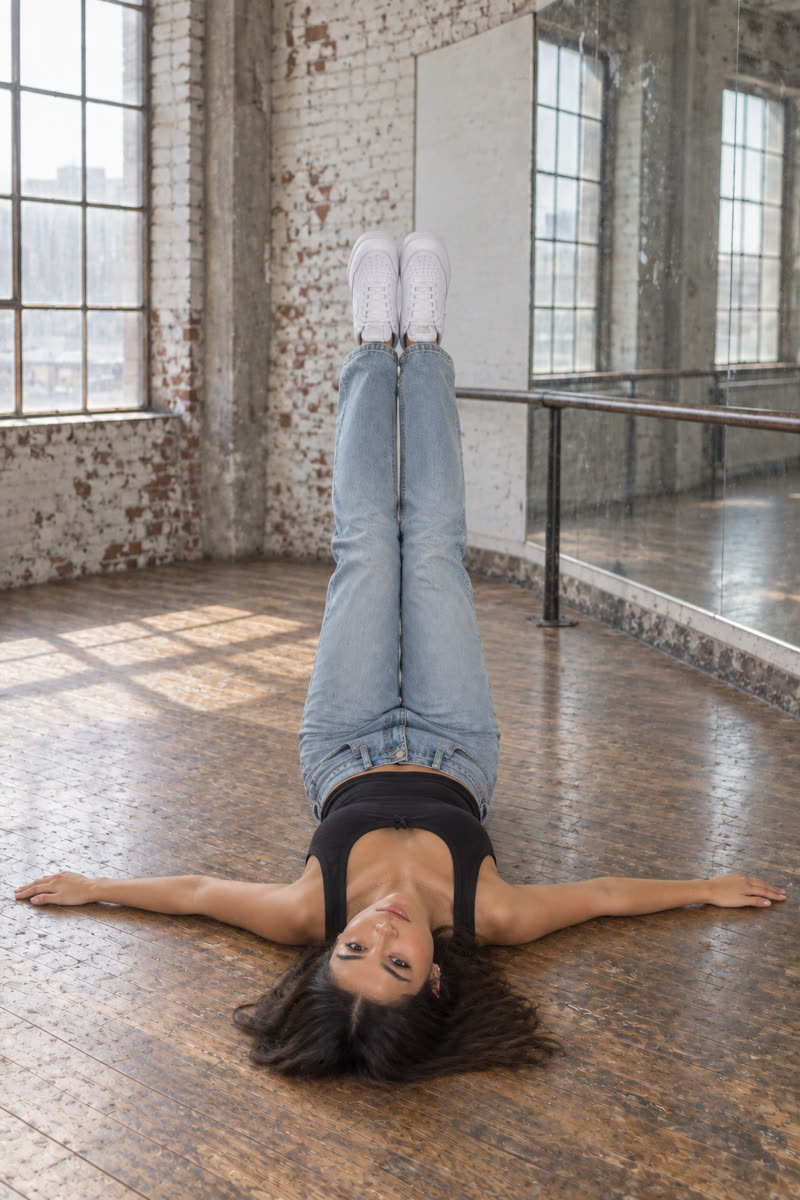
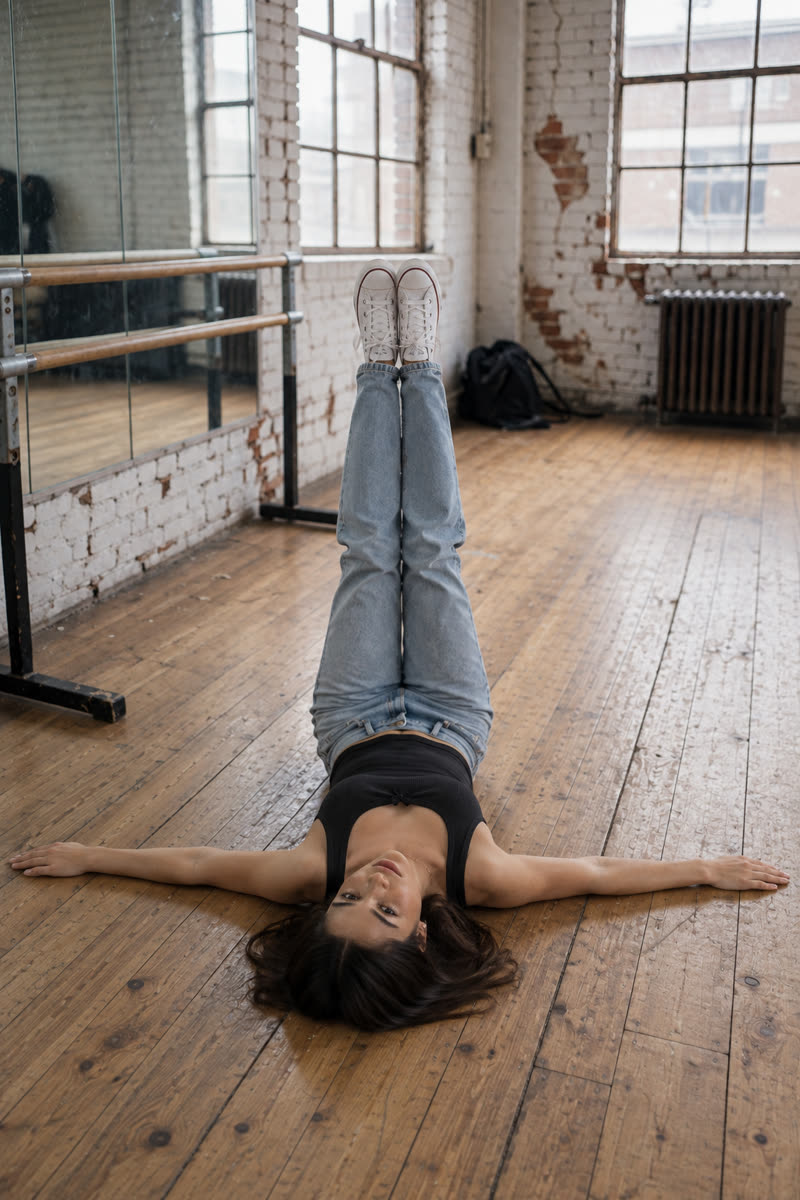
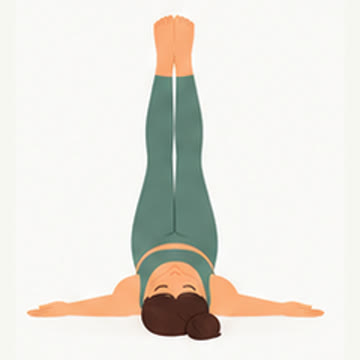
GPT: photo + pose diagramEdit image 1 so the person lies on their back with both legs extended vertically upward, hips and shoulders on the floor and both arms resting beside their, matching the body position in image 2. Image 2 is a pose diagram only: copy its body position, not its drawing style, person or green clothing. Keep the person's face, hair, clothes, shoes, background, lighting and photographic style unchanged. Show their whole body in an open area of the floor, away from furniture.
Sogni Krea v0.3 or Krea v1.2: photo onlyChange only the body position of the person in this photo: they lie on their back with both legs extended vertically upward, hips and shoulders on the floor and both arms resting beside their. Keep the person's face, hair, clothes, shoes, background, lighting and photographic style unchanged. Show their whole body in an open area of the floor, away from furniture.
21Cow
Reference drawing: Cow
Input pose
Cow, GPT Image 2.5
GPT Image 2.5
Cow, Dark Beast, then GPT
Dark Beast, then GPT
Cow, Sogni Krea v0.3
Sogni Krea v0.3
Cow, Krea v1.2
Krea v1.2
Suggested pose prompts
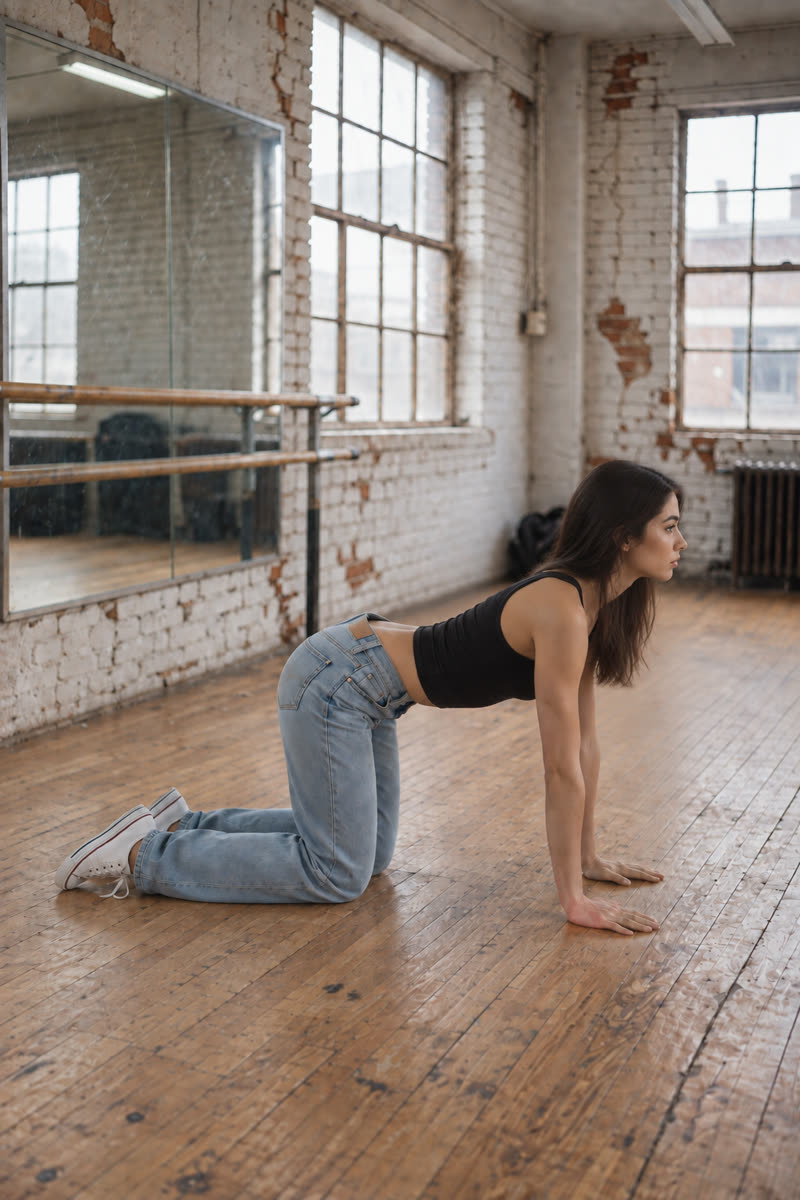
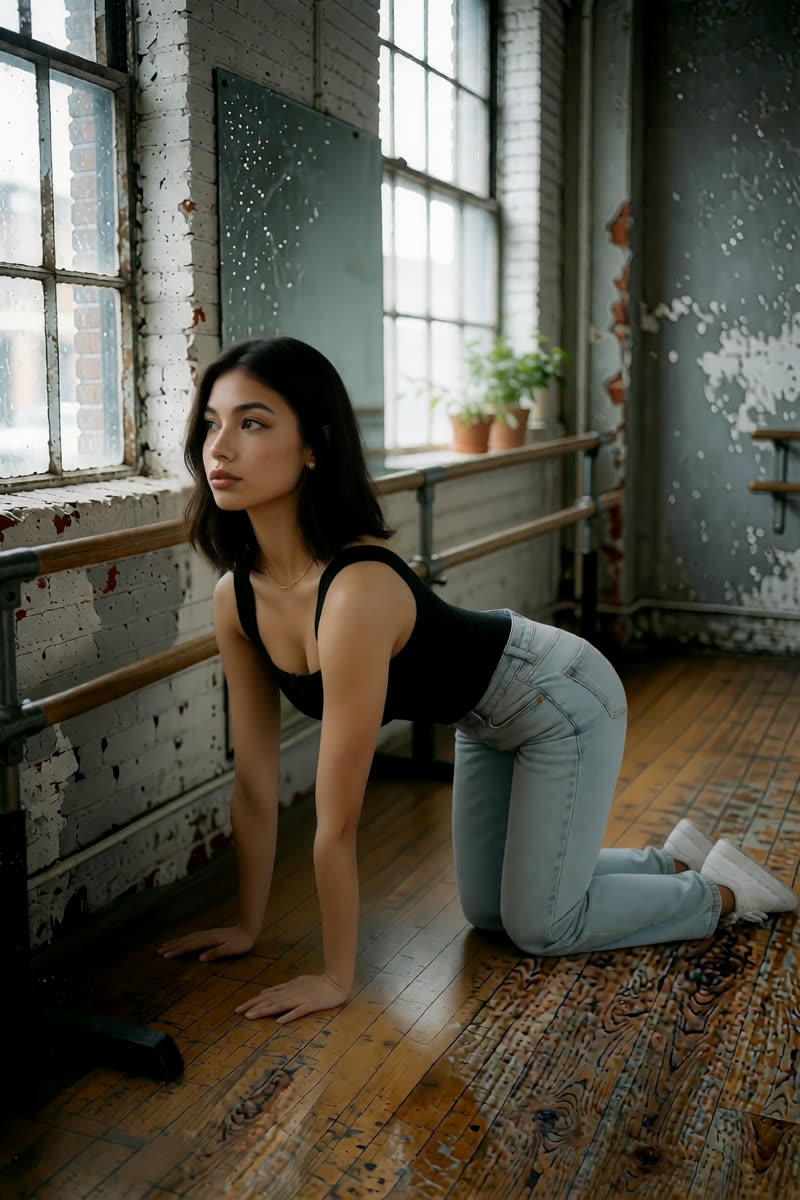
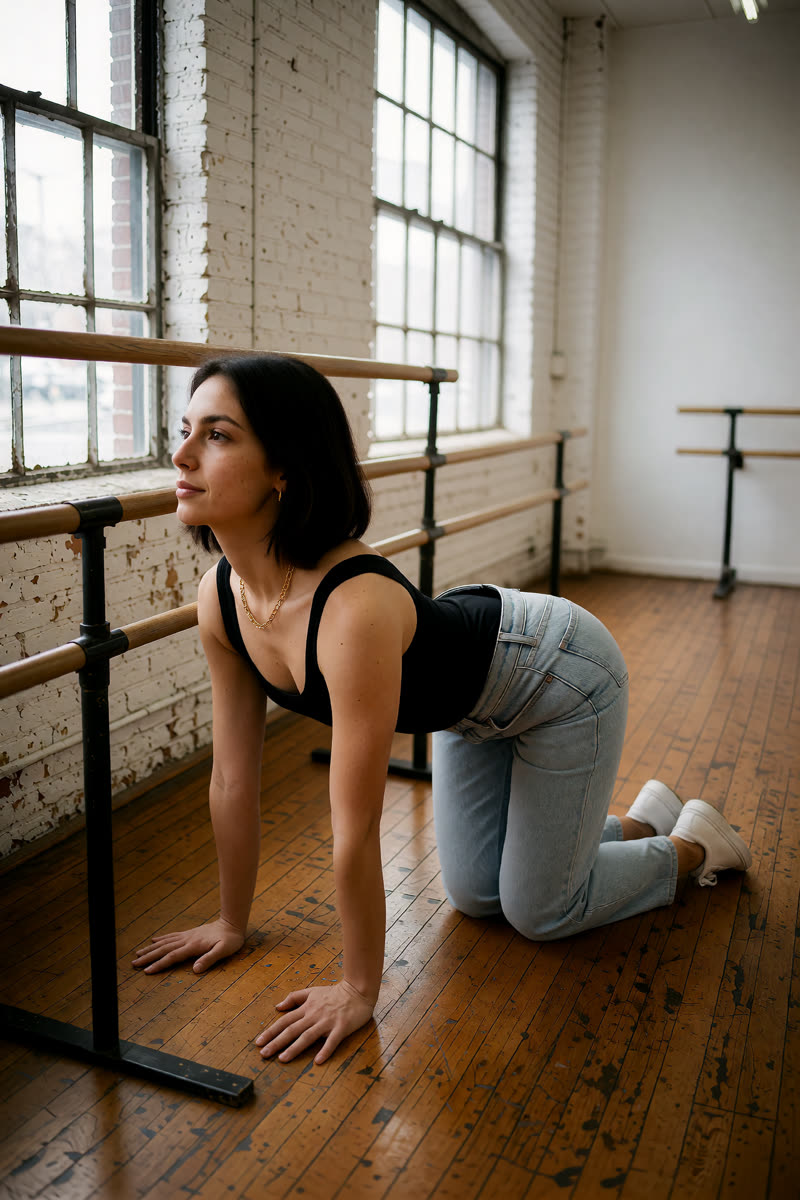
GPT: photo + pose diagramEdit image 1 so the person holds cow pose on hands and knees, palms under the shoulders and knees under the hips, abdomen lowered, back gently arched and head lifted, matching the body position in image 2. Image 2 is a pose diagram only: copy its body position, not its drawing style, person or green clothing. Keep the person's face, hair, clothes, shoes, background, lighting and photographic style unchanged. Show their whole body in an open area of the floor, away from furniture.
Sogni Krea v0.3 or Krea v1.2: photo onlyChange only the body position of the person in this photo: they hold cow pose on hands and knees, palms under the shoulders and knees under the hips, abdomen lowered, back gently arched and head lifted. Keep the person's face, hair, clothes, shoes, background, lighting and photographic style unchanged. Show their whole body in an open area of the floor, away from furniture.
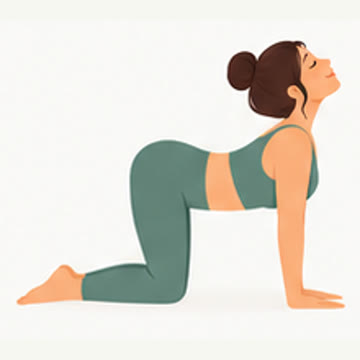
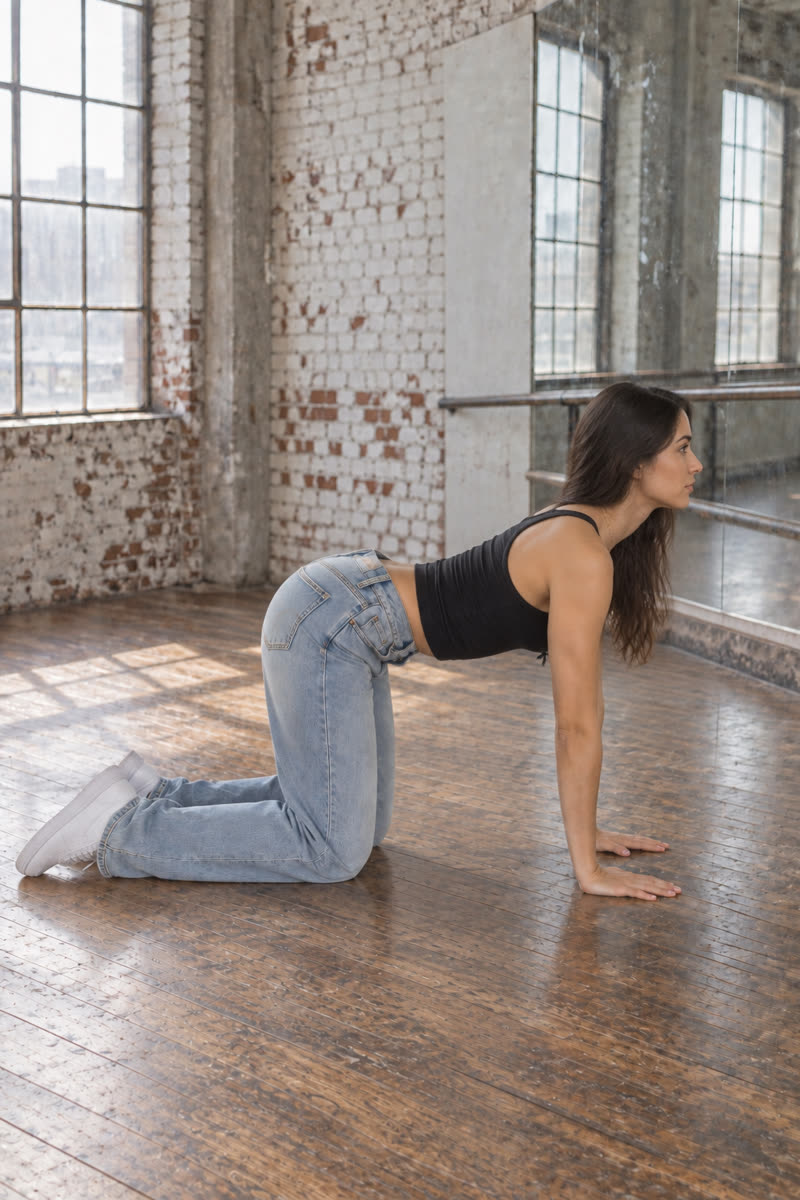
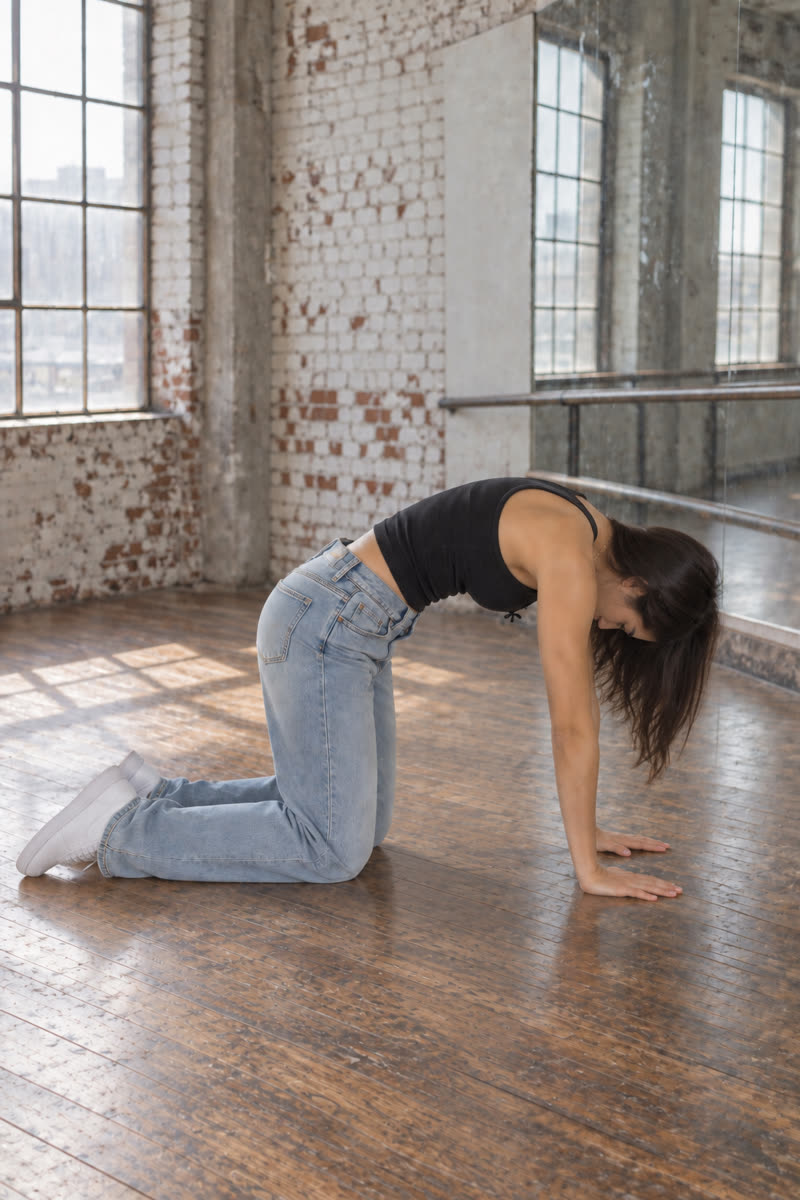
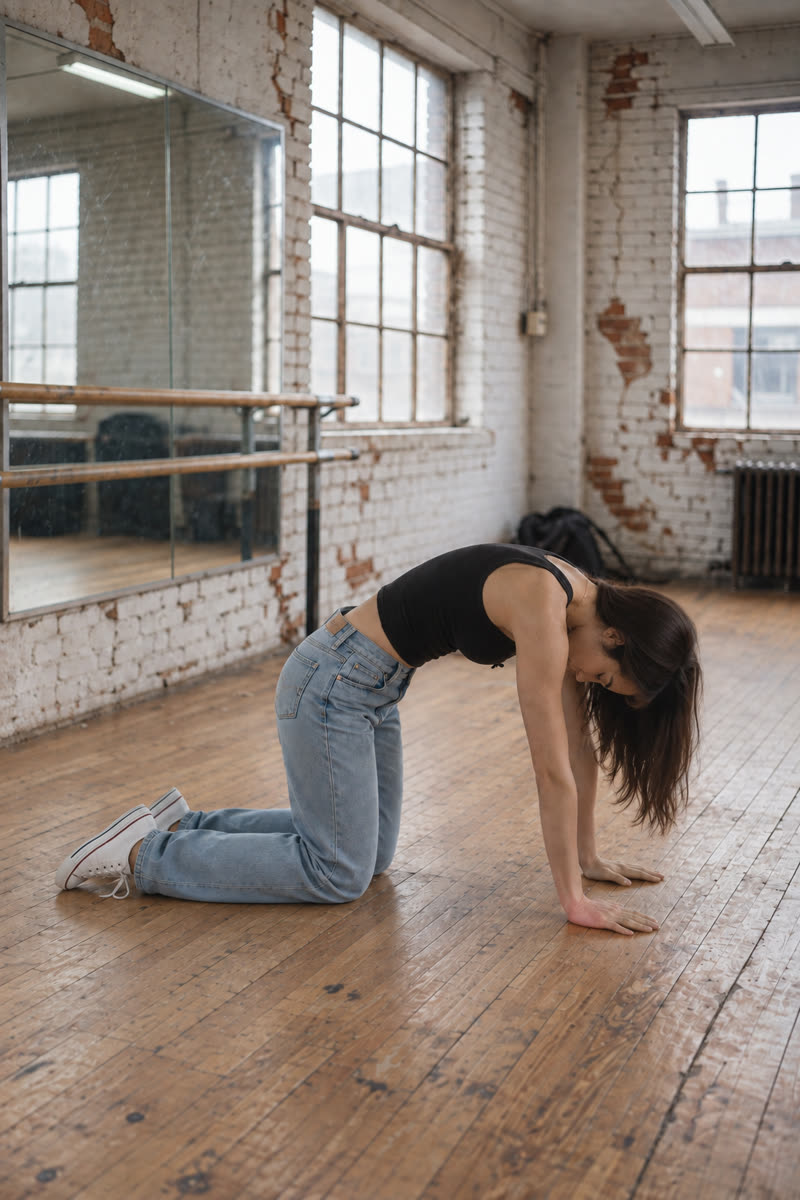
22Cat
Reference drawing: Cat
Input pose
Cat, GPT Image 2.5
GPT Image 2.5
Cat, Dark Beast, then GPT
Dark Beast, then GPT
Cat, Sogni Krea v0.3
Sogni Krea v0.3
Cat, Krea v1.2
Krea v1.2
Suggested pose prompts
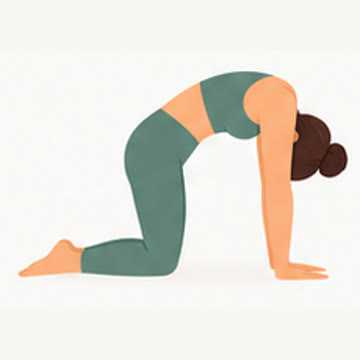
GPT: photo + pose diagramEdit image 1 so the person holds cat pose on hands and knees, palms under the shoulders and knees under the hips, back rounded upward and head lowered, matching the body position in image 2. Image 2 is a pose diagram only: copy its body position, not its drawing style, person or green clothing. Keep the person's face, hair, clothes, shoes, background, lighting and photographic style unchanged. Show their whole body in an open area of the floor, away from furniture.
Sogni Krea v0.3 or Krea v1.2: photo onlyChange only the body position of the person in this photo: they hold cat pose on hands and knees, palms under the shoulders and knees under the hips, back rounded upward and head lowered. Keep the person's face, hair, clothes, shoes, background, lighting and photographic style unchanged. Show their whole body in an open area of the floor, away from furniture.
23Pigeon
Reference drawing: Pigeon
Input pose
Pigeon, GPT Image 2.5
GPT Image 2.5
Pigeon, Dark Beast, then GPT
Dark Beast, then GPT
Pigeon, Sogni Krea v0.3
Sogni Krea v0.3
Pigeon, Krea v1.2
Krea v1.2
Suggested pose prompts
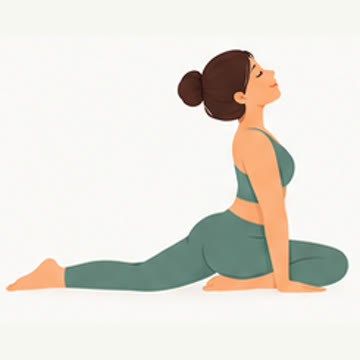
GPT: photo + pose diagramEdit image 1 so the person holds pigeon pose with one knee bent in front and the other leg extended straight behind, torso upright and hands resting beside the hips, matching the body position in image 2. Image 2 is a pose diagram only: copy its body position, not its drawing style, person or green clothing. Keep the person's face, hair, clothes, shoes, background, lighting and photographic style unchanged. Show their whole body in an open area of the floor, away from furniture.
Sogni Krea v0.3 or Krea v1.2: photo onlyChange only the body position of the person in this photo: they hold pigeon pose with one knee bent in front and the other leg extended straight behind, torso upright and hands resting beside the hips. Keep the person's face, hair, clothes, shoes, background, lighting and photographic style unchanged. Show their whole body in an open area of the floor, away from furniture.
24Puppy pose
Reference drawing: Puppy pose
Input pose
Puppy pose, GPT Image 2.5
GPT Image 2.5
Puppy pose, Dark Beast, then GPT
Dark Beast, then GPT
Puppy pose, Sogni Krea v0.3
Sogni Krea v0.3
Puppy pose, Krea v1.2
Krea v1.2
Suggested pose prompts
GPT: photo + pose diagramEdit image 1 so the person holds puppy pose with knees on the floor beneath raised hips, both arms reaching forward and chest lowered toward the floor, matching the body position in image 2. Image 2 is a pose diagram only: copy its body position, not its drawing style, person or green clothing. Keep the person's face, hair, clothes, shoes, background, lighting and photographic style unchanged. Show their whole body in an open area of the floor, away from furniture.
Sogni Krea v0.3 or Krea v1.2: photo onlyChange only the body position of the person in this photo: they hold puppy pose with knees on the floor beneath raised hips, both arms reaching forward and chest lowered toward the floor. Keep the person's face, hair, clothes, shoes, background, lighting and photographic style unchanged. Show their whole body in an open area of the floor, away from furniture.
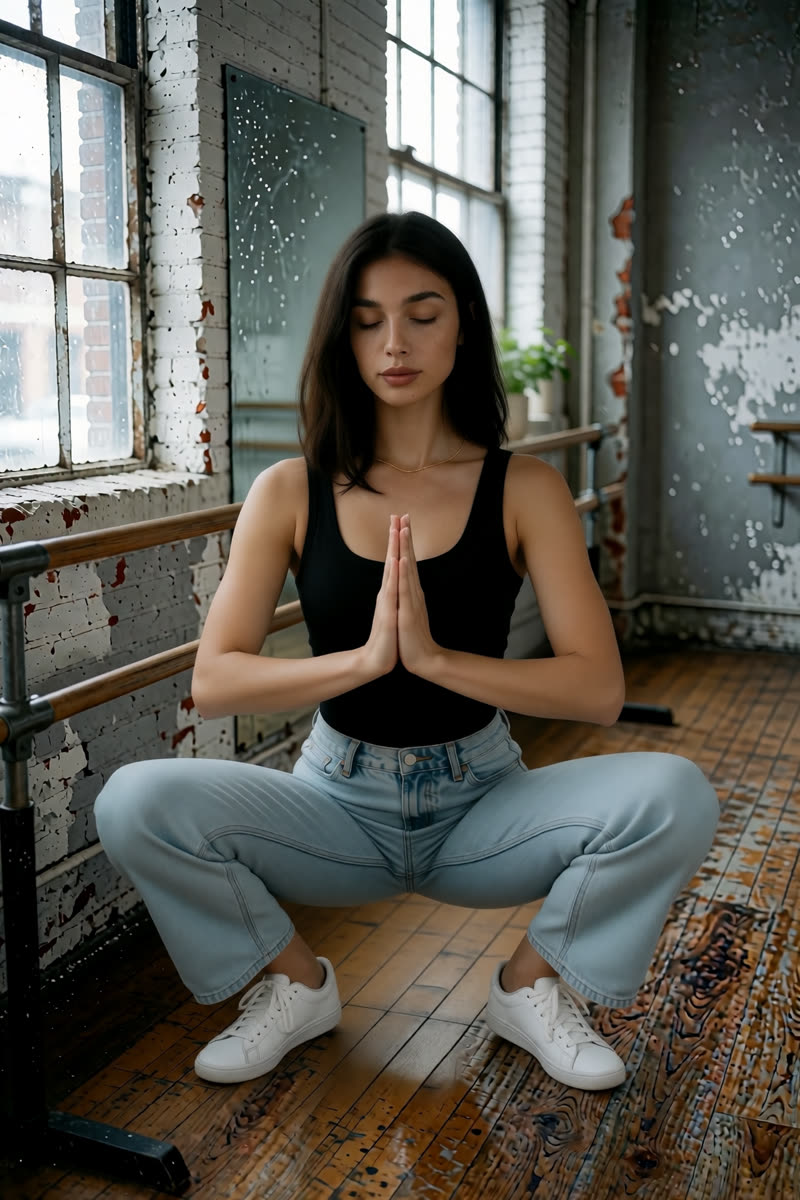
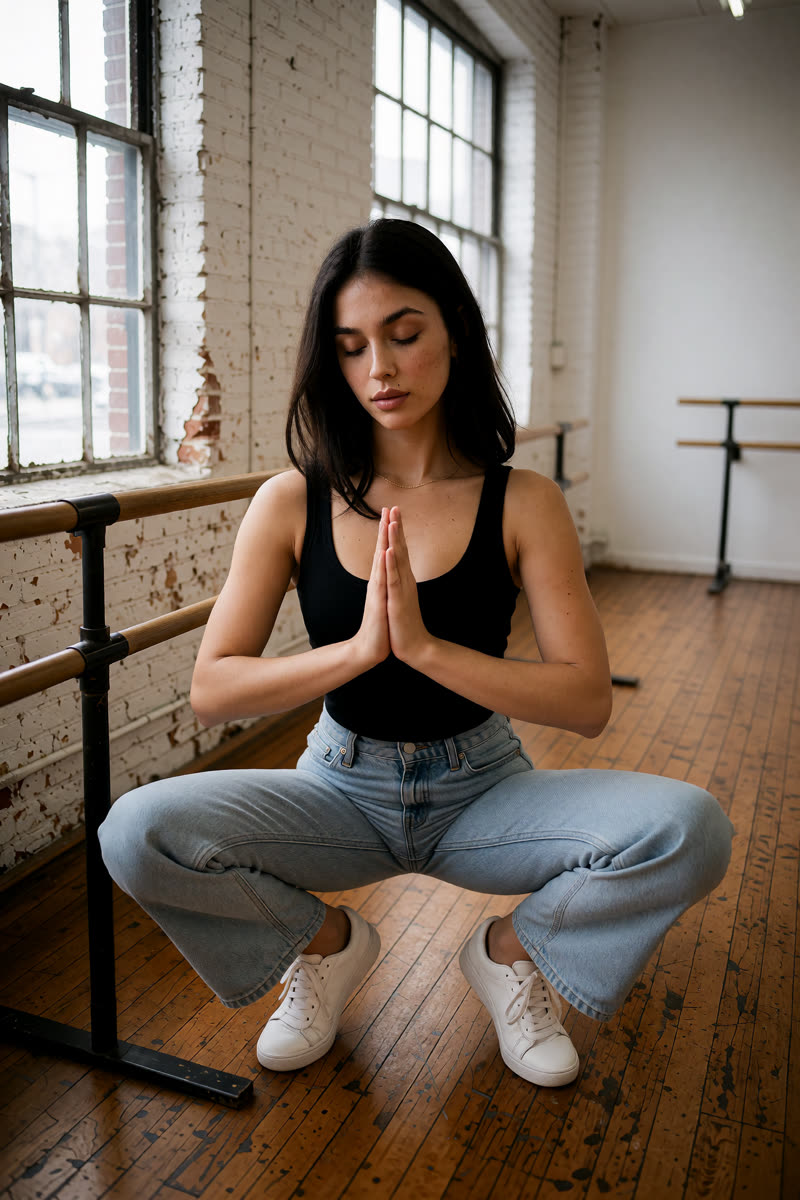
25Garland squat
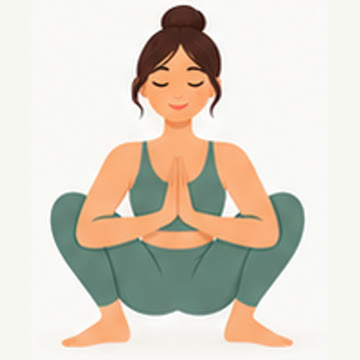
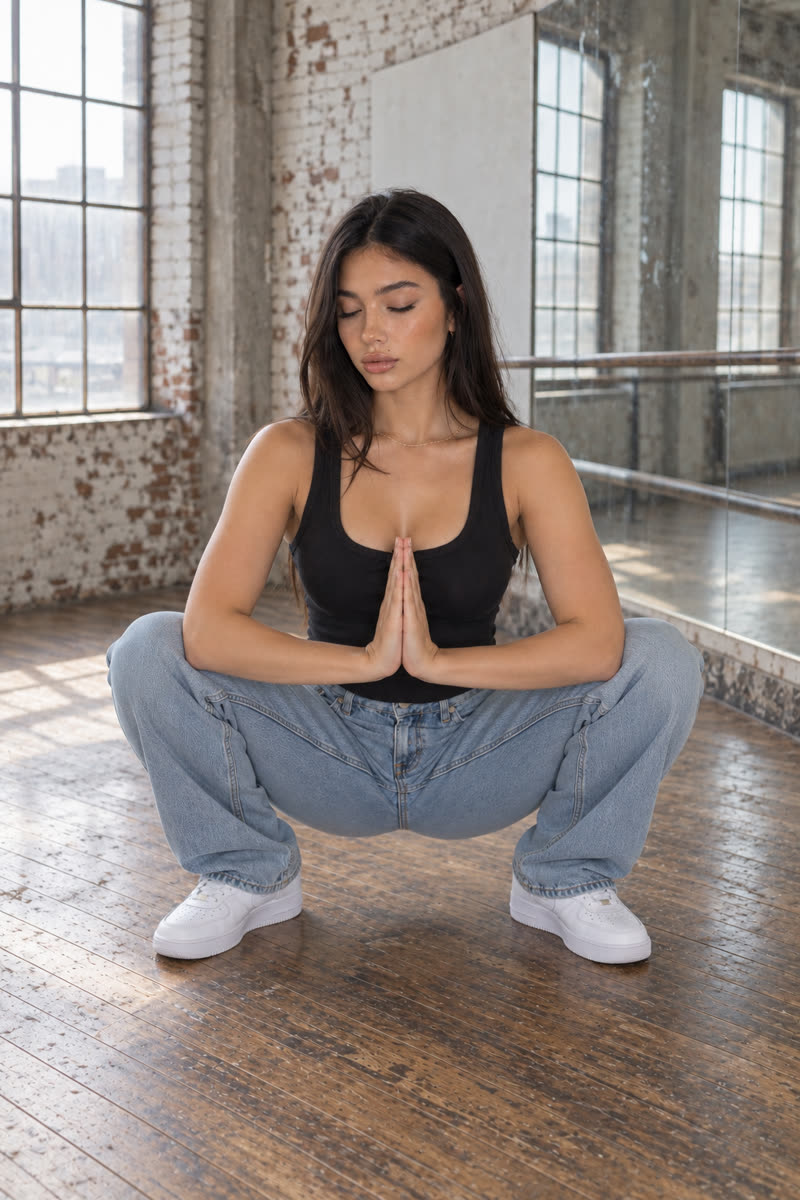
Reference drawing: Garland squat
Input pose
Garland squat, GPT Image 2.5
GPT Image 2.5
Garland squat, Dark Beast, then GPT
Dark Beast, then GPT
Garland squat, Sogni Krea v0.3
Sogni Krea v0.3
Garland squat, Krea v1.2
Krea v1.2
Suggested pose prompts
GPT: photo + pose diagramEdit image 1 so the person holds a low garland squat with both feet on the floor, knees wide apart, torso upright and palms pressed together at chest height, matching the body position in image 2. Image 2 is a pose diagram only: copy its body position, not its drawing style, person or green clothing. Keep the person's face, hair, clothes, shoes, background, lighting and photographic style unchanged. Show their whole body in an open area of the floor, away from furniture.
Sogni Krea v0.3 or Krea v1.2: photo onlyChange only the body position of the person in this photo: they hold a low garland squat with both feet on the floor, knees wide apart, torso upright and palms pressed together at chest height. Keep the person's face, hair, clothes, shoes, background, lighting and photographic style unchanged. Show their whole body in an open area of the floor, away from furniture.
10Cheat sheet

Choose an editor for your next photo

For a first attempt, try Sogni Krea v0.3 for hair colour, a comic style or an expression. If you prefer a GPT example below, choose GPT Image 2.5 and check the cost before you start. These suggestions come from the pictures in this guide; your own photo may give different results.

EditEditor to tryOption included in Unlimited*Watch out for
Selfie → full bodyGPT Image 2.5Sogni Krea v0.3Inspect the face; the Krea v1.2 example takes two edits
Style change (comic)GPT Image 2.5Sogni Krea v0.3Check the face shape after changing the art style
Big expression (tongue out)Sogni Krea v0.3Sogni Krea v0.3The GPT example uses Flare and a different expression prompt
Hair colourGPT Image 2.5Sogni Krea v0.3Dark Beast also changes the haircut
New location + lightGPT Image 2.5Sogni Krea v0.3Describe the light direction
Outfit swapGPT Image 2.5Sogni Krea v0.3 or Krea v1.2Name every garment and colour
Change the poseGPT Image 2.5Sogni Krea v0.3, with a written pose descriptionCompare with the diagram; some floor poses miss the target
Try several variationsSogni Krea v0.3Sogni Krea v0.3 or Krea v1.2Check each result before making more images

*Sogni Unlimited requires a subscription and is subject to fair use. GPT edits use Premium Spark (purchased credits), including edits to a Dark Beast picture.

Five habits for your next edit

  • Say what to change and what to keep. For example: “Change the hair colour to pink. Keep the haircut, face, clothes and background the same.”
  • Describe the finished picture. Say “one person, visible from head to shoes” when that is the view you want.
  • Make one change at a time. Save a result you like, then upload it for the next edit. Keep your original so you can start again.
  • Check the whole picture. Look at the face, hands, clothes, pose and any mirror reflections, including parts you did not ask to change.
  • Start with one image. Check the result and the cost before increasing the batch size to make more variations.
Try it yourself

Choose one change and try it.

Open Sogni Create, upload a photo and start with one simple instruction. For more about the editors, visit the GPT Image 2.5 model page or the Krea 2 Identity Edit model page. Check your selected model and displayed cost before each edit.