Sogni engineering · New model · Updated August 16, 2026
Upscale to 16K without changing your image
NVIDIA's RTX Video Super Resolution is live on the Sogni Supernet. Point it at a picture you already like and it hands it back through 8K or 16K — no prompt, no re-roll, no quietly redrawn face. The same image, at a size you can hang on a wall.
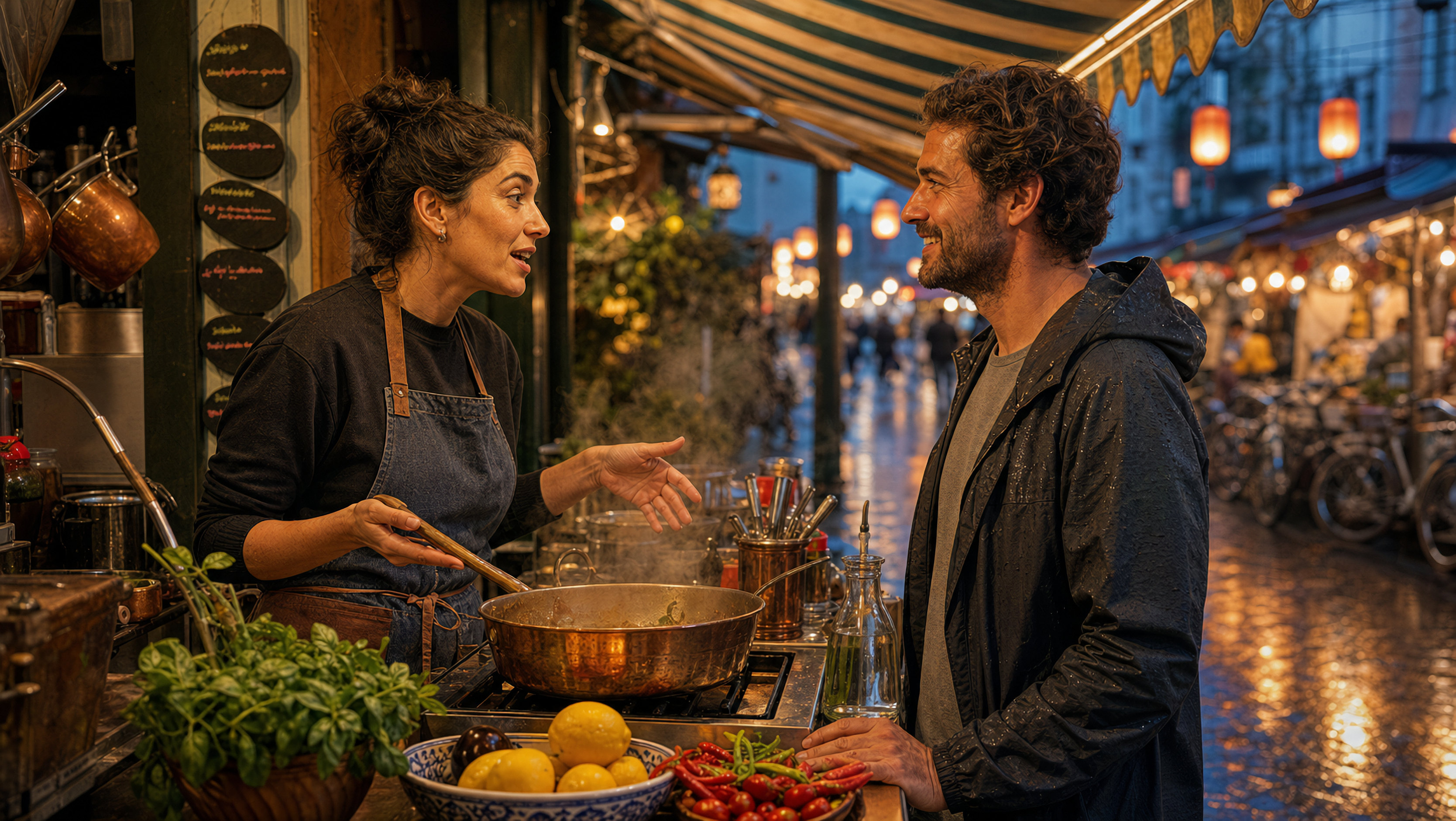
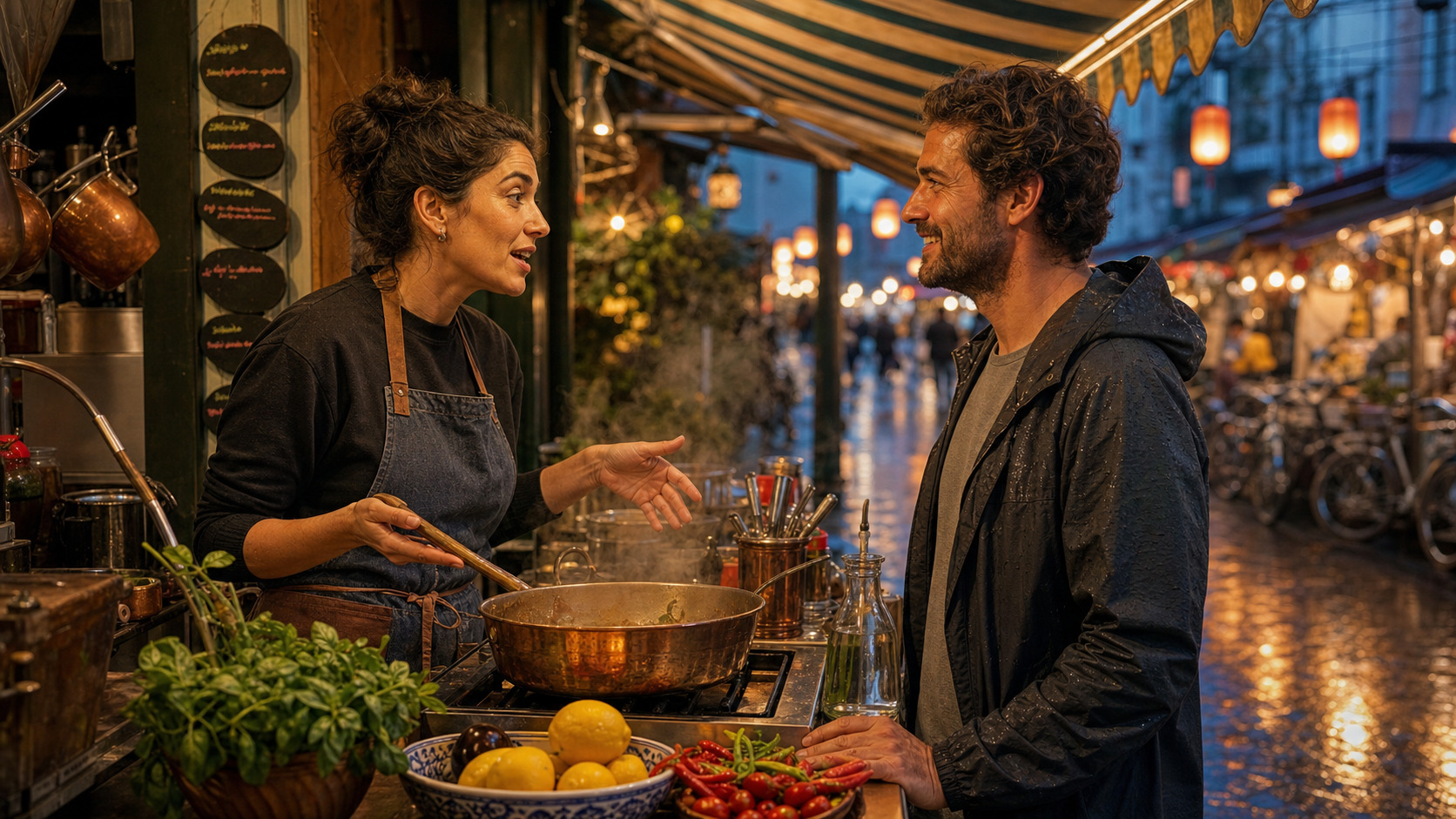
Shrunk to fit a browser column, that is just a picture. Click ⛶ Compare at 3336×1880 and it opens at full size with a wipe across it: on one side the original stretched to fit, on the other the same original through RTX VSR. Drag through it, pan around, and judge it at actual pixels — which is the only place an upscaler can be judged at all.
The word "upscale" covers two genuinely different crafts, and Sogni now does both.
Creative Enhance is the imaginative one. It hands your picture to a diffusion model and lets it re-render richer — inventing texture, deepening colour, pushing the final look. It is the right tool much of the time, and it can do things no reconstruction ever will: give a soft render detail it never had in the first place.
RTX Video Super Resolution is the faithful one, and it is exceptionally good at it. NVIDIA built it to answer exactly one question — what would a higher-resolution version of this exact image have looked like? — and it answers with no prompt, no seed, and no opinions of its own. Ask it twice, get the same answer twice, down to the pixel. Ask it for 8K or 16K and the composition still stays locked.
That combination is genuinely rare. Most ways of making a picture bigger force a trade: fast but soft, or detailed but drifting. This one is fast and detailed and incapable of changing your image — and it does not stop politely at 2K. Your 1024px render becomes a 69 cm gallery print with the composition untouched, in a couple of seconds, for a fraction of what it cost to generate.
Different jobs, then. Creative Enhance when the picture is still becoming what it wants to be. This when it already is, and simply deserves to be enormous.
On any image it touches, the behaviour is the same:
- composition, identity and edges come back unchanged — including the clothing;
- the blocking and ringing a compressed source carries are reduced rather than magnified;
- it sharpens in the direction the pixels were already pointing, without inventing a single pore.
For AI art that is already good, that is usually the entire ask. When you want more than the frame contains, run the two in order: a creative or detail upscaler first to invent the detail you want, RTX VSR second to take that result to size without inventing anything else.
Four times bigger
A 832×1216 portrait taken to 3328×4864 — nearly 5K on the long edge.
The picture at the top of this page started at a comfortable size. This one starts where most AI images actually start: a standard portrait render, 832×1216, generated on Sogni with Chroma v48 Detail. Four times each edge is sixteen times the pixels, and this is where the difference stops being subtle.
Below is a window into the result — the eye, at actual size. Toggle between the original blown up four times — the way a browser or an image editor would do it — and the same original through RTX VSR. Ten seconds of work.
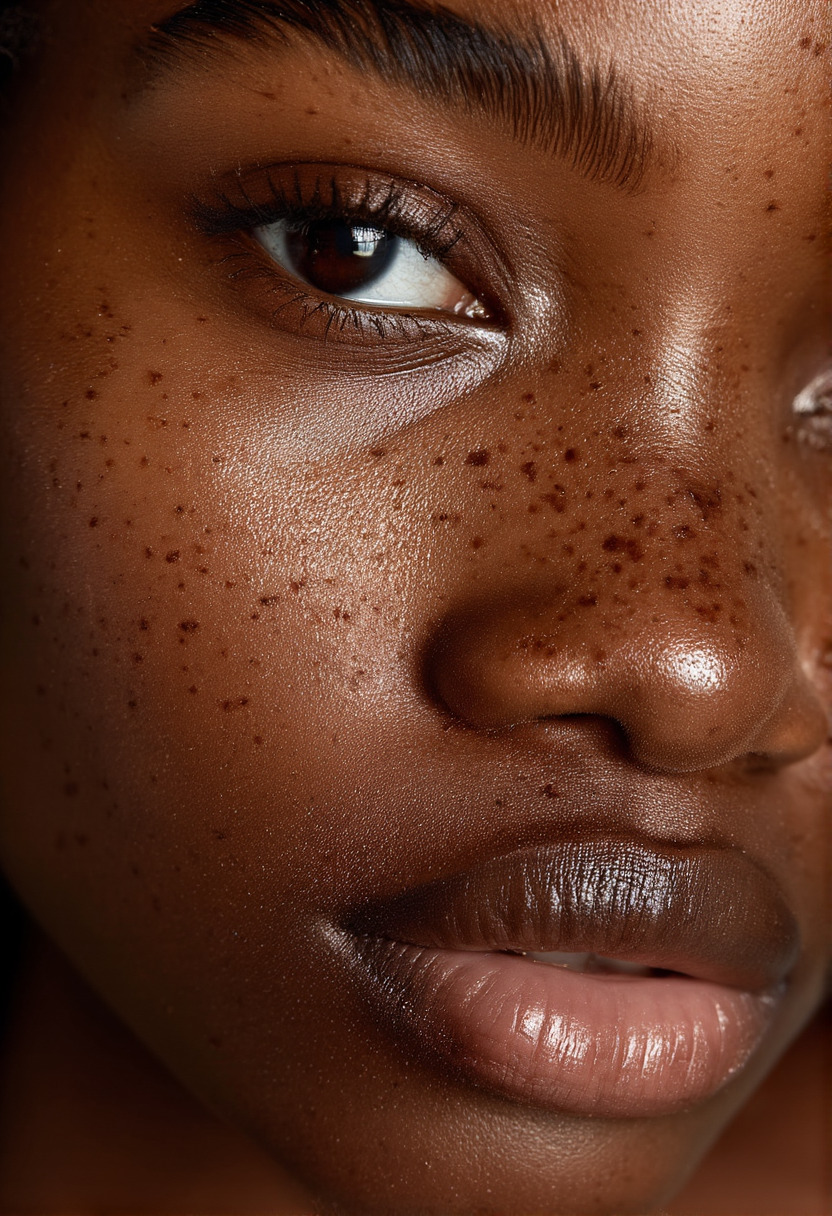
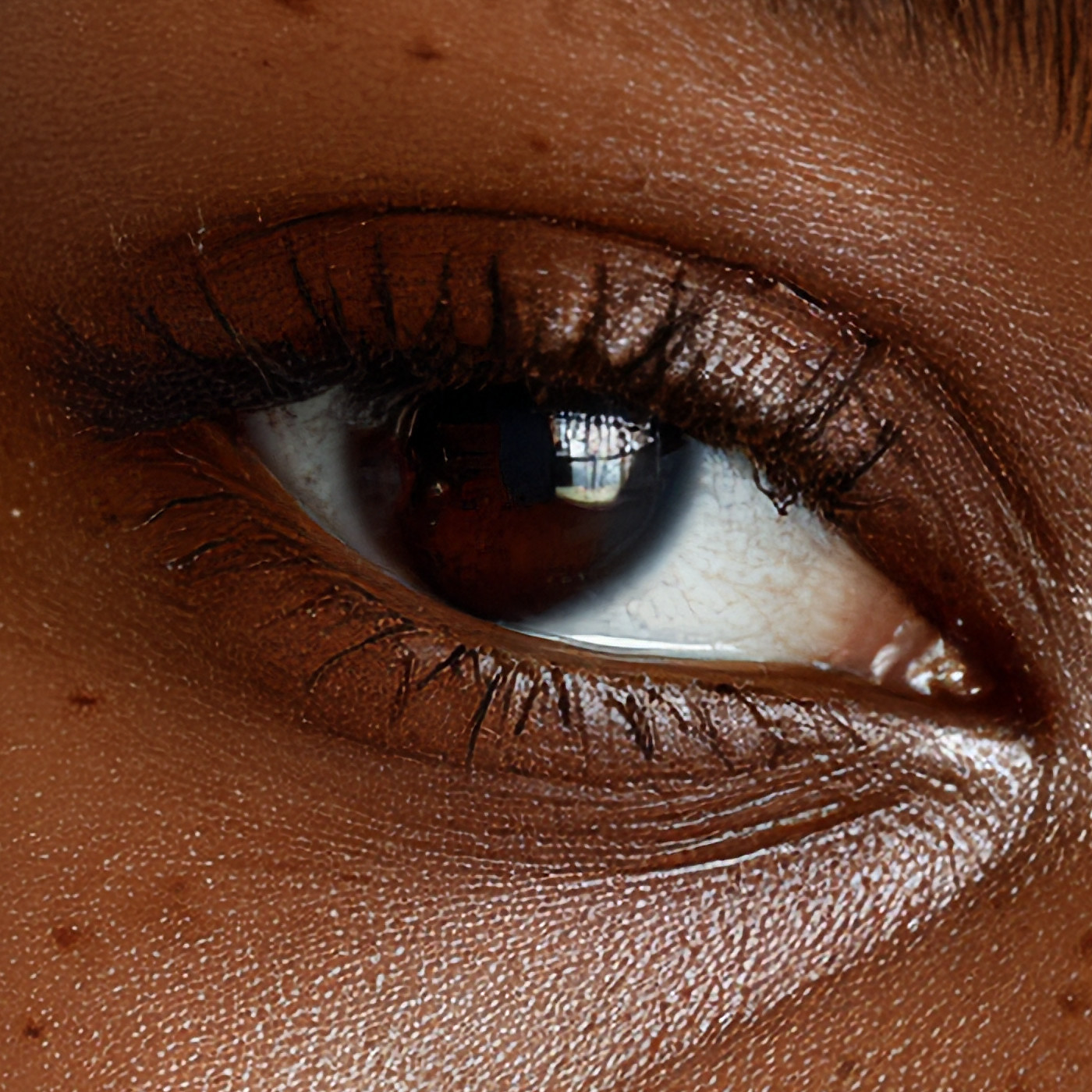
Stretching gets you a bigger version of what you had: lashes fused into a dark smear, pores dissolved into a gradient, freckles turned to soft blobs. The reconstruction separates the lashes into individual hairs, puts the texture back into the skin, holds the wet edge of the lower lid, and keeps the reflection in the iris legible as a window rather than a smudge. Sixteen times the pixels, and not one of them invented — same eye, same light, same face.
The same portrait at 8K and 16K
832×1216 original → 5248×7664 at 8K → 10,504×15,352 at 16K.
Here is that portrait pushed through both new high-resolution profiles. “16K” is the profile name; the worker fits the source inside a 15,360px longest-edge box, preserves its aspect ratio, and aligns both edges to eight pixels. This portrait returned at 10,504×15,352. The full files are linked below, but the evidence is in the native-pixel crops: each comparison holds the exact same window and output size while switching between a high-quality stretched source and RTX VSR.
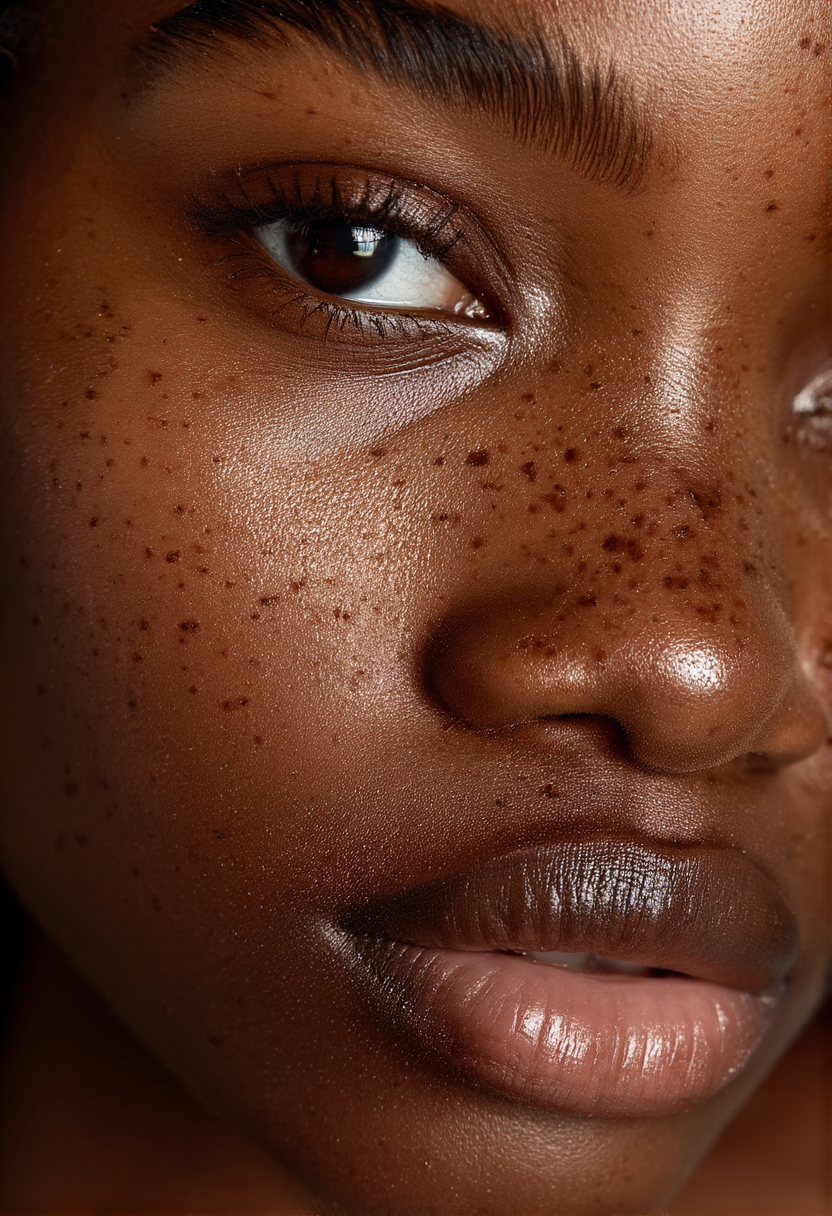
832×1216 · open full file

5248×7664 · open full file

10,504×15,352 · open full file
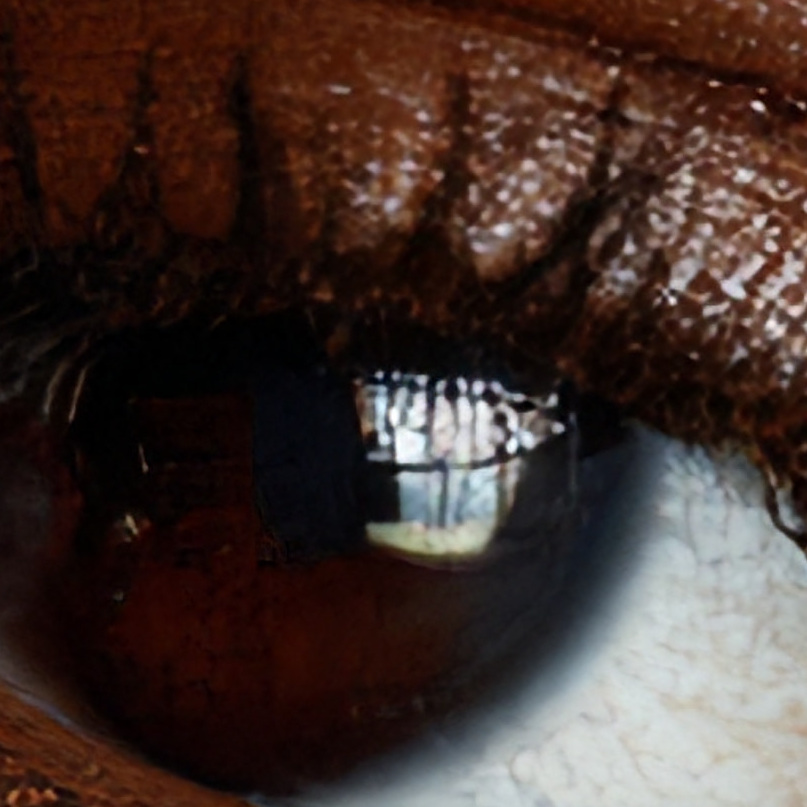
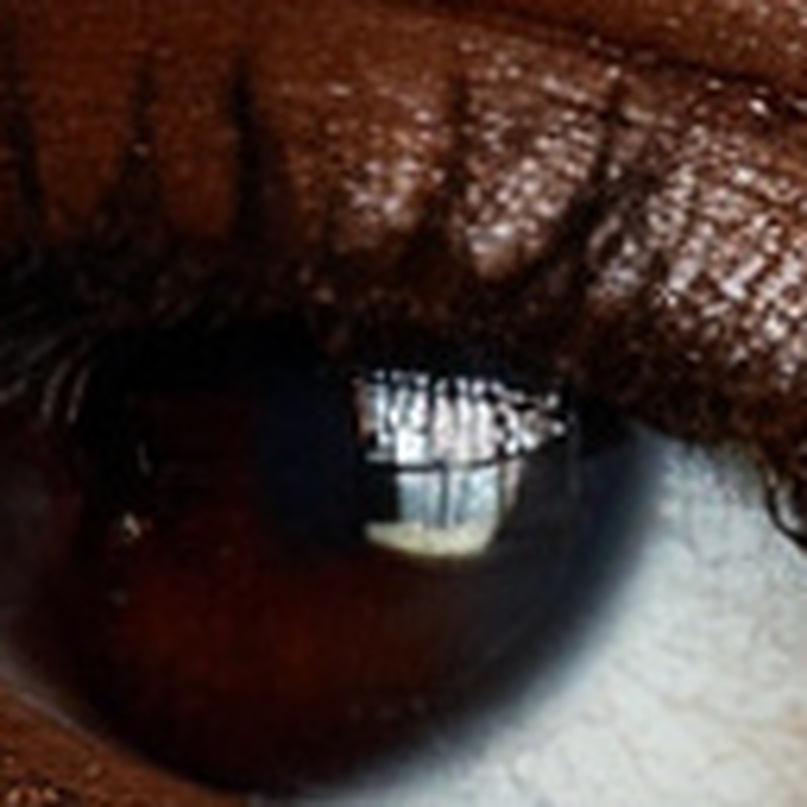
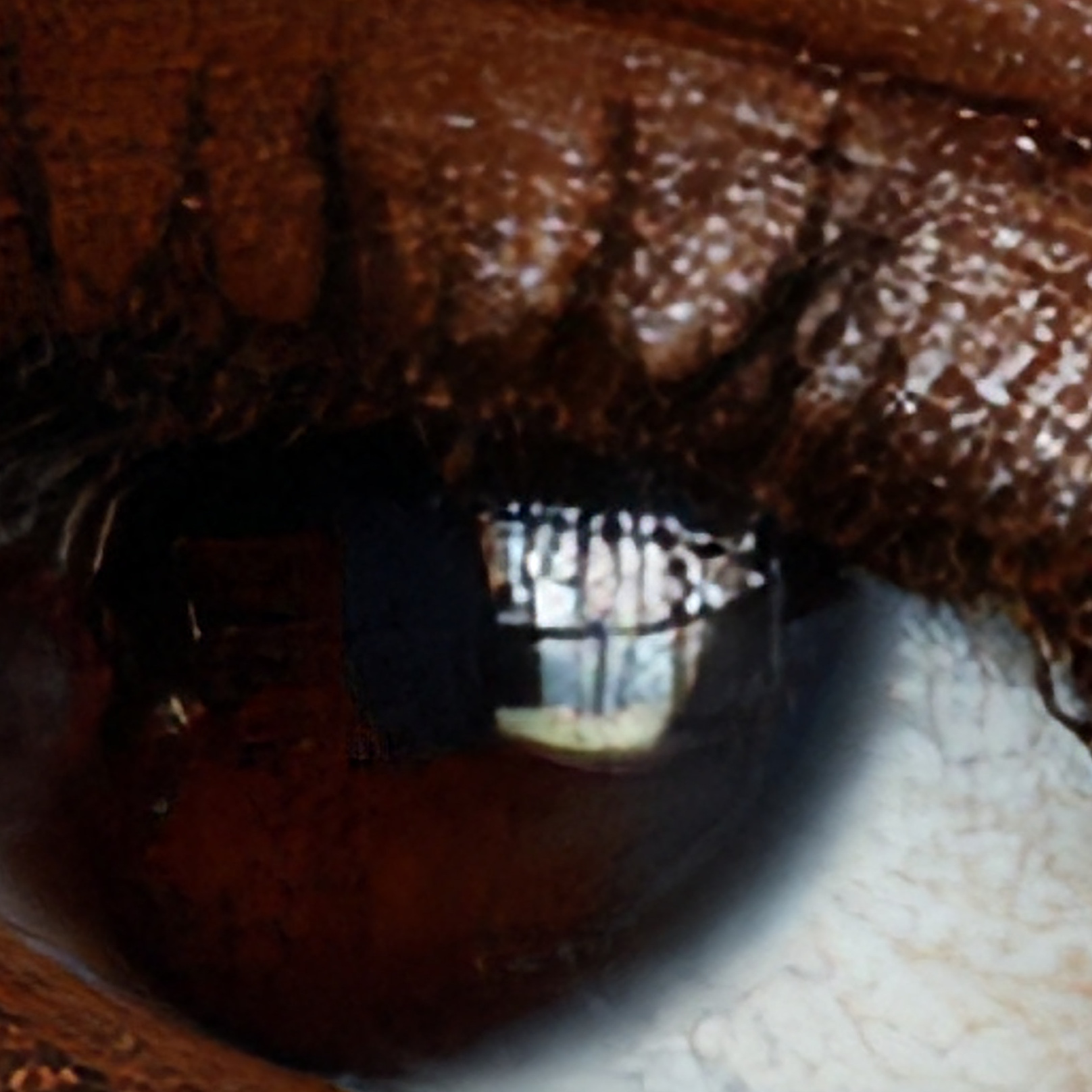
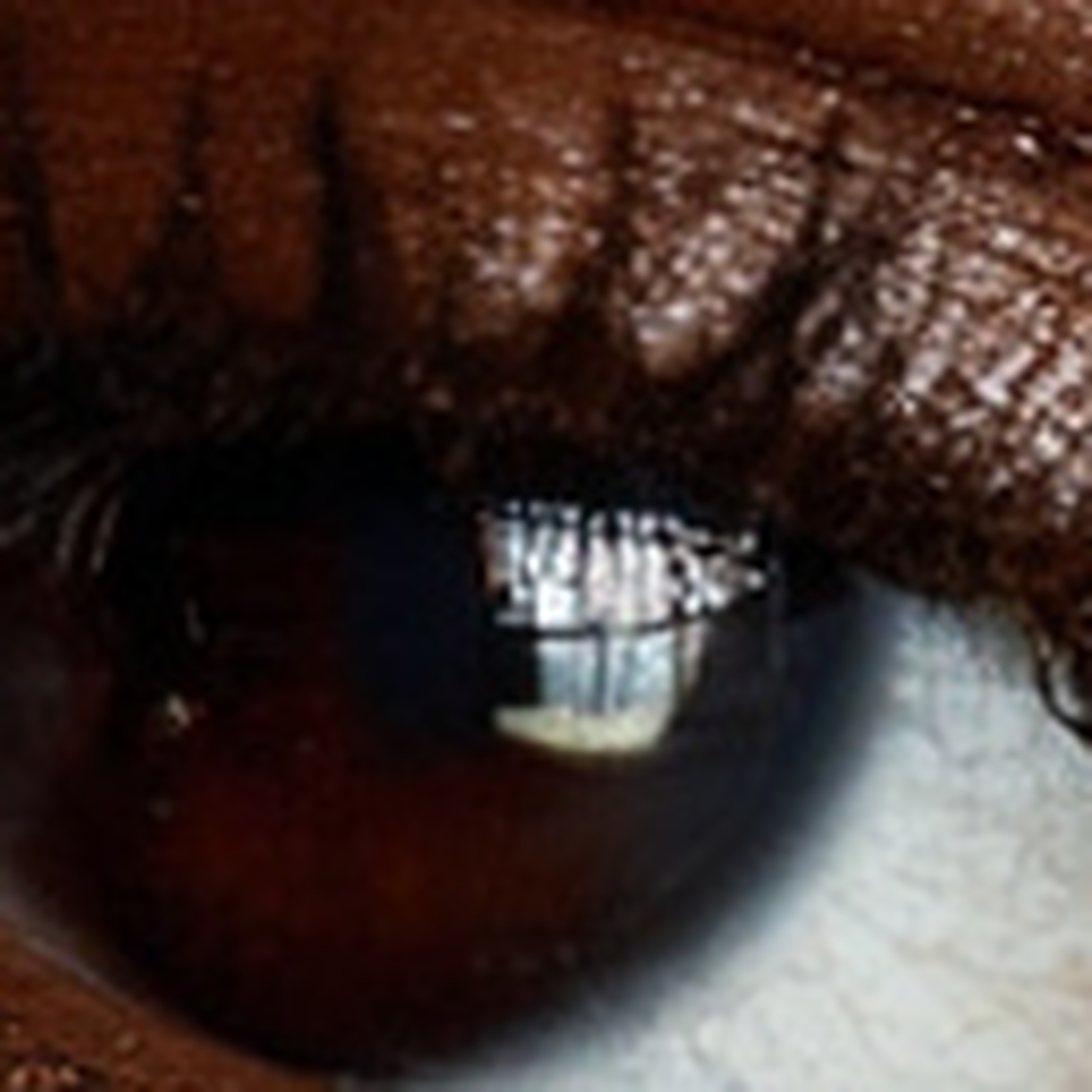
The web previews above are deliberately modest; loading a 161-million-pixel image just to fit it into a 740px column would hide the point and waste bandwidth. Open either crop at 100% and drag the wipe. The stretched control can make a larger grid, but it cannot separate the eyelid texture, catchlight geometry, or individual lash boundaries that RTX VSR reconstructs.
Take the files with you. The portrait was generated on Sogni with Chroma v48 Detail and then upscaled — nothing else was done to it. Open or save all three at full size: original, 832×1216 · 544 KB · 8K, 5248×7664 · 5.6 MB · 16K, 10,504×15,352 · 14.2 MB. The full specifications live on the RTX VSR model page.
What it looks like up close
Every comparison below is a 1:1 crop. Use the button to open it at true size.
The honest baseline for a real upscaler is not "does it beat doing nothing" — it is "does it beat a good ordinary resize." So each pair below is RTX VSR against high-quality bicubic resampling at the identical output size, cut from the same coordinates.
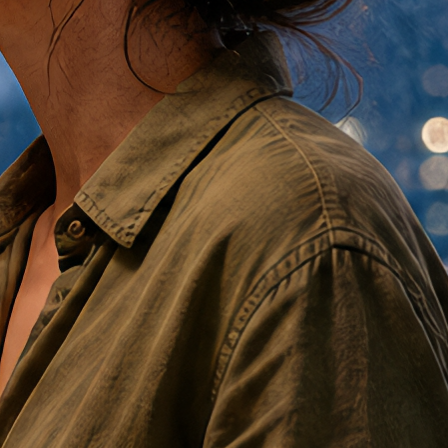
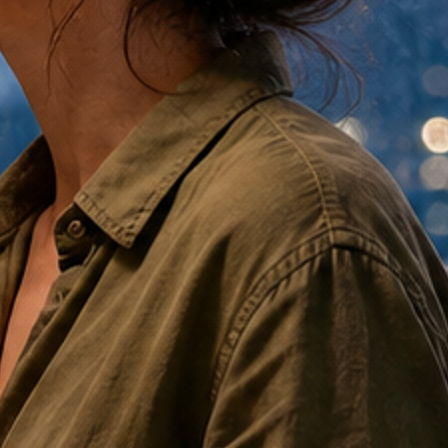
This is the part a resize can never do. The weave and the stitch line are not sharper in the VSR version — they are present. But look at what is not different: the fold falls the same way, the collar sits in the same place, the colour is unchanged. Nothing was invented, only resolved.
RTX VSR vs. Creative Enhance
The only question worth asking is whether you want your picture changed. Both answers are legitimate; they simply belong to different stages of the work. Here is the same eye, put through both at exactly the same output size — Creative Enhance on its own terms, at the resolution it targets.
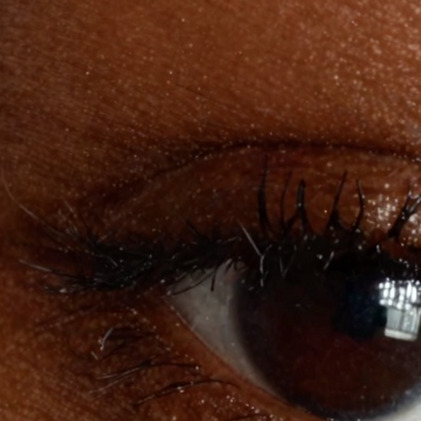
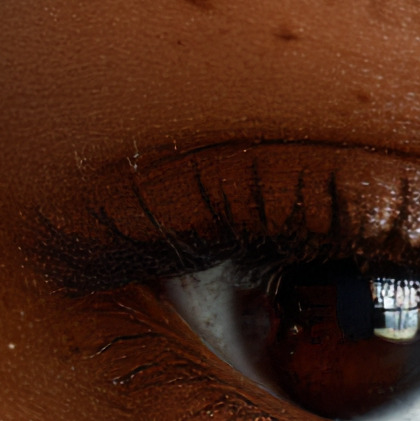
Creative Enhance did what it is built to do, and it is a real look: the lashes come out bolder and more separated, the whole frame gains contrast and depth. If that is the image you wanted, nothing else on the platform gets you there.
But notice what else moved. The exposure is deeper, the skin is smoother and has lost some of its pores, the colour has shifted warmer. It reinterpreted the photograph — faithfully to your intent, perhaps, but it is not the same frame any more. The VSR version beside it is the original's tone, the original's skin, the original's lashes, just larger. It also took a fifth of the time.
That is the whole choice, in one pair of crops. Neither column is the wrong answer.
| Creative Enhance | RTX Video Super Resolution | |
|---|---|---|
| What it does | Re-renders, richer | Reconstructs, faithfully |
| Invents detail that was never there | Yes — that is the point | Never |
| Interprets your image | Yes | No |
| Same result twice | Varies with strength and seed | Identical, to the pixel |
| Takes creative direction | Strength, filters, prompt | Nothing to direct |
| Ceiling | 2K class | 16K profile (15,360px longest edge) |
| Best for | Work still in progress | Work that is finished |
Sogni's own documentation is candid about the trade-off: Creative Enhance "can intentionally change the image," and the guidance if it goes too far is to turn the strength down. There is also a long-standing note that the upscaler "can sometimes lead to excessive smoothing, particularly on faces and skin areas." That is not a bug — it is what happens when you ask a generative model to repaint skin it cannot see clearly.
So:
- Use Creative Enhance when the image is nearly right but wants more — more texture, more richness, a stronger final look. You are inviting change.
- Use RTX VSR when the image is done. Final crop, approved face, client-approved logo, the frame you are printing. You want the same picture, larger.
- Use both, in that order, when you want it: enhance to taste at native size, then enlarge the result without putting it back in front of a model that might have opinions.
Print, and why 8K and 16K matter
This is where it stops being a convenience and starts being a capability, and print is the clearest case. A 1024×1024 render is a lovely thing on a screen and a postcard on paper — about 9 cm at proper print resolution. That is the ceiling most AI work quietly lives under, and it is why so much of it never leaves the screen.
Put it the other way round, from where your own renders start. Most image models hand you about a megapixel. A square source through the 16K profile comes back 15,360×15,360 — 236 megapixels, and a 4 ft 3 in poster at 300 DPI. Same picture, 236 times the pixels, nothing invented on the way up.
Take the same file to 8K and it is a gallery print, a trade-show panel, a book spread, a poster behind a booth. Take it to the 15,360px 16K profile and the longest edge can print at about 130 cm / 51.2 in at 300 DPI. Crucially for print, the composition stays fixed: the face on the proof is the face on the wall. Nothing is reinterpreted on the way up, so there is no second round of proofs to catch what changed.
That ceiling is the headline. Diffusion upscaling runs out of room around 2K; past that you are tiling, stitching, and negotiating with a model that keeps having ideas. RTX VSR simply keeps reconstructing into the requested box. Big is not a separate creative mode here. It is a larger faithful output.
What that buys you, at 300 DPI:
| Longest edge | Print size at 300 DPI | Good for |
|---|---|---|
| 2048 px | ~17 cm / 6.8 in | Postcard, small print |
| 3840 px | ~33 cm / 12.8 in | Magazine spread, A3 |
| 6144 px | ~52 cm / 20.5 in | Large framed print |
| 7680 px | ~65 cm / 25.6 in | 8K profile, gallery panel, poster |
| 15,360 px | ~130 cm / 51.2 in | 16K profile, large-format display |
You send the size you want and the source is fitted inside it, keeping its shape — so a square image asked for a 4K box comes back square, not stretched.
How to use it
- It works on an image you already have — something you generated on Sogni, or something you uploaded. There is nothing to prompt.
- Pick 2×, 4×, 8K, or 16K. The 8K and 16K profiles fit the image inside 7680px and 15,360px longest edges while preserving its aspect ratio.
- Outputs above 7680px use JPEG so 16K files remain practical to transfer and display.
- It only ever goes up. Asking for something smaller than your source is rejected rather than quietly downsampled.
- Feed it the best version you have. It reduces the blocking and ringing a lossy file carries rather than magnifying them, but reconstruction is not restoration — it cannot hand back detail the source never recorded.
Video is next
The name is not decorative. NVIDIA built this for video, and the property that makes it feel almost boring on a still — that it is exact, and gives the same answer every time — is precisely what video needs. Per-frame diffusion upscaling shimmers, because every frame re-rolls the dice and fine texture crawls between them. A reconstruction cannot do that: feed it two near-identical frames and you get two near-identical results.
It is also fast enough that the cost barely registers. On our test rig it upscales a frame in a couple of milliseconds and its memory use does not grow with clip length, so an entire short clip costs less GPU time than a single image generation. We expect to bring this to video renders on Sogni before long — taking the 768p-class output of Wan, LTX and MiniMax H3 up to 1440p and beyond, without the flicker that has always made frame-by-frame upscaling a bad trade.
Available now. RTX Video Super Resolution is live in Sogni for pay-as-you-go Spark and eligible Sogni Unlimited subscription plans. See the RTX VSR model page and start upscaling.
Both source images on this page are original stills generated on Sogni — the night market on the Supernet, the portrait with Chroma v48 Detail — never frames extracted from a video. Native comparison windows use the same normalized source coordinates at the same displayed output size. RTX VSR crops are cut at 1:1 from the actual output; stretched controls use high-quality Lanczos or bicubic resampling to that exact crop size. The ⛶ Compare at… button opens each at true size with a draggable wipe between the two versions. Upscales rendered on the Sogni Supernet and verified August 16, 2026 PT. RTX Video Super Resolution is NVIDIA technology and runs on NVIDIA RTX GPUs; on Sogni, Supernet workers supply the hardware, so there is nothing to install or configure.