Genjutsu 15-second · 720p comparison See the numbers The HOTEL LOBBY remix · A Sogni tutorial
Two founders.
Zero rap careers.
Put yourself in the rap video with two photos and the Sogni Creative Agent skill. Open Claude Code or Codex, describe the result, and let your agent handle the edit.
We wanted to announce that Sogni Protocol is heading to TOKEN2049 Singapore. A normal team photo would have worked. Putting two of our co-founders into HOTEL LOBBY felt more appropriate.
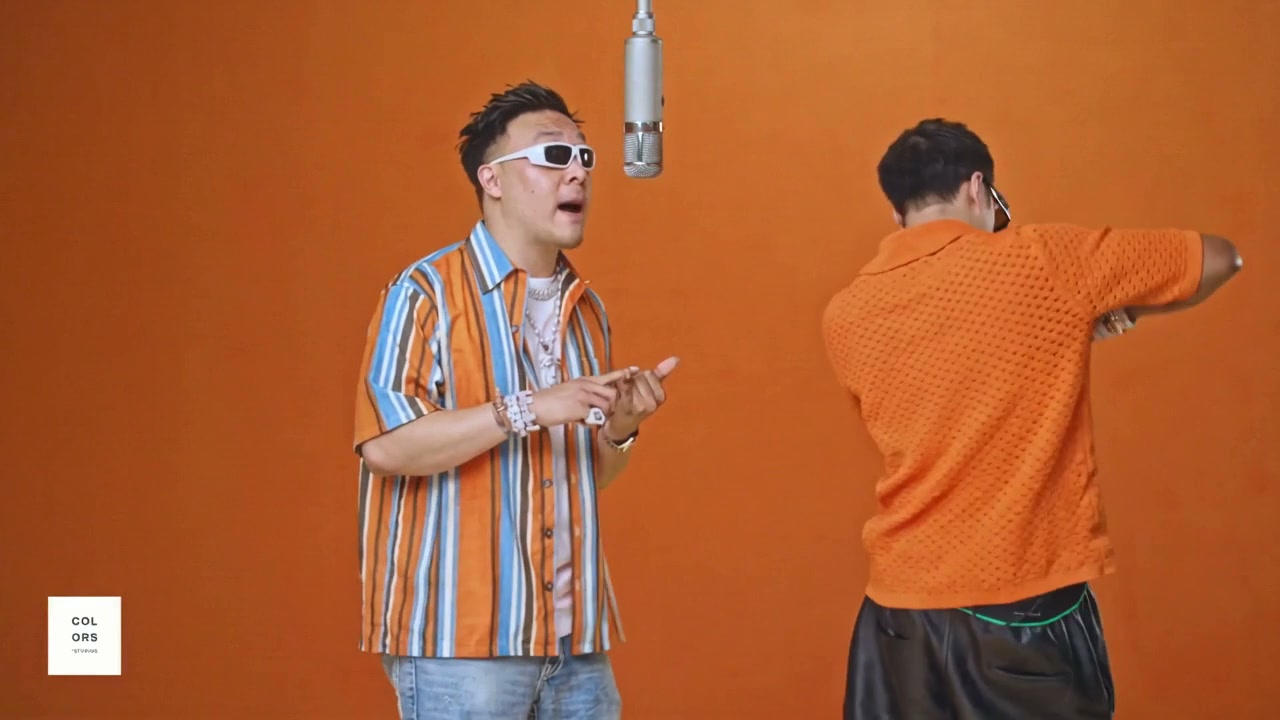
So we gave an AI agent a video and two photos. Wan 3 generated the new performance; the agent trimmed the footage, put the original audio back, and added “SOGNI AT TOKEN2049” at the end.
You can make your own version without learning a video editor. This guide assumes you already use Claude Code or Codex on your computer. You only need one of them.
What is the skill? The Sogni Creative Agent skill gives your agent the instructions and tools to generate images, video, and music through Sogni. You describe what you want in ordinary language. Your agent does the technical work.
One message to get started.
Open Claude Code or Codex and paste this into the conversation:
Setup and install sogni.ai/skill
Let your agent walk you through installation and connecting your Sogni account. If it asks for a Sogni API key, you can find it in the account menu at dashboard.sogni.ai. The key connects the agent to your account.
For this tutorial, add Premium Spark, Sogni’s paid generation credits. Wan 3 uses these credits even if you have Unlimited. Your Claude Code or Codex usage is billed separately.
Setup instructions live at sogni.ai/skill. If your agent asks you to start a fresh session after installation, do that before continuing.
Two faces. One source video.
Create a folder for the project and open it in your agent. Put a clear photo of each person and the source video inside. Our files look like this:
- mauvis.png
- mark.jpg
- source.mp4
Use photos where the faces are easy to see. Tell the agent which person goes on the left and which goes on the right. These are the actual reference photos from our example:

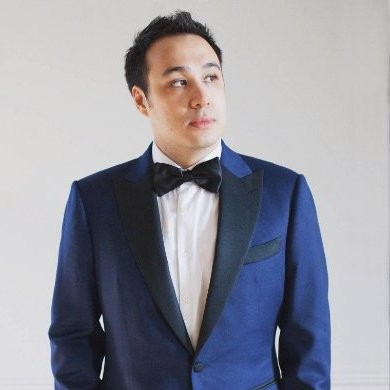
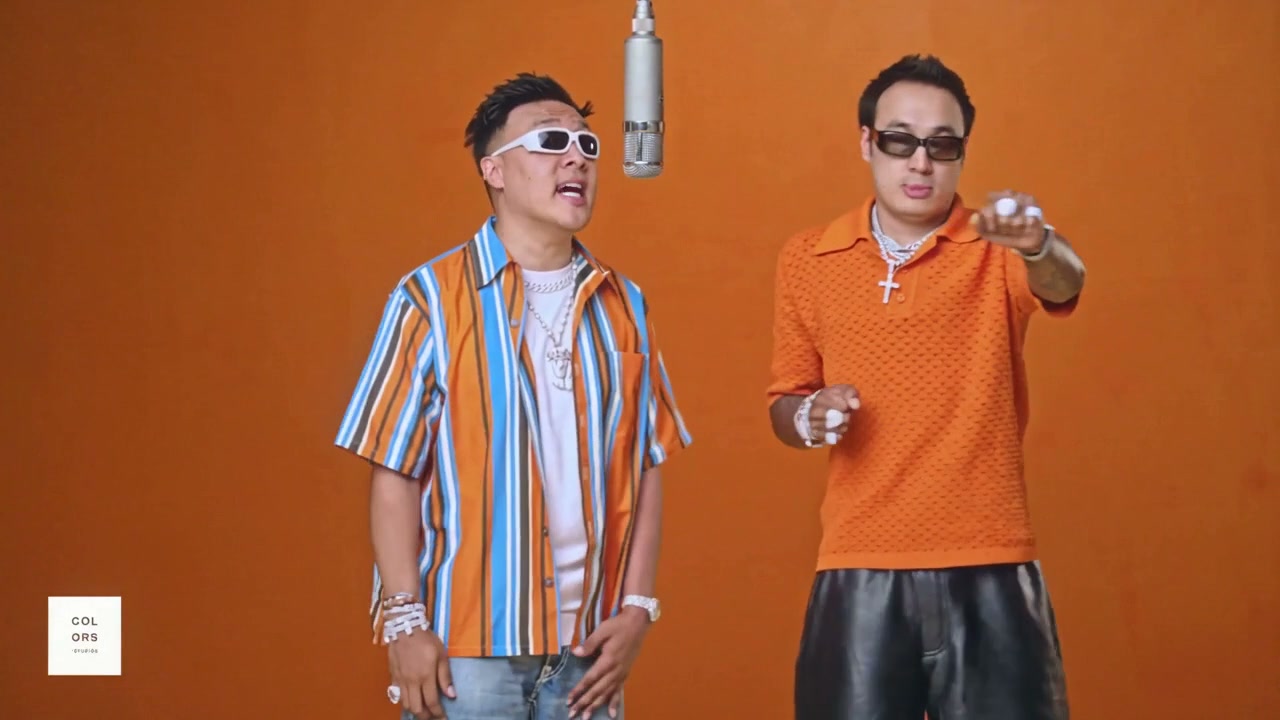
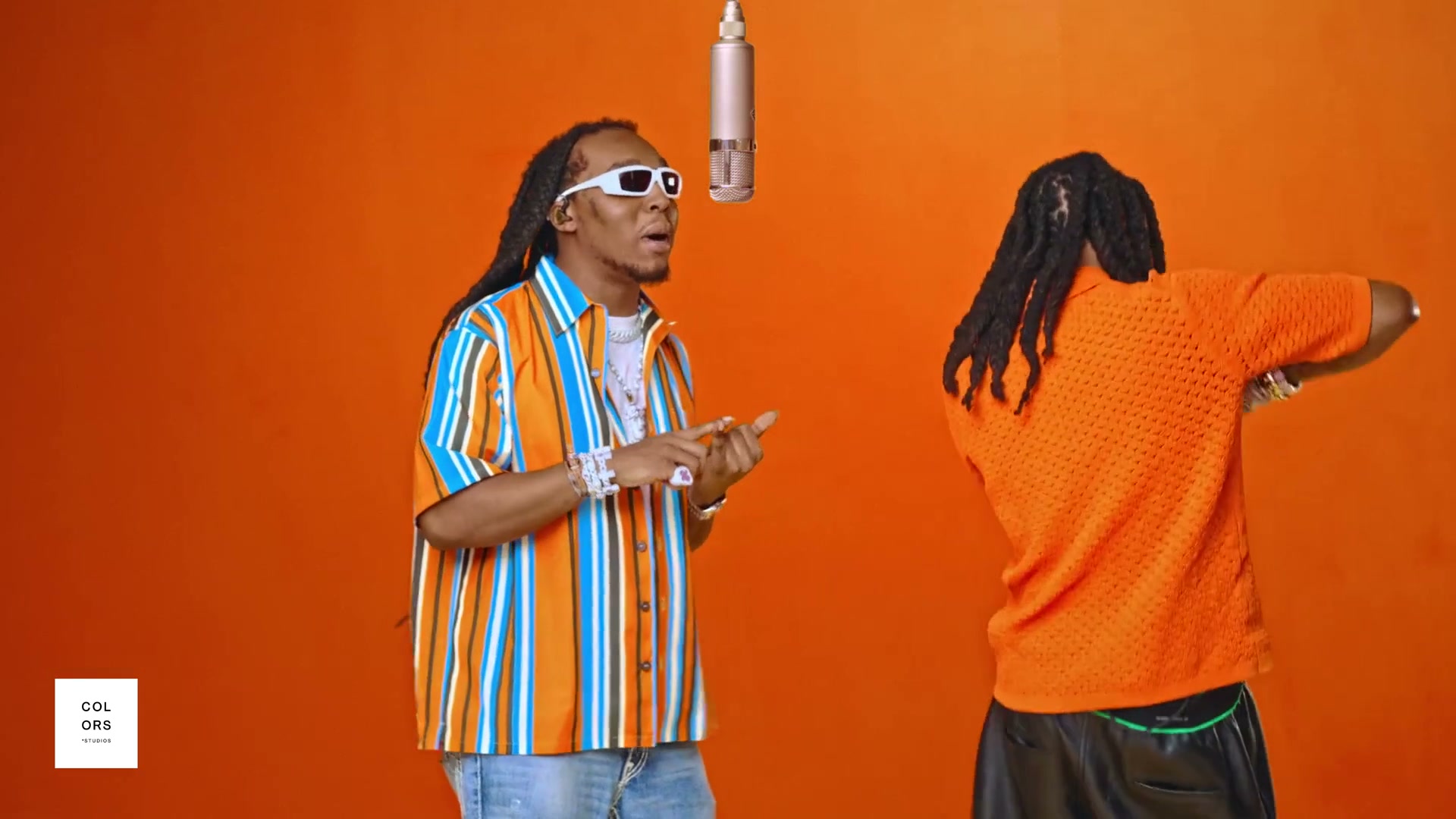
Our source is Quavo & Takeoff’s “HOTEL LOBBY — A COLORS SHOW”. If you need a local copy, ask your agent to help download it, or use a video-download website. Then give the local file to your agent.
Only send the part you want to use. We chose 00:10 through 00:30. Your agent can trim that section locally, so you don’t have to upload the entire music video or learn trimming commands.
Tell your agent what to make.
Copy this brief and change the filenames, names, and ending text for your version. The outfit details are intentional: they tell the model to borrow the faces from the portraits and the clothes from the performance.
Use the Sogni Creative Agent skill and Wan 3 reference-to-video to put us into source.mp4.

Use 00:10–00:30 of the source: 20 seconds total. Trim locally first. Render it as two consecutive 10-second sections, each using its own matching 10-second source clip and both original portrait photos. Output 720p, 16:9, 30fps. Show me the estimated generation cost first.

mauvis.png is Mauvis: replace the LEFT performer.
mark.jpg is Mark: replace the RIGHT performer.
Use the photos for facial identity only, keeping our own short hair and clean-shaven faces. Keep us recognizable and on our assigned sides.

Keep the orange studio, microphone, camera cuts, gestures, and performance timing as close to the source as possible. Match each person’s mouth movements to their counterpart. Restore the original source audio in the final edit, with no time stretching or rewritten vocals.

Mauvis wears the striped orange, blue, and white outer shirt OPEN over a plain WHITE CREW-NECK undershirt, plus white-framed sunglasses. No dress collar or necktie from his portrait. Keep the striped outer shirt visible throughout.

Mark wears the orange knit polo and black shorts from the source, plus black-framed sunglasses. No tuxedo or bow tie from his portrait. Make both of us a little more muscular, with natural proportions. Keep the outfits and sunglasses consistent across both sections.

Join the two sections cleanly. After the performance, add a short orange ending card with the exact text “SOGNI AT TOKEN2049”. Build the text locally so it is sharp and spelled correctly. Make the music flow back into the beginning when the video loops.

Give me a finished MP4, a clean version without the ending card, and a local page with the original and remix playing in sync side by side. Check faces, clothing, sunglasses, the join, and lip sync with the sound on.
That is the job. Your agent handles preparing the clips, sending the references to Sogni, downloading the results, and assembling the video.
Why two sections? Wan 3 currently limits the combined video-reference and output duration to 30 seconds per request. Ten seconds in plus ten seconds out fits comfortably. Your agent repeats the same identity and wardrobe instructions for both sections. Wan 3 reference limits →
Same moment. New co-founders.
Tap either video to play both together. Flip view puts them in the same spot for a closer comparison. The original is 1080p; our generated remix is 720p. Both players use the same 20-second audio selection.
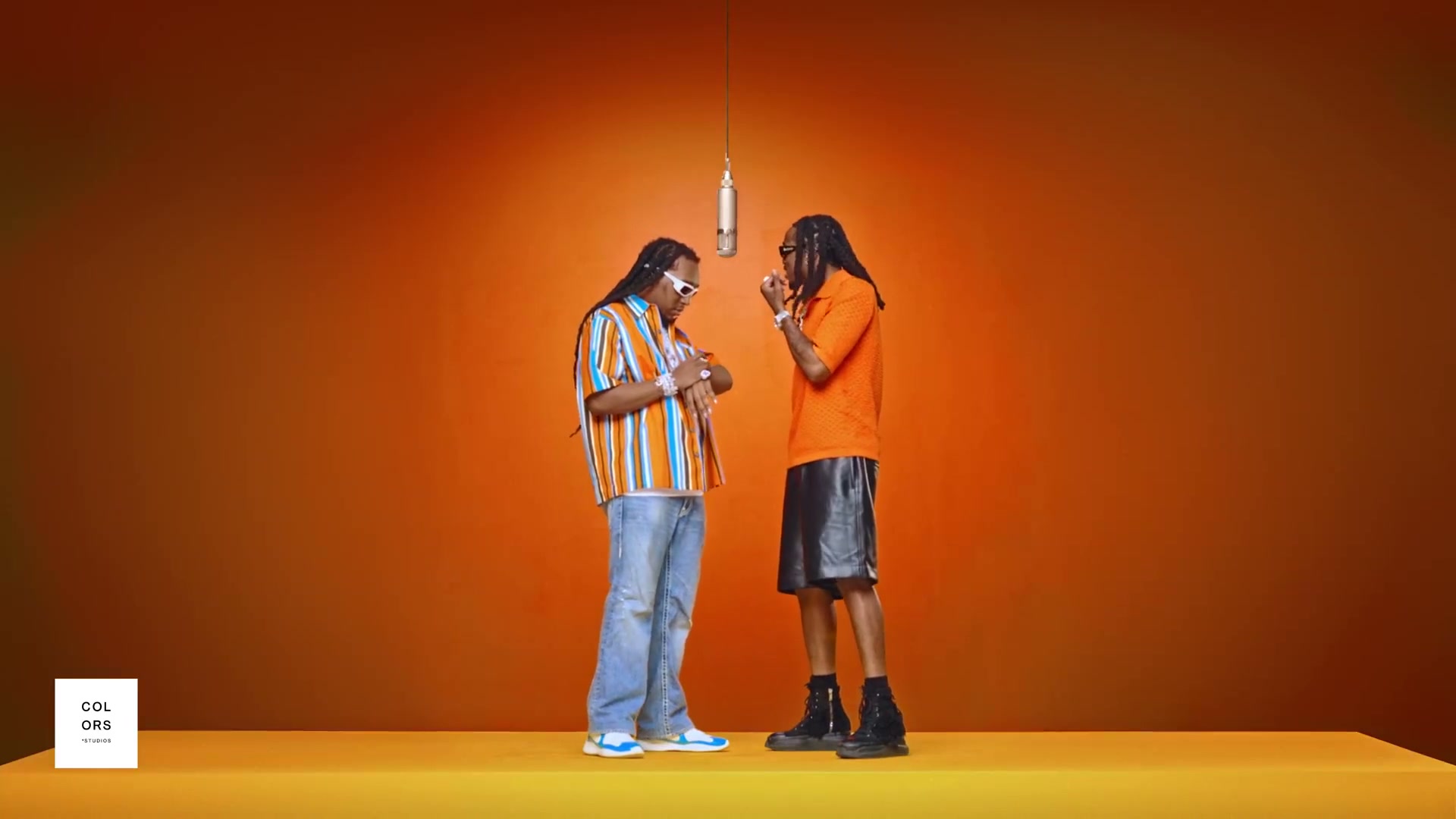
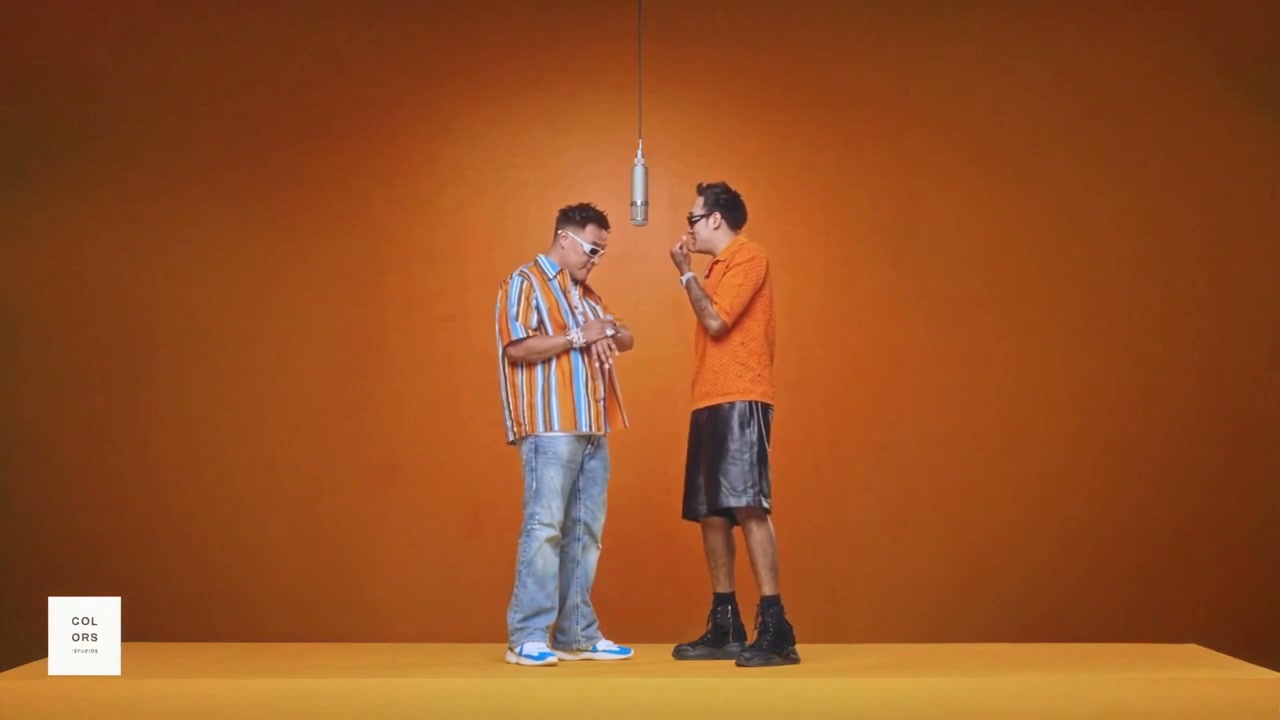
Keep the staging and energy. Change who is performing.
Watch it. Then make it yours.
Open the comparison page your agent gives you and watch with sound. The original audio keeps the track intact; the generated mouth movements still need a human check. Wan 3 creates a new performance from references, so perfect lip sync and identical frames are not guaranteed.
- Are the right people on the right sides?
- Do their faces, clothes, and sunglasses stay consistent?
- Do the mouths follow the vocals, including through the join?
- Does the ending read clearly and return naturally to the start?
If a detail needs fixing, tell the agent exactly where. For example: “At 12 seconds, keep Mauvis’s white undershirt, but remove the pointed collar.” Ask it to redo just the affected section; extra generations use more credits.
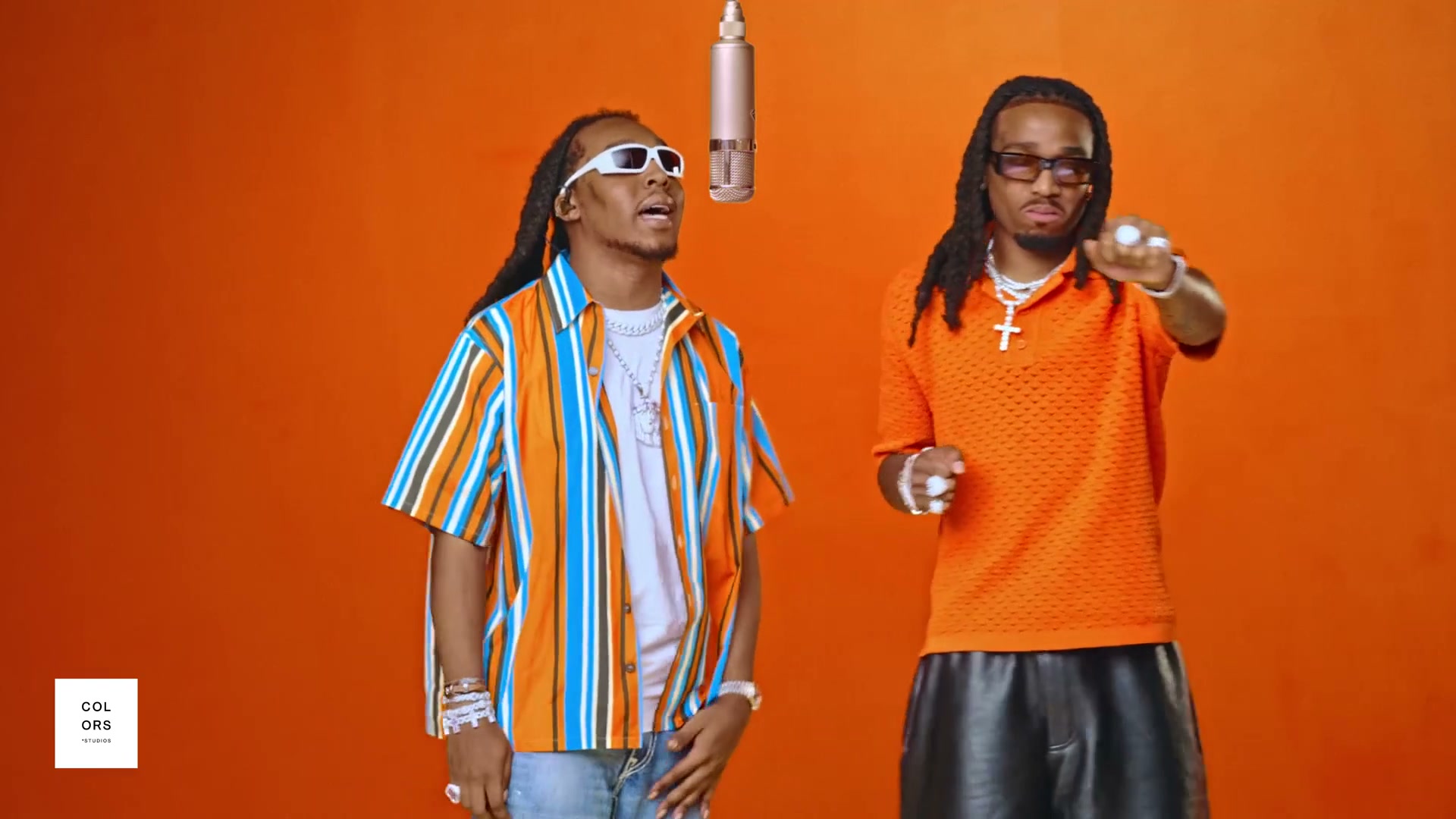

Let them laugh. Then show the name.
We put the announcement at the end, after the performance. The orange background ties it to the studio, and the music leads back to the opening for the next loop.
Swap in your event, team name, or punchline. Your agent can make a simple title card locally without another AI video render.
Our final pair of video generations took about 8 minutes 16 seconds while running in parallel, before local editing and review. Yours may take longer depending on availability and how many revisions you make.
The example is an AI remix. Original performance and music: Quavo & Takeoff / COLORS. The finished video does not depict the co-founders actually performing the song.
A few dollars for the video pass.
For this exact recipe, the live Sogni estimate was $2.60 for each 10-second render. Each request includes a 10-second video reference, so the two requests add up to 40 billable seconds: 20 seconds of input and 20 seconds of output.
Two 10-second Wan 3 reference-to-video renders · 720p · 16:9 · 30fps · two portrait references per render · audio enabled.
| Your Sogni plan | Wan 3 discount | Estimated cost |
|---|---|---|
| Pay as you go | — | $5.20 |
| Unlimited | 5% | $4.94 |
| Unlimited Pro | 10% | $4.68 |
Estimate checked September 23, 2026, PT. This covers the 720p Wan 3 generation pass; it excludes the optional 2K upscale and the total spent developing our example. Retries, subscriptions, agent usage, and applicable taxes are extra. Final charges follow the provider’s measured durations. Ask your agent for a fresh quote before rendering.
Wan 3 is extra. Unlimited still goes a long way.
Wan 3 is not included in Unlimited’s covered generations. It is a third-party model, paid for with Premium Spark. Unlimited members save 5% on it; Unlimited Pro members save 10%.
The subscription also covers a much wider creative toolkit: 200+ supported open models for images, video, music, and more, subject to fair use. That includes options such as Wan 2.2, LTX-2.5, MiniMax H3, and ACE-Step music. Unlimited starts at $20 monthly or $199 billed yearly. See what Unlimited includes →
How does it compare with Higgsfield Genjutsu?
Higgsfield’s published Genjutsu guide gives a 15-second, 720p example at 104 credits, approximately $5.20. At the Sogni rate we checked, a 15-second Wan 3 result using a 15-second source reference comes to $3.90 before member discounts. That is 25% less for this duration and resolution.
MiniMax H3 reference-to-video costs even less on Sogni. The same 15 seconds at 768p comes to $2.41, 54% less than the Genjutsu example. It is also included with Sogni Unlimited, subject to fair use.
| Workflow | Generation estimate |
|---|---|
| Sogni · MiniMax H3 reference-to-video, 768p | $2.41 |
| Sogni · Wan 3 reference-to-video, 720p | $3.90 |
| Higgsfield · Genjutsu Motion Transfer, 720p | ≈ $5.20 |
Wan 3 calculation: (15 input + 15 output seconds) × $0.13. MiniMax H3 calculation: (15 input + 15.08 output seconds) × $0.08 at the Standard tier; the model’s frame grid rounds a 15-second output to 15.08 seconds, and up to five reference images are included. Genjutsu figure: Higgsfield’s own September 2026 credit-price example. These are different workflows, not a claim of identical output quality. Comparison excludes subscriptions, retries, taxes, and account-specific offers. Wan 3 and Genjutsu checked September 23, 2026, PT; MiniMax H3 checked September 24, 2026, PT. Confirm current quotes in both products.
Need the full 30 seconds? We made one with MiniMax H3.
We also made a longer version with MiniMax H3 reference-to-video, using 00:14 to 00:44 of the same performance. This time we kept the formal wear from our photos and borrowed the original performers’ chains, bracelets, watches, and rings.
MiniMax accepts up to 15 seconds of reference video per request, so the agent split the 30 seconds into three sections. Each section starts and ends on one of the video’s own camera cuts, so the joins look like part of the original edit. The prompts also included the verse lyrics, marked by who raps each line, to help with lip sync.
MiniMax H3 generated every frame at 1344 × 768. FlashVSR then upscaled each section to 2520 × 1440, and the original audio was added back. We used no other video model and no manual retouching.
Tap either video to play both together. The original is 1080p; the MiniMax version is 1440p after FlashVSR. Both run at 24fps with the same 30 seconds of original audio.
MiniMax H3 reference-to-video and FlashVSR upscaling are both included with Sogni Unlimited, subject to fair use. Without a subscription, they run on Premium Spark; the breakdown for our 30-second pass is below.
| Step | Render time | Pay as you go |
|---|---|---|
| Section 1 · 8.4 seconds | 17 min 35 s | $1.37 |
| Section 2 · 11.1 seconds | 27 min 57 s | $1.81 |
| Section 3 · 10.5 seconds | 12 min 50 s | $1.93 |
| FlashVSR to 1440p | 1 min 45 s – 13 min 14 s each | $1.20 |
| Total | ≈ 31 min side by side | $6.30 |
Times run from submission to download on Sogni’s Supernet, including queueing and model loading. Run side by side, the pass takes about as long as the slowest section plus a typical 2–3 minute upscale; one of our upscales landed on a slower node and took 13 minutes. Each MiniMax price covers the reference video sent in plus the generated clip, at $0.08 per second each; the renders run slightly past each camera cut, and the extra frames are trimmed. MiniMax figures are Sogni’s quotes at submission. FlashVSR figures are live estimates for the same clip lengths. Rows are rounded. Checked September 24, 2026, PT. Retries, taxes, and agent usage are extra.
Your turn at the mic.
Pick your two photos, choose your twenty seconds, and give your agent the brief. The sunglasses are optional. The confidence is apparently not.
Copy the setup message ↑Explore Wan 3 on Sogni →Explore MiniMax H3 on Sogni →
Sources and the full generation prompts
- Quavo & Takeoff — HOTEL LOBBY / A COLORS SHOW, the original performance.
- Sogni Creative Agent skill, installation and usage.
- Wan 3 model guide, reference limits and billing rules. The live estimate above supersedes the page’s dated launch-sale example.
- MiniMax H3 model guide, reference limits, per-second pricing, and Unlimited coverage for the 30-second version.
- FlashVSR model guide, output resolutions and Unlimited coverage for the 1440p upscale.
- Sogni Unlimited and plan pricing, coverage and member savings.
- The detailed prompts sent for the selected renders: first section and second section. The brief in this tutorial is a simplified way to ask your agent for that workflow.
Love the edit? Take it to 2K.
Once you are happy with the performance, ask your agent to run Sogni’s FlashVSR video upscaler. It turns our 1280 × 720 export into 2560 × 1440, the 1440p option Sogni calls 2K, while keeping the frame rate, timing, full picture, and soundtrack.
Use the Sogni Creative Agent skill to upscale my finished MP4 to 2K (1440p) with FlashVSR. Keep every frame, the original timing, aspect ratio, and audio. Save it as a new file and give me a synchronized before-and-after comparison to review.
You don’t need to write another creative prompt. The upscaler works on the finished video. Our 22.47-second example took about 5 minutes 5 seconds to upscale, including transfer time.
FlashVSR upscaling is included with Sogni Unlimited under fair use. Without a subscription, it uses Premium Spark; ask your agent for the estimate. This is separate from the Wan 3 generation cost above. Upscaler coverage and pricing →
Give the logo a clean finish, too.
Small lettering can look wobbly after AI generation and upscaling. For our final export, we placed the official Sogni ball from the brand kit over the softened white square at the lower left. Adding the real asset after the upscale keeps its edges crisp. For a little movement, we made it pulse and gently vibrate on the bass hits, then settle before the ending card. You can ask your agent to do the same with your own logo.
The 2K version at the top includes this final branding pass. Watch faces, fabric, and moving edges at full size before choosing your export; sharper detail can also make flicker easier to notice.
The same 674 frames at 30fps, with the original audio. The right-hand video includes the 2K upscale and the separate logo overlay. Use Native pixels or full screen to inspect the detail.


